switch Peugeot Boxer 2018 Manual PDF
[x] Cancel search | Manufacturer: PEUGEOT, Model Year: 2018, Model line: Boxer, Model: Peugeot Boxer 2018Pages: 232, PDF Size: 9.09 MB
Page 195 of 232
9
The classifications available are those of
the portable device connected (artists/
albums/genres/tracks/playlists/audio
books/podcasts).
The default classification used is by
artists. To modify the classification used,
return to the first level of the menu then
select the desired classification (playlists,
for example) and confirm to go down
through the menu to the desired track.
The version of software in the audio
system may not be compatible with the
generation of your Apple
® p l aye r.
Navigation
Press N AV then in the centre or at
the bottom of the screen to display
the settings and navigation menus:
Go to…
Select "Go to", to define the destination in many
ways and not just by entering an address.
Display map
Display the map for the route for a
preview
using the map navigator. Plan a
route
Use the navigation system to plan a route
in advance, selecting the start point and the
destination.
Services
Use the traffic information to minimise the
impact on your journey from traffic delays.
Settings
Modify the appearance and operation of the
navigation system.
Most of the system settings are accessible by
pressing "Settings" in the main menu.
Help
Access information on assistance ser vices or
other specialised services.
End
Confirm the settings.
Limit
Speed limit (if known).
To see the difference between the desired time
of arrival and estimated time of arrival.
Switch between 3D and 2D maps.
Go to…, Display map, Plan a
route,
Services, Settings, Help, End.
When the navigation system starts for the
first time, the "Driving mode" and detailed
information on the current position are
displayed. Details
The route over view gives a
preview of the
route, the remaining distance to the destination
and an estimate of the remaining travelling
time.
With RDS-TMC data, the route over view also
shows traffic information related to delays on
the route.
Modify route
The navigation system helps you to reach
your destination in the fastest possible time by
displaying an alternative route when available.
End
Confirm the settings.
Instructions
Navigation instructions for the next section
of the route and the distance until the next
instruction. If the second instruction is less
than 150 metres from the first, it is displayed
immediately instead of the distance.
Touch this part of the status bar to repeat the
last voice instruction. Touch the middle of the screen to open the
main menu.
.
Touch screen Audio-Telematic system
Page 198 of 232
12
If the USB device contains new software,
the system starts by updating the navigation
software. The system must restart once the
software has been updated.
F
Sel
ect "OK".
Before the system starts updating the map, it
advises you that the map will take at least thirty
minutes to install.
Do not remove the USB device or switch
off the system before updating has ended.
The system cannot be used before
updating has been completed. Start
the system update again if updating is
interrupted.
The following message appears when the map
has been updated:
" Update ended "
You can now safely remove your USB
device.
Problem solving Y ou should perhaps prepare the USB
device again.
-
T
he version of the map on the USB device
is the same as on the system or even older.
If so, download the map again onto the USB
device using "TomTom HOME".
You should perhaps prepare the USB
device again.
Telephone
Press " PHONE " to display the
phone menus:
Recent calls
-
A
ll calls, In, Out, Lost.
D
isplay and call contacts from the recent
calls log. Settings
-
T
el. connected, Add device, Audio
connect.
L
ink up to ten telephones/audio devices
to simplify and speed up access and
connection.
Transf.
-
T
ransf..
Transfer calls from the system to the mobile
phone and vice versa.
-
M
ute.
S
witches off the system microphone for
private conversations.
Pairing a Bluetooth®
telephone
For reasons of safety and because
it requires sustained attention by the
driver, the pairing of a
Bluetooth
® mobile
telephone with the hands-free system of
your audio system must be done with the
vehicle stationary .
The following problems may occur during an
update:
-
T
he map on the USB device is invalid. If
so, download the map again onto the USB
device using "TomTom HOME". -
M
obile phone
.
Display and call contacts from the mobile
phonebook.
-
P
ress the 5
or 6
buttons to scroll through
names in the phonebook.
-
G
o directly to the desired letter in the list.
The system memory contains predefined
text messages, which can be sent to reply to
a
message received or as a
new message. When a
text message is received (depending
on the telephone model), the system can also
transmit the message in question.
Dial the telephone number using the virtual
keypad in the screen.
F
C
lick on "
Close".
The new map is now available on the
system.
Touch screen Audio-Telematic system
Page 199 of 232
13
Press "PHONE ".
If no telephone has yet been paired
in the system, a special page is
displayed in the screen.
Select "Yes" to start the pairing procedure, and
search for the name of the system in the mobile
phone (other wise selecting "No" displays the
main Telephone screen page).
Select the name of the system and, depending
on the telephone, using the telephone's
keypad, enter the PIN displayed in the screen
of the system or confirm in the mobile phone
the PIN displayed.
When pairing, a screen page is displayed
showing progress in the operation.
If the operation fails, we recommend
switching the Bluetooth function
of your telephone off and then on
again. When the pairing procedure has
finished successfully, a screen page
appears:
-
b y replying "Yes" to the
question, the mobile phone
is saved as favourite (this
telephone will have priority
over other telephones paired
subsequently).
-
i
f no other device has been
paired, the system considers
the first device paired to be the
favourite.
For telephones not set as favourites,
the order of priority is determined in the
order of connection. The last telephone
connected will take higher priority.
The available ser vices depend on the network,
SIM card and Bluetooth
® device compatibility.
Consult your telephone's manual and your
operator to find out which ser vices are
available to you. To modify the automatic connection profile,
select the telephone in the list then select the
desired setting.
The profiles compatible with the system are:
HFP, OPP, PBAP, A 2DP, AVRCP, MAP.
Automatic reconnection
When the ignition is switched on, the telephone
connected when the ignition was last switched
off reconnects automatically, if this connection
mode had been set during the pairing
procedure (see previous pages).
Activate the telephone's Bluetooth function
and ensure that it is "visible to all" (telephone
configuration).
When you return to your vehicle, the last
telephone connected reconnects automatically,
within around thirty seconds of switching on the
ignition (with Bluetooth
® switched on).The connection is confirmed by the display of
a
message and the name of the telephone.
Managing paired
telephones
This function allows the connection or
disconnection of a
peripheral device as
well as the deletion of a
pairing.
Press " Settings ".
Select " Telephone/Bluetooth
®" then select the
telephone in the list of paired devices.
.
Touch screen Audio-Telematic system
Page 200 of 232
14
Select "Connected " or "Disconnected ",
" Delete device " or "Add device", " Save
Favourites ", "Text messages on ",
" Download " in the list of options offered.
Receiving a call
An incoming call is announced by a ring and
a superimposed display in the screen.
Press this steering wheel mounted
button briefly to accept an incoming
call.
or
Press the " Answer" button displayed in the
screen.
If there are two calls in progress (one in
progress and one on hold), it is possible to
change from one to the other by pressing the
" Switch calls " button or to combine both calls
in a
conference call by pressing the " Co nf e r."
button.
Ending a call
To reject a call, press this button
a t the steering wheel mounted
controls.
or
Press the " Ignore" button displayed in the
screen.
Making a call
Calling a new number
Using the telephone while driving is not
advised. We recommend that you park
safely or make use of the steering wheel
mounted controls.
Press " PHONE ".
Press the keypad button.
Enter the phone number using the keypad then
press the " Call" button to start the call.
Calling a contact
Press "PHONE ".
Press the " Contacts" button or the
" Recent calls " button.
Select the desired contact from the list offered
to start the call.
Vehicle information
Press " MORE" to display vehicle
information menus:
Exterior temp.
Displays the exterior temperature.
Clock
Displays the clock.
Compass
Displays the direction taken.
Tr i p
-
I
nstant info., Trip A, Trip B .
Displays the trip computer.
Press and hold the "Trip A" or "Trip B"
buttons to reset the trip in question.
Settings
Press this button to display the
Settings menus:
Display
-
B
rightness .
S
et the brightness of the screen.
-
Di
splay mode .
Set the display mode.
-
L
anguage .
Choose the desired language.
Touch screen Audio-Telematic system
Page 201 of 232
15
- Unit of measurement.
Set the units used for the display of fuel
consumption, distance and temperature.
-
T
ouch screen beep .
Activate or deactivate the audible signal
when touching a
screen button.
-
D
isplay Trip B .
Display Trip B in the driver's screen.
Voice commands
-
V
oice response time .
Set the response time for the voice system.
-
D
isplay command list .
Display suggestions with the different
options during a
voice session.
Clock and Date
-
S
et time and format .
Set the time.
-
Di
splay time mode .
Activate or deactivate display of the digital
clock in the status bar.
-
S
ync time .
Activate or deactivate the automatic display
of time.
-
S
et date .
Set the date. Safety/Help
-
R eversing camera.
Display the reversing camera.
-
C
amera delay.
Maintain the display in the screen of the
image from the reversing camera for
a
maximum of ten seconds or up to 11 mph
(18
km/h).
Lamps
-
D
aytime running lamps.
Activate or deactivate the automatic
illumination of headlamps when starting.
Doors and locking
-
A
utoclose.
Activate or deactivate the automatic locking
of doors when the vehicle is moving. -
A utomatic radio
.
Adjust the radio on startup or restore the
active state the last time the ignition was
switched to STOP.
-
R
adio off delay.
Adjust the setting.
-
A
UX vol. adjustment.
Adjust the settings.
Telephone/Bluetooth
®
- Tel. connected .
Start the Bluetooth® connection of the
device selected.
Delete the selected device.
Save the selected device in favourites.
Adjust the settings.
-
A
dd device .
Add a
new peripheral device.
-
A
udio connect .
Connect a
device in audio only.
Audio
-
E
qualiser .
Adjust the bass, mid-range and treble.
-
B
alance/Fade .
Adjust the balance of the speakers, front
and rear, left and right.
Press the button in the middle of the arrows
to balance the adjustments.
-
V
olume/Speed .
Select the desired setting, the option is
highlighted.
-
L
oudness .
Optimise audio quality at low volume. Radio settings
-
D
AB announcements .
Activate or deactivate announcements.
Activate or deactivate the options: Alarm,
Event announc., Stock market flash, News
flash, Programme info, Special event,
Sports info, Public transp. info, Alarm
announcement, Weather flash.
.
Touch screen Audio-Telematic system
Page 202 of 232
16
Restore settings
Restore the default settings for the screen,
clock, sounds and the radio.
Erase personal data
Erase personal data, Bluetooth
® devices and
pre-settings included.
Voice commands
Information – Using the
system
Instead of touching the screen, you can
use your voice to issue commands to the
system. To ensure that your voice commands are
always recognised by the system, we
recommend that you follow the advice
below:
-
s
peak in a normal tone,
-
a
lways wait for the "beep" (audible
signal) before speaking,
-
t
he system is able to recognise the
voice commands delivered, regardless
of gender, tone and inflexion of the
voice of the person speaking,
-
k
eep the noise level inside the
passenger compartment as low as
possible,
- a sk the other passengers not to
speak before you use the voice
commands. As the system recognises
voice commands whatever is said,
when more than one person speaks
at the same time, it is possible that
the system will recognise different
or additional commands to the one
intended,
-
f
or best operation, it is recommended
that the windows and sunroof (for
models/markets where it is available)
be closed to avoid inter ference from
outside noise.
Steering wheel mounted controls
This button switches on the
"Telephone" voice recognition
mode, which makes it possible to
start calls, view the log of recent /
received/made calls, display
contacts, etc.
This button switches on the "Radio/
Media" voice recognition mode,
which makes it possible to tune
to a
specific radio station radio or
specific AM/FM radio frequency,
play a
track or an album on a USB
memory stick/iPod/MP3
CD.
Touch screen Audio-Telematic system
Page 211 of 232
1
Audio system
Multimedia audio system –
Bluetooth® telephone
Contents
First steps
1
S
teering wheel mounted controls
2
R
adio
2
M
edia
4
T
elephone
5
S
ettings
6
V
oice commands
6T
he system is protected in such a way that
it will only operate in your vehicle.
For safety reasons, the vehicle must
always be stationary for the driver to
perform operations that require close
attention.
When the engine is switched off and to
prevent discharging of the battery, the
system switches off after activation of
energy economy mode.
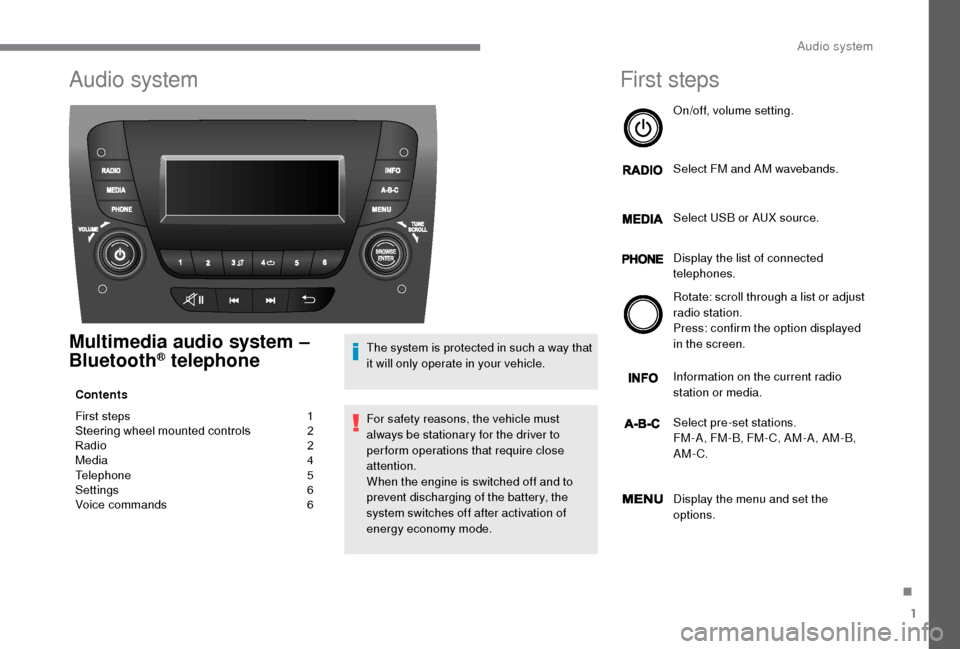
First steps
On/off, volume setting.
Select FM and AM wavebands.
Select USB or AUX source.
Display the list of connected
telephones.
Rotate: scroll through a
list or adjust
radio station.
Press: confirm the option displayed
in the screen.
Information on the current radio
station or media.
Select pre-set stations.
FM-A, FM-B, FM- C, AM-A, AM-B,
AM-C.
Display the menu and set the
options.
.
Audio system
Page 212 of 232
2
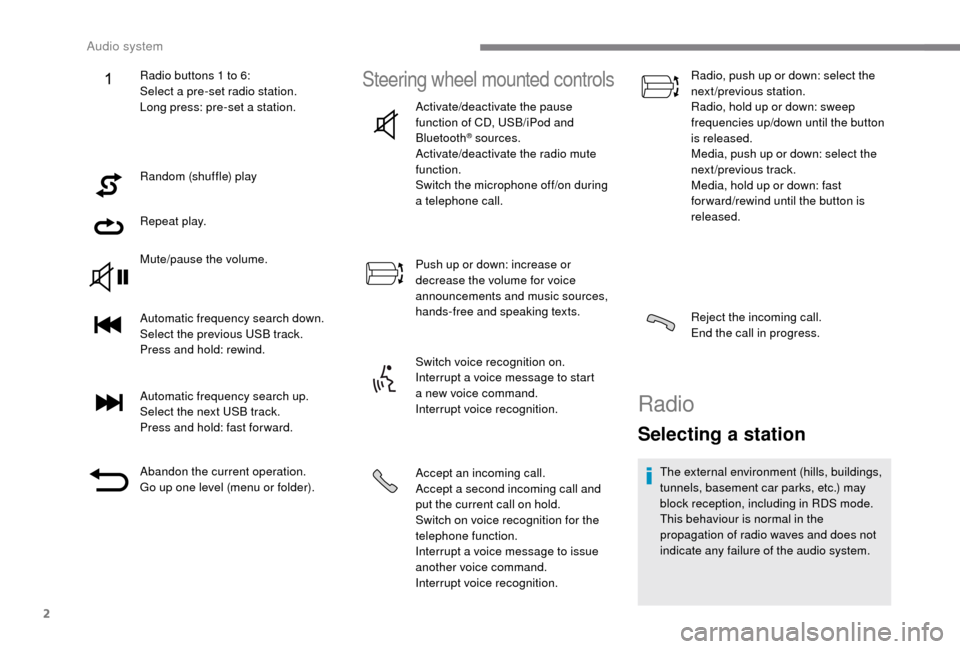
Random (shuffle) play
Repeat play.
Mute/pause the volume.
Automatic frequency search down.
Select the previous USB track.
Press and hold: rewind.
Automatic frequency search up.
Select the next USB track.
Press and hold: fast for ward.
Abandon the current operation.
Go up one level (menu or folder).
Steering wheel mounted controls
Activate/deactivate the pause
function of CD, USB/iPod and
Bluetooth
® sources.
Activate/deactivate the radio mute
function.
Switch the microphone off/on during
a
telephone call.
Push up or down: increase or
decrease the volume for voice
announcements and music sources,
hands-free and speaking texts.
Switch voice recognition on.
Interrupt a
voice message to start
a
new voice command.
Interrupt voice recognition.
Accept an incoming call.
Accept a
second incoming call and
put the current call on hold.
Switch on voice recognition for the
telephone function.
Interrupt a
voice message to issue
another voice command.
Interrupt voice recognition. Radio, push up or down: select the
next/previous station.
Radio, hold up or down: sweep
frequencies up/down until the button
is released.
Media, push up or down: select the
next/previous track.
Media, hold up or down: fast
for ward/rewind until the button is
released.
Reject the incoming call.
End the call in progress.
Radio
Selecting a station
The external environment (hills, buildings,
tunnels, basement car parks, etc.) may
block reception, including in RDS mode.
This behaviour is normal in the
propagation of radio waves and does not
indicate any failure of the audio system.
Radio buttons 1
to 6:
Select a
pre-set radio station.
Long press: pre-set a
station.
Audio system
Page 213 of 232
3
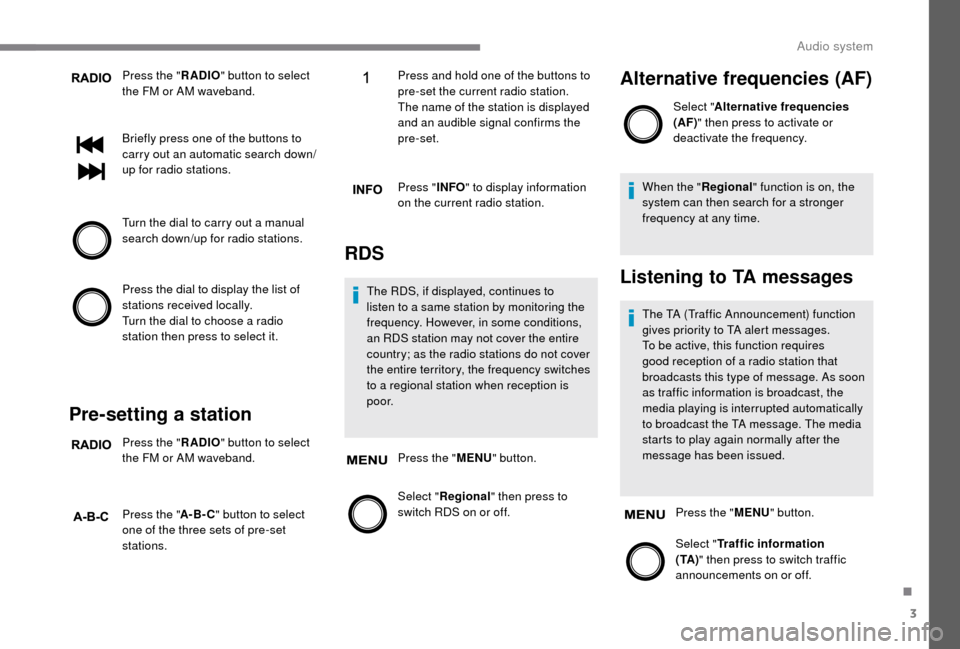
Press the "RADIO" button to select
the FM or AM waveband.
Briefly press one of the buttons to
carry out an automatic search down/
up for radio stations.
Turn the dial to carry out a
manual
search down/up for radio stations.
Press the dial to display the list of
stations received locally.
Turn the dial to choose a
radio
station then press to select it.
Pre-setting a station
Press the " RADIO" button to select
the FM or AM waveband.
Press the " A-B-C" button to select
one of the three sets of pre-set
stations. Press and hold one of the buttons to
pre-set the current radio station.
The name of the station is displayed
and an audible signal confirms the
pre-set.
Press "
INFO" to display information
on the current radio station.
RDS
The RDS, if displayed, continues to
listen to a same station by monitoring the
frequency. However, in some conditions,
an RDS station may not cover the entire
country; as the radio stations do not cover
the entire territory, the frequency switches
to a
regional station when reception is
p o o r.
Press the " MENU" button.
Select " Regional" then press to
switch RDS on or off.
Alternative frequencies (AF)
Select " Alternative frequencies
(AF)" then press to activate or
deactivate the frequency.
When the " Regional" function is on, the
system can then search for a
stronger
frequency at any time.
Listening to TA messages
The TA (Traffic Announcement) function
gives priority to TA alert messages.
To be active, this function requires
good reception of a
radio station that
broadcasts this type of message. As soon
as traffic information is broadcast, the
media playing is interrupted automatically
to broadcast the TA message. The media
starts to play again normally after the
message has been issued.
Press the " MENU" button.
Select " Traffic information
( TA ) " then press to switch traffic
announcements on or off.
.
Audio system
Page 214 of 232
4
Media
USB port
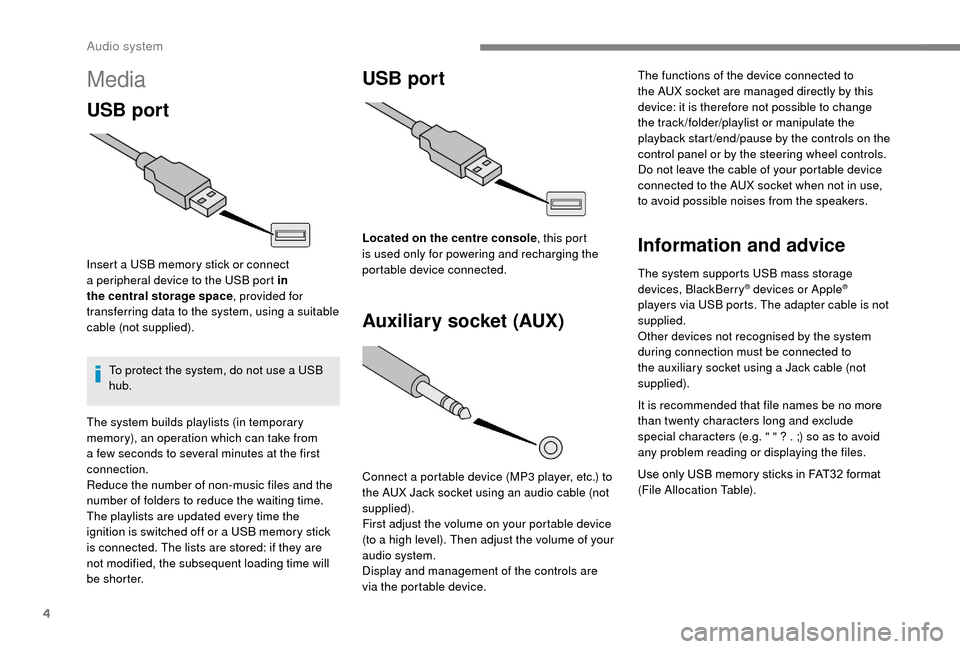
Insert a USB memory stick or connect
a peripheral device to the USB port in
the central storage space , provided for
transferring data to the system, using a
suitable
cable (not supplied).
To protect the system, do not use a
USB
hub.
USB port
Auxiliary socket (AUX)
Connect a portable device (MP3 player, etc.) to
t he AUX Jack socket using an audio cable (not
supplied).
First adjust the volume on your portable device
(to a
high level). Then adjust the volume of your
audio system.
Display and management of the controls are
via the portable device. The functions of the device connected to
the AUX socket are managed directly by this
device: it is therefore not possible to change
the track /folder/playlist or manipulate the
playback start /end/pause by the controls on the
control panel or by the steering wheel controls.
Do not leave the cable of your portable device
connected to the AUX socket when not in use,
to avoid possible noises from the speakers.
Information and advice
The system supports USB mass storage
devices, BlackBerry® devices or Apple®
players via USB ports. The adapter cable is not
supplied.
Other devices not recognised by the system
during connection must be connected to
the auxiliary socket using a
Jack cable (not
supplied).
It is recommended that file names be no more
than twenty characters long and exclude
special characters (e.g. " " ? . ;) so as to avoid
any problem reading or displaying the files.
Use only USB memory sticks in FAT32
format
(File Allocation Table).
The system builds playlists (in temporary
memory), an operation which can take from
a
few seconds to several minutes at the first
connection.
Reduce the number of non-music files and the
number of folders to reduce the waiting time.
The playlists are updated every time the
ignition is switched off or a
USB memory stick
is connected. The lists are stored: if they are
not modified, the subsequent loading time will
b e s h o r t e r. Located on the centre console
, this port
is used only for powering and recharging the
portable device connected.
Audio system