ground Peugeot Boxer 2020 User Guide
[x] Cancel search | Manufacturer: PEUGEOT, Model Year: 2020, Model line: Boxer, Model: Peugeot Boxer 2020Pages: 196, PDF Size: 5.1 MB
Page 111 of 196
109
In the event of a breakdown
84 - Replacing the wheel to
be repaired
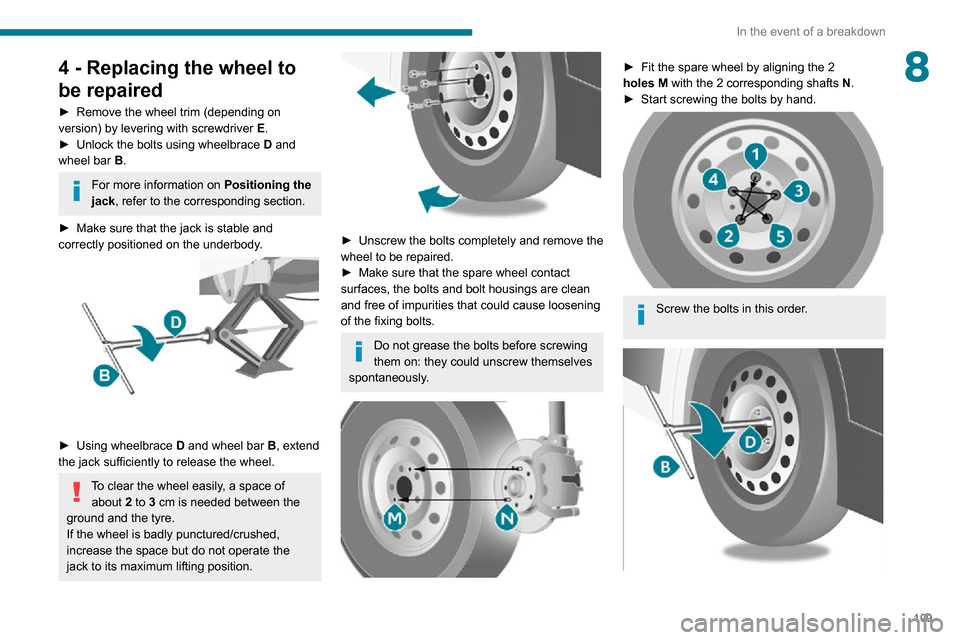
► Remove the wheel trim (depending on version) by levering with screwdriver E.► Unlock the bolts using wheelbrace D and
wheel bar B.
For more information on Positioning the
jack, refer to the corresponding section.
► Make sure that the jack is stable and correctly positioned on the underbody.
► Using wheelbrace D and wheel bar B, extend
the jack sufficiently to release the wheel.
To clear the wheel easily, a space of about 2 to 3 cm is needed between the
ground and the tyre.
If the wheel is badly punctured/crushed,
increase the space but do not operate the
jack to its maximum lifting position.
► Unscrew the bolts completely and remove the wheel to be repaired.► Make sure that the spare wheel contact surfaces, the bolts and bolt housings are clean
and free of impurities that could cause loosening
of the fixing bolts.
Do not grease the bolts before screwing
them on: they could unscrew themselves
spontaneously.
► Fit the spare wheel by aligning the 2 holes M with the 2 corresponding shafts N.► Start screwing the bolts by hand.
Screw the bolts in this order.
Page 124 of 196
122
In the event of a breakdown
► Connect the red cable to metallic terminal A,
then to the (+) terminal of backup battery B.
► Connect one end of the green or black cable to the negative (-) terminal of backup battery B.► Connect the other end of the green or black cable to earth point C of your vehicle.► Operate the starter , let the engine run.► Wait for the engine to return to idle and disconnect the cables.
Charging the battery using a
battery charger
► Access the battery, located in the left-hand front floor.► Disconnect the battery .► Follow the instructions for use provided by the manufacturer of the charger.► Reconnect starting with the (-) terminal.► Check the cleanliness of the terminals. If they are covered with sulphate (whitish or greenish
deposit), remove and clean them.
The charging operation must be carried
out in a well-ventilated area and away
from naked flames and any sources of sparks
so as to avoid the risk of explosion or fire.
Do not try to recharge a frozen battery: it
must first be thawed to avoid the risk of
explosion. If it has frozen, before charging it,
have the battery checked by a specialist who
will check that the interior components have
not been damaged and that the container is
not cracked, which would involve a risk of
leakage of toxic and corrosive acid.
Perform a slow charge at low amperage for
about 24 hours maximum to avoid damaging
the battery.
The presence of this label, in particular with the Stop & Start system, indicates
the use of a 12 V lead-acid battery with
special technology and specification; the
involvement of a PEUGEOT dealer or a
qualified workshop is essential when
replacing or disconnecting the battery.
After refitting the battery at a PEUGEOT dealer or a qualified workshop, the Stop
& Start system will only be active after a
continuous period of immobilisation of the
vehicle, a period which depends on the
climatic conditions and the state of charge of
the battery (up to about 8 hours).
Towing
General recommendations
Observe the legislation in force in the
country where you are driving.
Ensure that the weight of the towing vehicle is
higher than that of the towed vehicle.
The driver must remain at the wheel of the
towed vehicle and must have a valid driving
licence.
When towing a vehicle with all four wheels on
the ground, always use an approved towing
arm; rope and straps are prohibited.
The towing vehicle must move off gently.
When the vehicle is towed with its engine
off, there is no longer braking and steering
assistance.
A professional towing service must be
called if:
– Broken down on a motorway or main road.– Not possible to put the gearbox into neutral, unlock the steering, or release the parking
brake.
– Not possible to tow a vehicle with an automatic gearbox, with the engine running.– Towing with only two wheels on the ground.– Four-wheel drive vehicle.– No approved towbar available.
Towing your vehicle
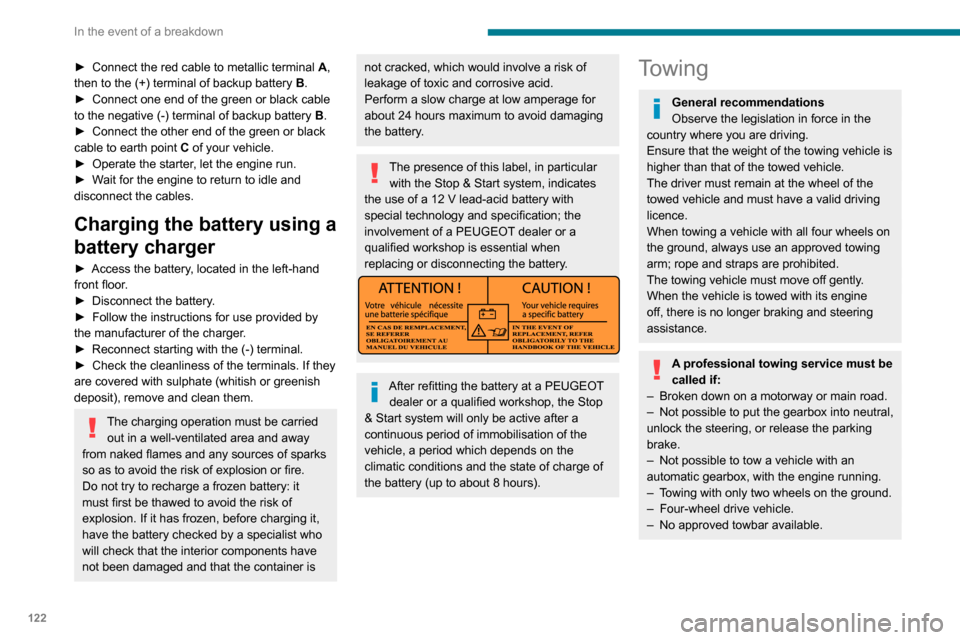
The removable towing eye is located in the tool
box under the front passenger seat.
► Unclip the cover using a flat tool.
► Screw the removable towing eye in fully.► Attach the approved towbar to the removable towing eye.
Page 125 of 196
123
In the event of a breakdown
8Towing constraints
Type of vehicle
(engine / gearbox)gearbox Font wheels on the
groundRear wheels on the
groundFlatbed
4 wheels on the ground
with towbar
Internal combustion /
Manual
Towing your vehicle
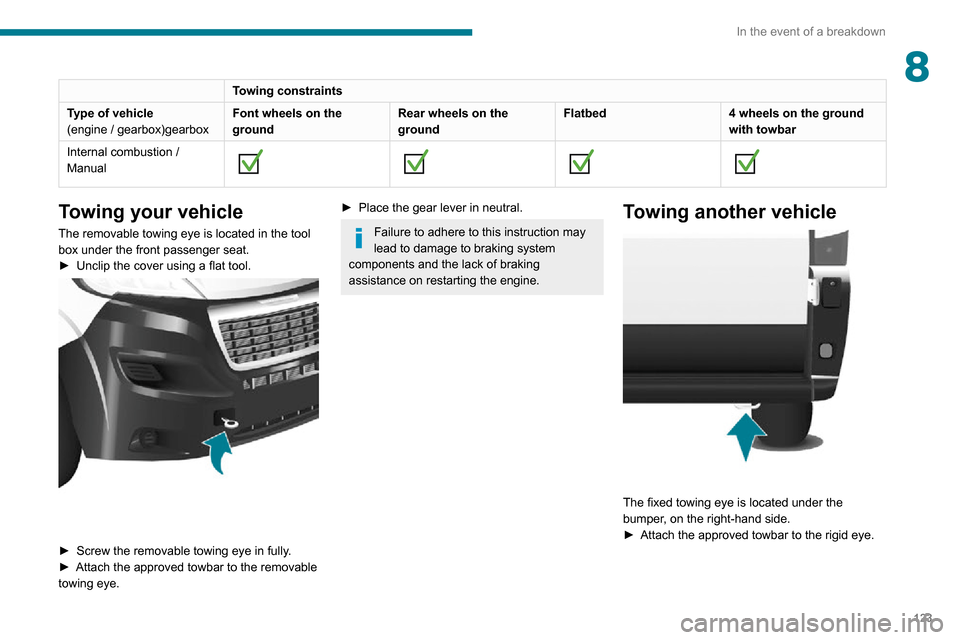
The removable towing eye is located in the tool
box under the front passenger seat.
► Unclip the cover using a flat tool.
► Screw the removable towing eye in fully .► Attach the approved towbar to the removable towing eye.
► Place the gear lever in neutral.
Failure to adhere to this instruction may
lead to damage to braking system
components and the lack of braking
assistance on restarting the engine.
Towing another vehicle
The fixed towing eye is located under the
bumper, on the right-hand side.
► Attach the approved towbar to the rigid eye.
Page 147 of 196
145
Special features
10Tipper truck
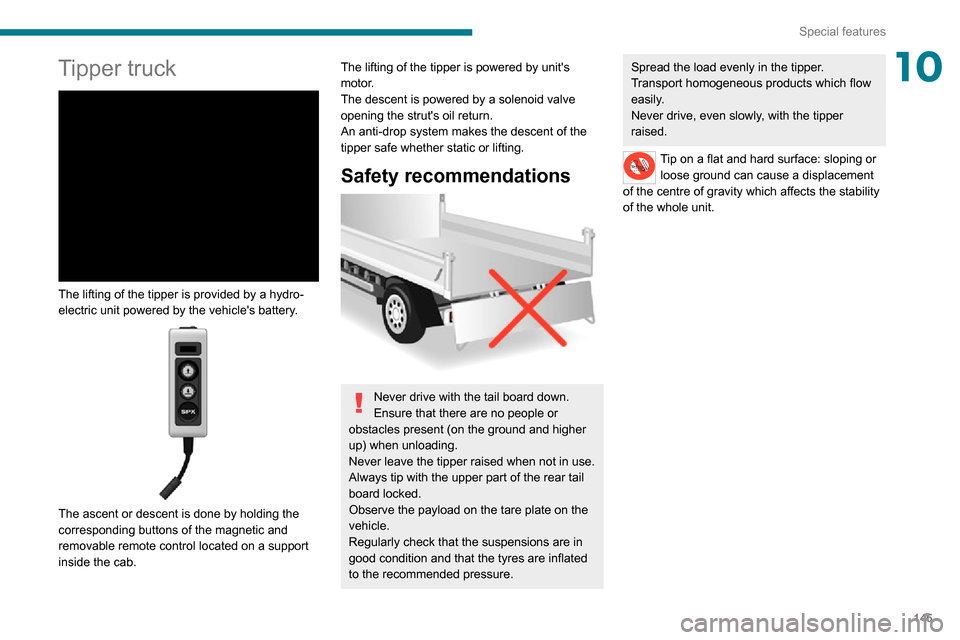
The lifting of the tipper is provided by a hydro-
electric unit powered by the vehicle's battery.
The ascent or descent is done by holding the
corresponding buttons of the magnetic and
removable remote control located on a support
inside the cab.
The lifting of the tipper is powered by unit's
motor.
The descent is powered by a solenoid valve
opening the strut's oil return.
An anti-drop system makes the descent of the
tipper safe whether static or lifting.
Safety recommendations
Never drive with the tail board down.
Ensure that there are no people or
obstacles present (on the ground and higher
up) when unloading.
Never leave the tipper raised when not in use.
Always tip with the upper part of the rear tail
board locked.
Observe the payload on the tare plate on the
vehicle.
Regularly check that the suspensions are in
good condition and that the tyres are inflated
to the recommended pressure.
Spread the load evenly in the tipper.
Transport homogeneous products which flow
easily.
Never drive, even slowly, with the tipper
raised.
Tip on a flat and hard surface: sloping or loose ground can cause a displacement
of the centre of gravity which affects the stability
of the whole unit.
Page 154 of 196
152
Audio system
To protect the system, do not use a USB hub.
The system builds playlists (in temporary
memory); this operation can take from a
few seconds to several minutes at the first
connection.
Reduce the number of non-music files and the
number of folders to reduce the waiting time.
The playlists are updated every time the ignition
is switched off or a USB memory stick is
connected. The lists are memorised: if they are
not modified, the subsequent loading time will
be shorter.
USB socket
Located on the central console, this
socket is used only to power and
recharge the connected portable device.
Auxiliary socket (AUX)
Connect a portable device (MP3 player, etc.) to the auxiliary jack socket using an
audio cable (not supplied).
First adjust the volume on your portable device
(to a high level). Then adjust the volume on your
audio system.
Controls are managed via the portable device.
The functions of the device connected to the
“AUX” socket are managed directly by this
device: it is therefore not possible to change the
track/folder/playlist or manipulate the playback
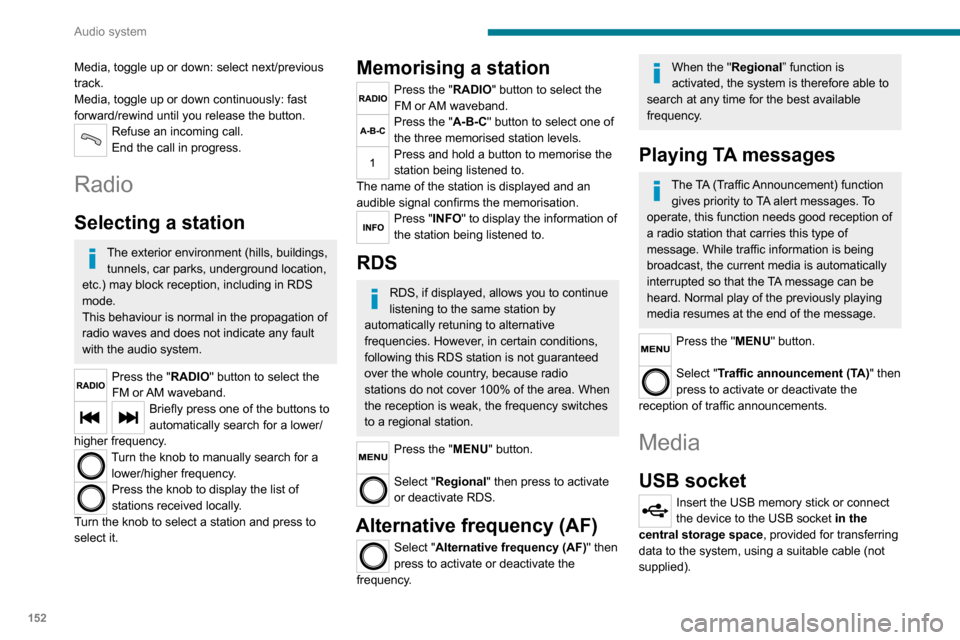
Media, toggle up or down: select next/previous
track.
Media, toggle up or down continuously: fast
forward/rewind until you release the button.
Refuse an incoming call.
End the call in progress.
Radio
Selecting a station
The exterior environment (hills, buildings, tunnels, car parks, underground location,
etc.) may block reception, including in RDS
mode.
This behaviour is normal in the propagation of
radio waves and does not indicate any fault
with the audio system.
Press the "RADIO" button to select the
FM or AM waveband.
Briefly press one of the buttons to
automatically search for a lower/
higher frequency.
Turn the knob to manually search for a lower/higher frequency.
Press the knob to display the list of
stations received locally.
Turn the knob to select a station and press to
select it.
Memorising a station
Press the "RADIO" button to select the
FM or AM waveband.
Press the "A-B-C" button to select one of
the three memorised station levels.
Press and hold a button to memorise the
station being listened to.
The name of the station is displayed and an
audible signal confirms the memorisation.
Press "INFO" to display the information of
the station being listened to.
RDS
RDS, if displayed, allows you to continue
listening to the same station by
automatically retuning to alternative
frequencies. However, in certain conditions,
following this RDS station is not guaranteed
over the whole country, because radio
stations do not cover 100% of the area. When
the reception is weak, the frequency switches
to a regional station.
Press the "MENU" button.
Select "Regional" then press to activate
or deactivate RDS.
Alternative frequency (AF)
Select "Alternative frequency (AF)" then
press to activate or deactivate the
frequency.
When the "Regional” function is
activated, the system is therefore able to
search at any time for the best available frequency.
Playing TA messages
The TA (Traffic Announcement) function gives priority to TA alert messages. To
operate, this function needs good reception of
a radio station that carries this type of
message. While traffic information is being
broadcast, the current media is automatically
interrupted so that the TA message can be
heard. Normal play of the previously playing
media resumes at the end of the message.
Press the "MENU" button.
Select "Traffic announcement (TA)" then
press to activate or deactivate the
reception of traffic announcements.
Media
USB socket
Insert the USB memory stick or connect the device to the USB socket in the
central storage space , provided for transferring
data to the system, using a suitable cable (not
supplied).