audio PEUGEOT EXPERT 2018 User Guide
[x] Cancel search | Manufacturer: PEUGEOT, Model Year: 2018, Model line: EXPERT, Model: PEUGEOT EXPERT 2018Pages: 416, PDF Size: 14.12 MB
Page 137 of 416
135
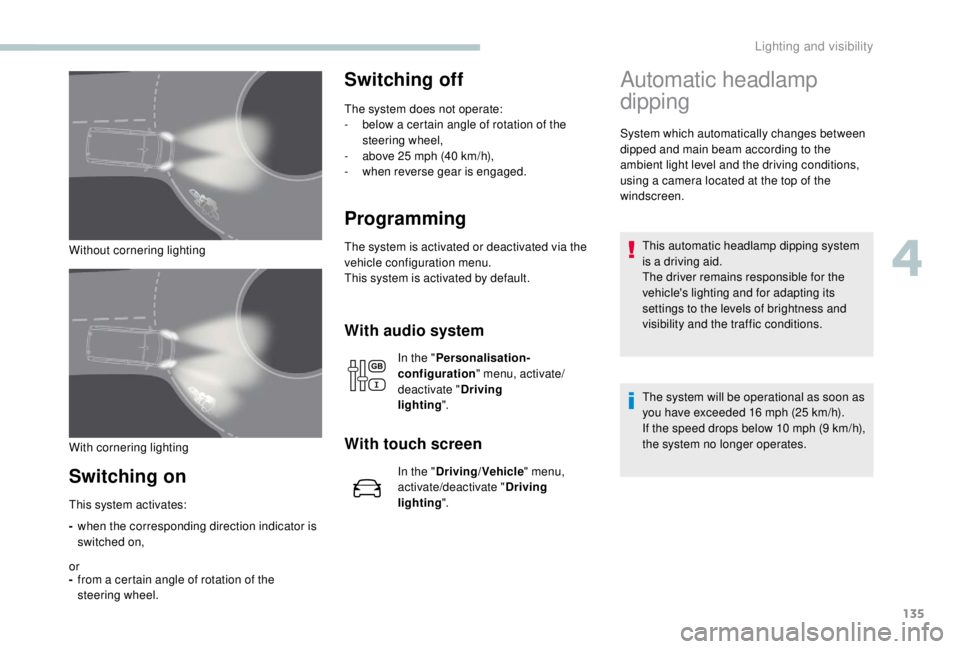
Without cornering lighting
Switching on
-when the corresponding direction indicator is
switched on,
or
- from a certain angle of rotation of the
steering wheel.
Switching off
The system does not operate:
-
b elow a certain angle of rotation of the
steering wheel,
-
a
bove 25 mph (40 km/h),
-
w
hen reverse gear is engaged.
Programming
The system is activated or deactivated via the
vehicle configuration menu.
This system is activated by default.
This system activates:
With audio system
In the " Personalisation-
configuration " menu, activate/
deactivate " Driving
lighting ".
With touch screen
In the "Driving/Vehicle " menu,
activate/deactivate " Driving
lighting ".
Automatic headlamp
dipping
System which automatically changes between
dipped and main beam according to the
ambient light level and the driving conditions,
using a camera located at the top of the
windscreen.
This automatic headlamp dipping system
is a driving aid.
The driver remains responsible for the
vehicle's lighting and for adapting its
settings to the levels of brightness and
visibility and the traffic conditions.
The system will be operational as soon as
you have exceeded 16
mph (25 km/h).
If the speed drops below 10
mph (9 km/h),
the system no longer operates.
With cornering lighting
4
Lighting and visibility
Page 138 of 416
136
Activation/Deactivation
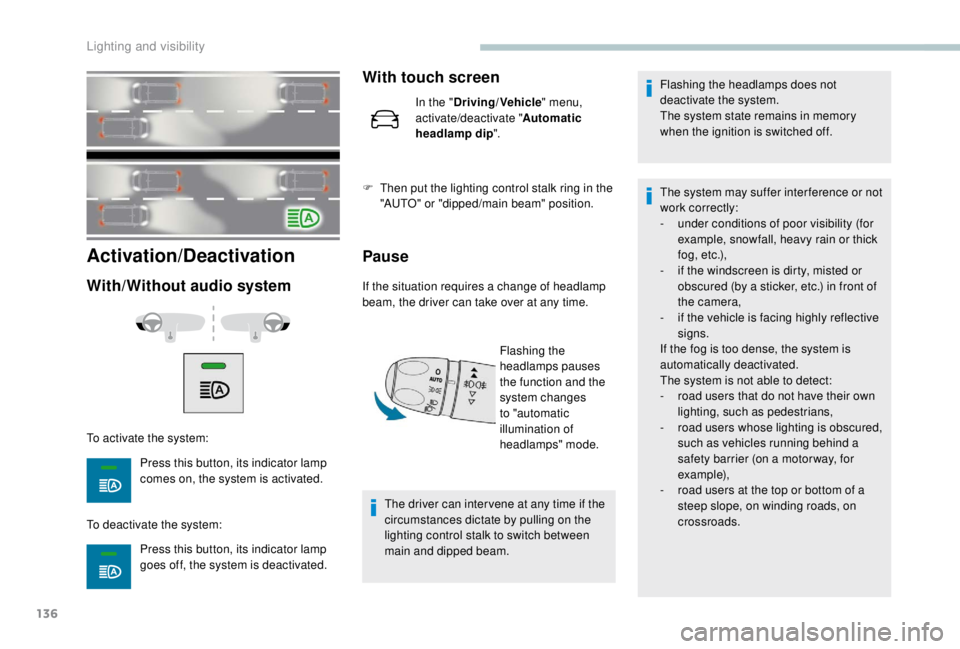
With/Without audio system
To activate the system:Press this button, its indicator lamp
comes on, the system is activated.
To deactivate the system: Press this button, its indicator lamp
goes off, the system is deactivated.
With touch screen
In the "Driving/Vehicle " menu,
activate/deactivate " Automatic
headlamp dip ".
F
T
hen put the lighting control stalk ring in the
"AUTO" or "dipped/main beam" position.
Pause
If the situation requires a change of headlamp
beam, the driver can take over at any time.
Flashing the
headlamps pauses
the function and the
system changes
to "automatic
illumination of
headlamps" mode.
The driver can inter vene at any time if the
circumstances dictate by pulling on the
lighting control stalk to switch between
main and dipped beam. Flashing the headlamps does not
deactivate the system.
The system state remains in memory
when the ignition is switched off.
The system may suffer inter ference or not
work correctly:
-
u
nder conditions of poor visibility (for
example, snowfall, heavy rain or thick
f o g , e t c .),
-
i
f the windscreen is dirty, misted or
obscured (by a sticker, etc.) in front of
the camera,
-
i
f the vehicle is facing highly reflective
signs.
If the fog is too dense, the system is
automatically deactivated.
The system is not able to detect:
-
r
oad users that do not have their own
lighting, such as pedestrians,
-
r
oad users whose lighting is obscured,
such as vehicles running behind a
safety barrier (on a motor way, for
example),
-
r
oad users at the top or bottom of a
steep slope, on winding roads, on
crossroads.
Lighting and visibility
Page 141 of 416

139
Switching off
Give the control stalk a brief push
downwards or shift the control stalk
to a different position (Int, 1 or 2).
This warning lamp goes off in the
instrument panel and a message is
displayed.
The automatic rain sensitive windscreen
wipers must be reactivated by pushing the
control stalk downwards, if the ignition has
been off for more than one minute.
Operating fault
If a fault occurs with the automatic rain
sensitive wipers, the wipers will operate in
intermittent mode.
Have the system checked by a PEUGEOT
dealer or a qualified workshop. Do not cover the rain sensor combined
with the sunshine sensor and located at the
top of the windscreen behind the rear view
m i r r o r.
When using an automatic car wash, switch
off the automatic rain sensitive wipers.
In winter, it is advisable to wait until the
windscreen is completely clear of ice before
activating the automatic rain sensitive
wipers.
Rear wiper
Of f.
Intermittent wipe.
Wash-wipe (set duration).
Reverse gear
When reverse gear is engaged, the rear wiper
will come into operation automatically if the
windscreen wipers are operating.
Activation/Deactivation
The system is activated or deactivated via the
vehicle configuration menu. This system is activated by default.
If a significant accumulation of snow or ice
is present, or when using a bicycle carrier
on the boot, deactivate the automatic rear
w i p e r.
With audio system
In the "
Personalisation-
configuration " menu, activate/
deactivate " Rear wipe in reverse
gear ".
With touch screen
In the " Driving/Vehicle " menu,
activate/deactivate " Rear wiper in
reverse ".
4
Lighting and visibility
Page 185 of 416
183
To avoid any risk of jamming the pedals:
- o nly use mats which are suited to the
fixings already present in the vehicle;
these fixings must be used,
-
n
ever place one mat on top of another.
The use of mats not approved by
PEUGEOT may inter fere with access to
the pedals and hinder the operation of the
cruise control/speed limiter.
The mats approved by PEUGEOT have
two fixings located below the seat.
Switching the ignition on
(without starting)
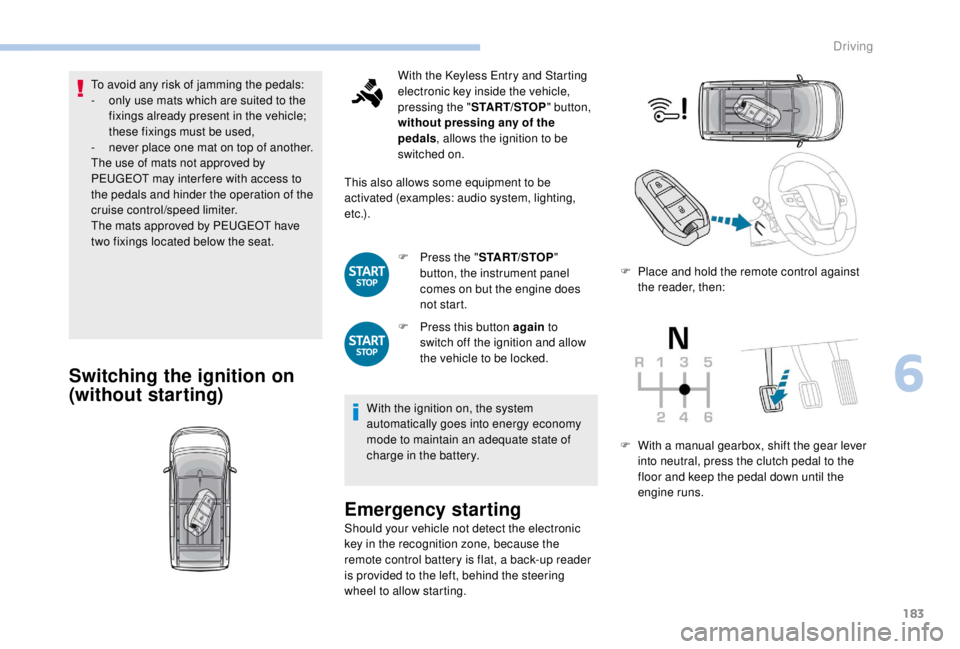
With the Keyless Entry and Starting
electronic key inside the vehicle,
pressing the " START/STOP " button,
without pressing any of the
pedals , allows the ignition to be
switched on.
This also allows some equipment to be
activated (examples: audio system, lighting,
e t c .) .
F
P
ress the " START/STOP "
button, the instrument panel
comes on but the engine does
not start.
F
P
ress this button again to
switch off the ignition and allow
the vehicle to be locked.
With the ignition on, the system
automatically goes into energy economy
mode to maintain an adequate state of
charge in the battery.
Emergency starting
Should your vehicle not detect the electronic
key in the recognition zone, because the
remote control battery is flat, a back-up reader
is provided to the left, behind the steering
wheel to allow starting. F
P
lace and hold the remote control against
the reader, then:
F
W
ith a manual gearbox, shift the gear lever
into neutral, press the clutch pedal to the
floor and keep the pedal down until the
engine runs.
6
Driving
Page 201 of 416
199
In this case, this warning lamp
flashes for a few seconds then goes
of f.
Going into engine
START mode
With a manual gearbox, the Stop & Start
warning lamp goes off on the instrument panel
and the engine restarts automatically when you
press the clutch pedal fully down to the floor.
With an automatic gearbox , the Stop & Start
warning lamp on the instrument panel goes off
and the engine restarts automatically when:
-
y
ou release the brake pedal with the gear
selector in position D or M ,
-
y
ou are in position N with the brake pedal
released and you move the gear selector to
position D or M,
-
y
ou engage reverse.
This operation is perfectly normal.
With an electronic gearbox
, the Stop & Start
warning lamp on the instrument panel goes off
and the engine restarts automatically when:
-
y
ou release the brake pedal with the gear
selector in position A or M ,
-
y
ou are in position N with the brake pedal
released and you move the gear selector to
position A or M,
-
y
ou engage reverse.
Special cases: START mode
activated automatically
START mode is invoked automatically in
certain temporary conditions (examples:
battery charge, engine temperature, braking
assistance, air conditioning setting) to assure
correct operation of the system and mainly
when:
-
y
ou open the driver's door,
-
y
ou open a sliding side door,
-
y
ou unfasten the driver's seat belt,
-
t
he speed of the vehicle exceeds 16 mph
(25
km/h) or 2 mph (3 km/h) (depending on
the engine) with a manual gearbox,
-
t
he speed of the vehicle exceeds 2 mph
(3
km/h) with an automatic gearbox.In this case, this warning lamp
flashes for a few seconds then goes
of f.
Deactivation/Activation
With/Without audio system
This operation is perfectly normal.
With touch screen
In the " Driving/Vehicle " menu,
activate/deactivate " Stop & Star t
system".
If the system has been deactivated
in STOP mode, the engine restarts
immediately.
To deactivate the system:
F
P
ress the button, its indicator
lamp comes on, the system is
deactivated.
To activate the system:
F
P
ress this button, the indicator
lamp goes off, the system is
activated.
6
Driving
Page 203 of 416
201
For more information on Navigation, refer
to the Audio equipment and telematics
section.
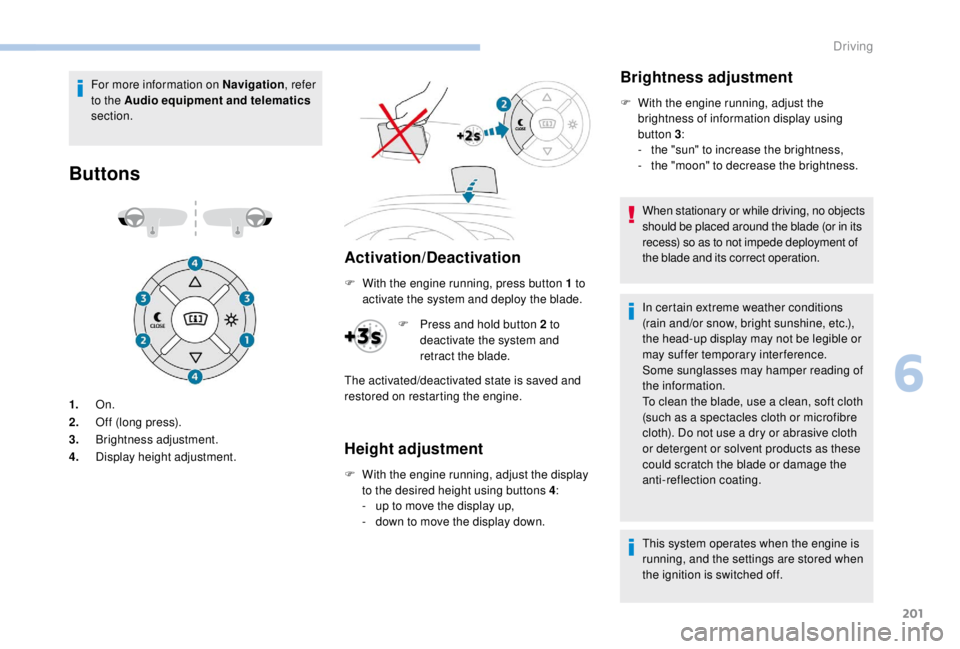
Buttons
Activation/Deactivation
1. On.
2. Off (long press).
3. Brightness adjustment.
4. Display height adjustment. F
W
ith the engine running, press button 1 to
activate the system and deploy the blade.
Height adjustment
F With the engine running, adjust the display to the desired height using buttons 4 :
-
u
p to move the display up,
-
d
own to move the display down.
Brightness adjustment
F With the engine running, adjust the brightness of information display using
button 3 :
-
t
he "sun" to increase the brightness,
-
t
he "moon" to decrease the brightness.
When stationary or while driving, no objects
should be placed around the blade (or in its
recess) so as to not impede deployment of
the blade and its correct operation.
In certain extreme weather conditions
(rain and/or snow, bright sunshine, etc.),
the head-up display may not be legible or
may suffer temporary interference.
Some sunglasses may hamper reading of
the information.
To clean the blade, use a clean, soft cloth
(such as a spectacles cloth or microfibre
cloth). Do not use a dry or abrasive cloth
or detergent or solvent products as these
could scratch the blade or damage the
anti-reflection coating.
This system operates when the engine is
running, and the settings are stored when
the ignition is switched off.
F
P
ress and hold button 2
to
deactivate the system and
retract the blade.
The activated/deactivated state is saved and
restored on restarting the engine.
6
Driving
Page 206 of 416
204
Speed displayActivation/Deactivation
The system is activated or deactivated via the
vehicle configuration menu.
With audio system
In the "Personalisation-
configuration " menu,
activate/deactivate " Speed
recommendation ".
With the touch screen
In the "Driving/Vehicle " menu,
activate/deactivate " Displaying of
the recommended speed. ".
Operating limits
The legislation on speed limits is specific to
each country.
The system does not take account of reduced
speed limits in the following cases:
-
p
oor weather (rain, snow),
-
a
tmospheric pollution,
-
t
railer, caravan,
-
d
riving with snow chains fitted,
-
p
uncture repair using the temporary repair
kit,
-
y
oung drivers. The following situations may inter fere with the
operation of the system or prevent it working:
-
p
oor visibility (inadequate street lighting,
falling snow, rain, fog),
-
h
idden road signs (other vehicles,
vegetation, snow),
-
s
peed limit signs that do not conform to the
standard, are damaged or distorted.
Clean the area of the windscreen in front
of the camera regularly.
Memorising the speed
setting
This function is additional to the display of
Speed limit recognition .
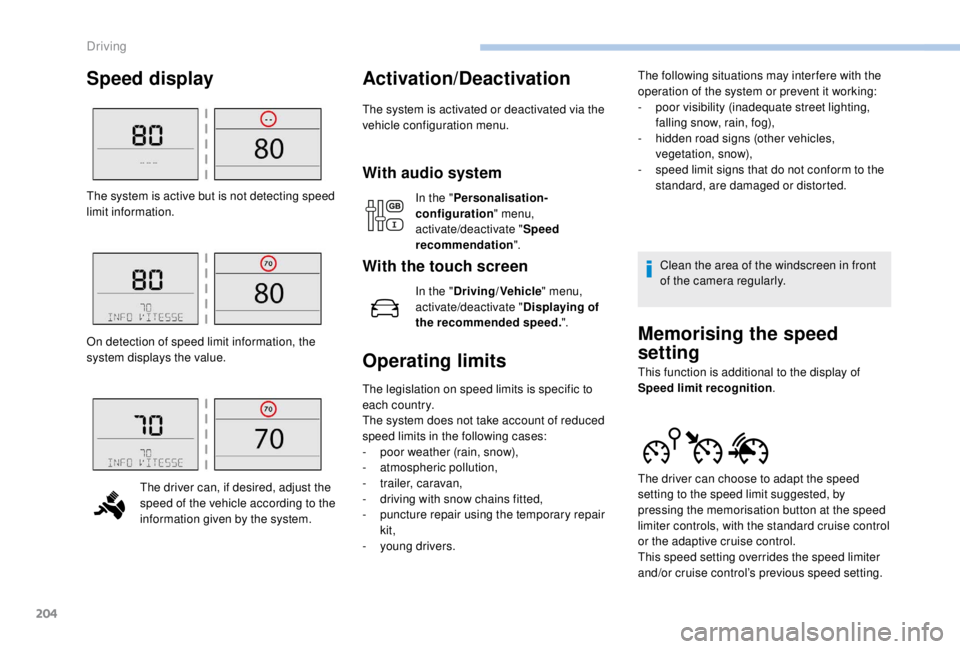
The system is active but is not detecting speed
limit information.
On detection of speed limit information, the
system displays the value.
The driver can, if desired, adjust the
speed of the vehicle according to the
information given by the system. The driver can choose to adapt the speed
setting to the speed limit suggested, by
pressing the memorisation button at the speed
limiter controls, with the standard cruise control
or the adaptive cruise control.
This speed setting overrides the speed limiter
and/or cruise control’s previous speed setting.
Driving
Page 222 of 416
220
Where the speed of your vehicle is too
high approaching another vehicle, the first
level of alert may not be displayed: the
level 2 alert may be displayed directly.
Furthermore, the level 1
alert is never
displayed with the " Close" threshold.
Programming the alert
thresholds
The thresholds for triggering an alert determine
how you wish to be warned of the presence of a
vehicle moving or stationary ahead of you, or a
pedestrian in your traffic lane.
You can select one of three thresholds:
-
"Distant ", to be warned early (cautious
driving).
-
"Normal ".
-
"Close ", to be warned later.
With audio system
Active Safety Brake
If the radar and the camera have
confirmed the presence of a vehicle
or a pedestrian, this warning lamp
flashes when the system is operating.
Important : if operation of the
automatic emergency braking is
triggered, you should take back
control of your vehicle and brake
with the pedal to add to or finish the
automatic braking.
The driver can take back control of the vehicle
at any time by sharply turning the steering
wheel and/or pressing the accelerator pedal.
The point at which braking is triggered
may be adjusted depending on the driving
actions of the driver, such as movement
of the steering wheel or actions on the
accelerator pedal.
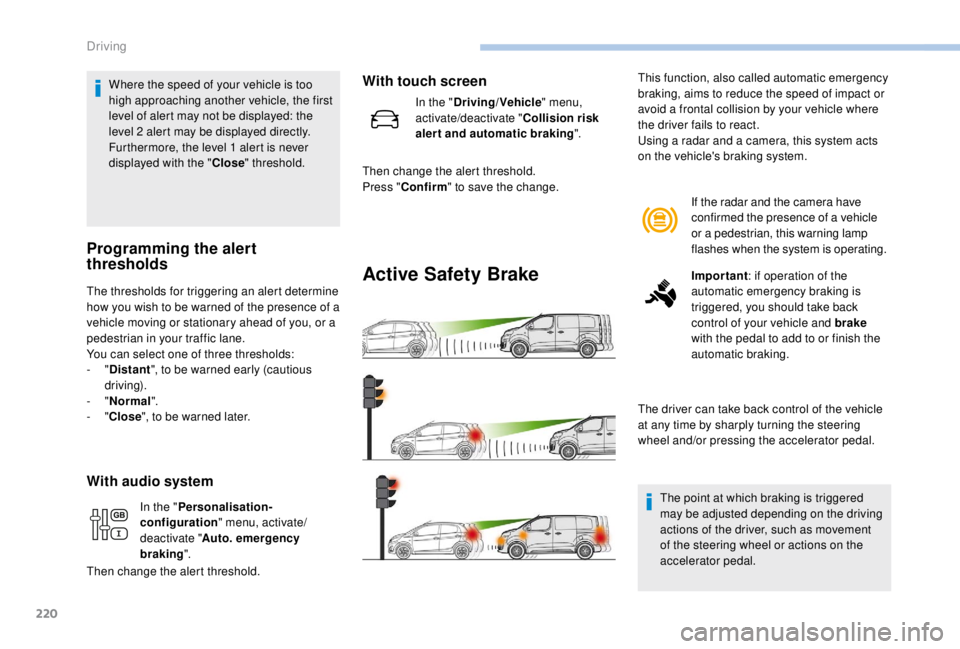
This function, also called automatic emergency
braking, aims to reduce the speed of impact or
avoid a frontal collision by your vehicle where
the driver fails to react.
Using a radar and a camera, this system acts
on the vehicle's braking system.
In the " Personalisation-
configuration " menu, activate/
deactivate " Auto. emergency
braking ".
Then change the alert threshold.
With touch screen
In the " Driving/Vehicle " menu,
activate/deactivate " Collision risk
alert and automatic braking ".
Then change the alert threshold.
Press " Confirm " to save the change.
Driving
Page 223 of 416
221
Operation of the system may be felt by
slight vibration in the brake pedal.
If the vehicle comes to a complete stop,
the automatic braking is maintained for
1 to 2 seconds.
With a manual gearbox, in the event of
automatic emergency braking until the
vehicle comes to a complete stop, the
vehicle may stall.
With an automatic gearbox, in the event
of automatic emergency braking until the
vehicle comes to a complete stop, keep
the brake pedal pressed down to prevent
the vehicle from starting off again.
If automatic emergency braking is not
activated, you are alerted by the fixed
display of the warning lamp accompanied
by a message.
Intelligent emergency braking
assistance
If the driver does not brake sufficiently
to avoid an accident, this system will
complete the braking.
This emergency braking system will not
act if you press the brake pedal.
Deactivation/Activation of the
alert and the braking
By default, the function is automatically
activated at every engine start.
The deactivation or activation of the function is
done in the vehicle configuration menu.
With audio system
Operating fault
In the event of a fault with the
system, you are alerted by the
illumination of this warning lamp,
accompanied by the display of a
message and an audible signal.
If the fault persists, contact a PEUGEOT dealer
or a qualified workshop to have the system
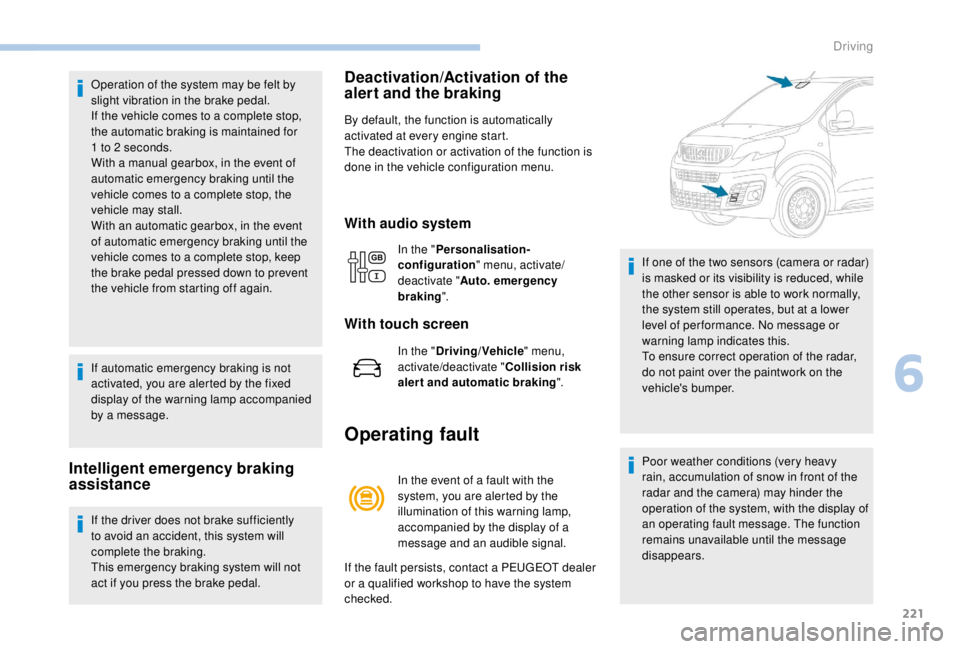
checked. If one of the two sensors (camera or radar)
is masked or its visibility is reduced, while
the other sensor is able to work normally,
the system still operates, but at a lower
level of per formance. No message or
warning lamp indicates this.
To ensure correct operation of the radar,
do not paint over the paintwork on the
vehicle's bumper.
Poor weather conditions (very heavy
rain, accumulation of snow in front of the
radar and the camera) may hinder the
operation of the system, with the display of
an operating fault message. The function
remains unavailable until the message
disappears.
In the "
Personalisation-
configuration " menu, activate/
deactivate " Auto. emergency
braking ".
With touch screen
In the "Driving/Vehicle " menu,
activate/deactivate " Collision risk
alert and automatic braking ".
6
Driving
Page 224 of 416
222
Lane departure warning
system
Detection – Alert
You are alerted by the flashing of
this warning lamp in the instrument
panel, accompanied by an audible
signal.
No warning is transmitted while the
direction indicator is active and for
approximately 20
seconds after the
direction indicator is switched off.
Activation/Deactivation
The system is activated or deactivated via the
vehicle configuration menu.
With/Without audio system
F Press this button, its indicator lamp comes on, the system is
activated.
To deactivate the system:
With touch screen
In the " Driving/Vehicle " menu,
activate/deactivate " Lane depar ture
warning ".
Operating fault
Depending on your vehicle's equipment:
The indicator lamp in this button
flashes.
or
The button flashes and a fault appears.
Contact a PEUGEOT dealer or a qualified
workshop. Detection may be impeded:
-
i
f the markings on the ground are worn
and do not contrast well with the road
sur face,
-
i
f the windscreen is dirty,
-
i
n certain extreme weather conditions:
fog, heavy rain, snow, shade, bright
sunlight or direct exposure to the sun
(low sun, leaving a tunnel, etc.).
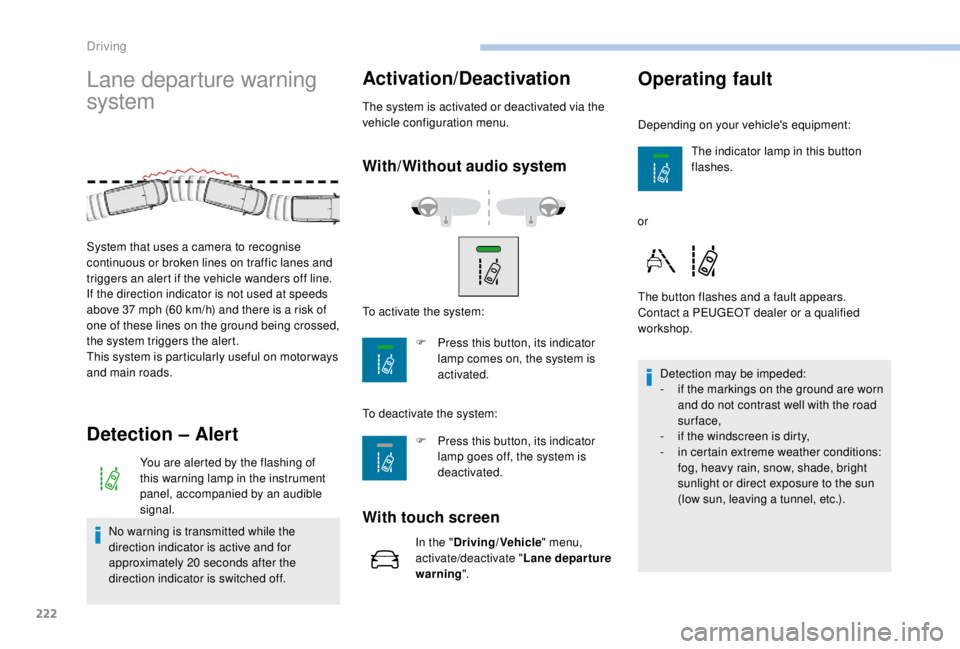
System that uses a camera to recognise
continuous or broken lines on traffic lanes and
triggers an alert if the vehicle wanders off line.
If the direction indicator is not used at speeds
above 37
mph (60
km/h) and there is a risk of
one of these lines on the ground being crossed,
the system triggers the alert.
This system is particularly useful on motor ways
and main roads. To activate the system:
F
P
ress this button, its indicator
lamp goes off, the system is
deactivated.
Driving