instrument panel PEUGEOT EXPERT 2018 Workshop Manual
[x] Cancel search | Manufacturer: PEUGEOT, Model Year: 2018, Model line: EXPERT, Model: PEUGEOT EXPERT 2018Pages: 416, PDF Size: 14.12 MB
Page 213 of 416
211
The value appears immediately on the
instrument panel.For more information on Speed limit
recognition , refer to the corresponding
section.
Pause
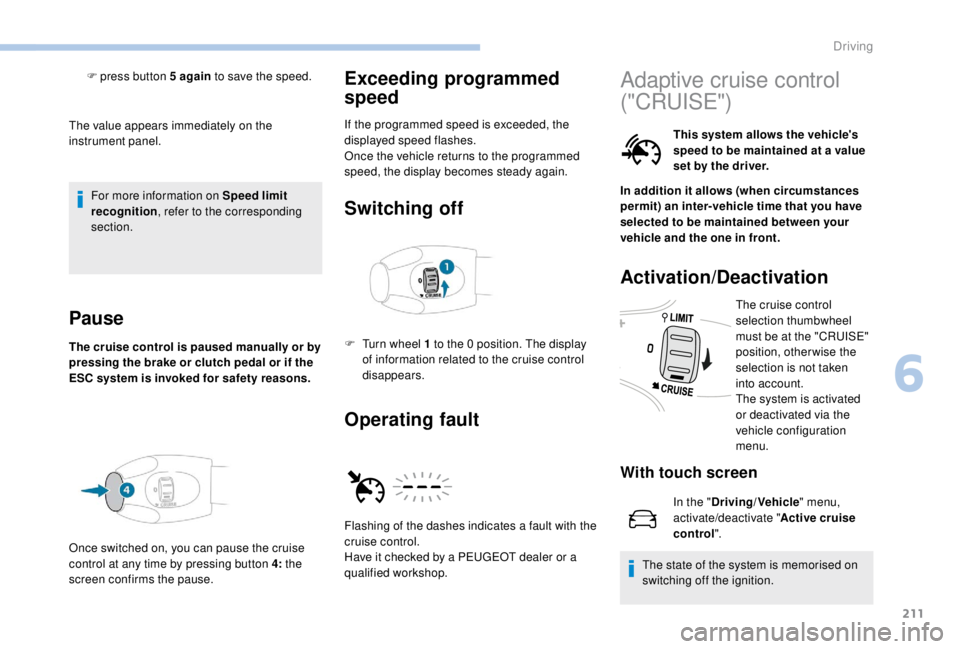
The cruise control is paused manually or by
pressing the brake or clutch pedal or if the
ESC system is invoked for safety reasons.
Exceeding programmed
speed
If the programmed speed is exceeded, the
displayed speed flashes.
Once the vehicle returns to the programmed
speed, the display becomes steady again.
Switching off
F press button 5 again to save the speed.
Once switched on, you can pause the cruise
control at any time by pressing button 4: the
screen confirms the pause.
Operating fault
F Turn wheel 1 to the 0 position. The display
of information related to the cruise control
disappears.
Flashing of the dashes indicates a fault with the
cruise control.
Have it checked by a PEUGEOT dealer or a
qualified workshop.
Adaptive cruise control
("CRUISE")
This system allows the vehicle's
speed to be maintained at a value
set by the driver.
In addition it allows (when circumstances
permit) an inter-vehicle time that you have
selected to be maintained between your
vehicle and the one in front.
Activation/Deactivation
The cruise control
selection thumbwheel
must be at the "CRUISE"
position, otherwise the
selection is not taken
into account.
The system is activated
or deactivated via the
vehicle configuration
menu.
With touch screen
In the " Driving/Vehicle " menu,
activate/deactivate " Active cruise
control".
The state of the system is memorised on
switching off the ignition.
6
Driving
Page 214 of 416
212
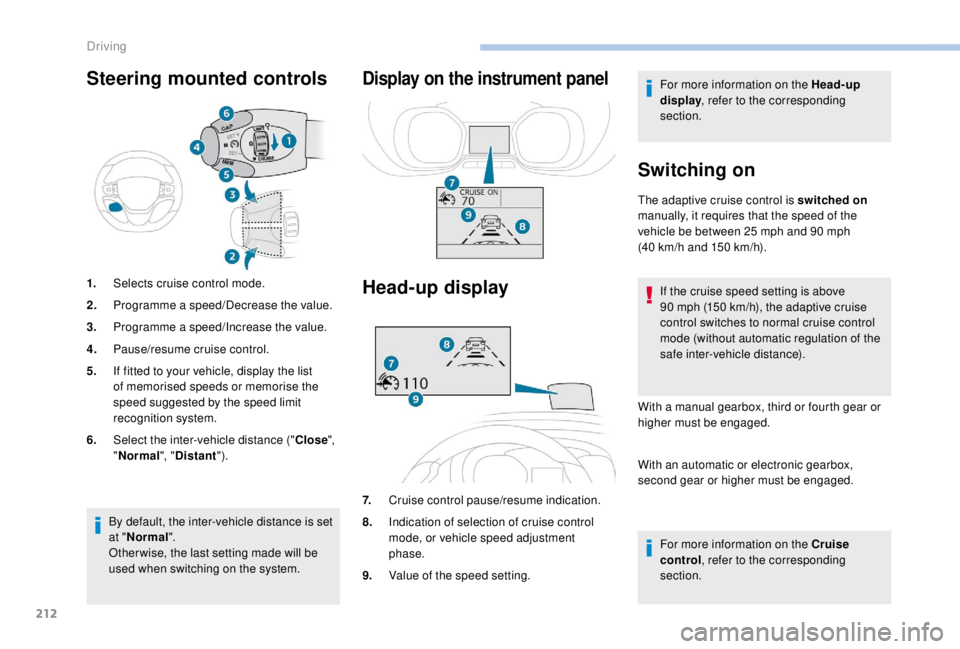
Steering mounted controls
1.Selects cruise control mode.
2. Programme a speed/Decrease the value.
3. Programme a speed/Increase the value.
4. Pause/resume cruise control.
5. If fitted to your vehicle, display the list
of memorised speeds or memorise the
speed suggested by the speed limit
recognition system.
6. Select the inter-vehicle distance (" Close",
" Normal ", "Distant ").
Display on the instrument panel
Head-up display
7.Cruise control pause/resume indication.
8. Indication of selection of cruise control
mode, or vehicle speed adjustment
phase.
9. Value of the speed setting. For more information on the Head-up
display
, refer to the corresponding
section.
Switching on
The adaptive cruise control is switched on
manually, it requires that the speed of the
vehicle be between 25
mph and 90 mph
(40
km/h and 150 km/h).
If the cruise speed setting is above
90
mph (150 km/h), the adaptive cruise
control switches to normal cruise control
mode (without automatic regulation of the
safe inter-vehicle distance).
With a manual gearbox, third or fourth gear or
higher must be engaged.
With an automatic or electronic gearbox,
second gear or higher must be engaged.
For more information on the Cruise
control , refer to the corresponding
section.
By default, the inter-vehicle distance is set
at "
Normal ".
Other wise, the last setting made will be
used when switching on the system.
Driving
Page 215 of 416
213
The adaptive cruise control must be selected in
the "Driving/Vehicle " menu.
Changing the cruise speed
yourself
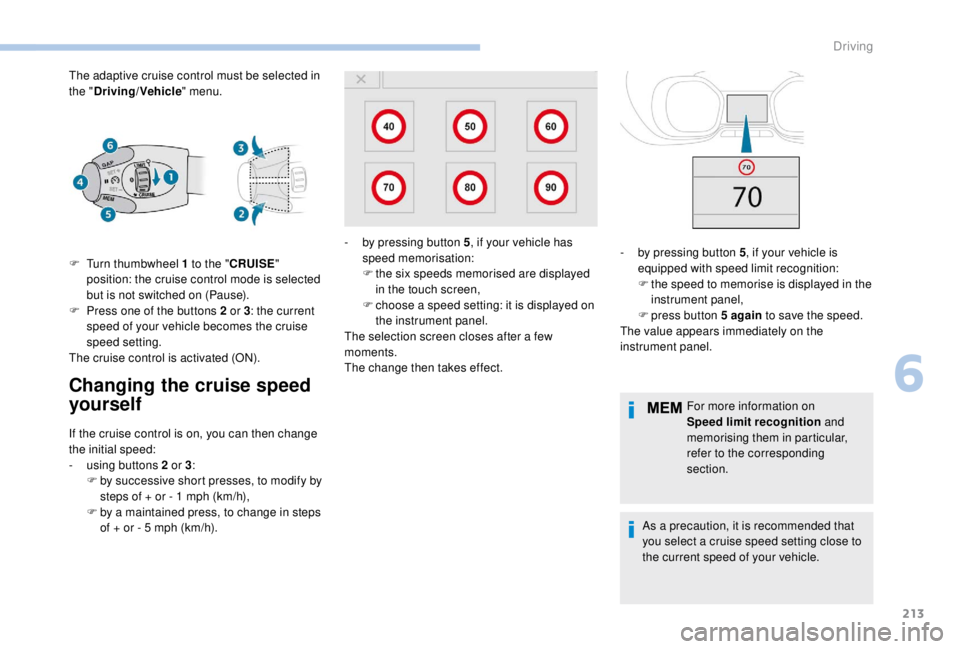
F Turn thumbwheel 1 to the "CRUISE "
position: the cruise control mode is selected
but is not switched on (Pause).
F
P
ress one of the buttons 2 or 3: the current
speed of your vehicle becomes the cruise
speed setting.
The cruise control is activated (ON).
If the cruise control is on, you can then change
the initial speed:
-
u
sing buttons 2 or 3:
F
b
y successive short presses, to modify by
steps of + or - 1
mph (km/h),
F
b
y a maintained press, to change in steps
of + or - 5
mph (km/h). For more information on
Speed limit recognition
and
memorising them in particular,
refer to the corresponding
section.
As a precaution, it is recommended that
you select a cruise speed setting close to
the current speed of your vehicle.
-
b
y pressing button 5
, if your vehicle has
speed memorisation:
F t he six speeds memorised are displayed
in the touch screen,
F
c
hoose a speed setting: it is displayed on
the instrument panel.
The selection screen closes after a few
moments.
The change then takes effect. -
b y pressing button 5
, if your vehicle is
equipped with speed limit recognition:
F
t
he speed to memorise is displayed in the
instrument panel,
F
press button 5
again to save the speed.
The value appears immediately on the
instrument panel.
6
Driving
Page 216 of 416
214
Inter-vehicle distance Changing the inter-vehicle distance
This value remains in memory, regardless of
the state of the system.
In the event of the presence of a vehicle
detected by the inter-vehicle distance
radar, if the speed selected is too far
above the speed of that vehicle, the
system is not activated and the alert
message "Activation not possible,
conditions unsuitable" is displayed until
driving conditions are safe to allow
activation of the system.
The inter-vehicle distance setting is
memorised when the ignition is switched
of f.
Exceeding programmed
speed
Using radar with a range of about 100 metres,
l ocated at the front of the vehicle, this system
detects a vehicle travelling in front of your
vehicle.
It automatically adjusts the speed of your
vehicle to that of the vehicle in front.
If the vehicle in front is running more slowly,
the system progressively reduces the speed of
your vehicle using just engine braking (as if the
driver had pressed the " -" b u t to n).
If your vehicle is too close to the vehicle in
front or is approaching it too quickly, adaptive
cruise control is automatically deactivated.
The driver is then alerted by an audible signal
accompanied by a message.
If the vehicle in front accelerates or changes
lane, the adaptive cruise control gradually
accelerates your vehicle to return to the
programmed speed.
If the driver operates a direction indicator to
overtake a slower vehicle, the adaptive cruise
control allows your vehicle to temporarily
approach the vehicle in front to assist the
overtaking manoeuvre, though never exceeding
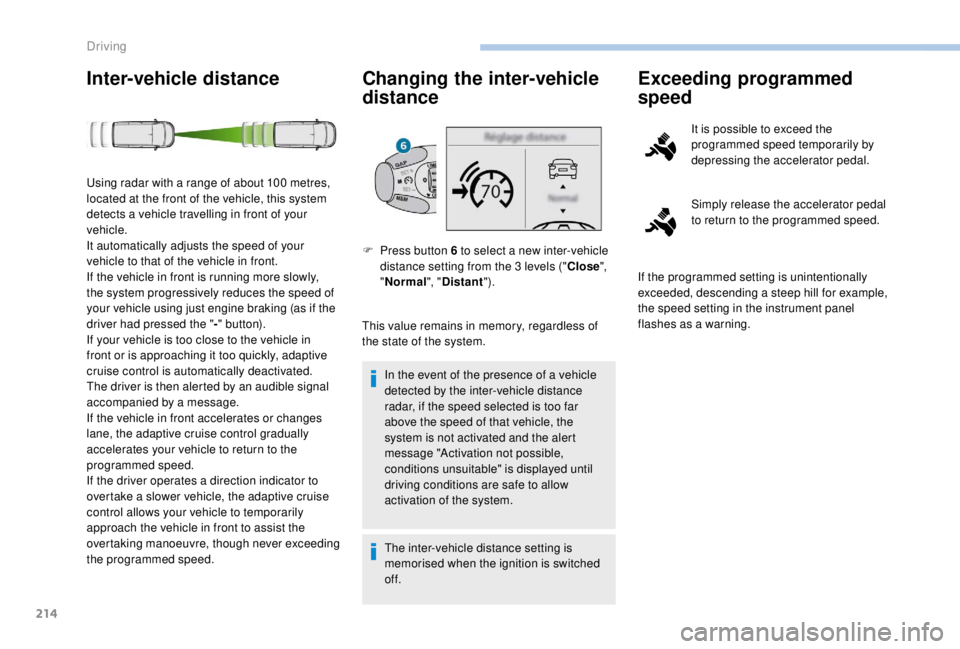
the programmed speed. F
P
ress button 6 to select a new inter-vehicle
distance setting from the 3
levels ("Close",
" Normal ", "Distant "). It is possible to exceed the
programmed speed temporarily by
depressing the accelerator pedal.
Simply release the accelerator pedal
to return to the programmed speed.
If the programmed setting is unintentionally
exceeded, descending a steep hill for example,
the speed setting in the instrument panel
flashes as a warning.
Driving
Page 221 of 416
219
After an impact, the function automatically
stops operating. Consult a PEUGEOT
dealer or a qualified workshop to have the
system checked.
Operating limits
In the following cases, deactivating the
system via the vehicle's configuration menu is
recommended:
-
w
hen towing a trailer or caravan,
-
w
hen a load on the roof rack extends
beyond the windscreen (for example: long
objects),
-
w
hen the vehicle is being towed, with the
engine running,
-
w
hen a "space-saver" type spare wheel is
fitted (if your vehicle has one),
-
w
hen on a rolling stand for a ser vice in a
workshop,
-
w
hen in an automatic car wash,
-
i
f the brake lamps are not working. Because of limits in the operation of the
system, it is possible that warnings are
not given, are given too late or seem
unjustified. Consequently, always stay
alert and be prepared to react at any time
to avoid an accident.
Collision Risk Alert
Depending on the degree of risk of collision
detected by the system and the alert threshold
chosen, different levels of alert can be
triggered and displayed in the instrument panel
or the head-up display.
This information also appears in the
head-up display. For more information
on the Head-up display, refer to the
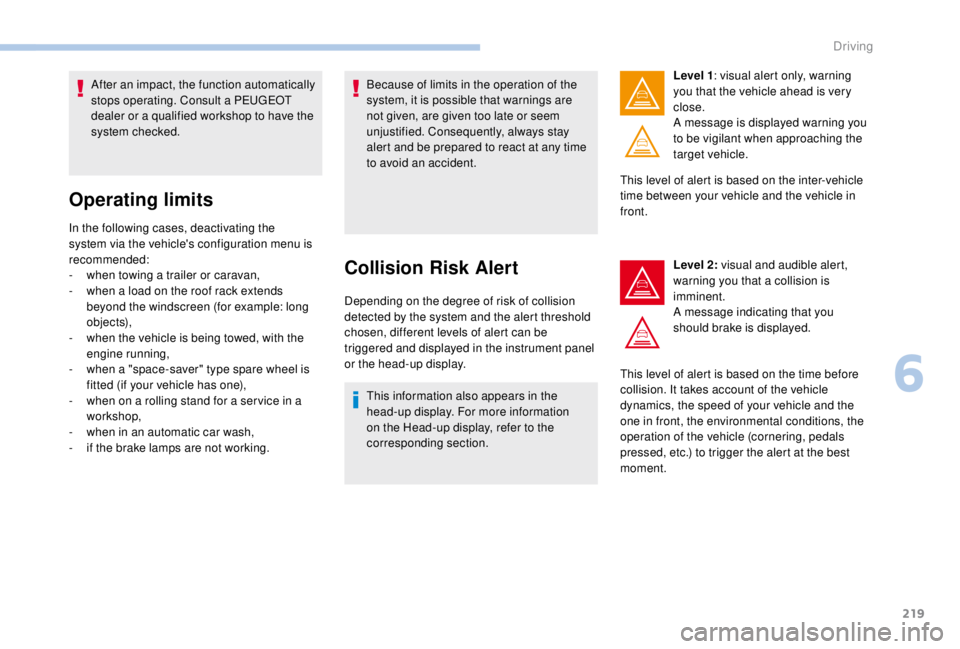
corresponding section. Level 1
: visual alert only, warning
you that the vehicle ahead is very
close.
A message is displayed warning you
to be vigilant when approaching the
target vehicle.
This level of alert is based on the inter-vehicle
time between your vehicle and the vehicle in
front.
Level 2: visual and audible alert,
warning you that a collision is
imminent.
A message indicating that you
should brake is displayed.
This level of alert is based on the time before
collision. It takes account of the vehicle
dynamics, the speed of your vehicle and the
one in front, the environmental conditions, the
operation of the vehicle (cornering, pedals
pressed, etc.) to trigger the alert at the best
moment.
6
Driving
Page 224 of 416
222
Lane departure warning
system
Detection – Alert
You are alerted by the flashing of
this warning lamp in the instrument
panel, accompanied by an audible
signal.
No warning is transmitted while the
direction indicator is active and for
approximately 20
seconds after the
direction indicator is switched off.
Activation/Deactivation
The system is activated or deactivated via the
vehicle configuration menu.
With/Without audio system
F Press this button, its indicator lamp comes on, the system is
activated.
To deactivate the system:
With touch screen
In the " Driving/Vehicle " menu,
activate/deactivate " Lane depar ture
warning ".
Operating fault
Depending on your vehicle's equipment:
The indicator lamp in this button
flashes.
or
The button flashes and a fault appears.
Contact a PEUGEOT dealer or a qualified
workshop. Detection may be impeded:
-
i
f the markings on the ground are worn
and do not contrast well with the road
sur face,
-
i
f the windscreen is dirty,
-
i
n certain extreme weather conditions:
fog, heavy rain, snow, shade, bright
sunlight or direct exposure to the sun
(low sun, leaving a tunnel, etc.).
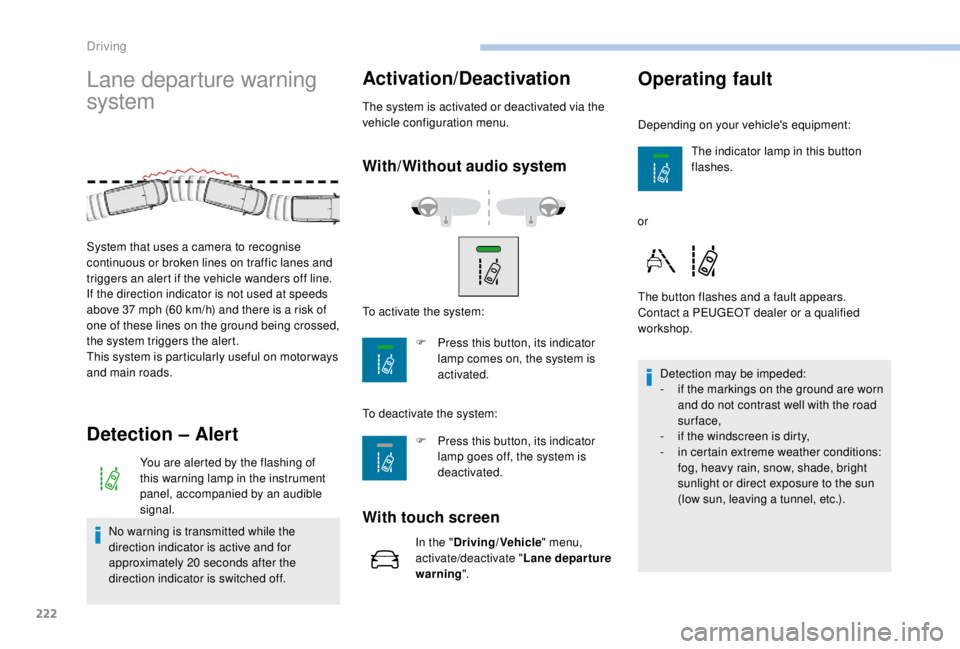
System that uses a camera to recognise
continuous or broken lines on traffic lanes and
triggers an alert if the vehicle wanders off line.
If the direction indicator is not used at speeds
above 37
mph (60
km/h) and there is a risk of
one of these lines on the ground being crossed,
the system triggers the alert.
This system is particularly useful on motor ways
and main roads. To activate the system:
F
P
ress this button, its indicator
lamp goes off, the system is
deactivated.
Driving
Page 230 of 416
228
Visual assistanceFront parking sensors
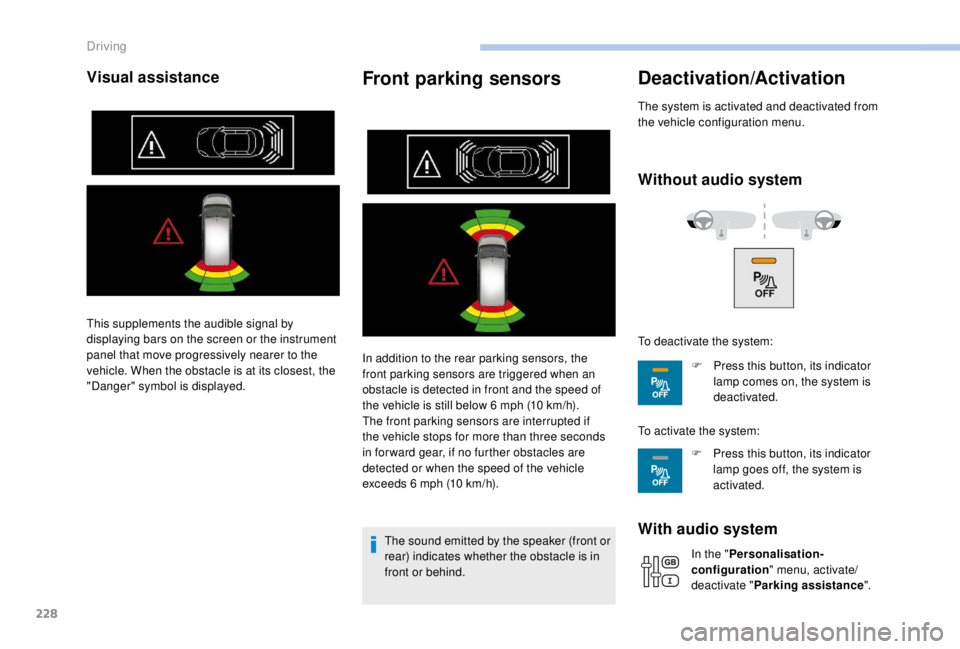
In addition to the rear parking sensors, the
front parking sensors are triggered when an
obstacle is detected in front and the speed of
the vehicle is still below 6 mph (10 km/h).
The front parking sensors are interrupted if
the vehicle stops for more than three seconds
in for ward gear, if no further obstacles are
detected or when the speed of the vehicle
exceeds 6
mph (10 km/h).
The sound emitted by the speaker (front or
rear) indicates whether the obstacle is in
front or behind.
Deactivation/Activation
The system is activated and deactivated from
the vehicle configuration menu.
Without audio system
With audio system
In the " Personalisation-
configuration " menu, activate/
deactivate " Parking assistance ".
This supplements the audible signal by
displaying bars on the screen or the instrument
panel that move progressively nearer to the
vehicle. When the obstacle is at its closest, the
"Danger" symbol is displayed.
To deactivate the system:
F
P
ress this button, its indicator
lamp comes on, the system is
deactivated.
To activate the system: F
P
ress this button, its indicator
lamp goes off, the system is
activated.
Driving
Page 240 of 416
238
If your vehicle has sliding side doors, do
not open the left-hand sliding door as
there is a risk of damaging the fuel filler
flap when refuelling.
Your vehicle is fitted with a catalytic converter,
which helps to reduce the level of harmful
emissions in the exhaust gases.
If you have added the wrong fuel, you
must have the tank drained and refilled
with the correct fuel before you star t
the engine.
Low fuel level
When the low fuel level in
the tank is reached, this
warning lamp comes on
in the instrument panel,
accompanied by an audible
warning and a message.
Fuel cut- of f
Your vehicle is fitted with a safety system that
cuts off the supply of fuel in the event of an
impact.
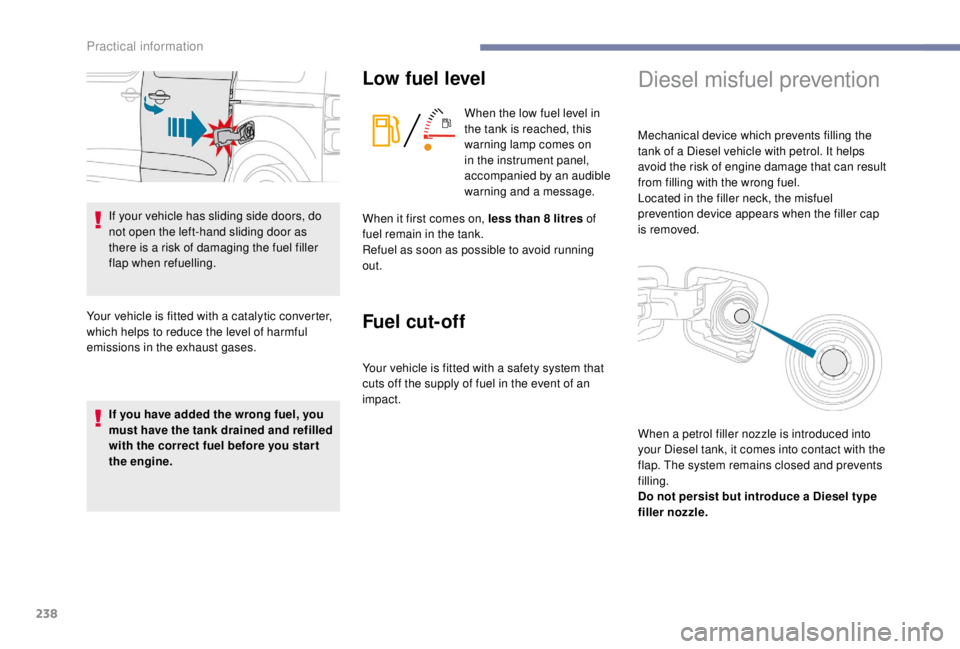
Diesel misfuel prevention
Mechanical device which prevents filling the
tank of a Diesel vehicle with petrol. It helps
avoid the risk of engine damage that can result
from filling with the wrong fuel.
Located in the filler neck, the misfuel
prevention device appears when the filler cap
is removed.
When it first comes on, less than 8
litres of
fuel remain in the tank.
Refuel as soon as possible to avoid running
out.
When a petrol filler nozzle is introduced into
your Diesel tank, it comes into contact with the
flap. The system remains closed and prevents
filling.
Do not persist but introduce a Diesel type
filler nozzle.
Practical information
Page 244 of 416
242
Towing a trailer
We recommend the use of genuine
PEUGEOT towbars and their harnesses
that have been tested and approved from
the design stage of your vehicle, and that
the fitting of the towbar is entrusted to a
PEUGEOT dealer or a qualified workshop.
If the towbar is not fitted by a PEUGEOT
dealer, it must still be fitted in accordance
with the vehicle manufacturer's
instructions.
Driving with a trailer places greater
demands on the towing vehicle and the
driver must take particular care.Please respect the maximum authorised
towable weights, indicated on the
registration certificate or in your vehicle’s
technical data.
For more information on Driving advice
,
particularly when towing, refer to the
corresponding section.
Energy economy mode
System which manages the duration of use of
certain functions to conser ve a sufficient level
of charge in the battery.
After the engine has stopped, you can still use
functions such as the audio and telematics
system, windscreen wipers, dipped beam
headlamps, courtesy lamps, etc. for a
maximum combined duration of about forty
minutes.
Switching to this mode
A message appears in the instrument panel
screen indicating that the vehicle has switched
to economy mode and the active functions are
put on standby.
If a telephone call is being made at this
time, it will be maintained for around
10
minutes with the hands-free kit of your
audio system.
Your vehicle is primarily designed for
transporting people and luggage, but it may
also be used for towing a trailer.
Practical information
Page 250 of 416
248
Do not discard used oil or fluids into
sewers or onto the ground.
Take used oil to a PEUGEOT dealer
or a qualified workshop and dispose
of it in the containers reser ved for this
purpose.
Engine oil level
The check is carried out either when
the ignition is switched on using the
oil level indicator in the instrument
panel for vehicles equipped with an
electric gauge, or using the dipstick.
To ensure that the reading is correct, your
vehicle must be parked on a level sur face
with the engine stopped for more than
30
minutes.
It is normal to top up the oil level between
two ser vices (or oil changes). PEUGEOT
recommends that you check the level, and top
up if necessary, every 3,000
miles (5,000 km).
Checking using the dipstick
The location of the dipstick is shown in the
corresponding underbonnet layout view.
F
T
ake the dipstick by its coloured grip and
pull it out completely.
F
W
ipe the end of the dipstick using a clean
non-fluffy cloth.
F
R
efit the dipstick and push fully down, then
pull it out again to make the visual check:
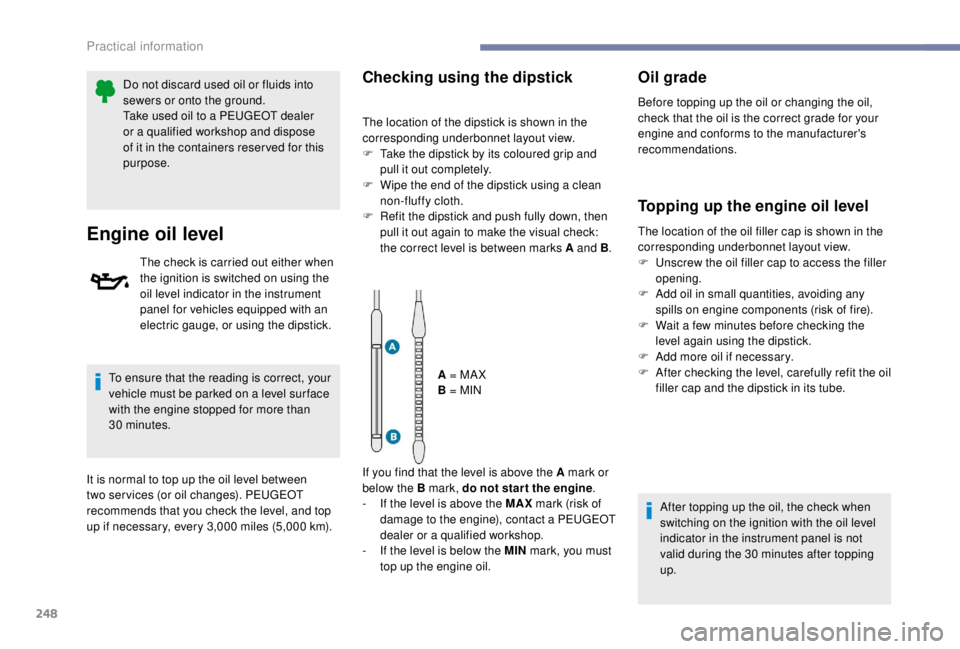
the correct level is between marks A and B .
A = MA X
B = MIN
If you find that the level is above the A mark or
below the B mark, do not star t the engine .
-
I
f the level is above the MAX mark (risk of
damage to the engine), contact a PEUGEOT
dealer or a qualified workshop.
-
I
f the level is below the MIN mark, you must
top up the engine oil.
Oil grade
Before topping up the oil or changing the oil,
check that the oil is the correct grade for your
engine and conforms to the manufacturer's
recommendations.
Topping up the engine oil level
The location of the oil filler cap is shown in the
corresponding underbonnet layout view.
F
U
nscrew the oil filler cap to access the filler
opening.
F
A
dd oil in small quantities, avoiding any
spills on engine components (risk of fire).
F
W
ait a few minutes before checking the
level again using the dipstick.
F
A
dd more oil if necessary.
F
A
fter checking the level, carefully refit the oil
filler cap and the dipstick in its tube.
After topping up the oil, the check when
switching on the ignition with the oil level
indicator in the instrument panel is not
valid during the 30
minutes after topping
up.
Practical information