instrument panel PEUGEOT EXPERT 2018 User Guide
[x] Cancel search | Manufacturer: PEUGEOT, Model Year: 2018, Model line: EXPERT, Model: PEUGEOT EXPERT 2018Pages: 416, PDF Size: 14.12 MB
Page 29 of 416
27
Warning/indicator lampStateCause Actions/Observations
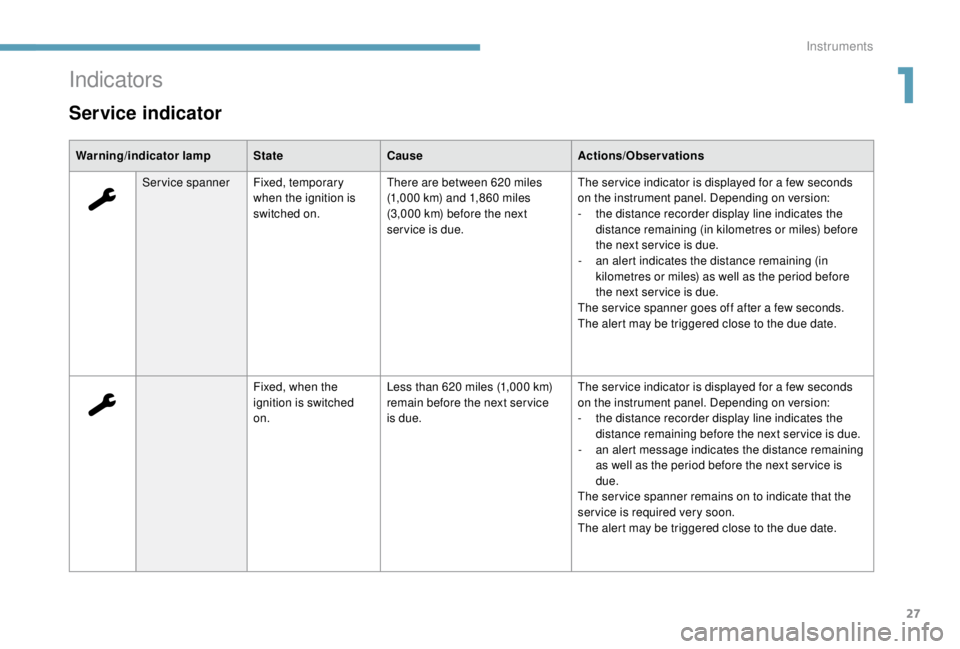
Service spanner Fixed, temporary
when the ignition is
switched on. There are between 620
miles
(1,000
km) and 1,860 miles
(3,000
km) before the next
service is due. The ser vice indicator is displayed for a few seconds
on the instrument panel. Depending on version:
-
t
he distance recorder display line indicates the
distance remaining (in kilometres or miles) before
the next ser vice is due.
-
a
n alert indicates the distance remaining (in
kilometres or miles) as well as the period before
the next ser vice is due.
The ser vice spanner goes off after a few seconds.
The alert may be triggered close to the due date.
Fixed, when the
ignition is switched
on. Less than 620
miles (1,000 km)
remain before the next ser vice
is due. The ser vice indicator is displayed for a few seconds
on the instrument panel. Depending on version:
-
t
he distance recorder display line indicates the
distance remaining before the next ser vice is due.
-
a
n alert message indicates the distance remaining
as well as the period before the next ser vice is
due.
The ser vice spanner remains on to indicate that the
ser vice is required very soon.
The alert may be triggered close to the due date.
Indicators
Service indicator
1
Instruments
Page 30 of 416
28
Warning/indicator lampStateCause Actions/Observations
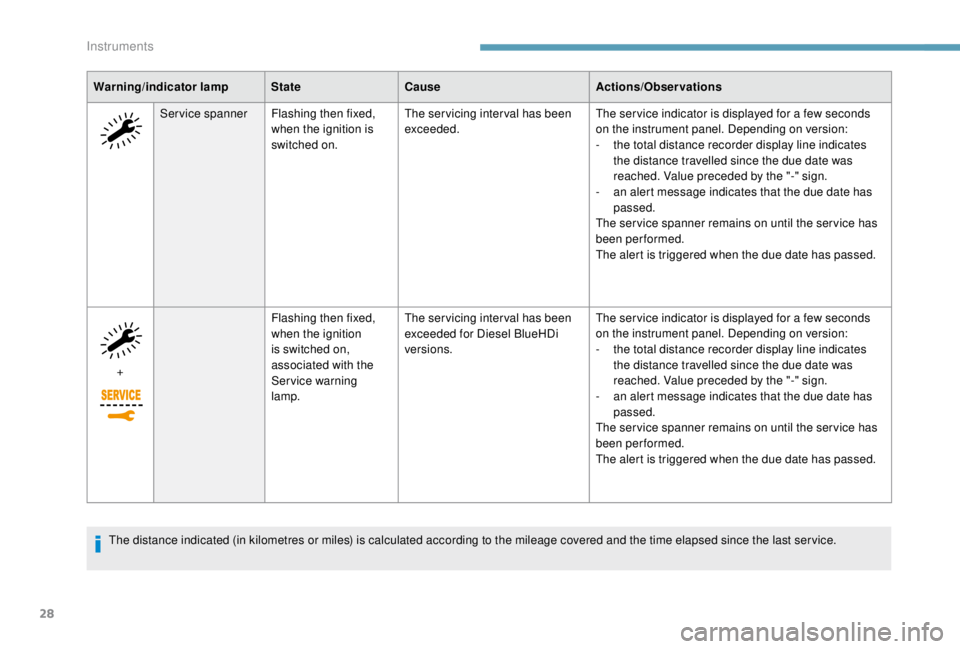
Service spanner Flashing then fixed,
when the ignition is
switched on. The servicing interval has been
exceeded.
The ser vice indicator is displayed for a few seconds
on the instrument panel. Depending on version:
-
t
he total distance recorder display line indicates
the distance travelled since the due date was
reached. Value preceded by the "-" sign.
-
a
n alert message indicates that the due date has
passed.
The ser vice spanner remains on until the ser vice has
been performed.
The alert is triggered when the due date has passed.
+ Flashing then fixed,
when the ignition
is switched on,
associated with the
Ser vice warning
lamp.The servicing interval has been
exceeded for Diesel BlueHDi
versions.
The ser vice indicator is displayed for a few seconds
on the instrument panel. Depending on version:
-
t
he total distance recorder display line indicates
the distance travelled since the due date was
reached. Value preceded by the "-" sign.
-
a
n alert message indicates that the due date has
passed.
The ser vice spanner remains on until the ser vice has
been performed.
The alert is triggered when the due date has passed.
The distance indicated (in kilometres or miles) is calculated according to the mileage covered and the time elapsed since the last ser vice.
Instruments
Page 32 of 416
30
Checking the level
After driving for a few minutes, the temperature
and pressure in the cooling system increase.
To top up to the required level:
F
w
ait at least one hour for the engine to cool,
F
u
nscrew the cap by two turns to allow the
pressure to drop,
F
w
hen the pressure has dropped, remove the
cap,
F
t
op up the level to the "MA X" mark.
Checking levels
Be aware of the risk of burns when topping
up the cooling system. Do not fill above
the maximum level (indicated on the
expansion tank).
Engine oil level indicator
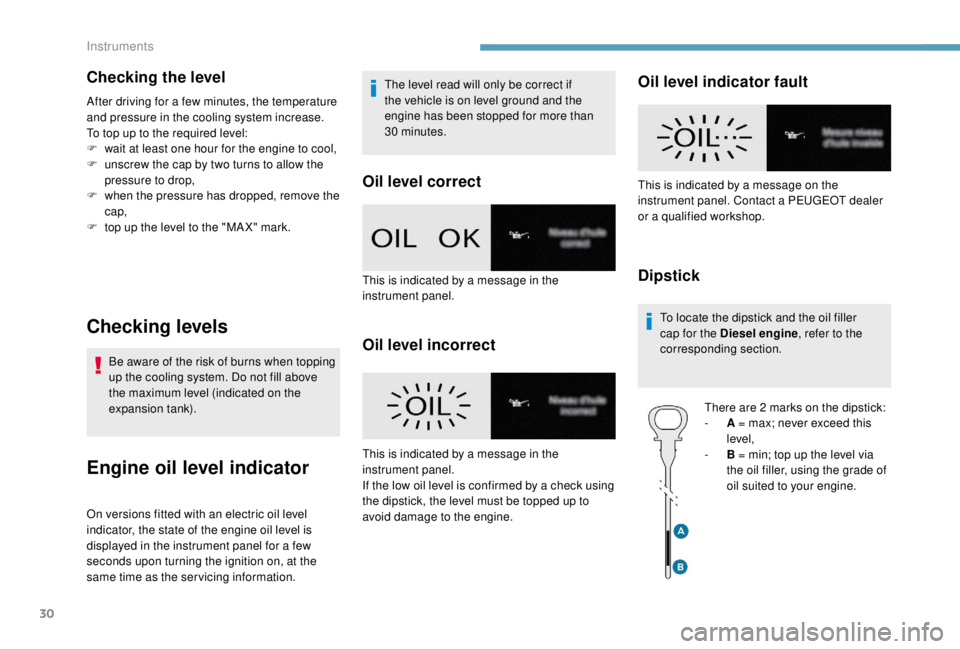
On versions fitted with an electric oil level
indicator, the state of the engine oil level is
displayed in the instrument panel for a few
seconds upon turning the ignition on, at the
same time as the ser vicing information. The level read will only be correct if
the vehicle is on level ground and the
engine has been stopped for more than
30
minutes.
Oil level correct
Oil level incorrect
Oil level indicator fault
Dipstick
To locate the dipstick and the oil filler
cap for the Diesel engine
, refer to the
corresponding section.
There are 2
marks on the dipstick:
-
A
= max; never exceed this
level,
-
B
= min; top up the level via
the oil filler, using the grade of
oil suited to your engine.
This is indicated by a message in the
instrument panel.
This is indicated by a message in the
instrument panel.
If the low oil level is confirmed by a check using
the dipstick, the level must be topped up to
avoid damage to the engine. This is indicated by a message on the
instrument panel. Contact a PEUGEOT dealer
or a qualified workshop.
Instruments
Page 33 of 416
31
AdBlue® fluid range
indicators
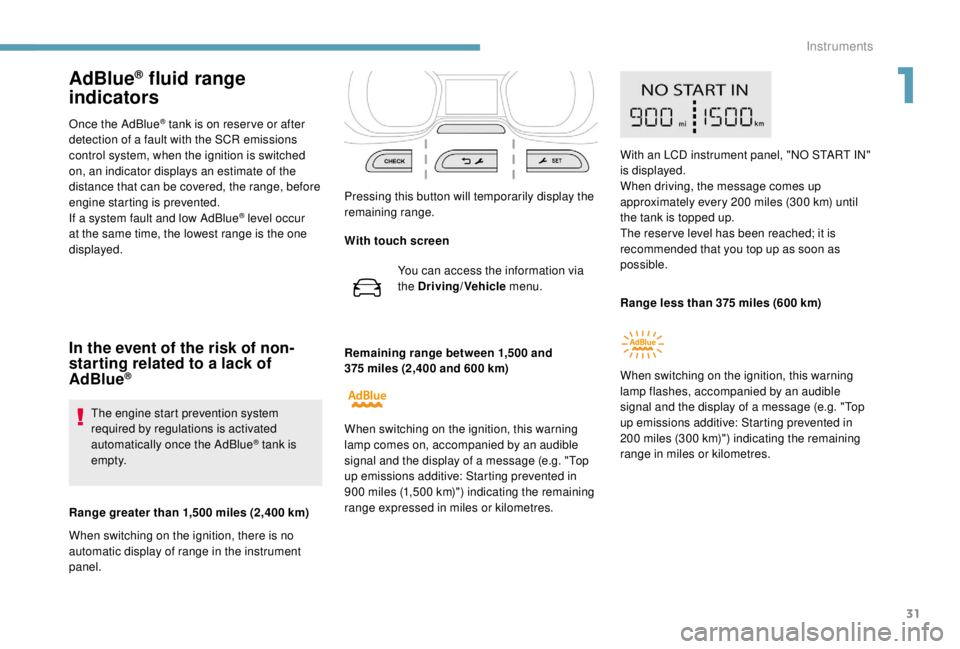
Once the AdBlue® tank is on reser ve or after
detection of a fault with the SCR emissions
control system, when the ignition is switched
on, an indicator displays an estimate of the
distance that can be covered, the range, before
engine starting is prevented.
If a system fault and low AdBlue
® level occur
at the same time, the lowest range is the one
displayed.
In the event of the risk of non-
starting related to a lack of
AdBlue
®
The engine start prevention system
required by regulations is activated
automatically once the AdBlue
® tank is
e m pt y.
Range greater than 1,500
miles (2,400 km)
When switching on the ignition, there is no
automatic display of range in the instrument
panel. Pressing this button will temporarily display the
remaining range.
Remaining range between 1,500
and
375 miles (2,400 and 600 km)
When switching on the ignition, this warning
lamp comes on, accompanied by an audible
signal and the display of a message (e.g. "Top
up emissions additive: Starting prevented in
900 miles (1,500 km)") indicating the remaining
range expressed in miles or kilometres. With an LCD instrument panel, "NO START IN"
is displayed.
When driving, the message comes up
approximately every 200
miles (300 km) until
the tank is topped up.
The reser ve level has been reached; it is
recommended that you top up as soon as
possible.
Range less than 375 miles (600 km)
When switching on the ignition, this warning
lamp flashes, accompanied by an audible
signal and the display of a message (e.g. "Top
up emissions additive: Starting prevented in
200 miles (300 km)") indicating the remaining
range in miles or kilometres.
With touch screen
You can access the information via
the Driving/Vehicle menu.
1
Instruments
Page 34 of 416
32
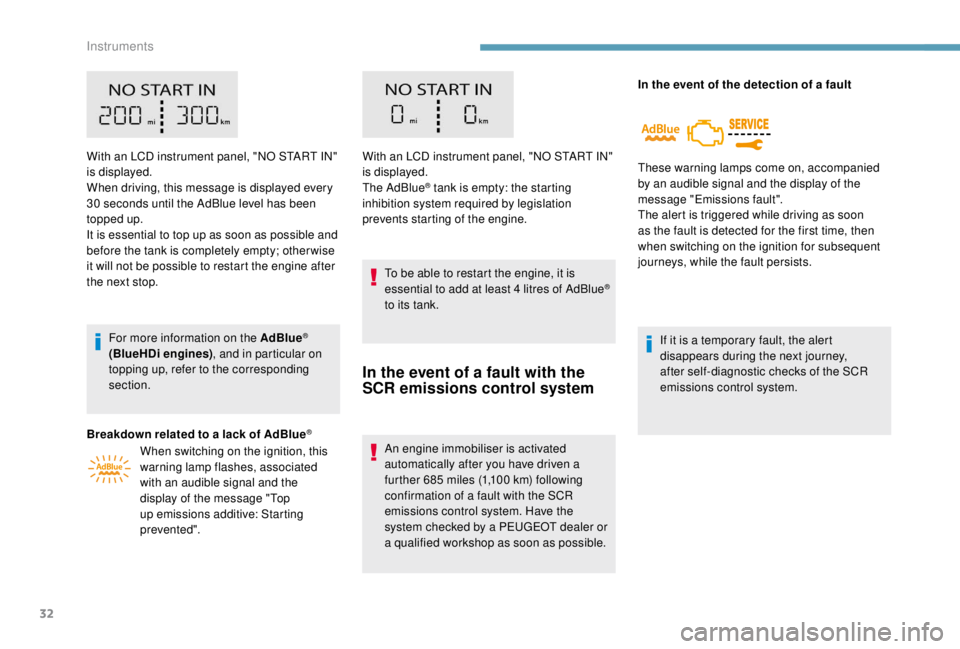
With an LCD instrument panel, "NO START IN"
is displayed.
When driving, this message is displayed every
30 seconds until the AdBlue level has been
topped up.
It is essential to top up as soon as possible and
before the tank is completely empty; other wise
it will not be possible to restart the engine after
the next stop.
For more information on the AdBlue
®
(BlueHDi engines) , and in particular on
topping up, refer to the corresponding
section.
Breakdown related to a lack of AdBlue
®
When switching on the ignition, this
warning lamp flashes, associated
with an audible signal and the
display of the message "Top
up emissions additive: Starting
prevented". With an LCD instrument panel, "NO START IN"
is displayed.
The AdBlue
® tank is empty: the starting
inhibition system required by legislation
prevents starting of the engine.
To be able to restart the engine, it is
essential to add at least 4
litres of AdBlue
®
to its tank.
In the event of a fault with the
SCR emissions control system
An engine immobiliser is activated
automatically after you have driven a
further 685
miles (1,100 km) following
confirmation of a fault with the SCR
emissions control system. Have the
system checked by a PEUGEOT dealer or
a qualified workshop as soon as possible. In the event of the detection of a fault
These warning lamps come on, accompanied
by an audible signal and the display of the
message "Emissions fault".
The alert is triggered while driving as soon
as the fault is detected for the first time, then
when switching on the ignition for subsequent
journeys, while the fault persists.
If it is a temporary fault, the alert
disappears during the next journey,
after self-diagnostic checks of the SCR
emissions control system.
Instruments
Page 35 of 416
33
During the permitted driving phase (between
685 and 0 miles (1,100 km and 0 km))
If a fault with the SCR system is confirmed
(after 30
miles (50 km) covered with the
permanent display of the message signalling
a fault), these warning lamps come on and the
AdBlue warning lamp flashes, accompanied by
an audible signal and the display of a message
(e.g. "Emissions fault: Starting prevented in
While driving, the message is displayed every
30
seconds while the fault with the SCR
emissions control system persists.
The alert is repeated when switching on the
ignition.
You should go to a PEUGEOT dealer or a
qualified workshop as soon as possible.
Other wise you will not be able to restart the
vehicle. Starting prevented
Each time the ignition is switched on, these
warning lamps come on and the AdBlue
warning lamp flashes, accompanied by an
audible signal and the display of the message
"Emissions fault: Starting prevented".
With an LCD instrument panel, "NO START IN"
is displayed.
You have exceeded the authorised driving
limit: the starting prevention system does
not allow the engine to be started. To
be able to restart the engine, you must
call on a PEUGEOT dealer or a qualified
workshop.Distance recorders
The total and trip distances are displayed for
thirty seconds when the ignition is switched off,
when the driver's door is opened and when the
vehicle is locked or unlocked.
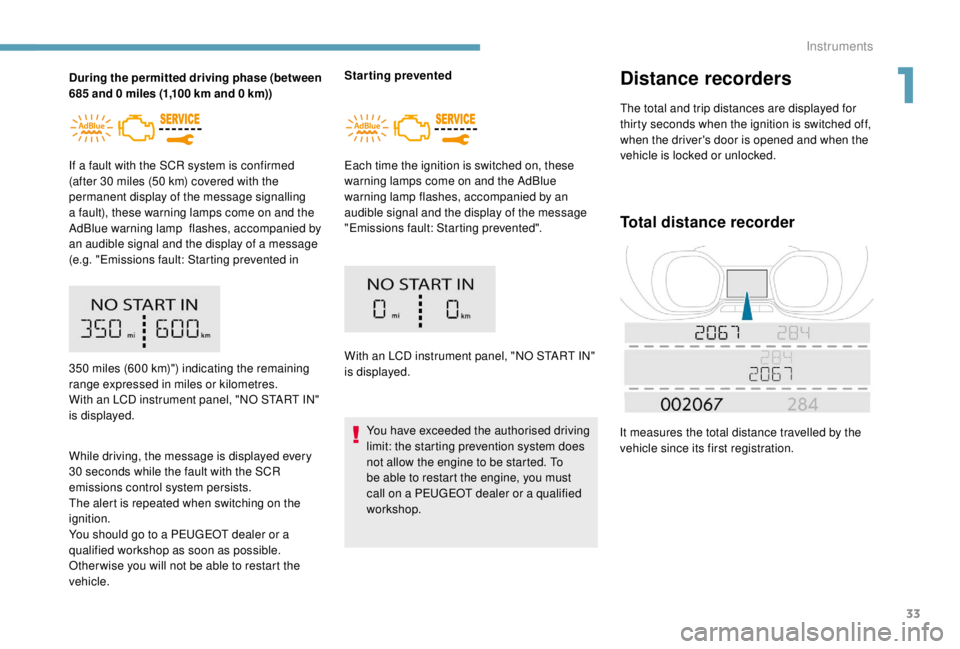
Total distance recorder
It measures the total distance travelled by the
vehicle since its first registration.
350
miles (600 km)") indicating the remaining
range expressed in miles or kilometres.
With an LCD instrument panel, "NO START IN"
is displayed.
1
Instruments
Page 36 of 416
34
Lighting dimmer
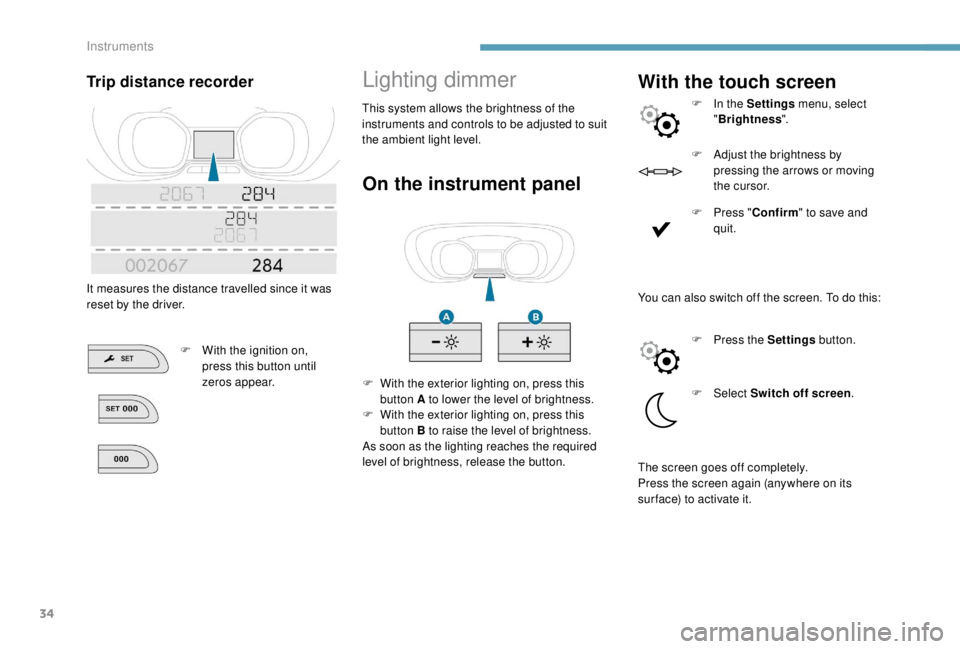
On the instrument panel
F With the exterior lighting on, press this button A to lower the level of brightness.
F
W
ith the exterior lighting on, press this
button B to raise the level of brightness.
As soon as the lighting reaches the required
level of brightness, release the button.
With the touch screen
F In the Settings menu, select
" Brightness ".
F
A
djust the brightness by
pressing the arrows or moving
t h e c u r s o r.
F
P
ress " Confirm " to save and
quit.
Trip distance recorder
It measures the distance travelled since it was
reset by the driver.
F
W
ith the ignition on,
press this button until
zeros appear. This system allows the brightness of the
instruments and controls to be adjusted to suit
the ambient light level.
You can also switch off the screen. To do this:F
P
ress the Settings button.
F
Select Switch off screen .
The screen goes off completely.
Press the screen again (anywhere on its
sur face) to activate it.
Instruments
Page 37 of 416
35
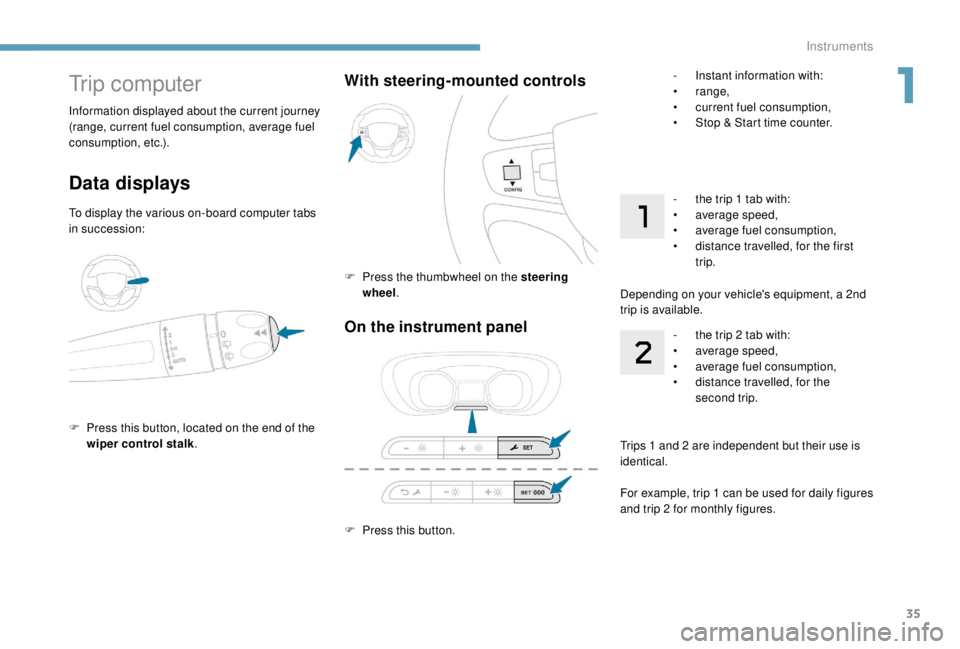
On the instrument panel
F Press this button.
With steering-mounted controls
F Press the thumbwheel on the steering wheel .
Trip computer
Data displays
To display the various on-board computer tabs
in succession:
F
P
ress this button, located on the end of the
wiper control stalk .
Information displayed about the current journey
(range, current fuel consumption, average fuel
consumption, etc.).
-
I
nstant information with:
•
range,
•
c
urrent fuel consumption,
•
S
top & Start time counter.
- t he trip 1 tab with:
• a verage speed,
•
a
verage fuel consumption,
•
d
istance travelled, for the first
trip.
Depending on your vehicle's equipment, a 2nd
trip is available. -
t
he trip 2 tab with:
•
a
verage speed,
•
a
verage fuel consumption,
•
d
istance travelled, for the
second trip.
Trips 1
and 2 are independent but their use is
identical.
For example, trip 1
can be used for daily figures
and trip 2
for monthly figures.
1
Instruments
Page 38 of 416
36
Reset trip
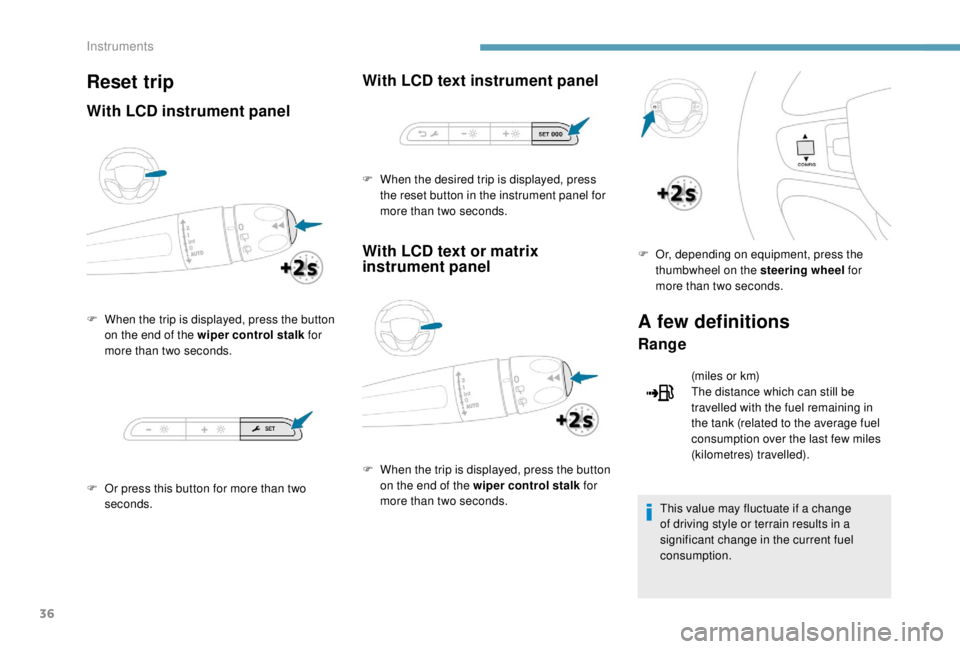
With LCD instrument panel
F When the trip is displayed, press the button on the end of the wiper control stalk for
more than two seconds.
F
O
r press this button for more than two
seconds.
With LCD text instrument panel
With LCD text or matrix
instrument panel
F When the trip is displayed, press the button on the end of the wiper control stalk for
more than two seconds. F
O
r, depending on equipment, press the
thumbwheel on the steering wheel for
more than two seconds.
A few definitions
Range
(miles or km)
The distance which can still be
travelled with the fuel remaining in
the tank (related to the average fuel
consumption over the last few miles
(kilometres) travelled).
This value may fluctuate if a change
of driving style or terrain results in a
significant change in the current fuel
consumption.
F
W
hen the desired trip is displayed, press
the reset button in the instrument panel for
more than two seconds.
Instruments
Page 48 of 416
46
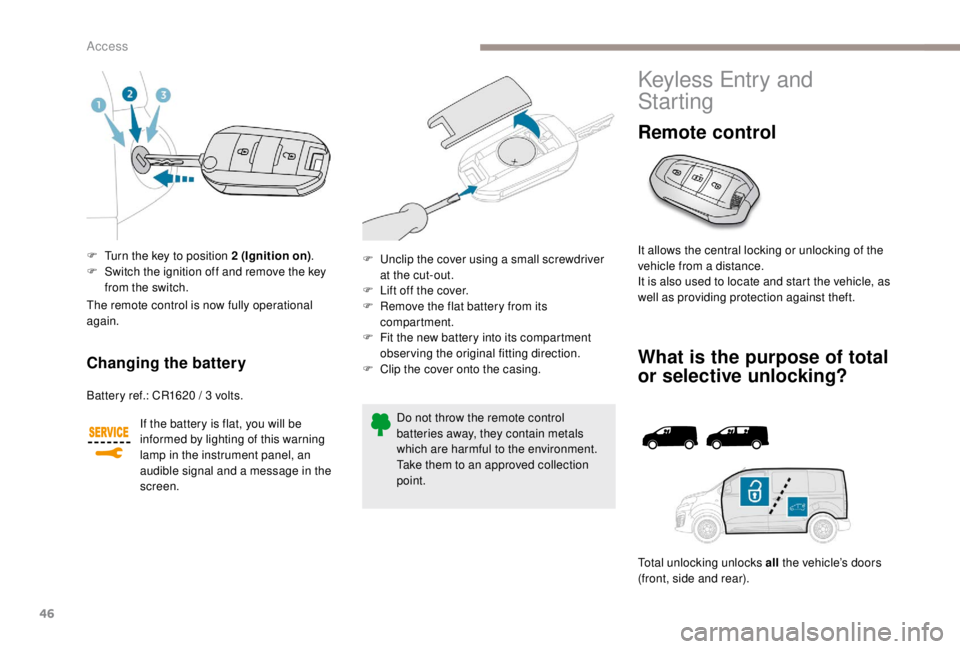
F Turn the key to position 2 (Ignition on).
F S witch the ignition off and remove the key
from the switch.
Changing the battery
Battery ref.: CR1620 / 3 volts.
I f the battery is flat, you will be
informed by lighting of this warning
lamp in the instrument panel, an
audible signal and a message in the
screen.
The remote control is now fully operational
again.
Do not throw the remote control
batteries away, they contain metals
which are harmful to the environment.
Take them to an approved collection
point.
F
U
nclip the cover using a small screwdriver
at the cut-out.
F
L
ift off the cover.
F
R
emove the flat battery from its
compartment.
F
F
it the new battery into its compartment
observing the original fitting direction.
F
C
lip the cover onto the casing.
Keyless Entry and
Starting
Remote control
It allows the central locking or unlocking of the
vehicle from a distance.
It is also used to locate and start the vehicle, as
well as providing protection against theft.
What is the purpose of total
or selective unlocking?
Total unlocking unlocks all
the vehicle’s doors
(front, side and rear).
Access