Esc Peugeot Expert 2019 User Guide
[x] Cancel search | Manufacturer: PEUGEOT, Model Year: 2019, Model line: Expert, Model: Peugeot Expert 2019Pages: 324, PDF Size: 13.07 MB
Page 90 of 324
88
- the central and side vents,
- t he windscreen and side windows
(demisting or defrosting).
Air conditioning
With the engine running, the air conditioning is
designed to operate effectively in all seasons,
with the windows closed.
It allows you:
-
i
n summer, to lower the temperature,
-
t
o increase the effectiveness of the
demisting in winter, above 3°C.
On/off
F Press button 5 to activate/deactivate the air conditioning system.
When the air conditioning is in operation, to
cool the air more quickly, you can use interior
air recirculation for a few moments by pressing
button 4 . Then return to the intake of exterior
a i r.
The air conditioning does not operate
when the air flow adjustment is set to off.
Switching the system off may result in
some discomfort (humidity, misting).
Dual-zone automatic air
conditioning
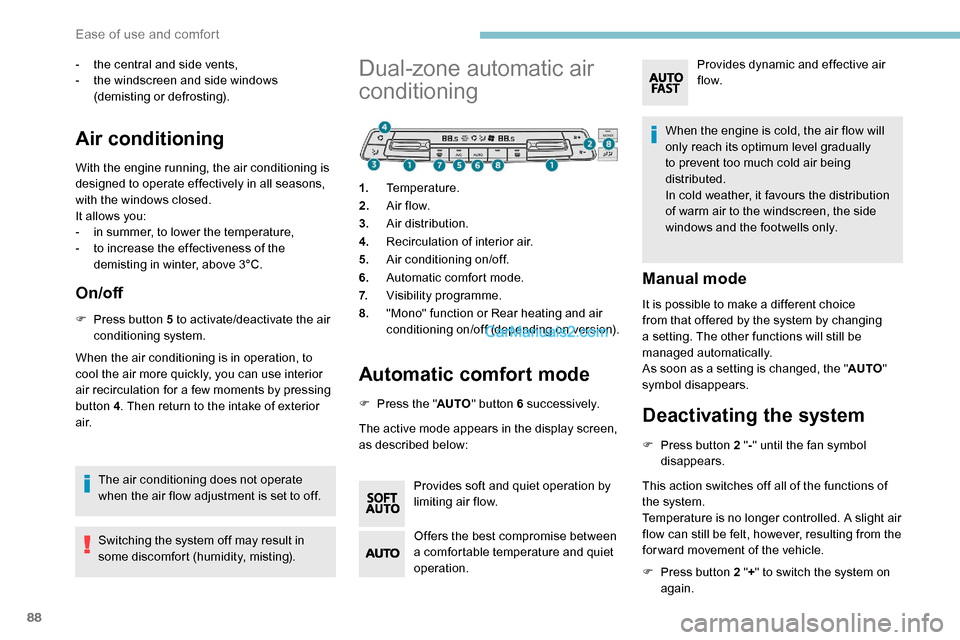
1. Temperature.
2. A ir f low.
3. Air distribution.
4. Recirculation of interior air.
5. Air conditioning on/off.
6. Automatic comfort mode.
7. Visibility programme.
8. "Mono" function or Rear heating and air
conditioning on/off (depending on version).
Automatic comfort mode
F Press the " AUTO" button 6 su c c e s s i ve l y.
The active mode appears in the display screen,
as described below:
Provides soft and quiet operation by
limiting air flow.
Offers the best compromise between
a comfortable temperature and quiet
operation. When the engine is cold, the air flow will
only reach its optimum level gradually
to prevent too much cold air being
distributed.
In cold weather, it favours the distribution
of warm air to the windscreen, the side
windows and the footwells only.
Manual mode
It is possible to make a different choice
from that offered by the system by changing
a setting. The other functions will still be
managed automatically.
As soon as a setting is changed, the "
AUTO"
symbol disappears.
Deactivating the system
F Press button 2 " -" until the fan symbol
disappears.
This action switches off all of the functions of
the system.
Temperature is no longer controlled. A slight air
flow can still be felt, however, resulting from the
for ward movement of the vehicle.
F
P
ress button 2 " +" to switch the system on
again. Provides dynamic and effective air
f low.
Ease of use and comfort
Page 111 of 324
109
Peugeot Connect
Assistance
** According to the geographic coverage of ‘Peugeot Connect SOS’, ‘Peugeot Connect
Assistance’ and the official national
language chosen by the owner of the vehicle.
The list of countries covered and of the
telematic services is available from dealers
or on the website for your country.
If the vehicle breaks down, press button 2 for
more than 2 seconds to request assistance
(confirmed by a voice message**).
Pressing again immediately cancels the
request.
Geolocation
Deactivate/reactivate geolocation by
simultaneously pressing buttons 1 and 2 and
then a single press of button 2 to confirm.
If you purchased your vehicle outside the
PEUGEOT dealer network, we invite you
to have a dealer check the configuration
of these ser vices and, if desired, modify
them to suit your wishes. In a multilingual
country, configuration is possible in the
official national language of your choice. For technical reasons, in particular to
improve the quality of telematic ser vices
for customers, the Manufacturer reserves
the right to carry out updates to the
vehicle's on-board telematic system at
any time.
If you benefit from the Peugeot Connect
Packs offer with the SOS and assistance
pack included, there are additional
ser vices available to you in your personal
space, via the website for your country.
Audible warning
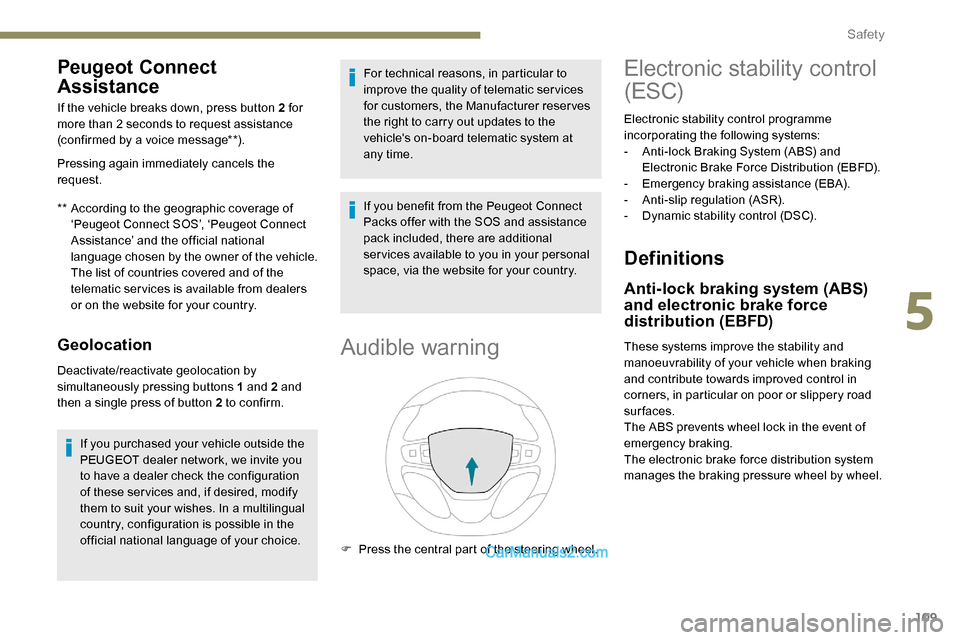
F Press the central part of the steering wheel.
Electronic stability control
(ESC)
Electronic stability control programme
incorporating the following systems:
-
A
nti-lock Braking System (ABS) and
Electronic Brake Force Distribution (EBFD).
-
E
mergency braking assistance (EBA).
-
A
nti-slip regulation (ASR).
-
D
ynamic stability control (DSC).
Definitions
Anti-lock braking system (ABS)
and electronic brake force
distribution (EBFD)
These systems improve the stability and
manoeuvrability of your vehicle when braking
and contribute towards improved control in
corners, in particular on poor or slippery road
surfaces.
The ABS prevents wheel lock in the event of
emergency braking.
The electronic brake force distribution system
manages the braking pressure wheel by wheel.
5
Safety
Page 114 of 324
112
ASR / DSC
These systems offer increased safety
in normal driving, but they should not
encourage the driver to take extra risks or
drive at high speed.
It is in conditions of reduced grip (rain,
snow, black ice) that the risk of loss of grip
increases. It is therefore important for your
safety to keep these systems activated in
all conditions, and particularly in difficult
conditions.
The correct operation of these
systems depends on obser vation of
the manufacturer's recommendations
regarding as much the wheels (tyres and
rims), braking and electronic components
as the assembly and repair procedures
used by PEUGEOT dealers.
The use of snow tyres is recommended,
in order to be able to benefit from the
efficiency of these systems in winter
conditions.
In this case, it is essential to equip the
four wheels with tyres approved for your
vehicle.Advanced Grip Control
Special patented traction control system which
improves driveability on snow, mud and sand.
This system, whose operation has been
optimised for each situation, allows you to
manoeuvre in most conditions of poor grip
(encountered during passenger vehicle use).
Associated with all-seasons Peak Mountain
Snow Flake tyres, this system offers a
compromise between safety, adhesion and
traction.
The accelerator pedal should be pressed
sufficiently to allow the system to use the power
of the engine. Operation at high engine speeds
is completely normal.
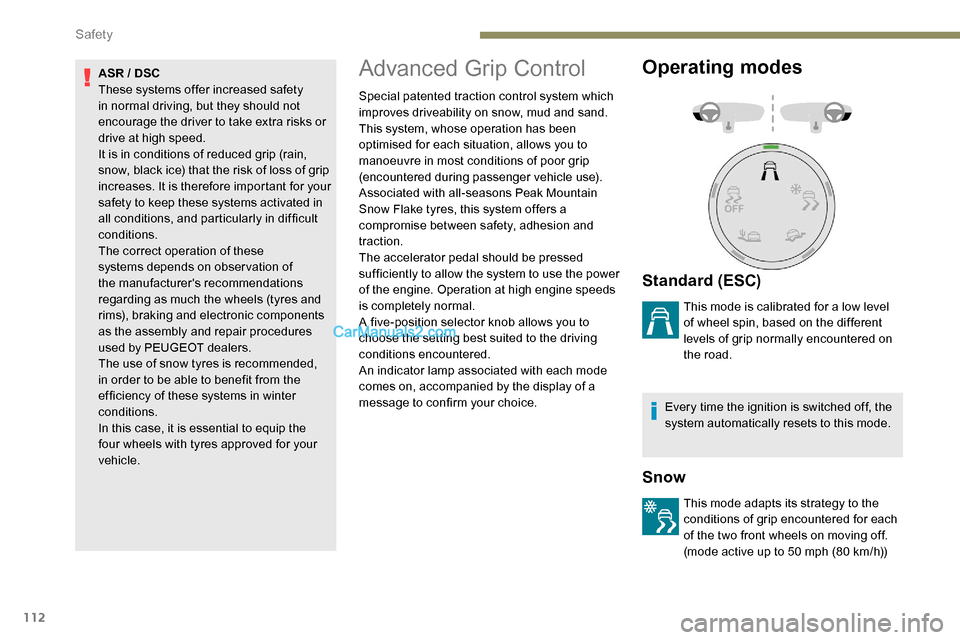
A five-position selector knob allows you to
choose the setting best suited to the driving
conditions encountered.
An indicator lamp associated with each mode
comes on, accompanied by the display of a
message to confirm your choice.
Operating modes
Standard (ESC)
This mode is calibrated for a low level
of wheel spin, based on the different
levels of grip normally encountered on
the road.
Every time the ignition is switched off, the
system automatically resets to this mode.
Snow
This mode adapts its strategy to the
conditions of grip encountered for each
of the two front wheels on moving off.
(mode active up to 50 mph (80 km/h))
Safety
Page 140 of 324
138
Driving recommendations
F Observe the driving regulations and remain vigilant whatever the traffic conditions.
F
M
onitor your environment and keep your
hands on the wheel to be able to react to
anything that may happen any time.
F
D
rive smoothly, anticipate the need for
braking and maintain a longer safety
distance, especially in bad weather.
F
S
top the vehicle to carry out operations
that require close attention (such as
adjustments).
F
D
uring long trips, take a break every two
hours.
To assure the durability of your vehicle and
for safety reasons, remember that certain
precautions, described hereafter, should be
taken when driving your vehicle:
Manoeuvre cautiously, at low
speed
The dimensions of this vehicle differ greatly
from those of a light vehicle, in width, in height,
as well as in length, and some obstacles will be
more difficult to notice.
Manoeuvre slowly.
Before turning, check that there are no
obstacles at mid-height along the sides.
Before reversing, check that there are no
obstacles, particularly at high level behind the
vehicle.
Be aware of the external dimensions, if ladders
are fitted.
Drive the vehicle in a cautious
and efficient way
Take corners gently.
Anticipate the need to brake as the stopping
distance is increased, particularly on wet or icy
roads.
Be aware of the effect of side winds on the
vehicle.
Be careful
The tyres must be inflated to at least the
pressures indicated on the label, even over-
inflated by 0.2 to 0.3 bar for long journeys.
Important!
Never leave the engine running in
a closed space without sufficient
ventilation. Internal combustion engines
emit toxic exhaust gases such as carbon
monoxide. Danger of poisoning and death!
In severe wintry conditions (temperature
below -23°C), let the engine run for 4
minutes before moving off, to ensure the
correct operation and durability of the
mechanical components of your vehicle
(engine and gearbox). Never drive with the parking brake
applied
. Risk of overheating and damage
to the braking system!
Do not park the vehicle or leave the
engine running on a flammable sur face
(dr y grass, dead leaves, etc.). The
exhaust system of your vehicle is very
hot, even several minutes after the engine
stops. Risk of fire!
Never leave a vehicle unattended with
the engine running. If you have to leave
your vehicle with the engine running, apply
the parking brake and put the gearbox into
neutral or position N or P (depending on
the type of gearbox).
Never leave children inside the vehicle
unsupervised .
On flooded roads
We strongly advise against driving on flooded
roads, as this could cause serious damage
to the engine or gearbox, as well as to the
electrical systems of your vehicle.
Driving
Page 148 of 324
146
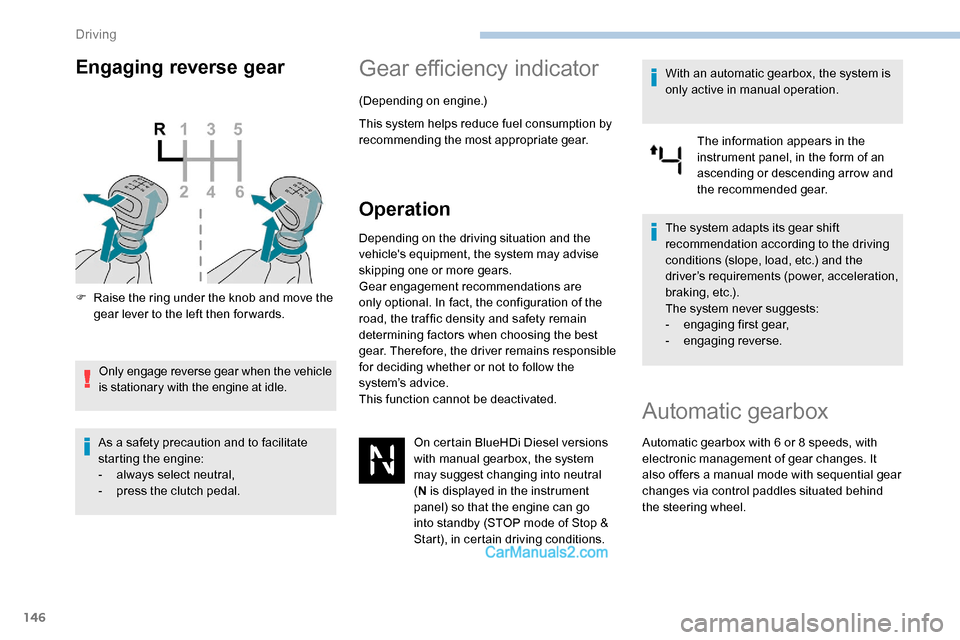
Engaging reverse gear
F Raise the ring under the knob and move the gear lever to the left then for wards.
Only engage reverse gear when the vehicle
is stationary with the engine at idle.
As a safety precaution and to facilitate
starting the engine:
-
a
lways select neutral,
-
p
ress the clutch pedal.
Gear efficiency indicator
(Depending on engine.)
This system helps reduce fuel consumption by
recommending the most appropriate gear.
Operation
Depending on the driving situation and the
vehicle's equipment, the system may advise
skipping one or more gears.
Gear engagement recommendations are
only optional. In fact, the configuration of the
road, the traffic density and safety remain
determining factors when choosing the best
gear. Therefore, the driver remains responsible
for deciding whether or not to follow the
system’s advice.
This function cannot be deactivated. On certain BlueHDi Diesel versions
with manual gearbox, the system
may suggest changing into neutral
(N is displayed in the instrument
panel) so that the engine can go
into standby (STOP mode of Stop &
Start), in certain driving conditions. With an automatic gearbox, the system is
only active in manual operation.
The information appears in the
instrument panel, in the form of an
ascending or descending arrow and
the recommended gear.
The system adapts its gear shift
recommendation according to the driving
conditions (slope, load, etc.) and the
driver’s requirements (power, acceleration,
b r a k i n g , e t c .) .
The system never suggests:
-
e
ngaging first gear,
-
enga
ging reverse.
Automatic gearbox
Automatic gearbox with 6 or 8 speeds, with
e lectronic management of gear changes. It
also offers a manual mode with sequential gear
changes via control paddles situated behind
the steering wheel.
Driving
Page 151 of 324
149
As a safety measure (children on board),
never leave the vehicle with the engine
running and the doors closed.
Manual operation
F With the selector in position D,
press button M for sequential
changing of the 6
or 8 gears.
The indicator lamp for the button goes off. In manual mode, it is not necessary
to release the accelerator pedal when
changing gear.
It is only possible to change from one gear
to another if the vehicle speed and engine
speed conditions permit. If the engine speed is too low or too
high, the selected gear flashes for a few
seconds, then the gear actually activated
is displayed.
When the vehicle is stationary or moving
very slowly, the gearbox selects gear M1
automatically.
To save the brakes when descending
a steep incline, use engine braking to
reduce your speed (change down to a
lower gear).
Keeping the brake pedal pressed
continuously for long periods can overheat
the brakes, with the risk of damaging the
braking system or making it inoperative.
Only use the brakes when necessary, to
slow or stop the vehicle.
Depending on the road configuration (e.g.
mountainous road), manual operation is
preferable.
This is because automatic operation may
not be best suited, not allowing the use of
engine braking.
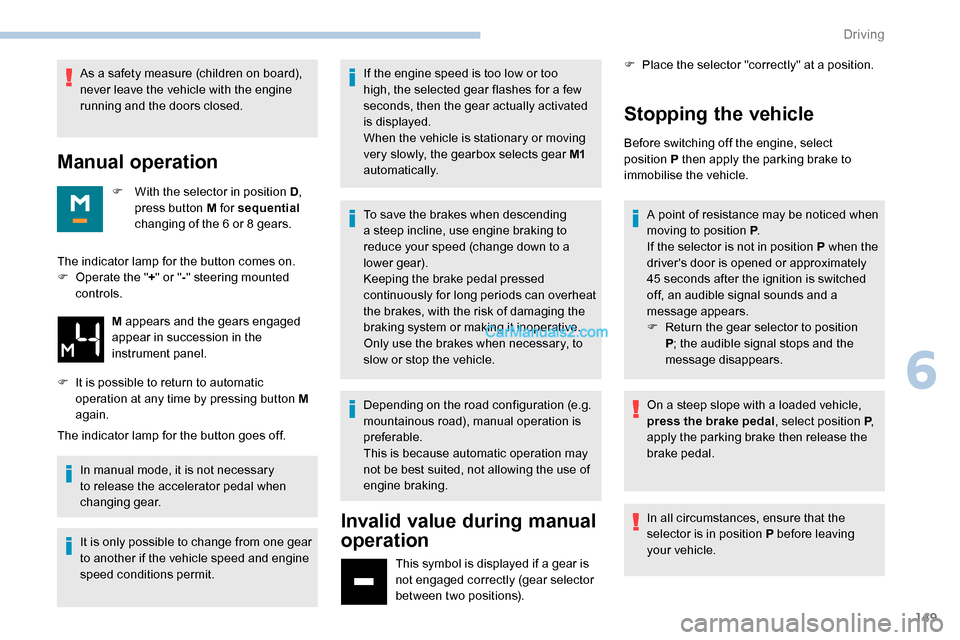
Invalid value during manual
operation
This symbol is displayed if a gear is
not engaged correctly (gear selector
between two positions). F
P
lace the selector "correctly" at a position.
Stopping the vehicle
Before switching off the engine, select
position
P then apply the parking brake to
immobilise the vehicle.
The indicator lamp for the button comes on.
F
O
perate the " +" or " -" steering mounted
controls.
M appears and the gears engaged
appear in succession in the
instrument panel.
F
I
t is possible to return to automatic
operation at any time by pressing button M
again. A point of resistance may be noticed when
moving to position P
.
If the selector is not in position P when the
driver's door is opened or approximately
45
seconds after the ignition is switched
off, an audible signal sounds and a
message appears.
F
R
eturn the gear selector to position
P ; the audible signal stops and the
message disappears.
On a steep slope with a loaded vehicle,
press the brake pedal , select position P,
apply the parking brake then release the
brake pedal.
In all circumstances, ensure that the
selector is in position P before leaving
your vehicle.
6
Driving
Page 166 of 324
164
Temporarily exceeding the
programmed speed
F To temporarily exceed the programmed speed threshold, fully depress the
accelerator pedal.
The speed limiter is deactivated temporarily
and the displayed programmed speed flashes.
If it is exceeded for a prolonged period of time,
an audible warning is triggered.
Simply release the accelerator pedal to return
to below the programmed speed. When the limit speed is exceeded but this is not
due to action by the driver (in case of a steep
slope, for example), an audible signal triggers
immediately.
Once the speed of the vehicle returns to
the programmed setting, the speed limiter
functions again: the display of the programmed
speed setting becomes fixed again.
Switching off
F Turn the thumbwheel 1 to the " 0" position:
the display of information on the speed
limiter disappears.
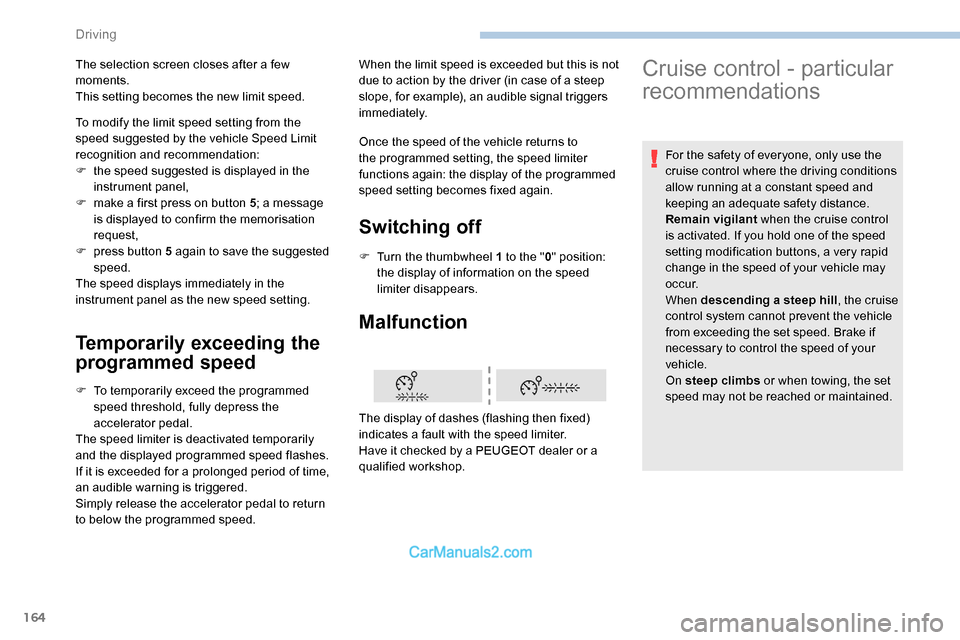
Malfunction
To modify the limit speed setting from the
speed suggested by the vehicle Speed Limit
recognition and recommendation:
F
t
he speed suggested is displayed in the
instrument panel,
F
m
ake a first press on button 5 ; a message
is displayed to confirm the memorisation
request,
F
p
ress button 5 again to save the suggested
speed.
The speed displays immediately in the
instrument panel as the new speed setting.
The display of dashes (flashing then fixed)
indicates a fault with the speed limiter.
Have it checked by a PEUGEOT dealer or a
qualified workshop.
The selection screen closes after a few
moments.
This setting becomes the new limit speed.
Cruise control - particular
recommendations
For the safety of everyone, only use the
cruise control where the driving conditions
allow running at a constant speed and
keeping an adequate safety distance.
Remain vigilant
when the cruise control
is activated. If you hold one of the speed
setting modification buttons, a very rapid
change in the speed of your vehicle may
o c c u r.
When descending a steep hill , the cruise
control system cannot prevent the vehicle
from exceeding the set speed. Brake if
necessary to control the speed of your
vehicle.
On steep climbs or when towing, the set
speed may not be reached or maintained.
Driving
Page 168 of 324
166
For more information on Memorising speeds
or on the Speed Limit recognition and
recommendation , refer to the corresponding
sections.
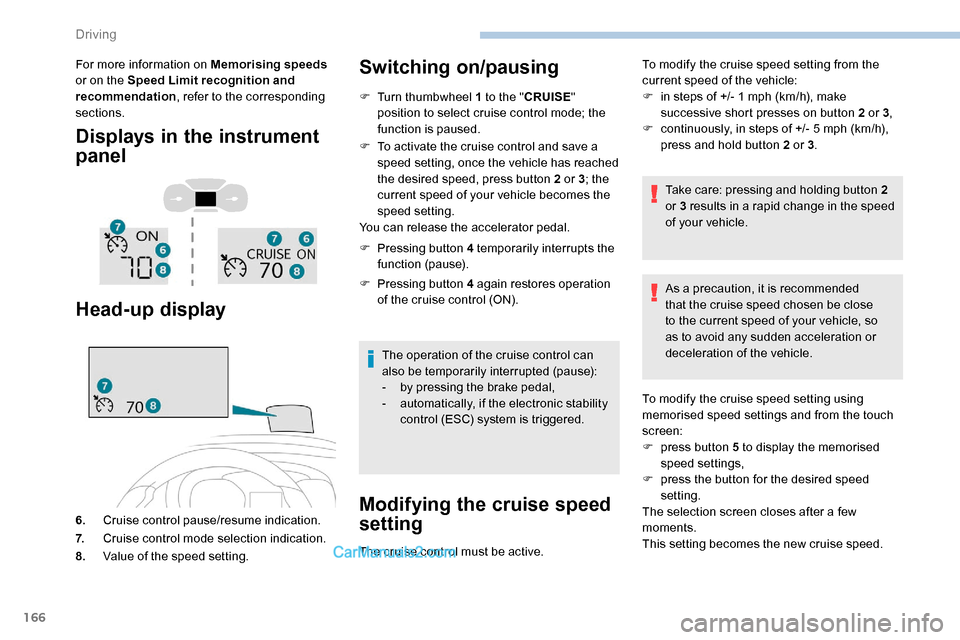
Displays in the instrument
panel
Head-up display
6. Cruise control pause/resume indication.
7. Cruise control mode selection indication.
8. Value of the speed setting.
Switching on/pausing
F Turn thumbwheel 1 to the " CRUISE"
position to select cruise control mode; the
function is paused.
F
T
o activate the cruise control and save a
speed setting, once the vehicle has reached
the desired speed, press button 2 or 3 ; the
current speed of your vehicle becomes the
speed setting.
You can release the accelerator pedal.
F
P
ressing button 4 temporarily interrupts the
function (pause).
F
P
ressing button 4 again restores operation
of the cruise control (ON).
The operation of the cruise control can
also be temporarily interrupted (pause):
-
b
y pressing the brake pedal,
-
a
utomatically, if the electronic stability
control (ESC) system is triggered.
Modifying the cruise speed
setting
The cruise control must be active. To modify the cruise speed setting from the
current speed of the vehicle:
F
i
n steps of +/- 1 mph (km/h), make
successive short presses on button 2 or 3 ,
F
c
ontinuously, in steps of +/- 5 mph (km/h),
press and hold button 2 or 3 .
Take care: pressing and holding button 2
or 3 results in a rapid change in the speed
of your vehicle.
As a precaution, it is recommended
that the cruise speed chosen be close
to the current speed of your vehicle, so
as to avoid any sudden acceleration or
deceleration of the vehicle.
To modify the cruise speed setting using
memorised speed settings and from the touch
screen:
F
p
ress button 5 to display the memorised
speed settings,
F
p
ress the button for the desired speed
setting.
The selection screen closes after a few
moments.
This setting becomes the new cruise speed.
Driving
Page 169 of 324
167
To modify the cruise speed setting from the
speed suggested by the vehicle Speed Limit
recognition and recommendation:
F
t
he speed suggested is displayed in the
instrument panel,
F
m
ake an initial press on button 5 ; a
message is displayed to confirm the
memorisation request.
F
p
ress button 5 again to save the suggested
speed.
The speed displays immediately in the
instrument panel as the new speed setting.
Temporarily exceeding the
programmed speed
If needed (e.g. for overtaking), it is
possible to exceed the programmed
speed by pressing the accelerator
pedal.
The cruise control is temporarily overridden
and the programmed speed setting flashes.
To return to the programmed speed, simply
release the accelerator pedal.
Once the vehicle has returned to the
programmed speed, the cruise control takes
over again: the display of the programmed
speed setting becomes fixed again. When descending a steep hill, the cruise
control system cannot prevent the vehicle
from exceeding the programmed speed.
You may have to brake to control the
speed of your vehicle. In this case, the
cruise control is automatically paused.
To activate the system again, with the
speed of the vehicle above 25 mph
(40
km/h), press button 4
.
Switching off
F Turn the thumbwheel 1 to the " 0” position:
the cruise control information disappears
from the screen.
Malfunction
The display of dashes (flashing then fixed)
indicates a fault with the cruise control system.
Have it checked by a PEUGEOT dealer or a
qualified workshop.
Adaptive Cruise Control
Refer to the General recommendations
on the use of driving and manoeuvring
aids and to Cruise control - par ticular
recommendations .
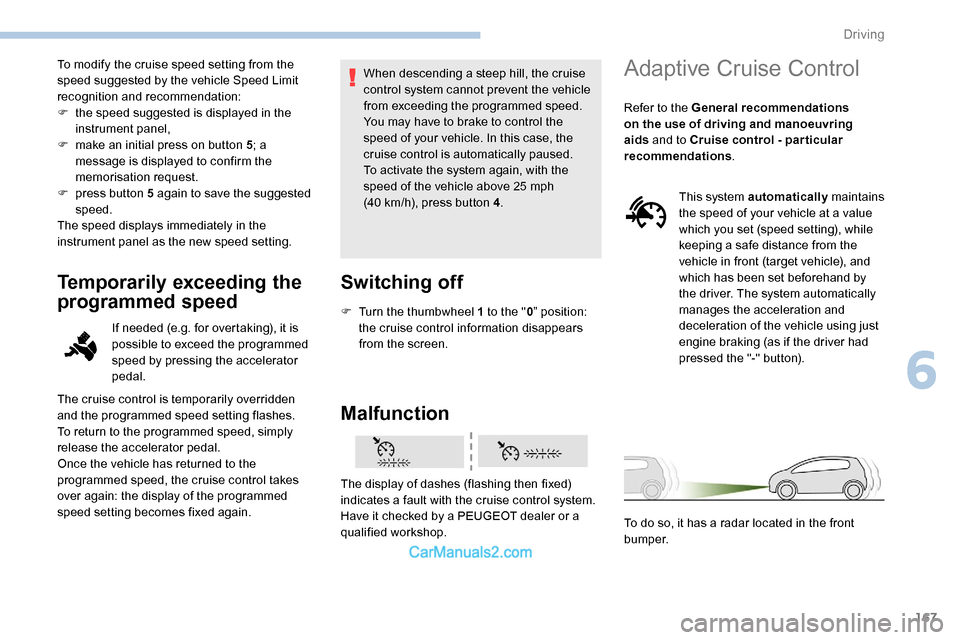
This system automatically maintains
the speed of your vehicle at a value
which you set (speed setting), while
keeping a safe distance from the
vehicle in front (target vehicle), and
which has been set beforehand by
the driver. The system automatically
manages the acceleration and
deceleration of the vehicle using just
engine braking (as if the driver had
pressed the "-" button).
To do so, it has a radar located in the front
b u m p e r.
6
Driving
Page 171 of 324
169
F Press 3 to increase or 2 to decrease the
speed setting (steps of 5 mph (km/h) if held
pressed).
Pressing and holding button 2 or 3
results
in a rapid change in the speed of the
vehicle.
Pausing/resuming cruise control
F Press 4 or press the brake pedal . It is also
possible to press the clutch pedal to pause
cruise control.
F
Press 4 to restart cruise control.
Cruise control may have been paused
automatically:
-
w
hen an inter-vehicle distance threshold
is reached,
-
w
hen the distance between your vehicle
and the one in front becomes too short,
-
w
hen the speed of your vehicle becomes
too low or the speed of the vehicle in front
becomes too low,
-
b
y triggering of the ESC system. When the driver attempts to reactivate
cruise control which was paused, the
message "Activation not possible,
conditions unsuitable" is briefly displayed
if reactivation is not possible (safety
conditions not met).
Use the Speed Limit recognition
and recommendation function
or the road sign memorisation to
modify the speed setting
F Press
5 on the instrument panel or touch
screen to accept the speed suggested by
the function, then press again to confirm.
To prevent any sudden acceleration or
deceleration of the vehicle, select a speed
setting fairly close to the current speed of
your vehicle.
Changing the inter-vehicle
distance
F Press 6 to display the distance setting
thresholds ("Distant", "Normal", "Close"),
then press again to select a threshold.
After a few seconds, the option is accepted and
will be memorised when the ignition is switched
of f.
Temporarily exceeding the speed
setting
F Press the accelerator pedal. Distance monitoring and cruise control are
deactivated as long as you continue to
accelerate. The speed flashes in the
instrument panel.
Deactivating the system
F Turn the thumbwheel 1 upwards to position 0 (OFF ).
6
Driving