buttons PEUGEOT EXPERT 2023 User Guide
[x] Cancel search | Manufacturer: PEUGEOT, Model Year: 2023, Model line: EXPERT, Model: PEUGEOT EXPERT 2023Pages: 348, PDF Size: 12 MB
Page 40 of 348
38
Access
When transporting an oversized load
(tailgate or side-hinged doors open),
press the button to lock only the front and rear
doors (sliding side door).
When locking from inside, the door
mirrors do not fold.
Central locking from the inside does not
operate if one of the doors is open (indicated
by a mechanical noise coming from the
locks).
When the tailgate or side-hinged doors are
open, only the other doors are locked (the
button does not light up).
Automatic (anti-intrusion security)
The doors and the tailgate or the side-hinged
doors can lock automatically while driving (speed
above 6 mph (10
km/h)).
To deactivate/reactivate this function (activated
by default):
►
Press the button until an audible signal is
heard and/or a message appears on the screen.
Electric sliding side
door(s)
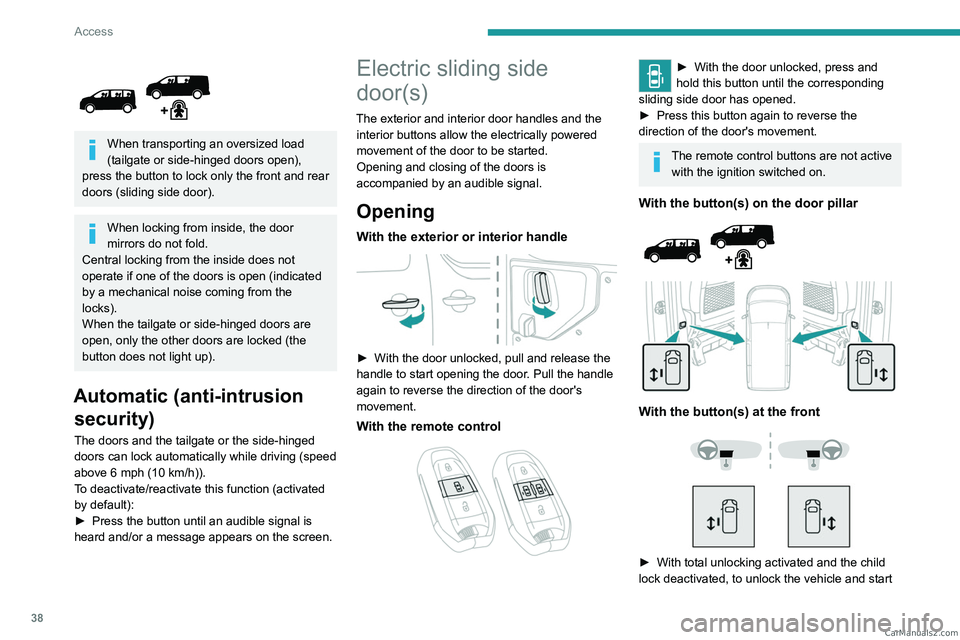
The exterior and interior door handles and the interior buttons allow the electrically powered
movement of the door to be started.
Opening and closing of the doors is
accompanied by an audible signal.
Opening
With the exterior or interior handle
► With the door unlocked, pull and release the
handle to start opening the door . Pull the handle
again to reverse the direction of the door's
movement.
With the remote control
► With the door un locked, press and
hold this button until the corresponding
sliding side door has opened.
►
Press this button again to reverse the
direction of the door's movement.
The remote control buttons are not active with the ignition switched on.
With the button(s) on the door pillar
With the button(s) at the front
► With total unlocking activated and the child
lock deactivated, to unlock the vehicle and start CarM an uals 2 .c o m
Page 41 of 348
39
Access
2opening a door, press the button corresponding
to the door you wish to open.
►
With selective unlocking activated, to unlock
only the
loading area and start opening a door,
press the button corresponding to the door you
wish to open.
►
In both cases, pressing the button again
reverses the direction of the door's movement.
Closing
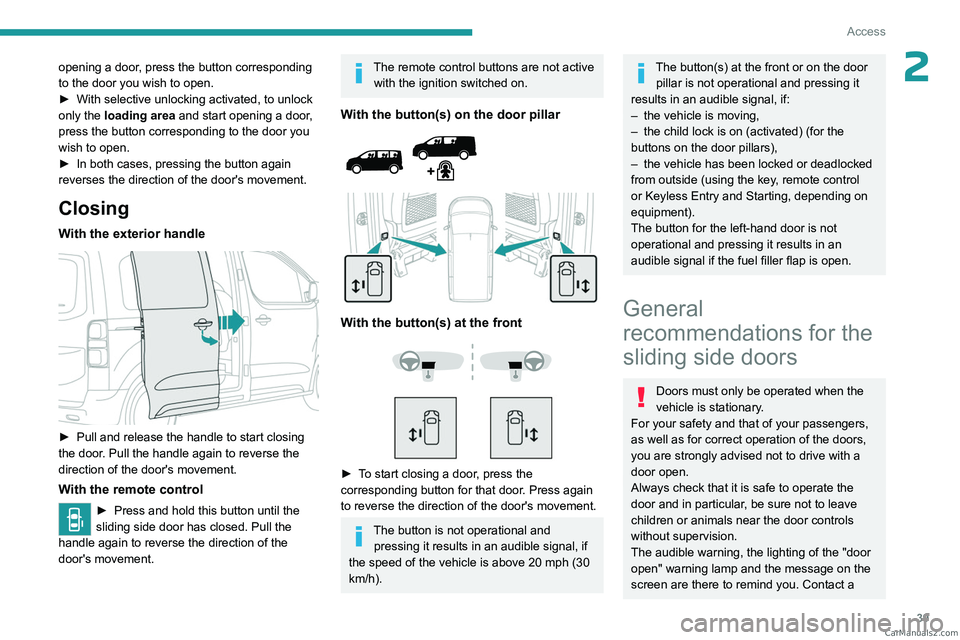
With the exterior handle
► Pull and release the handle to start closing
the door . Pull the handle again to reverse the
direction of the door's movement.
With the remote control
► Press and hold this button until the
sliding side door has closed. Pull the
handle again to reverse the direction of the
door's movement.
The remote control buttons are not active with the ignition switched on.
With the button(s) on the door pillar
With the button(s) at the front
► To start closing a door, press the
corresponding button for that door. Press again
to reverse the direction of the door's movement.
The button is not operational and pressing it results in an audible signal, if
the speed of the vehicle is above 20 mph (30
km/h).
The button(s) at the front or on the door pillar is not operational and pressing it
results in an audible signal, if:
–
the vehicle is moving,
–
the child lock is on (activated) (for the
buttons on the door pillars),
–
the vehicle has been locked or deadlocked
from outside (using the key
, remote control
or Keyless Entry and Starting, depending on
equipment).
The button for the left-hand door is not
operational and pressing it results in an
audible signal if the fuel filler flap is open.
General
recommendations for the
sliding side doors
Doors must only be operated when the
vehicle is stationary.
For your safety and that of your passengers,
as well as for correct operation of the doors,
you are strongly advised not to drive with a
door open.
Always check that it is safe to operate the
door and in particular, be sure not to leave
children or animals near the door controls
without supervision.
The audible warning, the lighting of the "door
open" warning lamp and the message on the
screen are there to remind you. Contact a CarM an uals 2 .c o m
Page 54 of 348
52
Ease of use and comfort
► When stationary, lower the control lever to
release the steering wheel.
►
Adjust the height and reach.
►
Pull the control lever to lock the steering
wheel.
As a safety precaution, these operations must only be carried out while the vehicle
is stationary.
Mirrors
Door mirrors
As a safety measure, the mirrors should be adjusted to reduce the "blind spots".
The objects that you see in the mirrors are
in fact closer than they appear. Take this
into account in order to correctly judge the
distance of vehicles approaching from behind.
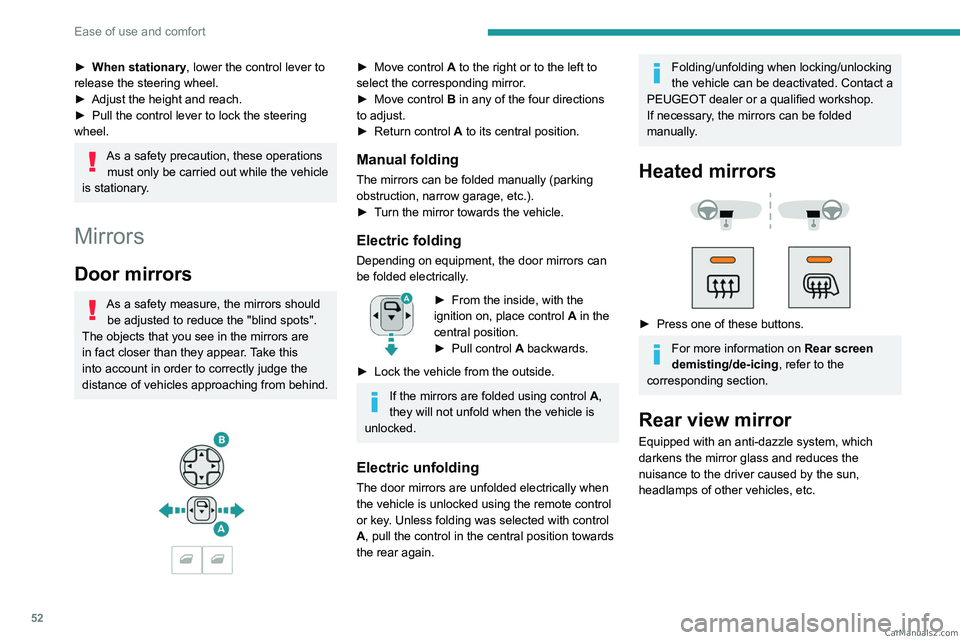
► Move control A to the right or to the left to
select the corresponding mirror.
►
Move control
B in any of the four directions
to adjust.
►
Return control A
to its central position.
Manual folding
The mirrors can be folded manually (parking
obstruction, narrow garage, etc.).
►
T
urn the mirror towards the vehicle.
Electric folding
Depending on equipment, the door mirrors can
be folded electrically.
► From the inside, with the
ignition on, place control A
in the
central position.
►
Pull control A
backwards.
►
Lock the vehicle from the outside.
If the mirrors are folded using control A,
they will not unfold when the vehicle is
unlocked.
Electric unfolding
The door mirrors are unfolded electrically when
the vehicle is unlocked using the remote control
or key. Unless folding was selected with control
A, pull the control in the central position towards
the rear again.
Folding/unfolding when locking/unlocking
the vehicle can be deactivated. Contact a
PEUGEOT dealer or a qualified workshop.
If necessary, the mirrors can be folded
manually.
Heated mirrors
► Press one of these buttons.
For more information on Rear screen
demisting/de-icing , refer to the
corresponding section.
Rear view mirror
Equipped with an anti-dazzle system, which
darkens the mirror glass and reduces the
nuisance to the driver caused by the sun,
headlamps of other vehicles, etc. CarM an uals 2 .c o m
Page 83 of 348
81
Ease of use and comfort
3Switching the system off could result in
discomfort (humidity, misting).
Air distribution
► Pressing button 3 successively directs the air
flow towards:
–
windscreen, side windows and footwells,
–
footwells,
–
central vents, side vents and footwells,
–
windscreen, side windows, central vents, side
vents and footwells,
–
central and side vents,
–
windscreen and side windows (demisting or
defrosting).
Air flow
► Press the buttons 2 to increase/decrease the
air flow.
The air flow symbol (a fan) appears. It is filled in
or emptied gradually, according to the value set.
Interior air recirculation
The intake of exterior air prevents the formation
of mist on the windscreen and side windows.
Recirculating the interior air isolates the
passenger compartment from outside odours
and fumes and allows the desired passenger
compartment temperature to be achieved more
rapidly.
► Press this button to activate/deactivate
the function (confirmed by the
illumination/extinction of the indicator lamp).
Front demisting
- defrosting
These markings on the control panel indicate the positioning of the controls for
rapid demisting or defrosting of the windscreen
and side windows.
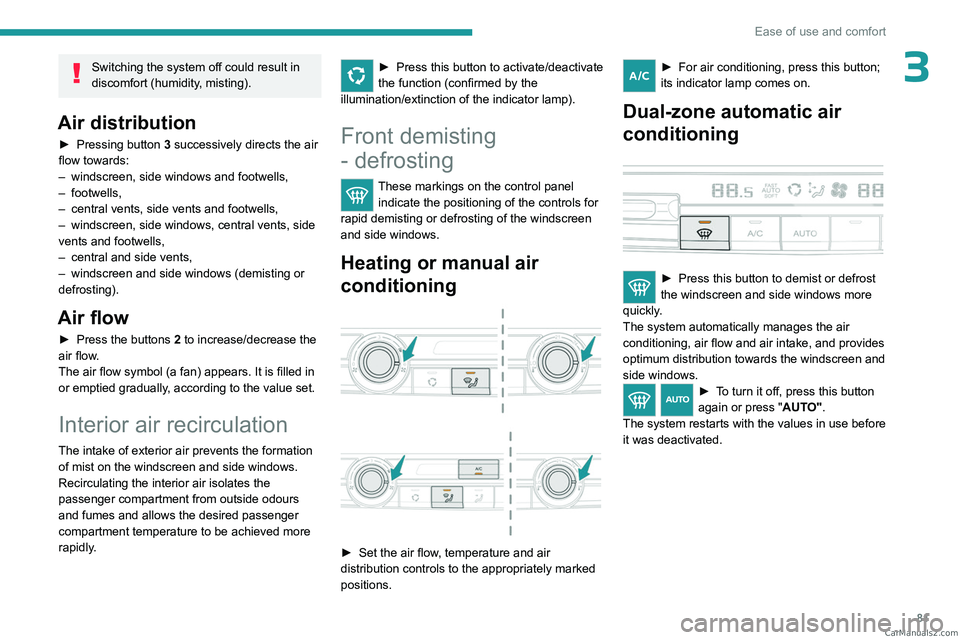
Heating or manual air
conditioning
► Set the air flow , temperature and air
distribution controls to the appropriately marked
positions.
► For air condition ing, press this button;
its indicator lamp comes on.
Dual-zone automatic air
conditioning
► Press this button to demist or defrost
the windscreen and side windows more
quickly
.
The system automatically manages the air
conditioning, air flow and air intake, and provides
optimum distribution towards the windscreen and
side windows.
► To turn it off, press this button
again or press " AUTO".
The system restarts with the values in use before
it was deactivated. CarM an uals 2 .c o m
Page 84 of 348
82
Ease of use and comfort
Demisting/de-icing the
rear screen and/or the
door mirrors
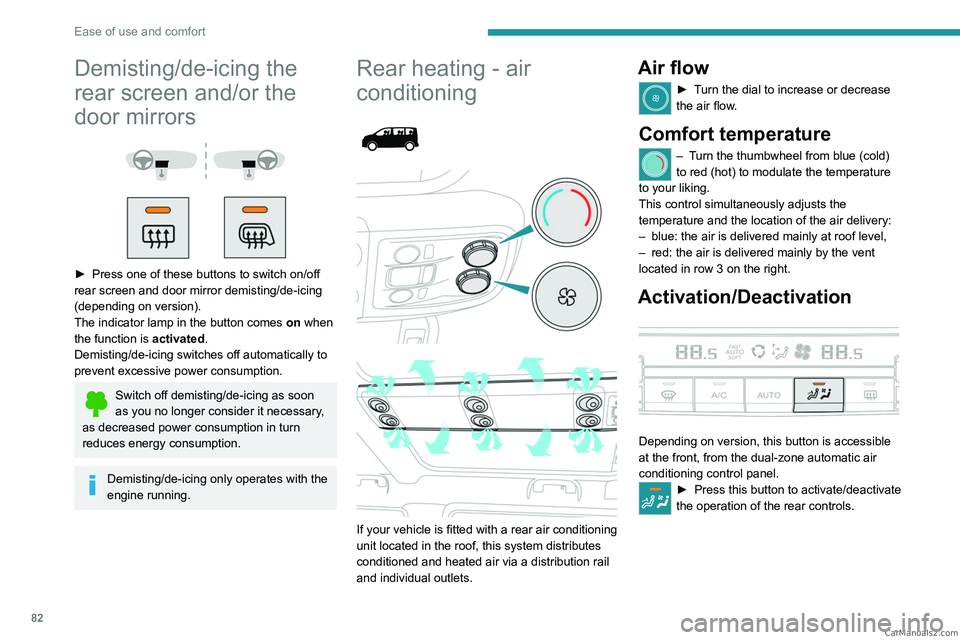
► Press one of these buttons to switch on/off
rear screen and door mirror demisting/de-icing
(depending on version).
The indicator lamp in the button comes on
when
the function is activated.
Demisting/de-icing switches off automatically to
prevent excessive power consumption.
Switch off demisting/de-icing as soon
as you no longer consider it necessary,
as decreased power consumption in turn
reduces energy consumption.
Demisting/de-icing only operates with the
engine running.
Rear heating - air
conditioning
If your vehicle is fitted with a rear air conditioning
unit located in the roof, this system distributes
conditioned and heated air via a distribution rail
and individual outlets.
Air flow
► Turn the dial to increase or decrease
the air flow.
Comfort temperature
– Turn the thumbwheel from blue (cold)
to red (hot) to modulate the temperature
to your liking.
This control simultaneously adjusts the
temperature and the location of the air delivery:
–
blue: the air is delivered mainly at roof level,
–
red: the air is delivered mainly by the vent
located in row 3 on the right.
Activation/Deactivation
Depending on version, this button is accessible
at the front, from the dual-zone automatic air
conditioning control panel.
► Press this button to activate/deactivate
the operation of the rear controls. CarM an uals 2 .c o m
Page 101 of 348
99
Safety
5data relating to the vehicle: chassis number,
type (passenger vehicle or light commercial
vehicle), fuel type or power source, most
recent three locations and direction of travel,
and a timestamped log file recording the
automatic activation of the system.
The recipients of the processed data are the
emergency call handling centres designated
by the relevant national authorities in the
territory in which they are located, enabling
priority reception and handling of calls to the
“112” emergency number.
Data storage
Data contained in the system’s memory
is not accessible from outside the system until
a call is made. The system is not traceable
and is not continuously monitored in its
normal operating mode.
The data in the system's internal memory is
automatically and continuously erased. Only
the vehicle’s three most recent locations are
stored.
When an emergency call is triggered, the data
log is stored for no more than 13
hours.
* Depending on the geographic coverage of "Peugeot Connect SOS", "Peugeot Connect Assistance" and the official national language chosen by the
owner of the vehicle.
The list of countries covered and the telematic services provided is ava\
ilable from dealers or on the website for your country.
Access to data
You have the right to access the data
and, if necessary, submit a request to
rectify, erase or restrict the processing of
any personal information not processed in
accordance with the provisions of Regulation
2016/679 (GDPR). Third parties to which data
has been communicated shall be notified of
any rectification, erasure or restriction carried
out in accordance with the aforementioned
Directive, unless doing so would be
impossible or require a disproportionate effort.
You also have the right to lodge a complaint
with the relevant data protection authority.
Peugeot Connect
Assistance
► If the vehicle breaks down, press button 2
for more than 2 seconds to request assistance
(confirmed by a voice message*).
►
Pressing again immediately cancels the
request.
Privacy mode allows you to manage the
level of sharing (data and/or location)
between your vehicle and PEUGEOT.
It can be configured in the Settings touch
screen menu.
By default, depending on equipment,
deactivate/reactivate geolocation by
simultaneously pressing the 2 buttons, then
press the "ASSISTANCE" button to confirm.
If you purchased your vehicle outside the
PEUGEOT dealer network, we invite you
to have a dealer check the configuration of
these services and, if desired, modify them to
suit your wishes. In a multilingual country,
configuration is possible in the official national
language of your choice.
For technical reasons, in particular to
improve the quality of telematic services
for customers, the Manufacturer reserves the
right to carry out updates to the vehicle's
on-board telematic system at any time.
If you benefit from the Peugeot Connect
Packs offer with the SOS and Assistance
Pack included, there are additional services
available to you in your personal space, via
the website for your country.
For information about the SOS and
Assistance Pack, please refer to the general
conditions for these services. CarM an uals 2 .c o m
Page 158 of 348
156
Driving
If it is exceeded for a prolonged period of time,
an audible warning is triggered.
Simply release the accelerator pedal to return to
below the programmed speed.
When the limit speed is exceeded but this is not
due to action by the driver (in case of a steep
slope, for example), an audible signal triggers
immediately.
Once the speed of the vehicle returns to the
programmed setting, the speed limiter functions
again: the display of the programmed speed
setting becomes fixed again.
Switching off
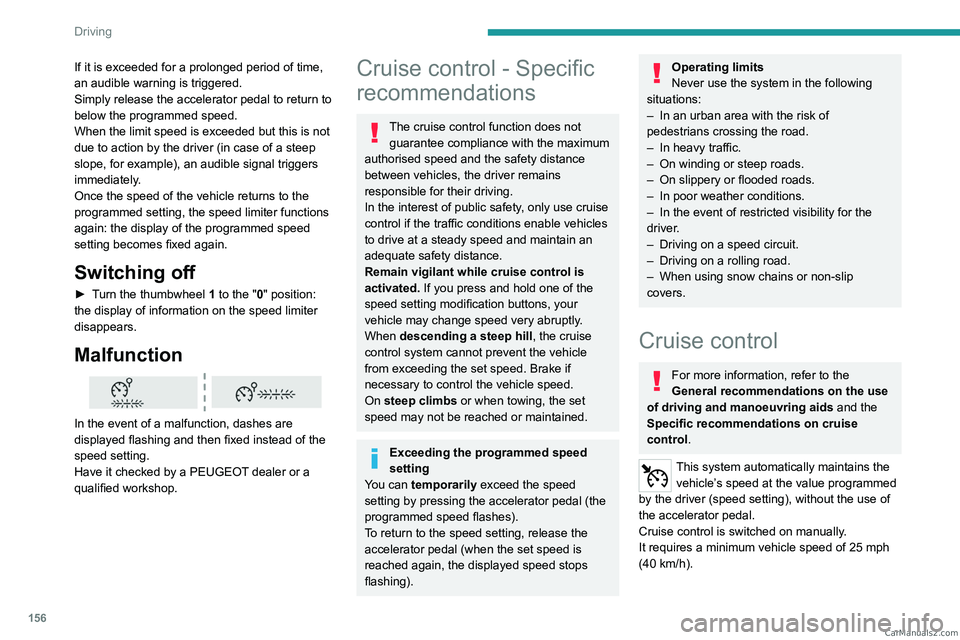
► Turn the thumbwheel 1 to the "0" position:
the display of information on the speed limiter
disappears.
Malfunction
In the event of a malfunction, dashes are
displayed flashing and then fixed instead of the
speed setting.
Have it checked by a PEUGEOT dealer or a
qualified workshop.
Cruise control - Specific
recommendations
The cruise control function does not guarantee compliance with the maximum
authorised speed and the safety distance
between vehicles, the driver remains
responsible for their driving.
In the interest of public safety, only use cruise
control if the traffic conditions enable vehicles
to drive at a steady speed and maintain an
adequate safety distance.
Remain vigilant while cruise control is
activated. If you press and hold one of the
speed setting modification buttons, your
vehicle may change speed very abruptly.
When descending a steep hill , the cruise
control system cannot prevent the vehicle
from exceeding the set speed. Brake if
necessary to control the vehicle speed.
On steep climbs or when towing, the set
speed may not be reached or maintained.
Exceeding the programmed speed
setting
You can temporarily exceed the speed
setting by pressing the accelerator pedal (the
programmed speed flashes).
To return to the speed setting, release the
accelerator pedal (when the set speed is
reached again, the displayed speed stops
flashing).
Operating limits
Never use the system in the following
situations:
–
In an urban area with the risk of
pedestrians crossing the road.
–
In heavy traffic.
–
On winding or steep roads.
–
On slippery or flooded roads.
–
In poor weather conditions.
–
In the event of restricted visibility for the
driver
.
–
Driving on a speed circuit.
–
Driving on a rolling road.
–
When using snow chains or non-slip
covers.
Cruise control
For more information, refer to the
General recommendations on the use
of driving and manoeuvring aids and the
Specific recommendations on cruise
control.
This system automatically maintains the vehicle’s speed at the value programmed
by the driver (speed setting), without the use of
the accelerator pedal.
Cruise control is switched on manually.
It requires a minimum vehicle speed of 25 mph
(40
km/h). CarM an uals 2 .c o m
Page 161 of 348
159
Driving
6This system automatically maintains the speed of your vehicle at a value which
you set (speed setting), while keeping a safe
distance from the vehicle in front (target vehicle),
and which has been set beforehand by the
driver. The system controls the vehicle's
acceleration and deceleration automatically
using only engine braking (as if the driver had
pressed the "-" minus button).
To do this, it uses a radar located in the front
bumper.
Primarily designed for driving on main
roads and motorways, this system only
works with moving vehicles driving in the
same direction as your vehicle.
If the driver operates a direction indicator
to overtake a slower vehicle, the cruise
control allows the vehicle to temporarily
approach the vehicle in front to assist the
overtaking manoeuvre, without ever
exceeding the speed setting.
Some vehicles present on the road may
not be properly seen or may be
misinterpreted by the radar (e.g. a lorry),
which may lead to a poor assessment of
distance and lead to the vehicle accelerating
or braking inappropriately.
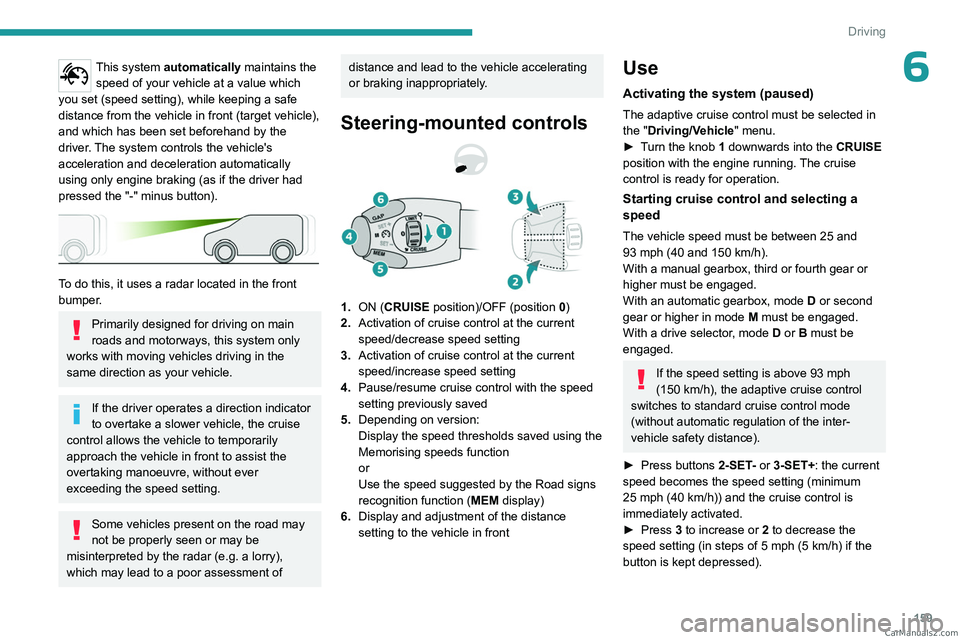
Steering-mounted controls
1. ON (CRUISE position)/OFF (position 0)
2. Activation of cruise control at the current
speed/decrease speed setting
3. Activation of cruise control at the current
speed/increase speed setting
4. Pause/resume cruise control with the speed
setting previously saved
5. Depending on version:
Display the speed thresholds saved using the
Memorising speeds function
or
Use the speed suggested by the Road signs
recognition function ( MEM display)
6. Display and adjustment of the distance
setting to the vehicle in front
Use
Activating the system (paused)
The adaptive cruise control must be selected in
the "Driving/Vehicle" menu.
►
T
urn the knob 1 downwards into the CRUISE
position with the engine running. The cruise
control is ready for operation.
Starting cruise control and selecting a
speed
The vehicle speed must be between 25 and
93 mph (40 and 150 km/h).
With a manual gearbox, third or fourth gear or
higher must be engaged.
With an automatic gearbox, mode
D
or second
gear or higher in mode
M
must be engaged.
With a drive selector, mode
D or B must be
engaged.
If the speed setting is above 93 mph
(150 km/h), the adaptive cruise control
switches to standard cruise control mode
(without automatic regulation of the inter-
vehicle safety distance).
►
Press buttons
2-SET- or 3-SET+: the current
speed becomes the
speed setting (minimum
25
mph (40 km/h)) and the cruise control is
immediately activated.
►
Press
3 to increase or 2 to decrease the
speed setting (in steps of 5 mph (5 km/h) if the
button is kept depressed). CarM an uals 2 .c o m
Page 234 of 348
232
Bluetooth® audio system
Bluetooth® audio system
The different functions and settings described vary according to the version
and configuration of your vehicle.
As a safety measure and because it requires sustained attention by the driver,
the pairing of a Bluetooth
® mobile telephone
with the Bluetooth® hands-free system of your
audio system must be done with the vehicle
stationary and the ignition on.
Your audio system is coded in such a way that it will only operate in your
vehicle.
All work on the system must be carried out
exclusively by a dealer or qualified workshop,
to avoid any risk of electrocution, fire or
mechanical faults.
To avoid discharging the battery, the audio system may switch off after a few
minutes if the engine is not running.
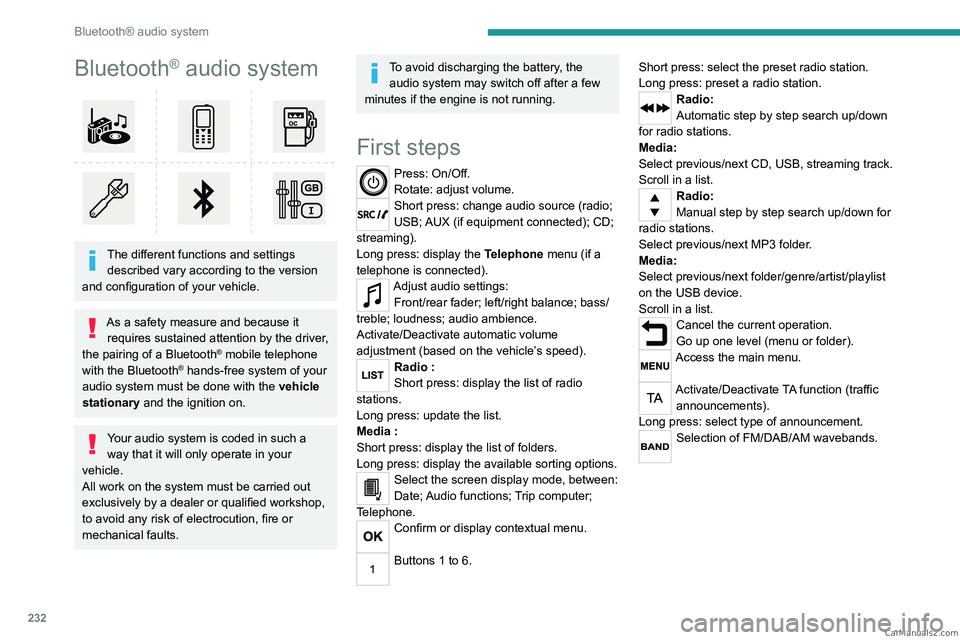
First steps
Press: On/Off.
Rotate: adjust volume.
Short press: change audio source (radio;
USB; AUX (if equipment connected); CD;
streaming).
Long press: display the Telephone menu (if a
telephone is connected).
Adjust audio settings: Front/rear fader; left/right balance; bass/
treble; loudness; audio ambience.
Activate/Deactivate automatic volume
adjustment (based on the vehicle’s speed).
Radio :
Short press: display the list of radio
stations.
Long press: update the list.
Media
:
Short press: display the list of folders.
Long press: display the available sorting options.
Select the screen display mode, between:
Date; Audio functions; Trip computer;
Telephone.
Confirm or display contextual menu.
Buttons 1 to 6. Short press: select the preset radio station.
Long press: preset a radio station.
Radio:
Automatic step by step search up/down
for radio stations.
Media:
Select previous/next CD, USB, streaming track.
Scroll in a list.
Radio:
Manual step by step search up/down for
radio stations.
Select previous/next MP3 folder.
Media:
Select previous/next folder/genre/artist/playlist
on the USB device.
Scroll in a list.
Cancel the current operation.
Go up one level (menu or folder).
Access the main menu.
Activate/Deactivate TA function (traffic announcements).
Long press: select type of announcement.
Selection of FM/DAB/AM wavebands. CarM an uals 2 .c o m
Page 235 of 348
233
Bluetooth® audio system
10Steering-mounted
controls
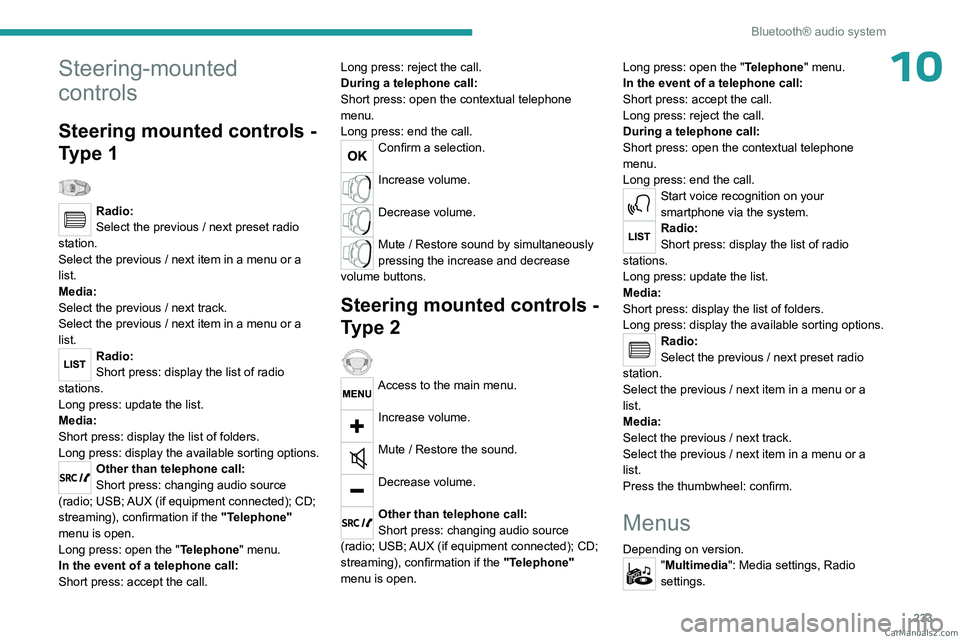
Steering mounted controls -
Type 1
Radio:
Select the previous / next preset radio
station.
Select the previous / next item in a menu or a
list.
Media:
Select the previous / next track.
Select the previous / next item in a menu or a
list.
Radio:
Short press: display the list of radio
stations.
Long press: update the list.
Media:
Short press: display the list of folders.
Long press: display the available sorting options.
Other than telephone call:
Short press: changing audio source
(radio; USB; AUX (if equipment connected); CD;
streaming), confirmation if the "Telephone"
menu is open.
Long press: open the " Telephone" menu.
In the event of a telephone call:
Short press: accept the call. Long press: reject the call.
During a telephone call:
Short press: open the contextual telephone
menu.
Long press: end the call.
Confirm a selection.
Increase volume.
Decrease volume.
Mute / Restore sound by simultaneously
pressing the increase and decrease
volume buttons.
Steering mounted controls -
Type 2
Access to the main menu.
Increase volume.
Mute / Restore the sound.
Decrease volume.
Other than telephone call:
Short press: changing audio source
(radio; USB; AUX (if equipment connected); CD;
streaming), confirmation if the "Telephone"
menu is open. Long press: open the "
Telephone" menu.
In the event of a telephone call:
Short press: accept the call.
Long press: reject the call.
During a telephone call:
Short press: open the contextual telephone
menu.
Long press: end the call.
Start voice recognition on your
smartphone via the system.
Radio:
Short press: display the list of radio
stations.
Long press: update the list.
Media:
Short press: display the list of folders.
Long press: display the available sorting options.
Radio:
Select the previous / next preset radio
station.
Select the previous / next item in a menu or a
list.
Media:
Select the previous / next track.
Select the previous / next item in a menu or a
list.
Press the thumbwheel: confirm.
Menus
Depending on version."Multimedia": Media settings, Radio
settings. CarM an uals 2 .c o m