belt PEUGEOT EXPERT 2023 Owner's Guide
[x] Cancel search | Manufacturer: PEUGEOT, Model Year: 2023, Model line: EXPERT, Model: PEUGEOT EXPERT 2023Pages: 348, PDF Size: 12 MB
Page 167 of 348
165
Driving
6This may be caused by a reduced visibility
(e.g. rain, fog, snow, blinding by low sun) or by
a real sensor blockage. In this case, stop the
vehicle and verify if the front camera or the front
radar is covered by dirt, snow, ice or anything
preventing the sensing.
In the event of a malfunction, this warning
lamp lights up on the instrument panel,
accompanied by the display of a message and
an audible signal.
Have it checked by a PEUGEOT dealer or a
qualified workshop.
If these warning lamps come on after the
engine has been switched off and then
restarted, contact a PEUGEOT dealer or a
qualified workshop to have the system checked.
These warning lamps light up on the instrument panel and/or in the
warning lamp display for seat belts and front
passenger airbag to indicate that the driver's
and/or front passenger's seat belt is not fastened
(depending on version). The automatic braking
system is deactivated until the seat belts are
fastened.
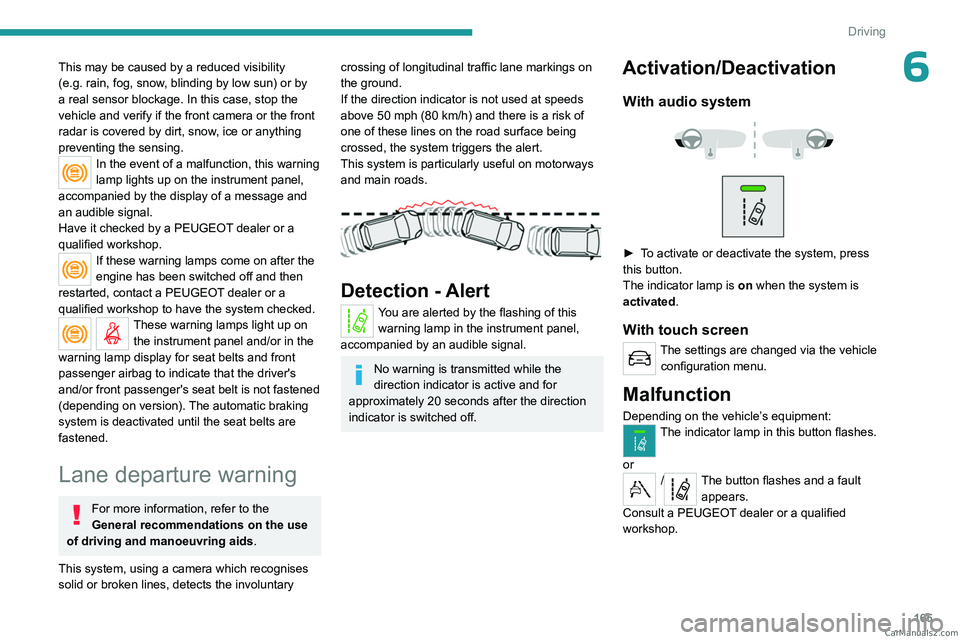
Lane departure warning
For more information, refer to the
General recommendations on the use
of driving and manoeuvring aids .
This system, using a camera which recognises
solid or broken lines, detects the involuntary
crossing of longitudinal traffic lane markings on
the ground.
If the direction indicator is not used at speeds
above 50 mph (80
km/h) and there is a risk of
one of these lines on the road surface being
crossed, the system triggers the alert.
This system is particularly useful on motorways
and main roads.
Detection - Alert
You are alerted by the flashing of this warning lamp in the instrument panel,
accompanied by an audible signal.
No warning is transmitted while the
direction indicator is active and for
approximately 20 seconds after the direction
indicator is switched off.
Activation/Deactivation
With audio system
► To activate or deactivate the system, press
this button.
The indicator lamp is on when the system is
activated.
With touch screen
The settings are changed via the vehicle configuration menu.
Malfunction
Depending on the vehicle’s equipment:The indicator lamp in this button flashes.
or
/The button flashes and a fault appears.
Consult a PEUGEOT dealer or a qualified
workshop. CarM an uals 2 .c o m
Page 168 of 348
166
Driving
Detection may be impeded:
– If the markings on the ground are worn
and not clearly contrasted against the road
surface.
–
If the windscreen is dirty
.
–
In certain extreme weather conditions:
fog, heavy rain, snow
, shade, bright sunlight
or direct exposure to the sun (e.g. low sun,
leaving a tunnel).
Distraction detection
For more information, refer to the
General recommendations on the use
of driving and manoeuvring aids .
Depending on version, the function consists of
either the "Driver Attention Warning" system
alone or combined with the "Driver Attention
Warning by Camera" system.
These systems are in no way designed to keep the driver awake or to prevent
the driver from falling asleep at the wheel.
It is the driver’s responsibility to stop if feeling
tired.
Take a break if you are feeling tired or at least
every 2 hours.
Activation/Deactivation
This function is set via the vehicle configuration menu.
The function is activated by default when the
ignition is switched on.
Driver Attention Warning
The system triggers an alert when it detects that the driver has not taken a
break after two hours of driving at a speed above
43 mph (70
km/h).
This alert is issued via the display of a message
encouraging the driver to take a break,
accompanied by an audible signal.
If the driver does not follow this advice, the alert
is repeated hourly until the vehicle is stopped.
The system resets itself if one of the following
conditions is met:
–
With the engine running, the vehicle has been
stationary for more than 15 minutes.
–
The ignition has been switched off for a few
minutes.
–
The driver's seat belt is unfastened and their
door is opened.
As soon as the speed of the vehicle drops below 43 mph (70 km/h), the
system goes into standby.
Driving time starts being counted again once
the speed reaches above 43
mph (70 km/h).
Driver Attention Warning by
Camera
Depending on version, the Driver Attention
Warning system may be combined with the
Driver Attention Warning by Camera system.
The system assesses the driver's level of alertness, fatigue and distraction by
identifying trajectory changes in relation to the
lane markings.
To do this, the system uses a camera, placed on
the upper part of the windscreen.
This system is particularly suited to fast roads
(speed higher than 43 mph (70
km/h)).
At a first alert level, the driver is warned by the
message "Be vigilant!", accompanied by an
audible signal.
After three first-level alerts, the system triggers
a further alert with the message " Dangerous
driving: take a break", accompanied by a more
pronounced audible signal. CarM an uals 2 .c o m
Page 219 of 348
217
In the event of a breakdown
8Symbols
No sparks or naked flames, no smoking.
Always protect your eyes. Explosive gases can cause blindness and injury.
Keep the vehicle's battery out of the reach
of children.
The vehicle's battery contains sulphuric acid which can make you go blind or
cause severe burns.
For more information, refer to the
handbook.
Explosive gases can be present close to
the battery.
Always replace the battery with one of equivalent specification.
Access to the battery
The battery is located under the bonnet.
► Open the bonnet using the interior release
lever
, then the exterior safety catch.
►
Secure the bonnet stay
.
► Remove the plastic cover to access the (+)
terminal, if your vehicle has one.
The battery (-) terminal is not accessible.
There is a remote earth point near the battery
.
For more information on the Bonnet and
the Engine , refer to the corresponding
sections.
Starting using another
battery
If the vehicle's battery is flat, the engine can be
started using a backup battery (either external or
from another vehicle) and jump leads or using a
battery booster.
Never start the engine by connecting a
battery charger.
Never use a 24
V or higher battery booster.
Check beforehand that the backup battery
has a nominal voltage of 12
V and a capacity
at least equal to that of the discharged
battery.
The two vehicles must not be in contact with
each other.
Switch off all electricity-consuming equipment
on both vehicles (audio system, wipers,
lighting, etc.).
Make sure that the jump leads are well away
from the engine’s moving parts (fan, belt,
etc.).
Do not disconnect the (+) terminal while the
engine is running.
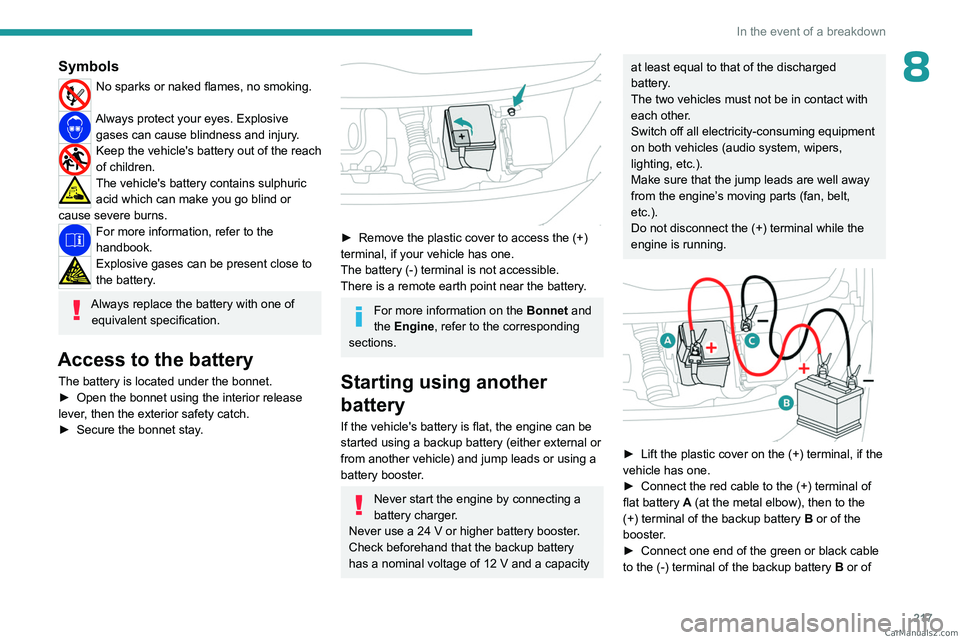
► Lift the plastic cover on the (+) terminal, if the
vehicle has one.
►
Connect the red cable to the (+) terminal of
flat battery
A (at the metal elbow), then to the
(+) terminal of the backup battery
B or of the
booster.
►
Connect one end of the green or black cable
to the (-) terminal of the backup battery
B or of CarM an uals 2 .c o m
Page 284 of 348
282
Vehicle data recording and privacy
Vehicle data recording
and privacy
Electronic control units are installed in your
vehicle. These control units process data
received from the vehicle's sensors, for example,
or data they generate themselves or exchange
with each other. Some of these control units are
required for the correct operation of your vehicle,
some others assist you while driving (driving or
manoeuvring aids), while others provide comfort
or infotainment functions.
The following contains general information about
how data is processed within the vehicle.
You will find additional information about the
specific data which is downloaded, stored
and transmitted to third parties and what it is
used for in your vehicle under the keyword
"Data protection". This information is directly
associated with the references for the functions
in question contained in the corresponding
vehicle handbook, or in the general terms and
conditions of sale.
This information is also available online.
Vehicle operating data
The control units process the data used for the
operation of the vehicle.
This data includes, for example:
–
Information about the state of the vehicle
(e.g.
speed, travel time, lateral acceleration,
wheel rotation rate, fastened seat belts display). –
Environmental conditions (e.g.
temperature,
rain sensor, distance sensor).
As a general rule, this data is temporary, is
not stored for longer than one operating cycle
and is only used within the vehicle itself. The
control units often record this data (including the
vehicle's key). This function allows either the
temporary or permanent storage of information
about the state of the vehicle, stresses on
components, servicing requirements, as well as
events and technical errors.
Depending on the vehicle's equipment level, the
data stored is as follows:
–
Operating state of system components
(e.g.
filling level, tyre pressures, battery charge
status).
–
Faults and malfunctions in important system
components (e.g.
lamps, brakes).
–
System reactions in specific driving situations
(e.g.
deployment of an airbag, triggering of
stability control and braking systems).
–
Information about events which have
damaged the vehicle.
–
For electric and rechargeable hybrid vehicles,
the traction battery charge level and the
estimated driving range.
In particular circumstances (e.g.
if the vehicle
has detected a malfunction), it may be necessary
to record data which would otherwise simply not
be stored.
When taking your vehicle in for servicing
(e.g.
repairs, maintenance), the stored operating
data may be read along with the vehicle's identification number and used if necessary.
The personnel working for the servicing network
(e.g.
garages, manufacturers) or third parties
(e.g. roadside assistance agents) may read
the vehicle's data. This also applies to work
carried out under warranty and quality assurance
measures.
This data is generally read via the OBD
(On-Board Diagnostics) port fitted by law to
the vehicle. It is used to report on the technical
state of the vehicle or its components and
facilitates the diagnosis of malfunctions, in
compliance with warranty obligations and for
quality improvement. This data, in particular the
information relating to stress on components,
technical events, operator errors and other
malfunctions, is sent to the Manufacturer, if
necessary, along with the vehicle's identification
number. The Manufacturer's liability may also be
engaged. The Manufacturer may also use the
operating data taken from the vehicle for product
recalls. This data may also be used to check the
customer's warranty and any claims made under
warranty.
Any malfunctions stored in the vehicle may be
reset by an after-sales service company during
servicing or repair work, or at your request. CarM an uals 2 .c o m
Page 287 of 348
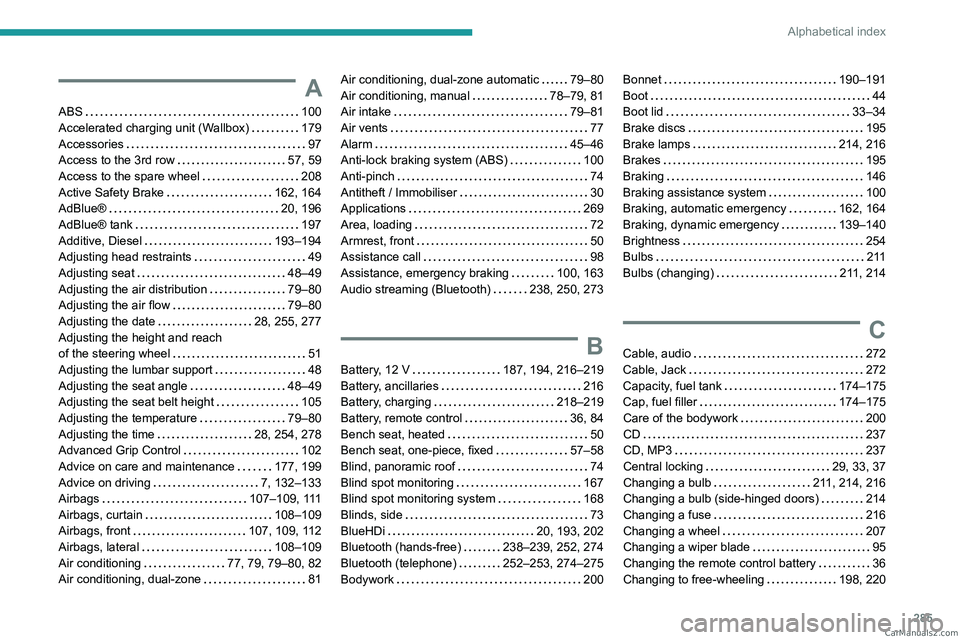
285
Alphabetical index
A
ABS 100
Accelerated charging unit (Wallbox)
179
Accessories
97
Access to the 3rd row
57, 59
Access to the spare wheel
208
Active Safety Brake
162, 164
AdBlue®
20, 196
AdBlue® tank
197
Additive, Diesel
193–194
Adjusting head restraints
49
Adjusting seat
48–49
Adjusting the air distribution
79–80
Adjusting the air flow
79–80
Adjusting the date
28, 255, 277
Adjusting the height and reach
of the steering wheel
51
Adjusting the lumbar support
48
Adjusting the seat angle
48–49
Adjusting the seat belt height
105
Adjusting the temperature
79–80
Adjusting the time
28, 254, 278
Advanced Grip Control
102
Advice on care and maintenance
177, 199
Advice on driving
7, 132–133
Airbags
107–109, 111
Airbags, curtain
108–109
Airbags, front
107, 109, 112
Airbags, lateral
108–109
Air conditioning
77, 79, 79–80, 82
Air conditioning, dual-zone
81
Air conditioning, dual-zone automatic 79–80
Air conditioning, manual
78–79, 81
Air intake
79–81
Air vents
77
Alarm
45–46
Anti-lock braking system (ABS)
100
Anti-pinch
74
Antitheft / Immobiliser
30
Applications
269
Area, loading
72
Armrest, front
50
Assistance call
98
Assistance, emergency braking
100, 163
Audio streaming (Bluetooth)
238, 250, 273
B
Battery, 12 V 187, 194, 216–219
Battery, ancillaries
216
Battery, charging
218–219
Battery, remote control
36, 84
Bench seat, heated
50
Bench seat, one-piece, fixed
57–58
Blind, panoramic roof
74
Blind spot monitoring
167
Blind spot monitoring system
168
Blinds, side
73
BlueHDi
20, 193, 202
Bluetooth (hands-free)
238–239, 252, 274
Bluetooth (telephone)
252–253, 274–275
Bodywork
200
Bonnet 190–191
Boot
44
Boot lid
33–34
Brake discs
195
Brake lamps
214, 216
Brakes
195
Braking
146
Braking assistance system
100
Braking, automatic emergency
162, 164
Braking, dynamic emergency
139–140
Brightness
254
Bulbs
2 11
Bulbs (changing)
211, 214
C
Cable, audio 272
Cable, Jack
272
Capacity, fuel tank
174–175
Cap, fuel filler
174–175
Care of the bodywork
200
CD
237
CD, MP3
237
Central locking
29, 33, 37
Changing a bulb
211, 214, 216
Changing a bulb (side-hinged doors)
214
Changing a fuse
216
Changing a wheel
207
Changing a wiper blade
95
Changing the remote control battery
36
Changing to free-wheeling
198, 220 CarM an uals 2 .c o m
Page 291 of 348
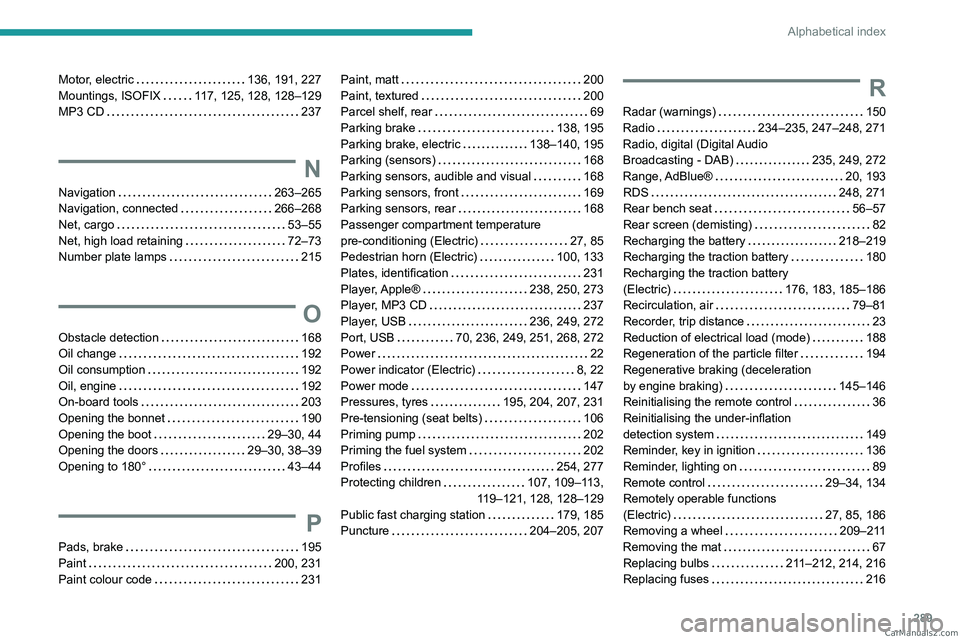
289
Alphabetical index
Motor, electric 136, 191, 227
Mountings, ISOFIX
117, 125, 128, 128–129
MP3 CD
237
N
Navigation 263–265
Navigation, connected
266–268
Net, cargo
53–55
Net, high load retaining
72–73
Number plate lamps
215
O
Obstacle detection 168
Oil change
192
Oil consumption
192
Oil, engine
192
On-board tools
203
Opening the bonnet
190
Opening the boot
29–30, 44
Opening the doors
29–30, 38–39
Opening to 180°
43–44
P
Pads, brake 195
Paint
200, 231
Paint colour code
231
Paint, matt 200
Paint, textured
200
Parcel shelf, rear
69
Parking brake
138, 195
Parking brake, electric
138–140, 195
Parking (sensors)
168
Parking sensors, audible and visual
168
Parking sensors, front
169
Parking sensors, rear
168
Passenger compartment temperature
pre-conditioning (Electric)
27, 85
Pedestrian horn (Electric)
100, 133
Plates, identification
231
Player, Apple®
238, 250, 273
Player, MP3 CD
237
Player, USB
236, 249, 272
Port, USB
70, 236, 249, 251, 268, 272
Power
22
Power indicator (Electric)
8, 22
Power mode
147
Pressures, tyres
195, 204, 207, 231
Pre-tensioning (seat belts)
106
Priming pump
202
Priming the fuel system
202
Profiles
254, 277
Protecting children
107, 109–113,
119–121, 128, 128–129
Public fast charging station
179, 185
Puncture
204–205, 207R
Radar (warnings) 150
Radio
234–235, 247–248, 271
Radio, digital (Digital Audio
Broadcasting - DAB)
235, 249, 272
Range, AdBlue®
20, 193
RDS
248, 271
Rear bench seat
56–57
Rear screen (demisting)
82
Recharging the battery
218–219
Recharging the traction battery
180
Recharging the traction battery
(Electric)
176, 183, 185–186
Recirculation, air
79–81
Recorder, trip distance
23
Reduction of electrical load (mode)
188
Regeneration of the particle filter
194
Regenerative braking (deceleration
by engine braking)
145–146
Reinitialising the remote control
36
Reinitialising the under-inflation
detection system
149
Reminder, key in ignition
136
Reminder, lighting on
89
Remote control
29–34, 134
Remotely operable functions
(Electric)
27, 85, 186
Removing a wheel
209–211
Removing the mat
67
Replacing bulbs
211–212, 214, 216
Replacing fuses
216 CarM an uals 2 .c o m
Page 292 of 348
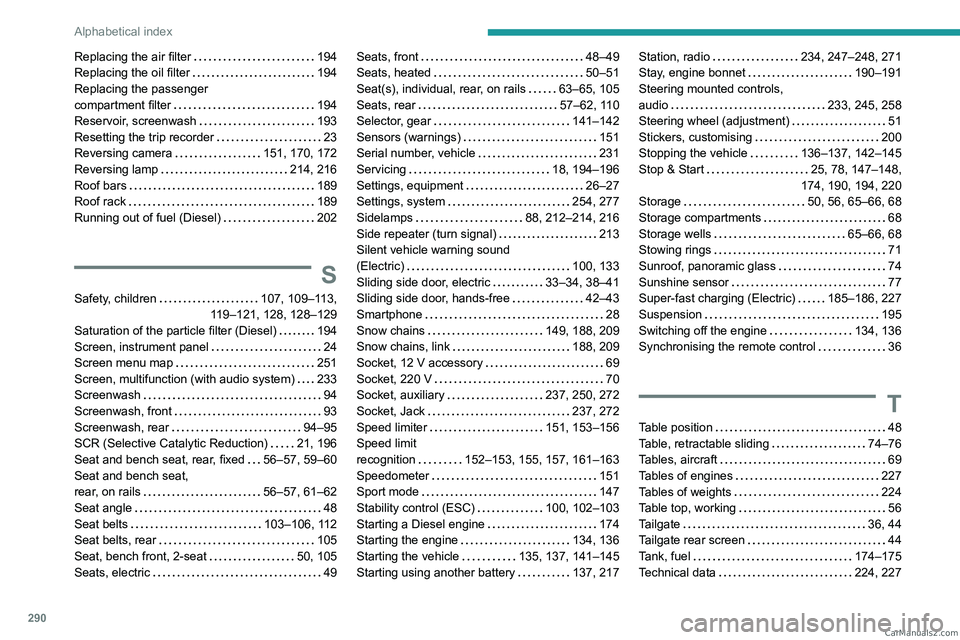
290
Alphabetical index
Replacing the air filter 194
Replacing the oil filter
194
Replacing the passenger
compartment filter
194
Reservoir, screenwash
193
Resetting the trip recorder
23
Reversing camera
151, 170, 172
Reversing lamp
214, 216
Roof bars
189
Roof rack
189
Running out of fuel (Diesel)
202
S
Safety, children 107, 109–113,
119–121, 128, 128–129
Saturation of the particle filter (Diesel)
194
Screen, instrument panel
24
Screen menu map
251
Screen, multifunction (with audio system)
233
Screenwash
94
Screenwash, front
93
Screenwash, rear
94–95
SCR (Selective Catalytic Reduction)
21, 196
Seat and bench seat, rear, fixed
56–57, 59–60
Seat and bench seat,
rear, on rails
56–57, 61–62
Seat angle
48
Seat belts
103–106, 112
Seat belts, rear
105
Seat, bench front, 2-seat
50, 105
Seats, electric
49
Seats, front 48–49
Seats, heated
50–51
Seat(s), individual, rear, on rails
63–65, 105
Seats, rear
57–62, 110
Selector, gear
141–142
Sensors (warnings)
151
Serial number, vehicle
231
Servicing
18, 194–196
Settings, equipment
26–27
Settings, system
254, 277
Sidelamps
88, 212–214, 216
Side repeater (turn signal)
213
Silent vehicle warning sound
(Electric)
100, 133
Sliding side door, electric
33–34, 38–41
Sliding side door, hands-free
42–43
Smartphone
28
Snow chains
149, 188, 209
Snow chains, link
188, 209
Socket, 12 V accessory
69
Socket, 220 V
70
Socket, auxiliary
237, 250, 272
Socket, Jack
237, 272
Speed limiter
151, 153–156
Speed limit
recognition
152–153, 155, 157, 161–163
Speedometer
151
Sport mode
147
Stability control (ESC)
100, 102–103
Starting a Diesel engine
174
Starting the engine
134, 136
Starting the vehicle
135, 137, 141–145
Starting using another battery
137, 217Station, radio 234, 247–248, 271
Stay, engine bonnet
190–191
Steering mounted controls,
audio
233, 245, 258
Steering wheel (adjustment)
51
Stickers, customising
200
Stopping the vehicle
136–137, 142–145
Stop & Start
25, 78, 147–148,
174, 190, 194, 220
Storage
50, 56, 65–66, 68
Storage compartments
68
Storage wells
65–66, 68
Stowing rings
71
Sunroof, panoramic glass
74
Sunshine sensor
77
Super-fast charging (Electric)
185–186, 227
Suspension
195
Switching off the engine
134, 136
Synchronising the remote control
36
T
Table position 48
Table, retractable sliding
74–76
Tables, aircraft
69
Tables of engines
227
Tables of weights
224
Table top, working
56
Tailgate
36, 44
Tailgate rear screen
44
Tank, fuel
174–175
Technical data
224, 227 CarM an uals 2 .c o m
Page 293 of 348
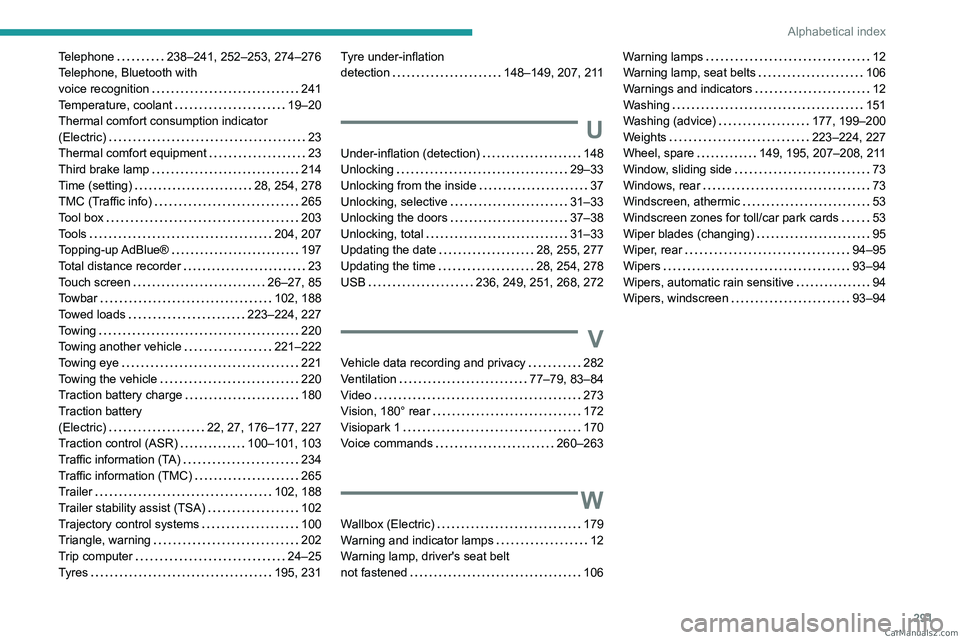
291
Alphabetical index
Telephone 238–241, 252–253, 274–276
Telephone, Bluetooth with
voice recognition
241
Temperature, coolant
19–20
Thermal comfort consumption indicator
(Electric)
23
Thermal comfort equipment
23
Third brake lamp
214
Time (setting)
28, 254, 278
TMC (Traffic info)
265
Tool box
203
Tools
204, 207
Topping-up AdBlue®
197
Total distance recorder
23
Touch screen
26–27, 85
Towbar
102, 188
Towed loads
223–224, 227
Towing
220
Towing another vehicle
221–222
Towing eye
221
Towing the vehicle
220
Traction battery charge
180
Traction battery
(Electric)
22, 27, 176–177, 227
Traction control (ASR)
100–101, 103
Traffic information (TA)
234
Traffic information (TMC)
265
Trailer
102, 188
Trailer stability assist (TSA)
102
Trajectory control systems
100
Triangle, warning
202
Trip computer
24–25
Tyres
195, 231Tyre under-inflation
detection
148–149, 207, 211
U
Under-inflation (detection) 148
Unlocking
29–33
Unlocking from the inside
37
Unlocking, selective
31–33
Unlocking the doors
37–38
Unlocking, total
31–33
Updating the date
28, 255, 277
Updating the time
28, 254, 278
USB
236, 249, 251, 268, 272
V
Vehicle data recording and privacy 282
Ventilation
77–79, 83–84
Video
273
Vision, 180° rear
172
Visiopark 1
170
Voice commands
260–263
W
Wallbox (Electric) 179
Warning and indicator lamps
12
Warning lamp, driver's seat belt
not fastened
106
Warning lamps 12
Warning lamp, seat belts
106
Warnings and indicators
12
Washing
151
Washing (advice)
177, 199–200
Weights
223–224, 227
Wheel, spare
149, 195, 207–208, 211
Window, sliding side
73
Windows, rear
73
Windscreen, athermic
53
Windscreen zones for toll/car park cards
53
Wiper blades (changing)
95
Wiper, rear
94–95
Wipers
93–94
Wipers, automatic rain sensitive
94
Wipers, windscreen
93–94 CarM an uals 2 .c o m
Page 300 of 348
8 Seats, restraints
Seats, restraints
Child restraints ............................... 8
Child restraint installation locations ..................................... 8 Child restraints
Child restraint installation
locations
As
required by European regulations,
this table gives the options for
installing child seats secured using
the seat belt and universally
approved as well as the larger ISOFIX
and i-Size child seats on seat
positions equipped with ISOFIX
mountings in the vehicle.
Yes : Suitable for fitment of the designated catecory of the
child restraint system.
No : Not suitable for fitment of the designated catecory of the
child restraint system.CarM an uals 2 .c o m
Page 301 of 348
Seats, restraints 9
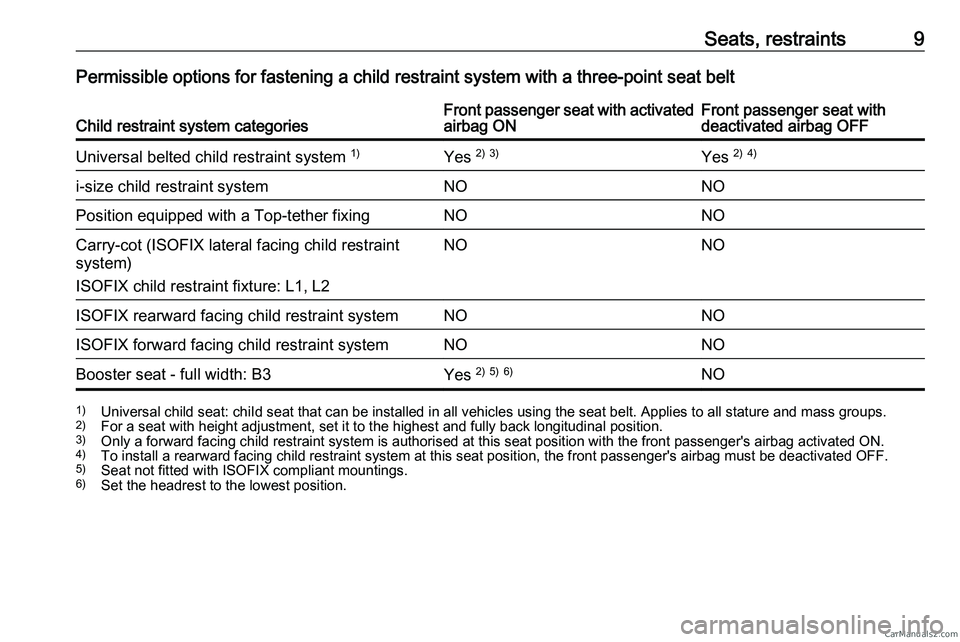
Permissible options for fastening a child restraint system with a three-point seat belt
Child restraint system categories Front passenger seat with activated
airbag ON Front passenger seat with
deactivated airbag OFF
Universal belted child restraint system 1)
Yes 2)
3)
Yes 2)
4)
i-size child restraint system NONO
Position equipped with a Top-tether fixing NO NO
Carry-cot (ISOFIX lateral facing child restraint
system)
ISOFIX child restraint fixture: L1, L2 NO
NO
ISOFIX rearward facing child restraint system NO NO
ISOFIX forward facing child restraint system NO NO
Booster seat - full width: B3 Yes 2)
5)
6)
NO1)
Universal child seat: chiId seat that can be installed in all vehicles using the seat belt. Applies to all stature and mass groups.
2) For a seat with height adjustment, set it to the highest and fully back longitudinal position.
3) Only a forward facing child restraint system is authorised at this seat position with the front passenger's airbag activated ON.
4) To install a rearward facing child restraint system at this seat position, the front passenger's airbag must be deactivated OFF.
5) Seat not fitted with ISOFIX compliant mountings.
6) Set the headrest to the lowest position.CarM an uals 2 .c o m