CD player Peugeot Expert VU 2016 User Guide
[x] Cancel search | Manufacturer: PEUGEOT, Model Year: 2016, Model line: Expert VU, Model: Peugeot Expert VU 2016Pages: 599, PDF Size: 13.14 MB
Page 494 of 599
492
Media
USB player
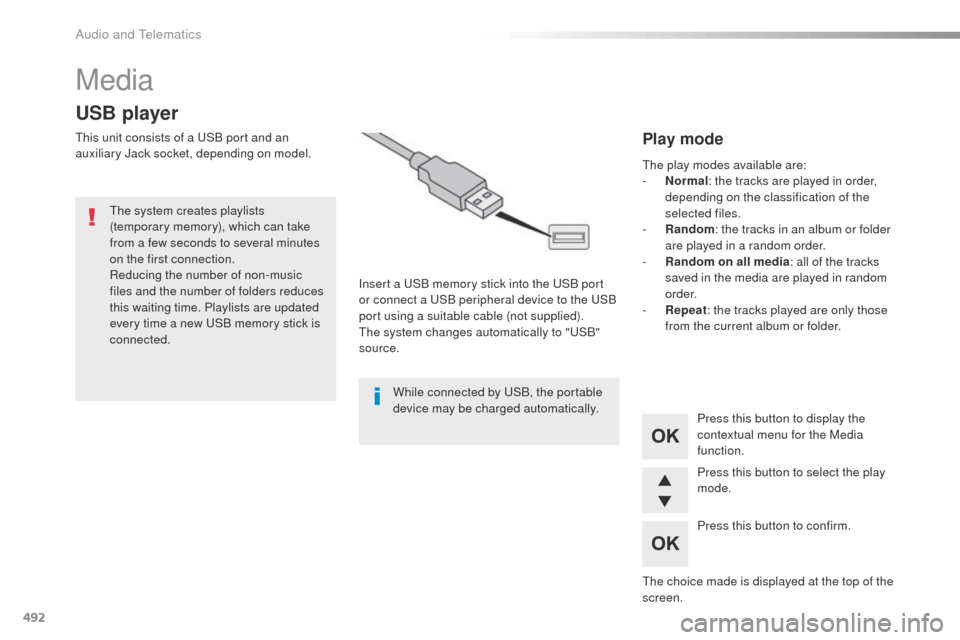
this unit consists of a uS B port and an
auxiliary Jack socket, depending on model.
Insert a
u
S
B memory stick into the u
S
B port
or connect a
u
S
B peripheral device to the u
S
B
port using a suitable cable (not supplied).
th
e system changes automatically to "
uS
B"
source.
th
e system creates playlists
(temporary memory), which can take
from a few seconds to several minutes
on the first connection.
Reducing the number of non-music
files and the number of folders reduces
this waiting time. Playlists are updated
every time a new
u
S
B memory stick is
connected.
Press this button to display the
contextual menu for the Media
function.
Press this button to select the play
mode.
Press this button to confirm.Play mode
the play modes available are:
- No rmal: the tracks are played in order,
depending on the classification of the
selected files.
-
R
andom : the tracks in an album or folder
are played in a random order.
-
R
andom on all media : all of the tracks
saved in the media are played in random
o r d e r.
-
R
epeat : the tracks played are only those
from the current album or folder.
th
e choice made is displayed at the top of the
screen.
While connected by
u
S
B, the portable
device may be charged automatically.
Audio and telematics
Page 496 of 599
494
Jack auxilary (AUX) socket
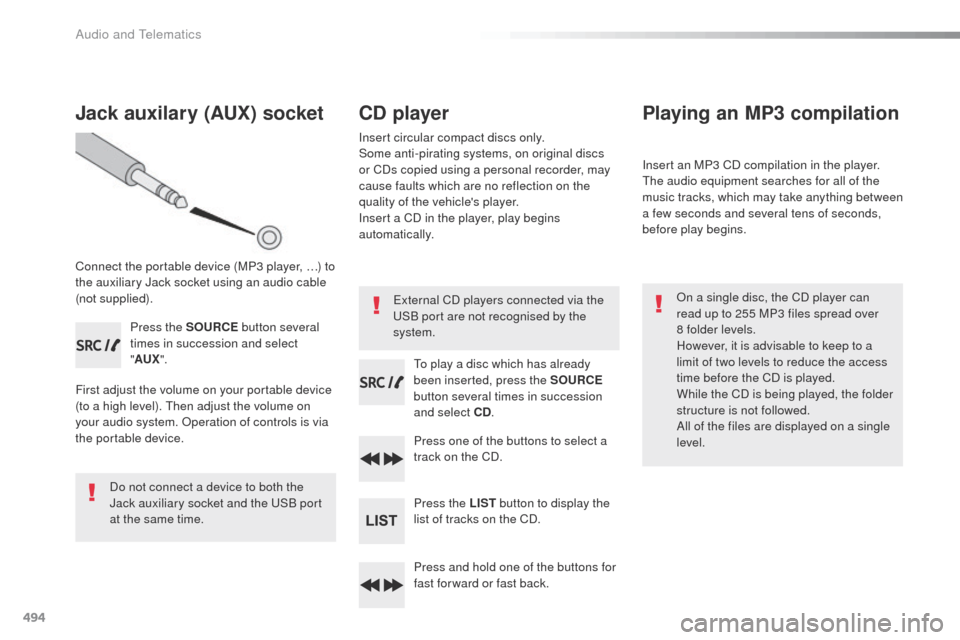
Connect the portable device (MP3 player, …) to
the auxiliary Jack socket using an audio cable
(not supplied).Press the SOURCE button several
times in succession and select
" AUX ".
First adjust the volume on your portable device
(to a high level).
t
h
en adjust the volume on
your audio system.
o
p
eration of controls is via
the portable device.
Do not connect a device to both the
Jack auxiliary socket and the
u
S
B port
at the same time.
CD player
Insert circular compact discs only.
Some anti-pirating systems, on original discs
or CDs copied using a personal recorder, may
cause faults which are no reflection on the
quality of the vehicle's player.
Insert a CD in the player, play begins
automatically.
to p
lay a disc which has already
been inserted, press the SOURCE
button several times in succession
and select CD .
Press one of the buttons to select a
track on the CD.
Press the LIST button to display the
list of tracks on the CD.
Press and hold one of the buttons for
fast for ward or fast back.
Playing an MP3 compilation
Insert an MP3 CD compilation in the player.th e audio equipment searches for all of the
music tracks, which may take anything between
a few seconds and several tens of seconds,
before play begins.
on a s
ingle disc, the CD player can
read up to 255 MP3 files spread over
8
folder levels.
However, it is advisable to keep to a
limit of two levels to reduce the access
time before the CD is played.
While the CD is being played, the folder
structure is not followed.
All of the files are displayed on a single
level.
External CD players connected via the
uS
B port are not recognised by the
system.
Audio and Telematics
Page 497 of 599
495
Expert_en_Chap10d_RD6_ed01-2016
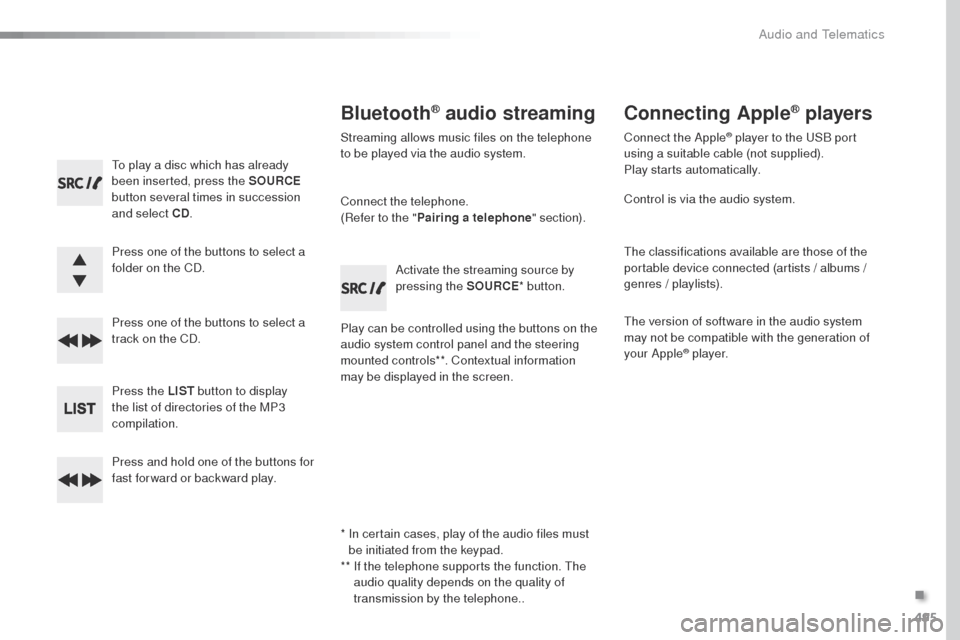
to play a disc which has already
been inserted, press the SOURCE
button several times in succession
and select CD .
Press one of the buttons to select a
folder on the CD.
Press one of the buttons to select a
track on the CD.
Press the LIST button to display
the list of directories of the MP3
compilation.
Press and hold one of the buttons for
fast for ward or backward play.
Bluetooth® audio streaming
Streaming allows music files on the telephone
to be played via the audio system.
Connect the telephone.
(Refer to the " Pairing a telephone " section).
Play can be controlled using the buttons on the
audio system control panel and the steering
mounted controls**. Contextual information
may be displayed in the screen. Activate the streaming source by
pressing the SOURCE
* button.
Connecting Apple® players
Connect the Apple® player to the uSB port
using a suitable cable (not supplied).
Play starts automatically.
Control is via the audio system.
th
e classifications available are those of the
portable device connected (artists / albums /
genres / playlists).
th
e version of software in the audio system
may not be compatible with the generation of
your Apple
® p l aye r.
*
I
n certain cases, play of the audio files must
be initiated from the keypad.
**
I
f the telephone supports the function.
t
h
e
audio quality depends on the quality of
transmission by the telephone..
.
Audio and telematics
Page 498 of 599
496
the CD player can play files with .mp3, .wma,
.wav and .aac file extensions, with a bit rate of
of 32 to 320 Kbps.
It also supports t
Ag
mode (ID3 tag,
W M A
t A
g)
.
ot
her file types (mp4, ...) may be played.
Files of the ".wma" type should be to the
wma9 standard.
th
e sampling rates supported are 11, 22, 44
and 48 KHz.
File names should have less than
20
characters, avoiding special characters
(e.g.: " ?
; ù) so as to avoid any reading or
display problems. In order to be able to play a recorded CDR or
CDRW, the ISo
9660 level 1.2 or Joliet file
format is recommended when recording.
If the disc is recorded in another format, it may
not be played correctly.
It is recommended that the same recording
format is always used for an individual disc,
with as low a speed as possible (4x maximum)
for optimum sound quality.
In the particular case of a multi-session CD, the
Joliet format is recommended.
Information and advice
use only uS B memory sticks formatted FAt3 2
(File Allocation ta ble).
It is recommended that you use
genuine Apple
® uSB cables for correct
operation.
Audio and telematics
Page 500 of 599
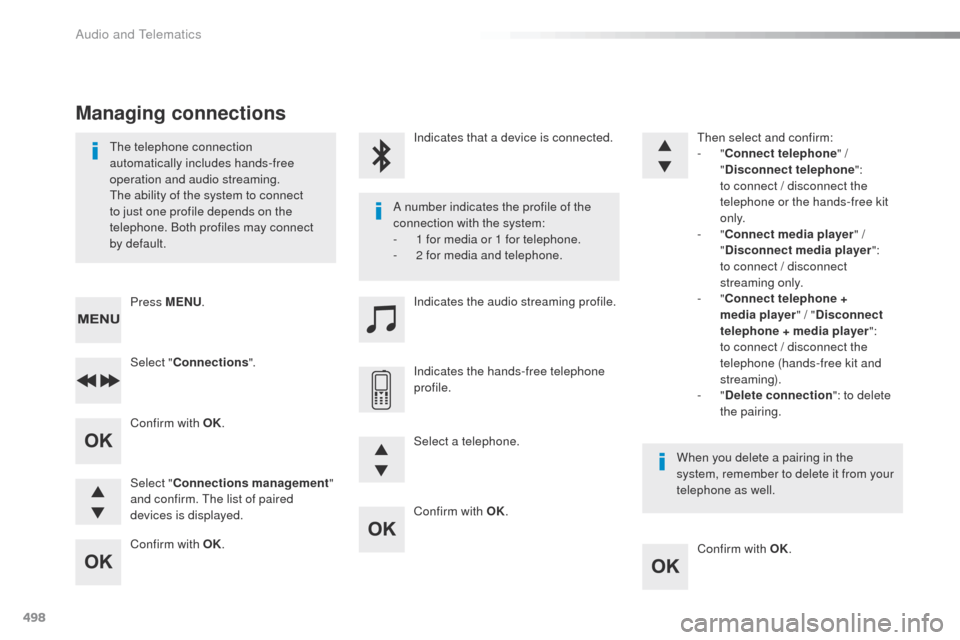
498
Confirm with OK.Confirm with OK.
Confirm with OK.
Confirm with OK.
th
e telephone connection
automatically includes hands-free
operation and audio streaming.
th
e ability of the system to connect
to just one profile depends on the
telephone. Both profiles may connect
by default. A number indicates the profile of the
connection with the system:
-
1 f
or media or 1 for telephone.
-
2 f
or media and telephone.
When you delete a pairing in the
system, remember to delete it from your
telephone as well.
Indicates that a device is connected.
Indicates the audio streaming profile.
Indicates the hands-free telephone
profile.
Press MENU
.
Managing connections
Select "Connections ".
Select " Connections management "
and confirm.
t
h
e list of paired
devices is displayed. Select a telephone.
then
select and confirm:
- "
Connect telephone " /
" Disconnect telephone ":
t
o connect / disconnect the
telephone or the hands-free kit
o n l y.
- "
Connect media player " /
" Disconnect media player ":
t
o connect / disconnect
streaming only.
- "
Connect telephone +
media player " / "Disconnect
telephone + media player ": t o connect / disconnect the
telephone (hands-free kit and
streaming).
-
"Delete connection ": to delete
the pairing.
Audio and telematics
Page 506 of 599
504
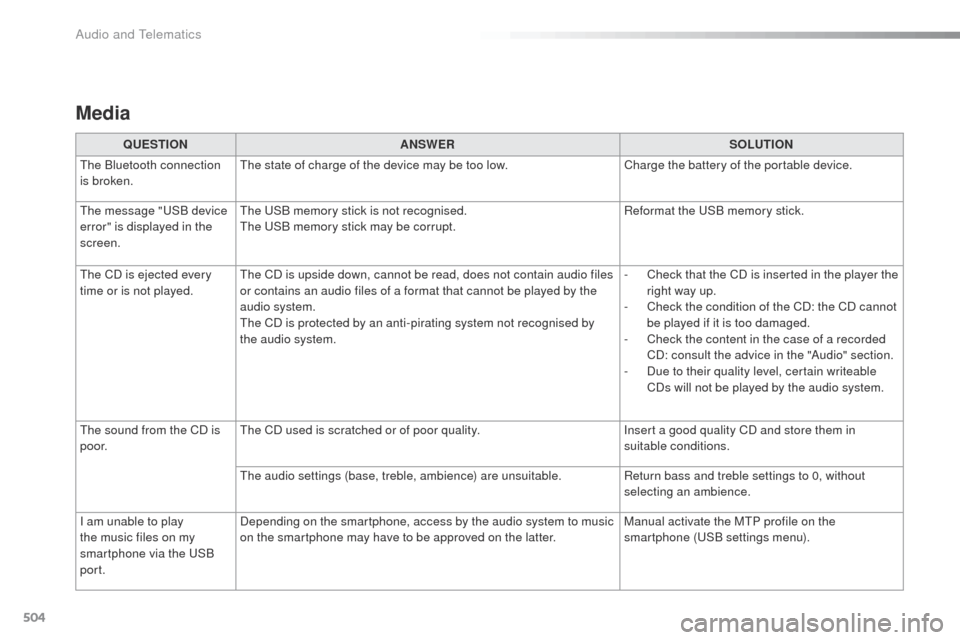
Media
QUESTIONANSWER SOLUTION
th
e Bluetooth connection
is broken.
th
e state of charge of the device may be too low. Charge the battery of the portable device.
th
e message "
uS
B device
error" is displayed in the
screen.
th
e u
S
B memory stick is not recognised.
th
e u
S
B memory stick may be corrupt. Reformat the
u
S
B memory stick.
th
e CD is ejected every
time or is not played.
th
e CD is upside down, cannot be read, does not contain audio files
or contains an audio files of a format that cannot be played by the
audio system.
th
e CD is protected by an anti-pirating system not recognised by
the audio system. -
C
heck that the CD is inserted in the player the
right way up.
-
C
heck the condition of the CD: the CD cannot
be played if it is too damaged.
-
C
heck the content in the case of a recorded
CD: consult the advice in the "Audio" section.
-
D
ue to their quality level, certain writeable
CDs will not be played by the audio system.
th
e sound from the CD is
p o o r.
th
e CD used is scratched or of poor quality. Insert a good quality CD and store them in
suitable conditions.
the
audio settings (base, treble, ambience) are unsuitable. Return bass and treble settings to 0, without
selecting an ambience.
I am unable to play
the music files on my
smartphone via the
u
S
B
port. Depending on the smartphone, access by the audio system to music
on the smartphone may have to be approved on the latter.
Manual activate the M
tP p
rofile on the
smartphone (
uS
B settings menu).
Audio and Telematics
Page 512 of 599
510
Expert_en_Chap11_index-alpha_ed01-2016
Pads, brake ................................................... 282
Paint colour code .......................................... 337
Parking brake
.................................. 18, 205, 282
Parking sensors, audible and visual
.............256
Parking sensors, front
...................................256
Parking sensors, rear ............................255, 256
PE
u
g
Eo
t Connect Assistance ...................338
PE
u
g
Eo
t Connect Nav
...............................3
41
P
Eu
g
Eot C
onnect Packs
...........................338
PE
u
g
Eo
t Connect Radio ...........................429
P
Eu
g
Eot C
onnect S
oS ............................. 33
8
Plates, identification ...................................... 337
Platform cab
.......................................... 3
15, 332
Player, Apple
® .............................. 3 99, 455, 495
Player, MP3 CD ............................................. 494
Player,
u
S
B
.................................. 398, 454, 492
Port,
u
S
B
............................. 1
22, 398, 454, 492
Pressures, tyres
................... 290, 295, 302, 337 Pre-tensioning seat belts
..............................
169
Priming pump
................................................
327
Priming the fuel system ................................
327
Profiles
..................................................
418 , 474
Protecting children
.................
171, 174 -176 , 18 2 ,
187, 188, 190, 193
Puncture
........................................................
290
Radio
...................
394, 398, 450, 454, 488, 489
Radio, digital (Digital Audio Broadcasting - DAB)
..........
396, 397, 452, 453
Radio Media
........
388, 390, 392, 444, 446, 448
Range
..............................................................
42
Range, AdBlue
................................................
35
RDS
.......................................................
3 9 5 , 4 51
Rear screen, demisting
.........................
13 3, 13 4
Recharging the battery
................................. 32
3
Recirculation, air
...................
125, 126, 128, 131
Reduction of electrical load
..........................
270
Regeneration of the particle filter
.................
2
81
Reinitialisation of the under-inflation detection system .........................................
263
Reinitialising the remote control
............... 5
4, 70
Reminder, key in ignition ...............................
201
Reminder, lighting on ....................................
148
Remote control
...... 4
7-50, 52, 55 -59, 67, 68, 71, 74, 75
Removing a wheel
........................................299
Removing the mat
.........................................11 9Safety, children
......................
17
1, 174 -176 , 18 2 ,
187, 188, 190, 193
Saturation of the particle filter (Diesel)
.........
2
81
Screen, instrument panel ..........................
4 0 , 41
Screen menu map .......
352, 354, 356, 360, 362,
370, 372, 374, 378, 384, 386, 388, 390, 392, 400, 402, 404, 412, 414, 416, 434, 440, 442,
444, 446, 448, 456, 458, 460, 468, 470, 472
Screen, multifunction (with audio system)
....487
P
R
S
Replacing bulbs .....3 03, 3 0 4, 310, 311, 313 - 315
Replacing fuses .............................. ......316, 317
Replacing the air filter
...................................281
Replacing the oil filter
................................... 2
81
Replacing the passenger compartment filter
...................................... 281
Reservoir, headlamp wash
...........................280
Reservoir, screenwash
................................. 28
0
Reset journey
.................................................. 41
Resetting the service indicator
.......................33
Resetting the trip recorder
..............................38
Rev counter
................................................ 14 -16
Reversing camera
......................................... 259
Reversing camera (on interior mirror)
..........258
Reversing lamp
............................. 31
0, 313, 315
Roof bars
............................................... 2
72, 273
Roof rack
............................................... 2
72, 273
Running out of fuel (Diesel)
..........................3
27oi
l change
..................................................... 278oi
l consumption
............................................ 278
oi
l, engine
...............................
...................... 278
on
-board tools
...................................... 287, 289
op
ening the bonnet
...................................... 2
76
op
ening the boot
..............................
.. 47, 59, 94
op
ening the doors
....... 4
7, 59, 74, 78 - 81, 83, 93
op
ening to 90/180/235°
.................................. 92
op
ening to 180°
.............................................. 91
O
Alphabetical index
Page 532 of 599
164
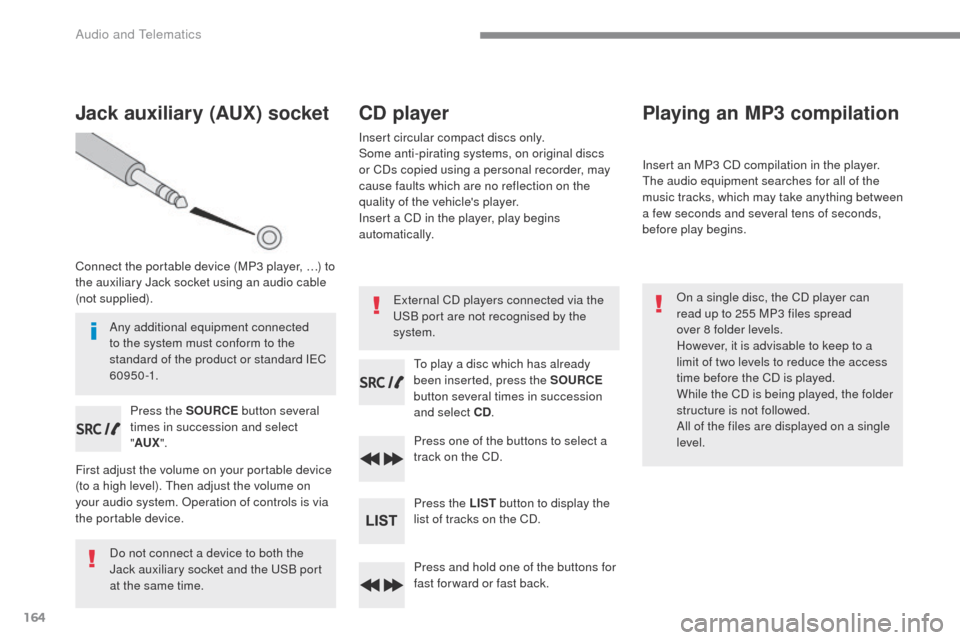
Jack auxiliary (AUX) socket
Connect the portable device (MP3 player, …) to
the auxiliary Jack socket using an audio cable
(not supplied).Press the SOURCE button several
times in succession and select
" AUX ".
First adjust the volume on your portable device
(to a high level). Then adjust the volume on
your audio system. Operation of controls is via
the portable device.
Do not connect a device to both the
Jack auxiliary socket and the USB port
at the same time.
CD player
Insert circular compact discs only.
Some anti-pirating systems, on original discs
or CDs copied using a personal recorder, may
cause faults which are no reflection on the
quality of the vehicle's player.
Insert a CD in the player, play begins
automatically.
To play a disc which has already
been inserted, press the SOURCE
button several times in succession
and select CD .
Press one of the buttons to select a
track on the CD.
Press the LIST button to display the
list of tracks on the CD.
Press and hold one of the buttons for
fast for ward or fast back.
Playing an MP3 compilation
Insert an MP3 CD compilation in the player.
The audio equipment searches for all of the
music tracks, which may take anything between
a few seconds and several tens of seconds,
before play begins.
On a single disc, the CD player can
read up to 255 MP3 files spread
over 8 folder levels.
However, it is advisable to keep to a
limit of two levels to reduce the access
time before the CD is played.
While the CD is being played, the folder
structure is not followed.
All of the files are displayed on a single
level.
External CD players connected via the
USB port are not recognised by the
system.
Any additional equipment connected
to the system must conform to the
standard of the product or standard IEC
6 0 9 5 0 -1.
Audio and Telematics
Page 533 of 599
165
Transversal-Peugeot_en_Chap03_RD6_ed01-2016
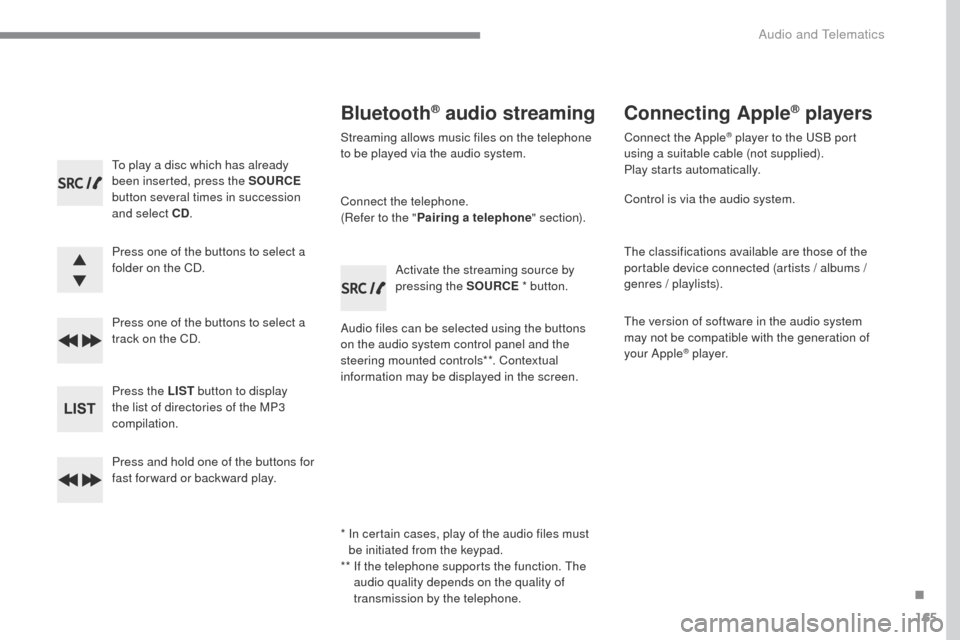
To play a disc which has already
been inserted, press the SOURCE
button several times in succession
and select CD .
Press one of the buttons to select a
folder on the CD.
Press one of the buttons to select a
track on the CD.
Press the LIST button to display
the list of directories of the MP3
compilation.
Press and hold one of the buttons for
fast for ward or backward play.
Bluetooth® audio streaming
Streaming allows music files on the telephone
to be played via the audio system.
Connect the telephone.
(Refer to the " Pairing a telephone " section).
Audio files can be selected using the buttons
on the audio system control panel and the
steering mounted controls**. Contextual
information may be displayed in the screen. Activate the streaming source by
pressing the SOURCE
* button.
Connecting Apple® players
Connect the Apple® player to the USB port
using a suitable cable (not supplied).
Play starts automatically.
Control is via the audio system.
The classifications available are those of the
portable device connected (artists / albums /
genres / playlists).
The version of software in the audio system
may not be compatible with the generation of
your Apple
® p l aye r.
*
I
n certain cases, play of the audio files must
be initiated from the keypad.
**
I
f the telephone supports the function. The
audio quality depends on the quality of
transmission by the telephone.
.
Audio and Telematics
Page 534 of 599
166
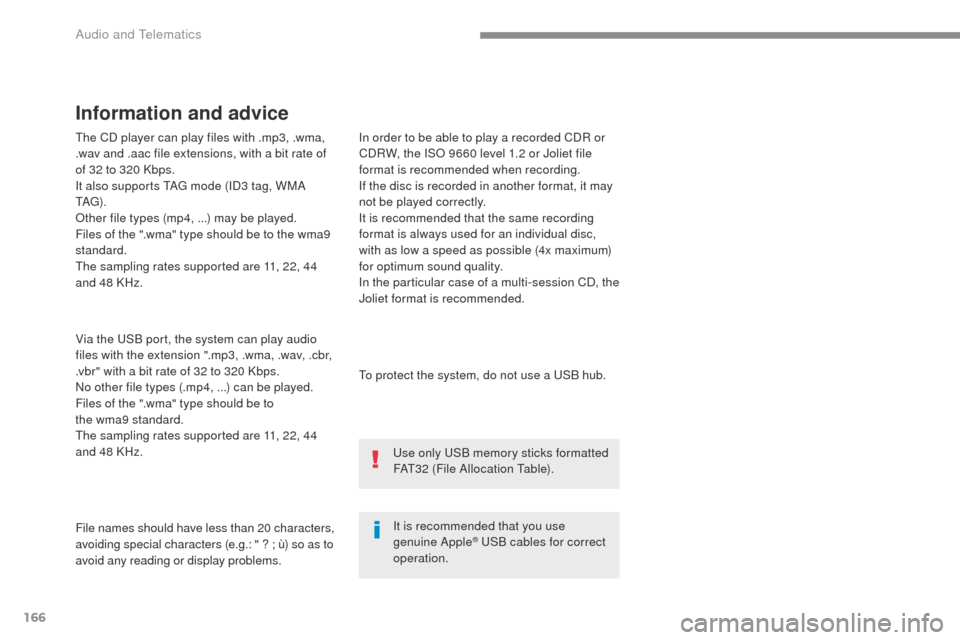
The CD player can play files with .mp3, .wma,
.wav and .aac file extensions, with a bit rate of
of 32 to 320 Kbps.
It also supports TAG mode (ID3 tag, WMA
TAG) .
Other file types (mp4, ...) may be played.
Files of the ".wma" type should be to the wma9
standard.
The sampling rates supported are 11, 22, 44
and 48 KHz.
Via the USB port, the system can play audio
files with the extension ".mp3, .wma, .wav, .cbr,
.vbr" with a bit rate of 32 to 320 Kbps.
No other file types (.mp4,
...) can be played.
Files of the ".wma" type should be to
the wma9 standard.
The sampling rates supported are 11, 22, 44
and 48 KHz.
File names should have less than 20 characters,
avoiding special characters (e.g.:
" ? ; ù) so as to
avoid any reading or display problems. In order to be able to play a recorded CDR or
CDRW, the ISO 9660 level 1.2 or Joliet file
format is recommended when recording.
If the disc is recorded in another format, it may
not be played correctly.
It is recommended that the same recording
format is always used for an individual disc,
with as low a speed as possible (4x maximum)
for optimum sound quality.
In the particular case of a multi-session CD, the
Joliet format is recommended.
Information and advice
To protect the system, do not use a USB hub.
It is recommended that you use
genuine Apple
® USB cables for correct
operation. Use only USB memory sticks formatted
FAT32 (File Allocation Table).
Audio and Telematics