Indicators Peugeot Partner 2019 User Guide
[x] Cancel search | Manufacturer: PEUGEOT, Model Year: 2019, Model line: Partner, Model: Peugeot Partner 2019Pages: 312, PDF Size: 9.56 MB
Page 43 of 312
41
Depending on version, the door mirrors
unfold only when the cab is unlocked, and
the alarm is deactivated.
Unlocking
With the key
F To completely unlock the vehicle, insert the
key in the lock then turn it towards the front
of the vehicle.
F
T
hen pull the handle to open the door.
Using the remote control
F Press this button to unlock the vehicle.
If fitted to your vehicle, pressing
and holding this button opens
the windows. The window stops
when you release the control.
With the K eyless Entry and
Starting on your person
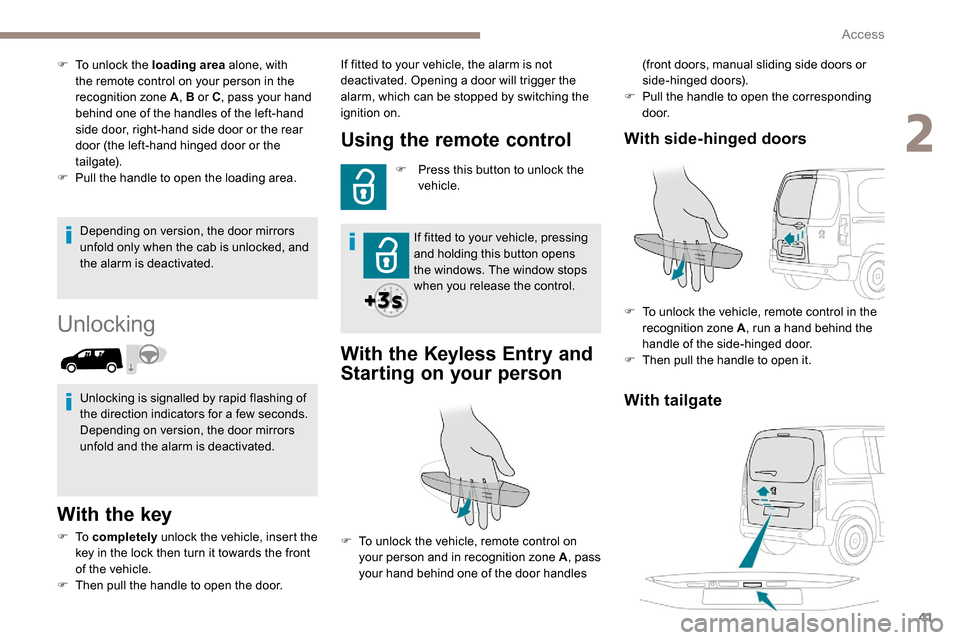
(front doors, manual sliding side doors or
side-hinged doors).
F
P
ull the handle to open the corresponding
d o o r.
With tailgate
With side-hinged doors
F To unlock the vehicle, remote control in the
recognition zone A , run a hand behind the
handle of the side-hinged door.
F
T
hen pull the handle to open it.
F
T
o unlock the loading area
alone, with
the remote control on your person in the
recognition zone A , B or C, pass your hand
behind one of the handles of the left-hand
side door, right-hand side door or the rear
door (the left-hand hinged door or the
tailgate).
F
P
ull the handle to open the loading area.
Unlocking is signalled by rapid flashing of
the direction indicators for a few seconds.
Depending on version, the door mirrors
unfold and the alarm is deactivated. If fitted to your vehicle, the alarm is not
deactivated. Opening a door will trigger the
alarm, which can be stopped by switching the
ignition on.
F
T
o unlock the vehicle, remote control on
your person and in recognition zone A , pass
your hand behind one of the door handles
2
Access
Page 44 of 312
42
Locking
With the key
F To lock the vehicle, insert the key in the lock then turn it towards the rear of the vehicle.
Using the remote control
F To lock the vehicle, press this button. If fitted to your vehicle, pressing
and holding this button closes the
windows. The window stops when
you release the control.
Ensure that no person or object prevents
the correct closing of the windows.
Be particularly aware of children when
operating the windows.
If your vehicle is not fitted with an alarm,
the locking/deadlocking is signalled by the
fixed illumination of the direction indicators
for about two seconds.
Depending on your version, the door
mirrors fold at the same time.
With the K eyless Entry and
Starting "on your person"
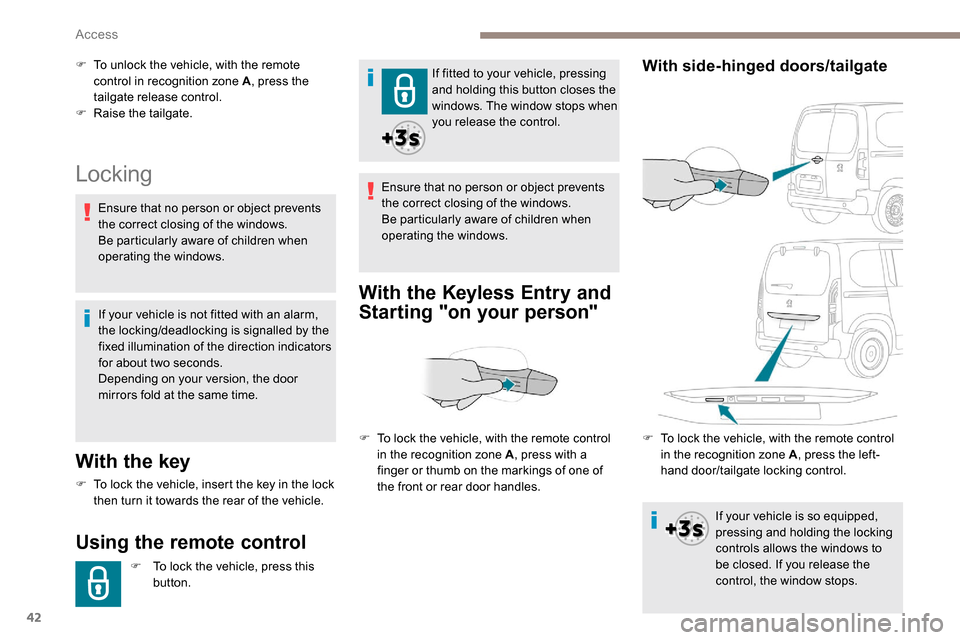
F To unlock the vehicle, with the remote
control in recognition zone A , press the
tailgate release control.
F
Ra
ise the tailgate.
F
T
o lock the vehicle, with the remote control
in the recognition zone A , press with a
finger or thumb on the markings of one of
the front or rear door handles.With side-hinged doors/tailgate
Ensure that no person or object prevents
the correct closing of the windows.
Be particularly aware of children when
operating the windows.
F
T
o lock the vehicle, with the remote control
in the recognition zone A , press the left-
hand door/tailgate locking control.
If your vehicle is so equipped,
pressing and holding the locking
controls allows the windows to
be closed. If you release the
control, the window stops.
Access
Page 46 of 312
44
Locating your vehicle
This function allows you to identify your vehicle
from a distance, particularly in poor light. Your
vehicle must have been locked for more than
five seconds.
Remote operation of lighting
A short press of the button allows
you to switch on the lighting from a
distance (lighting the sidelamps, the
dipped beam headlamps and number
plate lamps).
A second press on this button before
the end of the timed period cancels
the remote lighting. F
P
ress this button.
This will switch on the courtesy lamps and the
direction indicators will flash for around ten
seconds.
Anti-theft protection
Electronic immobiliser
The remote control contains an electronic chip
which has a special code. When the ignition is
switched on, this code must be recognised in
order for starting to be possible. F
T
o deadlock the vehicle, press the control
again within five seconds .
In the event of a fault, you are
informed by illumination of this
warning lamp, an audible signal and
a message in the screen.
The vehicle will not start; contact a PEUGEOT
dealer as soon as possible. A few seconds after switching off the ignition,
this system locks the engine control system,
therefore preventing the engine from being
started in the event of a break-in.
Back-up control(s)
If the battery is flat, attempt to lock /unlock the
vehicle as usual. If this does not work, use the
mechanical systems described below.
Also use these systems to mechanically lock /
unlock the doors in the event of:
-
c
entral locking system failure,
-
r
emote control battery discharged,
-
r
emote control fault,
-
v
ehicle in an area subject to strong
electromagnetic interference.
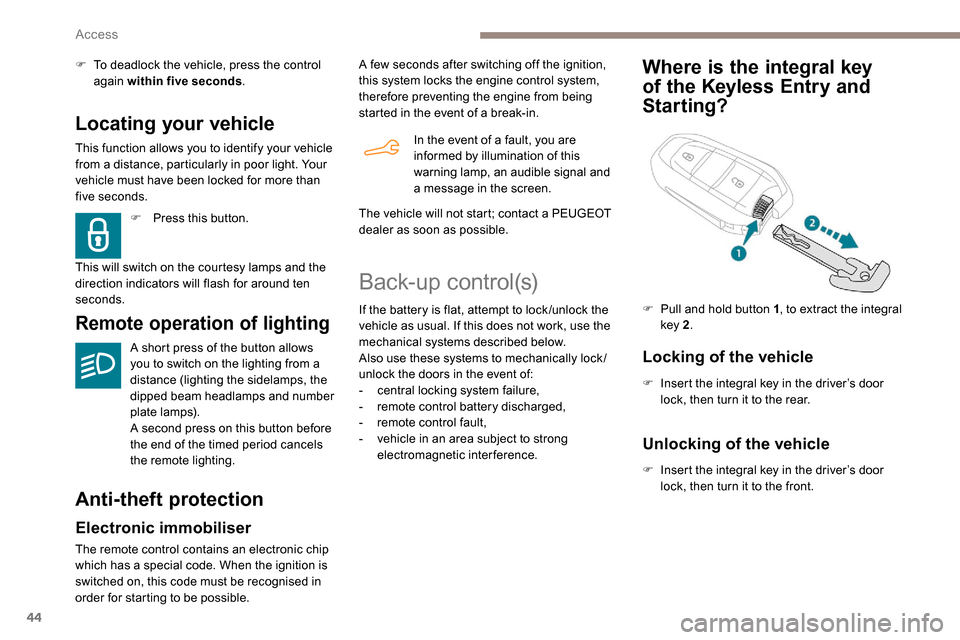
Where is the integral key
of the
K
eyless Entry and
Starting?
Locking of the vehicle
F Insert the integral key in the driver’s door
lock, then turn it to the rear.
F
P
ull and hold button 1
, to extract the integral
key 2 .
Unlocking of the vehicle
F Insert the integral key in the driver’s door
lock, then turn it to the front.
Access
Page 55 of 312
53
Self-protection function
The system checks for the disconnection
of any of its components.
The alarm is triggered if the battery,
button or siren wiring is disconnected or
damaged.
For all work on the alarm system, contact
a PEUGEOT dealer or a qualified
workshop.
Interior volumetric
If your vehicle is fitted with Additional
Heating/Ventilation, volumetric monitoring
is not compatible with this system.
For more information on Additional
Heating/Ventilation, refer to the
corresponding section. (without partition)
Anti-tilt monitoring
(with partition)
The system only checks the variation in volume
inside the cab .
The alarm is triggered if anyone breaks a
window or enters the cab .
It will not be triggered if someone enters the
loading area. The system checks for any variation in the
volume in the passenger compartment.
The alarm is triggered if anyone breaks a
window, enters the passenger compartment or
moves inside the vehicle. The system checks for any change in the
attitude of the vehicle.
The alarm is triggered if the vehicle is lifted or
moved.
When the vehicle is parked, the alarm will
not be triggered if the vehicle is knocked.
Locking the vehicle with full
alarm system
Activation
F Switch off the engine and exit the vehicle.
F L ock the vehicle using the remote control or
the "
K
eyless Entry and Starting" system.
The monitoring system is active: the red
indicator lamp in the button flashes every
second and the direction indicators come on for
about 2
seconds.
Following an instruction to lock the
vehicle, the exterior perimeter monitoring
is activated after 5
seconds and the
interior volumetric and anti-tilt monitoring
after 45
seconds.
Exterior perimeter
The system checks whether the vehicle is opened.
The alarm is triggered if anyone tries to open one of
the doors or the bonnet.
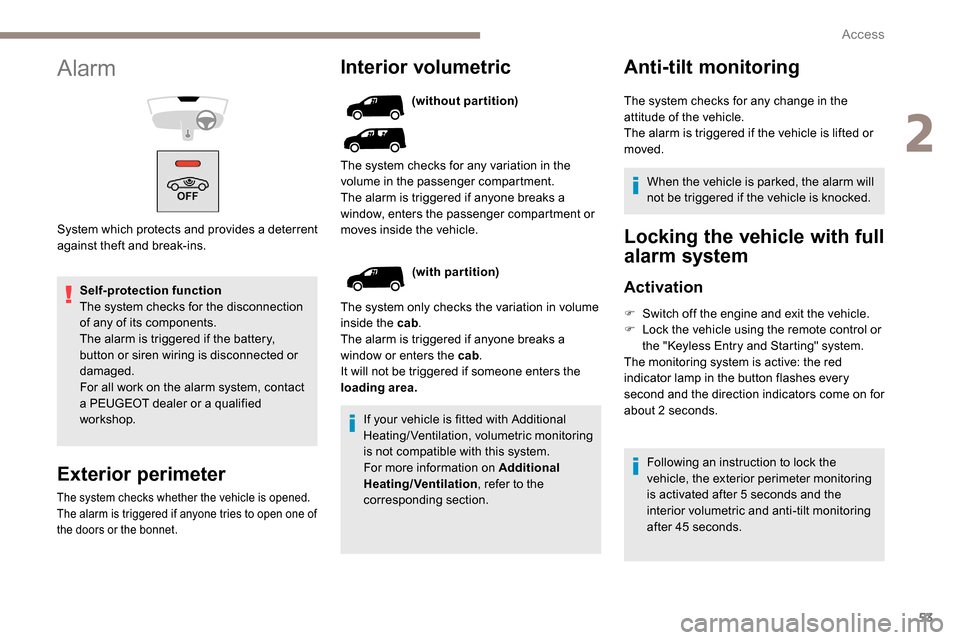
Alarm
System which protects and provides a deterrent
against theft and break-ins.
2
Access
Page 56 of 312
54
If an opening (door, boot or bonnet) is not
closed properly, the vehicle is not locked
but the exterior perimeter monitoring will
be activated after 45 seconds at the same
time as the interior volumetric and anti-tilt
monitoring.Locking the vehicle
with exterior perimeter
monitoring only
Deactivate the interior volumetric and anti-tilt
monitoring to avoid unwanted triggering of the
alarm in certain cases such as:
-
l
eaving a pet in the vehicle,
-
l
eaving a window or sunroof partially open,
-
w
ashing your vehicle,
-
c
hanging a wheel,
-
h
aving your vehicle towed,
-
t
ransport by ship.
Triggering of the alarm
This is indicated by sounding of the siren
and flashing of the direction indicators for
30
seconds.
Depending on the country of sale, certain
monitoring functions remain active until the alarm
has been triggered eleven times consecutively.
When the vehicle is unlocked using the remote
control or the "
K
eyless Entry and Starting"
system, rapid flashing of the red indicator lamp
in the button informs you that the alarm was
triggered during your absence. When the ignition
is switched on, the flashing stops immediately.
Deactivation
F Press the unlocking button on the remote control.
or
F
U
nlock the vehicle with the Keyless Entry
and Starting system.
The monitoring system is deactivated: the
indicator lamp in the button goes off and the
direction indicators flash for about 2
seconds.
When the vehicle automatically locks
itself again (as happens if a door or the
boot is not opened within 30
seconds of
unlocking), the monitoring system is also
reactivated automatically.
Deactivating the interior
volumetric and anti-tilt
monitoring
F Switch off the ignition and within 10 s econds
press the alarm button until its red indicator
lamp is on fixed.
F
G
et out of the vehicle.
F
I
mmediately lock the vehicle using the
remote control or the "Keyless Entry and
Starting" system.
Only the exterior perimeter monitoring is
activated; the red indicator lamp in the button
flashes every second.
To be taken into account, the deactivation
must be carried out every time the ignition
is switched off.
Reactivating the interior
volumetric and anti-tilt monitoring
F Deactivate the perimeter monitoring by unlocking the vehicle with the remote
control or the Keyless Entry and Starting
system.
The indicator lamp in the button goes off.
F
R
eactivate all monitoring by locking the
vehicle with the remote control or the
Keyless Entry and Starting system.
The red indicator lamp in the button once again
flashes every second.
Access
Page 88 of 312
86
Turn the ring:
F o nce for wards to switch on the front
foglamps,
F
f
or wards a second time to switch on the rear
foglamps,
F
o
nce backwards to switch off the rear
foglamps,
F
b
ackwards a second time to switch off the
front foglamps.
If the lamps are switched off automatically
(" AUTO " position) or the dipped beams are
switched off manually, the foglamps and
sidelamps remain on.
F
T
urn the ring backwards to switch off the
foglamps, the sidelamps will then switch off.
When the lighting is left on
An audible signal when a front door is
opened warns the driver that the vehicle's
exterior lighting is on, with the ignition off
and in manual lighting mode.
In this case, switching off the lighting
stops the audible signal.
The lighting goes off when you switch off
the ignition, but you can always switch it
on again using the lighting control stalk. Travelling abroad
If using your vehicle in a country that
drives on the other side of the road, the
headlamps must be adjusted to avoid
dazzling on-coming drivers.
Contact a PEUGEOT dealer or a qualified
workshop.
In good or rainy weather, by both day and
night, use of the front foglamps and the
rear foglamps are prohibited. In these
situations, the power of their beams may
dazzle other drivers. They should only be
used in fog or falling snow.
In these weather conditions, it is your
responsibility to switch on the foglamps
and dipped headlamps manually as the
sunshine sensor may detect sufficient
light.
Switch off the front and rear foglamps
when they are no longer necessary.
Never look too closely at the luminous
beam of LED headlamps: risk of serious
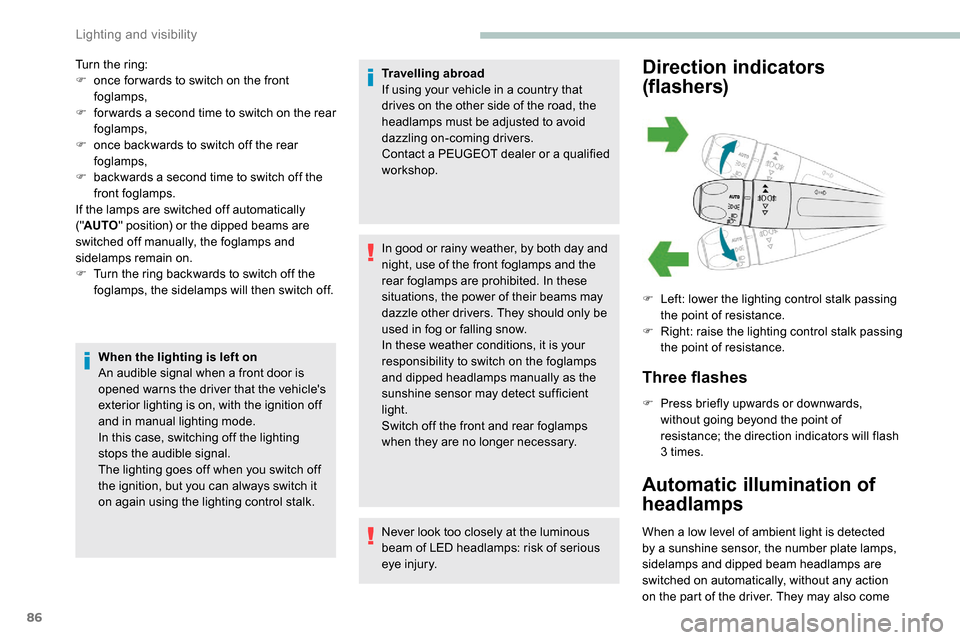
eye injury.Direction indicators
(flashers)
Three flashes
F Press briefly upwards or downwards,
without going beyond the point of
resistance; the direction indicators will flash
3 times.
Automatic illumination of
headlamps
When a low level of ambient light is detected
by a sunshine sensor, the number plate lamps,
sidelamps and dipped beam headlamps are
switched on automatically, without any action
on the part of the driver. They may also come F
L
eft: lower the lighting control stalk passing
the point of resistance.
F
R
ight: raise the lighting control stalk passing
the point of resistance.
Lighting and visibility
Page 99 of 312
97
To reactivate geolocation, simultaneously press
the "Peugeot Connect SOS" and "Peugeot
Connect Assistance" buttons again, followed
by a press on "Peugeot Connect Assistance"
to confirm.If you purchased your vehicle outside the
PEUGEOT dealer network, we invite you
to have a dealer check the configuration of
these ser vices and, if desired, modify it to
suit your wishes. In a multilingual country,
configuration is possible in the official
national language of your choice.
For technical reasons and, in particular,
to improve the quality of PEUGEOT
CONNECT ser vices to customers, the
manufacturer reser ves the right to carry
out updates to the vehicle's on-board
telematic system.
You can deactivate geolocation by
simultaneously pressing the "Peugeot Connect
SOS" and "Peugeot Connect Assistance"
buttons, followed by pressing "Peugeot
Connect Assistance" to confirm.
If you benefit from the Peugeot Connect
Packs offer with the SOS and assistance
pack included, there are additional
ser vices available to you in your personal
space, via the website for your country.
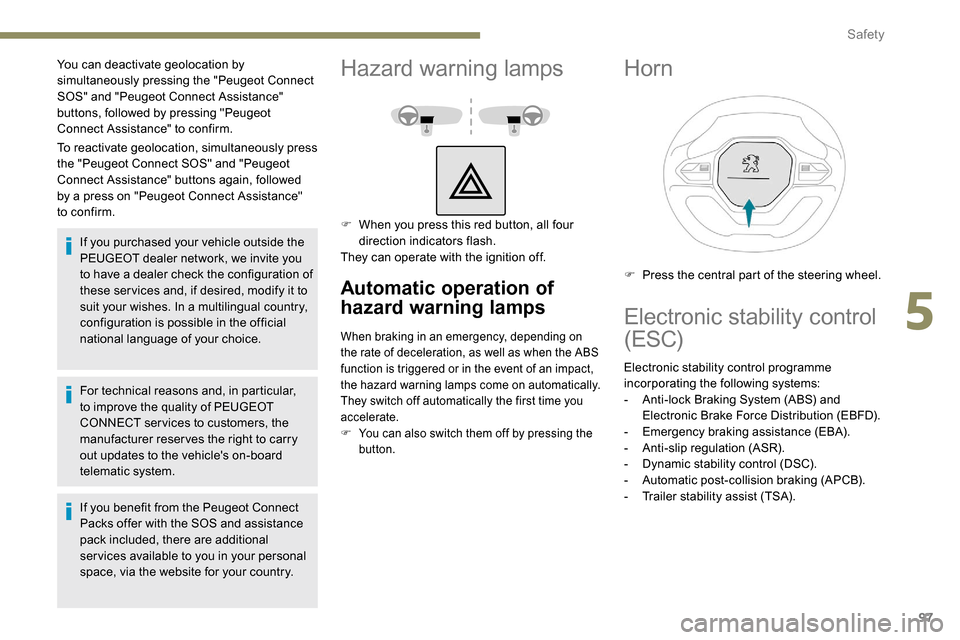
Hazard warning lamps
F When you press this red button, all four direction indicators flash.
They can operate with the ignition off.
Automatic operation of
hazard warning lamps
When braking in an emergency, depending on
the rate of deceleration, as well as when the ABS
function is triggered or in the event of an impact,
the hazard warning lamps come on automatically.
They switch off automatically the first time you
accelerate.
F
Y
ou can also switch them off by pressing the
button.
Horn
F Press the central part of the steering wheel.
Electronic stability control
(ESC)
Electronic stability control programme
incorporating the following systems:
-
A
nti-lock Braking System (ABS) and
Electronic Brake Force Distribution (EBFD).
-
E
mergency braking assistance (EBA).
-
A
nti-slip regulation (ASR).
-
D
ynamic stability control (DSC).
-
A
utomatic post-collision braking (APCB).
-
T
railer stability assist (TSA).
5
Safety
Page 155 of 312
153
Malfunction
In the event of a fault with the system, you
are alerted by the continuous illumination
of this warning lamp, accompanied by the
display of a message and an audible signal.
If these warning lamps come on after
the engine has been switched off
and restarted, contact a PEUGEOT
dealer or a qualified workshop to
have the system checked.
Active Lane Departure
Warning System
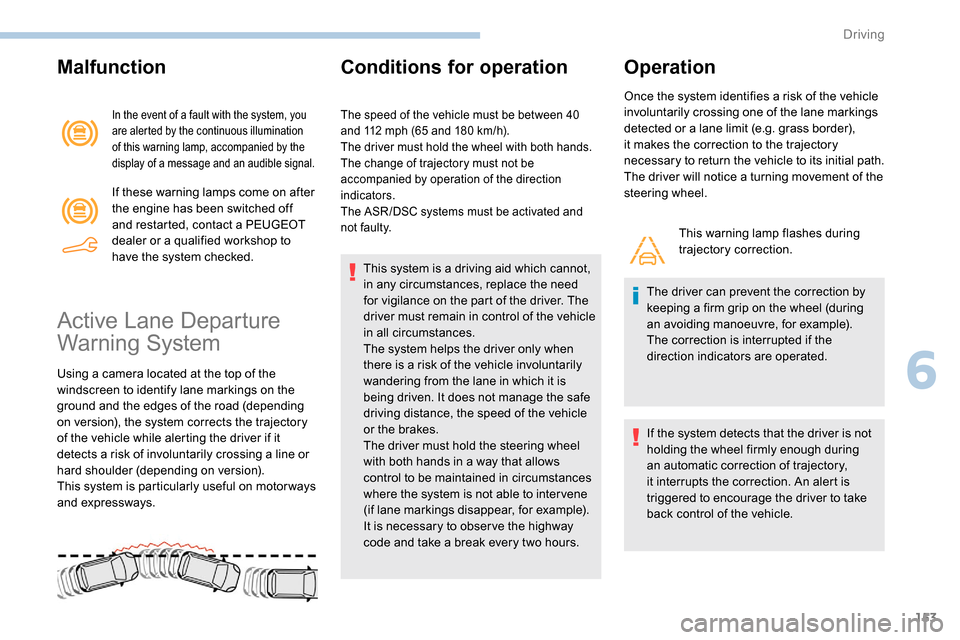
Using a camera located at the top of the
windscreen to identify lane markings on the
ground and the edges of the road (depending
on version), the system corrects the trajectory
of the vehicle while alerting the driver if it
detects a risk of involuntarily crossing a line or
hard shoulder (depending on version).
This system is particularly useful on motor ways
and expressways.
Conditions for operation
The speed of the vehicle must be between 40
and 112 mph (65 and 180 km/h).
The driver must hold the wheel with both hands.
The change of trajectory must not be
accompanied by operation of the direction
indicators.
The ASR /DSC systems must be activated and
not faulty.
This system is a driving aid which cannot,
in any circumstances, replace the need
for vigilance on the part of the driver. The
driver must remain in control of the vehicle
in all circumstances.
The system helps the driver only when
there is a risk of the vehicle involuntarily
wandering from the lane in which it is
being driven. It does not manage the safe
driving distance, the speed of the vehicle
or the brakes.
The driver must hold the steering wheel
with both hands in a way that allows
control to be maintained in circumstances
where the system is not able to inter vene
(if lane markings disappear, for example).
It is necessary to obser ve the highway
code and take a break every two hours.
Operation
Once the system identifies a risk of the vehicle
involuntarily crossing one of the lane markings
detected or a lane limit (e.g. grass border),
it makes the correction to the trajectory
necessary to return the vehicle to its initial path.
The driver will notice a turning movement of the
steering wheel.
This warning lamp flashes during
trajectory correction.
The driver can prevent the correction by
keeping a firm grip on the wheel (during
an avoiding manoeuvre, for example).
The correction is interrupted if the
direction indicators are operated.
If the system detects that the driver is not
holding the wheel firmly enough during
an automatic correction of trajectory,
it interrupts the correction. An alert is
triggered to encourage the driver to take
back control of the vehicle.
6
Driving
Page 156 of 312
154
Deactivation/Activation
The system is activated every time the ignition
is switched on.
Driving situations and
associated alerts
The table below describes the alerts and
messages displayed depending on the driving
situation.
The display of these alerts is not sequential.
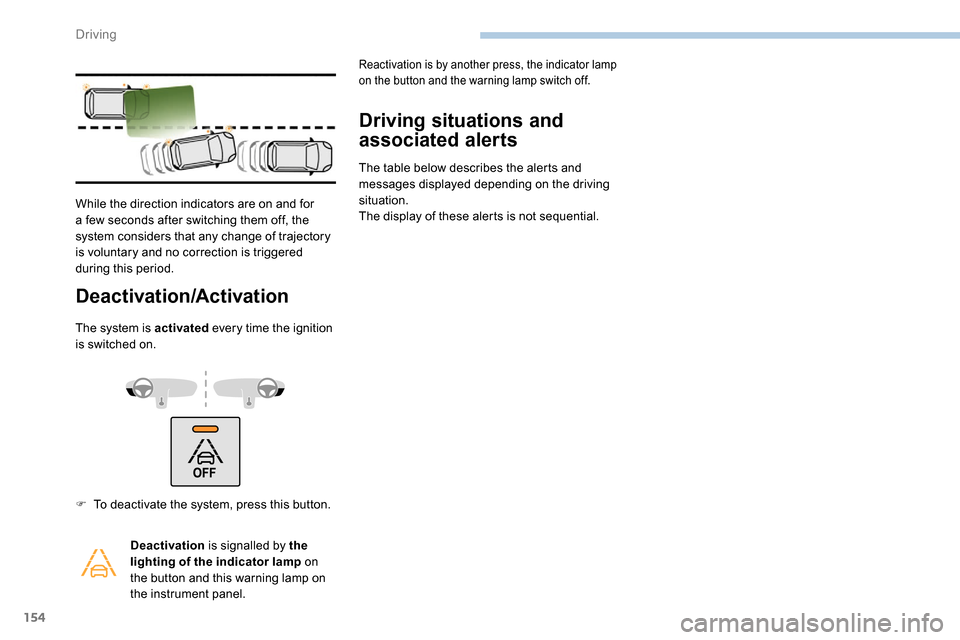
While the direction indicators are on and for
a few seconds after switching them off, the
system considers that any change of trajectory
is voluntary and no correction is triggered
during this period.
F
T
o deactivate the system, press this button. Deactivation is signalled by the
lighting of the indicator lamp on
the button and this warning lamp on
the instrument panel.
Reactivation is by another press, the indicator lamp
on the button and the warning lamp switch off.
Driving
Page 158 of 312
156
During a correction, if the driver is inactive
(not holding the steering wheel for
10 seconds), a warning message appears.
If the driver remains inactive (not holding
the steering wheel for 2
more seconds),
the correction is interrupted.
Risk of undesirable operation
The system is not intended for driving in the
following situations:
-
d
riving on a racing circuit,
-
d
riving with a trailer,
-
d
riving on a rolling stand,
-
d
riving on unstable sur faces.
Malfunction
Operating limits
The system goes into standby automatically in
the following cases:
-
t
he ASR /DSC systems are deactivated or
the ESC operation is triggered,
-
s
peed below 40 mph (65 km/h) or greater
than 112
mph (180 km/h),
-
c
onnected electrically to a trailer,
-
u
se of the "space-saver" spare
wheel detected (as detection is not
immediate, deactivation of the system is
recommended),
-
d
ynamic driving style detected, pressure on
the brake or accelerator pedal,
-
d
riving where there are no lane markings,
-
a
ctivation of the direction indicators,
-
c
rossing the inside line on a bend,
-
d
riving in a tight corner,
-
i
nactivity by the driver detected during
correction.
Deactivation of the system is recommended in
the following situations:
-
d
riving on a road sur face in poor condition,
-
u
nfavourable climatic conditions,
-
d
riving on slippery sur faces (ice).In the event of a fault with the system, you are
alerted by the illumination of these warning
lamps in the instrument panel, accompanied by
the display of a message and an audible signal.
Have the system checked by a PEUGEOT
dealer or a qualified workshop.
The following situations may interfere with
the operation of the system or prevent it
from working:
-
c
onditions of poor visibility (inadequate
street lighting, snowfall, rain, fog),
-
d
azzle (headlamps of an oncoming
vehicle, low sun, reflections on a damp
road, leaving a tunnel, alternating
shade and light),
-
w
indscreen area located in front of the
camera: dirty, misted, frost-covered,
snow-covered, damaged or covered by
a s t i c ke r,
-
l
ane markings worn, hidden (snow,
mud) or multiple (roadworks, etc.),
-
r
unning close to the vehicle in front
(the lane markings may not be
detected),
-
r
oads that are narrow, winding, etc.
Driving