start stop button Peugeot Partner 2019 Owner's Guide
[x] Cancel search | Manufacturer: PEUGEOT, Model Year: 2019, Model line: Partner, Model: Peugeot Partner 2019Pages: 312, PDF Size: 9.56 MB
Page 146 of 312
144
Switching on
F With the engine running, turn the wheel 1
to the " CRUISE " position. The system is
paused (grey display).
With a manual gearbox
With the speed of the vehicle between 20 and
100
mph (30 and 160 km/h):
F
W
ith the vehicle moving, press one of the
buttons 2 or 3 : the current speed of your
vehicle becomes the cruise speed setting.
The cruise control starts operating (displayed
in green).
With an automatic gearbox
The D or M mode must be selected.
With the speed of the vehicle between 1 and
112
mph (30 km/h and 180 km/h):
F
A
ccelerate slightly and press one of the
buttons 2 or 3 : the system starts (green
display).
The cruise speed setting then becomes equal to:
-
t
he current speed of your vehicle, if it is over
19
mph (30 km/h),
-
1
9 mph (30 km/h), if it is below 19 mph
(30
km/h).
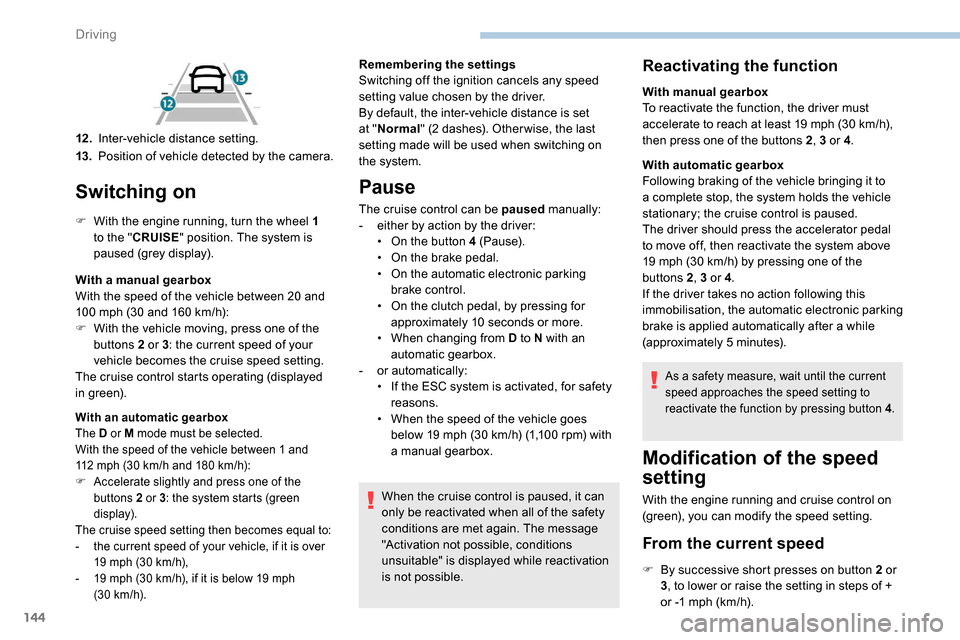
12 .Inter-vehicle distance setting.
13. Position of vehicle detected by the camera. Remembering the settings
Switching off the ignition cancels any speed
setting value chosen by the driver.
By default, the inter-vehicle distance is set
at "
Normal " (2 dashes). Other wise, the last
setting made will be used when switching on
the system.
Pause
The cruise control can be paused manually:
- e ither by action by the driver:
•
O
n the button 4 (Pause).
•
O
n the brake pedal.
•
O
n the automatic electronic parking
brake control.
•
O
n the clutch pedal, by pressing for
approximately 10
seconds or more.
•
W
hen changing from D to N with an
automatic gearbox.
-
o
r automatically:
•
I
f the ESC system is activated, for safety
reasons.
•
W
hen the speed of the vehicle goes
below 19
mph (30 km/h) (1,100 rpm) with
a manual gearbox.
When the cruise control is paused, it can
only be reactivated when all of the safety
conditions are met again. The message
"Activation not possible, conditions
unsuitable" is displayed while reactivation
is not possible.
Reactivating the function
With manual gearbox
To reactivate the function, the driver must
accelerate to reach at least 19 mph (30 km/h),
then press one of the buttons 2 , 3 or 4.
With automatic gearbox
Following braking of the vehicle bringing it to
a complete stop, the system holds the vehicle
stationary; the cruise control is paused.
The driver should press the accelerator pedal
to move off, then reactivate the system above
19
mph (30 km/h) by pressing one of the
buttons 2 , 3 or 4.
If the driver takes no action following this
immobilisation, the automatic electronic parking
brake is applied automatically after a while
(approximately 5
minutes).
As a safety measure, wait until the current
speed approaches the speed setting to
reactivate the function by pressing button 4 .
Modification of the speed
setting
With the engine running and cruise control on
(green), you can modify the speed setting.
From the current speed
F By successive short presses on button 2 or
3, to lower or raise the setting in steps of +
or -1
mph (km/h).
Driving
Page 173 of 312
171
Fuel tank
Capacity of the tank:
- around 61
litres (petrol).
-
around 50
litres (Diesel).
Opening the fuel filler flap
F You must switch off the engine.
F W ith K eyless Entry and Starting, unlock the
vehicle.
F
O
pen the fuel filler flap.
If your vehicle is fitted with Stop & Start,
never refuel with the engine in STOP
mode; you must switch off the ignition
using the key, or the START/STOP button
if your vehicle has
K
eyless Entry and
Starting.
At least 6
litres of fuel must be added, in order
to be registered by the fuel gauge.
Opening the filler cap may create a noise
caused by an inrush of air. This vacuum is
entirely normal, resulting from the sealing of the
fuel system.
F
T
ake care to select the pump that delivers
the correct fuel type for your vehicle's
engine (see a reminder label on the inside
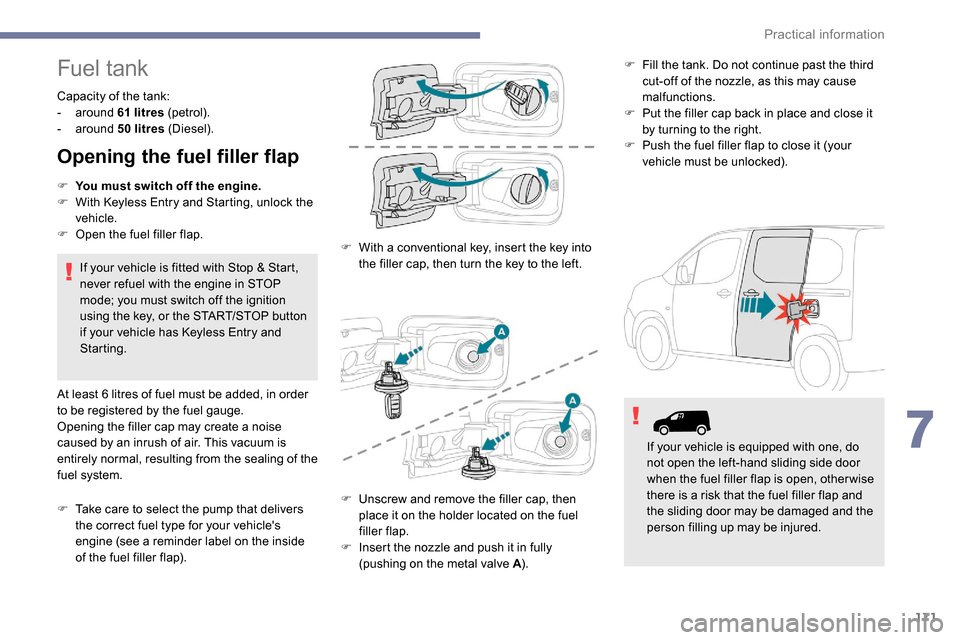
of the fuel filler flap). F
W
ith a conventional key, insert the key into
the filler cap, then turn the key to the left. F
F
ill the tank. Do not continue past the third
cut-off of the nozzle, as this may cause
malfunctions.
F
P
ut the filler cap back in place and close it
by turning to the right.
F
P
ush the fuel filler flap to close it (your
vehicle must be unlocked).
F
U
nscrew and remove the filler cap, then
place it on the holder located on the fuel
filler flap.
F
I
nsert the nozzle and push it in fully
(pushing on the metal valve A ).If your vehicle is equipped with one, do
not open the left-hand sliding side door
when the fuel filler flap is open, other wise
there is a risk that the fuel filler flap and
the sliding door may be damaged and the
person filling up may be injured.
7
Practical information
Page 177 of 312
175
ON
ON
ON
Overload indicator
The overload indicator is a driving aid and
informs you that the maximum authorised
weight has been exceeded; this may be
either the gross vehicle weight (GV W) or the
maximum authorised weight on either axle
(front and rear) (GAWR).
The indicator does not relieve the user
from the responsibility.
Even if you correctly measure the weight
of the vehicle's load, any factor that
may vary this weight (seating the driver/
additional passengers or taking on
additional fuel) after the measurement
may put the vehicle into the overload
condition. -
T
he load includes the weight of the
items stored in the loading area
(including any fittings such as shelves),
but also the weight of all persons on
board the vehicle, the amount of fuel
and various equipment fitted on the
vehicle.
-
F
or optimal per formance, the vehicle
must be parked and loaded on level
ground (avoid the following conditions:
parking on a slope or straddling a
pavement).
Attaching a trailer to your vehicle may
affect the operation of the system.
Operation
The measurement of the weight on board your
vehicle starts:
F
A
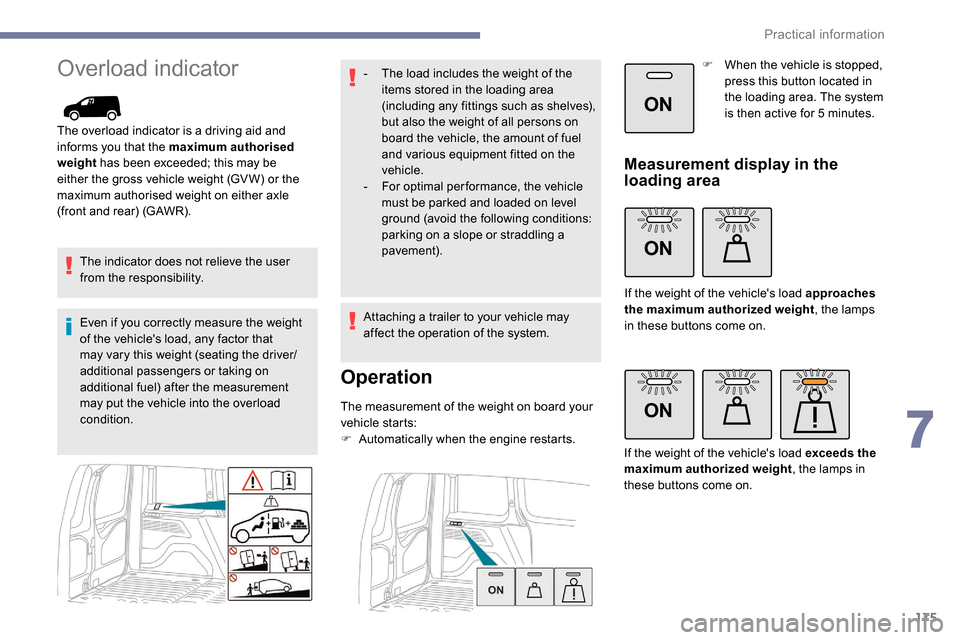
utomatically when the engine restarts. F
W
hen the vehicle is stopped,
press this button located in
the loading area. The system
is then active for 5 minutes.
Measurement display in the
loading area
If the weight of the vehicle's load approaches
the maximum authorized weight
, the lamps
in these buttons come on.
If the weight of the vehicle's load exceeds the
maximum authorized weight , the lamps in
these buttons come on.
7
Practical information
Page 178 of 312
176
ON
Measurement display on the
instrument panel.
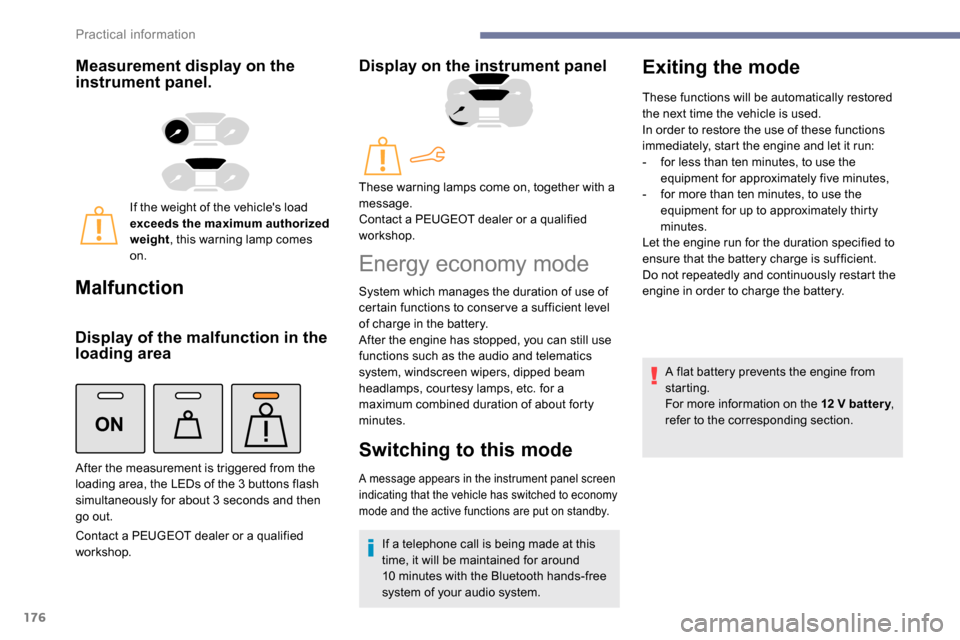
If the weight of the vehicle's load
exceeds the maximum authorized
weight, this warning lamp comes
on.
Malfunction
Display of the malfunction in the
loading area
Contact a PEUGEOT dealer or a qualified
workshop.
Display on the instrument panel
After the measurement is triggered from the
loading area, the LEDs of the 3 buttons flash
simultaneously for about 3
seconds and then
go out. These warning lamps come on, together with a
message.
Contact a PEUGEOT dealer or a qualified
workshop.
Energy economy mode
System which manages the duration of use of
certain functions to conser ve a sufficient level
of charge in the battery.
After the engine has stopped, you can still use
functions such as the audio and telematics
system,
windscreen wipers, dipped beam
headlamps,
courtesy lamps, etc. for a
maximum combined duration of about forty
minutes.
Switching to this mode
A message appears in the instrument panel screen
indicating that the vehicle has switched to economy
mode and the active functions are put on standby.
If a telephone call is being made at this
time, it will be maintained for around
10
minutes with the Bluetooth hands-free
system of your audio system.
Exiting the mode
These functions will be automatically restored
the next time the vehicle is used.
In order to restore the use of these functions
immediately, start the engine and let it run:
-
f
or less than ten minutes, to use the
equipment for approximately five minutes,
-
f
or more than ten minutes, to use the
equipment for up to approximately thirty
minutes.
Let the engine run for the duration specified to
ensure that the battery charge is sufficient.
Do not repeatedly and continuously restart the
engine in order to charge the battery.
A flat battery prevents the engine from
starting.
For more information on the 12
V batter y,
refer to the corresponding section.
Practical information
Page 268 of 312
8
Voice commandsHelp messages
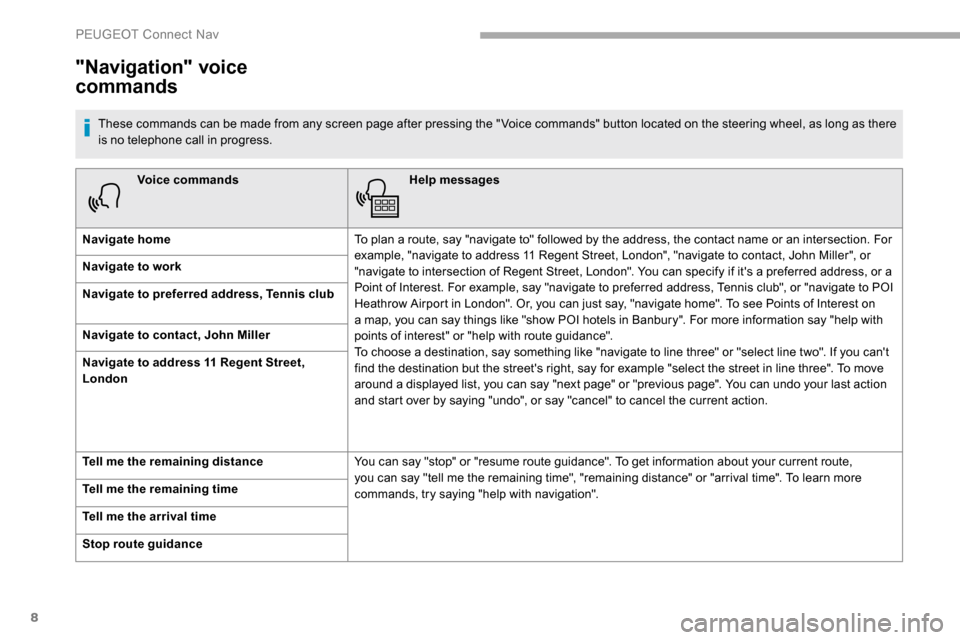
Navigate home To plan a route, say "navigate to" followed by the address, the contact name or an intersection. For
example, "navigate to address 11 Regent Street, London", "navigate to contact, John Miller", or
"navigate to intersection of Regent Street, London". You can specify if it's a preferred address, or a
Point of Interest. For example, say "navigate to preferred address, Tennis club", or "navigate to POI
Heathrow Airport in London". Or, you can just say, "navigate home". To see Points of Interest on
a map, you can say things like "show POI hotels in Banbury". For more information say "help with
points of interest" or "help with route guidance".
To choose a destination, say something like "navigate to line three" or "select line two". If you can't
find the destination but the street's right, say for example "select the street in line three". To move
around a displayed list, you can say "next page" or "previous page". You can undo your last action
and start over by saying "undo", or say "cancel" to cancel the current action.
Navigate to work
Navigate to preferred address, Tennis club
Navigate to contact, John Miller
Navigate to address 11 Regent Street,
London
Tell me the remaining distance
You can say "stop" or "resume route guidance". To get information about your current route,
you can say "tell me the remaining time", "remaining distance" or "arrival time". To learn more
commands, try saying "help with navigation".
Tell me the remaining time
Tell me the arrival time
Stop route guidance
"Navigation" voice
commands
These commands can be made from any screen page after pressing the " Voice commands" button located on the steering wheel, as long as there
is no telephone call in progress.
PEUGEOT Connect Nav
Page 286 of 312
26
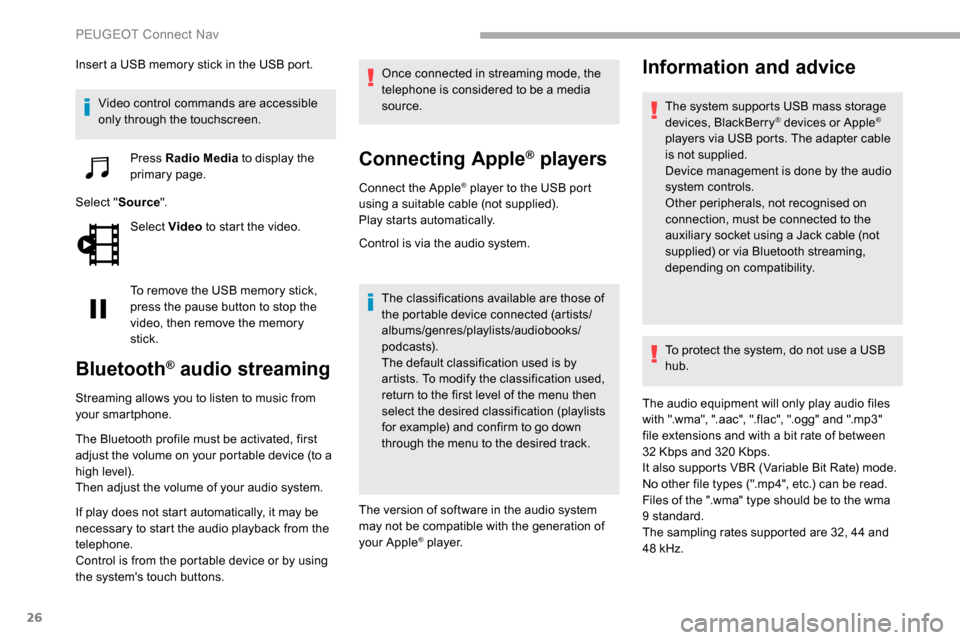
Insert a USB memory stick in the USB port.Video control commands are accessible
only through the touchscreen. Press Radio Media to display the
primary page.
Select " Source".
Select Video to start the video.
To remove the USB memory stick,
press the pause button to stop the
video, then remove the memory
stick.
Bluetooth® audio streaming
Streaming allows you to listen to music from
your smartphone.
The Bluetooth profile must be activated, first
adjust the volume on your portable device (to a
high level).
Then adjust the volume of your audio system.
If play does not start automatically, it may be
necessary to start the audio playback from the
telephone.
Control is from the portable device or by using
the system's touch buttons. Once connected in streaming mode, the
telephone is considered to be a media
source.
Connecting Apple® players
Connect the Apple® player to the USB port
using a suitable cable (not supplied).
Play starts automatically.
Control is via the audio system.
The classifications available are those of
the portable device connected (artists/
albums/genres/playlists/audiobooks/
podcasts).
The default classification used is by
artists. To modify the classification used,
return to the first level of the menu then
select the desired classification (playlists
for example) and confirm to go down
through the menu to the desired track.
The version of software in the audio system
may not be compatible with the generation of
your Apple
® p l aye r.
Information and advice
The system supports USB mass storage
devices, BlackBerry® devices or Apple®
players via USB ports. The adapter cable
is not supplied.
Device management is done by the audio
system controls.
Other peripherals, not recognised on
connection, must be connected to the
auxiliary socket using a Jack cable (not
supplied) or via Bluetooth streaming,
depending on compatibility.
To protect the system, do not use a USB
hub.
The audio equipment will only play audio files
with ".wma", ".aac", ".flac", ".ogg" and ".mp3"
file extensions and with a bit rate of between
32
Kbps and 320
Kbps.
It also supports VBR (Variable Bit Rate) mode.
No other file types (".mp4", etc.) can be read.
Files of the ".wma" type should be to the wma
9 standard.
The sampling rates supported are 32, 44 and
48
kHz.
PEUGEOT Connect Nav