start stop button Peugeot Partner 2019 User Guide
[x] Cancel search | Manufacturer: PEUGEOT, Model Year: 2019, Model line: Partner, Model: Peugeot Partner 2019Pages: 312, PDF Size: 9.56 MB
Page 49 of 312
47
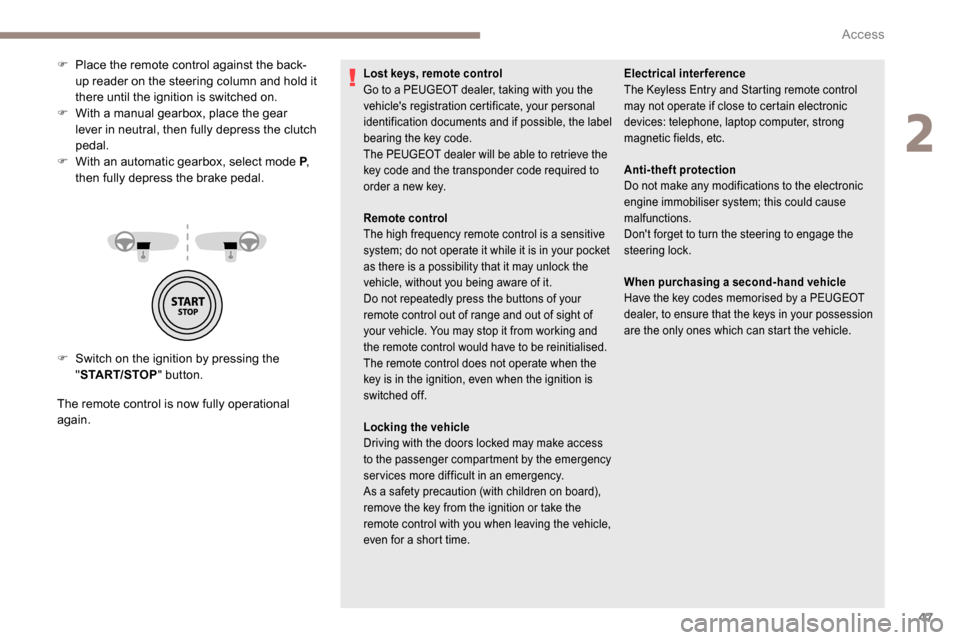
F Switch on the ignition by pressing the "START/STOP " button.
The remote control is now fully operational
again. F
P
lace the remote control against the back-
up reader on the steering column and hold it
there until the ignition is switched on.
F
W
ith a manual gearbox, place the gear
lever in neutral, then fully depress the clutch
pedal.
F
W
ith an automatic gearbox, select mode P
,
then fully depress the brake pedal.
Lost keys, remote control
Go to a PEUGEOT dealer, taking with you the
vehicle's registration certificate, your personal
identification documents and if possible, the label
bearing the key code.
The PEUGEOT dealer will be able to retrieve the
key code and the transponder code required to
order a new key. Electrical interference
The
K eyless Entry and Starting remote control
may not operate if close to certain electronic
devices: telephone, laptop computer, strong
magnetic fields, etc.
Remote control
The high frequency remote control is a sensitive
system; do not operate it while it is in your pocket
as there is a possibility that it may unlock the
vehicle, without you being aware of it.
Do not repeatedly press the buttons of your
remote control out of range and out of sight of
your vehicle. You may stop it from working and
the remote control would have to be reinitialised.
The remote control does not operate when the
key is in the ignition, even when the ignition is
switched off.
Locking the vehicle
Driving with the doors locked may make access
to the passenger compartment by the emergency
services more difficult in an emergency.
As a safety precaution (with children on board),
remove the key from the ignition or take the
remote control with you when leaving the vehicle,
even for a short time. Anti-theft protection
Do not make any modifications to the electronic
engine immobiliser system; this could cause
malfunctions.
Don't forget to turn the steering to engage the
steering lock.
When purchasing a second-hand vehicle
Have the key codes memorised by a PEUGEOT
dealer, to ensure that the keys in your possession
are the only ones which can start the vehicle.
2
Access
Page 56 of 312
54
If an opening (door, boot or bonnet) is not
closed properly, the vehicle is not locked
but the exterior perimeter monitoring will
be activated after 45 seconds at the same
time as the interior volumetric and anti-tilt
monitoring.Locking the vehicle
with exterior perimeter
monitoring only
Deactivate the interior volumetric and anti-tilt
monitoring to avoid unwanted triggering of the
alarm in certain cases such as:
-
l
eaving a pet in the vehicle,
-
l
eaving a window or sunroof partially open,
-
w
ashing your vehicle,
-
c
hanging a wheel,
-
h
aving your vehicle towed,
-
t
ransport by ship.
Triggering of the alarm
This is indicated by sounding of the siren
and flashing of the direction indicators for
30
seconds.
Depending on the country of sale, certain
monitoring functions remain active until the alarm
has been triggered eleven times consecutively.
When the vehicle is unlocked using the remote
control or the "
K
eyless Entry and Starting"
system, rapid flashing of the red indicator lamp
in the button informs you that the alarm was
triggered during your absence. When the ignition
is switched on, the flashing stops immediately.
Deactivation
F Press the unlocking button on the remote control.
or
F
U
nlock the vehicle with the Keyless Entry
and Starting system.
The monitoring system is deactivated: the
indicator lamp in the button goes off and the
direction indicators flash for about 2
seconds.
When the vehicle automatically locks
itself again (as happens if a door or the
boot is not opened within 30
seconds of
unlocking), the monitoring system is also
reactivated automatically.
Deactivating the interior
volumetric and anti-tilt
monitoring
F Switch off the ignition and within 10 s econds
press the alarm button until its red indicator
lamp is on fixed.
F
G
et out of the vehicle.
F
I
mmediately lock the vehicle using the
remote control or the "Keyless Entry and
Starting" system.
Only the exterior perimeter monitoring is
activated; the red indicator lamp in the button
flashes every second.
To be taken into account, the deactivation
must be carried out every time the ignition
is switched off.
Reactivating the interior
volumetric and anti-tilt monitoring
F Deactivate the perimeter monitoring by unlocking the vehicle with the remote
control or the Keyless Entry and Starting
system.
The indicator lamp in the button goes off.
F
R
eactivate all monitoring by locking the
vehicle with the remote control or the
Keyless Entry and Starting system.
The red indicator lamp in the button once again
flashes every second.
Access
Page 57 of 312
55
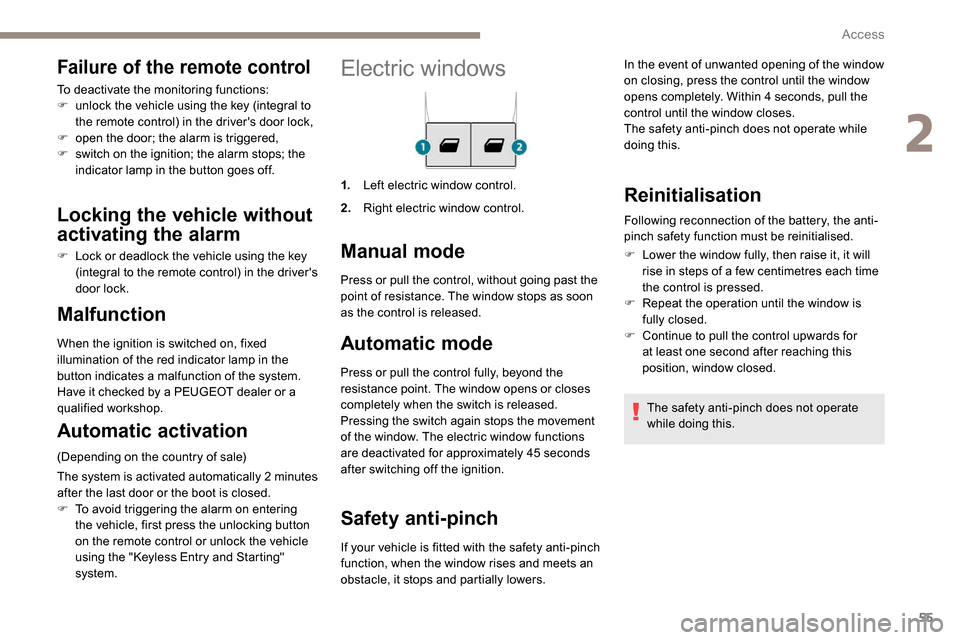
Electric windows
1.Left electric window control.
2. Right electric window control.
Manual mode
Automatic mode
Press or pull the control fully, beyond the
resistance point. The window opens or closes
completely when the switch is released.
Pressing the switch again stops the movement
of the window. The electric window functions
are deactivated for approximately 45
seconds
after switching off the ignition.
Safety anti-pinch
Malfunction
When the ignition is switched on, fixed
illumination of the red indicator lamp in the
button indicates a malfunction of the system.
Have it checked by a PEUGEOT dealer or a
qualified workshop.
Automatic activation
(Depending on the country of sale)
The system is activated automatically 2
m
inutes
after the last door or the boot is closed.
F
T
o avoid triggering the alarm on entering
the vehicle, first press the unlocking button
on the remote control or unlock the vehicle
using the "
K
eyless Entry and Starting"
system. Press or pull the control, without going past the
point of resistance. The window stops as soon
as the control is released.
If your vehicle is fitted with the safety anti-pinch
function, when the window rises and meets an
obstacle, it stops and partially lowers.
Reinitialisation
Following reconnection of the battery, the anti-
pinch safety function must be reinitialised.
F
L
ower the window fully, then raise it, it will
rise in steps of a few centimetres each time
the control is pressed.
F
R
epeat the operation until the window is
fully closed.
F
C
ontinue to pull the control upwards for
at least one second after reaching this
position, window closed.
The safety anti-pinch does not operate
while doing this.
Failure of the remote control
To deactivate the monitoring functions:
F u nlock the vehicle using the key (integral to
the remote control) in the driver's door lock,
F
o
pen the door; the alarm is triggered,
F
s
witch on the ignition; the alarm stops; the
indicator lamp in the button goes off.
Locking the vehicle without
activating the alarm
F Lock or deadlock the vehicle using the key (integral to the remote control) in the driver's
door lock. In the event of unwanted opening of the window
on closing, press the control until the window
opens completely. Within 4
seconds, pull the
control until the window closes.
The safety anti-pinch does not operate while
doing this.
2
Access
Page 80 of 312
78
Front demist – defrost
These markings on the control panel
indicate the control positions for
rapid demisting or defrosting of the
windscreen and side windows.
Heating or manual air
conditioning
F For air conditioning, press this button; its indicator lamp comes
on.
Dual-zone automatic air
conditioning
F Press this button to demist or defrost the windscreen and side
windows as quickly as possible.
The system automatically manages the air
conditioning, air flow and air intake, and
provides optimum distribution towards the
windscreen and side windows. F
T
o turn it off, press this button
again or press " AUTO".
The system is reactivated with the values prior
to the deactivation.
F
P
ut the air flow, temperature and distribution
controls to the appropriately marked
position.
Heated windscreen and washer jets
For more information on the Wiper
control stalk and in particular the heated
windscreen and washer jets, refer to the
corresponding section. With Stop & Start, when demisting
has been activated, STOP mode is not
available.
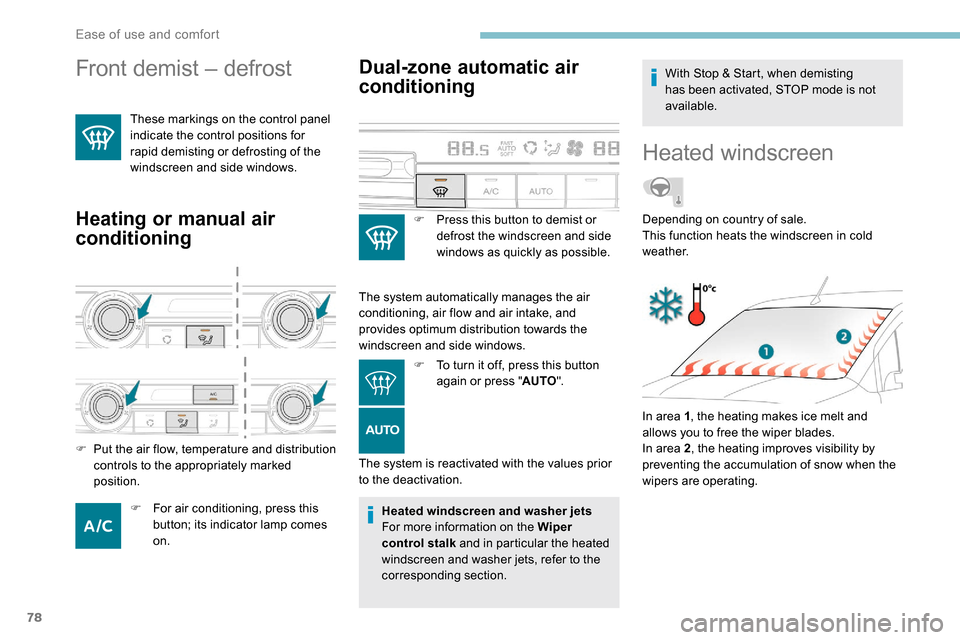
Heated windscreen
In area 1
, the heating makes ice melt and
allows you to free the wiper blades.
In area 2 , the heating improves visibility by
preventing the accumulation of snow when the
wipers are operating. Depending on country of sale.
This function heats the windscreen in cold
weather.
Ease of use and comfort
Page 81 of 312
79
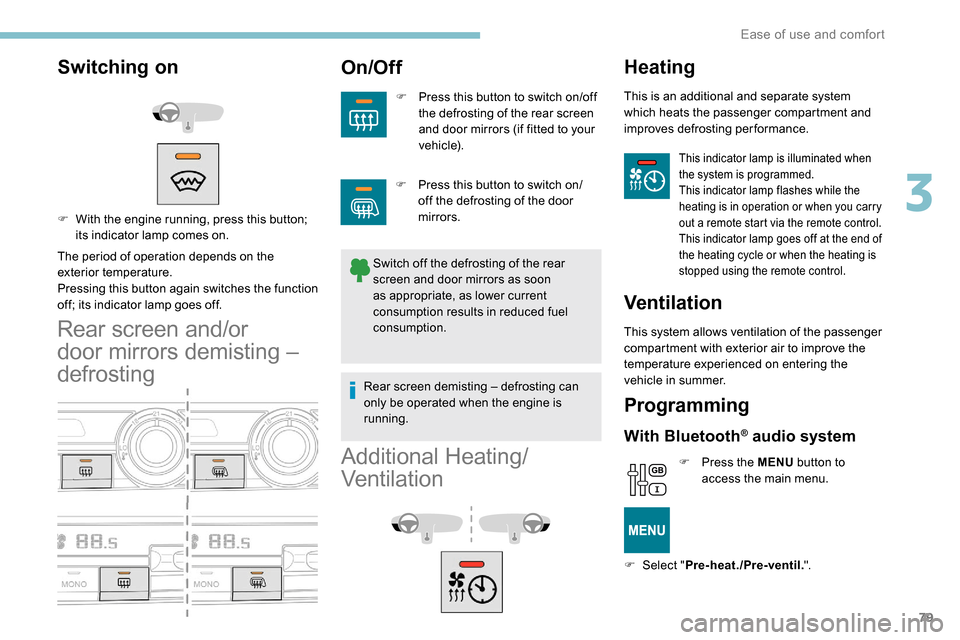
Switching on
The period of operation depends on the
exterior temperature.
Pressing this button again switches the function
off; its indicator lamp goes off.
Rear screen and/or
door mirrors demisting –
defrosting
On/Off
F Press this button to switch on/off the defrosting of the rear screen
and door mirrors (if fitted to your
vehicle).
Switch off the defrosting of the rear
screen and door mirrors as soon
as appropriate, as lower current
consumption results in reduced fuel
consumption.
F
W
ith the engine running, press this button;
its indicator lamp comes on.
Additional Heating/
Ventilation
Heating
This is an additional and separate system
which heats the passenger compartment and
improves defrosting performance.
This indicator lamp is illuminated when
the system is programmed.
This indicator lamp flashes while the
heating is in operation or when you carry
out a remote start via the remote control.
This indicator lamp goes off at the end of
the heating cycle or when the heating is
stopped using the remote control.
Ventilation
This system allows ventilation of the passenger
compartment with exterior air to improve the
temperature experienced on entering the
vehicle in summer.
Programming
With Bluetooth® audio system
F Press the MENU button to
access the main menu.
F
Sel
ect " Pre-heat./Pre-ventil. ".
F
P
ress this button to switch on/
off the defrosting of the door
mirrors.
Rear screen demisting – defrosting can
only be operated when the engine is
running.
3
Ease of use and comfort
Page 83 of 312
81
OK
00 00
00 00
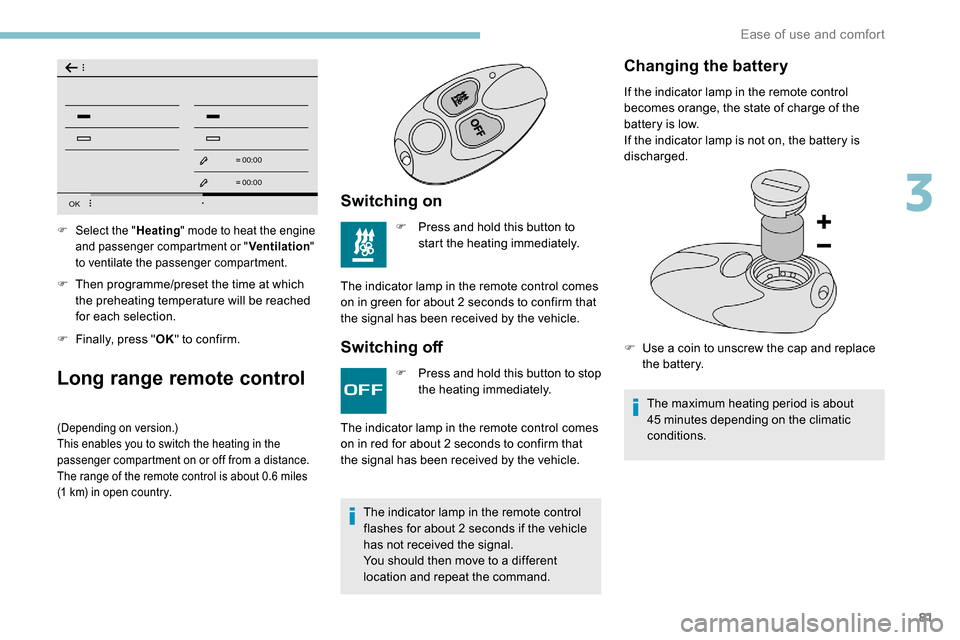
F Then programme/preset the time at which the preheating temperature will be reached
for each selection.
F
F
inally, press " OK" to confirm.
Long range remote control
(Depending on version.)
This enables you to switch the heating in the
passenger compartment on or off from a distance.
The range of the remote control is about 0.6
miles
(1
km) in open country.
Switching on
F Press and hold this button to start the heating immediately.
The indicator lamp in the remote control comes
on in green for about 2
seconds to confirm that
the signal has been received by the vehicle.
Switching off
F Select the " Heating" mode to heat the engine
and passenger compartment or " Ventilation"
to ventilate the passenger compartment.
F Press and hold this button to stop the heating immediately.
The indicator lamp in the remote control
flashes for about 2
seconds if the vehicle
has not received the signal.
You should then move to a different
location and repeat the command.
The indicator lamp in the remote control comes
on in red for about 2
seconds to confirm that
the signal has been received by the vehicle.
Changing the battery
If the indicator lamp in the remote control
becomes orange, the state of charge of the
battery is low.
If the indicator lamp is not on, the battery is
discharged.
F
U
se a coin to unscrew the cap and replace
the battery.
The maximum heating period is about
45
minutes depending on the climatic
conditions.
3
Ease of use and comfort
Page 120 of 312
118
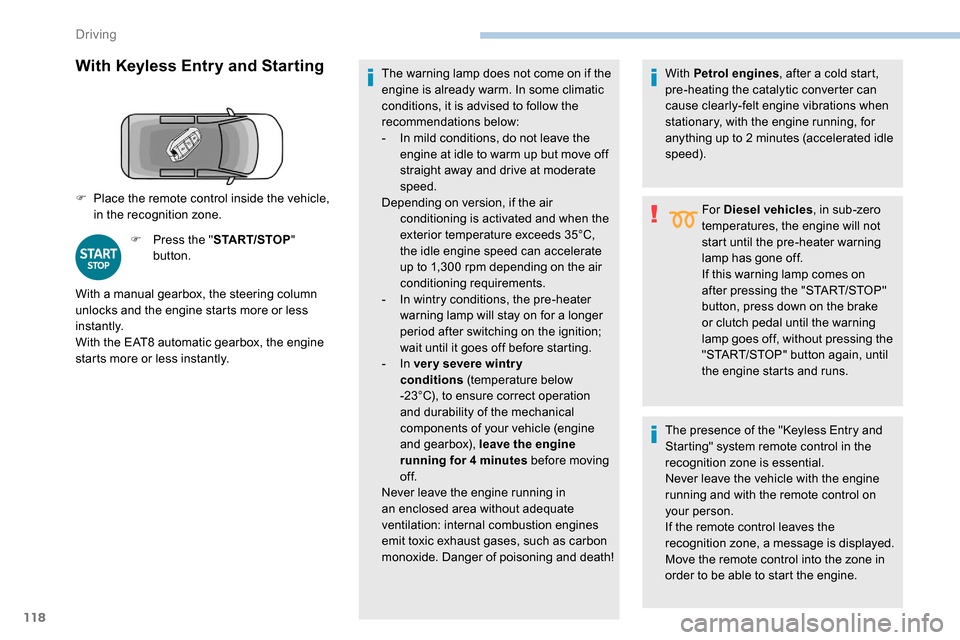
With Keyless Entry and Starting
F Press the "START/STOP"
button. The warning lamp does not come on if the
engine is already warm. In some climatic
conditions, it is advised to follow the
recommendations below:
-
I
n mild conditions, do not leave the
engine at idle to warm up but move off
straight away and drive at moderate
speed.
Depending on version, if the air conditioning is activated and when the
exterior temperature exceeds 35°C,
the idle engine speed can accelerate
up to 1,300
rpm depending on the air
conditioning requirements.
-
I
n wintry conditions, the pre-heater
warning lamp will stay on for a longer
period after switching on the ignition;
wait until it goes off before starting.
-
In ver y severe wintr y
conditions
(temperature below
-23°C), to ensure correct operation
and durability of the mechanical
components of your vehicle (engine
and gearbox), leave the engine
running for 4
minutes before moving
of f.
Never leave the engine running in
an enclosed area without adequate
ventilation: internal combustion engines
emit toxic exhaust gases, such as carbon
monoxide. Danger of poisoning and death!
F
P
lace the remote control inside the vehicle,
in the recognition zone.
With a manual gearbox, the steering column
unlocks and the engine starts more or less
instantly.
With the EAT8 automatic gearbox, the engine
starts more or less instantly. With Petrol engines
, after a cold start,
pre-heating the catalytic converter can
cause clearly-felt engine vibrations when
stationary, with the engine running, for
anything up to 2 minutes (accelerated idle
speed).
For Diesel vehicles , in sub-zero
temperatures, the engine will not
start until the pre-heater warning
lamp has gone off.
If this warning lamp comes on
after pressing the "START/STOP"
button, press down on the brake
or clutch pedal until the warning
lamp goes off, without pressing the
"START/STOP" button again, until
the engine starts and runs.
The presence of the "Keyless Entry and
Starting" system remote control in the
recognition zone is essential.
Never leave the vehicle with the engine
running and with the remote control on
your person.
If the remote control leaves the
recognition zone, a message is displayed.
Move the remote control into the zone in
order to be able to start the engine.
Driving
Page 121 of 312
119
If one of the starting conditions is not met,
a message is displayed in the instrument
panel. In some circumstances, it is required
to turn the steering wheel slightly while
pressing the "START/STOP" button to
assist unlocking of the steering column; a
message warns you when this is needed.
Switching off
F Immobilise the vehicle.
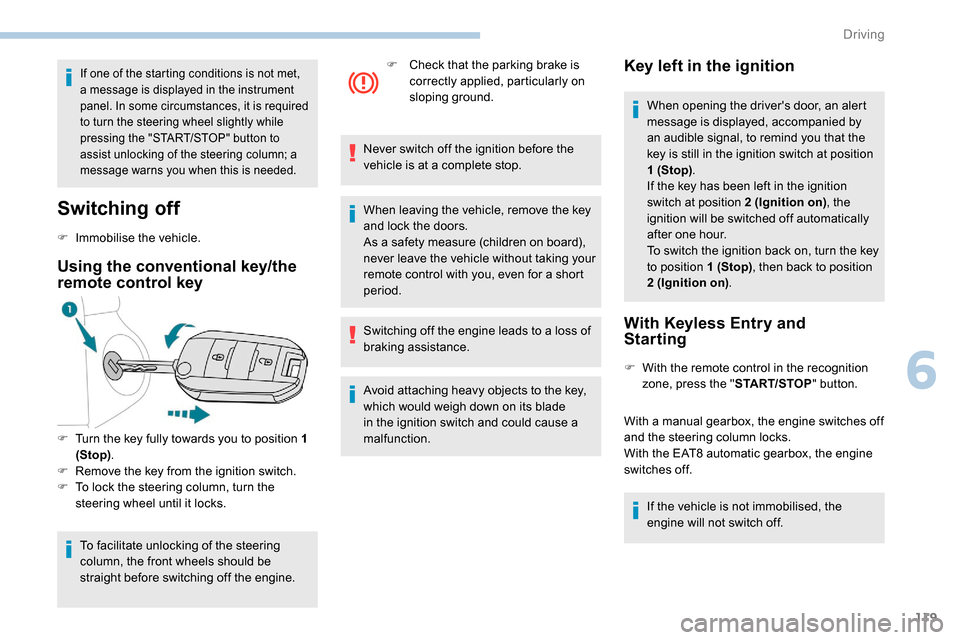
Using the conventional key/the
remote control key
F Turn the key fully towards you to position 1 (Stop) .
F
R
emove the key from the ignition switch.
F
T
o lock the steering column, turn the
steering wheel until it locks.
To facilitate unlocking of the steering
column, the front wheels should be
straight before switching off the engine. F
C
heck that the parking brake is
correctly applied, particularly on
sloping ground.
Never switch off the ignition before the
vehicle is at a complete stop.
When leaving the vehicle, remove the key
and lock the doors.
As a safety measure (children on board),
never leave the vehicle without taking your
remote control with you, even for a short
period.
Switching off the engine leads to a loss of
braking assistance.
Avoid attaching heavy objects to the key,
which would weigh down on its blade
in the ignition switch and could cause a
malfunction.
Key left in the ignition
When opening the driver's door, an alert
message is displayed, accompanied by
an audible signal, to remind you that the
key is still in the ignition switch at position
1 (Stop) .
If the key has been left in the ignition
switch at position 2 (Ignition on) , the
ignition will be switched off automatically
after one hour.
To switch the ignition back on, turn the key
to position 1 (Stop) , then back to position
2 (Ignition on) .
With Keyless Entry and
Starting
F With the remote control in the recognition
zone, press the " START/STOP" button.
With a manual gearbox, the engine switches off
and the steering column locks.
With the EAT8 automatic gearbox, the engine
switches off. If the vehicle is not immobilised, the
engine will not switch off.
6
Driving
Page 122 of 312
120
To avoid any risk of jamming the pedals:
- o nly use mats which are suited to the
fixings already present in the vehicle;
these fixings must be used,
-
n
ever place one mat on top of another.
The use of mats not approved by
PEUGEOT may inter fere with access to
the pedals and hinder the operation of the
cruise control/speed limiter.
The mats approved by PEUGEOT have
two fixings located below the seat.
Switching the ignition on
with
K
eyless Entry and
Starting
With the Keyless Entry and Starting
electronic key inside the vehicle,
pressing the " START/STOP " button,
without pressing any of the pedals ,
allows the ignition to be switched on.
F
P
ress the " START/STOP " button, the
instrument panel comes on but the engine
does not start.
F
P
ress this button again to switch off the
ignition and allow the vehicle to be locked. With the ignition on, the system
automatically goes into energy economy
mode to maintain an adequate state of
charge in the battery.
Back-up starting with
K
eyless Entry and Starting
Should your vehicle not detect the electronic
key in the recognition zone, because the
remote control battery is flat, a back-up reader
is provided to the left, behind the steering
wheel, to allow starting.
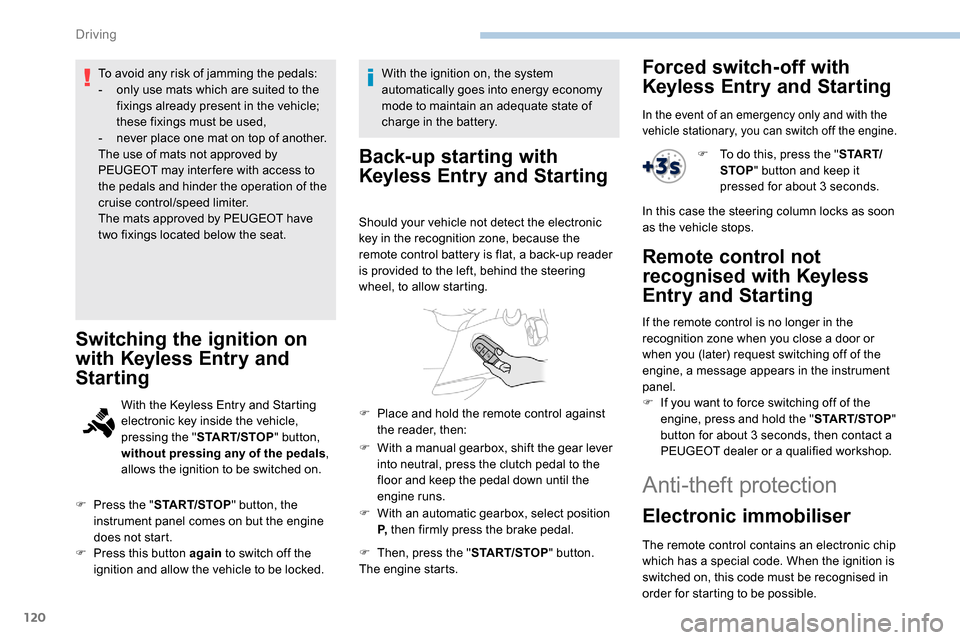
F
W
ith a manual gearbox, shift the gear lever
into neutral, press the clutch pedal to the
floor and keep the pedal down until the
engine runs.
F
W
ith an automatic gearbox, select position
P, then firmly press the brake pedal.
F
T
hen, press the " START/STOP" button.
The engine starts.
F
P
lace and hold the remote control against
the reader, then:
Forced switch-off with
Keyless Entry and Starting
In the event of an emergency only and with the
vehicle stationary, you can switch off the engine.
F To do this, press the " S TA R T/
STOP " button and keep it
pressed for about 3
seconds.
In this case the steering column locks as soon
as the vehicle stops.
Remote control not
recognised with
K
eyless
Entry and Starting
If the remote control is no longer in the
recognition zone when you close a door or
when you (later) request switching off of the
engine, a message appears in the instrument
panel.
F
I
f you want to force switching off of the
engine, press and hold the " START/STOP"
button for about 3
seconds, then contact a
PEUGEOT dealer or a qualified workshop.
Anti-theft protection
Electronic immobiliser
The remote control contains an electronic chip
which has a special code. When the ignition is
switched on, this code must be recognised in
order for starting to be possible.
Driving
Page 134 of 312
132
Deactivation/Activation
With button
With audio system/touch screen
Activation or deactivation is done
via the vehicle configuration menu.
If the system has been deactivated
in STOP mode, the engine restarts
immediately. The system reactivates automatically
every time the engine is started by the
driver.
Opening the bonnet
Before doing anything under the bonnet,
deactivate the Stop & Start system to
avoid the risk of injury related to an
automatic change to START mode.
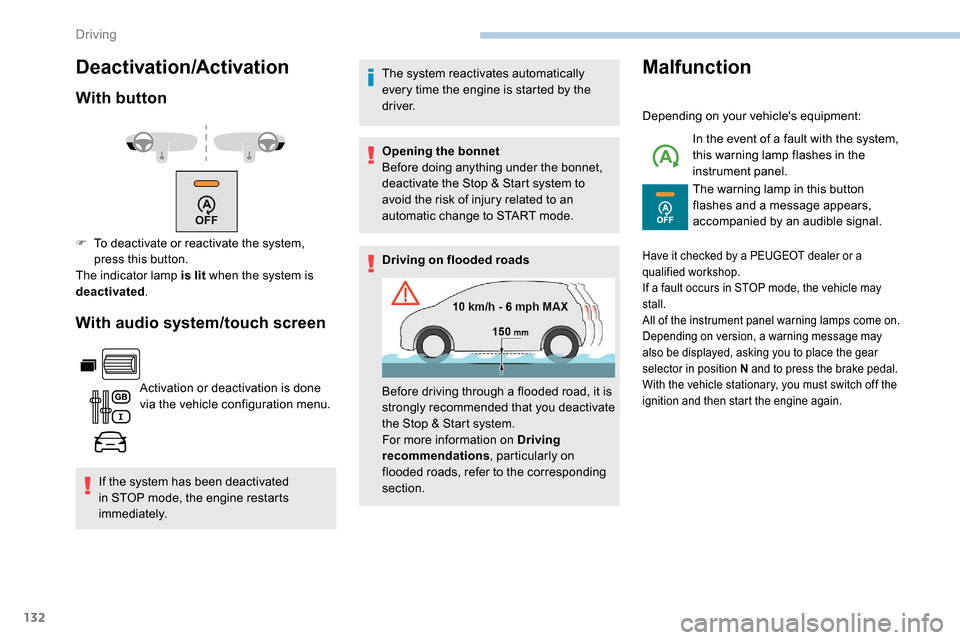
Driving on flooded roads
Malfunction
Depending on your vehicle's equipment:
In the event of a fault with the system,
this warning lamp flashes in the
instrument panel.
The warning lamp in this button
flashes and a message appears,
accompanied by an audible signal.
F
T
o deactivate or reactivate the system,
press this button.
The indicator lamp is lit when the system is
deactivated .
Before driving through a flooded road, it is
strongly recommended that you deactivate
the Stop & Start system.
For more information on Driving
recommendations, particularly on
flooded roads, refer to the corresponding
section.
Have it checked by a PEUGEOT dealer or a
qualified workshop.
If a fault occurs in STOP mode, the vehicle may
stall.
All of the instrument panel warning lamps come on.
Depending on version, a warning message may
also be displayed, asking you to place the gear
selector in position N and to press the brake pedal.
With the vehicle stationary, you must switch off the
ignition and then start the engine again.
Driving