screen Peugeot Partner 2019 Service Manual
[x] Cancel search | Manufacturer: PEUGEOT, Model Year: 2019, Model line: Partner, Model: Peugeot Partner 2019Pages: 312, PDF Size: 9.56 MB
Page 138 of 312
136
- obsolete or incorrect mapping,
- h idden road signs (other vehicles,
vegetation, snow),
-
s
peed limit signs that do not conform to the
standard, are damaged or distorted.
If an app on your smart phone is used
via Mirror Screen, the sign displayed by
the system may be temporarily hidden. It
will be redisplayed as soon as you pass
another sign.
Recommendation
For more information on the Speed
limiter , Cruise control or Adaptive
cruise control , refer to the corresponding
sections.
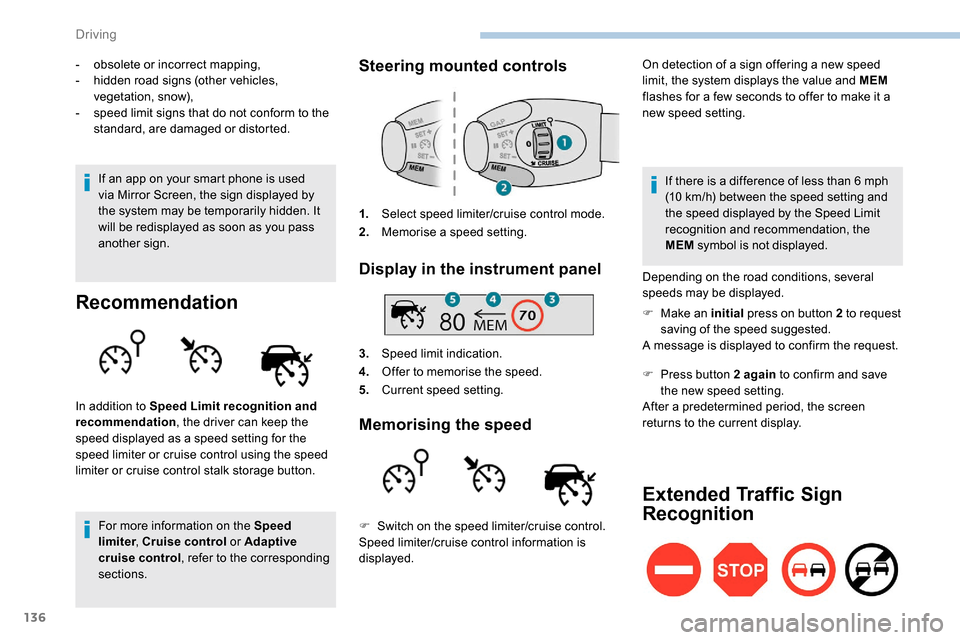
Steering mounted controls
1. Select speed limiter/cruise control mode.
2. Memorise a speed setting.
Display in the instrument panel
3.Speed limit indication.
4. Offer to memorise the speed.
5. Current speed setting.
Memorising the speed
On detection of a sign offering a new speed
limit, the system displays the value and MEM
flashes for a few seconds to offer to make it a
new speed setting.
In addition to Speed Limit recognition and
recommendation , the driver can keep the
speed displayed as a speed setting for the
speed limiter or cruise control using the speed
limiter or cruise control stalk storage button. If there is a difference of less than 6
mph
(10
km/h) between the speed setting and
the speed displayed by the Speed Limit
recognition and recommendation, the
MEM symbol is not displayed.
Depending on the road conditions, several
speeds may be displayed.
F
M
ake an initial press on button 2 to request
saving of the speed suggested.
A message is displayed to confirm the request.
F
P
ress button 2 again to confirm and save
the new speed setting.
After a predetermined period, the screen
returns to the current display.
Extended Traffic Sign
Recognition
F Switch on the speed limiter/cruise control.
Speed limiter/cruise control information is
displayed.
Driving
Page 139 of 312
137
This function is a driving aid that cannot,
in any circumstances, replace the driver’s
own vigilance nor compliance with the
highway code.
The actual signs always take priority over
the display by the system.
The signs must comply with the Vienna
Convention on road signs.
Using the camera installed at the top of the
windscreen, this additional system recognises
these road signs and displays them in the
instrument panel.
One-way street: if you start driving down a one-
way street the wrong way, an alert message,
including the sign's symbol, is displayed in the
instrument panel (request to check the traffic
direction).
Other signs: when approaching one of these
signs, the sign’s symbol is displayed in the
instrument panel.
Speed limiter
This system prevents the vehicle
from exceeding the speed
programmed by the driver.
The speed limiter is switched on
manually.
The minimum programmed speed is 19 mph
(30
km/h).
The speed limiter is a driving aid that
cannot, in any circumstances, replace the
need to obser ve speed limits or the need
for vigilance on the part of the driver.
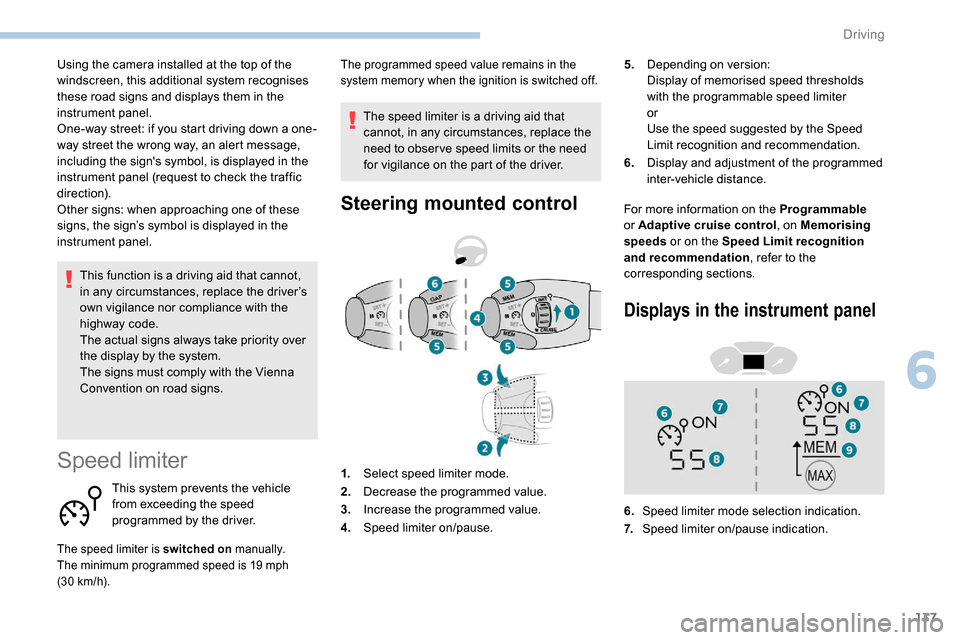
Steering mounted controlFor more information on the Programmable
or Adaptive cruise control , on Memorising
speeds or on the Speed Limit recognition
and recommendation , refer to the
corresponding sections. 5.
Depending on version:
Display of memorised speed thresholds
with the programmable speed limiter
or
Use the speed suggested by the Speed
Limit recognition and recommendation.
6. Display and adjustment of the programmed
inter-vehicle distance.
The programmed speed value remains in the
system memory when the ignition is switched off.
1.Select speed limiter mode.
2. Decrease the programmed value.
3. Increase the programmed value.
4. Speed limiter on/pause.
Displays in the instrument panel
6.Speed limiter mode selection indication.
7. Speed limiter on/pause indication.
6
Driving
Page 140 of 312
138
8.Programmed speed setting value.
9. Speed suggested by the Speed Limit
recognition and recommendation.
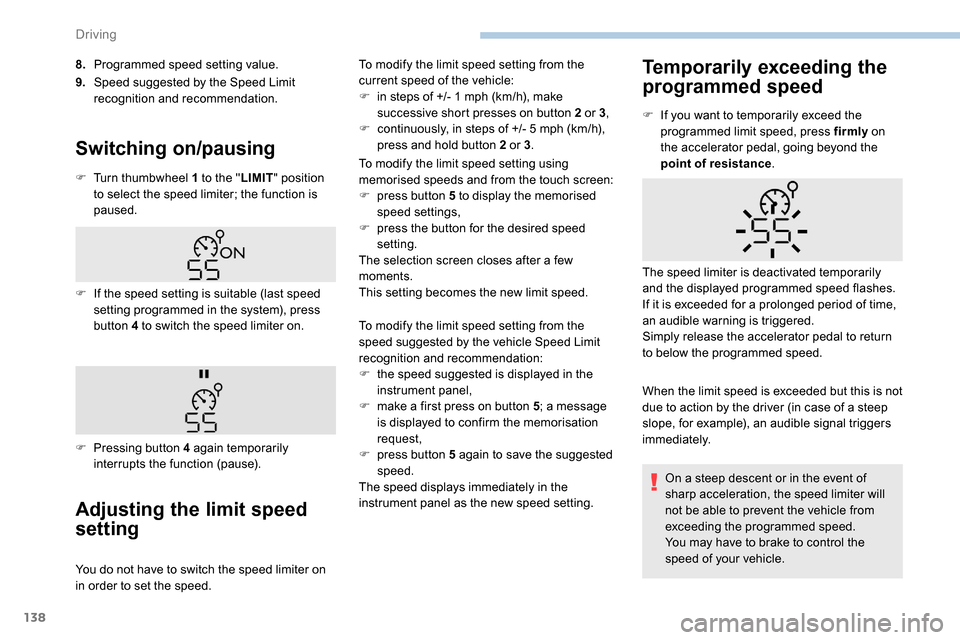
Switching on/pausing
F Turn thumbwheel 1 to the " LIMIT" position
to select the speed limiter; the function is
paused.
Adjusting the limit speed
setting
You do not have to switch the speed limiter on
in order to set the speed. To modify the limit speed setting from the
current speed of the vehicle:
F
i
n steps of +/- 1 mph (km/h), make
successive short presses on button 2 or 3 ,
F
c
ontinuously, in steps of +/- 5 mph (km/h),
press and hold button 2 or 3 .
To modify the limit speed setting using
memorised speeds and from the touch screen:
F
p
ress button 5 to display the memorised
speed settings,
F
p
ress the button for the desired speed
setting.
The selection screen closes after a few
moments.
This setting becomes the new limit speed.
Temporarily exceeding the
programmed speed
F If the speed setting is suitable (last speed setting programmed in the system), press
button 4 to switch the speed limiter on.
F
P
ressing button 4 again temporarily
interrupts the function (pause). F
I
f you want to temporarily exceed the
programmed limit speed, press firmly
on
the accelerator pedal, going beyond the
point of resistance .
When the limit speed is exceeded but this is not
due to action by the driver (in case of a steep
slope, for example), an audible signal triggers
immediately. The speed limiter is deactivated temporarily
and the displayed programmed speed flashes.
If it is exceeded for a prolonged period of time,
an audible warning is triggered.
Simply release the accelerator pedal to return
to below the programmed speed.
To modify the limit speed setting from the
speed suggested by the vehicle Speed Limit
recognition and recommendation:
F
t
he speed suggested is displayed in the
instrument panel,
F
m
ake a first press on button 5; a message
is displayed to confirm the memorisation
request,
F
p
ress button 5 again to save the suggested
speed.
The speed displays immediately in the
instrument panel as the new speed setting. On a steep descent or in the event of
sharp acceleration, the speed limiter will
not be able to prevent the vehicle from
exceeding the programmed speed.
You may have to brake to control the
speed of your vehicle.
Driving
Page 143 of 312
141
Take care: pressing and holding button 2
or 3 results in a rapid change in the speed
of your vehicle.
As a precaution, it is recommended
that the cruise speed chosen be close
to the current speed of your vehicle, so
as to avoid any sudden acceleration or
deceleration of the vehicle.
To modify the cruise speed setting using
memorised speed settings and from the touch
screen:
F
p
ress button 5 to display the memorised
speed settings,
F
p
ress the button for the desired speed
setting.
The selection screen closes after a few
moments.
This setting becomes the new cruise speed.
Temporarily exceeding the
programmed speed
If needed (for overtaking, etc.) it is possible to
exceed the programmed speed by pressing the
accelerator pedal. When descending a steep hill, the cruise
control system cannot prevent the vehicle
from exceeding the programmed speed.
You may have to brake to control the
speed of your vehicle. In this case, the
cruise control is automatically paused.
To activate the system again, with the
speed of the vehicle above 25
mph
(40 km/h), press button 4.
Switching off
F Turn wheel 1 to position " 0". The display
of information related to the cruise control
disappears.
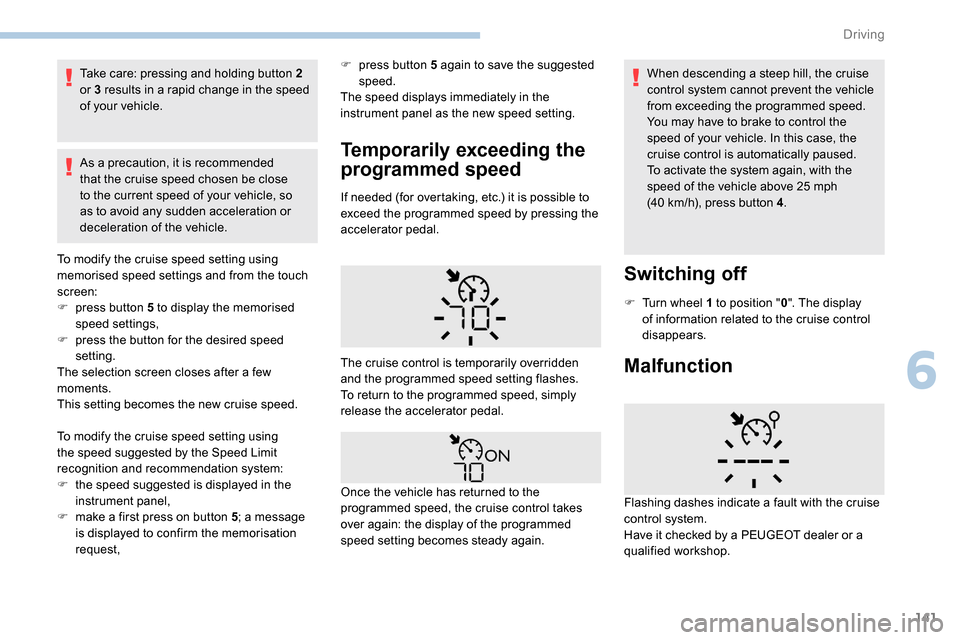
MalfunctionThe cruise control is temporarily overridden
and the programmed speed setting flashes.
To return to the programmed speed, simply
release the accelerator pedal.
Once the vehicle has returned to the
programmed speed, the cruise control takes
over again: the display of the programmed
speed setting becomes steady again. Flashing dashes indicate a fault with the cruise
control system.
Have it checked by a PEUGEOT dealer or a
qualified workshop.
To modify the cruise speed setting using
the speed suggested by the Speed Limit
recognition and recommendation system:
F
t
he speed suggested is displayed in the
instrument panel,
F
m
ake a first press on button 5 ; a message
is displayed to confirm the memorisation
request, F
p
ress button 5 again to save the suggested
speed.
The speed displays immediately in the
instrument panel as the new speed setting.
6
Driving
Page 144 of 312
142
Use the cruise control only where the
driving conditions allow running at a
constant speed and at an adequate safe
distance for a period of time.
Do not activate the cruise control in urban
areas, in heavy traffic, on winding or steep
roads, on slippery or flooded roads, or in
conditions of poor visibility (heavy rain,
fog, falling snow, etc.).
In some circumstances, it may not be
possible to maintain or even reach the
cruise speed set: towing, vehicle heavily
loaded, steep climb.
The use of mats not approved by
PEUGEOT may inter fere with the
operation of the cruise control.
To avoid any risk of jamming the pedals:
-
e
nsure that the mat is positioned
c o r r e c t l y,
-
n
ever fit one mat on top of another.Dynamic cruise control
This system provides the following
functions:
-
A
utomatically maintains the vehicle
at the speed set by the driver.
-
A
utomatic adjustment of the
distance between your vehicle and
the one in front.
Speed regulation remains active after
changing gear regardless of the gearbox
type.
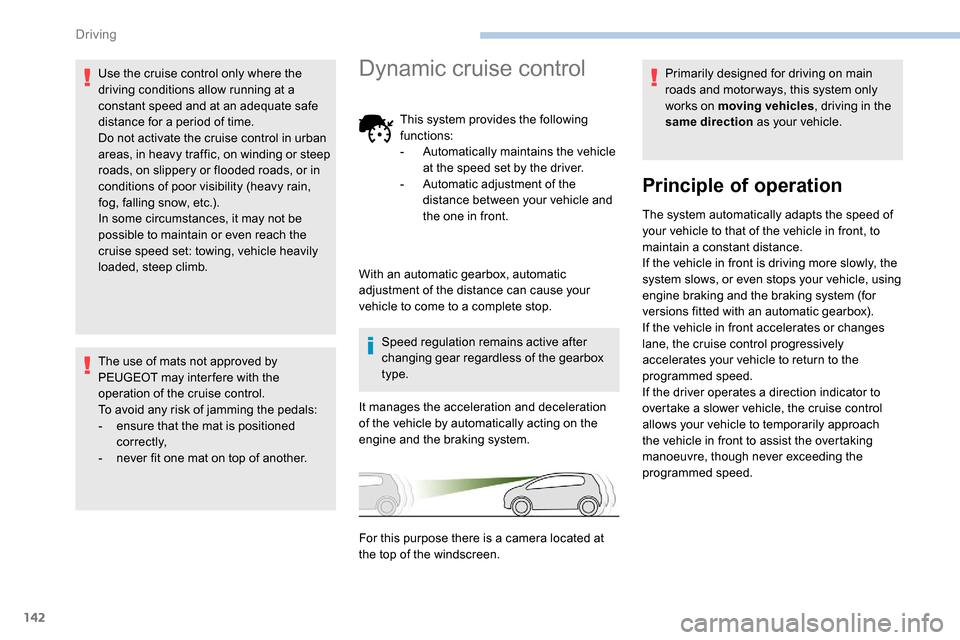
It manages the acceleration and deceleration
of the vehicle by automatically acting on the
engine and the braking system. Primarily designed for driving on main
roads and motor ways, this system only
works on moving vehicles
, driving in the
same direction as your vehicle.
Principle of operation
The system automatically adapts the speed of
your vehicle to that of the vehicle in front, to
maintain a constant distance.
If the vehicle in front is driving more slowly, the
system slows, or even stops your vehicle, using
engine braking and the braking system (for
versions fitted with an automatic gearbox).
If the vehicle in front accelerates or changes
lane, the cruise control progressively
accelerates your vehicle to return to the
programmed speed.
If the driver operates a direction indicator to
overtake a slower vehicle, the cruise control
allows your vehicle to temporarily approach
the vehicle in front to assist the overtaking
manoeuvre, though never exceeding the
programmed speed.
With an automatic gearbox, automatic
adjustment of the distance can cause your
vehicle to come to a complete stop.
For this purpose there is a camera located at
the top of the windscreen.
Driving
Page 147 of 312
145
Take care: pressing and holding button 2
or 3 results in a rapid change in the speed
of your vehicle.
From the speed limit sign
recognition system
F The suggested speed is displayed in the instrument panel.
F
M
ake an initial press on button 5 ; a
message is displayed to confirm the
memorisation request.
F
P
ress button 5 again to save the suggested
speed.
The speed displays immediately in the
instrument panel as the new speed setting. F
B
y a maintained press on button 2 or 3
, to
lower or raise the setting in steps of + or
-5 mph (km/h).
For more information on the Speed Limit
recognition and recommendation , refer to
the corresponding section.
As a precaution, it is recommended
that you select a cruise speed close to
the current speed of your vehicle, so
as to avoid any sudden acceleration or
deceleration of the vehicle.
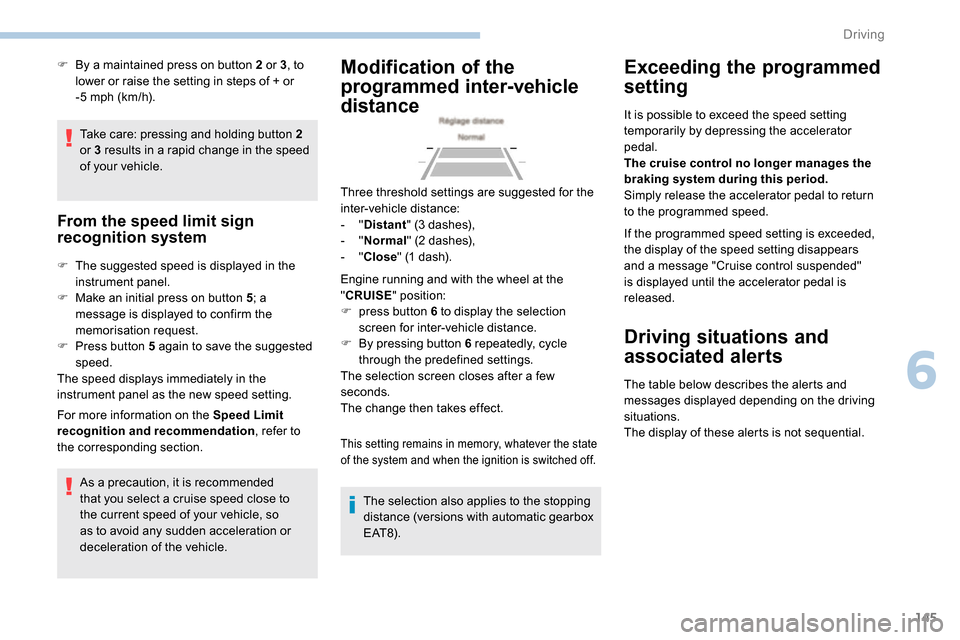
Modification of the
programmed inter-vehicle
distance
Engine running and with the wheel at the
"CRUISE " position:
F
p
ress button 6 to display the selection
screen for inter-vehicle distance.
F
B
y pressing button 6 repeatedly, cycle
through the predefined settings.
The selection screen closes after a few
seconds.
The change then takes effect.
This setting remains in memory, whatever the state
of the system and when the ignition is switched off.
The selection also applies to the stopping
distance (versions with automatic gearbox
E AT 8) .
Exceeding the programmed
setting
It is possible to exceed the speed setting
temporarily by depressing the accelerator
pedal.
The cruise control no longer manages the
braking system during this period.
Simply release the accelerator pedal to return
to the programmed speed.
If the programmed speed setting is exceeded,
the display of the speed setting disappears
and a message "Cruise control suspended"
is displayed until the accelerator pedal is
released.
Driving situations and
associated alerts
The table below describes the alerts and
messages displayed depending on the driving
situations.
The display of these alerts is not sequential.
Three threshold settings are suggested for the
inter-vehicle distance:
-
"
Distant " (3 dashes),
-
"
Normal " (2 dashes),
-
"
Close " (1 dash).
6
Driving
Page 150 of 312
148
Following braking of the vehicle bringing it to
a complete stop, the system holds the vehicle
stationary; the cruise control is paused.
The driver should press the accelerator
pedal to move off, then reactivate the system
by pressing one of the buttons 2, 3 or 4.
If the driver takes no action following this
immobilisation, the automatic electronic parking
brake is applied automatically after a while
(approximately 5
minutes).
Operating limits
The system cannot exceed the limits of the
laws of physics.
Certain situations cannot be managed by the
system and require the driver to take back
control of the vehicle.
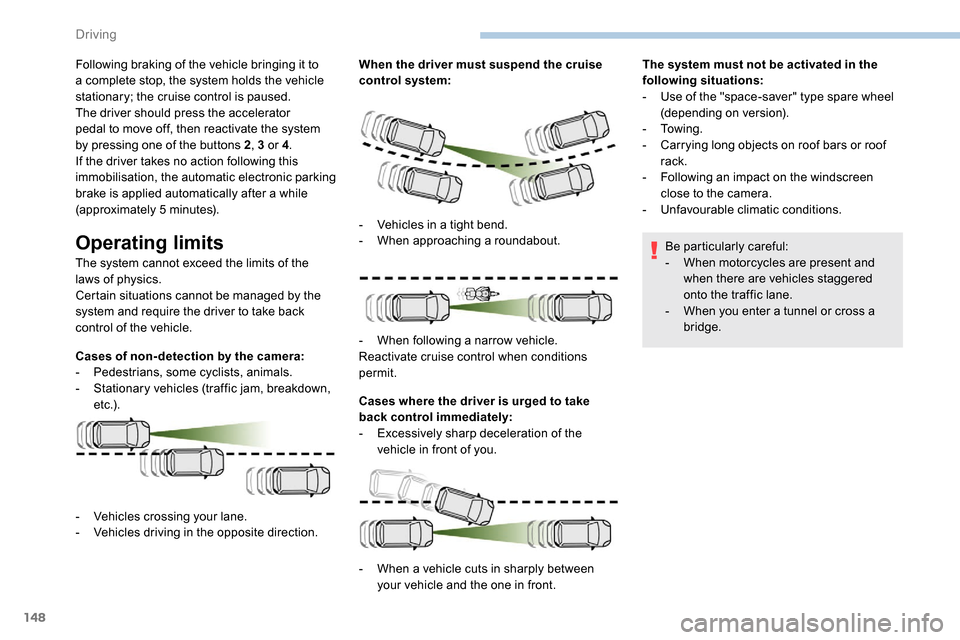
Cases of non- detection by the camera:
-
Pe
destrians, some cyclists, animals.
-
S
tationary vehicles (traffic jam, breakdown,
e t c .) . When the driver must suspend the cruise
control system:
Cases where the driver is urged to take
back control immediately:
-
E
xcessively sharp deceleration of the
vehicle in front of you. The system must not be activated in the
following situations:
-
U
se of the "space-saver" type spare wheel
(depending on version).
-
To w i n g .
-
C
arrying long objects on roof bars or roof
rack.
-
F
ollowing an impact on the windscreen
close to the camera.
-
Un
favourable climatic conditions.
Be particularly careful:
- W hen motorcycles are present and
when there are vehicles staggered
onto the traffic lane.
-
W
hen you enter a tunnel or cross a
bridge.
-
V
ehicles crossing your lane.
-
V
ehicles driving in the opposite direction. -
V
ehicles in a tight bend.
-
W
hen approaching a roundabout.
-
W
hen following a narrow vehicle.
Reactivate cruise control when conditions
permit.
-
W
hen a vehicle cuts in sharply between
your vehicle and the one in front.
Driving
Page 151 of 312
149
The system is not intended for the
following situations:
-
i
f the front end of the vehicle has
been modified (addition of long-range
headlamps, painting of the front
bumper),
-
d
riving on a racing circuit,
-
r
unning on a rolling road,
-
u
se of snow chains, non-slip covers or
studded tyres.
The use of mats not approved by
PEUGEOT may inter fere with the
operation of the cruise control.
To avoid any risk of jamming the pedals:
-
e
nsure that the mat is secured
c o r r e c t l y,
-
d
o not place one mat on top of another.
The following situations may interfere with
the operation of the system or prevent it
from working:
-
d
riving on a winding road,
-
p
oor visibility (inadequate street
lighting, falling snow, heavy rain, dense
fog, etc.),
-
d
azzle (headlamps of an oncoming
vehicle, low sun, reflections on a damp
road, leaving a tunnel, alternating
shade and light, etc.),
-
c
amera obstructed (mud, frost, snow,
condensation, etc.).
In these situations, detection performance
may be reduced.Malfunction
If the cruise control
malfunctions, dashes are
displayed instead of the
cruise control speed setting.
If this warning lamp comes
on, accompanied by an alert
message and an audible
signal, this confirms a
malfunction.
The adaptive cruise control deactivates
automatically if the use of a "space-saver"
type spare wheel is detected or if there is
a malfunction on the lateral brake lamps or
trailer brake lamps (for approved trailers).
The cruise control operates by day and
night, in fog or moderate rainfall.
However, it is strongly recommended that
you always keep a safe distance from
vehicles ahead, according to the driving
conditions, the weather and the road
sur face.
Use the cruise control only where the
driving conditions allow running at a
constant speed and keeping an adequate
safety distance.
Do not activate the cruise control in urban
areas where pedestrians are likely to
cross the road, in heavy traffic (except for
versions with EAT8 gearbox), on winding
or steep roads, on slippery or flooded
roads, when there is snowfall, if the
windscreen is damaged or when the brake
lamps have failed.
In certain circumstances, it may not
be possible for the speed setting to be
maintained or even attained: loaded
vehicle, ascending a steep hill, etc.
Have the system checked by a PEUGEOT
dealer or a qualified workshop.
Memorising speeds
Linked to the speed limiter and programmable
cruise control, this function allows speed limits
to be registered which will then be suggested
as settings for these two systems.
You can memorise several speed settings for
each system.
6
Driving
Page 152 of 312
150
As a safety measure, the driver must
only modify the speed settings when
stationary.
Changing a speed setting
From the Driving/Vehicle menu of
the touch screen, select " Driving
functions " then "Memorised speed
settings ".
"MEM" button
For more information on the Speed limiter or
Programmable cruise control , refer to the
corresponding section.
Active Safety Brake
with Distance Alert and
Intelligent emergency
braking assistance
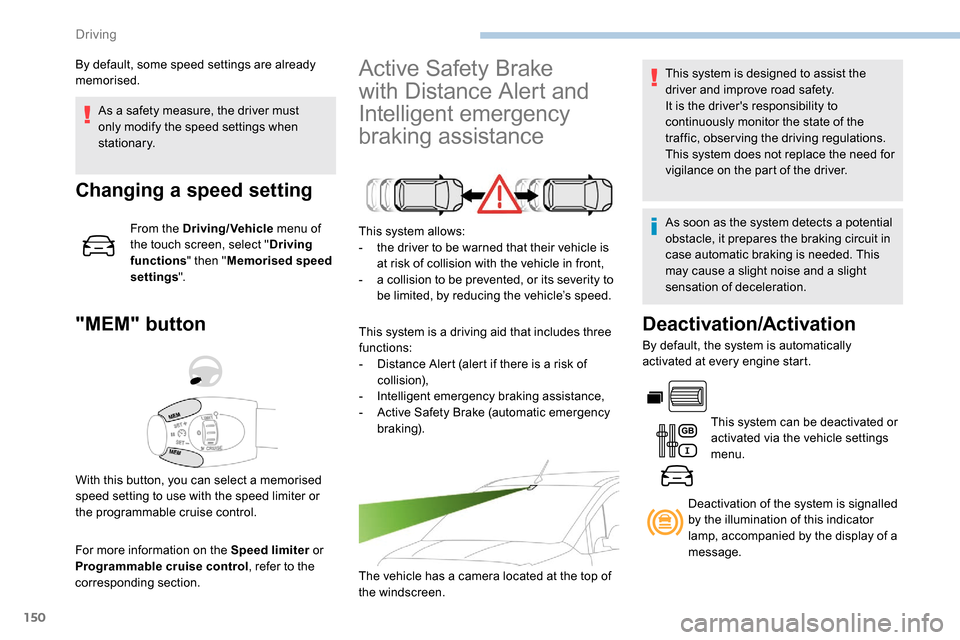
This system allows:
- t he driver to be warned that their vehicle is
at risk of collision with the vehicle in front,
-
a c
ollision to be prevented, or its severity to
be limited, by reducing the vehicle’s speed.
This system is a driving aid that includes three
functions:
-
D
istance Alert (alert if there is a risk of
collision),
-
I
ntelligent emergency braking assistance,
-
A
ctive Safety Brake (automatic emergency
b r ak ing).
The vehicle has a camera located at the top of
the windscreen.
By default, some speed settings are already
memorised.
This system is designed to assist the
driver and improve road safety.
It is the driver's responsibility to
continuously monitor the state of the
traffic, observing the driving regulations.
This system does not replace the need for
vigilance on the part of the driver.
As soon as the system detects a potential
obstacle, it prepares the braking circuit in
case automatic braking is needed. This
may cause a slight noise and a slight
sensation of deceleration.
Deactivation/Activation
By default, the system is automatically
activated at every engine start.
This system can be deactivated or
activated via the vehicle settings
menu.
With this button, you can select a memorised
speed setting to use with the speed limiter or
the programmable cruise control. Deactivation of the system is signalled
by the illumination of this indicator
lamp, accompanied by the display of a
message.
Driving
Page 153 of 312
151
Operating conditions and
limits
The ESC system must not be faulty.
The DSC/ASR systems must not be
deactivated.
All passenger seat belts must be fastened.
Driving at a steady speed on roads with few
bends is required.The system is automatically deactivated
after the use of certain "space-saver"
type spare wheels is detected (smaller
diameter).
The system is automatically deactivated
after detection of a fault with the brake
pedal switch or with at least two brake
lamps. After an impact, the function automatically
stops operating. Contact a PEUGEOT
dealer or a qualified workshop to have the
system checked.
Distance Alert
It warns the driver if his vehicle is at risk of
collision with the vehicle in front or a pedestrian
present in his traffic lane.
In the following cases, deactivating the system
via the vehicle's configuration menu is advised:
-
t
owing a trailer,
-
c
arrying long objects on roof bars or roof
rack,
-
w
ith snow chains fitted,
-
b
efore using an automatic car wash, with
the engine running,
-
b
efore placing the vehicle on a rolling road
in a workshop,
-
t
owed vehicle, engine running,
-
f
ollowing an impact to the windscreen close
to the detection camera. It is possible that warnings are not given,
are given too late or seem unjustified.
Consequently, always stay in control of
your vehicle and be prepared to react at
any time to avoid an accident.
The current threshold can
be modified via the vehicle
configuration menu.
You can select one of three pre-defined
thresholds:
- "
Distant ",
- "
Normal ",
- "
Close ".
The last threshold selected is memorised when
the ignition is switched off.
Operation
Depending on the degree of risk of collision
detected by the system and the alert threshold
chosen by the driver, different levels of
alert can be triggered and displayed in the
instrument panel.
They take account of the vehicle dynamics, the
speed of your vehicle and the one in front, the
environmental conditions, the operation of the
vehicle (cornering, actions on the pedals, etc.)
to trigger the alert at the best moment.
Modifying the alert trigger
threshold
This threshold determines how you wish to be
warned of the presence of a vehicle moving
or stationary in front of you, or a pedestrian
present in your traffic lane. Level 1 (orange)
: visual alert only,
signalling to you that the vehicle in
front is very close.
The message " Vehicle close" is
displayed.
6
Driving