Wiper Peugeot Partner 2019 Owner's Manual
[x] Cancel search | Manufacturer: PEUGEOT, Model Year: 2019, Model line: Partner, Model: Peugeot Partner 2019Pages: 312, PDF Size: 9.56 MB
Page 4 of 312
2
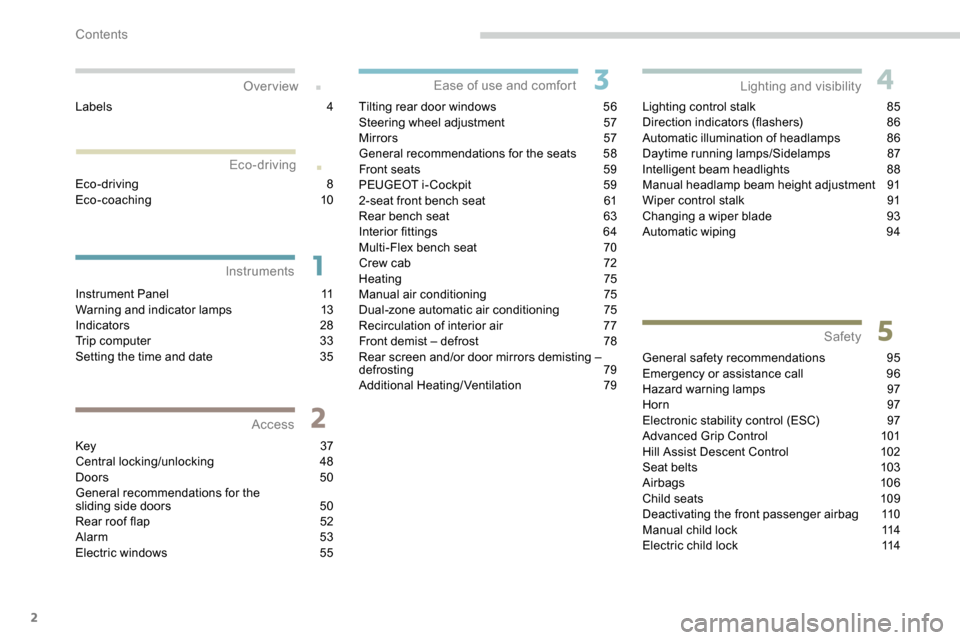
.
.
Instrument Panel 11
Warning and indicator lamps 1 3
Indicators
28
Trip computer
3
3
Setting the time and date
3
5
Key
37
Central locking/unlocking
4
8
Doors
5
0
General recommendations for the
sliding side doors
5
0
Rear roof flap
5
2
Alarm
5
3
Electric windows
5
5Tilting rear door windows
5
6
Steering wheel adjustment
5
7
Mirrors
5
7
General recommendations for the seats
5
8
Front seats
5
9
PEUGEOT i- Cockpit
5
9
2-seat front bench seat
6
1
Rear bench seat
6
3
Interior fittings
6
4
Multi-Flex bench seat
7
0
Crew cab
7
2
Heating 75
Manual air conditioning 7 5
Dual-zone automatic air conditioning 7
5
Recirculation of interior air
7
7
Front demist – defrost
7
8
Rear screen and/or door mirrors demisting –
defrosting
79
Additional Heating/Ventilation
7
9Lighting control stalk
8
5
Direction indicators (flashers)
8
6
Automatic illumination of headlamps
8
6
Daytime running lamps/Sidelamps
8
7
Intelligent beam headlights
8
8
Manual headlamp beam height adjustment
9
1
Wiper control stalk
9
1
Changing a wiper blade
9
3
Automatic wiping
9
4
General safety recommendations
9
5
Emergency or assistance call
9
6
Hazard warning lamps
9
7
Horn
97
Electronic stability control (ESC)
9
7
Advanced Grip Control
1
01
Hill Assist Descent Control
1
02
Seat belts
1
03
Airbags
106
Child seats
1
09
Deactivating the front passenger airbag
1
10
Manual child lock
1
14
Electric child lock
1
14
Over view
Instruments Access Ease of use and comfort
Safety
Lighting and visibility
Eco-driving
Eco-driving 8
Eco-coaching 10
Labels
4
Contents
Page 8 of 312
6
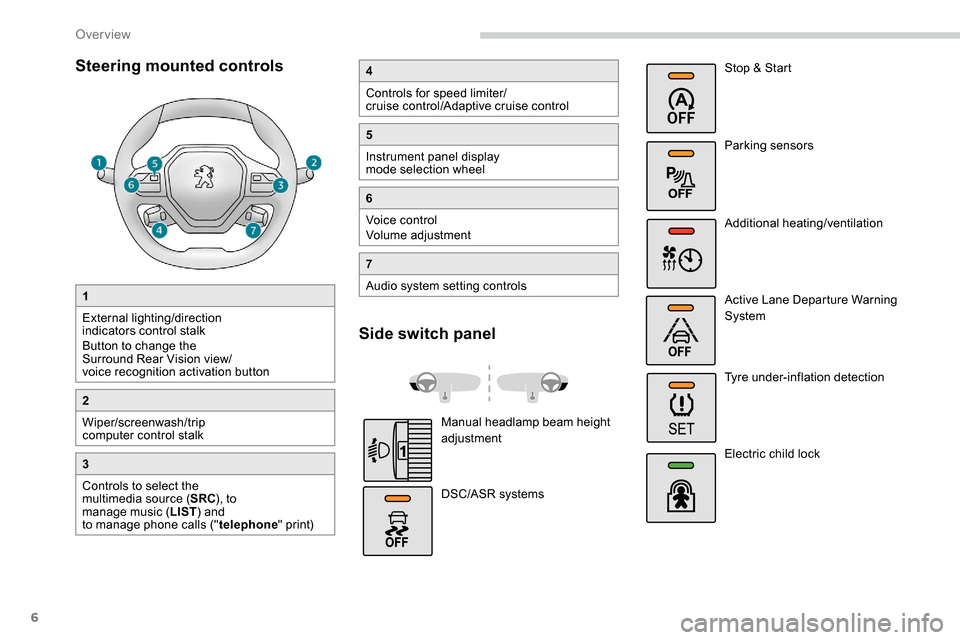
Steering mounted controls
1
External lighting/direction
indicators control stalk
Button to change the
Surround Rear Vision view/
voice recognition activation button
2
Wiper/screenwash/trip
computer control stalk
3
Controls to select the
multimedia source (SRC), to
manage music ( LIST) and
to manage phone calls (" telephone" print)
4
Controls for speed limiter/
cruise control/Adaptive cruise control
5
Instrument panel display
mode selection wheel
6
Voice control
Volume adjustment
7
Audio system setting controls
Side switch panel
Manual headlamp beam height
adjustment
DSC/ASR systems Stop & Start
Parking sensors
Additional heating/ventilation
Active Lane Departure Warning
System
Tyre under-inflation detection
Electric child lock
Over view
Page 36 of 312
34
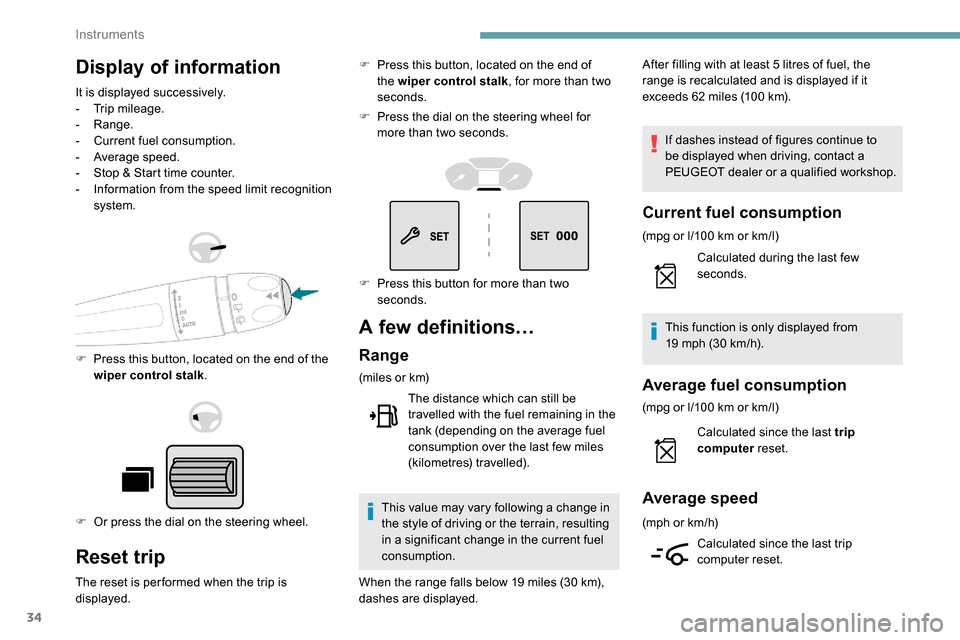
Display of information
It is displayed successively.
- T rip mileage.
-
Range.
-
C
urrent fuel consumption.
-
A
verage speed.
-
S
top & Start time counter.
-
I
nformation from the speed limit recognition
system.
F
P
ress this button, located on the end of the
wiper control stalk .
F
O
r press the dial on the steering wheel.
Reset trip
The reset is per formed when the trip is
displayed. F
P
ress this button, located on the end of
the wiper control stalk , for more than two
seconds.
F
P
ress the dial on the steering wheel for
more than two seconds.
A few definitions…
Range
(miles or km)
The distance which can still be
travelled with the fuel remaining in the
tank (depending on the average fuel
consumption over the last few miles
(kilometres) travelled).
This value may vary following a change in
the style of driving or the terrain, resulting
in a significant change in the current fuel
consumption. After filling with at least 5
litres of fuel, the
range is recalculated and is displayed if it
exceeds 62 miles (100 km).
If dashes instead of figures continue to
be displayed when driving, contact a
PEUGEOT dealer or a qualified workshop.
Current fuel consumption
(mpg or l/100 km or km/l)
C alculated during the last few
seconds.
This function is only displayed from
19
mph (30 km/h).
Average fuel consumption
(mpg or l/100 km or km/l)
C alculated since the last trip
computer reset.
Average speed
(mph or km/h)
Calculated since the last trip
computer reset.
F
P
ress this button for more than two
seconds.
When the range falls below 19
miles (30
km),
dashes are displayed.
Instruments
Page 80 of 312
78
Front demist – defrost
These markings on the control panel
indicate the control positions for
rapid demisting or defrosting of the
windscreen and side windows.
Heating or manual air
conditioning
F For air conditioning, press this button; its indicator lamp comes
on.
Dual-zone automatic air
conditioning
F Press this button to demist or defrost the windscreen and side
windows as quickly as possible.
The system automatically manages the air
conditioning, air flow and air intake, and
provides optimum distribution towards the
windscreen and side windows. F
T
o turn it off, press this button
again or press " AUTO".
The system is reactivated with the values prior
to the deactivation.
F
P
ut the air flow, temperature and distribution
controls to the appropriately marked
position.
Heated windscreen and washer jets
For more information on the Wiper
control stalk and in particular the heated
windscreen and washer jets, refer to the
corresponding section. With Stop & Start, when demisting
has been activated, STOP mode is not
available.
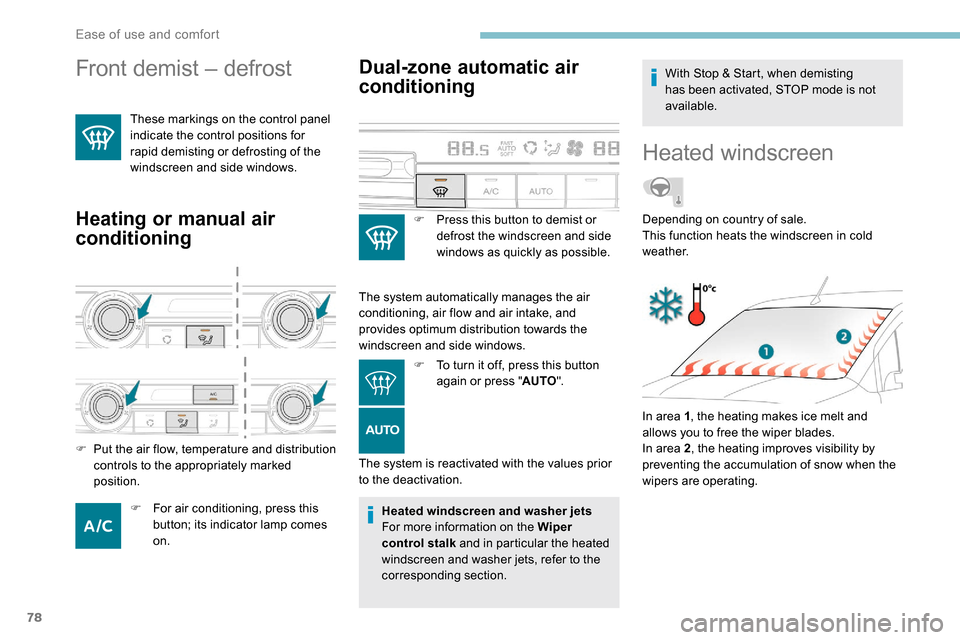
Heated windscreen
In area 1
, the heating makes ice melt and
allows you to free the wiper blades.
In area 2 , the heating improves visibility by
preventing the accumulation of snow when the
wipers are operating. Depending on country of sale.
This function heats the windscreen in cold
weather.
Ease of use and comfort
Page 89 of 312
87
on if rain is detected, at the same time as
automatic operation of the windscreen wipers.
As soon as the brightness returns to a
sufficient level or after the windscreen wipers
are switched off, the lamps are switched off
automatically.
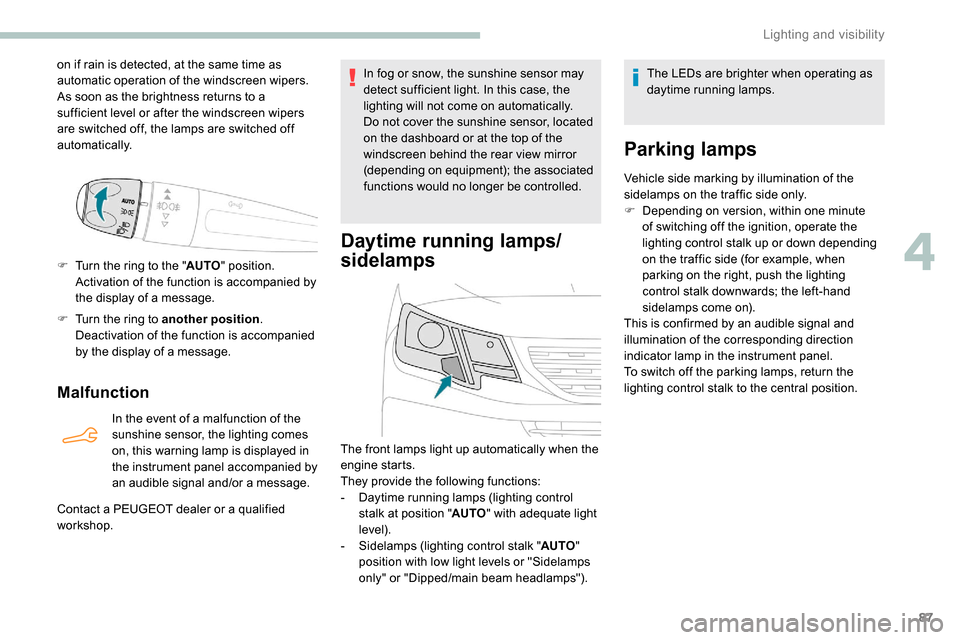
F
T
urn the ring to the " AUTO" position.
Activation of the function is accompanied by
the display of a message.
F
T
urn the ring to another position .
Deactivation of the function is accompanied
by the display of a message.
Malfunction
In the event of a malfunction of the
sunshine sensor, the lighting comes
on, this warning lamp is displayed in
the instrument panel accompanied by
an audible signal and/or a message.
Contact a PEUGEOT dealer or a qualified
workshop. In fog or snow, the sunshine sensor may
detect sufficient light. In this case, the
lighting will not come on automatically.
Do not cover the sunshine sensor, located
on the dashboard or at the top of the
windscreen behind the rear view mirror
(depending on equipment); the associated
functions would no longer be controlled.
Daytime running lamps/
sidelamps
The front lamps light up automatically when the
engine starts.
They provide the following functions:
-
D
aytime running lamps (lighting control
stalk at position " AUTO" with adequate light
level).
-
S
idelamps (lighting control stalk " AUTO"
position with low light levels or "Sidelamps
only" or "Dipped/main beam headlamps"). The LEDs are brighter when operating as
daytime running lamps.
Parking lamps
Vehicle side marking by illumination of the
sidelamps on the traffic side only.
F
D
epending on version, within one minute
of switching off the ignition, operate the
lighting control stalk up or down depending
on the traffic side (for example, when
parking on the right, push the lighting
control stalk downwards; the left-hand
sidelamps come on).
This is confirmed by an audible signal and
illumination of the corresponding direction
indicator lamp in the instrument panel.
To switch off the parking lamps, return the
lighting control stalk to the central position.
4
Lighting and visibility
Page 93 of 312
91
Programming
The system is activated or
deactivated via the vehicle
configuration menu.
This system is activated by default.
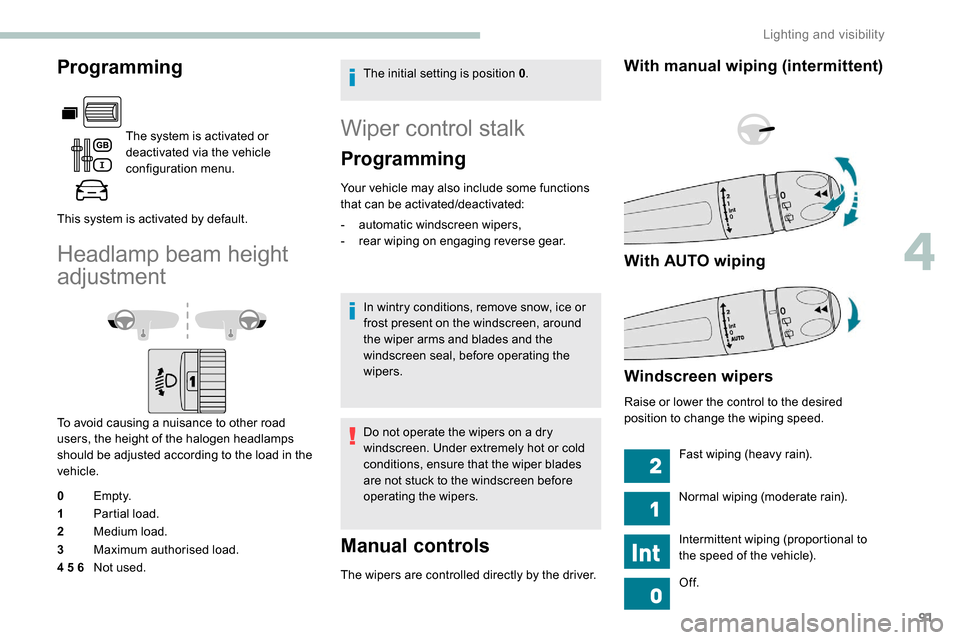
Headlamp beam height
adjustment
To avoid causing a nuisance to other road
users, the height of the halogen headlamps
should be adjusted according to the load in the
vehicle.
0 Em pt y.
1 Partial load.
2 Medium load.
3 Maximum authorised load.
4 5 6 Not used. The initial setting is position 0
.
Wiper control stalk
Programming
Your vehicle may also include some functions
that can be activated/deactivated:
-
a
utomatic windscreen wipers,
-
r
ear wiping on engaging reverse gear.
In wintry conditions, remove snow, ice or
frost present on the windscreen, around
the wiper arms and blades and the
windscreen seal, before operating the
wipers.
Do not operate the wipers on a dry
windscreen. Under extremely hot or cold
conditions, ensure that the wiper blades
are not stuck to the windscreen before
operating the wipers.
Manual controls
The wipers are controlled directly by the driver.
With manual wiping (intermittent)
With AUTO wiping
Windscreen wipers
Raise or lower the control to the desired
position to change the wiping speed. Fast wiping (heavy rain).
Normal wiping (moderate rain).
Intermittent wiping (proportional to
the speed of the vehicle).
Of f.
4
Lighting and visibility
Page 94 of 312
92
Automatic wiping (press down,
then release).
Single wipe (pull the stalk briefly
towards you).
Front screenwash
F Pull the wiper control stalk towards you and hold.
The screenwash and windscreen wiper operate
for as long as the control stalk is pulled.
Termination of the screenwash is followed by a
final wiping cycle.
On vehicles fitted with automatic
air conditioning, any action on the
screenwash control results in temporary
closing of the air intake to avoid odours
inside the passenger compartment.
The screenwash jets are integrated in the
tips of each arm.
The screenwash fluid is sprayed along the
length of the wiper blade. This improves
visibility and reduces the consumption of
screenwash fluid.
In some cases, depending on the contents
or colour of the liquid and on the exterior
brightness, the liquid spray may be hardly
noticeable. To avoid damaging the wiper blades,
do not operate the screenwash if the
screenwash reservoir is empty.
Only operate the screenwash if there
is no risk of the fluid freezing on the
windscreen and hindering visibility. Always
use a screenwash fluid suitable for low
temperatures during the winter period.
Never top up with water.
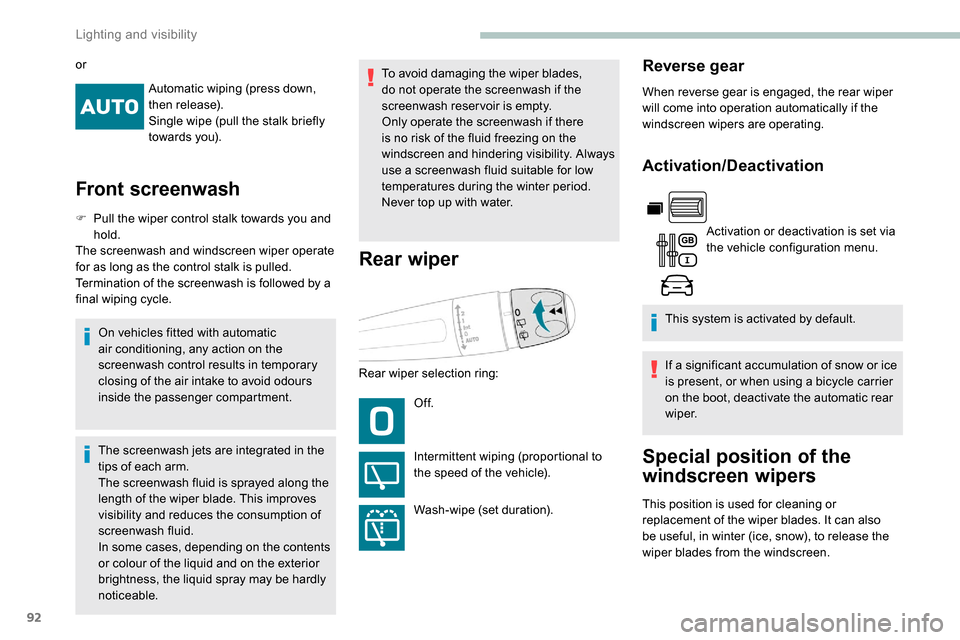
Rear wiper
Rear wiper selection ring:
Of f.
Intermittent wiping (proportional to
the speed of the vehicle).
Wash-wipe (set duration).
Reverse gear
When reverse gear is engaged, the rear wiper
will come into operation automatically if the
windscreen wipers are operating.
Activation/Deactivation
Activation or deactivation is set via
the vehicle configuration menu.
This system is activated by default.
If a significant accumulation of snow or ice
is present, or when using a bicycle carrier
on the boot, deactivate the automatic rear
w i p e r.
Special position of the
windscreen wipers
This position is used for cleaning or
replacement of the wiper blades. It can also
be useful, in winter (ice, snow), to release the
wiper blades from the windscreen.
or
Lighting and visibility
Page 95 of 312
93
To maintain the effectiveness of the wiper
blades, it is advisable to:
-
h
andle them with care,
-
c
lean them regularly using soapy
water,
-
a
void using them to retain cardboard
on the windscreen,
-
r
eplace them at the first signs of wear.
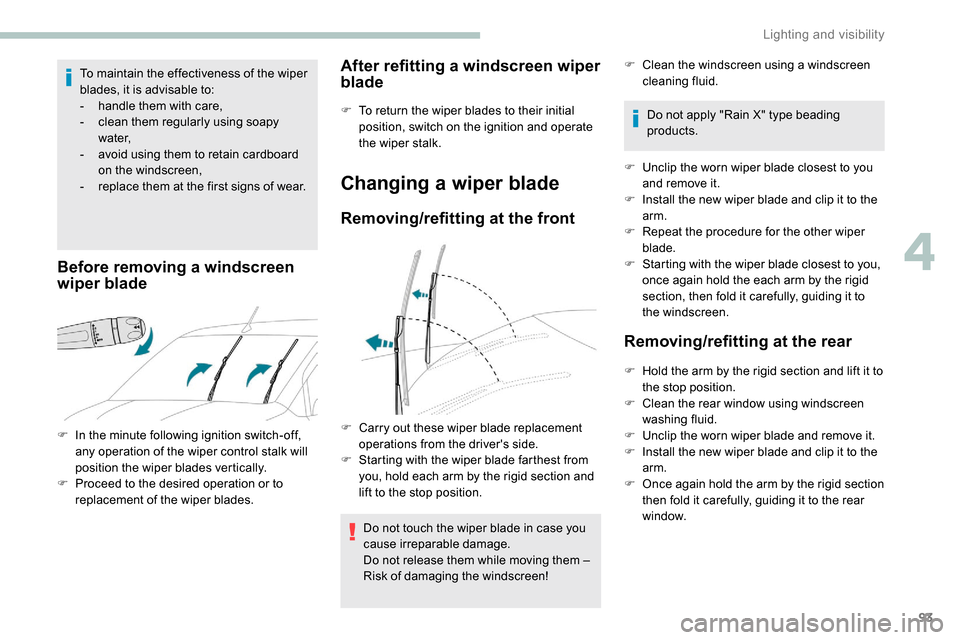
Before removing a windscreen
wiper blade
F In the minute following ignition switch-off, any operation of the wiper control stalk will
position the wiper blades vertically.
F
P
roceed to the desired operation or to
replacement of the wiper blades.
After refitting a windscreen wiper
blade
F To return the wiper blades to their initial position, switch on the ignition and operate
the wiper stalk.
Changing a wiper blade
Removing/refitting at the front
Do not touch the wiper blade in case you
cause irreparable damage.
Do not release them while moving them –
Risk of damaging the windscreen! F
C
lean the windscreen using a windscreen
cleaning fluid.
Do not apply "Rain X" type beading
products.
F
U
nclip the worn wiper blade closest to you
and remove it.
F
I
nstall the new wiper blade and clip it to the
arm.
F
R
epeat the procedure for the other wiper
blade.
F
S
tarting with the wiper blade closest to you,
once again hold the each arm by the rigid
section, then fold it carefully, guiding it to
the windscreen.
Removing/refitting at the rear
F Hold the arm by the rigid section and lift it to the stop position.
F
C
lean the rear window using windscreen
washing fluid.
F
U
nclip the worn wiper blade and remove it.
F
I
nstall the new wiper blade and clip it to the
arm.
F
O
nce again hold the arm by the rigid section
then fold it carefully, guiding it to the rear
window.
F
C
arry out these wiper blade replacement
operations from the driver's side.
F
S
tarting with the wiper blade farthest from
you, hold each arm by the rigid section and
lift to the stop position.
4
Lighting and visibility
Page 96 of 312
94
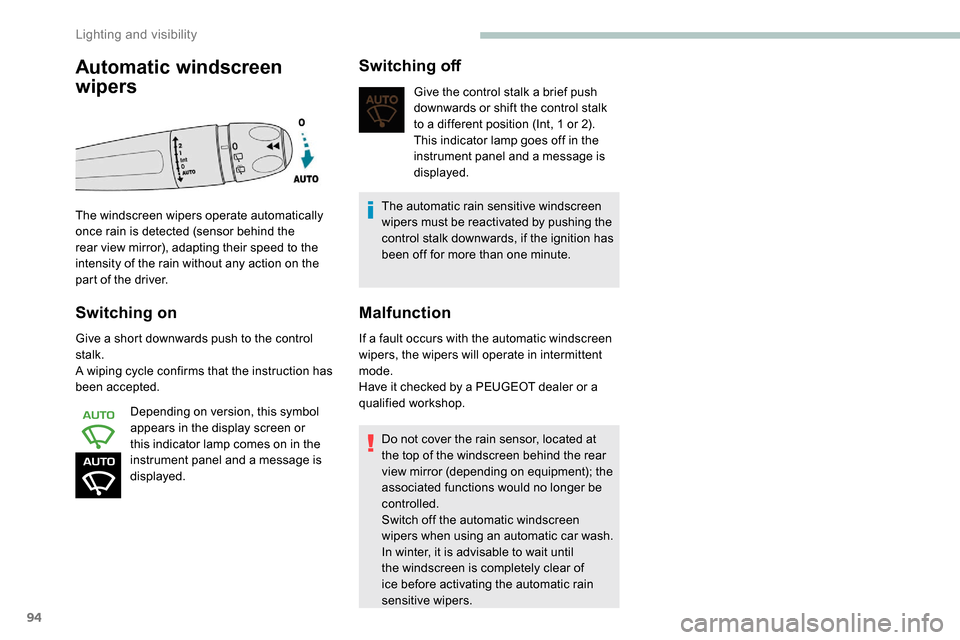
Switching on
Give a short downwards push to the control
stalk.
A wiping cycle confirms that the instruction has
been accepted.Depending on version, this symbol
appears in the display screen or
this indicator lamp comes on in the
instrument panel and a message is
displayed.
Switching off
Give the control stalk a brief push
downwards or shift the control stalk
to a different position (Int, 1 or 2).
This indicator lamp goes off in the
instrument panel and a message is
displayed.
The automatic rain sensitive windscreen
wipers must be reactivated by pushing the
control stalk downwards, if the ignition has
been off for more than one minute.
Malfunction
If a fault occurs with the automatic windscreen
wipers, the wipers will operate in intermittent
mode.
Have it checked by a PEUGEOT dealer or a
qualified workshop.
Do not cover the rain sensor, located at
the top of the windscreen behind the rear
view mirror (depending on equipment); the
associated functions would no longer be
controlled.
Switch off the automatic windscreen
wipers when using an automatic car wash.
In winter, it is advisable to wait until
the windscreen is completely clear of
ice before activating the automatic rain
sensitive wipers.
Automatic windscreen
wipers
The windscreen wipers operate automatically
once rain is detected (sensor behind the
rear view mirror), adapting their speed to the
intensity of the rain without any action on the
part of the driver.
Lighting and visibility
Page 136 of 312
134
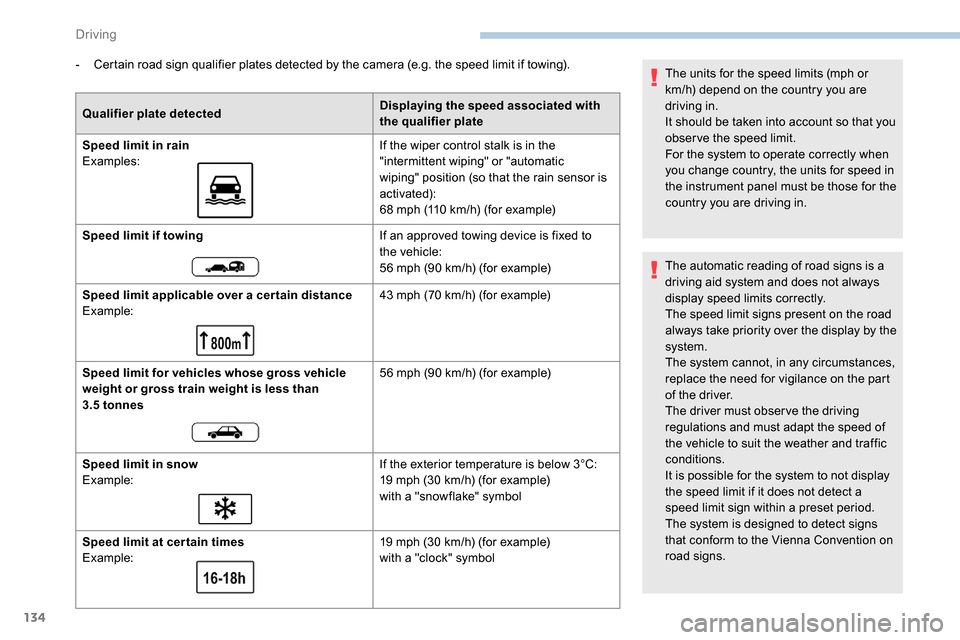
- Certain road sign qualifier plates detected by the camera (e.g. the speed limit if towing).Qualifier plate detected Displaying the speed associated with
the qualifier plate
Speed limit in rain
Examples: If the wiper control stalk is in the
"intermittent wiping" or "automatic
wiping" position (so that the rain sensor is
activated):
68
mph (110 km/h) (for example)
Speed limit if towing If an approved towing device is fixed to
the vehicle:
56
mph (90 km/h) (for example)
Speed limit applicable over a cer tain distance
Example: 43
mph (70 km/h) (for example)
Speed limit for vehicles whose gross vehicle
weight or gross train weight is less than
3.5 tonnes 56
mph (90 km/h) (for example)
Speed limit in snow
Example: If the exterior temperature is below 3°C:
19
mph (30 km/h) (for example)
with a "snowflake" symbol
Speed limit at cer tain times
Example: 19
mph (30 km/h) (for example)
with a "clock" symbol The units for the speed limits (mph or
km/h) depend on the country you are
driving in.
It should be taken into account so that you
obser ve the speed limit.
For the system to operate correctly when
you change country, the units for speed in
the instrument panel must be those for the
country you are driving in.
The automatic reading of road signs is a
driving aid system and does not always
display speed limits correctly.
The speed limit signs present on the road
always take priority over the display by the
system.
The system cannot, in any circumstances,
replace the need for vigilance on the part
of the driver.
The driver must observe the driving
regulations and must adapt the speed of
the vehicle to suit the weather and traffic
conditions.
It is possible for the system to not display
the speed limit if it does not detect a
speed limit sign within a preset period.
The system is designed to detect signs
that conform to the Vienna Convention on
road signs.
Driving