Battery Peugeot Partner 2020 User Guide
[x] Cancel search | Manufacturer: PEUGEOT, Model Year: 2020, Model line: Partner, Model: Peugeot Partner 2020Pages: 260, PDF Size: 7.76 MB
Page 41 of 260
39
Access
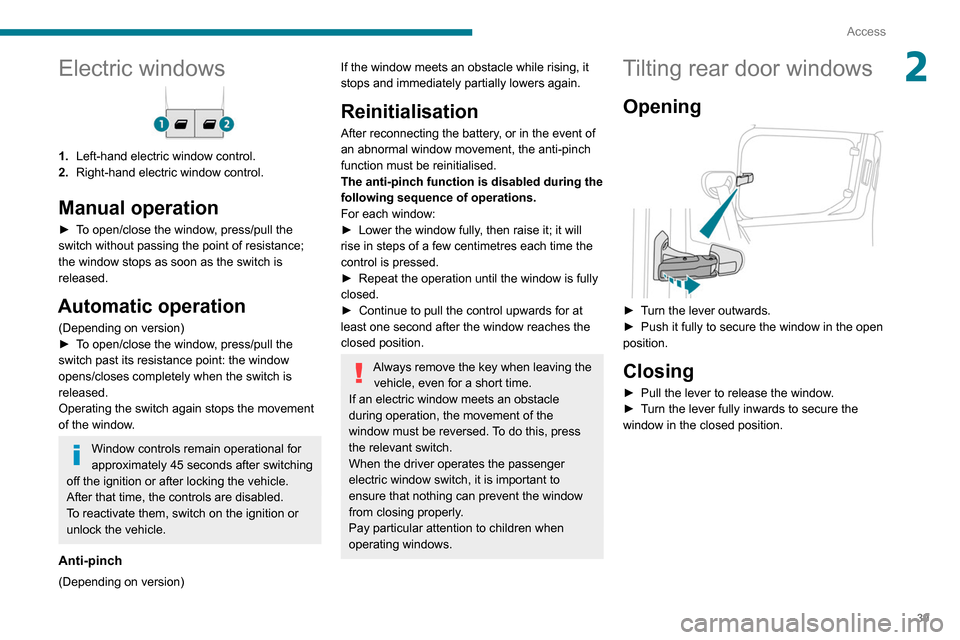
2Electric windows
1.Left-hand electric window control.
2. Right-hand electric window control.
Manual operation
► To open/close the window, press/pull the
switch without passing the point of resistance;
the window stops as soon as the switch is
released.
Automatic operation
(Depending on version)
►
T o open/close the window, press/pull the
switch past its resistance point: the window
opens/closes completely when the switch is
released.
Operating the switch again stops the movement
of the window.
Window controls remain operational for
approximately 45 seconds after switching
off the ignition or after locking the vehicle.
After that time, the controls are disabled.
To reactivate them, switch on the ignition or
unlock the vehicle.
Anti-pinch
(Depending on version)
If the window meets an obstacle while rising, it
stops and immediately partially lowers again.
Reinitialisation
After reconnecting the battery, or in the event of
an abnormal window movement, the anti-pinch
function must be reinitialised.
The anti-pinch function is disabled during the
following sequence of operations.
For each window:
►
Lower the window fully
, then raise it; it will
rise in steps of a few centimetres each time the
control is pressed.
►
Repeat the operation until the window is fully
closed.
►
Continue to pull the control upwards for at
least one second after the window reaches the
closed position.
Always remove the key when leaving the vehicle, even for a short time.
If an electric window meets an obstacle
during operation, the movement of the
window must be reversed. To do this, press
the relevant switch.
When the driver operates the passenger
electric window switch, it is important to
ensure that nothing can prevent the window
from closing properly.
Pay particular attention to children when
operating windows.
Tilting rear door windows
Opening
► Turn the lever outwards.
► Push it fully to secure the window in the open
position.
Closing
► Pull the lever to release the window .
► T urn the lever fully inwards to secure the
window in the closed position.
Page 50 of 260
48
Ease of use and comfort
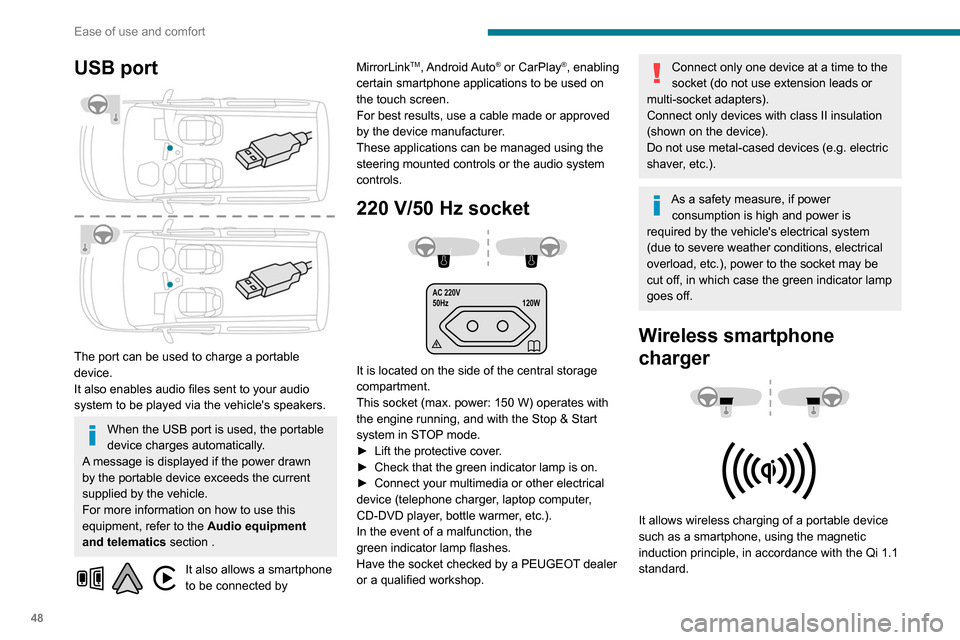
USB port
The port can be used to charge a portable
device.
It also enables audio files sent to your audio
system to be played via the vehicle's speakers.
When the USB port is used, the portable
device charges automatically.
A message is displayed if the power drawn
by the portable device exceeds the current
supplied by the vehicle.
For more information on how to use this
equipment, refer to the Audio equipment
and telematics section .
It also allows a smartphone
to be connected by MirrorLink
TM, Android Auto® or CarPlay®, enabling
certain smartphone applications to be used on
the touch screen.
For best results, use a cable made or approved
by the device manufacturer.
These applications can be managed using the
steering mounted controls or the audio system
controls.
220 V/50 Hz socket
AC 220V
50Hz 120W
It is located on the side of the central storage
compartment.
This socket (max. power: 150
W) operates with
the engine running, and with the Stop & Start
system in STOP mode.
►
Lift the protective cover
.
►
Check that the green indicator lamp is on.
►
Connect your multimedia or other electrical
device (telephone charger
, laptop computer,
CD-DVD player, bottle warmer, etc.).
In the event of a malfunction, the
green
indicator lamp flashes.
Have the socket checked by a PEUGEOT dealer
or a qualified workshop.
Connect only one device at a time to the
socket (do not use extension leads or
multi-socket adapters).
Connect only devices with class II insulation
(shown on the device).
Do not use metal-cased devices (e.g. electric
shaver, etc.).
As a safety measure, if power consumption is high and power is
required by the vehicle's electrical system
(due to severe weather conditions, electrical
overload, etc.), power to the socket may be
cut off, in which case the green indicator lamp
goes off.
Wireless smartphone
charger
It allows wireless charging of a portable device
such as a smartphone, using the magnetic
induction principle, in accordance with the Qi 1.1
standard.
The portable device to be charged must be
compatible with the Qi standard, either by design
or by using a compatible holder or shell.
The charging area is identified by the Qi symbol.
The charger works with the engine running and
with the Stop & Start system in STOP mode.
Charging is managed by the smartphone.
With Keyless Entry and Starting, the charger’s
operation may be briefly disrupted when a door
is opened or the ignition is switched off.
Charging
► With the charging area clear, place a device
in its centre.
When the portable device is detected, the
charger’s indicator lamp lights up green. It
remains lit for the whole time that the battery is
being charged.
The system is not designed to charge multiple devices simultaneously.
Do not leave any metal objects (coins,
keys, vehicle remote control, etc.) in the
charging area while a device is being
charged, due to the risk of overheating or
interrupting the charging process.
Page 51 of 260
49
Ease of use and comfort
3The portable device to be charged must be
compatible with the Qi standard, either by design
or by using a compatible holder or shell.
The charging area is identified by the Qi symbol.
The charger works with the engine running and
with the Stop & Start system in STOP mode.
Charging is managed by the smartphone.
With Keyless Entry and Starting, the charger’s
operation may be briefly disrupted when a door
is opened or the ignition is switched off.
Charging
► With the charging area clear, place a device
in its centre.
When the portable device is detected, the
charger’s indicator lamp lights up green. It
remains lit for the whole time that the battery is
being charged.
The system is not designed to charge multiple devices simultaneously.
Do not leave any metal objects (coins,
keys, vehicle remote control, etc.) in the
charging area while a device is being
charged, due to the risk of overheating or
interrupting the charging process.
Operating check
The state of the indicator lamp allows the
operation of the charger to be monitored.
State of the
indicator lamp Meaning
Off Engine switched off.
No compatible devices
detected.
Charging finished.
Fixed green Compatible device detected.
Charging.
Flashing orange Foreign object detected in the charging zone.
Device not well centred in
the charging zone.
Fixed orange Fault with the device's battery meter.
Device battery
temperature too high.
Charger malfunction.
If the indicator lamp is lit orange:
– remove the device, then place it back in the
centre of the charging zone.
or
–
remove the device and try again in a quarter
of an hour
.
If the problem persists, have the system checked
by a PEUGEOT dealer or a qualified workshop.
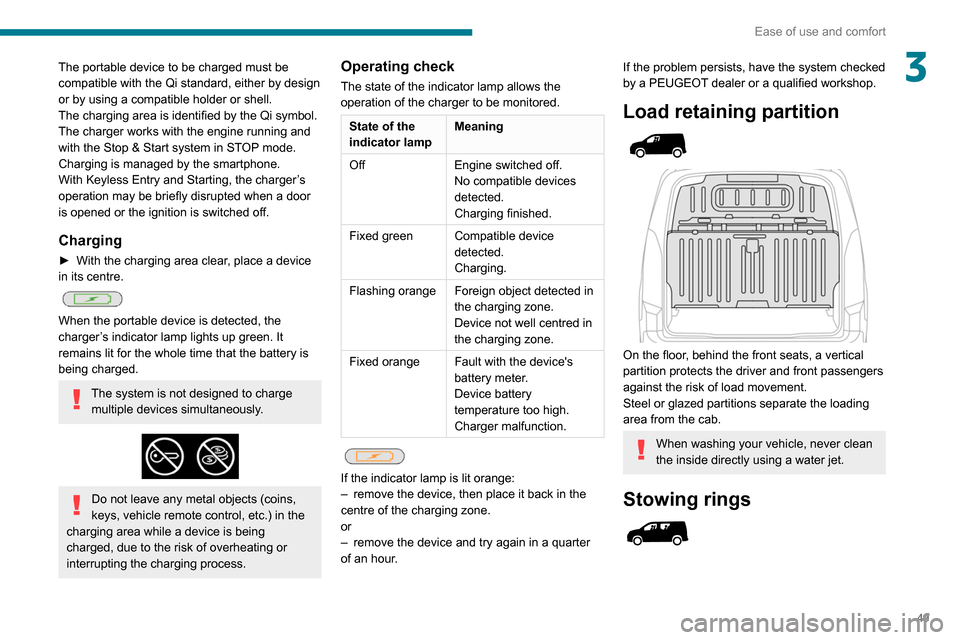
Load retaining partition
On the floor, behind the front seats, a vertical
partition protects the driver and front passengers
against the risk of load movement.
Steel or glazed partitions separate the loading
area from the cab.
When washing your vehicle, never clean
the inside directly using a water jet.
Stowing rings
Page 63 of 260
61
Ease of use and comfort
3► Press the "Parameters" tab to select
"Heating" mode to heat the engine and
passenger compartment or " Ventilation" mode
to ventilate the passenger compartment.
►
Then set/save the activation time for each
selection.
►
Press "
OK" to confirm.
You must allow at least 60 minutes between programming operations.
Long range remote control
(Depending on version.)
This enables you to switch the heating in
the passenger compartment on or off from a
distance.
The remote control has a range of about 0.6
miles (1
km) in open country.
On
► Pressing and holding this button starts
the heating immediately (confirmed by the
green indicator lamp coming on briefly).
Off
► Pressing and holding this button stops
the heating immediately (confirmed by the
red indicator lamp coming on briefly).
The indicator lamp in the remote control flashes for about 2 seconds if the vehicle
has not received the signal, in which case
you should move to a different location and
repeat the command.
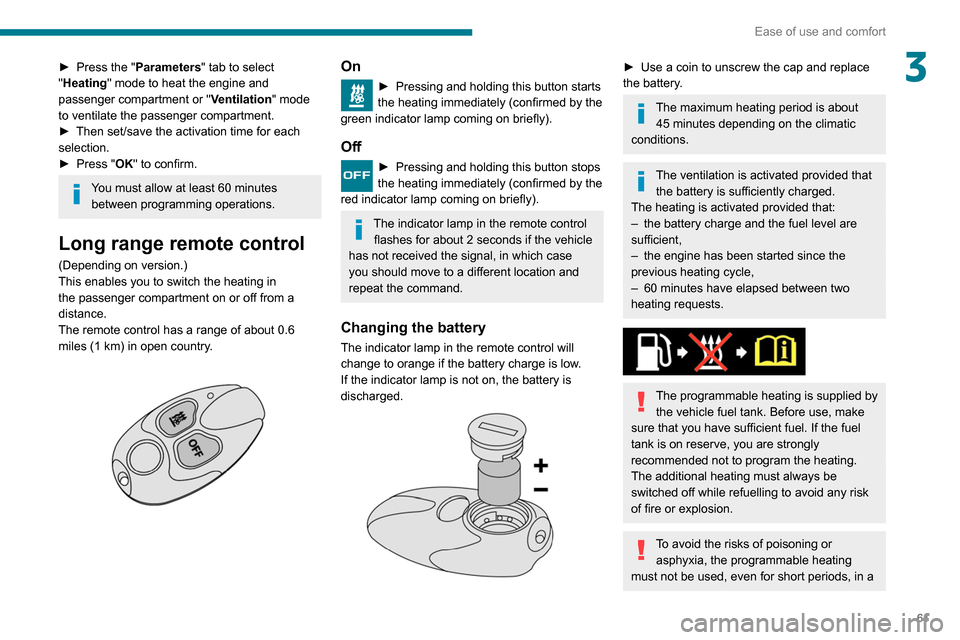
Changing the battery
The indicator lamp in the remote control will
change to orange if the battery charge is low.
If the indicator lamp is not on, the battery is
discharged.
► Use a coin to unscrew the cap and replace
the battery .
The maximum heating period is about 45 minutes depending on the climatic
conditions.
The ventilation is activated provided that the battery is sufficiently charged.
The heating is activated provided that:
–
the battery charge and the fuel level are
sufficient,
–
the engine has been started since the
previous heating cycle,
–
60
minutes have elapsed between two
heating requests.
The programmable heating is supplied by the vehicle fuel tank. Before use, make
sure that you have sufficient fuel. If the fuel
tank is on reserve, you are strongly
recommended not to program the heating.
The additional heating must always be
switched off while refuelling to avoid any risk
of fire or explosion.
To avoid the risks of poisoning or asphyxia, the programmable heating
must not be used, even for short periods, in a
Page 74 of 260
72
Safety
The lighting of the indicator lamp and a voice
message confirm that the call has been made to
the emergency services*.
‘Peugeot Connect SOS’ immediately locates
your vehicle and puts you in contact with the
appropriate emergency services**.
► Pressing again immediately cancels the
request.
The indicator lamp flashes when the vehicle
data is sent, and then remains lit when
communication is established.
If an impact is detected by the airbag
control unit, an emergency call is made
automatically, independently of the
deployment of any airbags.
‘Peugeot Connect SOS’ is a service that
can be accessed free of charge.
System operation
– Upon switching on the ignition, if the indicator
lamp lights up red, then green, and then goes
out: the system is operating correctly.
– If the indicator lamp is fixed red: system
malfunction
– If the indicator lamp flashes red: replace the
emergency battery.
* In accordance with the general conditions of use of the service, available from dealers an\
d subject to technological and technical limitations.
** In areas covered by ‘Peugeot Connect SOS’ and ‘Peugeot Connect Assistance’.
The list of countries covered and telematic services provided is availab\
le from dealers or on the website for your country.
language*, and - if necessary - requests that
relevant emergency services be dispatched**.
In countries where the service is not available,
or when the geolocation service has been
expressly declined, the call is routed directly to
the emergency services (112) without the vehicle
location information.
If an impact is detected by the airbag
control unit, an emergency call is made
automatically, independently of the
deployment of any airbags.
Operation of the system
– Indicator lamp on (for 3 seconds) upon
switching on the ignition: the system is operating
correctly
.
–
Fixed red indicator lamp: system malfunction.
–
Flashing red indicator lamp: replace the
back-up battery
.
In the last 2 cases, the emergency and
assistance call services may not work.
Contact a qualified repairer as soon as possible.
* According to the geographic coverage of ‘Peugeot Connect SOS’, ‘Peugeot Connect Assistance’ and the official national language chosen by the owner
of the vehicle.
The list of countries covered and PEUGEOT
CONNECT services provided is available from dealers or on the website for your \
country.
**
According to the geographic coverage of ‘Peugeot Connect SOS’, ‘Peugeot Connect Assistance’ and the official national language chosen by the owner
of the vehicle.
The list of countries covered and telematic services provided is availab\
le from dealers or on the website for your country.
The system fault does not prevent the vehicle from being driven.
Peugeot Connect
Assistance
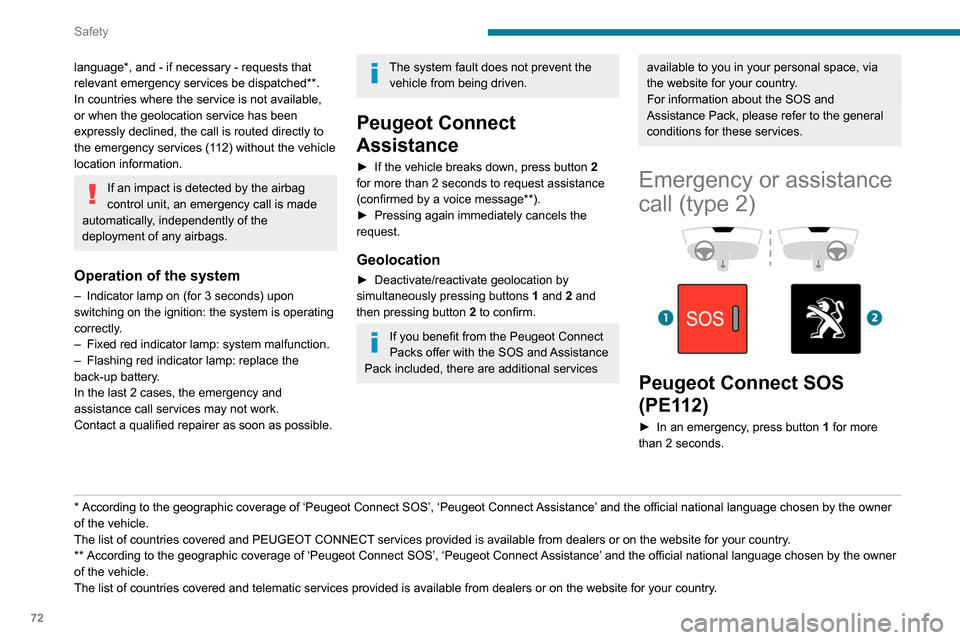
► If the vehicle breaks down, press button 2
for more than 2 seconds to request assistance
(confirmed by a voice message**).
►
Pressing again immediately cancels the
request.
Geolocation
► Deactivate/reactivate geolocation by
simultaneously pressing buttons 1
and 2 and
then pressing button 2 to confirm.
If you benefit from the Peugeot Connect
Packs offer with the SOS and Assistance
Pack included, there are additional services
available to you in your personal space, via
the website for your country.
For information about the SOS and
Assistance Pack, please refer to the general
conditions for these services.
Emergency or assistance
call (type 2)
Peugeot Connect SOS
(PE112)
► In an emergency , press button 1 for more
than 2 seconds.
Page 75 of 260
73
Safety
5The lighting of the indicator lamp and a voice
message confirm that the call has been made to
the emergency services*.
‘Peugeot Connect SOS’ immediately locates
your vehicle and puts you in contact with the
appropriate emergency services**.
►
Pressing again immediately cancels the
request.
The indicator lamp flashes when the vehicle
data is sent, and then remains lit when
communication is established.
If an impact is detected by the airbag
control unit, an emergency call is made
automatically, independently of the
deployment of any airbags.
‘Peugeot Connect SOS’ is a service that
can be accessed free of charge.
System operation
– Upon switching on the ignition, if the indicator
lamp lights up red, then green, and then goes
out: the system is operating correctly
.
–
If the indicator lamp is fixed red: system
malfunction
–
If the indicator lamp flashes red: replace the
emergency battery
.
* In accordance with the general conditions of use of the service, available from dealers an\
d subject to technological and technical limitations.
** In areas covered by ‘Peugeot Connect SOS’ and ‘Peugeot Connect Assistance’.
The list of countries covered and telematic services provided is availab\
le from dealers or on the website for your country.
In the latter two cases, emergency and
assistance call services may not work.
Contact a dealer or a qualified repairer as soon
as possible.
The system fault does not prevent the vehicle from being driven.
Data processing
All processing of personal information by
the "Peugeot Connect SOS" system (PE112)
complies with the framework for protection
of personal information established by
Regulation 2016/679 (GDPR) and Directive
2002/58/EC of the European Parliament
and the Council, and in particular, seeks to
protect the vital interests of the data subject,
in accordance with Article
6.1, paragraph d) of
Regulation 2016/679.
Personal information processing is strictly
limited to the management of the "Peugeot
Connect SOS" system used with the “112”
European single emergency call number.
The "Peugeot Connect SOS" system is able
to collect and process only the following
data relating to the vehicle: chassis number,
type (passenger vehicle or light commercial
vehicle), fuel type or power source, most
recent three locations and direction of travel,
and a timestamped log file recording the
automatic activation of the system.
The recipients of the processed data are the
emergency call handling centres designated
by the relevant national authorities in the
territory in which they are located, enabling
priority reception and handling of calls to the
“112” emergency number.
Data storage
Data contained in the system’s memory
is not accessible from outside the system until
a call is made. The system is not traceable
and is not continuously monitored in its
normal operating mode.
The data in the system's internal memory is
automatically and continuously erased. Only
the vehicle’s three most recent locations are
stored.
When an emergency call is triggered, the data
log is stored for no more than 13
hours.
Access to data
You have the right to access the data
and, if necessary, submit a request to
rectify, erase or restrict the processing of
any personal information not processed in
accordance with the provisions of Regulation
Page 96 of 260
94
Driving
Key left in the ignition
When opening the driver's door, an alert
message is displayed, accompanied by
an audible signal, to remind you that the key
is still in the ignition switch at position 1
(Stop).
If the key has been left in the ignition switch
at position 2 (Ignition on) , the ignition will be
switched off automatically after one hour.
To switch the ignition back on, turn the key
to position 1 (Stop), then back to position 2
(Ignition on) .
With Keyless Entry and Starting
► With the remote control in the recognition
zone, press the " START/STOP" button.
With a manual gearbox, the engine switches off
and the steering column locks.
With the EAT8 automatic gearbox, the engine
switches off.
If the vehicle is not immobilised, the
engine will not stop.
Switching on the ignition
with Keyless Entry and
Starting
With the Keyless Entry and Starting
system’s electronic key inside the vehicle,
pressing the " START/STOP" button, with no action on the pedals
, allows the ignition to be
switched on.
►
Pressing this button
again switches off the
ignition and allows the vehicle to be locked.
Back-up starting with
Keyless Entry and Starting
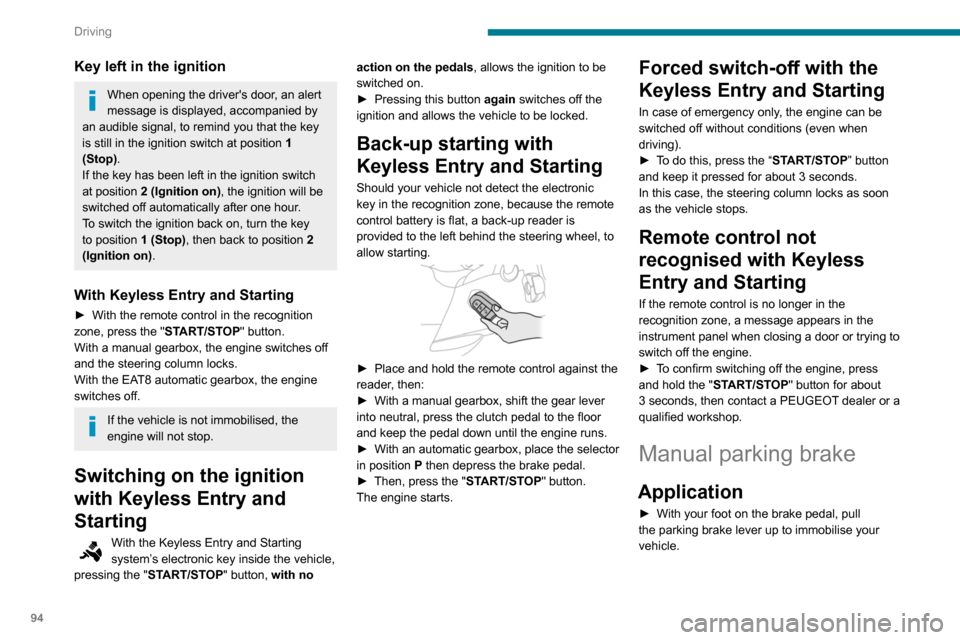
Should your vehicle not detect the electronic
key in the recognition zone, because the remote
control battery is flat, a back-up reader is
provided to the left behind the steering wheel, to
allow starting.
► Place and hold the remote control against the
reader , then:
►
With a manual gearbox, shift the gear lever
into neutral, press the clutch pedal to the floor
and keep the pedal down until the engine runs.
►
With
an automatic gearbox, place the selector
in position P then depress the brake pedal.
►
Then, press the "
START/STOP" button.
The engine starts.
Forced switch-off with the
Keyless Entry and Starting
In case of emergency only, the engine can be
switched off without conditions (even when
driving).
►
T
o do this, press the “START/STOP” button
and keep it pressed for about 3 seconds.
In this case, the steering column locks as soon
as the vehicle stops.
Remote control not
recognised with Keyless
Entry and Starting
If the remote control is no longer in the
recognition zone, a message appears in the
instrument panel when closing a door or trying to
switch off the engine.
►
T
o confirm switching off the engine, press
and hold the " START/STOP" button for about
3
seconds, then contact a PEUGEOT dealer or a
qualified workshop.
Manual parking brake
Application
► With your foot on the brake pedal, pull
the parking brake lever up to immobilise your
vehicle.
Release on level ground
► With your foot on the brake pedal, pull the
parking brake lever up gently, press the release
button, then lower the lever fully.
When the vehicle is being driven, this
warning lamp coming on, accompanied by
an audible signal and a message, indicates that
the parking brake is still applied or has not been
fully released.
When parking on a slope or on a steep
slope with a loaded vehicle, turn the
wheels against the kerb then apply the
parking brake.
Pressing the brake pedal facilitates the
application and release of the manual
parking brake.
With a manual gearbox, engage a gear
and then switch off the ignition.
With an automatic gearbox, place the
gear selector in position P, then switch
off the ignition.
Electric parking brake
In automatic mode, this system applies the
parking brake when the engine is switched off
and releases it when the vehicle moves off.
Page 97 of 260
95
Driving
6Release on level ground
► With your foot on the brake pedal, pull the
parking brake lever up gently , press the release
button, then lower the lever fully.
When the vehicle is being driven, this
warning lamp coming on, accompanied by
an audible signal and a message, indicates that
the parking brake is still applied or has not been
fully released.
When parking on a slope or on a steep
slope with a loaded vehicle, turn the
wheels against the kerb then apply the
parking brake.
Pressing the brake pedal facilitates the
application and release of the manual
parking brake.
With a manual gearbox, engage a gear
and then switch off the ignition.
With an automatic gearbox, place the
gear selector in position P, then switch
off the ignition.
Electric parking brake
In automatic mode, this system applies the
parking brake when the engine is switched off
and releases it when the vehicle moves off.
At any time, with the engine running:
► to apply the parking brake, briefly
pull the
control lever;
►
to release it, briefly
push the control lever
while pressing the brake pedal.
Automatic mode is activated by default.
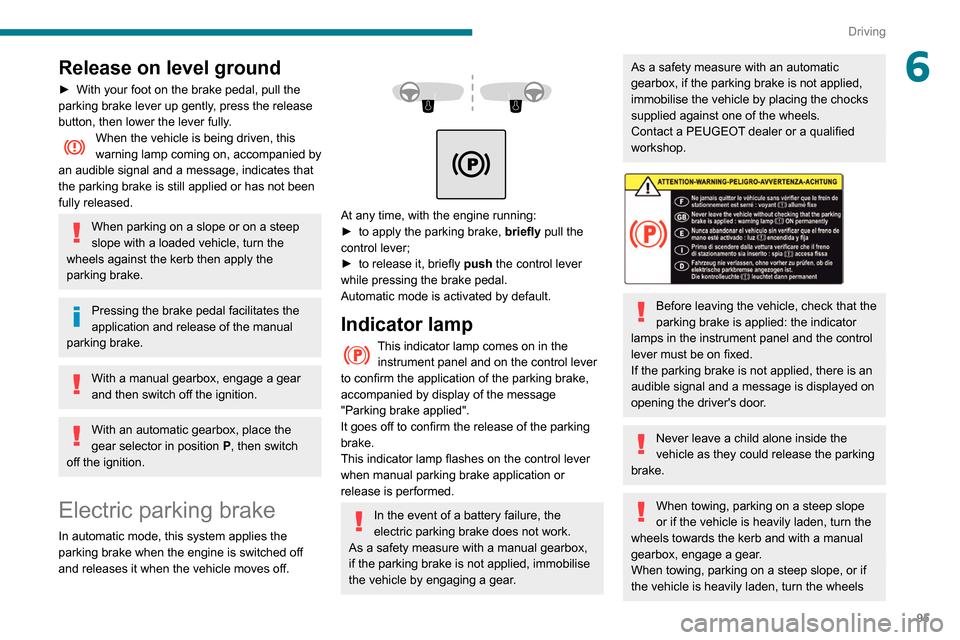
Indicator lamp
This indicator lamp comes on in the instrument panel and on the control lever
to confirm the application of the parking brake,
accompanied by display of the message
"Parking brake applied".
It goes off to confirm the release of the parking
brake.
This indicator lamp flashes on the control lever
when manual parking brake application or
release is performed.
In the event of a battery failure, the
electric parking brake does not work.
As a safety measure with a manual gearbox,
if the parking brake is not applied, immobilise
the vehicle by engaging a gear.
As a safety measure with an automatic
gearbox, if the parking brake is not applied,
immobilise the vehicle by placing the chocks
supplied against one of the wheels.
Contact a PEUGEOT dealer or a qualified
workshop.
Before leaving the vehicle, check that the
parking brake is applied: the indicator
lamps in the instrument panel and the control
lever must be on fixed.
If the parking brake is not applied, there is an
audible signal and a message is displayed on
opening the driver's door.
Never leave a child alone inside the
vehicle as they could release the parking
brake.
When towing, parking on a steep slope
or if the vehicle is heavily laden, turn the
wheels towards the kerb and with a manual
gearbox, engage a gear.
When towing, parking on a steep slope, or if
the vehicle is heavily laden, turn the wheels
Page 104 of 260

102
Driving
and from N to R. This will not cause any damage
to the gearbox.
Do not exceed 60 mph (100 km/h), local speed
restrictions permitting.
Have it checked by a PEUGEOT dealer or a
qualified workshop.
There is a risk of damage to the gearbox:– if you press the accelerator and
brake pedals at the same time (braking or
acceleration must be done only with the right
foot),
–
if you force the selector from position P
to
another position when the battery is flat.
To reduce fuel consumption when stationary for long periods with the
engine running (traffic jam, etc.), position the
selector on N and apply the parking brake.
If your vehicle has an automatic gearbox,
do not try to start the engine by pushing
the vehicle.
Gear efficiency indicator
(Depending on engine.)
This system helps reduce fuel consumption by
recommending the most appropriate gear.
Operation
Depending on the driving situation and the
vehicle's equipment, the system may advise to
skip one or more gears.
Gear shift recommendations should not be
considered compulsory. In fact, the road layout,
the traffic density and safety remain the deciding
factors when choosing the best gear. The driver
therefore remains responsible for deciding
whether or not to follow the indications issued by
the system.
This function cannot be deactivated.
With an automatic gearbox, the system is
only active in manual operation.
The information appears in the instrument panel, in the form of an ascending or
descending arrow and the recommended gear.
The system adapts its gear shift recommendation according to the driving
conditions (slope, load, etc.) and the driver’s
requirements (power, acceleration, braking,
etc.).
The system never suggests:
–
engaging first gear;
–
engaging reverse.
Stop & Start
The Stop & Start function puts the engine temporarily into standby - STOP mode - during
phases when the vehicle is stopped (red lights,
queues, etc.). The engine restarts automatically
- START mode - as soon as the driver wishes to
move off again.
Primarily designed for urban use, the function
is intended to reduce fuel consumption and
exhaust emissions as well as the noise level
when stationary.
The function does not affect the functionalities of
the vehicle, in particular the braking.
Opening the bonnet
Before doing anything under the bonnet,
deactivate the Stop & Start system to avoid
any risk of injury caused by the engine
restarting automatically.
Driving on flooded roads
Before entering into a flooded area, it is
strongly recommended that you deactivate
the Stop & Start system.
For more information on Driving
recommendations, particularly on flooded
roads, refer to the corresponding section.
Deactivation/Activation
With button
► To deactivate or reactivate the system, press
this button.
The indicator lamp is lit when the system is
deactivated.
With audio system/touch screen
The system is activated and deactivated via the vehicle
configuration menu.
If the system has been deactivated in
STOP mode, the engine restarts
immediately.
The system reactivates automatically whenever the engine is started by the
driver.
Page 105 of 260

103
Driving
6Deactivation/Activation
With button
► To deactivate or reactivate the system, press
this button.
The indicator lamp is lit when the system is
deactivated.
With audio system/touch screen
The system is activated and deactivated via the vehicle
configuration menu.
If the system has been deactivated in
STOP mode, the engine restarts
immediately.
The system reactivates automatically whenever the engine is started by the
driver.
Operation
Main conditions for operation
– The driver ’s door must be closed.
– The sliding side door must be closed.
–
The driver's seat belt must be fastened.
–
The state of charge of the battery must be
sufficient.
–
The temperature of the engine must be within
its nominal operating range.
–
The outside temperature must be between
0°C and 35°C.
Putting the engine into standby
(STOP mode)
The engine automatically goes into standby
as soon as the driver indicates the intention of
stopping.
–
With a
manual gearbox: at a speed below
2 mph (3
km/h) or with the vehicle stationary
(depending on engine), with the gear lever in
neutral and the clutch pedal released.
–
With an
automatic gearbox: at a speed below
2 mph (3 km/h) or with the vehicle stationary
(depending on engine), with the brake pedal
depressed or the gear selector in position
N
.
Time counter
A time counter adds up the time spent in standby
during the journey. It is reset to zero every time
the ignition is switched on.
Special cases:
The engine will not go into standby if all of the
conditions for operation are not met and in the
following cases.
–
Steep slope (ascending or descending).
–
V
ehicle has not exceeded 6 mph (10 km/h)
since the last engine start (with the key or the
“START/STOP” button).
–
The electric parking brake is applied or being
applied.
–
Needed
to maintain a comfortable temperature
in the passenger compartment.
–
Demisting active.
In these cases, this indicator lamp flashes
for a few seconds, then goes off.
After the engine has restarted, STOP mode is not available until the vehicle
has reached a speed of 5 mph (8
km/h).
During parking manoeuvres, STOP mode
is not available for a few seconds after
coming out of reverse gear or turning the
steering wheel.
Restarting the engine (START mode)
The engine automatically restarts as soon as the
driver indicates the intention of moving off again.
–
W
ith a manual gearbox: with the clutch pedal
fully depressed.
–
W
ith an automatic gearbox: