eco mode Peugeot Partner 2020 User Guide
[x] Cancel search | Manufacturer: PEUGEOT, Model Year: 2020, Model line: Partner, Model: Peugeot Partner 2020Pages: 260, PDF Size: 7.76 MB
Page 28 of 260
26
Access
Accumulations (water, dust, grime, salt, etc.) on the inner surface of the door
handle may affect detection.
If cleaning the inner surface of the door
handle using a cloth does not restore
detection, contact a PEUGEOT dealer or a
qualified workshop.
A sudden splash of water (stream of water,
high pressure jet washer, etc.) may be
identified by the system as the desire to open
the vehicle.
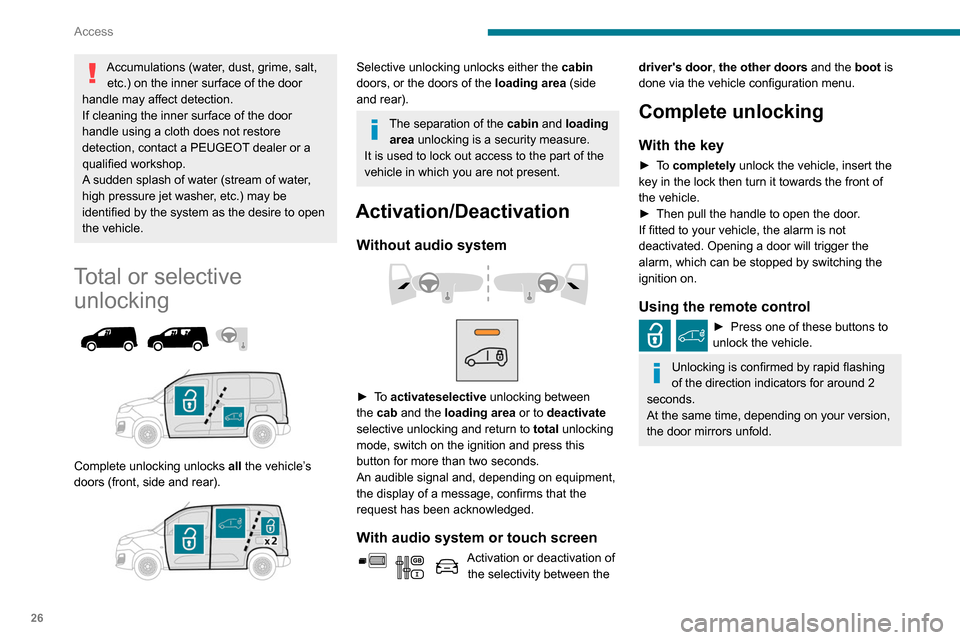
Total or selective unlocking
Complete unlocking unlocks all the vehicle’s
doors (front, side and rear).
Selective unlocking unlocks either the cabin
doors, or the doors of the loading area (side
and rear).
The separation of the cabin and loading area unlocking is a security measure.
It is used to lock out access to the part of the
vehicle in which you are not present.
Activation/Deactivation
Without audio system
► To activateselective unlocking between
the cab and the loading area or to deactivate
selective unlocking and return to total unlocking
mode, switch on the ignition and press this
button for more than two seconds.
An audible signal and, depending on equipment,
the display of a message, confirms that the
request has been acknowledged.
With audio system or touch screen
Activation or deactivation of the selectivity between the
driver's door, the other doors and the boot is
done via the vehicle configuration menu.
Complete unlocking
With the key
► To completely unlock the vehicle, insert the
key in the lock then turn it towards the front of
the vehicle.
►
Then pull the handle to open the door
.
If fitted to your vehicle, the alarm is not
deactivated. Opening a door will trigger the
alarm, which can be stopped by switching the
ignition on.
Using the remote control
► Press one of these buttons to
unlock the vehicle.
Unlocking is confirmed by rapid flashing
of the direction indicators for around 2
seconds.
At the same time, depending on your version,
the door mirrors unfold.
Page 36 of 260
34
Access
locking for the loading area, refer to the
corresponding section.
Manual mode
► With complete unlocking activated,
press this button to lock (indicator lamp
comes on)/unlock (indicator lamp goes off) the
vehicle
.
►
With selective unlocking activated, press this
button to lock (indicator lamp comes on)/unlock
(indicator lamp goes off) the loading area
.
Driving with the doors locked could make
it more difficult for the emergency
services to enter the vehicle in an emergency.
The indicator lamp goes off when unlocking one or more doors of the
loading area.
With the ignition off and the vehicle fully
locked, the indicator lamp goes off for energy
economy reasons.
Automatic mode
The loading area is always locked when driving.
To deactivate the automatic locking function, go to a PEUGEOT dealer or a
qualified workshop.
Anti-intrusion security
This system allows automatic simultaneous
locking of the doors and boot as soon as the
speed of the vehicle exceeds 6 mph (10 km/h).
Operation
If one of the doors or the boot is open, the
automatic central locking does not take place.
This is signalled by the sound of the locks rebounding, accompanied by illumination
of this warning lamp in the instrument panel, an
audible signal and the display of an alert
message.
Activation/Deactivation
You can activate or deactivate this function
permanently.
►
With the ignition on, press the central locking
button until an audible signal is triggered and
a corresponding message of confirmation is
displayed.
The state of the system stays in the memory
when the ignition is switched off.
Driving with the doors locked may render
access by the emergency services to the
interior difficult in an emergency.
Carrying long or voluminous objects
If you want to drive with the boot open,
you should press the central locking button
to lock the doors. Otherwise, every time the
speed of the vehicle exceeds 6 mph (10
km/h), the locks will rebound and the alerts
mentioned above will appear.
Pressing the central locking button unlocks
the vehicle.
Above 6 mph (10 km/h), this unlocking is
temporary.
Side-hinged doors
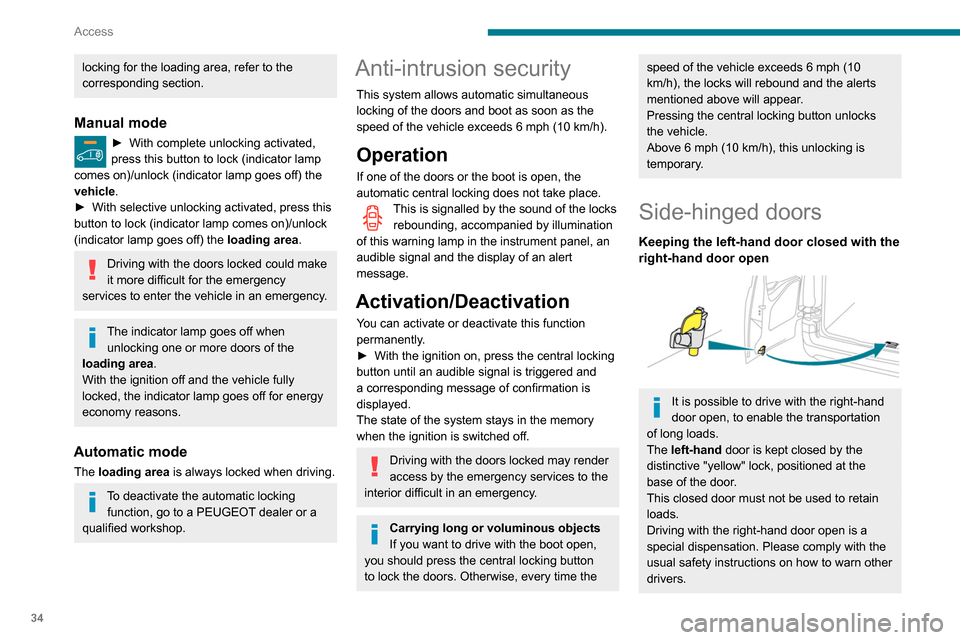
Keeping the left-hand door closed with the
right-hand door open
It is possible to drive with the right-hand
door open, to enable the transportation
of long loads.
The left-hand door is kept closed by the
distinctive "yellow" lock, positioned at the
base of the door.
This closed door must not be used to retain
loads.
Driving with the right-hand door open is a
special dispensation. Please comply with the
usual safety instructions on how to warn other
drivers.
Page 46 of 260
44
Ease of use and comfort
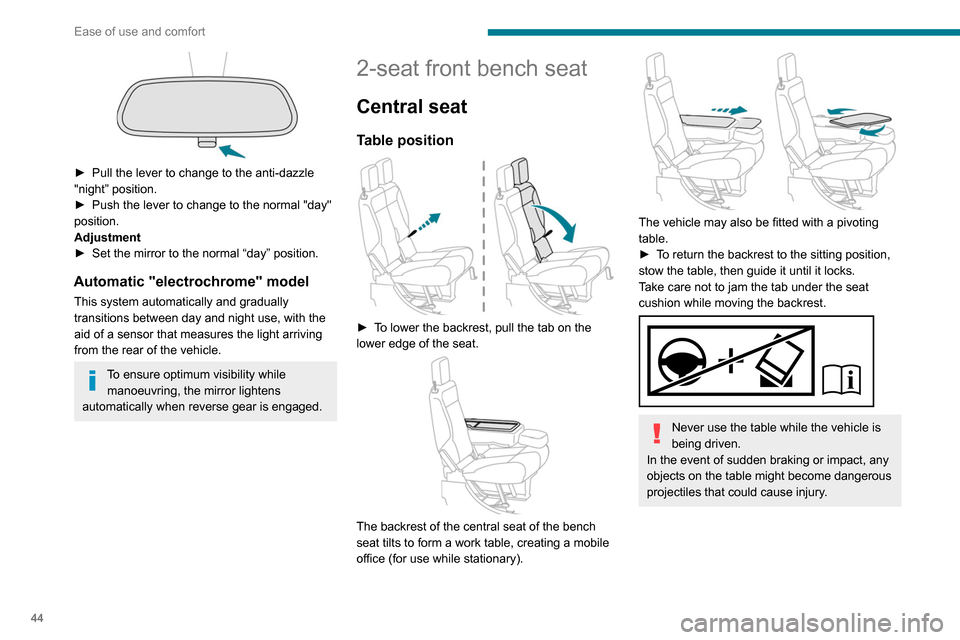
► Pull the lever to change to the anti-dazzle
"night” position.
►
Push the lever to change to the normal "day"
position.
Adjustment
►
Set the mirror to the normal “day” position.
Automatic "electrochrome" model
This system automatically and gradually
transitions between day and night use, with the
aid of a sensor that measures the light arriving
from the rear of the vehicle.
To ensure optimum visibility while manoeuvring, the mirror lightens
automatically when reverse gear is engaged.
2-seat front bench seat
Central seat
Table position
► To lower the backrest, pull the tab on the
lower edge of the seat.
The backrest of the central seat of the bench
seat tilts to form a work table, creating a mobile
office (for use while stationary).
The vehicle may also be fitted with a pivoting
table.
►
T
o return the backrest to the sitting position,
stow the table, then guide it until it locks.
Take care not to jam the tab under the seat
cushion while moving the backrest.
Never use the table while the vehicle is
being driven.
In the event of sudden braking or impact, any
objects on the table might become dangerous
projectiles that could cause injury.
Storage compartment under seats
► Lift the central seat to access the storage
compartment. This space can be secured by
fitting a padlock (not supplied).
Each time you lock the seat in the sitting
position, make sure that passengers
have access to the seat belt end pieces and
the associated straps.
Page 59 of 260
57
Ease of use and comfort
3Offers the best compromise between a
comfortable temperature and quiet
operation.
Provides dynamic, effective air flow.
When the engine is cold, the air flow will
only increase to its optimum level
gradually, to avoid distributing too much cold
air.
In cold weather, it prioritises the distribution of
warm air to the windscreen, the side windows
and the footwells only.
Manual mode
If you wish, you can make a different choice from
that suggested by the system, by changing a
setting. The other functions will still be controlled
automatically.
The "AUTO" symbol disappears if you change
a setting.
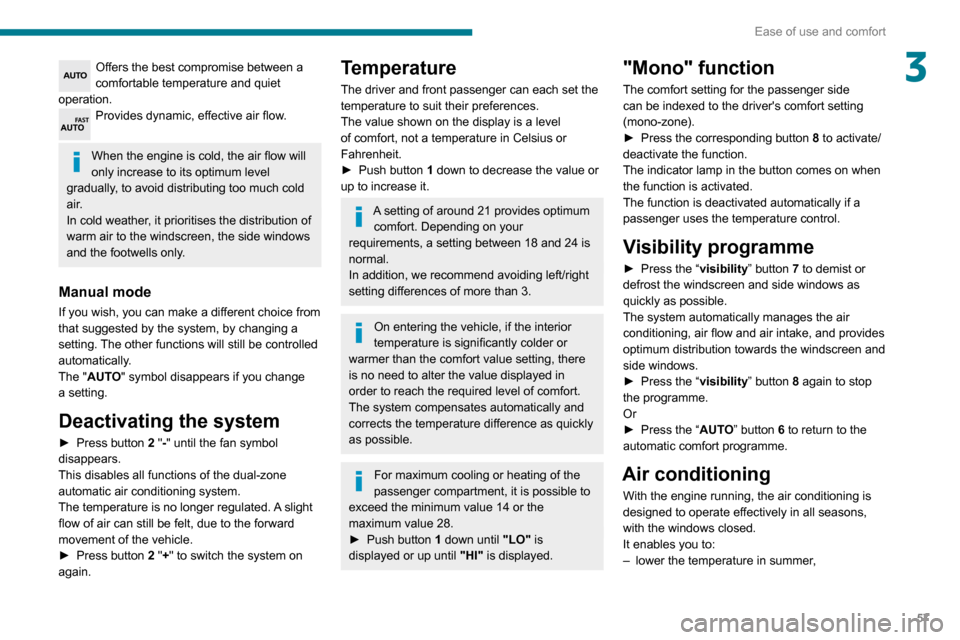
Deactivating the system
► Press button 2 "-" until the fan symbol
disappears.
This disables all functions of the dual-zone
automatic air conditioning system.
The temperature is no longer regulated. A slight
flow of air can still be felt, due to the forward
movement of the vehicle.
►
Press button
2 "+" to switch the system on
again.
Temperature
The driver and front passenger can each set the
temperature to suit their preferences.
The value shown on the display is a level
of comfort, not a temperature in Celsius or
Fahrenheit.
►
Push button
1 down to decrease the value or
up to increase it.
A setting of around 21 provides optimum comfort. Depending on your
requirements, a setting between 18 and 24 is
normal.
In addition, we recommend avoiding left/right
setting differences of more than 3.
On entering the vehicle, if the interior
temperature is significantly colder or
warmer than the comfort value setting, there
is no need to alter the value displayed in
order to reach the required level of comfort.
The system compensates automatically and
corrects the temperature difference as quickly
as possible.
For maximum cooling or heating of the
passenger compartment, it is possible to
exceed the minimum value 14 or the
maximum value 28.
►
Push button
1 down until "LO" is
displayed or up until "HI" is displayed.
"Mono" function
The comfort setting for the passenger side
can be indexed to the driver's comfort setting
(mono-zone).
►
Press the corresponding button 8
to activate/
deactivate the function.
The indicator lamp in the button comes on when
the function is activated.
The function is deactivated automatically if a
passenger uses the temperature control.
Visibility programme
► Press the “ visibility” button 7 to demist or
defrost the windscreen and side windows as
quickly as possible.
The system automatically manages the air
conditioning, air flow and air intake, and provides
optimum distribution towards the windscreen and
side windows.
►
Press the “
visibility” button 8 again to stop
the programme.
Or
►
Press the “
AUTO” button 6 to return to the
automatic comfort programme.
Air conditioning
With the engine running, the air conditioning is
designed to operate effectively in all seasons,
with the windows closed.
It enables you to:
–
lower the temperature in summer
,
Page 62 of 260
60
Ease of use and comfort
Switch off the rear screen and door
mirror defrosting function as soon as
possible, as decreasing electrical
consumption in turn reduces fuel
consumption.
Rear screen demisting/defrosting can
only operate with the engine is running.
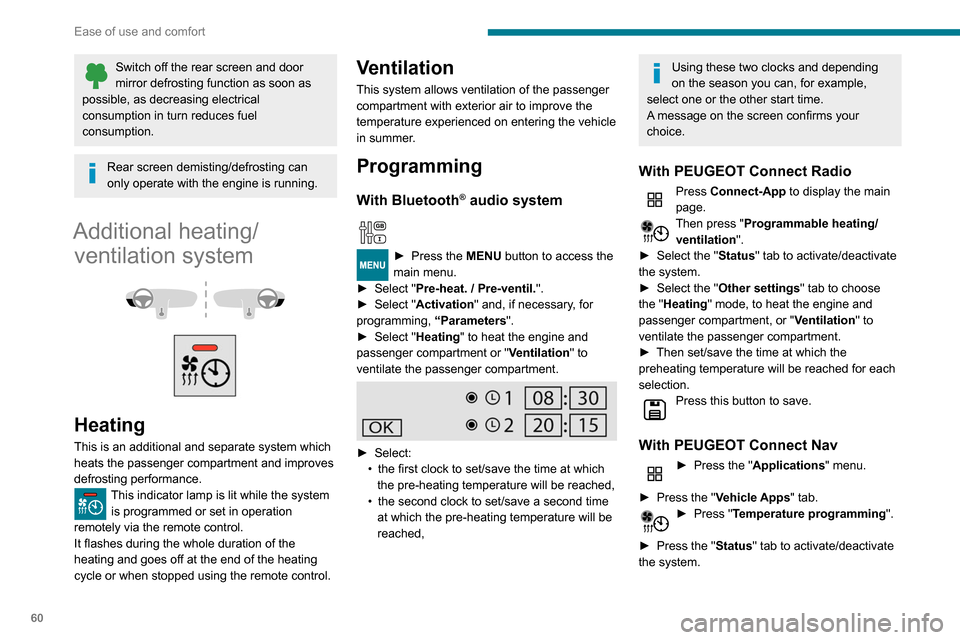
Additional heating/ ventilation system
Heating
This is an additional and separate system which
heats the passenger compartment and improves
defrosting performance.
This indicator lamp is lit while the system is programmed or set in operation
remotely via the remote control.
It flashes during the whole duration of the
heating and goes off at the end of the heating
cycle or when stopped using the remote control.
Ventilation
This system allows ventilation of the passenger
compartment with exterior air to improve the
temperature experienced on entering the vehicle
in summer.
Programming
With Bluetooth® audio system
► Press the MENU button to access the
main menu.
►
Select "
Pre-heat. / Pre-ventil.".
►
Select "
Activation" and, if necessary, for
programming, “Parameters".
►
Select "
Heating" to heat the engine and
passenger compartment or " Ventilation" to
ventilate the passenger compartment.
► Select:
• the first clock to set/save the time at which
the pre-heating temperature will be reached,
•
the second clock to set/save a second time
at which the pre-heating temperature will be
reached,
Using these two clocks and depending
on the season you can, for example,
select one or the other start time.
A message on the screen confirms your
choice.
With PEUGEOT Connect Radio
Press Connect-App to display the main
page.
Then press "Programmable heating/ ventilation ".
►
Select the "
Status" tab to activate/deactivate
the system.
►
Select the "
Other settings" tab to choose
the "Heating" mode, to heat the engine and
passenger compartment, or " Ventilation" to
ventilate the passenger compartment.
►
Then set/save the time at which the
preheating temperature will be reached for each
selection.
Press this button to save.
With PEUGEOT Connect Nav
► Press the " Applications" menu.
►
Press the "
Vehicle Apps" tab.
► Press " Temperature programming".
►
Press the "
Status" tab to activate/deactivate
the system.
► Press the "Parameters " tab to select
"Heating" mode to heat the engine and
passenger compartment or " Ventilation" mode
to ventilate the passenger compartment.
► Then set/save the activation time for each
selection.
► Press "OK" to confirm.
You must allow at least 60 minutes
between programming operations.
Long range remote control
(Depending on version.)
This enables you to switch the heating in
the passenger compartment on or off from a
distance.
The remote control has a range of about 0.6
miles (1 km) in open country.
Page 63 of 260
61
Ease of use and comfort
3► Press the "Parameters" tab to select
"Heating" mode to heat the engine and
passenger compartment or " Ventilation" mode
to ventilate the passenger compartment.
►
Then set/save the activation time for each
selection.
►
Press "
OK" to confirm.
You must allow at least 60 minutes between programming operations.
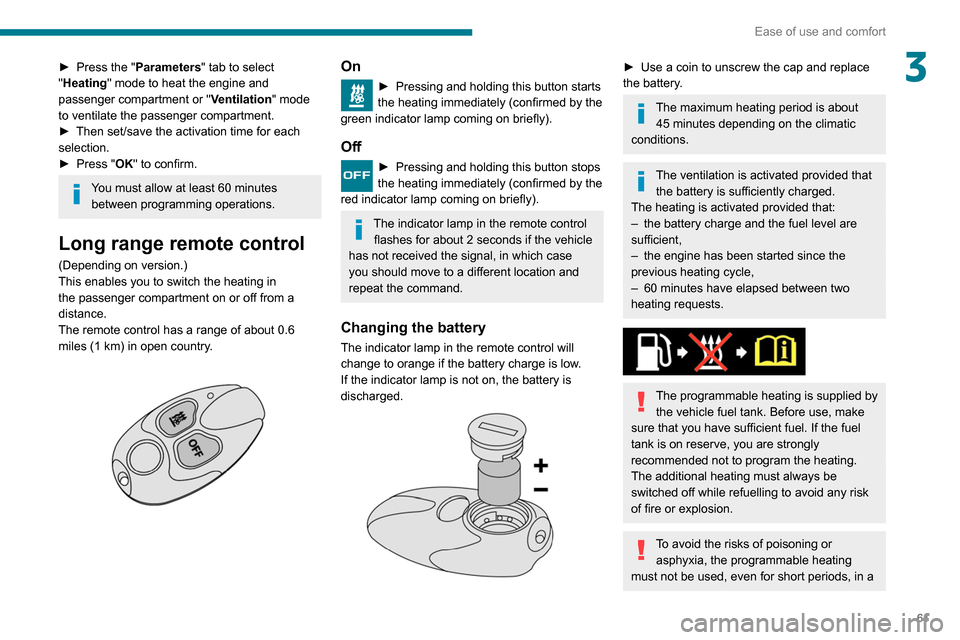
Long range remote control
(Depending on version.)
This enables you to switch the heating in
the passenger compartment on or off from a
distance.
The remote control has a range of about 0.6
miles (1
km) in open country.
On
► Pressing and holding this button starts
the heating immediately (confirmed by the
green indicator lamp coming on briefly).
Off
► Pressing and holding this button stops
the heating immediately (confirmed by the
red indicator lamp coming on briefly).
The indicator lamp in the remote control flashes for about 2 seconds if the vehicle
has not received the signal, in which case
you should move to a different location and
repeat the command.
Changing the battery
The indicator lamp in the remote control will
change to orange if the battery charge is low.
If the indicator lamp is not on, the battery is
discharged.
► Use a coin to unscrew the cap and replace
the battery .
The maximum heating period is about 45 minutes depending on the climatic
conditions.
The ventilation is activated provided that the battery is sufficiently charged.
The heating is activated provided that:
–
the battery charge and the fuel level are
sufficient,
–
the engine has been started since the
previous heating cycle,
–
60
minutes have elapsed between two
heating requests.
The programmable heating is supplied by the vehicle fuel tank. Before use, make
sure that you have sufficient fuel. If the fuel
tank is on reserve, you are strongly
recommended not to program the heating.
The additional heating must always be
switched off while refuelling to avoid any risk
of fire or explosion.
To avoid the risks of poisoning or asphyxia, the programmable heating
must not be used, even for short periods, in a
Page 65 of 260
63
Lighting and visibility
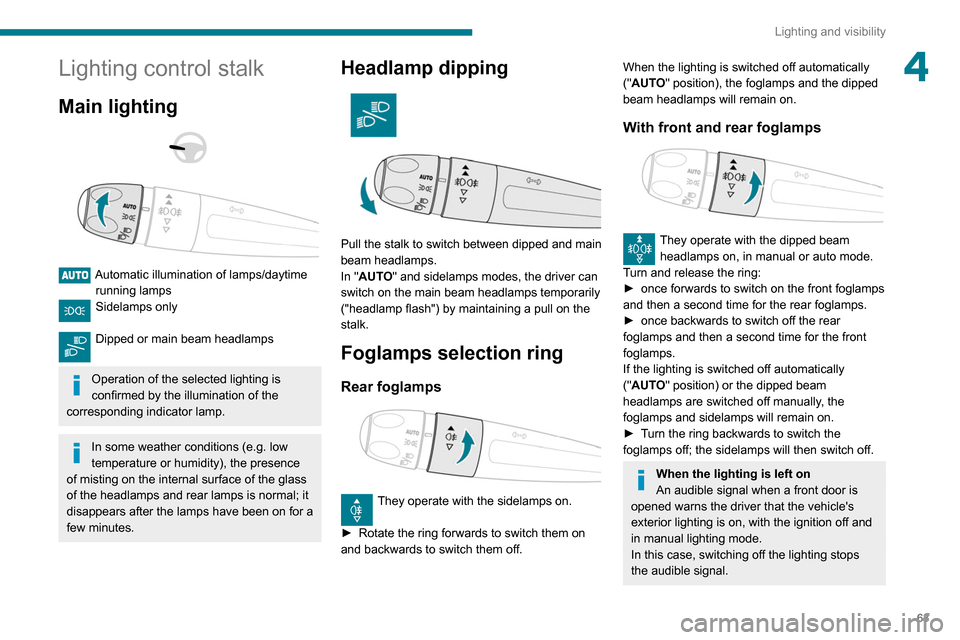
4Lighting control stalk
Main lighting
Automatic illumination of lamps/daytime running lamps
Sidelamps only
Dipped or main beam headlamps
Operation of the selected lighting is
confirmed by the illumination of the
corresponding indicator lamp.
In some weather conditions (e.g. low
temperature or humidity), the presence
of misting on the internal surface of the glass
of the headlamps and rear lamps is normal; it
disappears after the lamps have been on for a
few minutes.
Headlamp dipping
Pull the stalk to switch between dipped and main
beam headlamps.
In "AUTO" and sidelamps modes, the driver can
switch on the main beam headlamps temporarily
("headlamp flash") by maintaining a pull on the
stalk.
Foglamps selection ring
Rear foglamps
They operate with the sidelamps on.
►
Rotate the ring forwards to switch them on
and backwards to switch them off.
When the lighting is switched off automatically
("AUTO" position), the foglamps and the dipped
beam headlamps will remain on.
With front and rear foglamps
They operate with the dipped beam headlamps on, in manual or auto mode.
Turn and release the ring:
►
once forwards to switch on the front foglamps
and then a second time for the rear foglamps.
►
once backwards to switch off the rear
foglamps and then a second time for the front
foglamps.
If the lighting is switched off automatically
("
AUTO" position) or the dipped beam
headlamps are switched off manually, the
foglamps and sidelamps will remain on.
►
T
urn the ring backwards to switch the
foglamps off; the sidelamps will then switch off.
When the lighting is left on
An audible signal when a front door is
opened warns the driver that the vehicle's
exterior lighting is on, with the ignition off and
in manual lighting mode.
In this case, switching off the lighting stops
the audible signal.
Page 68 of 260
66
Lighting and visibility
Headlamp beam height
adjustment
To avoid inconvenience to other road users,
the height of the halogen headlamps should be
adjusted according to the load in the vehicle.
0Unladen.
1 Partial load.
2 Medium load.
3 Maximum authorised load.
4 5 6 Not used.
The initial setting is position 0.
Wiper control stalk
Programming
Your vehicle may also include some functions
that can be activated/deactivated:
– automatic windscreen wipers,
– rear wiping on engaging reverse gear.
The system will be operational as soon
as you exceed 16 mph (25 km/h).
If the speed drops below 9 mph (15
km/h), the
system no longer operates.
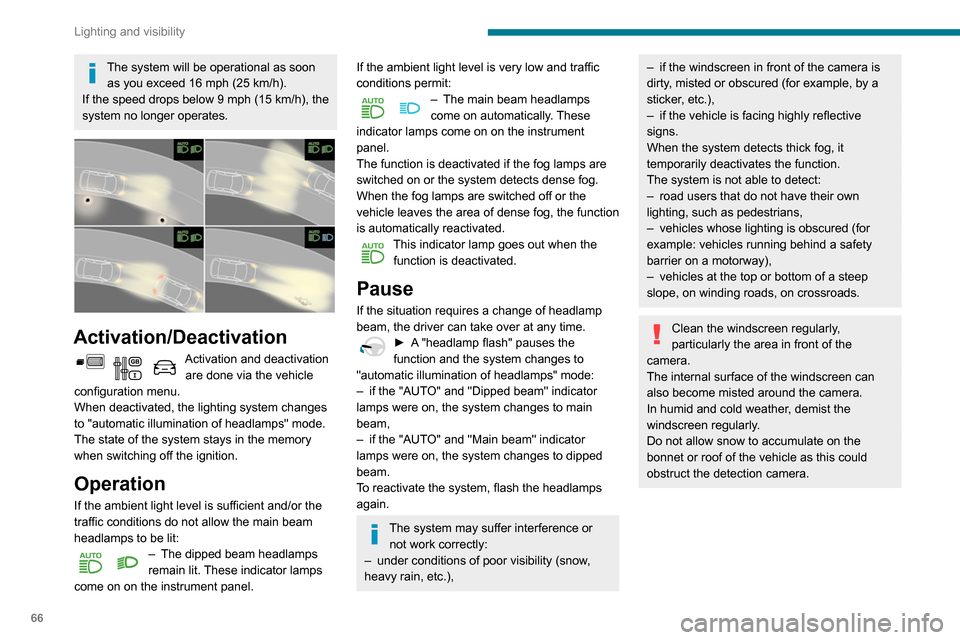
Activation/Deactivation
Activation and deactivation are done via the vehicle
configuration menu.
When deactivated, the lighting system changes
to "automatic illumination of headlamps" mode.
The state of the system stays in the memory
when switching off the ignition.
Operation
If the ambient light level is sufficient and/or the
traffic conditions do not allow the main beam
headlamps to be lit:
– The dipped beam headlamps
remain lit. These indicator lamps
come on on the instrument panel.
If the ambient light level is very low and traffic
conditions permit:
– The main beam headlamps
come on automatically . These
indicator lamps come on on the instrument
panel.
The function is deactivated if the fog lamps are
switched on or the system detects dense fog.
When the fog lamps are switched off or the
vehicle leaves the area of dense fog, the function
is automatically reactivated.
This indicator lamp goes out when the function is deactivated.
Pause
If the situation requires a change of headlamp
beam, the driver can take over at any time.
► A "headlamp flash" pauses the
function and the system changes to
"automatic illumination of headlamps" mode:
–
if the "AUT
O" and "Dipped beam" indicator
lamps were on, the system changes to main
beam,
–
if the "AUT
O" and "Main beam" indicator
lamps were on, the system changes to dipped
beam.
To reactivate the system, flash the headlamps
again.
The system may suffer interference or not work correctly:
–
under conditions of poor visibility (snow
,
heavy rain, etc.),
– if the windscreen in front of the camera is
dirty , misted or obscured (for example, by a
sticker, etc.),
–
if the vehicle is facing highly reflective
signs.
When the system detects thick fog, it
temporarily deactivates the function.
The system is not able to detect:
–
road users that do not have their own
lighting, such as pedestrians,
–
vehicles whose lighting is obscured (for
example: vehicles running behind a safety
barrier on a motorway),
–
vehicles at the top or bottom of a steep
slope, on winding roads, on crossroads.
Clean the windscreen regularly,
particularly the area in front of the
camera.
The internal surface of the windscreen can
also become misted around the camera.
In humid and cold weather, demist the
windscreen regularly.
Do not allow snow to accumulate on the
bonnet or roof of the vehicle as this could
obstruct the detection camera.
Page 75 of 260
73
Safety
5The lighting of the indicator lamp and a voice
message confirm that the call has been made to
the emergency services*.
‘Peugeot Connect SOS’ immediately locates
your vehicle and puts you in contact with the
appropriate emergency services**.
►
Pressing again immediately cancels the
request.
The indicator lamp flashes when the vehicle
data is sent, and then remains lit when
communication is established.
If an impact is detected by the airbag
control unit, an emergency call is made
automatically, independently of the
deployment of any airbags.
‘Peugeot Connect SOS’ is a service that
can be accessed free of charge.
System operation
– Upon switching on the ignition, if the indicator
lamp lights up red, then green, and then goes
out: the system is operating correctly
.
–
If the indicator lamp is fixed red: system
malfunction
–
If the indicator lamp flashes red: replace the
emergency battery
.
* In accordance with the general conditions of use of the service, available from dealers an\
d subject to technological and technical limitations.
** In areas covered by ‘Peugeot Connect SOS’ and ‘Peugeot Connect Assistance’.
The list of countries covered and telematic services provided is availab\
le from dealers or on the website for your country.
In the latter two cases, emergency and
assistance call services may not work.
Contact a dealer or a qualified repairer as soon
as possible.
The system fault does not prevent the vehicle from being driven.
Data processing
All processing of personal information by
the "Peugeot Connect SOS" system (PE112)
complies with the framework for protection
of personal information established by
Regulation 2016/679 (GDPR) and Directive
2002/58/EC of the European Parliament
and the Council, and in particular, seeks to
protect the vital interests of the data subject,
in accordance with Article
6.1, paragraph d) of
Regulation 2016/679.
Personal information processing is strictly
limited to the management of the "Peugeot
Connect SOS" system used with the “112”
European single emergency call number.
The "Peugeot Connect SOS" system is able
to collect and process only the following
data relating to the vehicle: chassis number,
type (passenger vehicle or light commercial
vehicle), fuel type or power source, most
recent three locations and direction of travel,
and a timestamped log file recording the
automatic activation of the system.
The recipients of the processed data are the
emergency call handling centres designated
by the relevant national authorities in the
territory in which they are located, enabling
priority reception and handling of calls to the
“112” emergency number.
Data storage
Data contained in the system’s memory
is not accessible from outside the system until
a call is made. The system is not traceable
and is not continuously monitored in its
normal operating mode.
The data in the system's internal memory is
automatically and continuously erased. Only
the vehicle’s three most recent locations are
stored.
When an emergency call is triggered, the data
log is stored for no more than 13
hours.
Access to data
You have the right to access the data
and, if necessary, submit a request to
rectify, erase or restrict the processing of
any personal information not processed in
accordance with the provisions of Regulation
Page 76 of 260
74
Safety
Horn
► Press the central part of the steering wheel.
Electronic stability control
(ESC)
The electronic stability control programme
includes the following systems:
– Anti-lock braking system (ABS) and Electronic
brake force distribution (EBFD).
– Emergency braking assistance (EBA).
– Anti-slip regulation (ASR).
– Dynamic stability control (DSC).
– Trailer stability assist (TSA).
Anti-lock braking system
(ABS) and Electronic brake
force distribution (EBFD)
These systems enhance the vehicle’s stability
and handling during braking, and enable greater
2016/679 (GDPR). Third parties to which data
has been communicated shall be notified of
any rectification, erasure or restriction carried
out in accordance with the aforementioned
Directive, unless doing so would be
impossible or require a disproportionate effort.
You also have the right to lodge a complaint
with the relevant data protection authority.
Peugeot Connect
Assistance
► If the vehicle breaks down, press button 2
for more than 2 seconds to request assistance
(confirmed by a voice message*).
►
Pressing again immediately cancels the
request.
Privacy mode allows you to manage the
level of sharing (data and/or position)
between your vehicle and the PEUGEOT
brand.
It can be configured in the Settings menu on
the touch screen.
By default, depending on equipment,
deactivate/reactivate geolocation by
simultaneously pressing the 2 buttons, then
press the "Peugeot Connect Assistance"
button to confirm.
* According to the geographic coverage of ‘Peugeot Connect SOS’, ‘Peugeot Connect Assistance’ and the official national language chosen by the owner
of the vehicle.
The list of countries covered and telematic services provided is availab\
le from dealers or on the website for your country
.
If you purchased your vehicle outside the
PEUGEOT dealer network, we invite you
to have a dealer check the configuration of
these services and, if desired, modify them to
suit your wishes. In a multilingual country,
configuration is possible in the official national
language of your choice.
For technical reasons, in particular to
improve the quality of telematic services
for customers, the Manufacturer reserves the
right to carry out updates to the vehicle's
on-board telematic system at any time.
If you benefit from the Peugeot Connect
Packs offer with the SOS and Assistance
Pack included, there are additional services
available to you in your personal space, via
the website for your country.
For information about the SOS and
Assistance Pack, please refer to the general
conditions for these services.
Hazard warning lamps
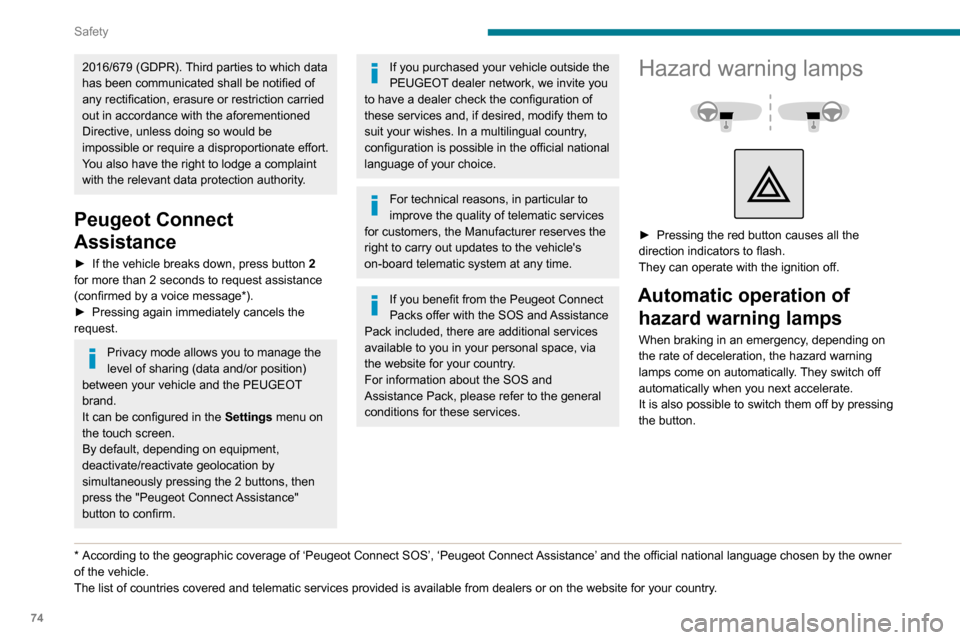
► Pressing the red button causes all the
direction indicators to flash.
They can operate with the ignition off.
Automatic operation of hazard warning lamps
When braking in an emergency, depending on
the rate of deceleration, the hazard warning
lamps come on automatically. They switch off
automatically when you next accelerate.
It is also possible to switch them off by pressing
the button.