vin PEUGEOT PARTNER 2021 User Guide
[x] Cancel search | Manufacturer: PEUGEOT, Model Year: 2021, Model line: PARTNER, Model: PEUGEOT PARTNER 2021Pages: 260, PDF Size: 7.76 MB
Page 22 of 260

20
Instruments
While driving, the message is displayed every 30
seconds. The alert is repeated when switching
on the ignition.
You can continue driving for up to 685 miles
(1,100 km) before the engine immobiliser
system is triggered.
Have the system checked by a
PEUGEOT dealer or a qualified
workshop as soon as possible.
Starting prevented
Whenever the ignition is switched on, the
"Emissions fault: Starting prevented" or "NO
START IN" message is displayed.
To be able to restart the engine, contact a PEUGEOT dealer or a qualified
workshop.
Lighting dimmer
This control lets you manually adjust the
brightness of the instrument panel according to
the exterior light level.
With 1.6 BlueHDi (Euro 6.1) engines
Warning/
indicator
lamps lit Action Remaining
range
Top up as
soon as
possible.Between
1,500
and
375
miles
(2,400 and
600
km)
A top-up is
vital, there
is the risk
that the
engine will
be prevented
from starting.Between 375
and 0
miles
(600 and
0
km)
To be able
to restart
the engine,
add at least
5 litres of
AdBlue
® to
its tank. 0
miles (km)
With 1.5 BlueHDi Euro 6.2 / 6.3 engines
Warning
lamps lit
Action Remaining
driving
range
Top up. Between 1,500 miles
and 500
miles (2,400
km and
800
km)
Top up as
soon as
possible.Between
500 miles
and 62 miles
(800 km and
100
km)
A top-up is
essential,
due to the
risk that the
engine will
be prevented
from starting.Between
62 miles
and 0 miles
(100 km and
0
km)
To be able
to restart
the engine,
add at least
5 litres of
AdBlue
® to
its tank. 0 miles (km)
Malfunction of the SCR emissions control
system
Malfunction detection
If a malfunction is detected,
these warning lamps come on,
accompanied by an audible
signal and an "Emissions fault”
or “NO START IN” message.
The alert is triggered while driving, when the
fault is detected for the first time, and thereafter
when switching on the ignition for subsequent
journeys, while the cause of the fault persists.
If the fault is temporary, the alert
disappears during the next journey, after
self-diagnostic checks of the SCR emissions
control system.
Malfunction confirmed during the
permitted driving phase (between 685
miles and 0
miles (1,100 km and 0 km))
If the fault indication is still displayed
permanently after 31 miles (50 km) of driving, the
fault in the SCR system is confirmed.
The AdBlue warning lamp flashes, and an
"Emissions fault: Starting prevented in X
miles" or "NO START IN X miles" message is
displayed, indicating the driving range in miles or
kilometres.
Page 23 of 260

21
Instruments
1While driving, the message is displayed every 30
seconds. The alert is repeated when switching
on the ignition.
You can continue driving for up to 685 miles
(1,100 km) before the engine immobiliser
system is triggered.
Have the system checked by a
PEUGEOT dealer or a qualified
workshop as soon as possible.
Starting prevented
Whenever the ignition is switched on, the
"Emissions fault: Starting prevented" or "NO
START IN" message is displayed.
To be able to restart the engine, contact a PEUGEOT dealer or a qualified
workshop.
Lighting dimmer
This control lets you manually adjust the
brightness of the instrument panel according to
the exterior light level.
With the lamps on (not in the AUTO position) ,
press button A to increase the brightness of the
lighting, or button B to decrease it.
Release the button when the desired brightness
is reached.
Touch screen lighting
dimmer
► In the Settings menu, select "Brightness".
Or select "OPTIONS ", "Screen configuration "
then "Brightness".
► Adjust the brightness by pressing the arrows
or moving the slider .
The brightness can be set differently for day mode and night mode.
Trip computer
Information displayed about the current journey
(range, fuel consumption, average speed, etc.).
Information display
Details are displayed successively.
– T rip mileage.
–
Range.
–
Current fuel consumption.
–
A
verage speed.
–
Stop & Start time counter
.
–
Information from the speed limit recognition
system.
► Press the button located on the end of the
wiper control stalk .
Page 24 of 260

22
Instruments
Setting the date and time
Without audio system
Set the date and time via the instrument panel
display.
► Press and hold this button.
► Press one of these buttons to select
the setting to be changed.
► Briefly press this button to confirm.
► Press one of these buttons to change
the setting and confirm again to record
the change.
► Or press the thumbwheel on the steering
wheel.
Trip reset
The reset is performed when the trip counter is
displayed.
►
Press the button on the end of the
wiper
control stalk
for more than two seconds.
►
Press the thumbwheel on the steering wheel
for more than two seconds.
► Press this button for more than 2 seconds.
A few definitions…
Range
(miles or km)Distance that can still be travelled with the
fuel remaining in the tank (based on the
average fuel consumption over the last few miles
(kilometres) travelled).
This value may vary following a change in the driving style or terrain, resulting in
a significant change in the spot fuel
consumption.
When the range falls below 19 miles (30
km),
dashes are displayed.
After filling with at least 5 litres of fuel, the range
is recalculated and is displayed if it exceeds 62
miles (100
km).
If dashes instead of figures continue to
be displayed when driving, contact a
PEUGEOT dealer or a qualified workshop.
Spot fuel consumption
(mpg or l/100 km or km/l)Calculated during the last few seconds.
This function is only displayed at speeds above 19 mph (30 km/h).
Average fuel consumption
(mpg or l/100 km or km/l)Calculated since the last trip computer
reset.
Average speed
(mph or km/h)Calculated since the last trip computer
reset.
Distance travelled
(miles or km)Calculated since the last trip computer
reset.
Stop & Start time counter
(minutes/seconds or hours/minutes)
If your vehicle is fitted with Stop & Start, a time
counter calculates the time spent in STOP mode
during a journey.
It resets to zero every time the ignition is
switched on.
Page 27 of 260
25
Access
2If the vehicle is unlocked but the doors or
tailgate are not subsequently opened, the
vehicle will automatically lock itself again after
approximately 30
seconds. If the vehicle is
fitted with an alarm, it will also be reactivated
automatically.
Automatic door mirror folding and unfolding can be deactivated by a
PEUGEOT dealer or a qualified workshop.
As a safety measure, never leave the vehicle, even for a short time, without
taking the Keyless Entry and Starting
system’s electronic key with you.
Be aware of the risk of theft of the vehicle if
the key is present in one of the defined areas
while the vehicle is unlocked.
To preserve the battery charge in the electronic key and the vehicle's battery,
the "hands-free" functions are set to
hibernation mode after 21 days without use.
To restore these functions, press one of the
remote control buttons or start the engine with
the electronic key in the reader.
For more information on starting with the
Keyless Entry and Starting system, refer to
the corresponding section.
Electrical interference
The electronic key may not operate if
close to certain electronic devices: telephone
(switched on or on standby), laptop computer,
strong magnetic fields, etc.
Locating the vehicle
This function helps you to spot your vehicle from
a distance, with the vehicle locked:
–
The direction indicators flash for approximately
10 seconds.
–
The courtesy lamps come on.
► Press this button.
Remote lighting
Briefly pressing this button switches on
the lighting remotely (sidelamps, dipped
beam headlamps and number plate lamps).
Pressing this button again before the end of the
timed period cancels remote lighting.
Advice
Remote control
The remote control is a sensitive, high-
frequency device; avoid handling it in your
pocket, due to the risk of unintentionally
unlocking the vehicle.
Avoid pressing the remote control buttons
while out of range of the vehicle, due to
the risk of rendering the remote control
inoperative. It would then be necessary to
reset it.
The remote control does not work
when the
key is in the ignition switch, even when the
ignition is switched off.
Anti-theft protection
Do not modify the electronic vehicle
immobiliser, as this might result in
malfunctions.
For vehicles with a key ignition switch,
remember to remove the key and turn the
steering wheel to engage the steering lock.
Locking the vehicle
Driving with the doors locked could make
it more difficult for the emergency services to
enter the vehicle in an emergency.
As a safety precaution, remove the key from
the ignition or take the electronic key with you
when leaving the vehicle, even for a short
time.
Purchasing a second-hand vehicle
Have the key codes memorised by a
PEUGEOT dealer, to ensure that the keys
in your possession are the only ones able to
start the vehicle.
Page 31 of 260
29
Access
2Locking
Ensure that no person or object prevents
the correct closing of the windows.
Be particularly aware of children when
operating the windows.
If your vehicle is not fitted with an alarm,
the locking/deadlocking is signalled by
the fixed illumination of the direction
indicators for about two seconds.
Depending on your version, the door mirrors
fold at the same time.
With the key
► To lock the vehicle, insert the key in the lock
then turn it towards the rear of the vehicle.
With the remote control
► To lock the vehicle, press this button.
If your vehicle is so equipped, pressing
and holding this button closes the
windows. The window stops in position when
you release the button.
With the Keyless Entry and
Starting "on your person"
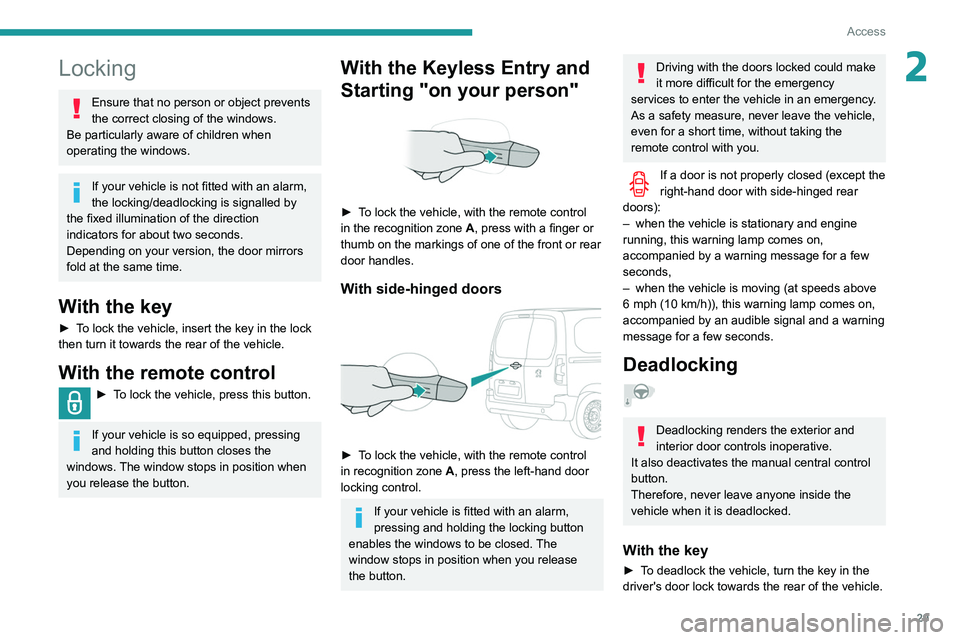
► To lock the vehicle, with the remote control
in the recognition zone A, press with a finger or
thumb on the markings of one of the front or rear
door handles.
With side-hinged doors
► To lock the vehicle, with the remote control
in recognition zone A, press the left-hand door
locking control.
If your vehicle is fitted with an alarm,
pressing and holding the locking button
enables the windows to be closed. The
window stops in position when you release
the button.
Driving with the doors locked could make
it more difficult for the emergency
services to enter the vehicle in an emergency.
As a safety measure, never leave the vehicle,
even for a short time, without taking the
remote control with you.
If a door is not properly closed (except the
right-hand door with side-hinged rear
doors):
–
when the vehicle is stationary and engine
running, this warning lamp comes on,
accompanied by a warning message for a few
seconds,
–
when the vehicle is moving (at speeds above
6 mph (10 km/h)), this warning lamp comes on,
accompanied by an audible signal and a warning
message for a few seconds.
Deadlocking
Deadlocking renders the exterior and
interior door controls inoperative.
It also deactivates the manual central control
button.
Therefore, never leave anyone inside the
vehicle when it is deadlocked.
With the key
► To deadlock the vehicle, turn the key in the
driver's door lock towards the rear of the vehicle.
Page 34 of 260

32
Access
Changing the battery
If the battery is discharged, this warning
lamp comes on, accompanied by an
audible signal and an onscreen message.
Without Keyless Entry and Starting ‒
Battery type: CR2032 / 3 volts.
With Keyless Entry and Starting ‒ Battery
type: CR2032 / 3 volts.
► Unclip the cover by inserting a small
screwdriver in the slot and raise the cover .
►
Remove the discharged battery from its
housing.
►
Insert the new battery
, observing the polarity,
and clip the cover onto the housing.
►
Reinitialise the remote control.
For more information on Reinitialising the
remote control
, refer to the corresponding
section.
Do not throw used remote control batteries
away, as they contain metals that are harmful
to the environment. Take them to an approved
disposal point.
Reinitialising the remote
control
Following replacement of the battery or in
the event of a fault, it may be necessary to
reinitialise the remote control.
Without Keyless Entry and Starting
► Switch off the ignition.
► T urn the key to position 2 (Ignition on) .
►
Immediately press the closed padlock button
for a few seconds.
►
Switch off the ignition and remove the key
from the ignition switch.
The remote control is now fully operational
again.
Page 35 of 260

33
Access
2► Insert the mechanical key (incorporated into
the remote control) into the lock to open the
vehicle.
►
Place the electronic key against the back-up
reader on the steering column and hold it there
until the ignition is switched on.
►
Switch on the ignition by pressing the
"
START/STOP" button.
►
W
ith a manual gearbox, place the gear lever
in neutral then fully depress the clutch pedal.
►
W
ith an automatic gearbox, while in mode
P, depress the brake pedal.
If the fault persists after reinitialisation, contact
a PEUGEOT dealer or a qualified workshop
without delay.
Central locking / unlocking
This function enables the doors to be locked or unlocked simultaneously from inside the vehicle.
When locking/deadlocking from the
outside
When the vehicle is locked or deadlocked
from the outside, the indicator lamp flashes
and the button is inoperative.
►
After normal locking, pull one of the
interior door controls to unlock the vehicle.
►
After deadlocking, it is necessary to use
the remote control, Keyless Entry and Starting
or the integral key to unlock the vehicle.
Manual mode
► Press this button to lock / unlock the
vehicle.
Driving with the doors locked could make
it difficult for the emergency services to
enter the vehicle in an emergency.
If one of the doors is open, the central
locking from the inside does not function.
This is signalled by a mechanical noise from
the locks.
If the boot is open, only the locking of the
other doors is carried out. The indicator lamp
in the button remains off.
When locking from inside, the door
mirrors do not fold.
The indicator lamp also goes off when unlocking one or more accesses.
Automatic mode
This is the automatic central locking of the
vehicle when driving, also called anti-intrusion
security.
For more information on Anti-intrusion
security, refer to the corresponding section.
Locking/unlocking the
loading area
This button is unavailable if the vehicle has been locked or deadlocked from
outside (using the key, remote control or
Keyless Entry and Starting, depending on
equipment) or if any of the doors are still
open.
For more information on the Key, and, in
particular, on programming selective
Page 36 of 260

34
Access
locking for the loading area, refer to the
corresponding section.
Manual mode
► With complete unlocking activated,
press this button to lock (indicator lamp
comes on)/unlock (indicator lamp goes off) the
vehicle
.
►
With selective unlocking activated, press this
button to lock (indicator lamp comes on)/unlock
(indicator lamp goes off) the loading area
.
Driving with the doors locked could make
it more difficult for the emergency
services to enter the vehicle in an emergency.
The indicator lamp goes off when unlocking one or more doors of the
loading area.
With the ignition off and the vehicle fully
locked, the indicator lamp goes off for energy
economy reasons.
Automatic mode
The loading area is always locked when driving.
To deactivate the automatic locking function, go to a PEUGEOT dealer or a
qualified workshop.
Anti-intrusion security
This system allows automatic simultaneous
locking of the doors and boot as soon as the
speed of the vehicle exceeds 6 mph (10 km/h).
Operation
If one of the doors or the boot is open, the
automatic central locking does not take place.
This is signalled by the sound of the locks rebounding, accompanied by illumination
of this warning lamp in the instrument panel, an
audible signal and the display of an alert
message.
Activation/Deactivation
You can activate or deactivate this function
permanently.
►
With the ignition on, press the central locking
button until an audible signal is triggered and
a corresponding message of confirmation is
displayed.
The state of the system stays in the memory
when the ignition is switched off.
Driving with the doors locked may render
access by the emergency services to the
interior difficult in an emergency.
Carrying long or voluminous objects
If you want to drive with the boot open,
you should press the central locking button
to lock the doors. Otherwise, every time the
speed of the vehicle exceeds 6 mph (10
km/h), the locks will rebound and the alerts
mentioned above will appear.
Pressing the central locking button unlocks
the vehicle.
Above 6 mph (10 km/h), this unlocking is
temporary.
Side-hinged doors
Keeping the left-hand door closed with the
right-hand door open
It is possible to drive with the right-hand
door open, to enable the transportation
of long loads.
The left-hand door is kept closed by the
distinctive "yellow" lock, positioned at the
base of the door.
This closed door must not be used to retain
loads.
Driving with the right-hand door open is a
special dispensation. Please comply with the
usual safety instructions on how to warn other
drivers.
Page 37 of 260

35
Access
2Opening to approximately 180°
If fitted to your vehicle, a check strap system
allows the doors to be opened from about 90° to
about 180°.
►
Pull the yellow control when the door is open.
The check strap will engage again automatically
on closing.
General
recommendations for the
sliding side doors
Doors must only be operated when the
vehicle is stationary.
For your safety and that of your passengers,
as well as for correct operation of the doors,
you are strongly advised not to drive with a
door open.
Always check that it is safe to operate the
door and in particular, be sure not to leave
children or animals near the door controls
without supervision.
An audible warning, "door open” warning
lamp and onscreen message are there to
remind you. Contact a PEUGEOT dealer or a
qualified workshop if you want to deactivate
this warning.
Lock the vehicle when you use an automatic
car wash.
Before opening or closing and while
moving doors, ensure that no person,
animal or object is in the door frame or any
other position that would block the desired
movement, inside or outside the vehicle.
If this advice is not followed, injuries or
damage may occur if a person or an object is
trapped or caught.
Take care not to block the guide space on the floor, to allow the door to slide
correctly.
For safety and functional reasons, do not
drive with the sliding side door open.
To hold the sliding side door in the open position, open the door fully to engage
the latch (located at the bottom of the door).
Doors and door clearances
When open, a door projects beyond the body.
Allow adequate clearance when parking
alongside walls, lamp-posts, high pavements,
etc.
When open, a door never projects
beyond the rear bumper.
Page 38 of 260

36
Access
On a steep slope
Take care when opening doors while the vehicle
is on a slope facing uphill. The sloping terrain
could cause the door to open more quickly than
usual.
On a steep slope, manually guide the side door
to help it to close.
If the vehicle is on a slope facing downhill,
the door may not stay open, instead closing
suddenly, with a risk of injury. Always hold
the door to ensure that it does not close
unexpectedly.
On a steep slope, the door's weight may
cause it to move, opening or closing
suddenly as a result.
Avoid leaving the vehicle unsupervised on a
steep slope with one or more doors open. If
this advice is not followed, injuries or damage
may occur if a person or an object is trapped
or caught.
Rear roof flap
This roof flap at the rear is compatible only with
side-hinged doors.
To open the rear roof flap:
– Lift the black paddle of the toggle.
–
Relax the toggle by pressing on the rear roof
flap (downwards) then release the hook.
–
Lift the rear roof flap.
–
Move past the point of resistance to lock the
rear roof flap with the support props.
Never drive without the props in place.
To close the rear roof flap:
–
Check that the support bar is properly
secured.
–
Lower the rear roof flap.
–
While pressing on the rear roof flap
(downwards), take the two spring rings and then
place the hook in its housing.
–
Lower the black paddle to lock the rear roof
flap.
Locking the rear roof flap holds it firmly against
the seal, ensuring watertight sealing with no
noise.
Support bar
The vehicle is equipped with a support bar for
transporting long loads, after opening the rear
roof flap.
►
Fold back the support bar by lifting the lever
.
►
Guide it to the door pillar
.
►
Support the long loads to be transported, lift
them and reposition the support bar with one
hand.
►
Ensure that it is secured correctly by
pressing the handle downwards past the point of
resistance and lash the load securely
.
The side supports can be used as hooking
points.
The rear bumper has been reinforced to serve as a step when entering the
vehicle.
Never fasten a load to the roof flap.
Never drive without the support bar in
place.
The rear doors will only lock when the support
bar is installed.
When the roof flap is open, take care when
driving where height is restricted.
Never rest loads directly on the rear doors.
Comply with the usual indications for warning
other drivers.
Only use the roof flap on short trips.