steering Peugeot Partner Tepee 2011 User Guide
[x] Cancel search | Manufacturer: PEUGEOT, Model Year: 2011, Model line: Partner Tepee, Model: Peugeot Partner Tepee 2011Pages: 232, PDF Size: 7.4 MB
Page 43 of 232
41
READY TO SET OFF
22
Gearbox and steering wheel
Changing gear
In situations of high engine
speeds (heavy acceleration), a
change up will not occur unless
the driver operates electronic gearbox
system lever.
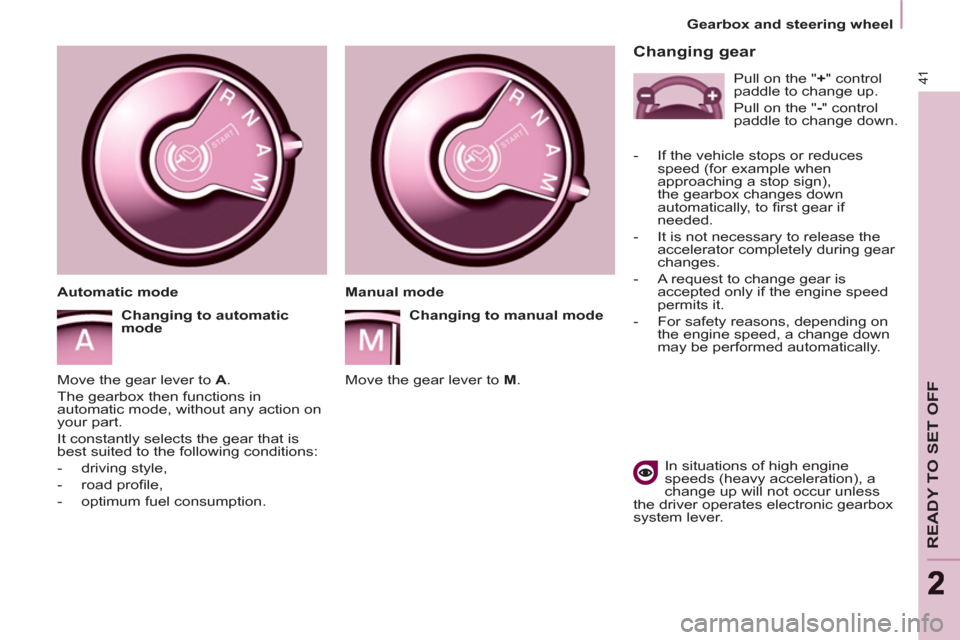
Manual mode
Changing to manual mode
Move the gear lever to M
.
Automatic mode
Changing to automatic
mode
Move the gear lever to A
.
The gearbox then functions in
automatic mode, without any action on
your part.
It constantly selects the gear that is
best suited to the following conditions:
- driving style,
- road profi le,
- optimum fuel consumption.
Pull on the " +
" control
paddle to change up.
Pull on the " -
" control
paddle to change down.
- If the vehicle stops or reduces
speed (for example when
approaching a stop sign),
the gearbox changes down
automatically, to fi rst gear if
needed.
- It is not necessary to release the
accelerator completely during gear
changes.
- A request to change gear is
accepted only if the engine speed
permits it.
- For safety reasons, depending on
the engine speed, a change down
may be performed automatically.
Page 44 of 232
42
Gearbox and steering wheel
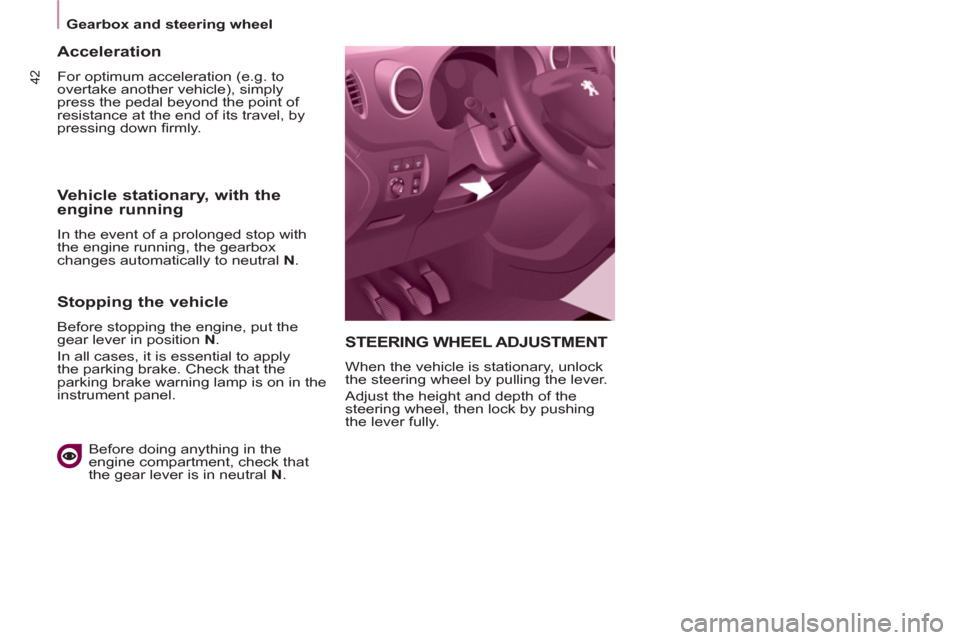
STEERING WHEEL ADJUSTMENT
When the vehicle is stationary, unlock
the steering wheel by pulling the lever.
Adjust the height and depth of the
steering wheel, then lock by pushing
the lever fully.
Acceleration
For optimum acceleration (e.g. to
overtake another vehicle), simply
press the pedal beyond the point of
resistance at the end of its travel, by
pressing down fi rmly.
Vehicle stationary, with the
engine running
In the event of a prolonged stop with
the engine running, the gearbox
changes automatically to neutral N
.
Stopping the vehicle
Before stopping the engine, put the
gear lever in position N
.
In all cases, it is essential to apply
the parking brake. Check that the
parking brake warning lamp is on in the
instrument panel.
Before doing anything in the
engine compartment, check that
the gear lever is in neutral N
.
Page 45 of 232
43
READY TO SET OFF
22
Stop & Start
STOP & START
The Stop & Start system puts the
engine temporarily on standby - STOP
mode - during stops in the traffi c (red
lights, traffi c jams, or other...). The
engine restarts automatically - START
mode - as soon as you want to move
off. The restart takes place instantly,
quickly and silently.
Perfect for urban use, the Stop & Start
system reduces fuel consumption and
exhaust emissions as well as the noise
level when stationary.
Operation
Going into engine STOP mode
The "ECO"
warning lamp
comes on in the instrument
panel and the engine goes
into standby:
- with a manual gearbox
, at speeds
below 12 mph (20 km/h), when you
put the gear lever into neutral and
release the clutch pedal,
- with the 6-speed electronic
gearbox system
, at a speed below
5 mph (8 km/h), when you press
the brake pedal or put the gear
lever into position N
. If your vehicle is fi tted with the system,
a time counter calculates the sum of
the periods in STOP mode during a
journey. It rests itself to zero every time
the ignition is switched on with the key.
With the automatic gearbox
system, for your comfort during
parking maoeuvres, STOP mode
is not available for a few seconds after
coming out of reverse gear.
STOP mode does not affect the
functionality of the vehicle, such as
braking, power steering, for example.
Never refuel with the engine in
STOP mode; you must switch off
the ignition with the key.
Special cases: STOP mode
unavailable
STOP mode is not invoked when:
- the driver's door is open,
- the driver's seat belt is not fastened,
- the vehicle has not exceeded
6 mph (10 km/h) since the last
engine start using the key,
- the parking brake is applied or
being applied,
- the engine is needed to maintain
a comfortable temperature in the
passenger compartment,
- demisting is active,
- some special conditions (battery
charge, engine temperature,
braking assistance, ambient
temperature...) where the engine
is needed to assure control of
a system.
In this case, the "ECO"
warning lamp fl ashes for a
few seconds, then goes off.
This operation is perfectly normal.
Page 48 of 232
Starting and stopping
Good practice when stopping
Good practice when starting
Diesel pre-heating warning
light
If the temperature is high
enough, the warning light
comes on for less than one
second, you can start without
waiting.
In cold weather, wait for this warning
light to switch off then operate the
starter (Starting position) until the
engine starts.
Door or bonnet open
warning light
If this comes on, a door or the bonnet
is not closed correctly, check!
Minimise engine and gearbox wear
When switching off the ignition, let the
engine run for a few seconds to allow
the turbocharger (Diesel engine) to
return to idle.
Do not press the accelerator when
switching off the ignition.
There is no need to engage a gear
after parking the vehicle.
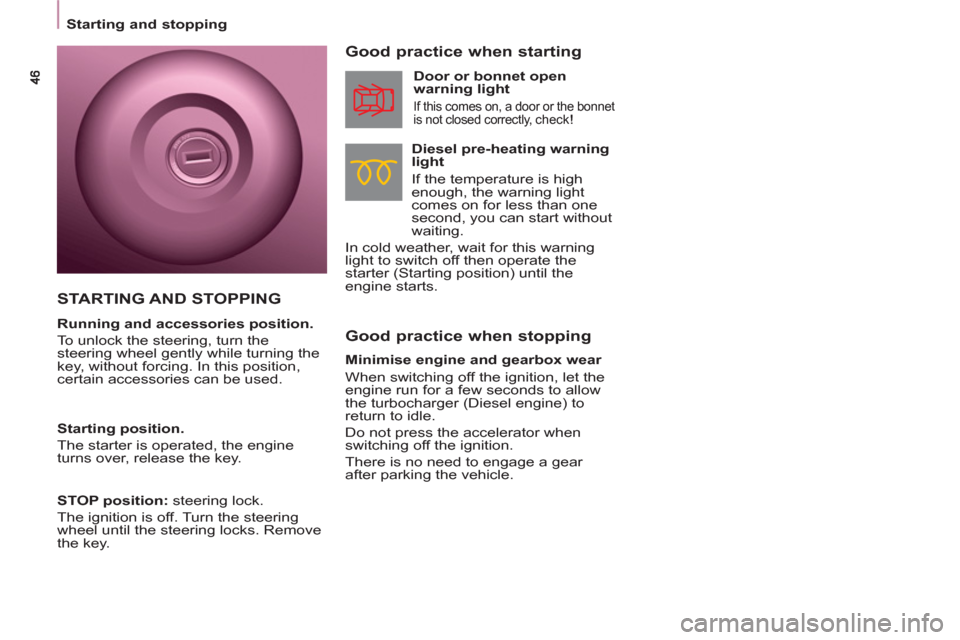
STARTING AND STOPPING
Running and accessories position.
To unlock the steering, turn the
steering wheel gently while turning the
key, without forcing. In this position,
certain accessories can be used.
Starting position.
The starter is operated, the engine
turns over, release the key.
STOP position:
steering lock.
The ignition is off. Turn the steering
wheel until the steering locks. Remove
the key.
Page 50 of 232
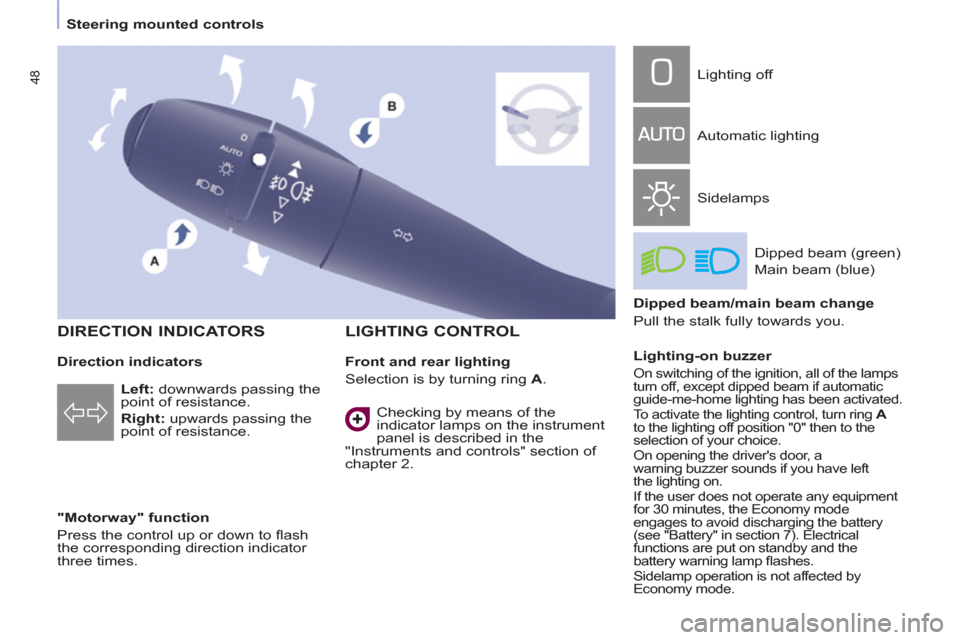
48
Steering mounted controls
Direction indicators
"Motorway" function
Press the control up or down to fl ash
the corresponding direction indicator
three times.
LIGHTING CONTROL
Left
: downwards passing the
point of resistance.
Right
: upwards passing the
point of resistance.
Front and rear lighting
Selection is by turning ring A
. Lighting off
Automatic lighting
Sidelamps
Dipped beam (green)
Main beam (blue)
Dipped beam/main beam change
Pull the stalk fully towards you.
Lighting-on buzzer
On switching of the ignition, all of the lamps
turn off, except dipped beam if automatic
guide-me-home lighting has been activated.
To activate the lighting control, turn ring A
to the lighting off position "0" then to the
selection of your choice.
On opening the driver's door, a
warning buzzer sounds if you have left
the lighting on.
If the user does not operate any equipment
for 30 minutes, the Economy mode
engages to avoid discharging the battery
(see "Battery" in section 7). Electrical
functions are put on standby and the
battery warning lamp fl ashes.
Sidelamp operation is not affected by
Economy mode.
Checking by means of the
indicator lamps on the instrument
panel is described in the
"Instruments and controls" section of
chapter 2.
DIRECTION INDICATORS
Page 51 of 232
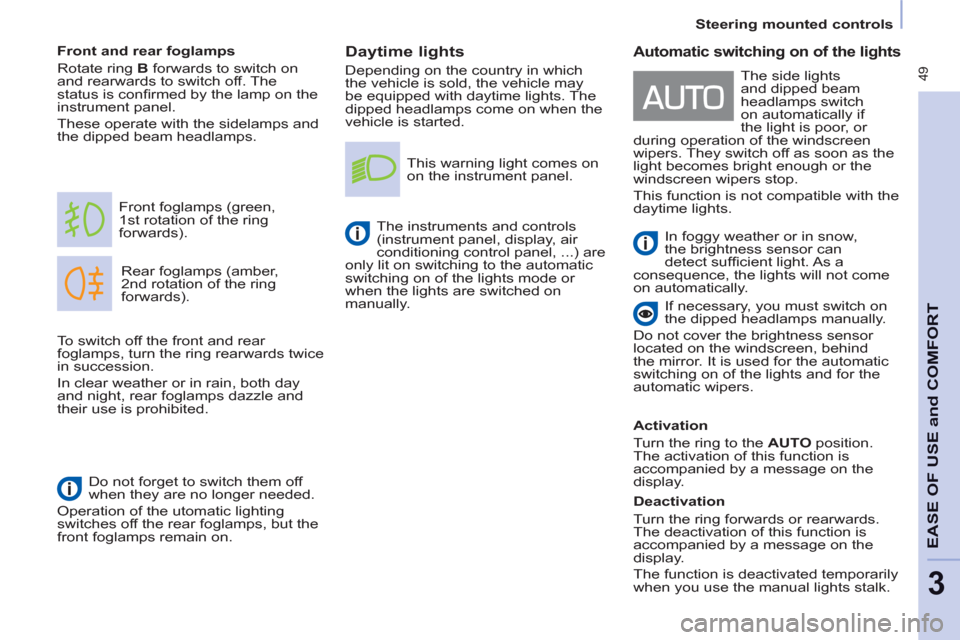
49
Steering mounted controls
EASE OF USE
andCOMFOR
T
3
Daytime lights
Depending on the country in which
the vehicle is sold, the vehicle may
be equipped with daytime lights. The
dipped headlamps come on when the
vehicle is started.
Rear foglamps (amber,
2nd rotation of the ring
forwards). Front foglamps (green,
1st rotation of the ring
forwards).
Front and rear foglamps
Rotate ring B
forwards to switch on
and rearwards to switch off. The
status is confi rmed by the lamp on the
instrument panel.
These operate with the sidelamps and
the dipped beam headlamps.
Do not forget to switch them off
when they are no longer needed.
Operation of the utomatic lighting
switches off the rear foglamps, but the
front foglamps remain on.
This warning light comes on
on the instrument panel.
The instruments and controls
(instrument panel, display, air
conditioning control panel, ...) are
only lit on switching to the automatic
switching on of the lights mode or
when the lights are switched on
manually.
To switch off the front and rear
foglamps, turn the ring rearwards twice
in succession.
In clear weather or in rain, both day
and night, rear foglamps dazzle and
their use is prohibited.
Automatic switching on of the lights
In foggy weather or in snow,
the brightness sensor can
detect suffi cient light. As a
consequence, the lights will not come
on automatically.
If necessary, you must switch on
the dipped headlamps manually.
Do not cover the brightness sensor
located on the windscreen, behind
the mirror. It is used for the automatic
switching on of the lights and for the
automatic wipers.
Activation
Turn the ring to the AUTO position.
The activation of this function is
accompanied by a message on the
display.
Deactivation
Turn the ring forwards or rearwards.
The deactivation of this function is
accompanied by a message on the
display.
The function is deactivated temporarily
when you use the manual lights stalk. The side lights
and dipped beam
headlamps switch
on automatically if
the light is poor, or
during operation of the windscreen
wipers. They switch off as soon as the
light becomes bright enough or the
windscreen wipers stop.
This function is not compatible with the
daytime lights.
Page 52 of 232
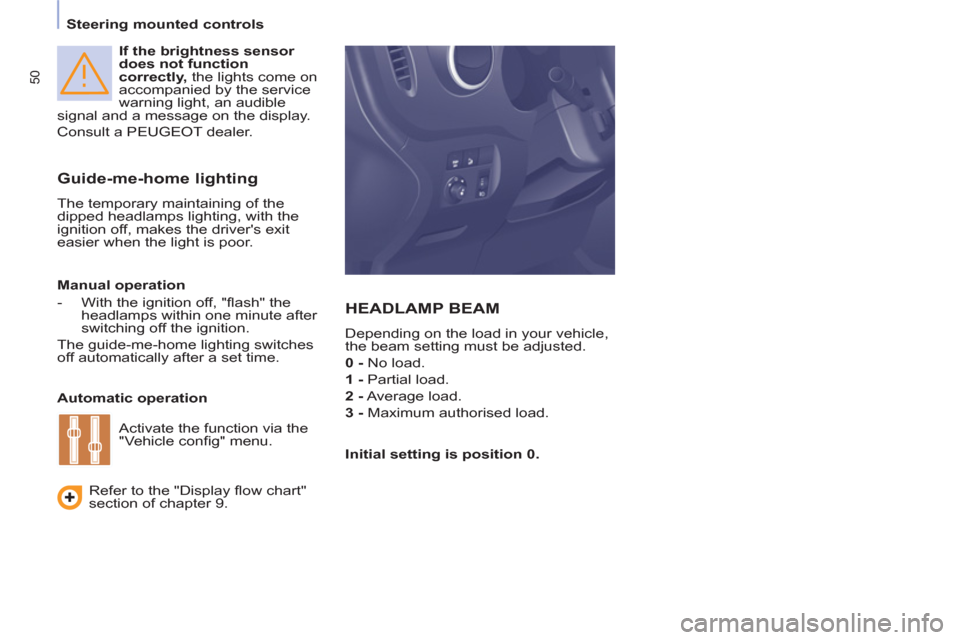
50
Steering mounted controls
If the brightness sensor
does not function
correctly, the lights come on
accompanied by the service
warning light, an audible
signal and a message on the display.
Consult a PEUGEOT dealer.
Guide-me-home lighting
The temporary maintaining of the
dipped headlamps lighting, with the
ignition off, makes the driver's exit
easier when the light is poor.
HEADLAMP BEAM
Depending on the load in your vehicle,
the beam setting must be adjusted.
0 - No load.
1 - Partial load.
2 - Average load.
3 - Maximum authorised load.
Manual operation
- With the ignition off, "fl ash" the
headlamps within one minute after
switching off the ignition.
The guide-me-home lighting switches
off automatically after a set time.
Automatic operation
Refer to the "Display fl ow chart"
section of chapter 9.
Initial setting is position 0. Activate the function via the
"Vehicle confi g" menu.
Page 53 of 232
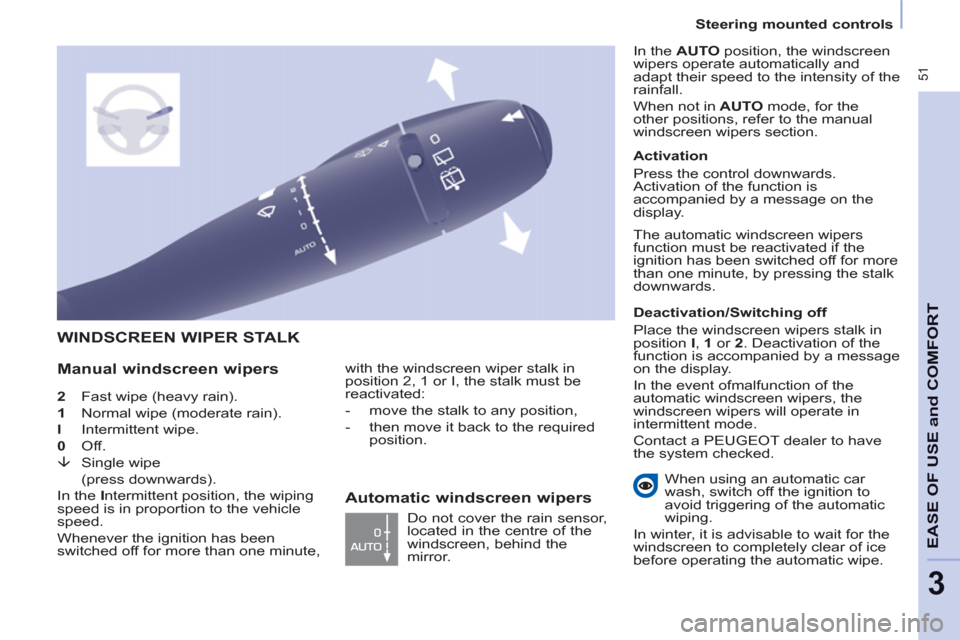
51
Steering mounted controls
EASE OF USE
andCOMFOR
T
3
2 Fast wipe (heavy rain).
1 Normal wipe (moderate rain).
l Intermittent wipe.
0 Off.
È Single wipe
(press downwards).
In the I ntermittent position, the wiping
speed is in proportion to the vehicle
speed.
Whenever the ignition has been
switched off for more than one minute,
WINDSCREEN WIPER STALK
Manual windscreen wipers
with the windscreen wiper stalk in
position 2, 1 or I, the stalk must be
reactivated:
- move the stalk to any position,
- then move it back to the required
position.
Do not cover the rain sensor,
located in the centre of the
windscreen, behind the
mirror.
Activation
Press the control downwards.
Activation of the function is
accompanied by a message on the
display.
Deactivation/Switching off
Place the windscreen wipers stalk in
position I , 1 or 2 . Deactivation of the
function is accompanied by a message
on the display.
In the event of
malfunction of the
automatic windscreen wipers, the
windscreen wipers will operate in
intermittent mode.
Contact a PEUGEOT dealer to have
the system checked. In the AUTO position, the windscreen
wipers operate automatically and
adapt their speed to the
intensity
of the
rainfall.
When not in AUTO mode, for the
other positions, refer to the manual
windscreen wipers section.
The automatic windscreen wipers
function must be reactivated
if the
ignition has been switched off for more
than one minute, by pressing the stalk
downwards.
When using an automatic car
wash, switch off the ignition to
avoid triggering of the automatic
wiping.
In winter, it is advisable to wait for the
windscreen to completely clear of ice
before operating the automatic wipe.
Automatic windscreen wipers
Page 54 of 232
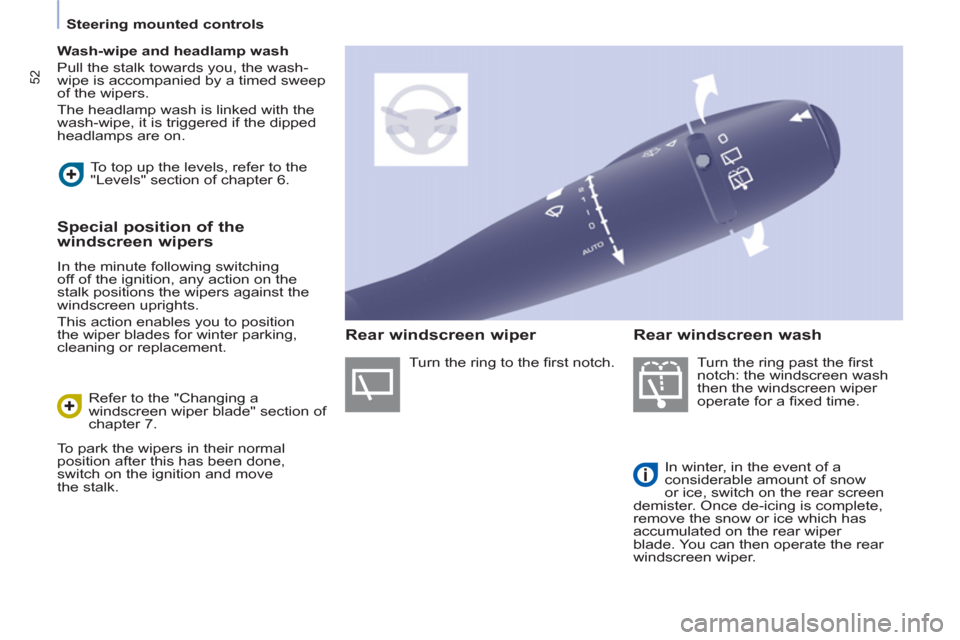
52
Steering mounted controls
Wash-wipe and headlamp wash
Pull the stalk towards you, the wash-
wipe is accompanied by a timed sweep
of the wipers.
The headlamp wash is linked with the
wash-wipe, it is triggered if the dipped
headlamps are on.
Turn the ring past the fi rst
notch: the windscreen wash
then the windscreen wiper
operate for a fi xed time.
In winter, in the event of a
considerable amount of snow
or ice, switch on the rear screen
demister. Once de-icing is complete,
remove the snow or ice which has
accumulated on the rear wiper
blade. You can then operate the rear
windscreen wiper. To top up the levels, refer to the
"Levels" section of chapter 6.
Special position of the
windscreen wipers
In the minute following switching
off of the ignition, any action on the
stalk positions the wipers against the
windscreen uprights.
This action enables you to position
the wiper blades for winter parking,
cleaning or replacement.
Refer to the "Changing a
windscreen wiper blade" section of
chapter 7.
To park the wipers in their normal
position after this has been done,
switch on the ignition and move
the stalk. Turn the ring to the fi rst notch.
Rear windscreen wiper
Rear windscreen wash
Page 55 of 232
53
Steering mounted controls
EASE OF USE
andCOMFOR
T
3
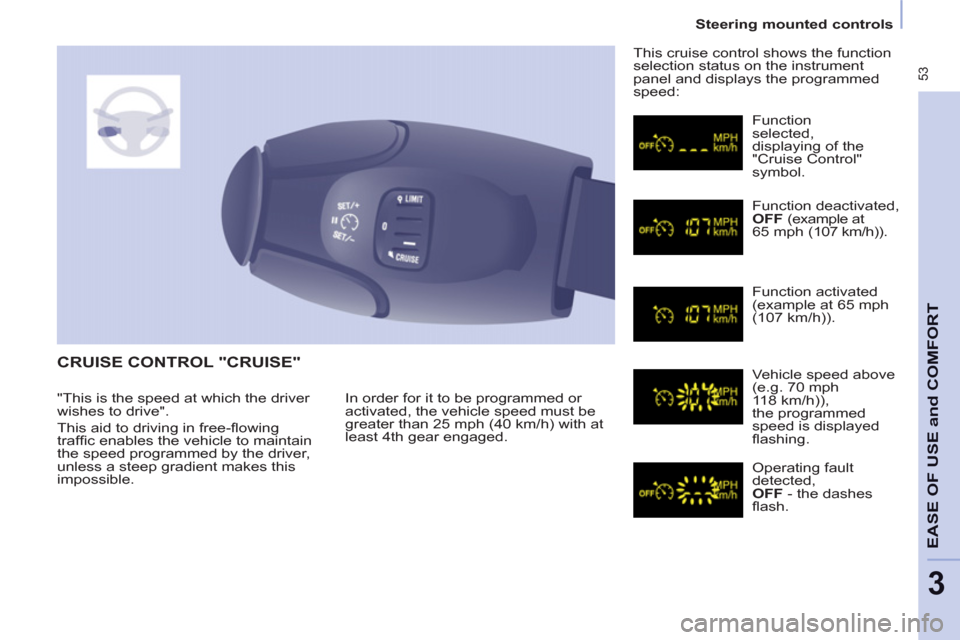
CRUISE CONTROL "CRUISE"
In order for it to be programmed or
activated, the vehicle speed must be
greater than 25 mph (40 km/h) with at
least 4th gear engaged. This cruise control shows the function
selection status on the instrument
panel and displays the programmed
speed:
Function
selected,
displaying of the
"Cruise Control"
symbol.
Function deactivated,
OFF (example at
65 mph (107 km/h)).
Function activated
(example at
65 mph(107 km/h)).
Vehicle speed above
(e.g. 7
0 mph118 km/h)),
the programmed
speed is displayed
fl ashing.
Operating fault
detected,
OFF - the dashes
fl ash. "This is the speed at which the driver
wishes to drive".
This aid to driving in free-fl owing
traffi c enables the vehicle to maintain
the speed programmed by the driver,
unless a steep gradient makes this
impossible.