key Peugeot Partner Tepee 2015 Owner's Guide
[x] Cancel search | Manufacturer: PEUGEOT, Model Year: 2015, Model line: Partner Tepee, Model: Peugeot Partner Tepee 2015Pages: 276, PDF Size: 12.76 MB
Page 150 of 276
DIESEL
148
Partner_2_VP_en_Chap07_Verification_ed02-2014
FUEL CUT-OFF
In a serious collision, a mechanism
automatically prevents fuel from
reaching the engine.The flashing of this warning
lamp is accompanied by a
message in the screen.
Check that there is no odour or
leakage of fuel outside the vehicle and
re-establish the fuel supply:
-
switch of
f the ignition
(S
t
OP
position),
-
remove the key
,
-
put the key back in the ignition,
-
switch on the ignition and start.
DIESEL PRIMING PUMP
If you should run out of fuel, it is
necessary to prime the fuel circuit:
-
fill the fuel tank with at least five
litres of Diesel,
-
squeeze and release the manual
priming pump, under the bonnet
under the protective cover
,
-
operate the starter until the engine
starts. Refer to chapter 7: "
u nder the
bonnet" section.
Fuel used for Diesel engines
the Diesel engines are compatible with
biofuels which conform to current and
future
e uropean standards (Diesel fuel
which complies with standard
e N 590
mixed with a biofuel which complies
with standard
e N 14214) available at
the pumps (containing up to 7 % Fatty
Acid Methyl
e ster).
t
he B30 biofuel can be used in certain
Diesel engines; however, this use
is subject to strict application of the
special servicing conditions indicated
in the warranty and maintenance
record. Contact a P
euge O t
dealer or
a qualified workshop.
t
he use of any other type of (bio)
fuel (vegetable or animal oils, pure
or diluted, domestic fuel...) is strictly
prohibited (risk of damage to the
engine and fuel system).
Fuel
Page 157 of 276

155
Partner_2_VP_en_Chap07_Verification_ed02-2014
Recommendations on storage
AdBlue® freezes at about -11°C
and deteriorates above 25°C. It is
recommended that bottles be stored in
a cool area and protected from direct
sunlight.
u
nder these conditions, the additive
can be kept for at least a year.
If the additive has frozen, can be used
once it has completely thawed out.
Never store bottles of AdBlue
® in
your vehicle. Procedure
Before topping-up, ensure that the
vehicle is parked on a flat and level
surface.
In wintry conditions, ensure that the
temperature of the vehicle is above
-11°C. Otherwise, by freezing, the
AdBlue
® cannot be poured into its tank.
Park your vehicle in a warmer area for
a few hours to allow the top-up to be
carried out.
F
Switch of
f the ignition and remove
the key.
-
For access to the
AdBlue
® tank,
open the filler flap; the AdBlue® filler
cap is located to the left of the fuel
filler cap
-
T
urn the blue cap a 6
th of a turn
anti-clockwise.
-
Lift of
f the blue cap.
AdBlue® additive
CHeCKS
7
Page 158 of 276
156
Partner_2_VP_en_Chap07_Verification_ed02-2014
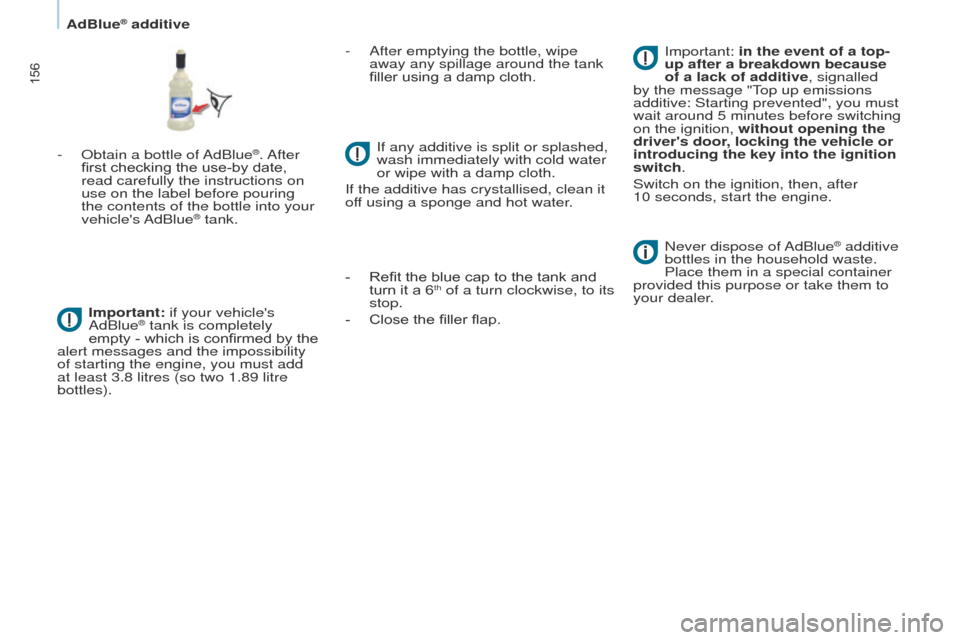
- Obtain a bottle of AdBlue®. After
first checking the use-by date,
read carefully the instructions on
use on the label before pouring
the contents of the bottle into your
vehicle's AdBlue
® tank.
Important: if your vehicle's
AdBlue
® tank is completely
empty
- which is confirmed by the
alert messages and the impossibility
of starting the engine, you must add
at least 3.8 litres (so two 1.89 litre
bottles). -
After emptying the bottle, wipe
away any spilla
ge around the tank
filler using a damp cloth.
If any additive is split or splashed,
wash immediately with cold water
or wipe with a damp cloth.
If the additive has crystallised, clean it
off using a sponge and hot water.
-
Refit the blue cap to the tank and
turn it a 6th of a turn clockwise, to its
stop.
-
Close the filler flap. Never dispose of
AdBlue
® additive
bottles in the household waste.
Place them in a special container
provided this purpose or take them to
your dealer. Important: in the event of a top-
up after a breakdown because
of a lack of additive, signalled
by the message "
t
op up emissions
additive: Starting prevented", you must
wait around 5 minutes before switching
on the ignition,
without opening the
driver's door, locking the vehicle or
introducing the key into the ignition
switch.
Switch on the ignition, then, after
10
seconds, start the engine.
AdBlue® additive
Page 160 of 276
158
Partner_2_VP_en_Chap08_Aide-rapide_ed02-2014
ECONOMY MODE
After the engine has stopped, with
the key in the ignition position, certain
functions (windscreen wiper, electric
windows, courtesy lamps, audio
equipment, etc.) can only be used for a
cumulative duration of thirty minutes, to
prevent discharging of the battery.
Once the thirty minutes are over, the
active functions are put on standby
and the battery warning lamp flashes
accompanied by a message in the
screen.
to resume the use of these functions
immediately
, start the engine and let it
run for a few minutes.
t
he time available will then be double
the time for which the engine was left
running. However, this time will always
be between five and thirty minutes.
A flat battery will prevent the
engine from starting.
Battery
Page 220 of 276
06
10.30
Partner_2_VP_en_Chap10b_RT6-2-8_ed02-2014
USING THE TELEPHONE
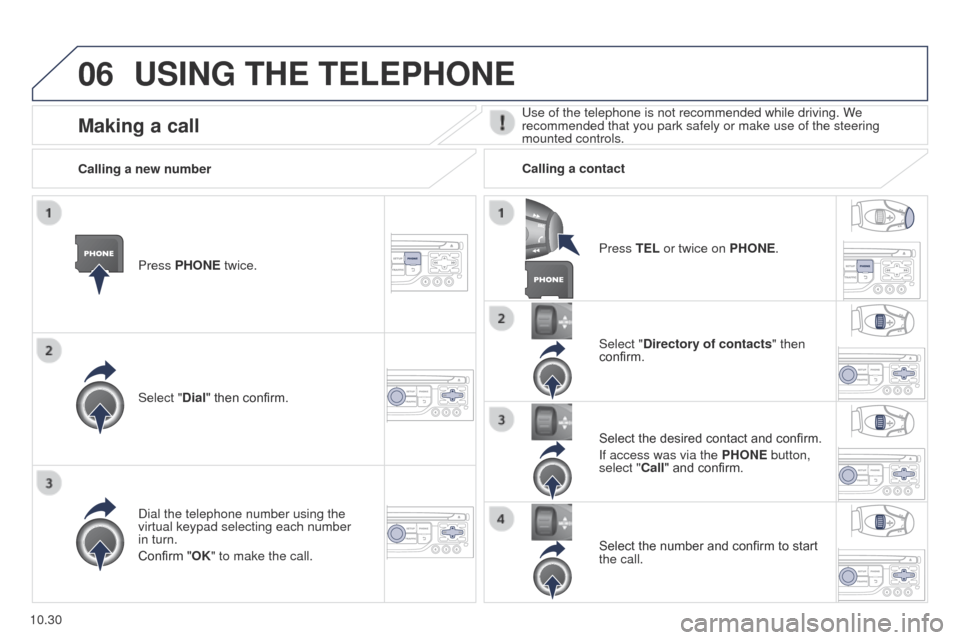
Press PHONE twice.
Select "Dial" then confirm.Select "Directory of contacts" then
confirm.
Dial the telephone number using the
virtual keypad selecting each number
in turn.
Confirm "OK" to make the call. Press TEL or twice on PHONE.
Calling a new number
Calling a contact
Select the desired contact and confirm.
If access was via the PHONE button,
select "Call" and confirm.
Select the number and confirm to start
the call.
Making a calluse of the telephone is not recommended while driving. We
recommended that you park safely or make use of the steering
mounted controls.
Page 223 of 276
06
10.33
Partner_2_VP_en_Chap10b_RT6-2-8_ed02-2014
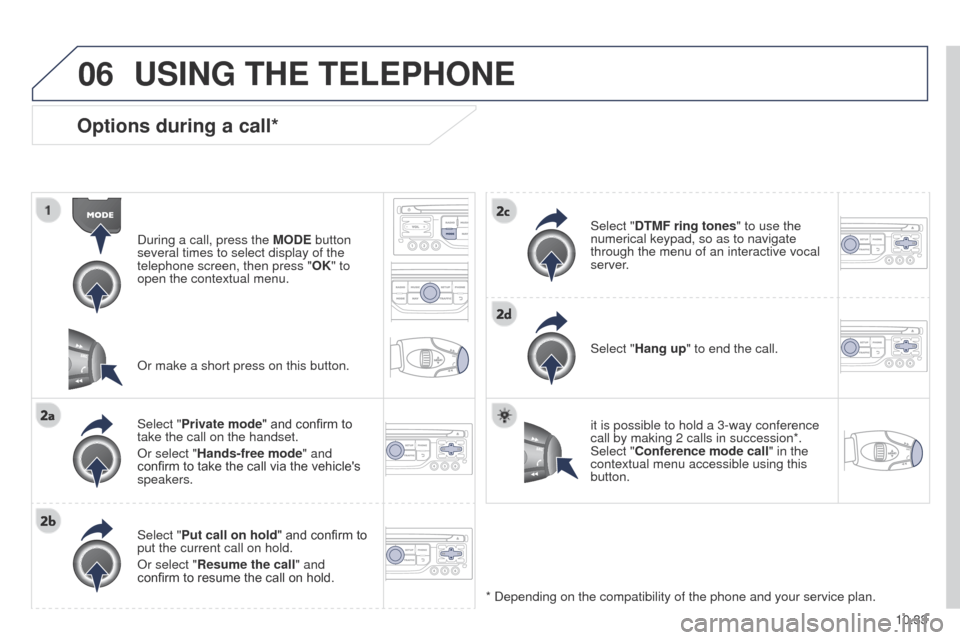
Options during a call*
During a call, press the MODE button
several times to select display of the
telephone screen, then press " OK" to
open the contextual menu.
Select "Private mode" and confirm to
take the call on the handset.
Or select "Hands-free mode" and
confirm to take the call via the vehicle's
speakers.
Select "Put call on hold " and confirm to
put the current call on hold.
Or select "Resume the call" and
confirm to resume the call on hold. Select "DTMF ring tones
" to use the
numerical keypad, so as to navigate
through the menu of an interactive vocal
server.
Select "Hang up" to end the call.
* Depending on the compatibility of the phone and your service plan. it is possible to hold a 3-way conference
call by making 2 calls in succession*.
Select "Conference mode call" in the
contextual menu accessible using this
button.
Or make a short press on this button.
USING THE TELEPHONE
Page 227 of 276
07
10.37
Partner_2_VP_en_Chap10b_RT6-2-8_ed02-2014
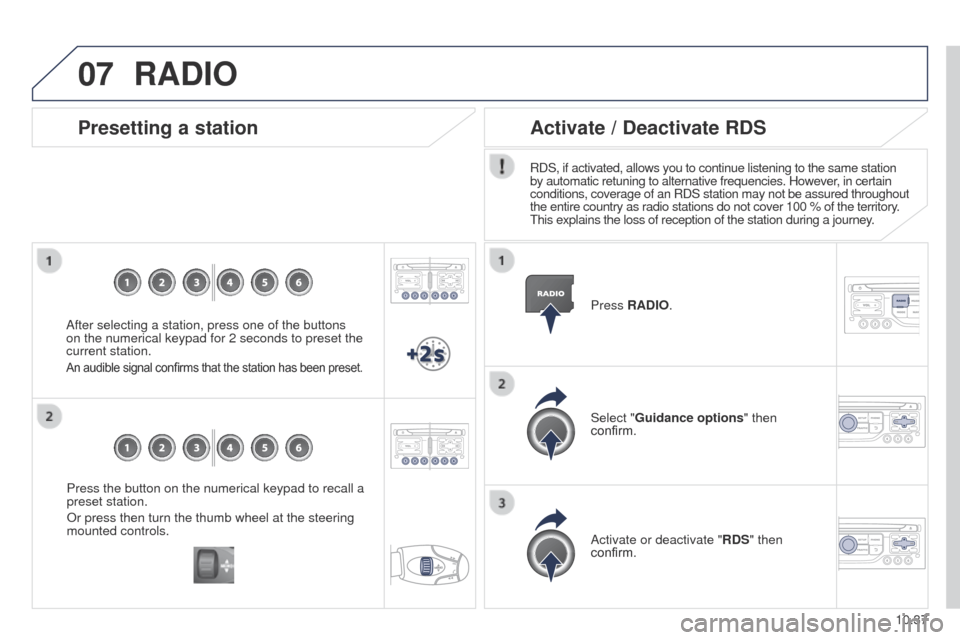
Press the button on the numerical keypad to recall a
preset station.
Or press then turn the thumb wheel at the steering
mounted controls.
Presetting a station
After selecting a station, press one of the buttons
on the numerical keypad for 2 seconds to preset the
current station.
An audible signal confirms that the station has been preset.
Press RADIO.
Activate / Deactivate RDS
RDS, if activated, allows you to continue listening to the same station
by automatic retuning to alternative frequencies. However, in certain
conditions, coverage of an RDS station may not be assured throughout
the entire country as radio stations do not cover 100 % of the territory\
.
t
his explains the loss of reception of the station during a journey.
Select "Guidance options " then
confirm.
Activate or deactivate "RDS" then
confirm.
RADIO
Page 229 of 276
08
10.39
Partner_2_VP_en_Chap10b_RT6-2-8_ed02-2014
CD, MP3 CD / USB player
The audio equipment will only play audio files with ".wma, .aac, .flac,
.ogg and .mp3" file extensions and with a bit rate of between 32 Kbps
and 320 Kbps.
It also supports VBR (Variable Bit Rate) mode.
No other type of file (.mp4, .m3u...) can be played.
WMA files must be of the standard wma 9 type.
t
he sampling rates supported are greater than 32 KHz.
It is advisable to restrict file names to 20 characters, without using of
special characters (e.g.: " " ? ; ù) to avoid any playing and displ\
aying
problems.
In order to be able to play a recorded CDR or CDRW, when recording
it is preferable to select the ISO 9660 level 1, 2 or Joliet standard.
If the disc is recorded in another format (udf,...), it may not be pla\
yed
correctly.
It is recommended that the same recording standard is always used
for an individual disc, with as low a speed as possible (4x maximum)
for optimum sound quality.
In the particular case of a multi-session CD, the Joliet standard is
recommended. Information and advicet
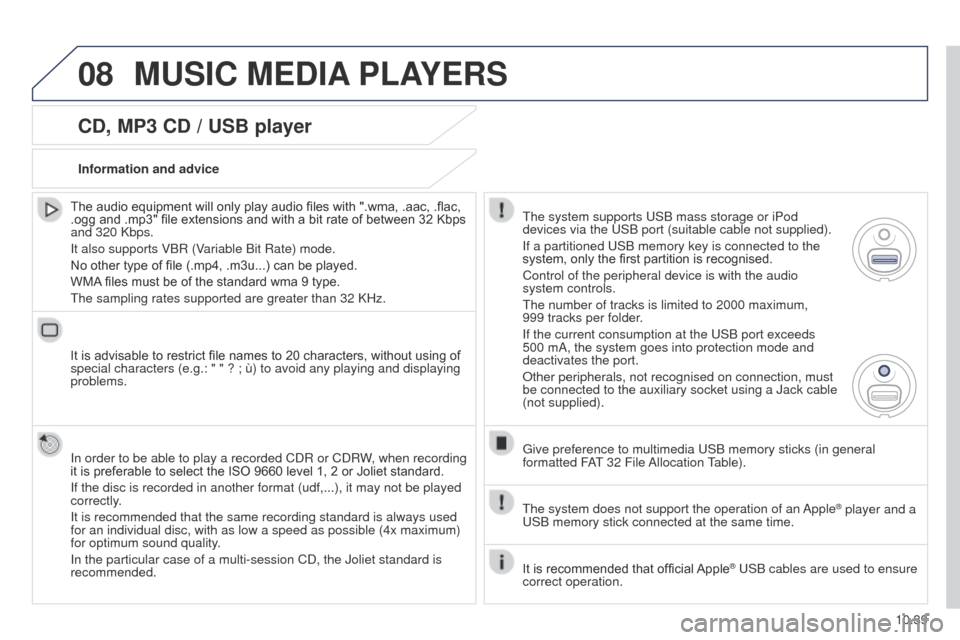
he system supports u SB mass storage or iPod
devices via the
u SB port (suitable cable not supplied).
If a partitioned
u SB memory key is connected to the
system, only the first partition is recognised.
Control of the peripheral device is with the audio
system controls.
t
he number of tracks is limited to 2000 maximum,
999
tracks per folder.
If the current consumption at the
u SB port exceeds
500 mA, the system goes into protection mode and
deactivates the port.
Other peripherals, not recognised on connection, must
be connected to the auxiliary socket using a Jack cable
(not supplied).
g
ive preference to multimedia u SB memory sticks (in general
formatted FA
t 32 File
Allocation
table).
t
he system does not support the operation of an Apple
® player and a u
SB memory stick connected at the same time.
It is recommended that official Apple
® uSB cables are used to ensure
correct operation.
MUSIC MEDIA PLAYERS
Page 259 of 276
06
10.69
Partner_2_VP_en_Chap10c_RD45_ed02_2014
BLUETOOTH
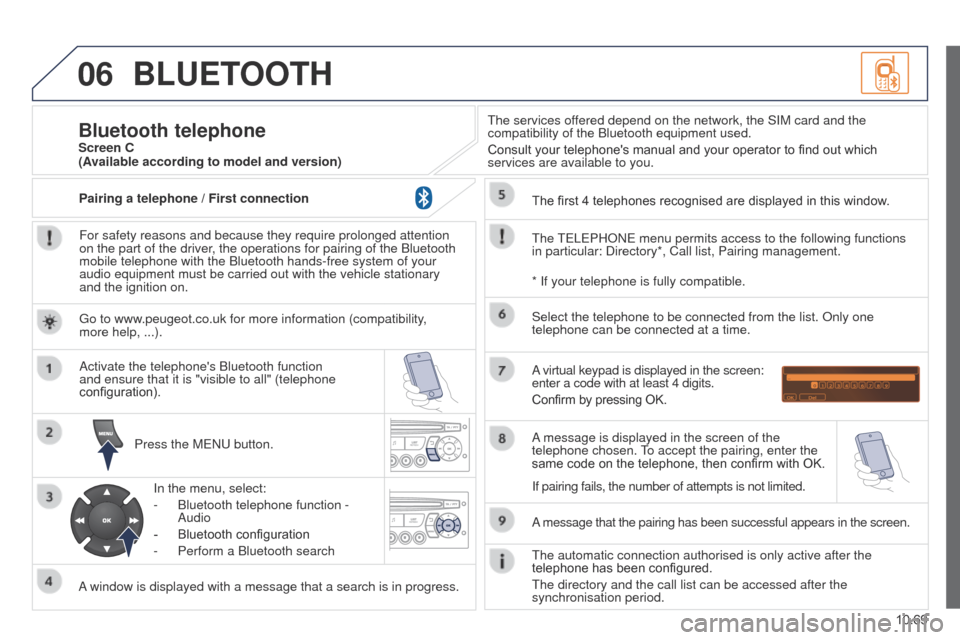
For safety reasons and because they require prolonged attention
on the part of the driver, the operations for pairing of the Bluetooth
mobile telephone with the Bluetooth hands-free system of your
audio equipment must be carried out with the vehicle stationary
and the ignition on.Press the M
e N u button.
A window is displayed with a message that a search is in progress. Activate the telephone's Bluetooth function
and ensure that it is "visible to all" (telephone
configuration).
In the menu, select:
-
Bluetooth telephone function -
Audio
-
Bluetooth configuration
-
Perform a Bluetooth search
t
he services offered depend on the network, the SIM card and the
compatibility of the Bluetooth equipment used.
Consult your telephone's manual and your operator to find out which
services are available to you.
Bluetooth telephoneScreen C
t
he
te
L e PHON e menu permits access to the following functions
in particular: Directory*, Call list, Pairing management. The first 4 telephones recognised are displayed in this window.
A virtual keypad is displayed in the screen:
enter a code with at least 4 digits.
Confirm by pressing OK.
A message that the pairing has been successful appears in the screen. Select the telephone to be connected from the list. Only one
telephone can be connected at a time.
A message is displayed in the screen of the
telephone chosen.
to accept the pairing, enter the
same code on the telephone, then confirm with OK.
t
he automatic connection authorised is only active after the
telephone has been configured.
t
he directory and the call list can be accessed after the
synchronisation period.
(Available according to model and version)
* If your telephone is fully compatible.
If pairing fails, the number of attempts is not limited.
g
o to www.peugeot.co.uk for more information (compatibility,
more help, ...).
Pairing a telephone / First connection
Page 260 of 276
06
10.70
Partner_2_VP_en_Chap10c_RD45_ed02_2014
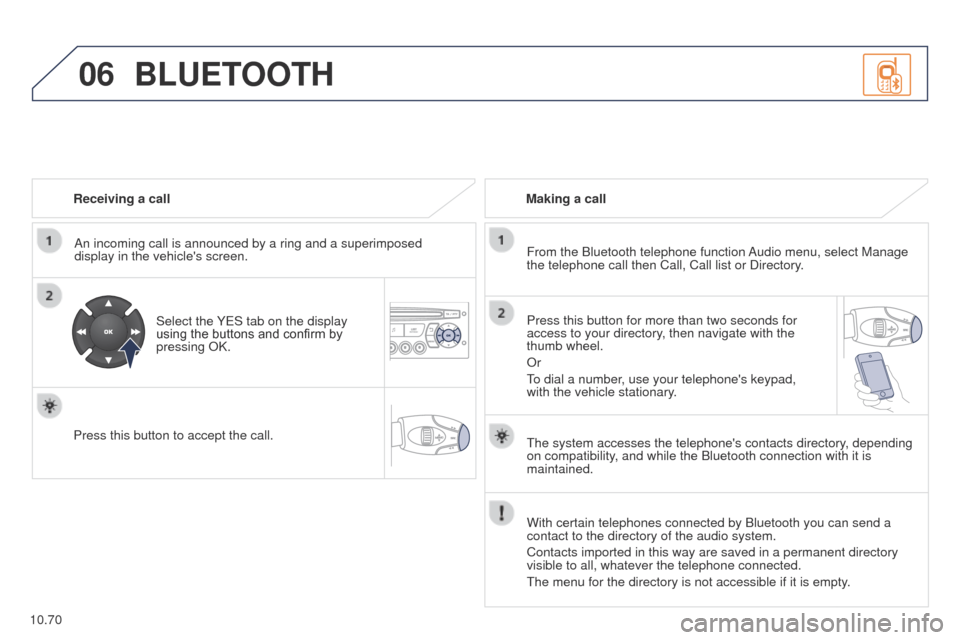
Receiving a callAn incoming call is announced by a ring and a superimposed
display in the vehicle's screen.
Select the Y
e S tab on the display
using the buttons and confirm by
pressing OK.
Press this button to accept the call. Making a call
From the Bluetooth telephone function Audio menu, select Manage
the telephone call then Call, Call list or Directory.
Press this button for more than two seconds for
access to your directory, then navigate with the
thumb wheel.
Or
to dial a number
, use your telephone's keypad,
with the vehicle stationary.
BLUETOOTH
the system accesses the telephone's contacts directory, depending
on compatibility , and while the Bluetooth connection with it is
maintained.
With certain telephones connected by Bluetooth you can send a
contact to the directory of the audio system.
Contacts imported in this way are saved in a permanent directory
visible to all, whatever the telephone connected.
t
he menu for the directory is not accessible if it is empty.