ECO mode PEUGEOT PARTNER TEPEE 2020 User Guide
[x] Cancel search | Manufacturer: PEUGEOT, Model Year: 2020, Model line: PARTNER TEPEE, Model: PEUGEOT PARTNER TEPEE 2020Pages: 216, PDF Size: 8.46 MB
Page 110 of 216
108
Gear shift indicator
This system helps reduce fuel consumption by
recommending the most appropriate gear.
With an electronic gearbox, the system is active
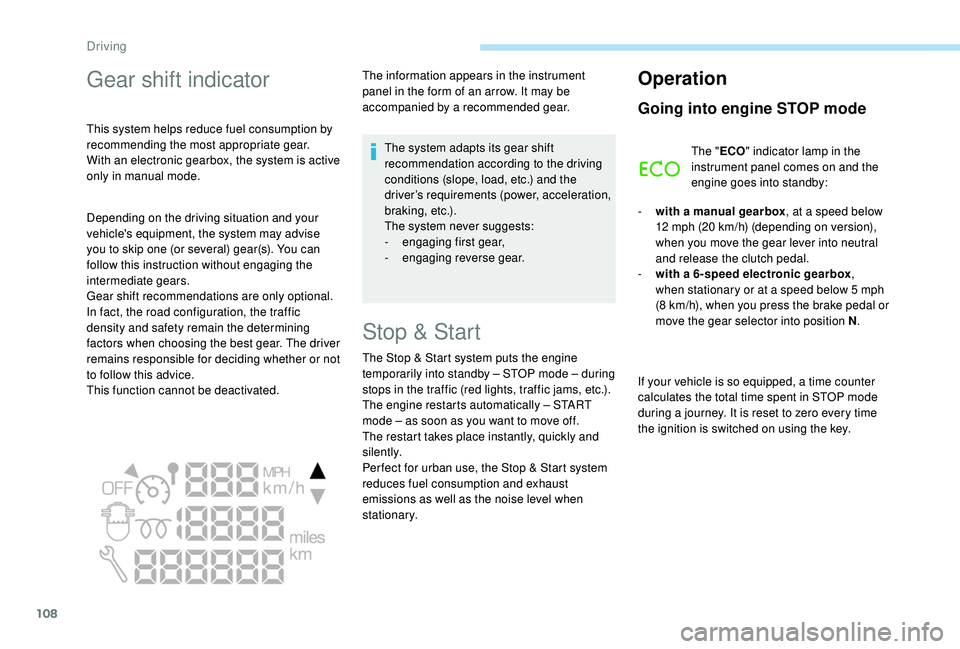
only in manual mode.The information appears in the instrument
panel in the form of an arrow. It may be
accompanied by a recommended gear.
The system adapts its gear shift
recommendation according to the driving
conditions (slope, load, etc.) and the
driver’s requirements (power, acceleration,
b r a k i n g , e t c .) .
The system never suggests:
-
e
ngaging first gear,
-
enga
ging reverse gear.
Stop & Start
The Stop & Start system puts the engine
t emporarily into standby – STOP mode – during
stops in the traffic (red lights, traffic jams, etc.).
The engine restarts automatically – START
mode – as soon as you want to move off.
The restart takes place instantly, quickly and
silently.
Per fect for urban use, the Stop & Start system
reduces fuel consumption and exhaust
emissions as well as the noise level when
stationary.
Operation
Going into engine STOP mode
The " ECO" indicator lamp in the
instrument panel comes on and the
engine goes into standby:
-
w
ith a manual gearbox , at a speed below
12
mph (20 km/h) (depending on version),
when you move the gear lever into neutral
and release the clutch pedal.
-
w
ith a 6-speed electronic gearbox ,
when stationary or at a speed below 5
mph
(8
km/h), when you press the brake pedal or
move the gear selector into position N .
If your vehicle is so equipped, a time counter
calculates the total time spent in STOP mode
during a journey. It is reset to zero every time
the ignition is switched on using the key.
Depending on the driving situation and your
vehicle's equipment, the system may advise
you to skip one (or several) gear(s). You can
follow this instruction without engaging the
intermediate gears.
Gear shift recommendations are only optional.
In fact, the road configuration, the traffic
density and safety remain the determining
factors when choosing the best gear. The driver
remains responsible for deciding whether or not
to follow this advice.
This function cannot be deactivated.
Driving
Page 111 of 216
109
With a 6 -speed electronic gearbox, for
your convenience when parking, the
STOP mode is not available for the few
seconds that follow disengagement of
reverse gear.
The Stop & Start system does not affect
the vehicle's functions, such as, for
example, braking, power steering, etc.
Never refuel with the engine in STOP
mode; you must switch off the ignition
using the key.
Special cases: STOP mode not
available
STOP mode is not triggered when:
- t he vehicle is on a steep slope (uphill or
downhill),
-
t
he driver's door is open,
-
t
he driver's seat belt is not fastened,
-
t
he vehicle has not exceeded 6 mph
(10
km/h) since the last engine start using
t h e key,
-
t
he engine is needed to maintain a
comfortable temperature in the passenger
compartment,
-
d
emisting is on, -
s
ome special conditions (battery charge,
engine temperature, braking assistance,
ambient temperature, etc.) are present
which require the engine to be running to
assure control of the system.
In this case, the " ECO" indicator
lamp flashes for a few seconds then
goes off.
This operation is perfectly normal.
Going into engine START mode
The " ECO" indicator lamp goes off
and the engine restarts:
-
w
ith a manual gearbox , when you fully
press the clutch pedal,
-
w
ith a 6-speed electronic gearbox
•
g
ear lever in position A or M , when you
release the brake pedal,
•
o
r gear lever in position N and the brake
pedal released, when you move the gear
selector to position A or M ,
•
o
r when you engage reverse gear. With a manual gearbox in STOP mode, if
a gear is engaged without fully pressing
the clutch pedal, a message is displayed
asking you to press the clutch pedal to
restart the engine.
Special cases: START mode
activated automatically
As a safety measure or to maintain comfort
levels in the vehicle, START mode is activated
automatically when:
-
y
ou open the driver's door,
-
y
ou unfasten the driver's seat belt,
-
t
he speed of the vehicle exceeds 16 mph
(25
km/h) with a manual gearbox or 7 mph
(11
km/h) with an electronic 6 -speed
gearbox,
-
s
ome special conditions (battery charge,
engine temperature, braking assistance,
ambient temperature, etc.) are present
which require the engine to be running to
assure control of the system or vehicle.
In this case, the " ECO" indicator
lamp flashes for a few seconds then
goes off.
This operation is perfectly normal.
6
Driving
Page 112 of 216
110
Manual deactivation
In certain circumstances, such as the need
to maintain a comfortable temperature in the
passenger compartment, it may be preferable
to deactivate the Stop & Start system.
The system can be deactivated at any time,
once the ignition is switched on.
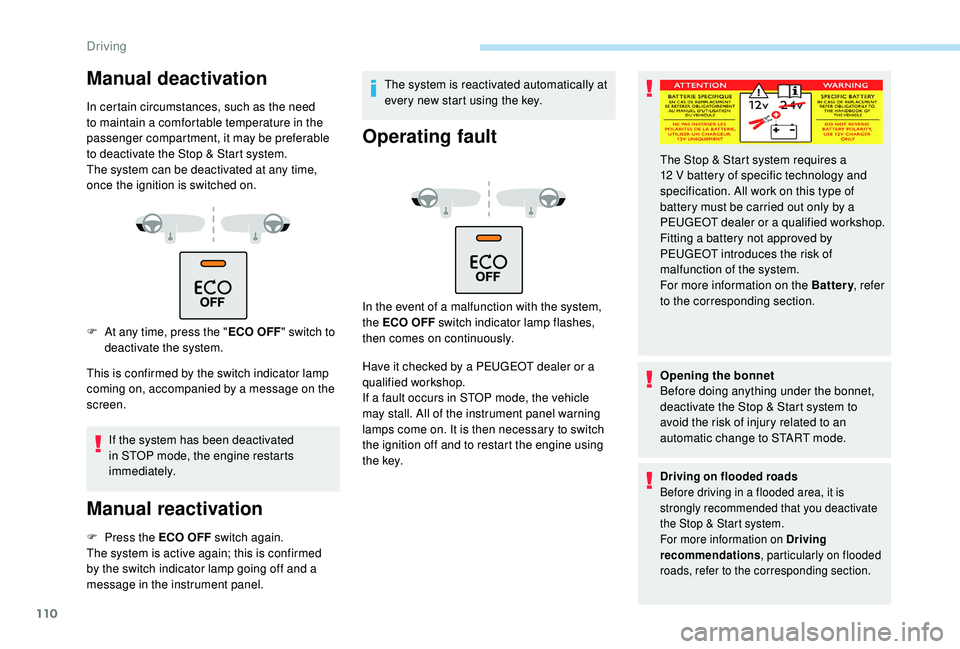
F
A
t any time, press the " ECO OFF"
switch to
deactivate the system.
This is confirmed by the switch indicator lamp
coming on, accompanied by a message on the
screen.
If the system has been deactivated
in STOP mode, the engine restarts
immediately.
Manual reactivation
F Press the ECO OFF switch again.
The system is active again; this is confirmed
by the switch indicator lamp going off and a
message in the instrument panel. The system is reactivated automatically at
every new start using the key.
Operating fault
In the event of a malfunction with the system,
the ECO OFF switch indicator lamp flashes,
then comes on continuously.
Have it checked by a PEUGEOT dealer or a
qualified workshop.
If a fault occurs in STOP mode, the vehicle
may stall. All of the instrument panel warning
lamps come on. It is then necessary to switch
the ignition off and to restart the engine using
t h e key.
Opening the bonnet
Before doing anything under the bonnet,
deactivate the Stop & Start system to
avoid the risk of injury related to an
automatic change to START mode.
Driving on flooded roads
Before driving in a flooded area, it is
strongly recommended that you deactivate
the Stop & Start system.
For more information on Driving
recommendations
, particularly on flooded
roads, refer to the corresponding section.
The Stop & Start system requires a
12 V battery of specific technology and
specification. All work on this type of
battery must be carried out only by a
PEUGEOT dealer or a qualified workshop.
Fitting a battery not approved by
PEUGEOT
introduces the risk of
malfunction of the system.
For more information on the Battery , refer
to the corresponding section.
Driving
Page 161 of 216
159
Economy mode
When the engine is switched off and the key is
left in the ignition on position, certain functions
(windscreen wipers, electric windows, courtesy
lamps, audio system, etc.) can be used for a
combined duration of no more than than thirty
minutes, so as not to discharge the battery.
After thirty minutes the active functions are
put on standby and the battery warning lamp
flashes with a message displayed in the screen.
In order to restore the use of these functions
immediately, start the engine and let it run for a
few minutes.
The time available to you will then be double
the period for which the engine is left running.
However, this period will always be between
five and thirty minutes.The engine will not start if the battery is
discharged.
Towing your vehicle
For more information on Changing a
wheel and in particular the tools, refer to
the corresponding section. Vehicles fitted with a manual gearbox
(Diesel version)
For vehicles fitted with a manual gearbox,
the gear lever must be in neutral. Failure
to obser ve this special condition could
result in damage to the transmission and
braking components and to the absence
of braking assistance when the engine is
started again.
From the front
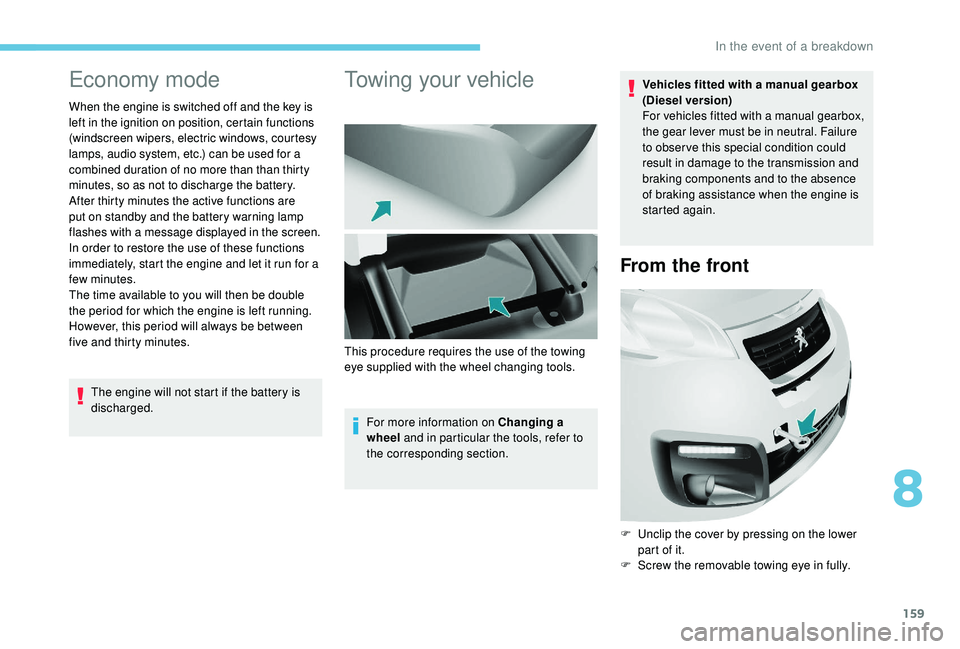
F Unclip the cover by pressing on the lower
part of it.
F
S
crew the removable towing eye in fully.
This procedure requires the use of the towing
eye supplied with the wheel changing tools.
8
In the event of a breakdown
Page 165 of 216
163
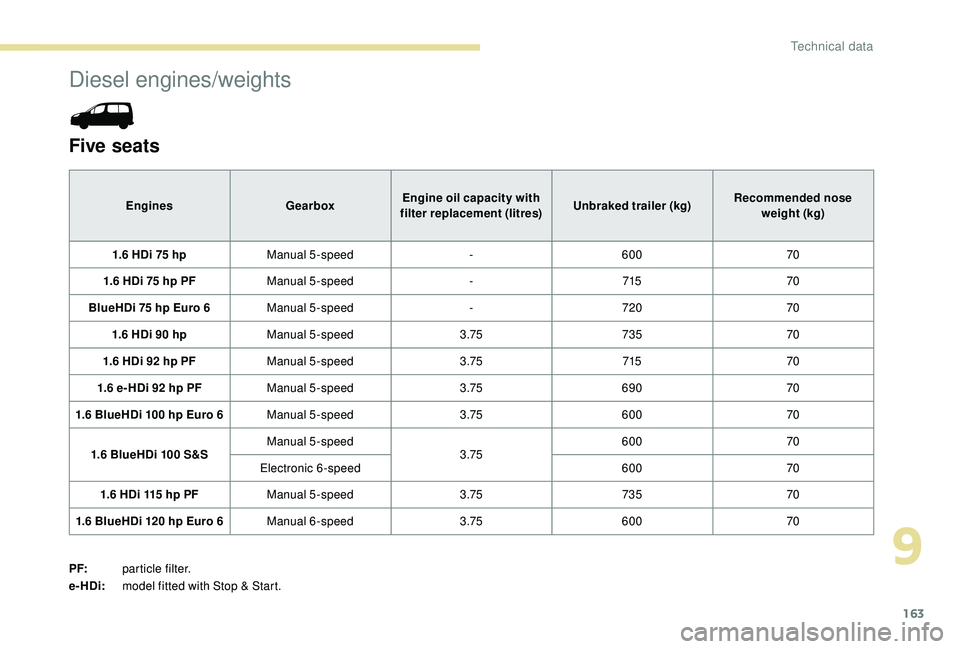
Diesel engines/weights
Five seats
EnginesGearboxEngine oil capacity with
filter replacement (litres) Unbraked trailer (kg)Recommended nose
weight (kg)
1.6 HDi 75 hp Manual 5-speed -600 70
1.6 HDi 75 hp PF Manual 5-speed -715 70
BlueHDi 75 hp Euro 6 Manual 5-speed -720 70
1.6 HDi 90 hp Manual 5-speed 3.75735 70
1.6 HDi 92 hp PF Manual 5-speed 3.75715 70
1.6 e- HDi 92 hp PF Manual 5-speed 3.75690 70
1.6 BlueHDi 100 hp Euro 6 Manual 5-speed 3.75600 70
1.6 BlueHDi 100 S&S Manual 5-speed
3.75600
70
Electronic 6-speed 60070
1.6 HDi 115 hp PF Manual 5-speed 3.75735 70
1.6 BlueHDi 120 hp Euro 6 Manual 6-speed 3.75600 70
PF: particle filter.
e-HDi: model fitted with Stop & Start.
9
Technical data
Page 166 of 216
164
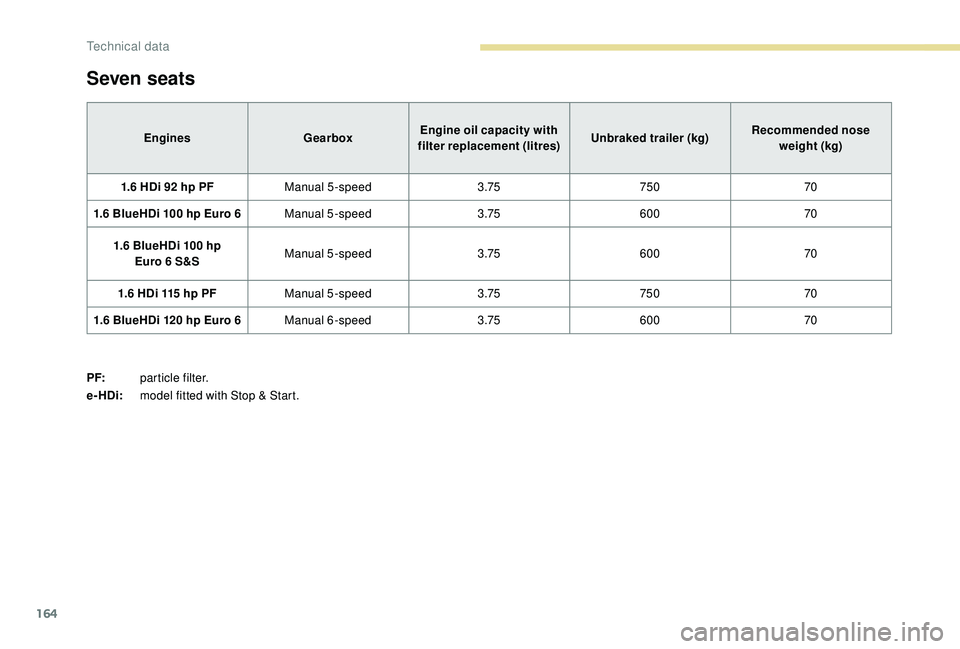
Seven seats
EnginesGearboxEngine oil capacity with
filter replacement (litres) Unbraked trailer (kg)Recommended nose
weight (kg)
1.6 HDi 92 hp PF Manual 5-speed 3.75750 70
1.6 BlueHDi 100 hp Euro 6 Manual 5-speed 3.75600 70
1.6 BlueHDi 100 hp Euro
6 S&S Manual 5-speed
3.75600 70
1.6 HDi 115 hp PF Manual 5-speed 3.75750 70
1.6 BlueHDi 120 hp Euro 6 Manual 6-speed 3.75600 70
PF: particle filter.
e-HDi: model fitted with Stop & Start.
Technical data
Page 177 of 216
1
7-inch touch screen
GPS satellite navigation –
Multimedia audio system –
Bluetooth
® telephone
Contents
First steps
1
S
teering mounted controls
2
M
enus
3
N
avigation
4
Radio
7
DAB (Digital Audio Broadcasting) radio
8
M
edia 9
Settings
11
Connected services
1
2
Telephone
1
4
Frequently asked questions
1
7The system is protected in such a way that
it will only operate in your vehicle.
For safety reasons, the vehicle must
always be stationary for the driver to
perform operations that require close
attention.
The display of the energy economy mode
message signals that the system is about
to go into standby. Refer to the Energy
Economy Mode section.
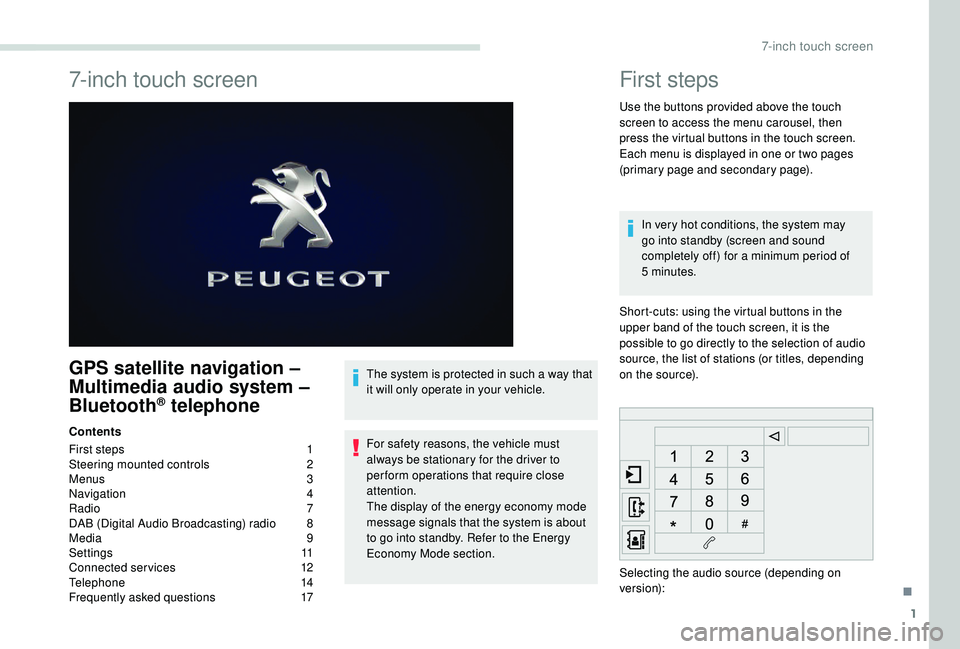
First steps
Use the buttons provided above the touch
screen to access the menu carousel, then
press the virtual buttons in the touch screen.
Each menu is displayed in one or two pages
(primary page and secondary page).
In very hot conditions, the system may
go into standby (screen and sound
completely off) for a minimum period of
5
minutes.
Short-cuts: using the virtual buttons in the
upper band of the touch screen, it is the
possible to go directly to the selection of audio
source, the list of stations (or titles, depending
on the source).
Selecting the audio source (depending on
version):
.
7-inch touch screen
Page 183 of 216
7
The TA (Traffic Announcement) function
gives priority to TA alert messages.
To operate, this function needs good
reception of a radio station that carries this
type of message. While traffic information
is being broadcast, the current medium is
automatically interrupted so that the TA
message can be heard. Normal play of the
medium previously playing is resumed at
the end of the message.
Radio
Selecting a station
Press Radio Media to display the
primary page.
Select " List" in the primary page.
Or Press Radio Media to display the
primary page.
Press the secondary page. Select "Radio list " on the
secondary page. Select a radio station from the list offered.
Select "Update list " to refresh the
list.
To select a preset radio station.
Press Radio Media to display the
primary page.
Select " Preset".
Select a preset radio station in the list.
If necessary, select change of source.
Select "FM Radio ".
Or "AM Radio ". Radio reception may be affected by the
use of electrical equipment not approved
by PEUGEOT, such as a USB charger
connected to the 12
V socket.
The external environment (hills, buildings,
tunnels, basement car parks, etc.) may
block reception, including in RDS mode.
This is a normal effect of the way in
which radio waves are transmitted and
does not indicate any failure of the audio
equipment.
Changing a frequency
Press Radio Media to display the
primary page.
By automatic frequency search
Press 3 or 4 or move the cursor for an
automatic search down or up for a radio
frequency.
THEN
Select change source. Select "FM Radio ".
Or
.
7-inch touch screen
Page 186 of 216
10
Connect the portable device (MP3 player, etc.)
to the jack socket using an audio cable (not
supplied).
First adjust the volume of your portable device
(to a high level). Then adjust the volume of your
audio system.
Operation of controls is via the portable device.
Selecting the source
Press Radio Media to display the
primary page.
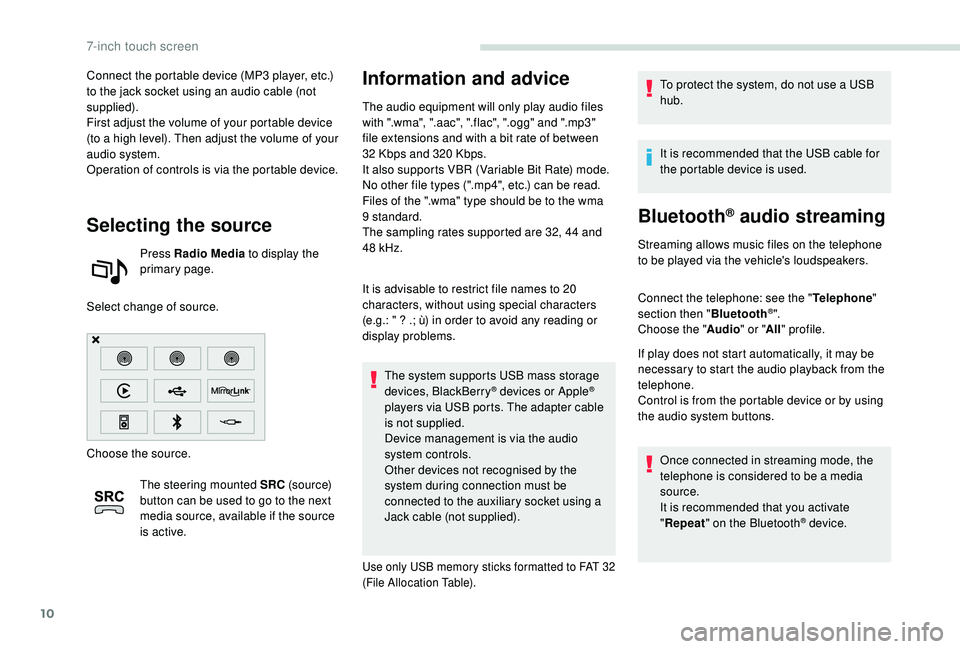
Select change of source.
Choose the source. The steering mounted SRC (s o u r c e)
button can be used to go to the next
media source, available if the source
is active.
Information and advice
The audio equipment will only play audio files
with ".wma", ".aac", ".flac", ".ogg" and ".mp3"
file extensions and with a bit rate of between
32
Kbps and 320 Kbps.
It also supports VBR (Variable Bit Rate) mode.
No other file types (".mp4", etc.) can be read.
Files of the ".wma" type should be to the wma
9 standard.
The sampling rates supported are 32, 44 and
48
kHz.
It is advisable to restrict file names to 20
characters, without using special characters
(e.g.: " ? .; ù) in order to avoid any reading or
display problems. The system supports USB mass storage
devices, BlackBerry
® devices or Apple®
players via USB ports. The adapter cable
is not supplied.
Device management is via the audio
system controls.
Other devices not recognised by the
system during connection must be
connected to the auxiliary socket using a
Jack cable (not supplied).
Use only USB memory sticks formatted to FAT 32
(File Allocation Table).
To protect the system, do not use a USB
hub.
It is recommended that the USB cable for
the portable device is used.
Bluetooth® audio streaming
Streaming allows music files on the telephone
to be played via the vehicle's loudspeakers.
Connect the telephone: see the " Telephone"
section then " Bluetooth
®".
Choose the " Audio" or "All" profile.
If play does not start automatically, it may be
necessary to start the audio playback from the
telephone.
Control is from the portable device or by using
the audio system buttons.
Once connected in streaming mode, the
telephone is considered to be a media
source.
It is recommended that you activate
"Repeat " on the Bluetooth
® device.
7-inch touch screen
Page 190 of 216
14
The synchronisation of a smartphone
allows users to display the smartphone's
applications adapted to the
CarPlay
® technology on the vehicle
sc
reen.
As the processes and standards are
constantly changing, it is recommended
that you keep your smartphone's operating
system updated.
For the list of supported smartphones, go
to the brand's website in your country.
As a safety measure, some applications
can only be viewed with the vehicle
stationary; display is interrupted once the
vehicle is moving.
Connect a USB cable. The
smartphone charges when
connected by the USB cable.
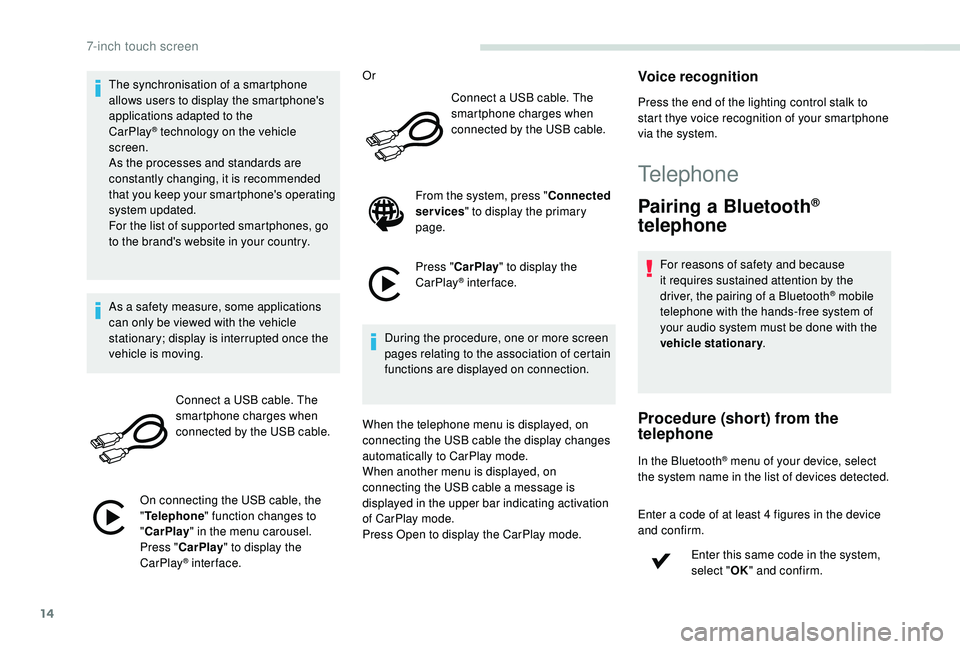
On connecting the USB cable, the
" Telephone " function changes to
" CarPlay " in the menu carousel.
Press " CarPlay " to display the
CarPlay
® inter face. Or
Connect a USB cable. The
smartphone charges when
connected by the USB cable.
From the system, press " Connected
services " to display the primary
page.
Press " CarPlay " to display the
CarPlay
® inter face.
During the procedure, one or more screen
pages relating to the association of certain
functions are displayed on connection.
When the telephone menu is displayed, on
connecting the USB cable the display changes
automatically to CarPlay mode.
When another menu is displayed, on
connecting the USB cable a message is
displayed in the upper bar indicating activation
of CarPlay mode.
Press Open to display the CarPlay mode.
Voice recognition
Press the end of the lighting control stalk to
start thye voice recognition of your smartphone
via the system.
Telephone
Pairing a Bluetooth®
telephone
For reasons of safety and because
it requires sustained attention by the
driver, the pairing of a Bluetooth
® mobile
telephone with the hands-free system of
your audio system must be done with the
vehicle stationary .
Procedure (short) from the
telephone
In the Bluetooth® menu of your device, select
the system name in the list of devices detected.
Enter a code of at least 4 figures in the device
and confirm.
Enter this same code in the system,
select "OK" and confirm.
7-inch touch screen