service PEUGEOT PARTNER TEPEE 2020 User Guide
[x] Cancel search | Manufacturer: PEUGEOT, Model Year: 2020, Model line: PARTNER TEPEE, Model: PEUGEOT PARTNER TEPEE 2020Pages: 216, PDF Size: 8.46 MB
Page 80 of 216
78
If you benefit from the Peugeot Connect
Packs offer with the SOS and assistance
pack included, there are additional
ser vices available to you in your personal
space, via the website for your country.
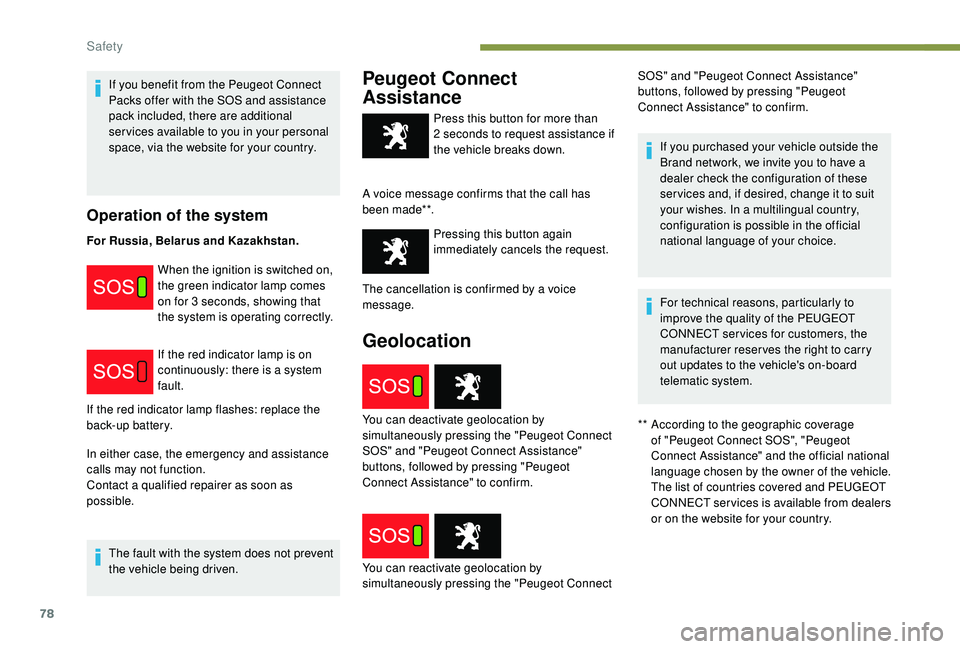
Operation of the system
For Russia, Belarus and Kazakhstan.When the ignition is switched on,
the green indicator lamp comes
on for 3
seconds, showing that
the system is operating correctly.
If the red indicator lamp is on
continuously: there is a system
fault.
In either case, the emergency and assistance
calls may not function.
Contact a qualified repairer as soon as
possible. The fault with the system does not prevent
the vehicle being driven.
Peugeot Connect
Assistance
** According to the geographic coverage of "Peugeot Connect SOS", "Peugeot
Connect Assistance" and the official national
language chosen by the owner of the vehicle.
The list of countries covered and PEUGEOT
CONNECT services is available from dealers
or on the website for your country.
Press this button for more than
2
seconds to request assistance if
the vehicle breaks down.
A voice message confirms that the call has
been made**. Pressing this button again
immediately cancels the request.
Geolocation
If the red indicator lamp flashes: replace the
back-up battery.
You can reactivate geolocation by
simultaneously pressing the "Peugeot Connect You can deactivate geolocation by
simultaneously pressing the "Peugeot Connect
SOS" and "Peugeot Connect Assistance"
buttons, followed by pressing "Peugeot
Connect Assistance" to confirm. The cancellation is confirmed by a voice
message. If you purchased your vehicle outside the
Brand network, we invite you to have a
dealer check the configuration of these
ser vices and, if desired, change it to suit
your wishes. In a multilingual country,
configuration is possible in the official
national language of your choice.
For technical reasons, particularly to
improve the quality of the PEUGEOT
CONNECT ser vices for customers, the
manufacturer reser ves the right to carry
out updates to the vehicle's on-board
telematic system.
SOS" and "Peugeot Connect Assistance"
buttons, followed by pressing "Peugeot
Connect Assistance" to confirm.
Safety
Page 140 of 216
138
Screenwash fluid level
For optimal cleaning quality and safety, we
recommend that you use the PEUGEOT range
of products.
For optimum cleaning and to avoid freezing,
this fluid must not be topped up or replaced
with plain water.
Capacity of the screenwash reser voir:
approximately 3
litres.
Diesel additive level (Diesel
engine with particle filter)
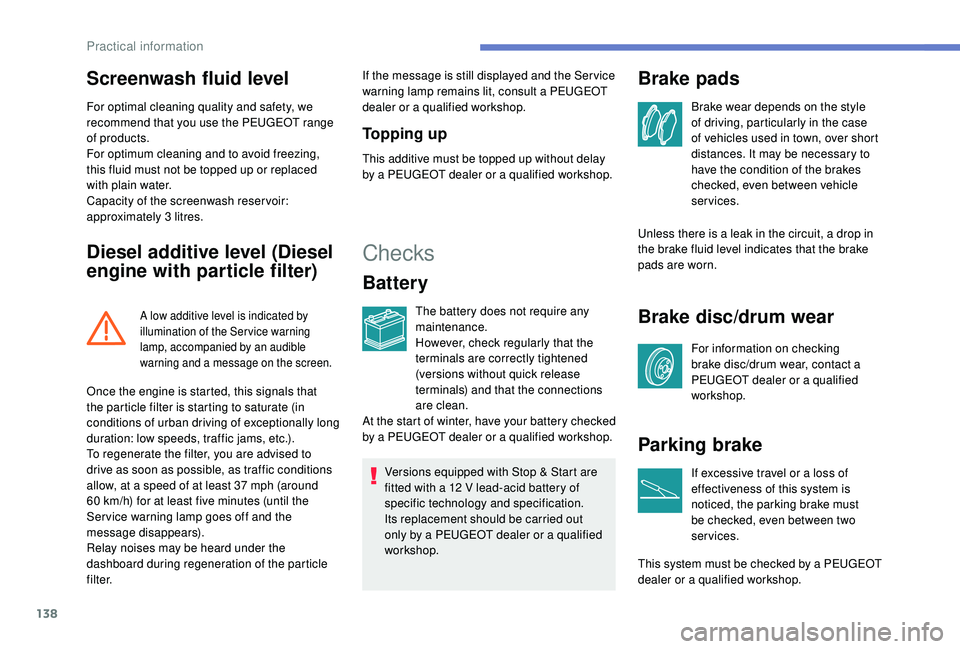
A low additive level is indicated by
illumination of the Ser vice warning
lamp, accompanied by an audible
warning and a message on the screen.
If the message is still displayed and the Ser vice
warning lamp remains lit, consult a PEUGEOT
dealer or a qualified workshop.
To p p i n g u p
This additive must be topped up without delay
by a PEUGEOT dealer or a qualified workshop.
Checks
Battery
The battery does not require any
maintenance.
However, check regularly that the
terminals are correctly tightened
(versions without quick release
terminals) and that the connections
are clean.
Versions equipped with Stop & Start are
fitted with a 12
V lead-acid battery of
specific technology and specification.
Its replacement should be carried out
only by a PEUGEOT dealer or a qualified
workshop.
Brake pads
Brake wear depends on the style
of driving, particularly in the case
of vehicles used in town, over short
distances. It may be necessary to
have the condition of the brakes
checked, even between vehicle
services.
Unless there is a leak in the circuit, a drop in
the brake fluid level indicates that the brake
pads are worn.
Brake disc/drum wear
For information on checking
brake disc/drum wear, contact a
PEUGEOT dealer or a qualified
workshop.
Parking brake
If excessive travel or a loss of
effectiveness of this system is
noticed, the parking brake must
be checked, even between two
services.
This system must be checked by a PEUGEOT
dealer or a qualified workshop.
Once the engine is started, this signals that
the particle filter is starting to saturate (in
conditions of urban driving of exceptionally long
duration: low speeds, traffic jams, etc.).
To regenerate the filter, you are advised to
drive as soon as possible, as traffic conditions
allow, at a speed of at least 37
mph (around
60
km/h) for at least five minutes (until the
Ser vice warning lamp goes off and the
message disappears).
Relay noises may be heard under the
dashboard during regeneration of the particle
f i l t e r. At the start of winter, have your battery checked
by a PEUGEOT dealer or a qualified workshop.
Practical information
Page 177 of 216
1
7-inch touch screen
GPS satellite navigation –
Multimedia audio system –
Bluetooth
® telephone
Contents
First steps
1
S
teering mounted controls
2
M
enus
3
N
avigation
4
Radio
7
DAB (Digital Audio Broadcasting) radio
8
M
edia 9
Settings
11
Connected services
1
2
Telephone
1
4
Frequently asked questions
1
7The system is protected in such a way that
it will only operate in your vehicle.
For safety reasons, the vehicle must
always be stationary for the driver to
perform operations that require close
attention.
The display of the energy economy mode
message signals that the system is about
to go into standby. Refer to the Energy
Economy Mode section.
First steps
Use the buttons provided above the touch
screen to access the menu carousel, then
press the virtual buttons in the touch screen.
Each menu is displayed in one or two pages
(primary page and secondary page).
In very hot conditions, the system may
go into standby (screen and sound
completely off) for a minimum period of
5
minutes.
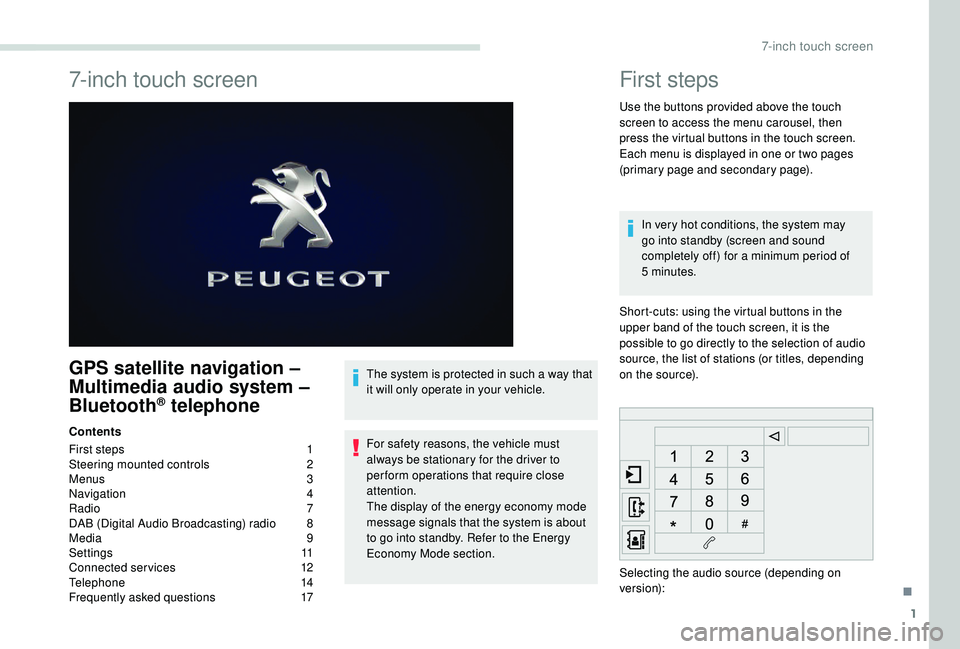
Short-cuts: using the virtual buttons in the
upper band of the touch screen, it is the
possible to go directly to the selection of audio
source, the list of stations (or titles, depending
on the source).
Selecting the audio source (depending on
version):
.
7-inch touch screen
Page 179 of 216
3
Increase volume.
Decrease volume.
Mute on: cut the sound by
simultaneously pressing the volume
up and down buttons.
Mute off: press one of the two
volume buttons.
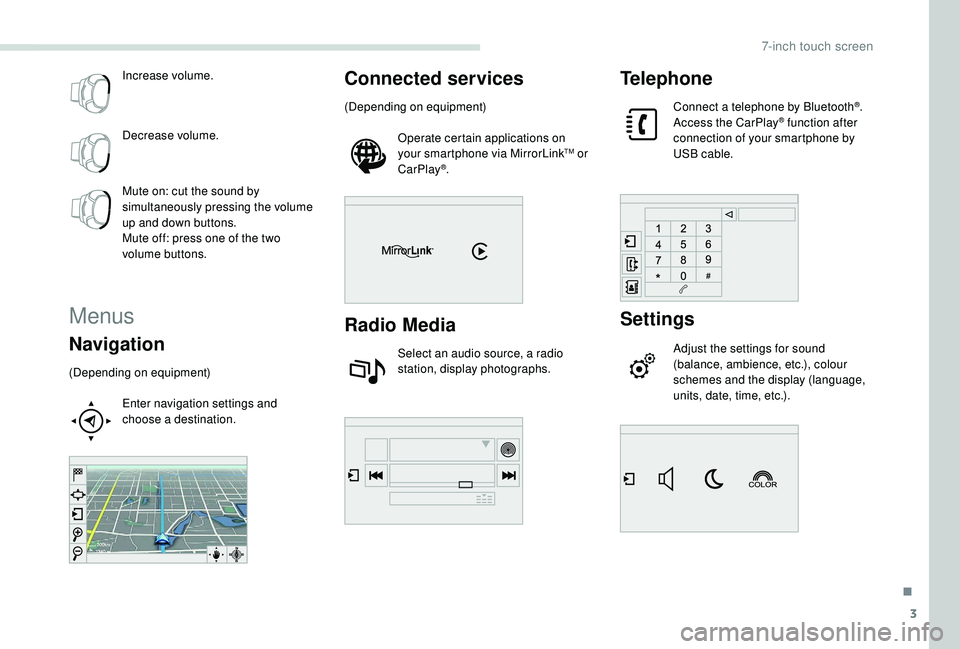
Menus
Navigation
(Depending on equipment)Enter navigation settings and
choose a destination.
Connected services
(Depending on equipment)Operate certain applications on
your smartphone via MirrorLink
TM or
CarPlay®.
Radio Media
Select an audio source, a radio
station, display photographs.
Telephone
Connect a telephone by Bluetooth®.
Access the CarPlay® function after
connection of your smartphone by
USB cable.
Settings
Adjust the settings for sound
(balance, ambience, etc.), colour
schemes and the display (language,
units, date, time, etc.).
.
7-inch touch screen
Page 188 of 216
12
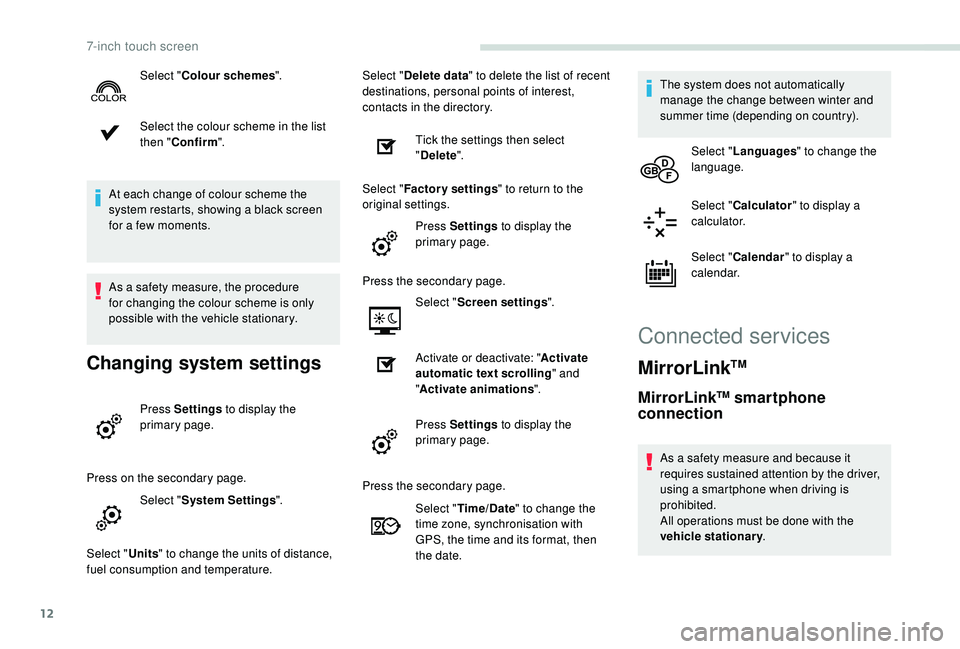
Select the colour scheme in the list
then "Confirm ".
At each change of colour scheme the
system restarts, showing a black screen
for a few moments.
As a safety measure, the procedure
for changing the colour scheme is only
possible with the vehicle stationary.
Changing system settings
Press Settings to display the
primary page.
Press on the secondary page. Select "System Settings ".
Select " Units" to change the units of distance,
fuel consumption and temperature. Select "
Delete data " to delete the list of recent
destinations, personal points of interest,
contacts in the directory.
Tick the settings then select
"Delete ".
Select " Factory settings " to return to the
original settings.
Press Settings to display the
primary page.
Press the secondary page. Select "Screen settings ".
Activate or deactivate: " Activate
automatic text scrolling " and
" Activate animations ".
Press Settings to display the
primary page.
Select "
Colour schemes ".
Press the secondary page.Select "Time/Date " to change the
time zone, synchronisation with
GPS, the time and its format, then
the date. The system does not automatically
manage the change between winter and
summer time (depending on country).
Select " Languages " to change the
language.
Select " Calculator " to display a
calculator.
Select " Calendar " to display a
calendar.
Connected services
MirrorLinkTM
MirrorLinkTM smartphone
connection
As a safety measure and because it
requires sustained attention by the driver,
using a smartphone when driving is
prohibited.
All operations must be done with the
vehicle stationary .
7-inch touch screen
Page 189 of 216
13
The synchronisation of a smartphone
allows users to display the smartphone's
applications adapted to the
MirrorLink
TM technology on the vehicle
sc
reen.
The principles and standards
are constantly changing, for the
communication process between the
smartphone and the system to operate,
it is essential that the smartphone is
unlocked; update the operating system of
the smartphone as well as the date and
time of the smartphone and the system.
For the list of supported smartphones, go
to the brand's website in your country.
As a safety measure, some applications
can only be viewed with the vehicle
stationary; display is interrupted once the
vehicle is moving.
Please note:
-
i
f your smartphone is supported, to
make it "MirrorLink
TM" compatible,
some phone manufacturers
nevertheless invite you to first
download a dedicated application. When connecting a smartphone
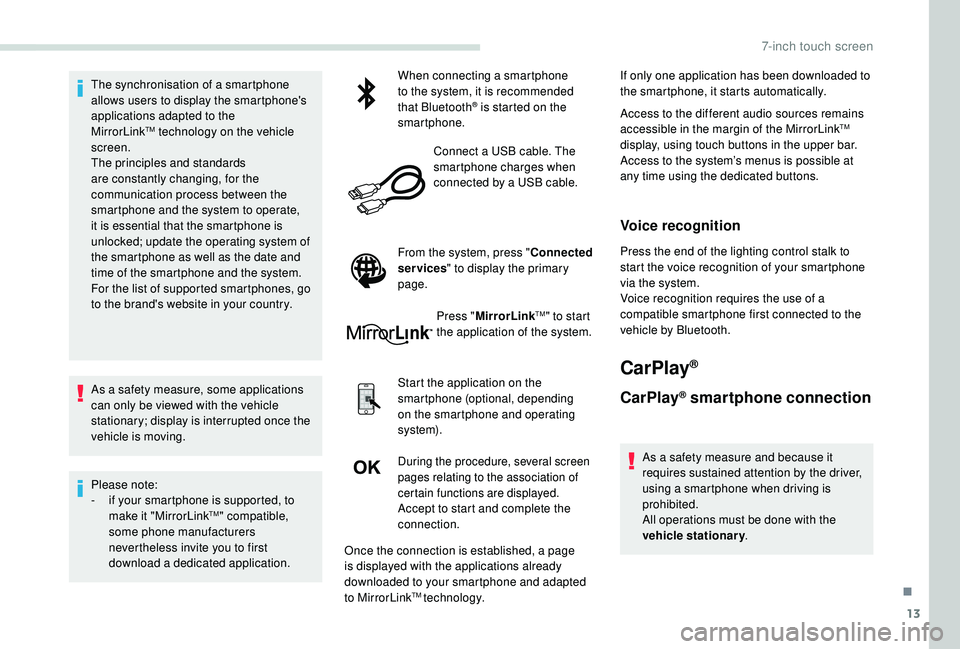
to the system, it is recommended
that Bluetooth
® is started on the
smartphone.
Connect a USB cable. The
smartphone charges when
connected by a USB cable.
From the system, press " Connected
services " to display the primary
page.
Press "MirrorLink
TM" to start
the application of the system.
Start the application on the
smartphone (optional, depending
on the smartphone and operating
syste m).
During the procedure, several screen
pages relating to the association of
certain functions are displayed.
Accept to start and complete the
connection. If only one application has been downloaded to
the smartphone, it starts automatically.
Access to the different audio sources remains
accessible in the margin of the MirrorLink
TM
display, using touch buttons in the upper bar.
Access to the system’s menus is possible at
any time using the dedicated buttons.
Voice recognition
Press the end of the lighting control stalk to
start the voice recognition of your smartphone
via the system.
Voice recognition requires the use of a
compatible smartphone first connected to the
vehicle by Bluetooth.
CarPlay®
CarPlay® smartphone connection
As a safety measure and because it
requires sustained attention by the driver,
using a smartphone when driving is
prohibited.
All operations must be done with the
vehicle stationary .
Once the connection is established, a page
is displayed with the applications already
downloaded to your smartphone and adapted
to MirrorLink
TM technology.
.
7-inch touch screen
Page 190 of 216
14
The synchronisation of a smartphone
allows users to display the smartphone's
applications adapted to the
CarPlay
® technology on the vehicle
sc
reen.
As the processes and standards are
constantly changing, it is recommended
that you keep your smartphone's operating
system updated.
For the list of supported smartphones, go
to the brand's website in your country.
As a safety measure, some applications
can only be viewed with the vehicle
stationary; display is interrupted once the
vehicle is moving.
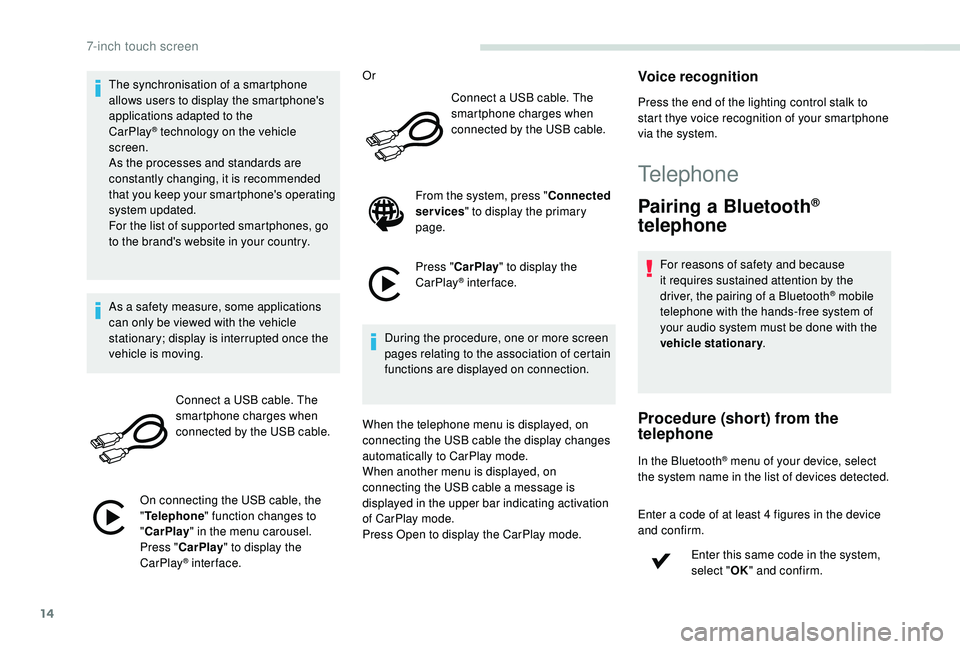
Connect a USB cable. The
smartphone charges when
connected by the USB cable.
On connecting the USB cable, the
" Telephone " function changes to
" CarPlay " in the menu carousel.
Press " CarPlay " to display the
CarPlay
® inter face. Or
Connect a USB cable. The
smartphone charges when
connected by the USB cable.
From the system, press " Connected
services " to display the primary
page.
Press " CarPlay " to display the
CarPlay
® inter face.
During the procedure, one or more screen
pages relating to the association of certain
functions are displayed on connection.
When the telephone menu is displayed, on
connecting the USB cable the display changes
automatically to CarPlay mode.
When another menu is displayed, on
connecting the USB cable a message is
displayed in the upper bar indicating activation
of CarPlay mode.
Press Open to display the CarPlay mode.
Voice recognition
Press the end of the lighting control stalk to
start thye voice recognition of your smartphone
via the system.
Telephone
Pairing a Bluetooth®
telephone
For reasons of safety and because
it requires sustained attention by the
driver, the pairing of a Bluetooth
® mobile
telephone with the hands-free system of
your audio system must be done with the
vehicle stationary .
Procedure (short) from the
telephone
In the Bluetooth® menu of your device, select
the system name in the list of devices detected.
Enter a code of at least 4 figures in the device
and confirm.
Enter this same code in the system,
select "OK" and confirm.
7-inch touch screen
Page 191 of 216
15
Procedure from the system
Activate the Bluetooth® function on the
telephone and ensure that it is "visible to all"
(telephone configuration).
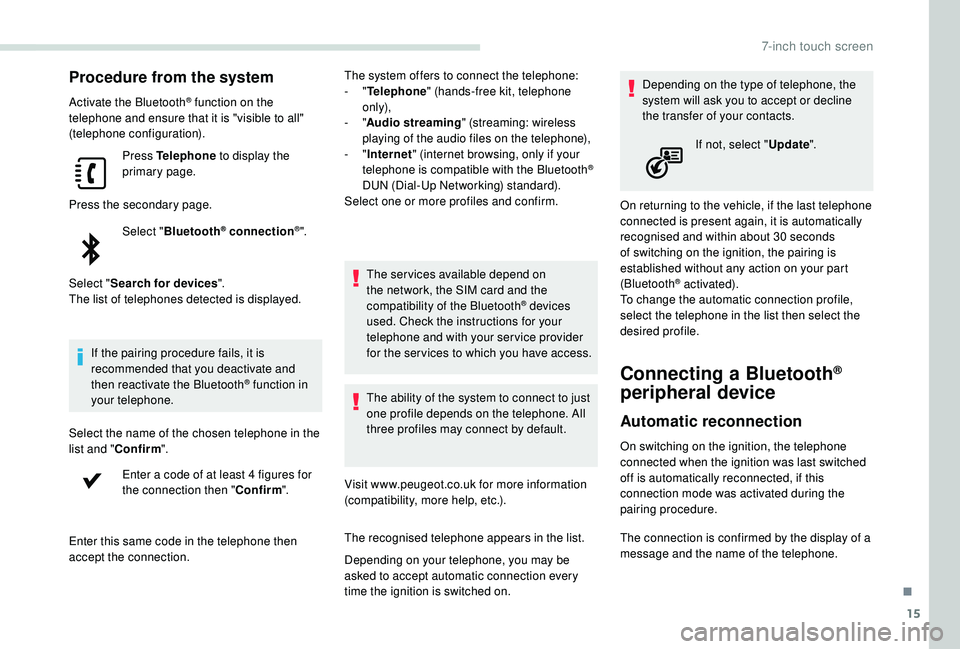
Press Telephone to display the
primary page.
Press the secondary page. Select "Bluetooth
® connection®".
Select " Search for devices ".
The list of telephones detected is displayed.
If the pairing procedure fails, it is
recommended that you deactivate and
then reactivate the Bluetooth
® function in
your telephone.
Select the name of the chosen telephone in the
list and " Confirm ".
Enter a code of at least 4 figures for
the connection then " Confirm".
Enter this same code in the telephone then
accept the connection. The system offers to connect the telephone:
-
"
Telephone " (hands-free kit, telephone
only),
- "
Audio streaming " (streaming: wireless
playing of the audio files on the telephone),
- "
Internet " (internet browsing, only if your
telephone is compatible with the Bluetooth
®
DUN (Dial-Up Networking) standard).
Select one or more profiles and confirm.
The services available depend on
the network, the SIM card and the
compatibility of the Bluetooth
® devices
used. Check the instructions for your
telephone and with your service provider
for the ser vices to which you have access.
The ability of the system to connect to just
one profile depends on the telephone. All
three profiles may connect by default.
Visit www.peugeot.co.uk for more information
(compatibility, more help, etc.).
The recognised telephone appears in the list.
Depending on your telephone, you may be
asked to accept automatic connection every
time the ignition is switched on. Depending on the type of telephone, the
system will ask you to accept or decline
the transfer of your contacts.
On returning to the vehicle, if the last telephone
connected is present again, it is automatically
recognised and within about 30 seconds
of switching on the ignition, the pairing is
established without any action on your part
(Bluetooth
® activated).
To change the automatic connection profile,
select the telephone in the list then select the
desired profile.
Connecting a Bluetooth®
peripheral device
Automatic reconnection
On switching on the ignition, the telephone
connected when the ignition was last switched
off is automatically reconnected, if this
connection mode was activated during the
pairing procedure. If not, select "
Update".
The connection is confirmed by the display of a
message and the name of the telephone.
.
7-inch touch screen
Page 198 of 216
22
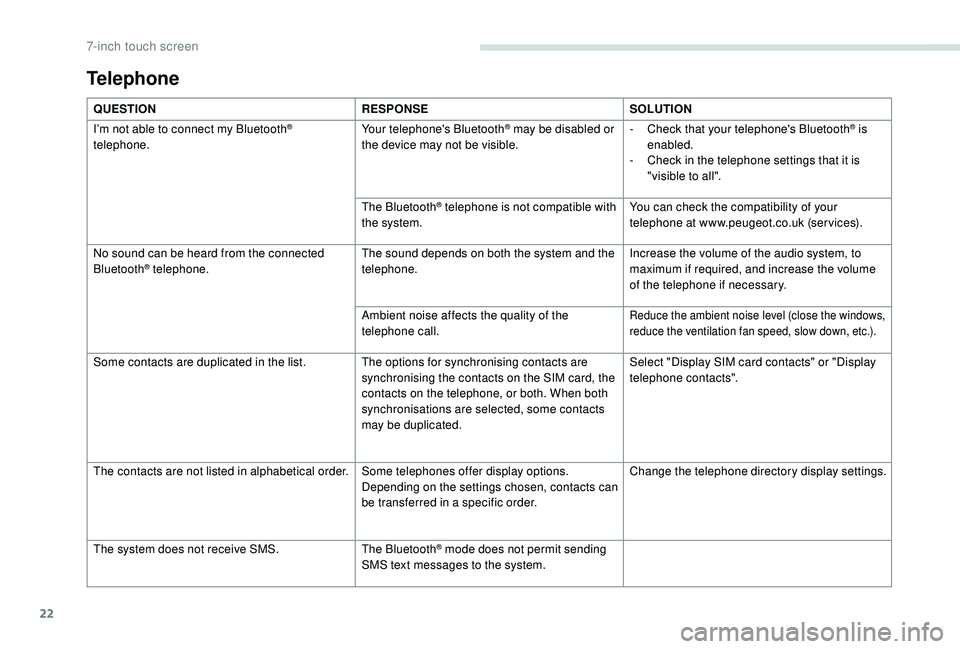
Telephone
QUESTIONRESPONSESOLUTION
I’m not able to connect my Bluetooth
®
telephone. Your telephone's Bluetooth® may be disabled or
the device may not be visible. -
C heck that your telephone's Bluetooth® is
enabled.
-
C
heck in the telephone settings that it is
"visible to all".
The Bluetooth
® telephone is not compatible with
the system. You can check the compatibility of your
telephone at www.peugeot.co.uk (services).
No sound can be heard from the connected
Bluetooth
® telephone. The sound depends on both the system and the
telephone. Increase the volume of the audio system, to
maximum if required, and increase the volume
of the telephone if necessary.
Ambient noise affects the quality of the
telephone call.
Reduce the ambient noise level (close the windows,
reduce the ventilation fan speed, slow down, etc.).
Some contacts are duplicated in the list. The options for synchronising contacts are synchronising the contacts on the SIM card, the
contacts on the telephone, or both. When both
synchronisations are selected, some contacts
may be duplicated.Select "Display SIM card contacts" or "Display
telephone contacts".
The contacts are not listed in alphabetical order. Some telephones offer display options.
Depending on the settings chosen, contacts can
be transferred in a specific order.Change the telephone directory display settings.
The system does not receive SMS. The Bluetooth
® mode does not permit sending
SMS text messages to the system.
7-inch touch screen
Page 205 of 216
7
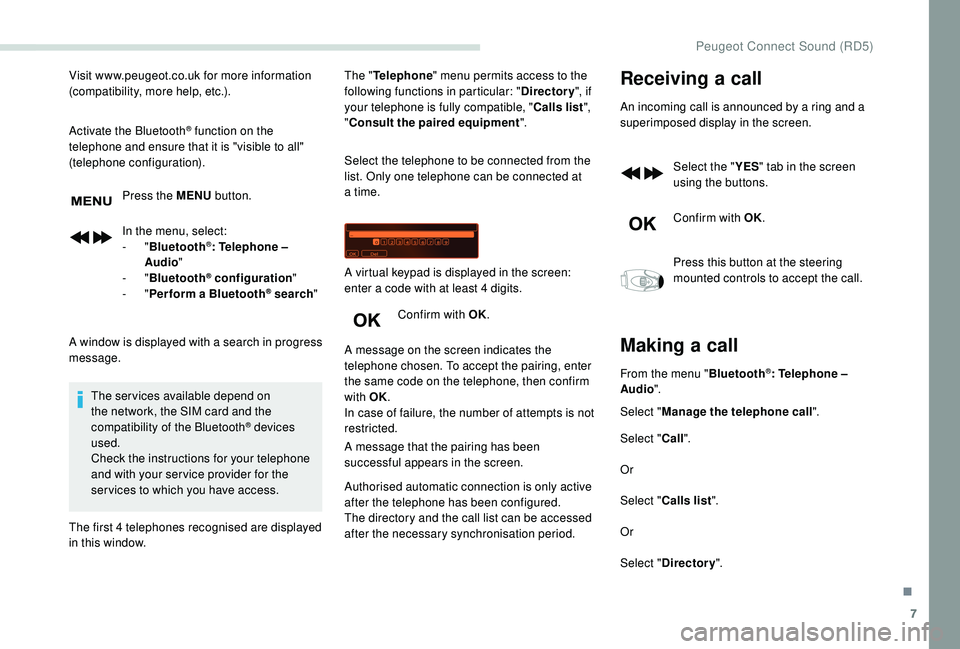
Visit www.peugeot.co.uk for more information
(compatibility, more help, etc.).
Activate the Bluetooth
® function on the
telephone and ensure that it is "visible to all"
(telephone configuration).
Press the MENU button.
In the menu, select:
-
" Bluetooth
®: Telephone –
Audio "
-
" Bluetooth
® configuration "
-
" Perform a Bluetooth® search "
A window is displayed with a search in progress
message. The services available depend on
the network, the SIM card and the
compatibility of the Bluetooth
® devices
used.
Check the instructions for your telephone
and with your ser vice provider for the
ser vices to which you have access.
The first 4 telephones recognised are displayed
in this window. The "
Telephone " menu permits access to the
following functions in particular: " Directory", if
your telephone is fully compatible, " Calls list",
" Consult the paired equipment ".
Select the telephone to be connected from the
list. Only one telephone can be connected at
a time.
Confirm with OK.
A message on the screen indicates the
telephone chosen. To accept the pairing, enter
the same code on the telephone, then confirm
with OK.
In case of failure, the number of attempts is not
restricted.
A message that the pairing has been
successful appears in the screen. A virtual keypad is displayed in the screen:
enter a code with at least 4 digits.
Authorised automatic connection is only active
after the telephone has been configured.
The directory and the call list can be accessed
after the necessary synchronisation period.
Receiving a call
An incoming call is announced by a ring and a
superimposed display in the screen.
Select the " YES" tab in the screen
using the buttons.
Confirm with OK.
Press this button at the steering
mounted controls to accept the call.
Making a call
From the menu " Bluetooth®: Telephone –
Audio ".
Select " Manage the telephone call".
Select " Call".
Or
Select " Calls list ".
Or
Select " Directory ".
.
Peugeot Connect Sound (RD5)