audio Peugeot Partner VP 2004 Owner's Manual
[x] Cancel search | Manufacturer: PEUGEOT, Model Year: 2004, Model line: Partner VP, Model: Peugeot Partner VP 2004Pages: 128, PDF Size: 1.49 MB
Page 2 of 128

22-12-2003
3YOUR PARTNER AT A GLANCE
1 -Speaker (tweeter).
2 - Windscreen demisting vents.
3 - Controls:- Electric windows.
- Demisting of rear door
windows or tailgate.
- Air conditioning.
- ASR/ESP.
4 - Central locking button.
5 - Multifunction display or clock.
6 - Hazard lights button.
7 - Central adjustable heating/ventilation vents.
8 - Lights and direction indica-tors stalk.
9 - Cruise control.
10 - Instrument panel.
11 - Driver's air bag.Horn. 12 -
Windscreen wash-wipe stalk.
13 - Audio equipment steeringwheel control.
14 - Steering lock and ignition.
15 - Fuse box.
16 - Passenger air bag disar-ming control*.
17 - Steering wheel adjustmentcontrol.
18 - Passenger's electric mirrorcontrol.
19 - Headlamp height adjustment.
20 - Heated seats control.
21 - Handbrake.
22 - 12 V accessories socket.
23 - Removable ashtray.
24 - Lighter.
25 - Storage.
26 - Gear lever. 27 -
Heating/air conditioningcontrols.
28 - Audio RB3 or RD3.
29 - Lower glove box.
30 - Upper glove box or passenger air bag.
31 - Bonnet release.
32 - Side adjustableheating/ventilation vents.
33 - Side window demistingvents.
* According to country.
Page 31 of 128
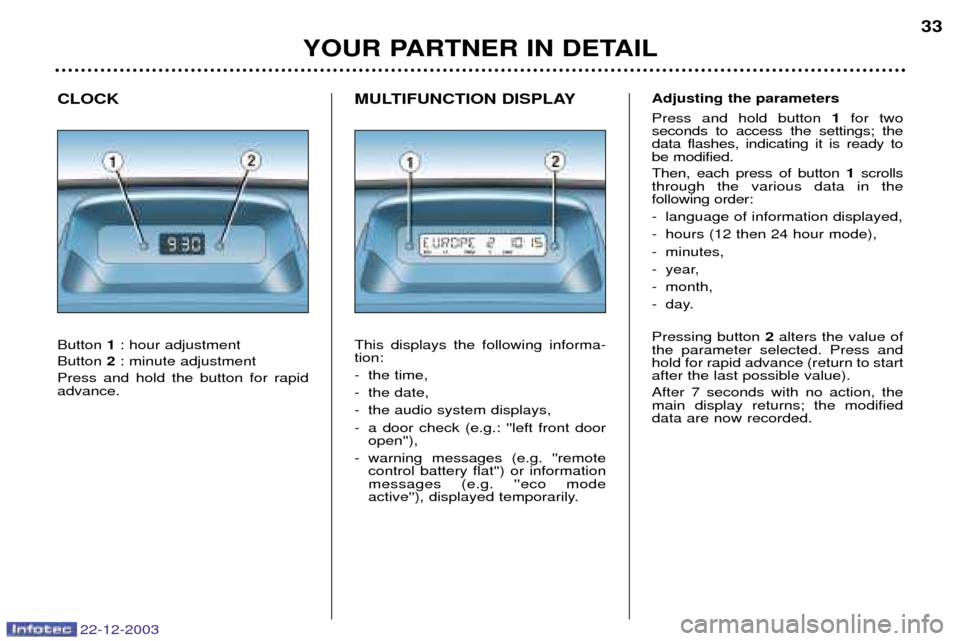
MULTIFUNCTION DISPLAY This displays the following informa- tion:
- the time,
- the date,
- the audio system displays,
- a door check (e.g.: ''left front dooropen''),
- warning messages (e.g. ''remote control battery flat'') or information messages (e.g. ''eco mode
active''), displayed temporarily.
CLOCK Button
1: hour adjustment
Button 2: minute adjustment
Press and hold the button for rapid advance.
YOUR PARTNER IN DETAIL 33
22-12-2003
Adjusting the parameters Press and hold button
1for two
seconds to access the settings; the data flashes, indicating it is ready tobe modified. Then, each press of button 1scrolls
through the various data in the following order:
- language of information displayed,
- hours (12 then 24 hour mode),
- minutes,
- year,
- month,
- day. Pressing button 2alters the value of
the parameter selected. Press and hold for rapid advance (return to startafter the last possible value). After 7 seconds with no action, the main display returns; the modifieddata are now recorded.
Page 32 of 128
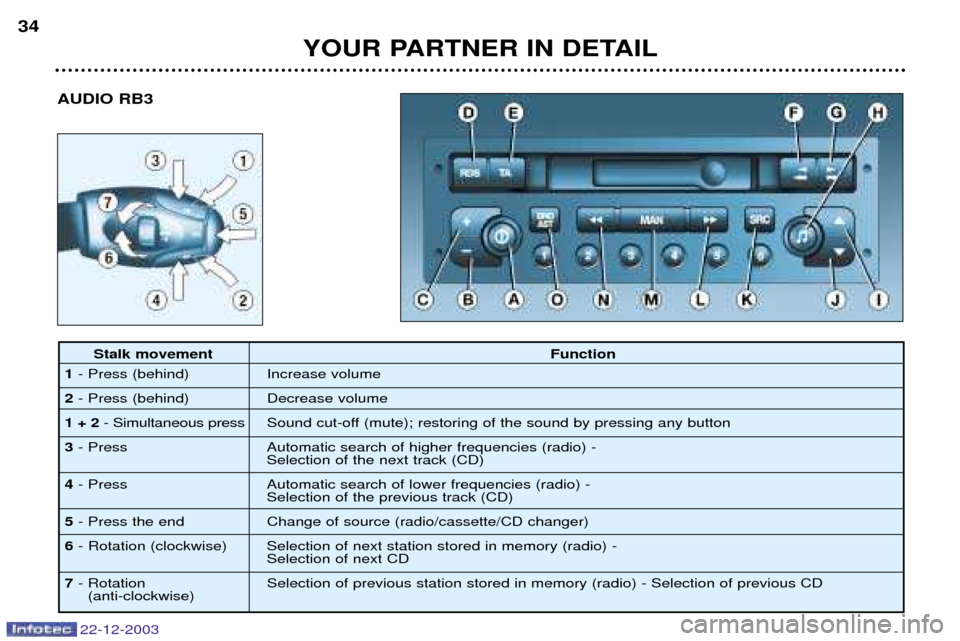
AUDIO RB3
YOUR PARTNER IN DETAIL
34
22-12-2003
Stalk movement
Function
1 - Press (behind) Increase volume
2 - Press (behind) Decrease volume
1 + 2 - Simultaneous press Sound cut-off (mute); restoring of the sound by pressing any button
3 - Press Automatic search of higher frequencies (radio) -
Selection of the next track (CD)
4 - Press Automatic search of lower frequencies (radio) -
Selection of the previous track (CD)
5 - Press the end Change of source (radio/cassette/CD changer)
6 - Rotation (clockwise) Selection of next station stored in memory (radio) -
Selection of next CD
7 - Rotation Selection of previous station stored in memory (radio) - Selection of previous CD
(anti-clockwise)
Page 34 of 128
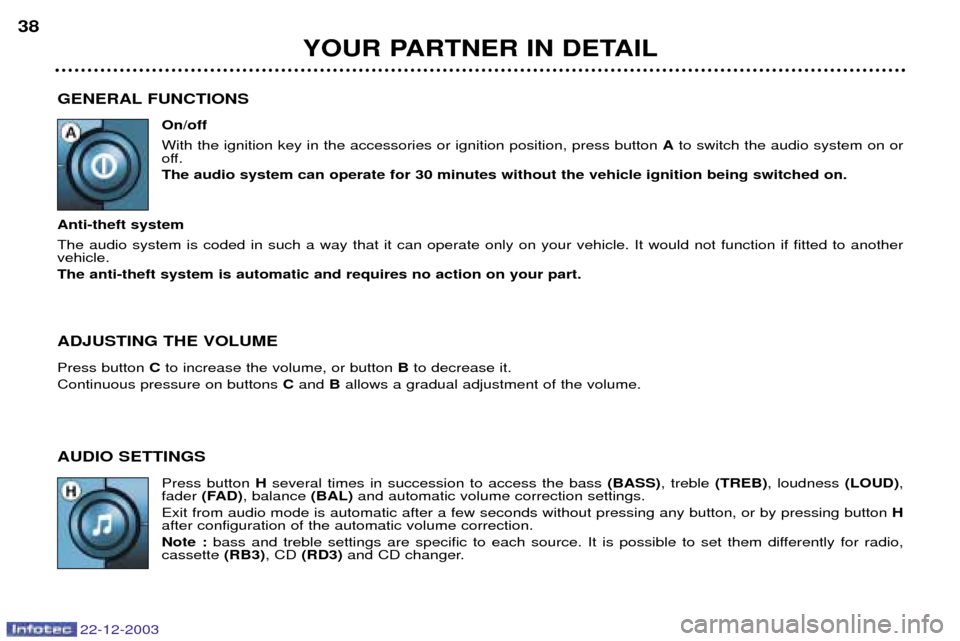
GENERAL FUNCTIONSOn/off With the ignition key in the accessories or ignition position, press button Ato switch the audio system on or
off. The audio system can operate for 30 minutes without the vehicle ignition being switched on.
Anti-theft system The audio system is coded in such a way that it can operate only on your vehicle. It would not function if fitted to another vehicle. The anti-theft system is automatic and requires no action on your part. ADJUSTING THE VOLUME Press button Cto increase the volume, or button Bto decrease it.
Continuous pressure on buttons Cand Ballows a gradual adjustment of the volume.
AUDIO SETTINGS Press button Hseveral times in succession to access the bass (BASS), treble (TREB), loudness (LOUD),
fader (FAD) , balance (BAL)and automatic volume correction settings.
Exit from audio mode is automatic after a few seconds without pressing any button, or by pressing button H
after configuration of the automatic volume correction. Note : bass and treble settings are specific to each source. It is possible to set them differently for radio,
cassette (RB3), CD (RD3) and CD changer.
YOUR PARTNER IN DETAIL
38
22-12-2003
Page 36 of 128
RADIO Notes on radio reception
Your car radio is subject to phenomena which do not affect domestic radio sets. Both AM (MW/LW) and FM reception are
subject to various forms of interference. This is no reflection on the quality of the equipment, but is due to the nature of the signalsand the way in which they are transmitted.
On MW/LW, interference may be noticed when passing under high voltage power lines or bridges, or in tunnels.
On FM, interference may be the result of increasing distance from the transmitter, deflection of the signals by obstacles
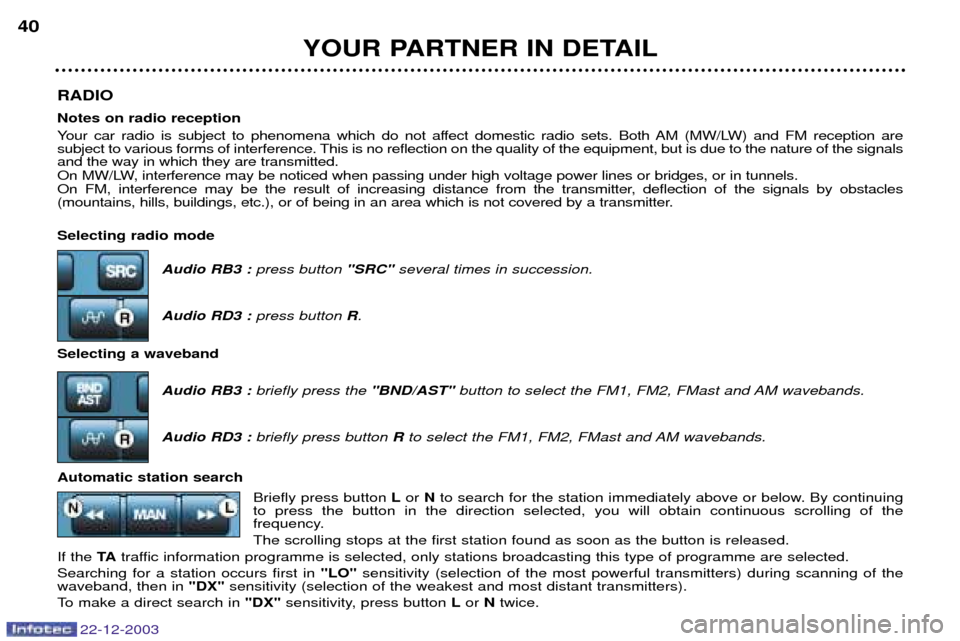
(mountains, hills, buildings, etc.), or of being in an area which is not covered by a transmitter. Selecting radio modeAudio RB3 :press button "SRC"several times in succession.
Audio RD3 : press button R.
Selecting a waveband Audio RB3 :briefly press the "BND/AST"button to select the FM1, FM2, FMast and AM wavebands.
Audio RD3 : briefly press button Rto select the FM1, FM2, FMast and AM wavebands.
Automatic station search Briefly press button Lor Nto search for the station immediately above or below. By continuing
to press the button in the direction selected, you will obtain continuous scrolling of the
frequency. The scrolling stops at the first station found as soon as the button is released.
If the TAtraffic information programme is selected, only stations broadcasting this type of programme are selected.
Searching for a station occurs first in "LO"sensitivity (selection of the most powerful transmitters) during scanning of the
waveband, then in "DX"sensitivity (selection of the weakest and most distant transmitters).
To make a direct search in "DX"sensitivity, press button Lor Ntwice.
YOUR PARTNER IN DETAIL
40
22-12-2003
Page 37 of 128

Manual station search Press the "MAN"button.
Briefly press button Lor Nto increase or decrease the frequency displayed.
By continuing to press the button in the direction selected, you will obtain continuous scrolling of the frequency. The scrolling stops as soon as the button is released.Pressing the "MAN"button again returns you to automatic station search.
Manual storing of stations in the memory Select the station required. Press one of the buttons "1"to "6" for more than two seconds.
The sound stops then becomes audible again, confirming that the station has been stored in the memory. Automatic storing of FM stations in the memory (autostore)
Audio RB3 : press and hold the "BND/AST"button for more than two seconds.
Audio RD3 : press and hold button Rfor more than two seconds.
Your radio automatically stores the 6 stations with the strongest signal in FM. These stations are stored in the FMast
waveband.
If it is not possible to find 6 stations, the remaining memories are empty. Recalling stations stored in the memory For each waveband, briefly press buttons "1"to "6" to recall the corresponding station.
YOUR PARTNER IN DETAIL 41
22-12-2003
Page 39 of 128
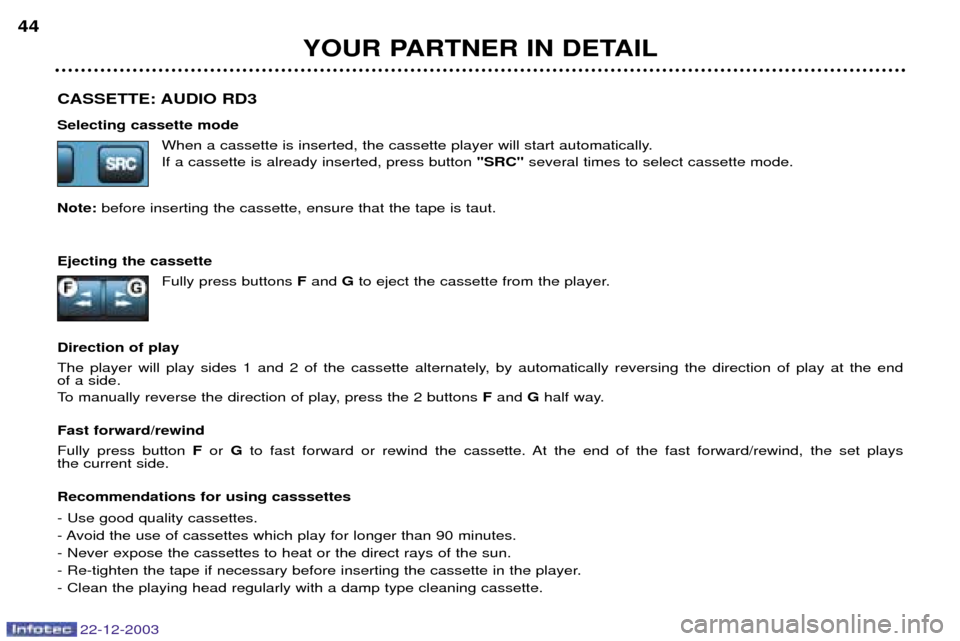
CASSETTE: AUDIO RD3 Selecting cassette modeWhen a cassette is inserted, the cassette player will start automatically. If a cassette is already inserted, press button "SRC"several times to select cassette mode.
Note: before inserting the cassette, ensure that the tape is taut.
Ejecting the cassette Fully press buttons Fand Gto eject the cassette from the player.
Direction of play
The player will play sides 1 and 2 of the cassette alternately, by automatically reversing the direction of play at the end of a side.
To manually reverse the direction of play, press the 2 buttons Fand Ghalf way.
Fast forward/rewind Fully press button For Gto fast forward or rewind the cassette. At the end of the fast forward/rewind, the set plays
the current side. Recommendations for using casssettes - Use good quality cassettes.
- Avoid the use of cassettes which play for longer than 90 minutes.- Never expose the cassettes to heat or the direct rays of the sun.
- Re-tighten the tape if necessary before inserting the cassette in the player.- Clean the playing head regularly with a damp type cleaning cassette.
YOUR PARTNER IN DETAIL
44
22-12-2003
Page 40 of 128
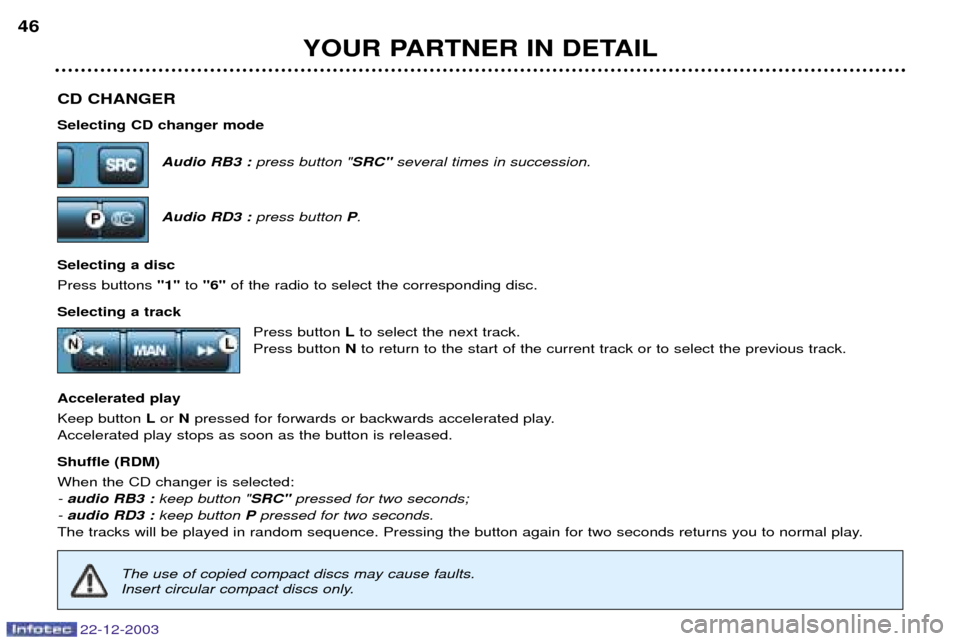
CD CHANGER Selecting CD changer modeAudio RB3 :press button " SRC"several times in succession.
Audio RD3 : press button P.
Selecting a disc Press buttons "1"to "6" of the radio to select the corresponding disc.
Selecting a track Press button Lto select the next track.
Press button Nto return to the start of the current track or to select the previous track.
Accelerated playKeep button Lor Npressed for forwards or backwards accelerated play.
Accelerated play stops as soon as the button is released. Shuffle (RDM) When the CD changer is selected: - audio RB3 : keep button "SRC"pressed for two seconds;
- audio RD3 : keep button Ppressed for two seconds.
The tracks will be played in random sequence. Pressing the button again for two seconds returns you to normal play.
YOUR PARTNER IN DETAIL
46
22-12-2003
The use of copied compact discs may cause faults.
Insert circular compact discs only.
Page 41 of 128
YOUR PARTNER IN DETAIL
36
22-12-2003
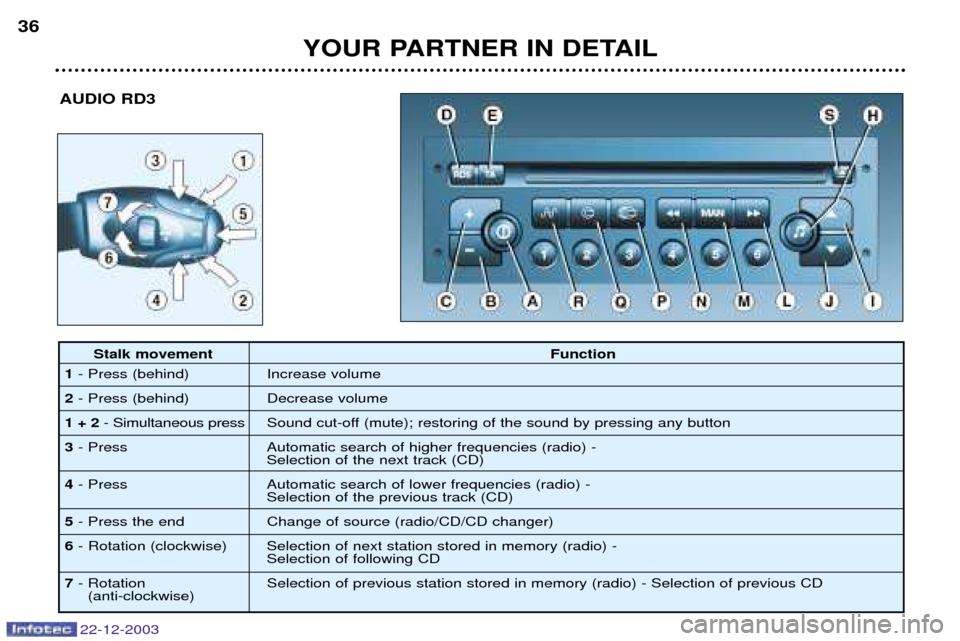
AUDIO RD3
Stalk movement
Function
1 - Press (behind) Increase volume
2 - Press (behind) Decrease volume
1 + 2 - Simultaneous press Sound cut-off (mute); restoring of the sound by pressing any button
3 - Press Automatic search of higher frequencies (radio) -
Selection of the next track (CD)
4 - Press Automatic search of lower frequencies (radio) -
Selection of the previous track (CD)
5 - Press the end Change of source (radio/CD/CD changer)
6 - Rotation (clockwise) Selection of next station stored in memory (radio) -
Selection of following CD
7 - Rotation Selection of previous station stored in memory (radio) - Selection of previous CD
(anti-clockwise)
Page 43 of 128
RADIO Notes on radio reception
Your car radio is subject to phenomena which do not affect domestic radio sets. Both AM (MW/LW) and FM reception are
subject to various forms of interference. This is no reflection on the quality of the equipment, but is due to the nature of the signalsand the way in which they are transmitted.
On MW/LW, interference may be noticed when passing under high voltage power lines or bridges, or in tunnels.
On FM, interference may be the result of increasing distance from the transmitter, deflection of the signals by obstacles
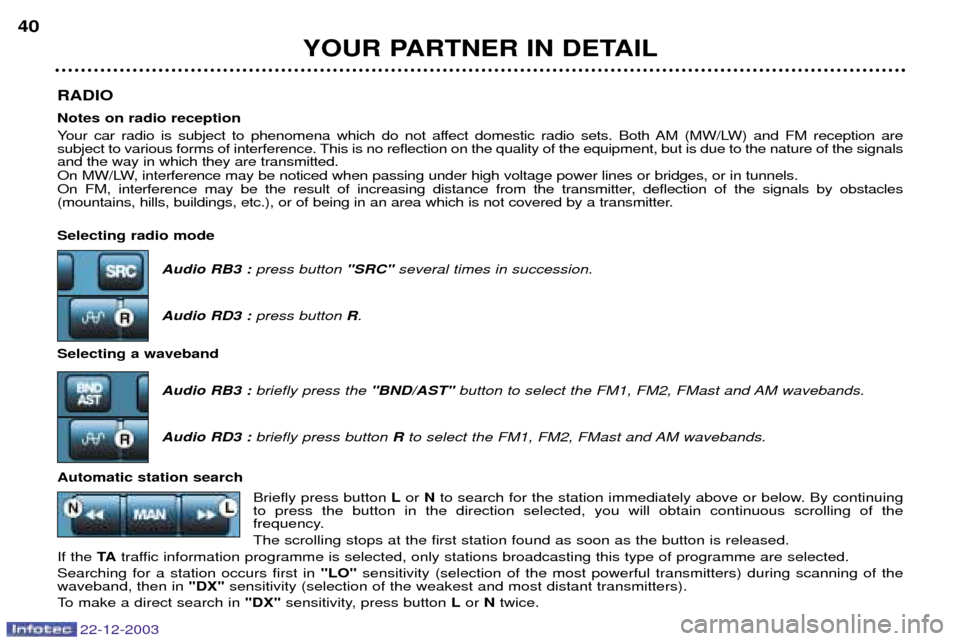
(mountains, hills, buildings, etc.), or of being in an area which is not covered by a transmitter. Selecting radio modeAudio RB3 :press button "SRC"several times in succession.
Audio RD3 : press button R.
Selecting a waveband Audio RB3 :briefly press the "BND/AST"button to select the FM1, FM2, FMast and AM wavebands.
Audio RD3 : briefly press button Rto select the FM1, FM2, FMast and AM wavebands.
Automatic station search Briefly press button Lor Nto search for the station immediately above or below. By continuing
to press the button in the direction selected, you will obtain continuous scrolling of the
frequency. The scrolling stops at the first station found as soon as the button is released.
If the TAtraffic information programme is selected, only stations broadcasting this type of programme are selected.
Searching for a station occurs first in "LO"sensitivity (selection of the most powerful transmitters) during scanning of the
waveband, then in "DX"sensitivity (selection of the weakest and most distant transmitters).
To make a direct search in "DX"sensitivity, press button Lor Ntwice.
YOUR PARTNER IN DETAIL
40
22-12-2003