check engine PONTIAC BONNEVILLE 2003 User Guide
[x] Cancel search | Manufacturer: PONTIAC, Model Year: 2003, Model line: BONNEVILLE, Model: PONTIAC BONNEVILLE 2003Pages: 418, PDF Size: 20.24 MB
Page 163 of 418
Find a safe place to park your vehicle. Turn the key off,
wait at least
10 seconds and restart the engine. If
the light remains on steady, see “If the Light Is On
Steady” following.
If the light is still flashing, follow the
previous steps, and drive the vehicle to your dealer
or qualified service center for service.
If the Light Is On Steady
You may be able to correct the emission system
malfunction by considering the following:
Did you recently put fuel into your vehicle?
If so, reinstall the fuel cap, making sure to fully install
the cap. See
Filling Your Tank on page 5-8. The
diagnostic system can determine
if the fuel cap has
been left
off or improperly installed. A loose or missing
fuel cap will allow fuel to evaporate into the atmosphere.
A few driving trips with the cap properly installed
should turn the light off.
Did you just drive through a deep puddle of water?
If so, your electrical system may be wet. The condition
will usually be corrected when the electrical system
dries out.
A few driving trips should turn the light off.
Have you recently changed brands of fuel?
If so, be sure to fuel your vehicle with quality fuel. See
Gasoline Octane on page 5-5. Poor fuel quality will
cause your engine not to run as efficiently as designed.
You may notice this as stalling after start-up, stalling
when you put the vehicle into gear, misfiring, hesitation
on acceleration or stumbling on acceleration. (These
conditions may go away once the engine is warmed up.)
This will be detected by the system and cause the
light to turn on.
If you experience one or more of these conditions,
change the fuel brand you use. It will require at least
one full tank of the proper fuel to turn the light off.
If none of the above steps have made the light turn
off,
have your dealer or qualified service center check
the vehicle. Your dealer has the proper test equipment
and diagnostic tools to fix any mechanical or electrical
problems that may have developed.
Emissions Inspection and Maintenance
Programs
Some state/provincial and local governments have or
may begin programs to inspect the emission control
equipment on your vehicle. Failure to pass this
inspection could prevent you from getting a vehicle
registration.
3-48
Page 164 of 418
Here are some things you need to know in order to help
your vehicle pass an inspection:
Your vehicle will not pass this inspection
if the SERVICE
ENGINE SOON light is on or not working properly.
Your vehicle will not pass this inspection
if the OBD
(on-board diagnostic) system determines that critical
emission control systems have not been completely
diagnosed by the system. The vehicle would be
considered not ready for inspection. This can happen
if
you have recently replaced your battery or if your
battery has run down. The diagnostic system is
designed to evaluate critical emission control systems
during normal driving. This may take several days
of routine driving.
If you have done this and your vehicle
still does not pass the inspection for lack of
OBD
system readiness, see your dealer or qualified service
center to prepare the vehicle for inspection.
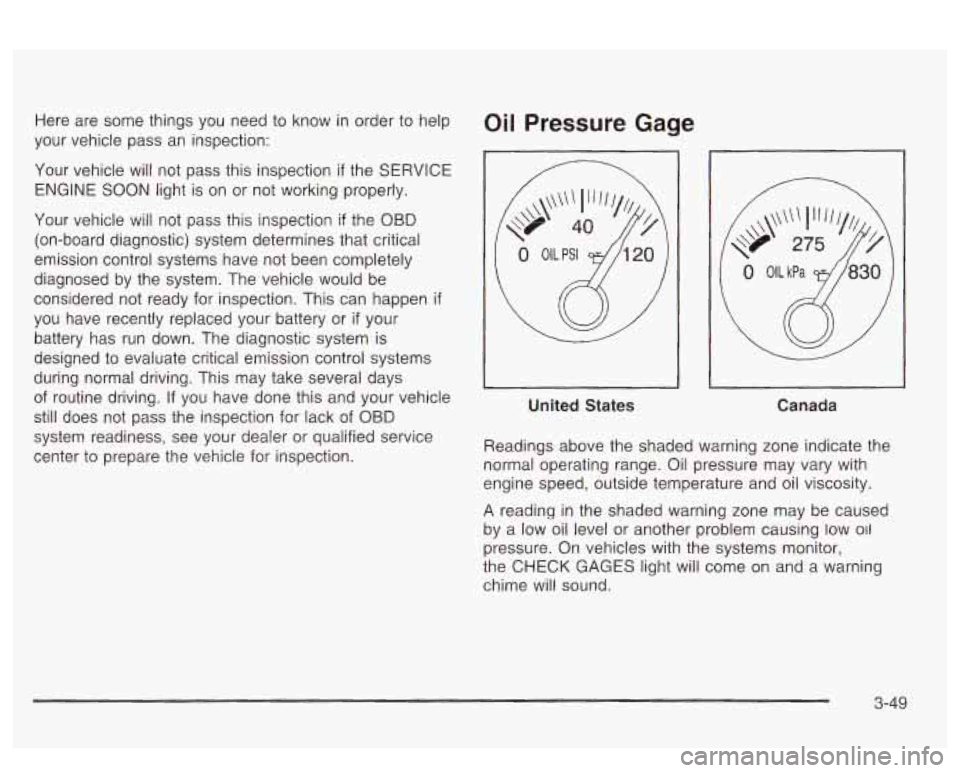
Oil Pressure Gage
United States
Canada
Readings above the shaded warning zone indicate the
normal operating range. Oil pressure may vary with
engine speed, outside temperature and oil viscosity.
A reading in the shaded warning zone may be caused
by a low oil level or another problem causing low
011
pressure. On vehicles with the systems monitor,
the
CHECK GAGES light will come on and a warning
chime will sound.
3-49
Page 165 of 418
On vehicles with a DIC, a CHECK GAGES OIL
PRESSURE message will be displayed and a warning
chime will sound. See
DIC Warnings and Messages
on Daue
3-60 for more information.
Don’t keep drivi
J if the oil pressure is low. If
you do, your engine can become
so hot that it
catches fire. You or others could be burned.
Check your oil as soon as possible and have
your vehicle serviced.
Notice: Damage to your engine from neglected oil
problems can be costly and is not covered by
your warranty.
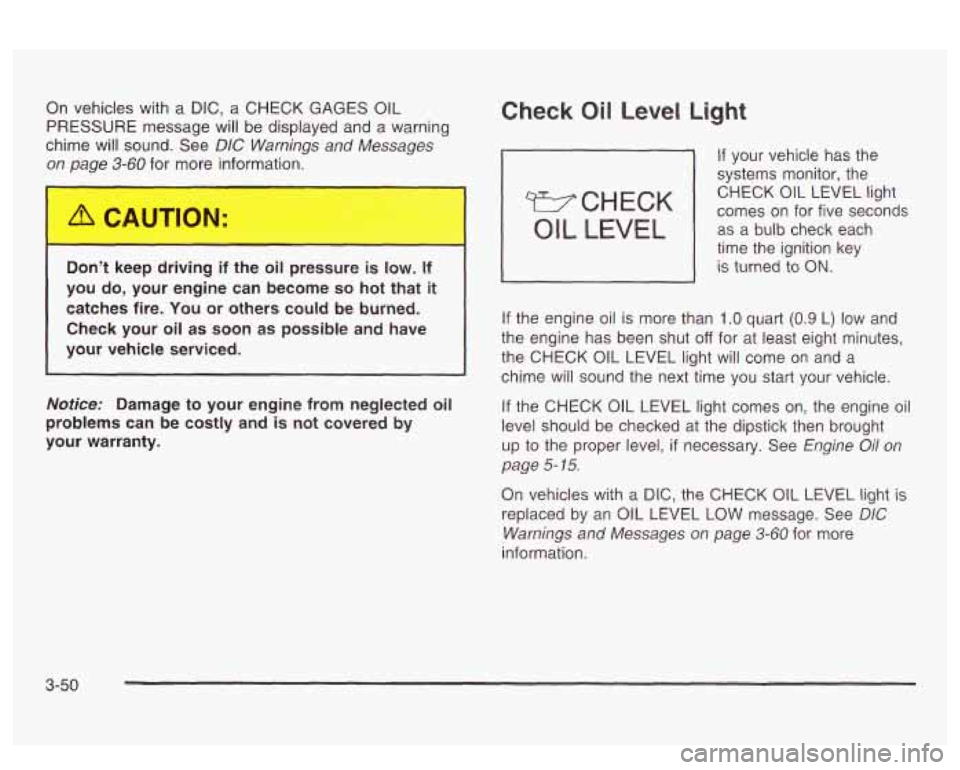
Check Oil Level Light
If your vehicle has the
systems monitor, the
comes on for five seconds CHECK
OIL LEVEL light
OIL LEVEL I as
a-bulb check each
time the ignition key
I is turned io ON.
If the engine oil is more than 1 .O quart (0.9 L) low and
the engine has been shut
off for at least eight minutes,
the CHECK OIL LEVEL light will come on and a
chime will sound the next time you
start your vehicle.
If the CHECK OIL LEVEL light comes on, the engine oil
level should be checked
at the dipstick then brought
up
to the proper level, if necessary. See Engine Oil on
page
5- 15.
On vehicles with a DIC, the CHECK OIL LEVEL light is
replaced by an OIL LEVEL
LOW message. See DIC
Warnings and Messages on page 3-60 for more
information.
3-50
Page 168 of 418
Service Vehicle Soon Light
SERVICE
VEHICLE
SOON
b If your vehicle has this
feature, this light will come
on briefly as a bulb
check when your ignition is
turned to
ON.
This light will come on and a warning chime will sound if
you have certain non-emissions related vehicle
problems. These problems may not be so obvious and
may not affect vehicle performance or durability.
Consult a qualified dealership for necessary repairs to
maintain top vehicle performance.
On vehicles with the supercharged engine and a
DIC,
the SERVICE VEHICLE SOON light is replaced by
the SERVICE VEHICLE
SOON message. See
UIL vvarnings ana iviessayes vri paye S-SC fzlr EGE
information.
-.- ...
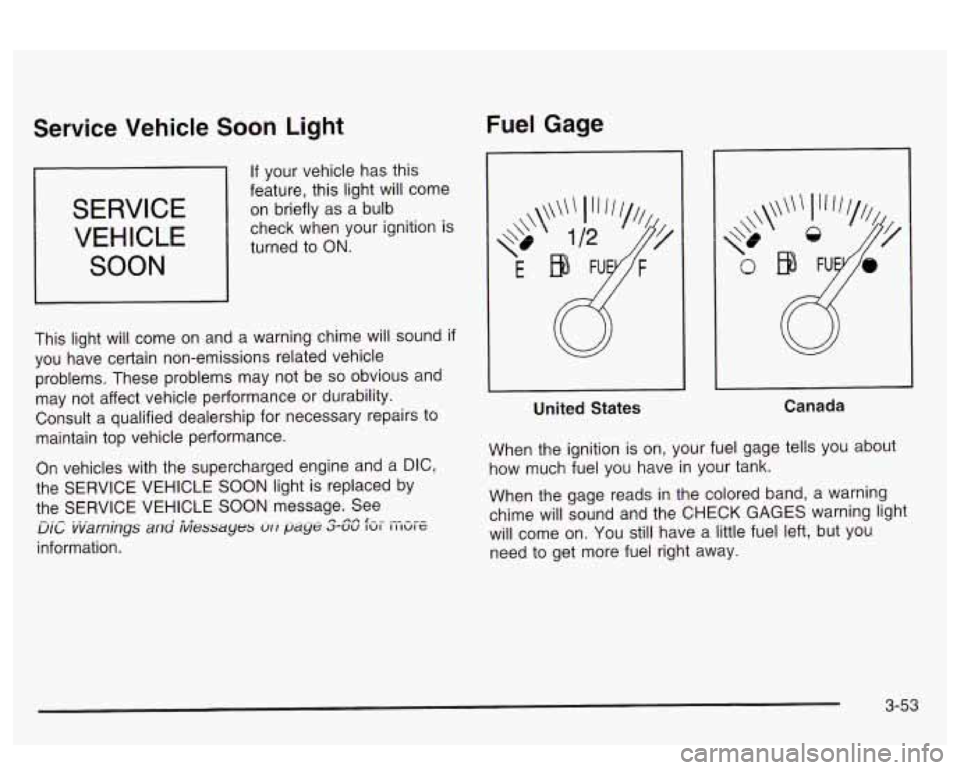
Fuel Gage
United States Canada
When the ignition
is on, your fuel gage tells you about
how much fuel you have
in your tank.
When the gage reads
in the colored band, a warning
chime will sound and the CHECK GAGES warning light
will come on. You still have a little fuel left, but you
need to get more fuel right away.
3-53
Page 169 of 418
On vehicles with a DIC, the CHECK GAGES LOW
FUEL message will be displayed when the fuel gage
reads
in the yellow band. See DIC Warnings and
Messages on page
3-60 for more information.
Here are some things that owners ask about. None of
these show a problem with your fuel gage:
At the service station, the gas pump shuts off
before the gage reads full.
It takes a little more (or less) fuel to fill up than the
gage indicated. For example, the gage may have
indicated the tank was half full, but it actually took a
little more (or less) than half the tank’s capacity
to
fill the tank.
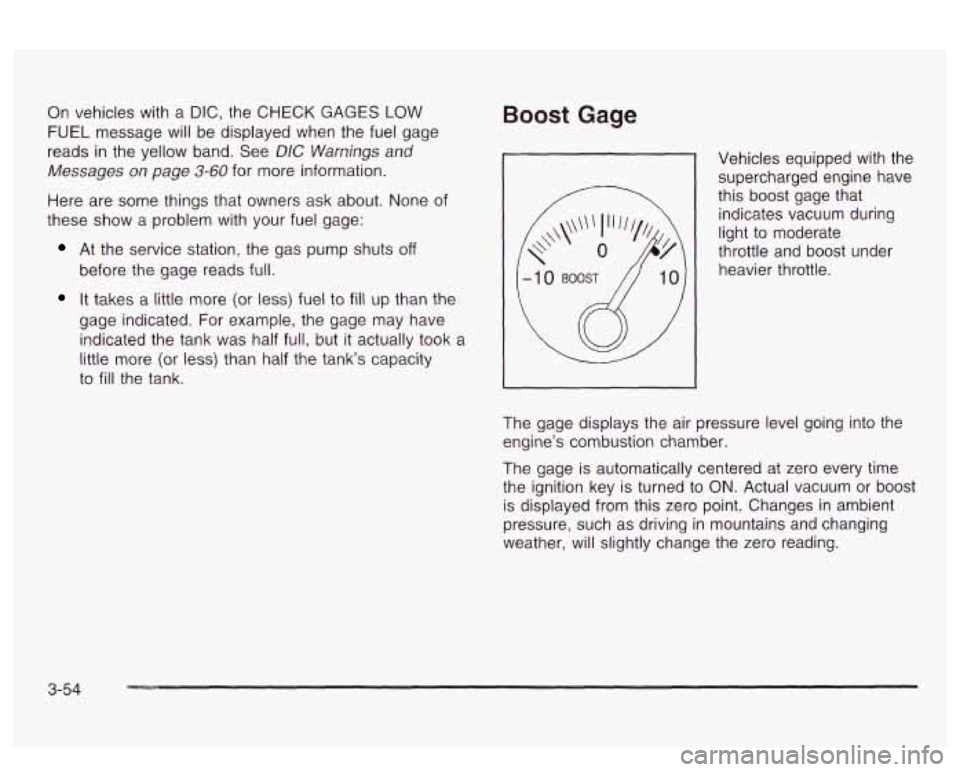
Boost Gage
Vehicles equipped with the supercharged engine have
this boost gage that
indicates vacuum during
light to moderate
throttle and boost under
heavier throttle.
The gage displays the air pressure level going into the
engine’s combustion chamber.
The gage is automatically centered at zero every time
the ignition key is turned to
ON. Actual vacuum or boost
is displayed from this zero point. Changes in ambient
pressure, such as driving in mountains and changing
weather, will slightly change the zero reading.
3-54
Page 174 of 418
Battery Volts: On vehicles with a supercharged
engine, press the SELECT button until the display
shows BATTERY VOLTS. If the voltage is normal the
display will show BATTERY
## VOLTS. If the voltage
drops below
10.5 volts for 30 seconds, the battery volts
display will show BATTERY LOW.
If the voltage is
above
16.2 volts for 30 seconds, the battery volts display
will show BATTERY HIGH.
If the display shows the
high or low message, you need to have your batterv
and/or electrical system checked.
GM Oil Life SystemTM: Press the SELECT button until
OIL LIFE appears in the display. The
OIL LIFE
NORMAL display will show an estimate of the oil’s
remaining useful life. When the oil life index is less than
IO%, an ENGINE 0iL CHANGE SOON message wiii
be displayed and the oil life display
will show OIL LIFE
CHANGE. When you have the
oil changed according
to the maintenance schedule, you will have to reset the
Oil Life System. To reset the Oil Life System, see
“When to Change Engine Oil” under
Engine Oil on
page
5- 15.
Tire Pressure Status: Press the SELECT button until
TIRE PRESSURE appears
in the display. TIRE
PRESSURE NORMAL
is displayed when the Check
Tire Pressure System believes your vehicle’s tire
pressures are normal. If a potential problem is detected,
the display will show CHECK TIRE PRESSURE and
the tire pressure status will show TIRE PRESSURE
LOW.
If you see the CHECK TIRE PRESSURE
message, you should stop
as soon as you can and
check all your tires for damage.
(If a tire is flat, see If a
Tire Goes Flat on page
5-72.) Also check the tire
pressure in all four tires as soon as you can. See
lnflation -- Tire Pressure on page 5-62 and Check Tire
Pressure System on page
5-64.
3-59
Page 175 of 418
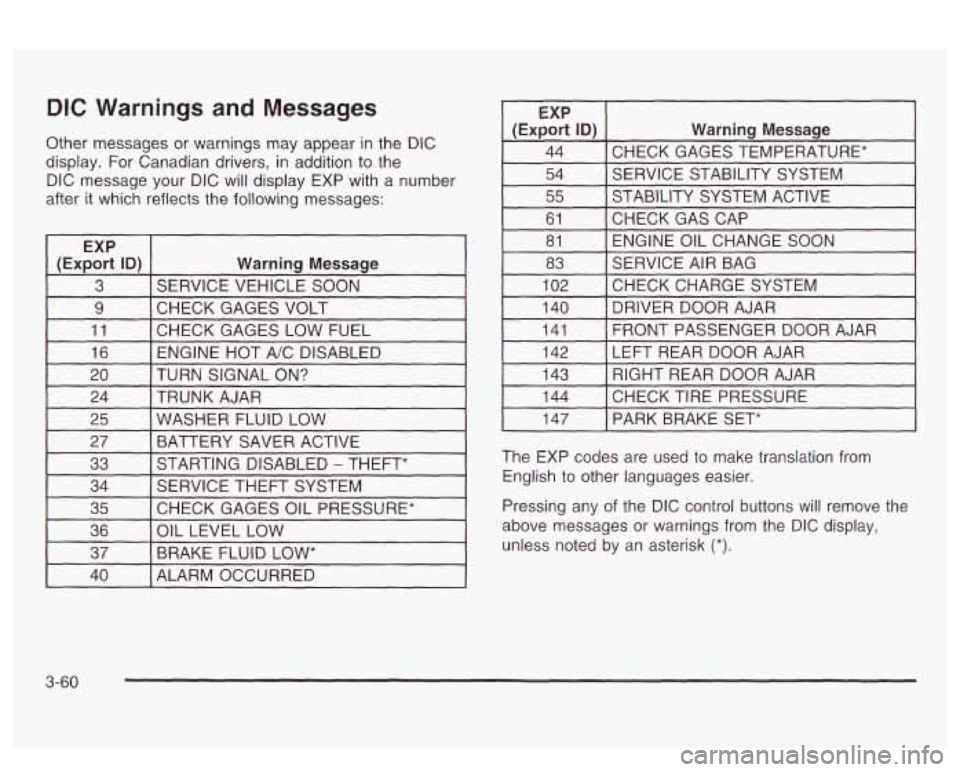
DIC Warnings and Messages
Other messages or warnings may appear in the DIC
display. For Canadian drivers, in addition to the
DIC message your DIC will display EXP with a number
after it which reflects the following messages:
~
EXP
(Export
ID) Warning Message
3 SERVICE VEHICLE SOON
9 I CHECK GAGES VOLT I I
11 [CHECK GAGES LOW FUEL 1
16 I ENGINE HOT A/C DISABLED I
EXP
(Export
ID) Warning Message
44 CHECK GAGES TEMPERATURE* ~~ ~
54 SERVICE STABILITY SYSTEM
55 STABILITY SYSTEM ACTIVE
61 ENGINE OIL CHANGE SOON
81
CHECKGASCAP
83
CHECKCHARGESYSTEM
102 SERVICE
AIR BAG
I 140 I DRIVER DOOR AJAR I
141
LEFT REAR DOOR AJAR
142 FRONT PASSENGER
DOOR AJAR
20 TRUNK AJAR
24 TURN SIGNAL
ON? 143
CHECK TIRE PRESSURE 144 RIGHT REAR DOOR AJAR
25 BATTERY SAVER ACTIVE
27
WASHER FLUID LOW
33
CHECK GAGES OIL PRESSURE*
35 SERVICE
THEFT SYSTEM
34 STARTING DISABLED
- THEFT*
36
BRAKE FLUID
LOW* 37
OIL
LEVEL LOW
I 147 I PARK BRAKE SET*
The EXP codes are used to make translation from
English to other languages easier.
Pressing any of the DIC control buttons
will remove the
above messages or warnings from the DIC display,
unless noted by an asterisk
(*).
40 I ALARM OCCURRED
3-60
Page 176 of 418
SERVICE STABILITY SYSTEM - 54: If you ever see
the SERVICE STABILITY SYSTEM message,
it
means there may be a problem with your stability
enhancement system.
If you see this message, try to
reset the system (stop; turn
off the engine; then start the
engine again).
If the SERVICE STABILITY SYSTEM
message still comes on, it means there is a problem.
You should see your dealer for service. Reduce
your speed and drive accordingly.
STABILITY SYSTEM ACTIVE - 55: You may see the
STABILITY SYSTEM ACTIVE message on the Driver
Information Center. It means that an advanced,
computer-controlled system has come on to help your
vehicle cmtinue to
go in the direction in which you’re
steering. This stability enhancement system activates
when the computer senses that your vehicle
is just
starting to spin, as it might
if you hit a patch of ice or
other slippery spot
on the road. When the system is on,
you may hear a noise or feel a vibration in the brake
pedal. This is normal.
When the STABILITY SYSTEM ACTIVE message
is on,
you should continue to steer in the direction you want
to go. The system is designed to help you in bad
weather or other difficult driving situations by making the
most
of whatever road conditions will permit. If the
STABiLiiY SYSTEM ACTIVE message comes on, you’!!
know that something has caused your vehicle to start
to spin,
so you should consider slowing down.
Tire Pressure Status - 144: If you see the CHECK
TIRE PRESSURE message, you should stop as soon as
you can and check all your tires for damage. (If a tire
is flat, see
If a Tire Goes Flat on page 5-72.) Also check
the tire pressure in all four tires as soon as you can.
See
inflation -- lire Pressure on page 5-62 and Check
Tire Pressure System
on page 5-64.
Driver Identifier DIC Display
This feature allows two different drivers to store and
recall their own preferred display mode. The
personalization settings displayed
on the DIC are
determined by the transmitter used to enter the vehicle.
After the uniock button
on a remote keyless entry
transmitter (if equipped) is pressed and the ignition is
in
ON, the DIC will display the identified driver. The
settings can also be changed by briefly pressing one of
the MEMORY buttons located on the driver’s door.
The DIC is used to program information for DRIVER
#I
UNKNOWN DRIVER if they are neither DRIVER #I nor
DRIVER
#2.
1 --a* .un TI^ nbfi ... :II :A~...+;$., ,-,~orp.,n Qc ~[IU unlvcn ft~. I IIZ UIU vvII1 luGltrl~y S r)bld-aI --
3-61
Page 186 of 418
Audio System(s)
Notice: Before you add any sound equipment to
your vehicle
- like a tape player, CB radio, mobile
telephone or two-way radio
- be sure you can
add what you want. If you can, it’s very important to
do
it properly. Added sound equipment may
interfere with the operation of your vehicle’s engine,
Delphi Electronics radio or other systems, and
even damage them. Your vehicle’s systems may interfere with the operation of sound equipment that
has been added improperly.
So, before adding sound equipment, check with
your dealer and be sure to check federal rules
covering mobile radio and telephone units.
Your audio system has been designed
to operate easily
and
to give years of listening pleasure. You will get
the most enjoyment out of it
if you acquaint yourself with
it first. Find out what your audio system can do and
how to operate all of its controls to be sure you’re getting
LI It: II IUS1 vu1 VI 11 IC UUVUl IUUU ”1 ‘y“ I””. .. .
into it.
I‘- - --* -. .+ -g +h -A-r-nmmA nnninonrinn +hat
,ant 3 -..-- ..-..-
Your vehicle has a feature called Retained Accessory
Power (RAP). With RAP, you can play your audio
system even after the ignition is turned
off. See
“Retained Accessory Power (RAP)” under lgnition
Positions on page 2-25.
Setting the Time
Press and hold HR or MIN for two seconds. Then press
and hold
HR until the correct hour appears on the
display. AM will also appear. Press and hold MIN until
the correct minute appears on the display. The time may
be
set with the ignition on or off.
To synchronize the time with an FM station broadcasting
Radio Data System
(RDS) Information, press and
hold HR and MIN at the same time until UPDATED and
the clock symbol appear on the display.
If the time is
not available from the station, NO UPDATE will appear
on the display instead.
3-71
Page 224 of 418
And, of course, actual stopping distances vary greatly
with the surface of the road (whether it’s pavement
or gravel); the condition of the road (wet, dry, icy); tire
tread; the condition of your brakes; the weight of
the vehicle and the amount of brake force applied.
Avoid needless heavy braking. Some people drive in
spurts
- heavy acceleration followed by heavy braking
- rather than keeping pace with traffic. This is a
mistake. Your brakes may not have time to cool between
hard stops. Your brakes will wear out much faster
if
you do a lot of heavy braking. If you keep pace with the
traffic and allow realistic following distances, you will
eliminate a lot of unnecessary braking. That means
better braking and longer brake life.
If your engine ever stops while you‘re driving, brake
normally but don’t pump your brakes. If you
do,
the pedal may get harder to push down. If your engine
stops, you will still have some power brake assist.
But you will use it when you brake. Once the power
assist is used up, it may take longer to stop and
the brake pedal will be harder to push.
Anti-lock Brake System (ABS)
Your vehicle has anti-lock brakes. ABS is an advanced
electronic braking system that will help prevent a
braking skid.
When you start your engine, or when you begin to drive
away, your anti-lock brake system will check itself.
You may hear a momentary motor or clicking noise while
this test is going on, and you may even notice that
your brake pedal moves or pulses a little. This is normal.
ANTI-
LOCK
United States
Canada
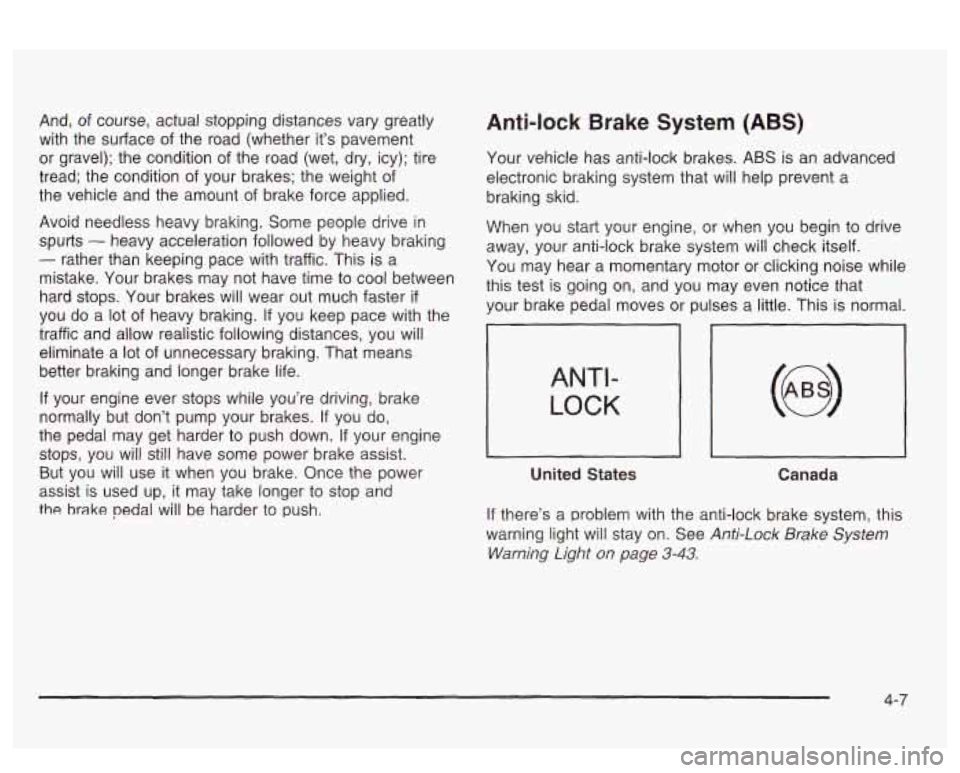
If there’s a problem with the anti-lock brake system, this
warning light will stay on. See
Anti-Lock Brake System
Warning Light
on page 3-43.
4-7