manual transmission PONTIAC G3 2010 Owners Manual
[x] Cancel search | Manufacturer: PONTIAC, Model Year: 2010, Model line: G3, Model: PONTIAC G3 2010Pages: 368, PDF Size: 3.94 MB
Page 22 of 368
Five-Speed Manual Transmission
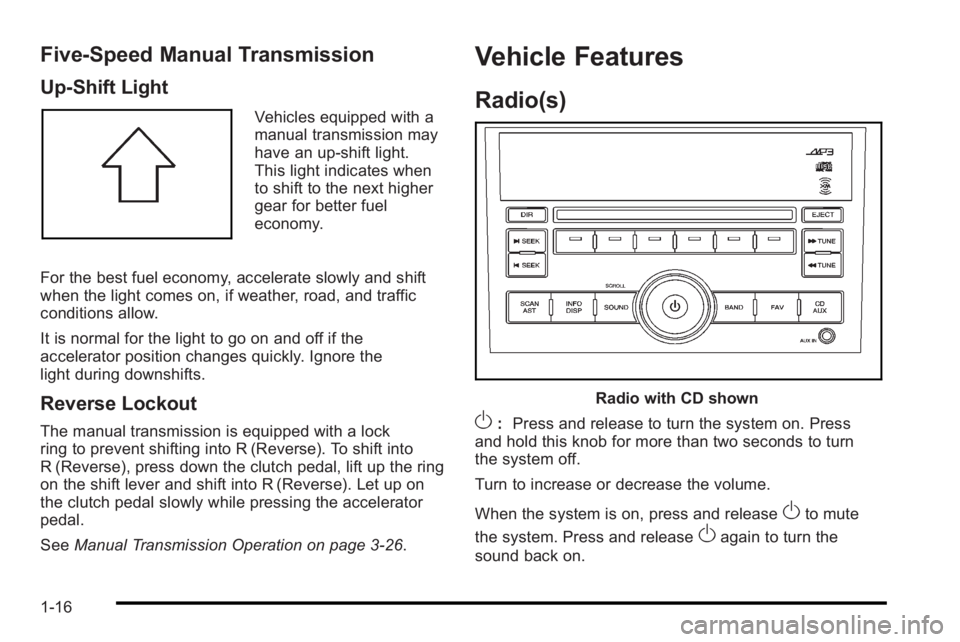
Up‐Shift Light
Vehicles equipped with a
manual transmission may
have an up-shift light.
This light indicates when
to shift to the next higher
gear for better fuel
economy.
For the best fuel economy, accelerate slowly and shift
when the light comes on, if weather, road, and traffic
conditions allow.
It is normal for the light to go on and off if the
accelerator position changes quickly. Ignore the
light during downshifts.
Reverse Lockout
The manual transmission is equipped with a lock
ring to prevent shifting into R (Reverse). To shift into
R (Reverse), press down the clutch pedal, lift up the ring
on the shift lever and shift into R (Reverse). Let up on
the clutch pedal slowly while pressing the accelerator
pedal.
See Manual Transmission Operation on page 3‑26.
Vehicle Features
Radio(s)
Radio with CD shown
O:Press and release to turn the system on. Press
and hold this knob for more than two seconds to turn
the system off.
Turn to increase or decrease the volume.
When the system is on, press and release
Oto mute
the system. Press and release
Oagain to turn the
sound back on.
1-16
Page 105 of 368

Section 3 Features and Controls
Keys. . . . . . . . . . . . . . . . . . . . . . . . . . . . . . . . . . . . . . . . . . . . . . . . 3-2
Remote Keyless Entry (RKE) System . . . . . . . . . . . 3-3
Remote Keyless Entry (RKE) System Operation . . . . . . . . . . . . . . . . . . . . . . . . . . . . . . . . . . . . . 3-4
Doors and Locks . . . . . . . . . . . . . . . . . . . . . . . . . . . . . . . . . . 3-6
Door Locks . . . . . . . . . . . . . . . . . . . . . . . . . . . . . . . . . . . . . 3-6
Central Door Unlocking System . . . . . . . . . . . . . . . . . 3-7
Door Ajar Reminder . . . . . . . . . . . . . . . . . . . . . . . . . . . . . 3-7
Rear Door Security Locks . . . . . . . . . . . . . . . . . . . . . . . 3-7
Trunk . . . . . . . . . . . . . . . . . . . . . . . . . . . . . . . . . . . . . . . . . . . 3-8
Liftgate (Hatchback) . . . . . . . . . . . . . . . . . . . . . . . . . . . 3-11
Windows . . . . . . . . . . . . . . . . . . . . . . . . . . . . . . . . . . . . . . . . . . 3-12
Manual Windows . . . . . . . . . . . . . . . . . . . . . . . . . . . . . . 3-13
Power Windows . . . . . . . . . . . . . . . . . . . . . . . . . . . . . . . 3-13
Sun Visors . . . . . . . . . . . . . . . . . . . . . . . . . . . . . . . . . . . . . 3-14
Theft-Deterrent Systems . . . . . . . . . . . . . . . . . . . . . . . . .3-14
Immobilizer . . . . . . . . . . . . . . . . . . . . . . . . . . . . . . . . . . . . 3-14
Immobilizer Operation . . . . . . . . . . . . . . . . . . . . . . . . . 3-14
Content Theft-Deterrent . . . . . . . . . . . . . . . . . . . . . . . . 3-15
Starting and Operating Your Vehicle . . . . . . . . . . . .3-17
New Vehicle Break-In . . . . . . . . . . . . . . . . . . . . . . . . . . 3-17
Ignition Positions . . . . . . . . . . . . . . . . . . . . . . . . . . . . . . 3-18 Starting the Engine . . . . . . . . . . . . . . . . . . . . . . . . . . . . 3-19
Engine Heater . . . . . . . . . . . . . . . . . . . . . . . . . . . . . . . . . 3-20
Automatic Transmission Operation . . . . . . . . . . . . . 3-22
Manual Transmission Operation . . . . . . . . . . . . . . . 3-26
Parking Brake . . . . . . . . . . . . . . . . . . . . . . . . . . . . . . . . . 3-28
Shifting Into Park (Automatic Transmission) . . . 3-29
Shifting Out of Park . . . . . . . . . . . . . . . . . . . . . . . . . . . . 3-30
Parking the Vehicle (Manual Transmission) . . . . 3-31
Parking Over Things That Burn . . . . . . . . . . . . . . . . 3-32
Engine Exhaust . . . . . . . . . . . . . . . . . . . . . . . . . . . . . . . . 3-32
Running the Vehicle While Parked . . . . . . . . . . . . . 3-33
Mirrors . . . . . . . . . . . . . . . . . . . . . . . . . . . . . . . . . . . . . . . . . . . . 3-34
Manual Rearview Mirror . . . . . . . . . . . . . . . . . . . . . . . . 3-34
Outside Manual Mirrors . . . . . . . . . . . . . . . . . . . . . . . . 3-34
Outside Power Mirrors . . . . . . . . . . . . . . . . . . . . . . . . . 3-35
Outside Convex Mirror . . . . . . . . . . . . . . . . . . . . . . . . . 3-35
Outside Heated Mirrors . . . . . . . . . . . . . . . . . . . . . . . . 3-35
Storage Areas . . . . . . . . . . . . . . . . . . . . . . . . . . . . . . . . . . . . 3-36
Glove Box . . . . . . . . . . . . . . . . . . . . . . . . . . . . . . . . . . . . . 3-36
Cupholders . . . . . . . . . . . . . . . . . . . . . . . . . . . . . . . . . . . . 3-36
Sunroof . . . . . . . . . . . . . . . . . . . . . . . . . . . . . . . . . . . . . . . . . . . 3-37
3-1
Page 122 of 368
Ignition Positions
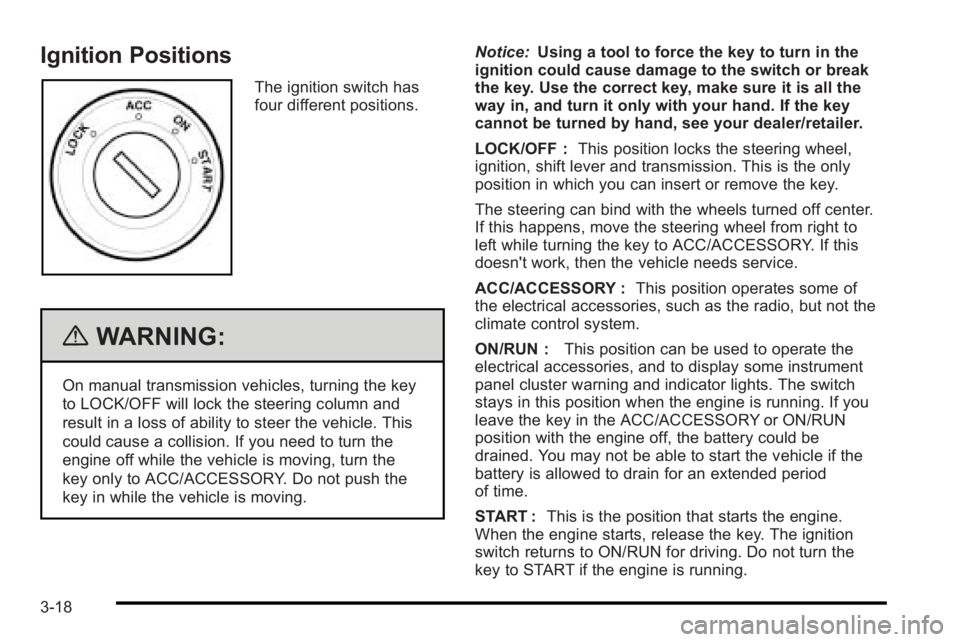
The ignition switch has
four different positions.
{WARNING:
On manual transmission vehicles, turning the key
to LOCK/OFF will lock the steering column and
result in a loss of ability to steer the vehicle. This
could cause a collision. If you need to turn the
engine off while the vehicle is moving, turn the
key only to ACC/ACCESSORY. Do not push the
key in while the vehicle is moving.Notice:
Using a tool to force the key to turn in the
ignition could cause damage to the switch or break
the key. Use the correct key, make sure it is all the
way in, and turn it only with your hand. If the key
cannot be turned by hand, see your dealer/retailer.
LOCK/OFF : This position locks the steering wheel,
ignition, shift lever and transmission. This is the only
position in which you can insert or remove the key.
The steering can bind with the wheels turned off center.
If this happens, move the steering wheel from right to
left while turning the key to ACC/ACCESSORY. If this
doesn't work, then the vehicle needs service.
ACC/ACCESSORY : This position operates some of
the electrical accessories, such as the radio, but not the
climate control system.
ON/RUN : This position can be used to operate the
electrical accessories, and to display some instrument
panel cluster warning and indicator lights. The switch
stays in this position when the engine is running. If you
leave the key in the ACC/ACCESSORY or ON/RUN
position with the engine off, the battery could be
drained. You may not be able to start the vehicle if the
battery is allowed to drain for an extended period
of time.
START : This is the position that starts the engine.
When the engine starts, release the key. The ignition
switch returns to ON/RUN for driving. Do not turn the
key to START if the engine is running.
3-18
Page 123 of 368

Starting the Engine
Automatic Transmission
Move the shift lever to P (Park) or N (Neutral).
The engine will not start in any other position.
To restart the engine when the vehicle is already
moving, use N (Neutral) only.
Notice:Do not try to shift to P (Park) if the vehicle
is moving. If you do, you could damage the
transmission. Shift to P (Park) only when the
vehicle is stopped.
Manual Transmission
The shift lever should be in N (Neutral) and the parking
brake engaged. Hold the clutch pedal to the floor and
start the engine. The vehicle will not start if the clutch
pedal is not all the way down.
Starting Procedure
1. With your foot off the accelerator pedal, turn the ignition to START. When the engine starts, let go of
the key. The idle speed will go down as the engine
gets warm.
Notice: Holding the key in START for longer than
15 seconds at a time will cause the battery to be
drained much sooner. And the excessive heat can
damage the starter motor. Wait about 15 seconds
between each try to help avoid draining the battery
or damaging the starter.
2. If the engine does not start, wait about 15 seconds and try again. Wait about 15 seconds between
each try.
When the engine has run about 10 seconds to
warm up, the vehicle is ready to be driven. Do not
run the engine at high speed when it is cold.
If the weather is below freezing (32°F or 0°C), let
the engine run for a few minutes to warm up.
3-19
Page 130 of 368

Manual Transmission Operation
Five-Speed
This is your shift pattern.
1 (First) :Press the clutch pedal and shift into 1 (First).
Then, slowly let up on the clutch pedal as you press the
accelerator pedal. You can shift into 1 (First) when you are going less than
20 mph (32 km/h). If you have come to a complete stop
and it is hard to shift into 1 (First), put the shift lever in
N (Neutral) and let up on the clutch. Press the clutch
pedal back down. Then shift into 1 (First).
2 (Second) :
Press the clutch pedal as you let up on
the accelerator pedal and shift into 2 (Second). Then,
slowly let up on the clutch pedal as you press the
accelerator pedal.
3 (Third), 4 (Fourth) and 5 (Fifth) : Shift into 3 (Third),
4 (Fourth) and 5 (Fifth), the same way you do for
2 (Second). Slowly let up on the clutch pedal as you
press the accelerator pedal.
To stop, let up on the accelerator pedal and press the
brake pedal. Just before the vehicle stops, press the
clutch pedal and the brake pedal, and shift to
N (Neutral).
N (Neutral) : Use this position when you start or idle
the engine.
3-26
Page 131 of 368
R (Reverse) :To back up, press down the clutch
pedal, lift up the ring on the shift lever and shift into
R (Reverse). Let up on the clutch pedal slowly while
pressing the accelerator pedal.
Notice: Shifting to R (Reverse) while the vehicle is
moving forward could damage the transmission.
The repairs would not be covered by the vehicle
warranty. Shift to R (Reverse) only after the vehicle
is stopped.
Also, use R (Reverse), along with the parking brake, for
parking the vehicle.
Shift Speeds
{WARNING:
If you skip a gear when you downshift, you could
lose control of the vehicle. You could injure
yourself or others. Do not shift down more than
one gear at a time when you downshift.
Up‐Shift Light
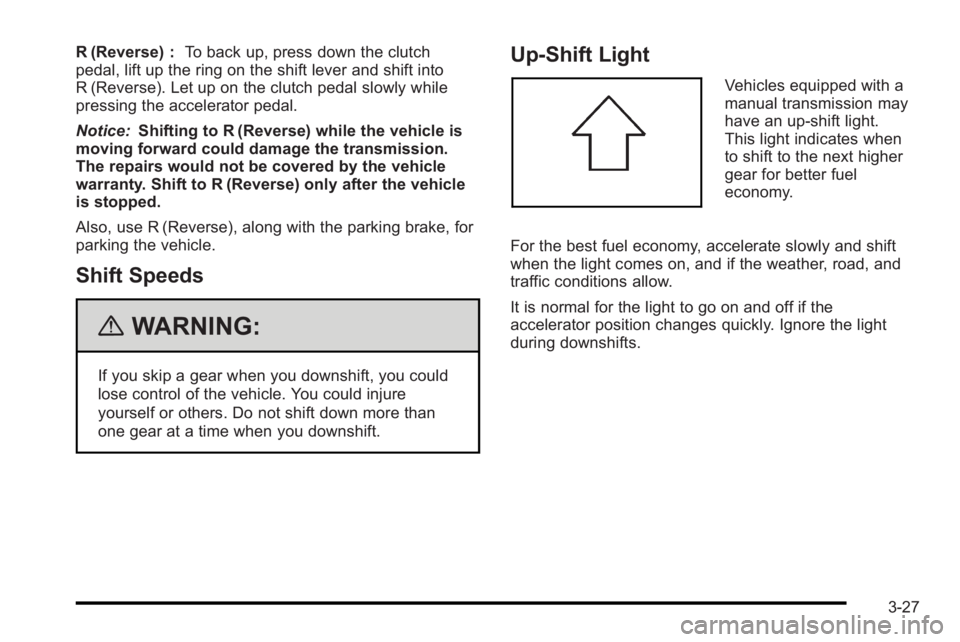
Vehicles equipped with a
manual transmission may
have an up-shift light.
This light indicates when
to shift to the next higher
gear for better fuel
economy.
For the best fuel economy, accelerate slowly and shift
when the light comes on, and if the weather, road, and
traffic conditions allow.
It is normal for the light to go on and off if the
accelerator position changes quickly. Ignore the light
during downshifts.
3-27
Page 135 of 368

4. Insert the key into the shift lock slot and press andhold the key.
5. Shift to N (Neutral).
6. Remove the key from the slot, insert the key into the ignition and start the engine.
7. Replace the shift-lock release slot cover.
8. Apply and hold the brake pedal fully and release the parking brake.
9. Shift to the gear you want.
10. Have the vehicle fixed as soon as you can.
Parking the Vehicle
(Manual Transmission)
Before leaving the vehicle, do the following:
1. Hold the brake pedal down and firmly apply the parking brake.
2. Fully press in the clutch pedal and place the shift lever into the gear position as stated below:
.When parking on level ground, place the shift
lever into N (Neutral).
.When parking downhill, place the shift lever in
R (Reverse).
.When parking uphill, place the shift lever in
1 (First).
3. After shifting, turn the ignition to LOCK/OFF, remove the key and release the clutch.
3-31
Page 137 of 368
Running the Vehicle While Parked
It is better not to park with the engine running. But if you
ever have to, here are some things to know.
{WARNING:
Idling a vehicle in an enclosed area with poor
ventilation is dangerous. Engine exhaust may
enter the vehicle. Engine exhaust contains
Carbon Monoxide (CO) which cannot be seen or
smelled. It can cause unconsciousness and even
death. Never run the engine in an enclosed area
that has no fresh air ventilation. For more
information, seeEngine Exhaust on page 3‑32.
{WARNING:
It can be dangerous to get out of the vehicle if the
automatic transmission shift lever is not fully in
P (Park) with the parking brake firmly set. The
vehicle can roll. Do not leave the vehicle when the
engine is running unless you have to. If you have
left the engine running, the vehicle can move
suddenly. You or others could be injured. To be
sure the vehicle will not move, even when it is on
fairly level ground, always set the parking brake
and move the automatic transmission shift lever to
P (Park), or the manual transmission shift lever to
Neutral.
Follow the proper steps to be sure the vehicle will not
move. If the vehicle has an automatic transmission,
see Shifting Into Park (Automatic Transmission)
on
page 3‑29.
3-33
Page 150 of 368
Cruise Control
For vehicles with cruise control, a speed of about
39 km/h (24 mph) or more can be maintained without
keeping your foot on the accelerator. Cruise control
does not work at speeds below 39 km/h (24 mph).
When the brakes are applied, or the clutch pedal if you
have a manual transmission, the cruise control turns off.
{WARNING:
Cruise control can be dangerous where you
cannot drive safely at a steady speed. So, do not
use the cruise control on winding roads or in
heavy traffic.
Cruise control can be dangerous on slippery
roads. On such roads, fast changes in tire traction
can cause excessive wheel slip, and you could
lose control. Do not use cruise control on slippery
roads.
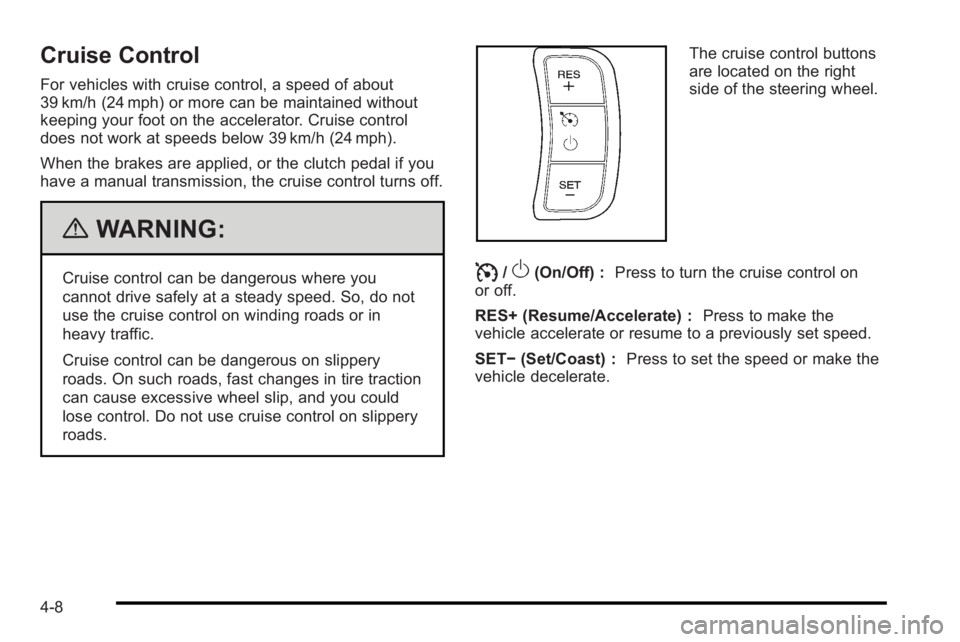
The cruise control buttons
are located on the right
side of the steering wheel.
I/O(On/Off) :Press to turn the cruise control on
or off.
RES+ (Resume/Accelerate) : Press to make the
vehicle accelerate or resume to a previously set speed.
SET− (Set/Coast) : Press to set the speed or make the
vehicle decelerate.
4-8
Page 151 of 368
Setting Cruise Control
{WARNING:
If you leave your cruise control on when you are
not using cruise, you might hit a button and go
into cruise when you do not want to. You could be
startled and even lose control. Keep the cruise
control switch off until you want to use cruise
control.
1. Press
I/Oto turn cruise control on.
2. Accelerate to the speed desired.
3. Press the SET− button and release it. The cruise
control light comes on in the instrument panel
cluster to show that the cruise control is on.
4. Take your foot off the accelerate pedal.
Resuming a Set Speed
If the cruise control is set to a desired speed and then
the brakes are applied, or the clutch pedal if you have a
manual transmission, the cruise control shuts off. But it
does not need to be reset. Once the vehicle is going about 39 km/h (24 mph) or
more, briefly press the RES+ button. The vehicle
returns to the previously set speed and stays there.
If the RES+ button is held, the vehicle speed will
continue to increase until the button is released or the
brake pedal is applied. Do not hold in the RES+ button,
unless you want the vehicle to go faster.
Increasing Speed While Using Cruise
Control
There are two ways to go to a higher speed.
.Use the accelerator pedal to get to a higher speed.
Press the SET−
button, then release the button
and the accelerator pedal.
.Press the RES+ button. Hold it there until the
desired speed is reached, and then release it.
To increase the vehicle speed in small amounts,
briefly press the RES+ button and then release it.
Each time this is done, the vehicle goes about
1.6 km/h (1 mph) faster.
The accelerate feature only works after the cruise
control is turned on by pressing the SET− button.
4-9