light PONTIAC G6 2009 Owner's Manual
[x] Cancel search | Manufacturer: PONTIAC, Model Year: 2009, Model line: G6, Model: PONTIAC G6 2009Pages: 410, PDF Size: 2.33 MB
Page 119 of 410

Mirrors
Manual Rearview Mirror
The vehicle may have a manual rearview mirror with the
OnStar®system.
Control buttons for the OnStar system are at the bottom
of the mirror. See your dealer/retailer for more information
on the OnStar system and how to subscribe to OnStar.
Also, seeOnStar
®System on page 2-40for more
information about the services OnStar provides.
Adjust the mirror to see clearly behind your vehicle.
Hold the mirror in the center to move it up or down and
side to side. The day/night adjustment allows you to
adjust the mirror to avoid glare from the lamps behind
you. Move the lever to the right for nighttime use and
to the left for daytime use.
Automatic Dimming Rearview Mirror
The vehicle may have an automatic dimming rearview
mirror with a compass display and/or OnStar®controls.
For more information about OnStar, seeOnStar®
System on page 2-40.
If the vehicle has OnStar, it has three control buttons
located at the bottom of the mirror. See your dealer/
retailer for more information on the system and how to
subscribe to OnStar. SeeOnStar
®System on page 2-40
for more information about the service OnStar provides.
For vehicles with OnStar:
O(On/Off):Press to turn the dimming feature on or off.
For vehicles without OnStar:
AUTO/OFF:Press AUTO/OFF to turn the dimming
feature on or off.
Automatic Dimming Mirror Operation
Automatic dimming reduces the glare of lights from
behind the vehicle. The dimming feature comes on
and the indicator light illuminates each time the vehicle
is started.
2-37
Page 124 of 410
OnStar Virtual Advisor
OnStar Virtual Advisor is a feature of OnStar
Hands-Free Calling that uses minutes to access
location-based weather, local traffic reports, and stock
quotes. Press the phone button and give a few simple
voice commands to browse through the various topics.
See the OnStar Owner’s Guide for more information.
This feature is only available in the continental U.S.
How OnStar Service Works
The OnStar system can record and transmit vehicle
information. This information is automatically sent to an
OnStar Call Center when the OnStar button is pressed,
the emergency button is pressed, or if the airbags or
AACN system deploy. This information usually includes
the vehicle’s GPS location and, in the event of a crash,
additional information regarding the crash that the vehicle
was involved in (e.g. the direction from which the vehicle
was hit). When the Virtual Advisor feature of OnStar
Hands-Free Calling is used, the vehicle also sends
OnStar the vehicle’s GPS location so they can provide
services where it is located.
OnStar service cannot work unless the vehicle is in a
place where OnStar has an agreement with a wireless
service provider for service in that area. OnStar service
also cannot work unless the vehicle is in a place wherethe wireless service provider OnStar has hired for that
area has coverage, network capacity and reception when
the service is needed, and technology that is compatible
with the OnStar service. Not all services are available
everywhere, particularly in remote or enclosed areas,
or at all times.
Location information about the vehicle is only available
if the GPS satellite signals are unobstructed and
available.
The vehicle must have a working electrical system,
including adequate battery power, for the OnStar
equipment to operate. There are other problems OnStar
cannot control that may prevent OnStar from providing
OnStar service at any particular time or place. Some
examples are damage to important parts of the vehicle
in a crash, hills, tall buildings, tunnels, weather or
wireless phone network congestion.
Your Responsibility
Increase the volume of the radio if the OnStar advisor
cannot be heard. If the light next to the OnStar buttons
is red, the system may not be functioning properly.
Press the OnStar button and request a vehicle
diagnostic. If the light appears clear (no light is
appearing), your OnStar subscription has expired and
all services have been deactivated. Press the OnStar
button to conrm that the OnStar equipment is active.
2-42
Page 133 of 410
Instrument Panel Overview...............................3-4
Hazard Warning Flashers................................3-6
Horn .............................................................3-6
Tilt Wheel.....................................................3-6
Turn Signal/Multifunction Lever.........................3-7
Turn and Lane-Change Signals........................3-7
Headlamp High/Low-Beam Changer..................3-8
Flash-to-Pass.................................................3-8
Windshield Wipers..........................................3-8
Windshield Washer.........................................3-9
Cruise Control..............................................3-10
Headlamps..................................................3-13
Headlamps on Reminder................................3-13
Headlamps Off in Park..................................3-14
Delayed Headlamps......................................3-14
Daytime Running Lamps (DRL).......................3-14
Automatic Headlamp System..........................3-15
Fog Lamps ..................................................3-15
Instrument Panel Brightness...........................3-16
Courtesy Lamps...........................................3-16
Dome Lamps ...............................................3-16
Entry/Exit Lighting.........................................3-16
Parade Dimming...........................................3-17
Reading Lamps............................................3-17
Trunk Lamp.................................................3-17
Electric Power Management...........................3-17
Battery Run-Down Protection..........................3-18Accessory Power Outlet(s).............................3-19
Climate Controls............................................3-20
Climate Control System.................................3-20
Automatic Climate Control System...................3-24
Outlet Adjustment.........................................3-28
Warning Lights, Gages, and Indicators............3-28
Instrument Panel Cluster................................3-29
Speedometer and Odometer..........................
.3-30
Trip Odometer..............................................3-30
Tachometer.................................................3-30
Safety Belt Reminders...................................3-31
Airbag Readiness Light..................................3-32
Passenger Airbag Status Indicator...................3-33
Charging System Light..................................3-34
Brake System Warning Light..........................3-34
Antilock Brake System (ABS) Warning Light.....3-35
Traction Control System (TCS)
Warning Light...........................................3-36
Traction Control System (TCS)
Active Light..............................................3-36
StabiliTrak
®Not Ready Light..........................3-36
StabiliTrak®Indicator Light.............................3-36
Engine Coolant Temperature Gage..................3-37
Tire Pressure Light.......................................3-37
Malfunction Indicator Lamp.............................3-38
Oil Pressure Light.........................................3-40
Section 3 Instrument Panel
3-1
Page 134 of 410
Security Light...............................................3-41
Cruise Control Light......................................3-41
Highbeam On Light.......................................3-41
Fuel Gage...................................................3-42
Low Fuel Warning Light.................................3-42
Driver Information Center (DIC).......................3-42
DIC Operation and Displays...........................3-43
DIC Warnings and Messages.........................3-46
DIC Vehicle Personalization............................3-50Audio System(s).............................................3-52
Setting the Clock..........................................3-53
Radio(s)......................................................3-54
XM Radio Messages.....................................3-66
Theft-Deterrent Feature..................................3-68
Audio Steering Wheel Controls.......................3-68
Radio Reception...........................................3-69
Fixed Mast Antenna......................................3-69
Backglass Antenna.......................................3-70
XM™ Satellite Radio Antenna System.............3-70
Section 3 Instrument Panel
3-2
Page 140 of 410
Headlamp High/Low-Beam Changer
To change the headlamps from low beam to high beam,
push the turn signal/multifunction lever away from you.
This instrument panel cluster light
3comes on if
the high beam lamps are turned on while the ignition is
in ON/RUN.
To change the headlamps from high beam to low beam,
pull the turn signal lever toward you.
Flash-to-Pass
This feature lets the high-beam headlamps be used to
signal a driver in front of you that you want to pass.
Pull the turn signal/multifunction lever toward you until
the high-beam headlamps come on, then release
the lever to turn them off.
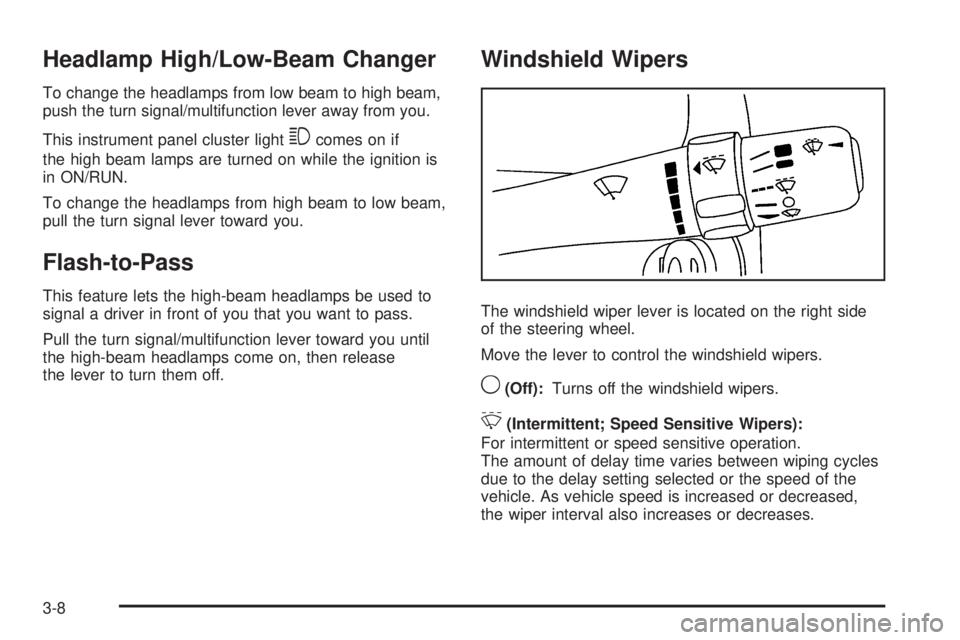
Windshield Wipers
The windshield wiper lever is located on the right side
of the steering wheel.
Move the lever to control the windshield wipers.
9(Off):Turns off the windshield wipers.
&(Intermittent; Speed Sensitive Wipers):
For intermittent or speed sensitive operation.
The amount of delay time varies between wiping cycles
due to the delay setting selected or the speed of the
vehicle. As vehicle speed is increased or decreased,
the wiper interval also increases or decreases.
3-8
Page 143 of 410
J(On/Off):Press this button to turn the cruise
control system on and off.
RES+ (Resume):Press this button to resume a set
speed and to accelerate the speed.
SET−(Set):Press this button to set a speed and to
decrease the speed.
[(Cancel):Press this button to cancel cruise control.
To set a speed do the following:
1. Press the on/off symbol to turn cruise control on.
The indicator light on the button comes on.
2. Get to the speed you want.
3. Press the SET−symbol and release it. The cruise
symbol displays in the instrument panel cluster to
show the system is engaged.
4. Take your foot off the accelerator pedal.
When the brakes are applied, the cruise control
shuts off.
If the vehicle is in cruise control and the Traction
Control System (TCS) or Enhanced Traction System
(ETS) begins to limit wheel spin, the cruise control
automatically disengages. SeeTraction Control System
(TCS) on page 4-7. When road conditions allow, the
cruise control can be used again.
Resuming a Set Speed
Suppose the cruise control is set at a desired speed
and the brakes are applied. This disengages the cruise
control. The cruise symbol in the instrument panel
cluster also goes out, indicating cruise is no longer
engaged. To return to the previously set speed,
you do not need to go through the set process again.
Once at a speed of about 25 mph (40 km/h) or
more, press the RES+ symbol briey.
This takes the vehicle back up and maintains the
previously chosen speed.
Increasing Speed While Using Cruise
Control
There are two ways to go to a higher speed.
If the cruise control system is already engaged,
press the RES+ symbol. Hold it there until the
speed desired is reached and then release
the button.
To increase the vehicle speed in very small
amounts, press the RES+ symbol briey and then
release it. Each time this is done, the vehicle
goes about 1 mph (1.6 km/h) faster.
3-11
Page 144 of 410
Reducing Speed While Using Cruise
Control
If the cruise control system is already engaged,
Push and hold the SET−symbol until the lower
speed desired is reached, then release it.
To slow down in very small amounts, push the
SET−symbol briey. Each time this is done,
the vehicle goes about 1 mph (1.6 km/h) slower.
Passing Another Vehicle While Using
Cruise Control
Use the accelerator pedal to increase the vehicle speed.
When you take your foot off the pedal, the vehicle will
slow down to the cruise control speed set earlier.
Using Cruise Control on Hills
How well the cruise control works on hills depends upon
the vehicle speed, load, and the steepness of the
hills. When going up steep hills, you might have to step
on the accelerator pedal to maintain your vehicle’sspeed. When going downhill, you might have to brake
or shift to a lower gear to keep your vehicle’s speed
down. Applying the brakes does turn off the cruise
control. Many drivers nd this to be too much trouble
and do not use cruise control on steep hills.
Ending Cruise Control
There are three ways to disengage the cruise control:
Step lightly on the brake pedal.
Press the on/off button.
Press the cancel button.
The cruise symbol in the instrument panel cluster turns
off when the system is disengaged.
Erasing Speed Memory
The cruise control set speed memory is erased when
the cruise control or the ignition is turned off.
3-12
Page 146 of 410
Headlamps Off in Park
This feature works when the ignition is in the ON/RUN
position and it is dark outside. To turn the headlamps
off when it is dark outside but keep other exterior lights
on, turn the exterior lamp control to the parking lamp
position.
To turn on the headlamps along with the other lamps
when it is dark outside, turn the exterior lamp control to
the AUTO or headlamp position.
This function does not work for vehicles rst sold in
Canada.
Delayed Headlamps
The delayed headlamps feature keeps the headlamps
on for 20 seconds after the key is turned to LOCK/OFF,
then the headlamps automatically turn off.
To override the 20 second delayed headlamp feature
while it is active turn the turn signal/multifunction
lever up one position and then back to AUTO.
Daytime Running Lamps (DRL)
Daytime Running Lamps (DRL) can make it easier for
others to see the front of your vehicle during the
day. Fully functional DRL are required on all vehicles
rst sold in Canada. The vehicle has a light sensor
on top of the instrument panel that controls the DRL.
Do not cover this sensor or the head lamps will be
on when they are not needed.
The DRL system makes the low-beam headlamps come
on at a reduced brightness when the following
conditions are met:
The ignition is on.
The exterior lamps control is in AUTO.
The exterior lamps control is in the parking lamps
only position (This applies only to vehicles that
are rst sold in Canada).
The light sensor detects daytime light.
The parking brake is released or the vehicle is
not in P (Park).
When the DRL system is on, the taillamps, sidemarker
lamps, parking lamps, and instrument panel lights
are not on unless you turn the exterior lamps control to
the parking lamp position.
The regular headlamp system should be turned on
when they are needed.
3-14
Page 147 of 410
Automatic Headlamp System
When it is dark enough outside, the automatic headlamp
system turns on the headlamps at the normal brightness
along with other lamps such as the taillamps,
sidemarker, parking lamps, and the instrument panel
lights. The radio lights will also be dim.
The vehicle has a light sensor on top of the instrument
panel that controls the automatic headlamp system.
Do not cover the sensor or the automatic headlamp
system will turn on when it is not needed.
There is a delay in the transition between the daytime
and nighttime operation of the DRL and the automatic
headlamp systems so that driving under bridges or
bright overhead street lights does not affect the system.
The DRL and automatic headlamp systems will only
be affected when the light sensor sees a change
in lighting lasting longer than this delay.
If vehicle is started in a dark garage, the automatic
headlamp system comes on immediately. Once the
vehicle leaves the garage, it takes about one minute for
the automatic headlamp system to change to DRL if
it is light outside. During that delay, the instrument panel
cluster may not be as bright as usual. Make sure the
instrument panel brightness control is in the full
bright position. SeeInstrument Panel Brightness on
page 3-16.To idle the vehicle with the automatic headlamp
system off, turn the ignition on and set the exterior light
switch to the off/on position. For vehicles rst sold in
Canada, the transmission must stay in P (Park) for this
function.
The regular headlamps should be used when needed.
Fog Lamps
For vehicles with fog lamps, the button for this feature is
located on the instrument panel, to the left of the
steering wheel.
The ignition must be on for the fog lamps to work.
#:Press to turn the fog lamps on or off. An indicator
light comes on when the fog lamps are on.
The parking lamps automatically turn on and off when
the fog lamps are turned on and off.
The fog lamps turn off while the high-beam headlamps
are turned on.
Some localities have laws that require the headlamps to
be on along with the fog lamps.
3-15
Page 148 of 410
Instrument Panel Brightness
The knob with this
symbol is located on the
instrument panel to the left
of the steering column.
Turn the knob clockwise or counterclockwise to brighten
or dim the lights.
Turn the knob completely clockwise to turn on the
interior lamps.
Courtesy Lamps
If the vehicle has a retractable hardtop, it has courtesy
lamps in the rear passenger area of the vehicle. These
lamps make it easier to see while entering and exiting the
vehicle. These lamps come on when any door is opened
and only turn off when all the doors are closed.
Dome Lamps
The dome lamps come on when any door is opened.
They turn off after all the doors are closed.
The dome lamps can also be turned on by turning the
instrument panel brightness knob, located on the
instrument panel to the left of the steering column,
clockwise to the farthest position. In this position, the
dome lamps remain on whether a door is opened
or closed.
Entry/Exit Lighting
The lamps inside the vehicle come on when any door is
opened. These lamps fade out about 20 seconds after
all of the doors have been closed or when the ignition
is turned to ON/RUN. They also come on when the
unlock symbol button or the horn symbol is pressed on
the Remote Keyless Entry (RKE) system transmitter.
The lamps inside the vehicle stay on for about
20 seconds after the key is removed from the ignition to
provide light as you exit.
3-16