ignition PONTIAC G8 2009 User Guide
[x] Cancel search | Manufacturer: PONTIAC, Model Year: 2009, Model line: G8, Model: PONTIAC G8 2009Pages: 356, PDF Size: 1.83 MB
Page 72 of 356
Mirrors
Manual Rearview Mirror
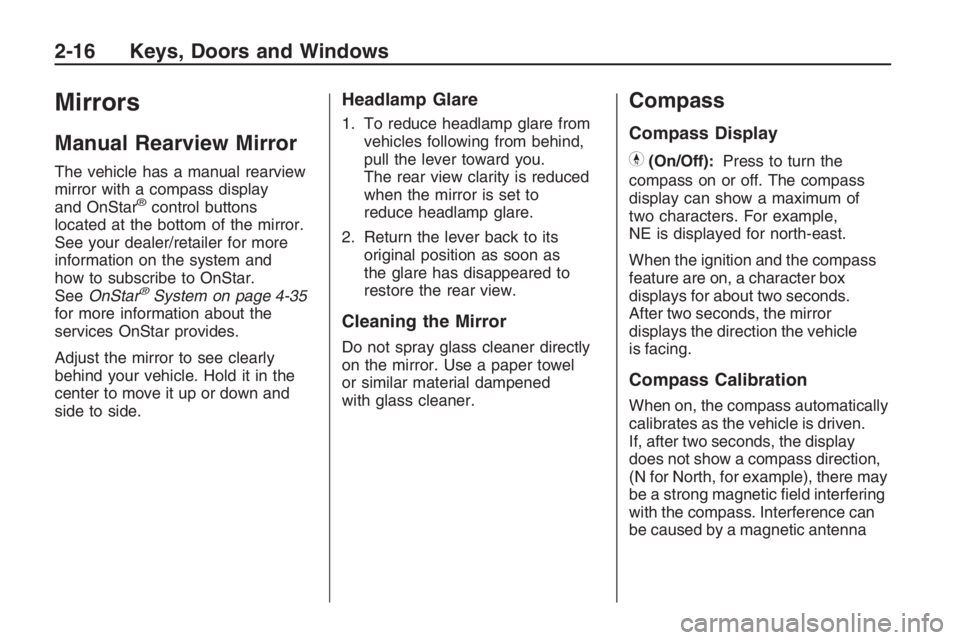
The vehicle has a manual rearview
mirror with a compass display
and OnStar
®control buttons
located at the bottom of the mirror.
See your dealer/retailer for more
information on the system and
how to subscribe to OnStar.
SeeOnStar
®System on page 4-35
for more information about the
services OnStar provides.
Adjust the mirror to see clearly
behind your vehicle. Hold it in the
center to move it up or down and
side to side.
Headlamp Glare
1. To reduce headlamp glare from
vehicles following from behind,
pull the lever toward you.
The rear view clarity is reduced
when the mirror is set to
reduce headlamp glare.
2. Return the lever back to its
original position as soon as
the glare has disappeared to
restore the rear view.
Cleaning the Mirror
Do not spray glass cleaner directly
on the mirror. Use a paper towel
or similar material dampened
with glass cleaner.
Compass
Compass Display
Y(On/Off):Press to turn the
compass on or off. The compass
display can show a maximum of
two characters. For example,
NE is displayed for north-east.
When the ignition and the compass
feature are on, a character box
displays for about two seconds.
After two seconds, the mirror
displays the direction the vehicle
is facing.
Compass Calibration
When on, the compass automatically
calibrates as the vehicle is driven.
If, after two seconds, the display
does not show a compass direction,
(N for North, for example), there may
be a strong magnetic eld interfering
with the compass. Interference can
be caused by a magnetic antenna
2-16 Keys, Doors and Windows
Page 73 of 356
mount, magnetic note pad holder,
or a similar magnetic item. If CAL
should ever display in the compass
window, the compass might need
calibration.
Press and hold
Yfor several
seconds to activate the compass
calibration mode. CAL displays in
the compass window on the mirror.
The mirror can be calibrated by
driving the vehicle in circles
at 5 mph (8 km/h) or less until the
display shows a direction.
Compass Variance
The mirror is set to zone eight.
If you do not live in zone eight or
drive out of the area, the compass
variance needs to be changed
to the appropriate zone.To adjust for compass variance:
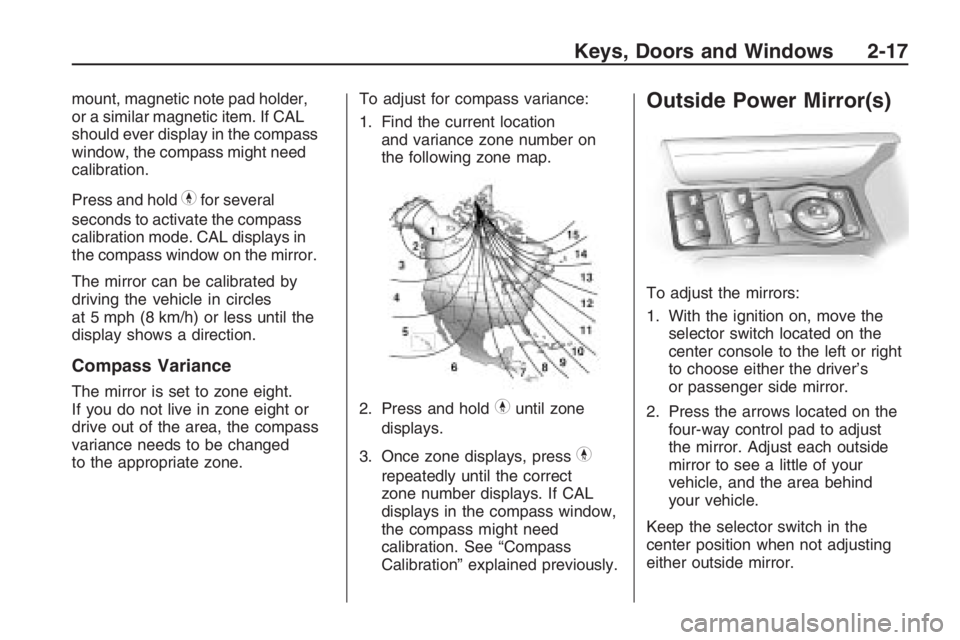
1. Find the current location
and variance zone number on
the following zone map.
2. Press and holdYuntil zone
displays.
3. Once zone displays, press
Y
repeatedly until the correct
zone number displays. If CAL
displays in the compass window,
the compass might need
calibration. See “Compass
Calibration” explained previously.
Outside Power Mirror(s)
To adjust the mirrors:
1. With the ignition on, move the
selector switch located on the
center console to the left or right
to choose either the driver’s
or passenger side mirror.
2. Press the arrows located on the
four-way control pad to adjust
the mirror. Adjust each outside
mirror to see a little of your
vehicle, and the area behind
your vehicle.
Keep the selector switch in the
center position when not adjusting
either outside mirror.
Keys, Doors and Windows 2-17
Page 74 of 356
Manually fold the mirrors inward to
prevent damage when going
through an automatic car wash.
To fold, push the mirror toward the
vehicle. Push the mirror outward,
to return to its original position.
Outside Convex Mirror
{CAUTION
A convex mirror can make things
(like other vehicles) look farther
away than they really are. If you
cut too sharply into the right lane,
you could hit a vehicle on the
right. Check the inside mirror or
glance over your shoulder before
changing lanes.
The passenger side mirror is convex
shaped. A convex mirror’s surface
is curved so more can be seen from
the driver’s seat.
Sunroof
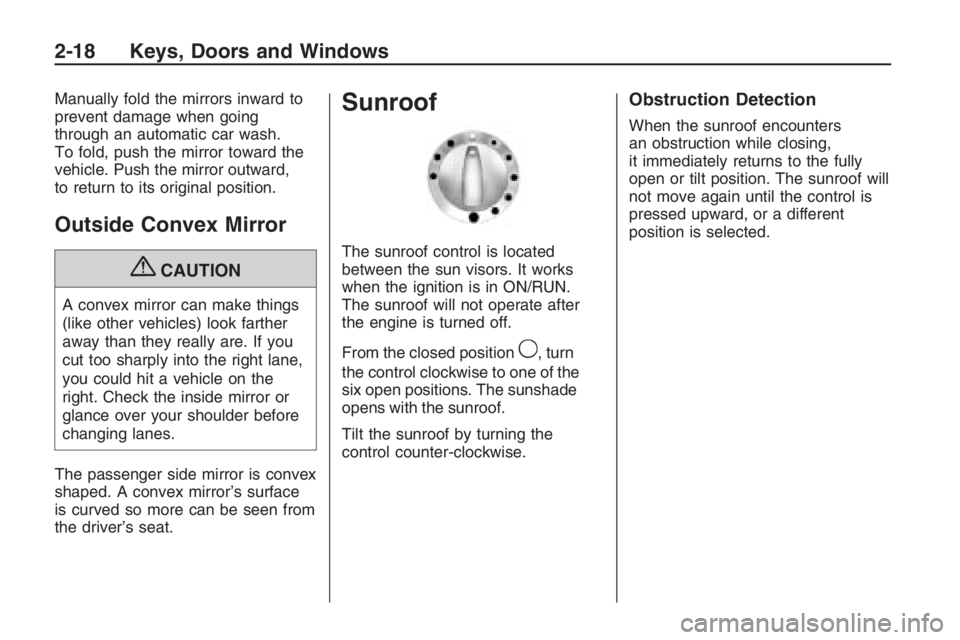
The sunroof control is located
between the sun visors. It works
when the ignition is in ON/RUN.
The sunroof will not operate after
the engine is turned off.
From the closed position
9, turn
the control clockwise to one of the
six open positions. The sunshade
opens with the sunroof.
Tilt the sunroof by turning the
control counter-clockwise.
Obstruction Detection
When the sunroof encounters
an obstruction while closing,
it immediately returns to the fully
open or tilt position. The sunroof will
not move again until the control is
pressed upward, or a different
position is selected.
2-18 Keys, Doors and Windows
Page 79 of 356
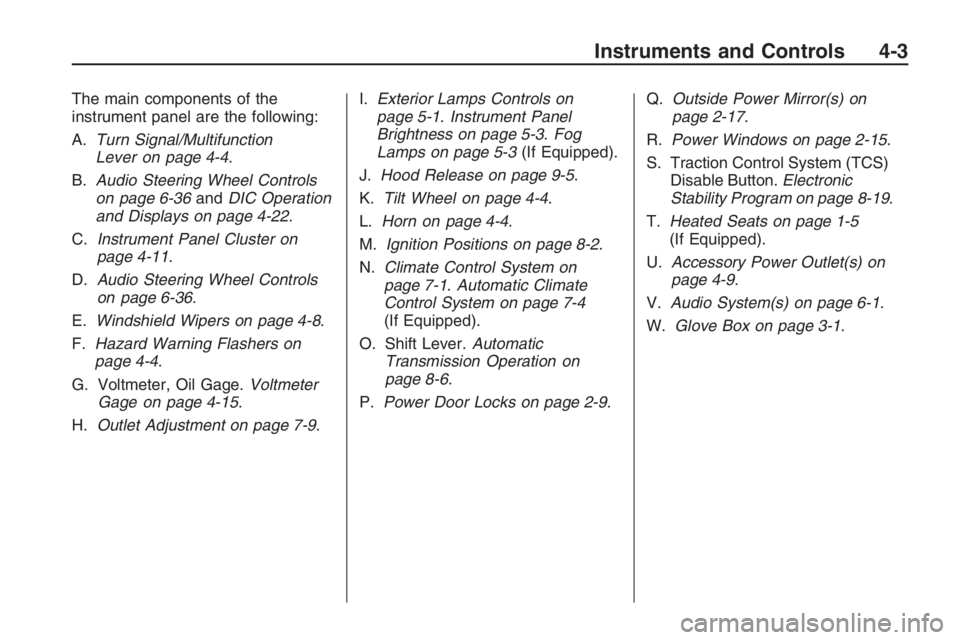
The main components of the
instrument panel are the following:
A.Turn Signal/Multifunction
Lever on page 4-4.
B.Audio Steering Wheel Controls
on page 6-36andDIC Operation
and Displays on page 4-22.
C.Instrument Panel Cluster on
page 4-11.
D.Audio Steering Wheel Controls
on page 6-36.
E.Windshield Wipers on page 4-8.
F.Hazard Warning Flashers on
page 4-4.
G. Voltmeter, Oil Gage.Voltmeter
Gage on page 4-15.
H.Outlet Adjustment on page 7-9.I.Exterior Lamps Controls on
page 5-1.Instrument Panel
Brightness on page 5-3.Fog
Lamps on page 5-3(If Equipped).
J.Hood Release on page 9-5.
K.Tilt Wheel on page 4-4.
L.Horn on page 4-4.
M.Ignition Positions on page 8-2.
N.Climate Control System on
page 7-1.Automatic Climate
Control System on page 7-4
(If Equipped).
O. Shift Lever.Automatic
Transmission Operation on
page 8-6.
P.Power Door Locks on page 2-9.Q.Outside Power Mirror(s) on
page 2-17.
R.Power Windows on page 2-15.
S. Traction Control System (TCS)
Disable Button.Electronic
Stability Program on page 8-19.
T.Heated Seats on page 1-5
(If Equipped).
U.Accessory Power Outlet(s) on
page 4-9.
V.Audio System(s) on page 6-1.
W.Glove Box on page 3-1.
Instruments and Controls 4-3
Page 83 of 356
When going downhill, you might
have to brake or shift to a lower gear
to keep the vehicle speed down.
When the brakes are applied
the cruise control is turned off.
Ending Cruise Control
Step lightly on the brake pedal.
When the cruise control is
deactivated, the CRUISE
INACTIVE message appears in
the instrument panel cluster.
Press theOQbutton at the
end of the lever two times.
Erasing Speed Memory
The cruise control set speed memory
is erased when the cruise control or
the ignition is turned off.
Turn and Lane-Change
Signals
An arrowGon the instrument
panel cluster ashes in the direction
of the turn or lane change.
To signal a turn, move the lever all
the way up or down.
To signal a lane change, slightly
raise or lower the lever until the
arrow starts to ash and release
the lever. The turn signal ashes
automatically three times.
The lever returns to its starting
position when it is released.
To cancel the lane change, move the
lever back to the starting position.
Headlamp High/
Low-Beam Changer
The headlamps must be on for this
feature to work.
Push the turn signal lever away
from you to turn the high beams on.
The fog lamps turn off automatically
when high beam is selected.
This instrument panel cluster light
3comes on while the high
beam headlamps are on.
Pull the lever towards you to return
to low beams.
To ash the high beams, pull the
lever towards you. The lamps
remain on high beam as long as
the lever is held.
Instruments and Controls 4-7
Page 84 of 356
Windshield Wipers
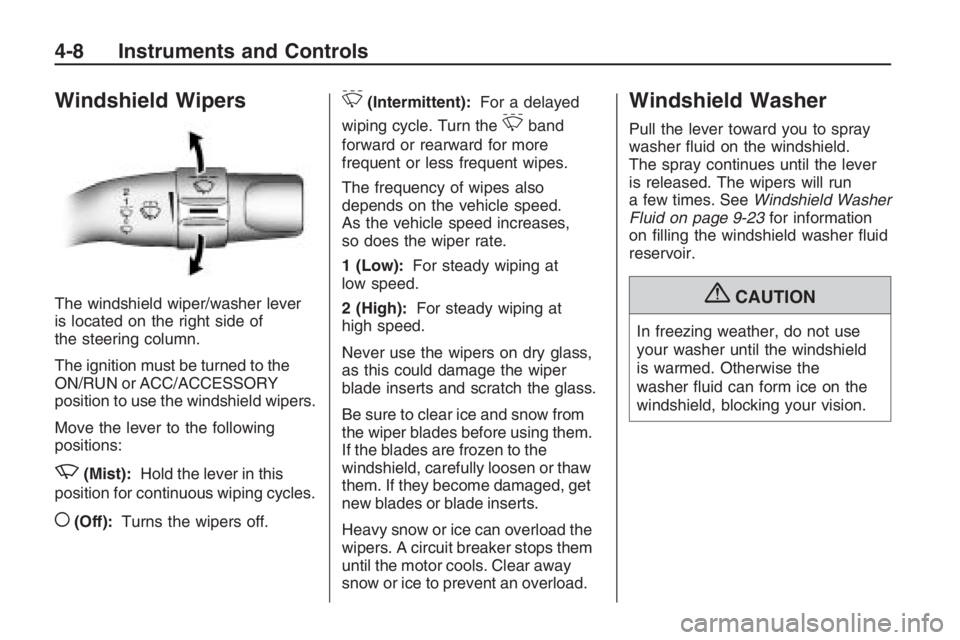
The windshield wiper/washer lever
is located on the right side of
the steering column.
The ignition must be turned to the
ON/RUN or ACC/ACCESSORY
position to use the windshield wipers.
Move the lever to the following
positions:
z(Mist):Hold the lever in this
position for continuous wiping cycles.
((Off):Turns the wipers off.
&(Intermittent):For a delayed
wiping cycle. Turn the
&band
forward or rearward for more
frequent or less frequent wipes.
The frequency of wipes also
depends on the vehicle speed.
As the vehicle speed increases,
so does the wiper rate.
1 (Low):For steady wiping at
low speed.
2 (High):For steady wiping at
high speed.
Never use the wipers on dry glass,
as this could damage the wiper
blade inserts and scratch the glass.
Be sure to clear ice and snow from
the wiper blades before using them.
If the blades are frozen to the
windshield, carefully loosen or thaw
them. If they become damaged, get
new blades or blade inserts.
Heavy snow or ice can overload the
wipers. A circuit breaker stops them
until the motor cools. Clear away
snow or ice to prevent an overload.
Windshield Washer
Pull the lever toward you to spray
washer uid on the windshield.
The spray continues until the lever
is released. The wipers will run
a few times. SeeWindshield Washer
Fluid on page 9-23for information
on lling the windshield washer uid
reservoir.
{CAUTION
In freezing weather, do not use
your washer until the windshield
is warmed. Otherwise the
washer uid can form ice on the
windshield, blocking your vision.
4-8 Instruments and Controls
Page 85 of 356
Accessory Power
Outlet(s)
The accessory power outlets can be
used to connect auxiliary electrical
equipment, such as a cellular phone.
The vehicle has two accessory
power outlets. One accessory power
outlet is located under the climate
controls and the other is located
inside the center oor console.
To use the outlet, the ignition
must be in ON/RUN or ACC/
ACCESSORY. Pull down the
small cover to access the outlet.
Notice:Leaving electrical
equipment on for extended
periods will drain the battery.
Always turn off electrical
equipment when not in use and
do not plug in equipment that
exceeds the maximum amperage
rating.This circuit is protected by a fuse and
has a maximum current level. Do not
use equipment exceeding the
maximum amperage rating.
Certain power accessory plugs may
not be compatible to the power
accessory outlet and could result in
blown vehicle or adapter fuses.
If you experience a problem see
your dealer/retailer for additional
information on the power accessory
plugs.
Notice:Adding any electrical
equipment to the vehicle
may damage it or keep other
components from working as they
should. The repairs would not
be covered by the vehicle
warranty. Do not use equipment
exceeding maximum amperage
rating of 10 amperes. Check with
your dealer/retailer before
adding electrical equipment.When adding electrical equipment,
be sure to follow the proper
installation instructions included
with the equipment.
Notice:Improper use of the
power outlet can cause damage
not covered by your warranty.
Do not hang any type of
accessory or accessory bracket
from the plug because the
power outlets are designed for
accessory power plugs only.
Instruments and Controls 4-9
Page 91 of 356
Voltmeter Gage
The voltmeter shows the voltage
output of your battery.
It is located in the center of the
instrument panel.
Charging System Light
This light will come on briey when
you turn on the ignition, and the
engine is not running, as a check to
show it is working. Then it should
go out when the engine is started.If the light comes on and an
Alternator message on the Driver
Information Center (DIC) stays
on, you may have a problem with
the electrical charging system.
Have it checked by your
dealer/retailer.
Driving while this light is on could
drain your battery.
If you must drive a short distance
with the light on, be sure to turn off
all accessories, such as the radio
and air conditioner.
The Alternator message will remain
until
3(Trip/Fuel) or8(Enter)
are pressed, but the light will remain
until the problem is xed. SeeDIC
Warnings and Messages on
page 4-26for more information.
Brake System Warning
Light
Your vehicle’s hydraulic brake
system is divided into two parts.
If one part is not working, the other
part can still work and stop you.
For good braking, though, you need
both parts working well.
If the warning light comes on, there
is a brake problem. Have your
brake system inspected right away.
If your vehicle has anti-lock brakes,
this light should come on when
you turn the key to START. If it does
not come on, have it xed so it
will be ready to warn you if there is
a problem.
United StatesCanada
Instruments and Controls 4-15
Page 92 of 356
When the ignition is on, the brake
system warning light will also
come on when you set your parking
brake. The light will stay on if
your parking brake does not release
fully. If it stays on after your
parking brake is fully released, it
means you have a brake problem.
If the light comes on and Brake
message comes on the Driver
Information Center (DIC), while you
are driving, pull off the road and
stop carefully. You may notice that
the pedal is harder to push or
the pedal may go closer to the oor.
It may take longer to stop. If the
light is still on, have the vehicle
towed for service. SeeAntilock
Brake System (ABS) Warning Light
on page 4-16andTowing Your
Vehicle on page 9-88.{CAUTION
The brake system might not be
working properly if the brake
system warning light is on.
Driving with the brake system
warning light on can lead to a
crash. If the light is still on after the
vehicle has been pulled off the
road and carefully stopped, have
the vehicle towed for service.
The Brake message will remain until
3(Trip/Fuel) or8(Enter) are
pressed, but the brake light will
remain until the problem is xed.
SeeDIC Warnings and Messages
on page 4-26for more information.
Antilock Brake System
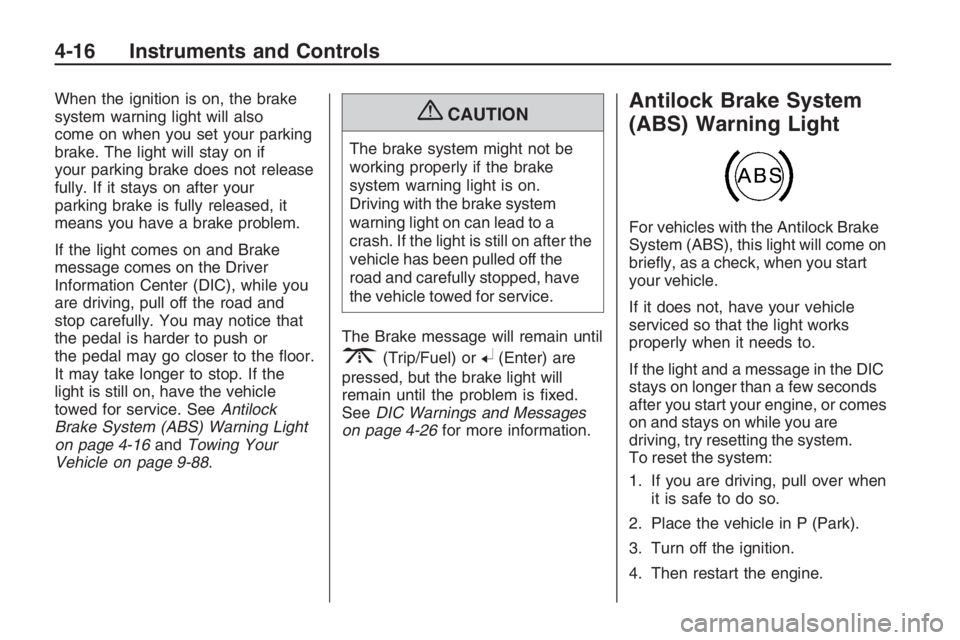
(ABS) Warning Light
For vehicles with the Antilock Brake
System (ABS), this light will come on
briey, as a check, when you start
your vehicle.
If it does not, have your vehicle
serviced so that the light works
properly when it needs to.
If the light and a message in the DIC
stays on longer than a few seconds
after you start your engine, or comes
on and stays on while you are
driving, try resetting the system.
To reset the system:
1. If you are driving, pull over when
it is safe to do so.
2. Place the vehicle in P (Park).
3. Turn off the ignition.
4. Then restart the engine.
4-16 Instruments and Controls
Page 93 of 356
If the light remains on after resetting
the system or comes on again
while driving, your vehicle needs
service. If the ABS light is on,
but the regular brake system
warning light is not on, the antilock
brakes are not working properly,
but the regular brakes are still
functioning. Have your vehicle
serviced right away. If both brake
lights are on, you do not have
antilock brakes, and there’s a
problem with your regular brakes as
well. Have your vehicle towed for
service. SeeTowing Your Vehicle
on page 9-88.
The ABS Fault message will remain
until
3(Trip/Fuel) or8(Enter)
are pressed, but the warning
light will remain until the problem is
xed. SeeDIC Warnings and
Messages on page 4-26for more
information.
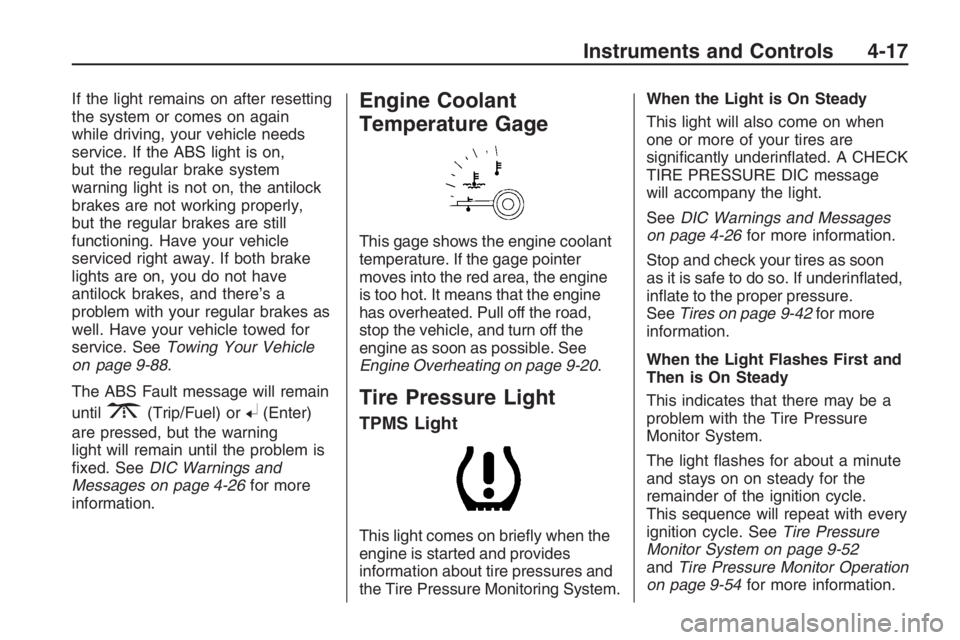
Engine Coolant
Temperature Gage
This gage shows the engine coolant
temperature. If the gage pointer
moves into the red area, the engine
is too hot. It means that the engine
has overheated. Pull off the road,
stop the vehicle, and turn off the
engine as soon as possible. See
Engine Overheating on page 9-20.
Tire Pressure Light
TPMS Light
This light comes on briey when the
engine is started and provides
information about tire pressures and
the Tire Pressure Monitoring System.When the Light is On Steady
This light will also come on when
one or more of your tires are
signicantly underinated. A CHECK
TIRE PRESSURE DIC message
will accompany the light.
SeeDIC Warnings and Messages
on page 4-26for more information.
Stop and check your tires as soon
as it is safe to do so. If underinated,
inate to the proper pressure.
SeeTires on page 9-42for more
information.
When the Light Flashes First and
Then is On Steady
This indicates that there may be a
problem with the Tire Pressure
Monitor System.
The light ashes for about a minute
and stays on on steady for the
remainder of the ignition cycle.
This sequence will repeat with every
ignition cycle. SeeTire Pressure
Monitor System on page 9-52
andTire Pressure Monitor Operation
on page 9-54for more information.
Instruments and Controls 4-17