ignition PONTIAC G8 2009 Owner's Manual
[x] Cancel search | Manufacturer: PONTIAC, Model Year: 2009, Model line: G8, Model: PONTIAC G8 2009Pages: 356, PDF Size: 1.83 MB
Page 94 of 356
Malfunction
Indicator Lamp
Check Engine Light
A computer system called OBD II
(On-Board Diagnostics-Second
Generation) monitors operation of
the fuel, ignition, and emission
control systems. It ensures
that emissions are at acceptable
levels for the life of the vehicle,
helping to produce a cleaner
environment.
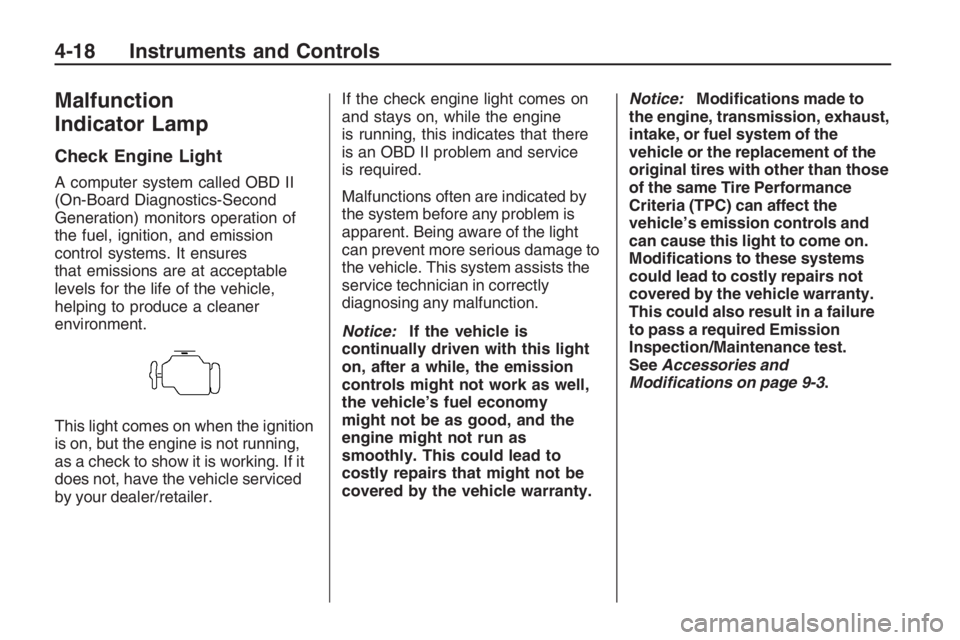
This light comes on when the ignition
is on, but the engine is not running,
as a check to show it is working. If it
does not, have the vehicle serviced
by your dealer/retailer.If the check engine light comes on
and stays on, while the engine
is running, this indicates that there
is an OBD II problem and service
is required.
Malfunctions often are indicated by
the system before any problem is
apparent. Being aware of the light
can prevent more serious damage to
the vehicle. This system assists the
service technician in correctly
diagnosing any malfunction.
Notice:If the vehicle is
continually driven with this light
on, after a while, the emission
controls might not work as well,
the vehicle’s fuel economy
might not be as good, and the
engine might not run as
smoothly. This could lead to
costly repairs that might not be
covered by the vehicle warranty.Notice:Modications made to
the engine, transmission, exhaust,
intake, or fuel system of the
vehicle or the replacement of the
original tires with other than those
of the same Tire Performance
Criteria (TPC) can affect the
vehicle’s emission controls and
can cause this light to come on.
Modications to these systems
could lead to costly repairs not
covered by the vehicle warranty.
This could also result in a failure
to pass a required Emission
Inspection/Maintenance test.
SeeAccessories and
Modifications on page 9-3.
4-18 Instruments and Controls
Page 97 of 356
Daytime Running Lamps
(DRL) Indicator Light
This light turns on whenever the
Daytime Running Lamps are on.
SeeDaytime Running Lamps (DRL)
on page 5-2for more information.
Door Ajar Light
When the ignition is on, this light
stays on until all doors are closed
and completely latched.
If a door is not closed properly,
a chime sounds after the engine is
started and the vehicle is not in
P (Park).
Oil Pressure Gage
The gage shows the engine oil
pressure.
It is located in the center of the
instrument panel.
{CAUTION
Do not keep driving if the oil
pressure is low. The engine can
become so hot that it catches re.
Someone could be burned. Check
the oil as soon as possible and
have the vehicle serviced.
Notice:Lack of proper engine oil
maintenance can damage the
engine. The repairs would not be
covered by the vehicle warranty.
Always follow the maintenance
schedule in this manual for
changing engine oil.
Fuel Gage
The fuel gage shows about how
much fuel you have left, when the
ignition is on.
When the indicator nears empty,
the low fuel warning light will come
on and along with a chime.
There is still a little fuel left,
but you should refuel soon.
Here are four things that some
owners ask about. These are normal
and do not indicate a problem
with your fuel gage:
At the service station, the gas
pump shuts off before the gage
reads full.
It takes a little more or less fuel
to ll up than the gage indicated.
The indicator moves a little when
you turn a corner or speed up.
The gage will continue to show
the remaining fuel when the
ignition is turned off.
Instruments and Controls 4-21
Page 98 of 356
Driver Information
Center (DIC)
The DIC displays information about
your vehicle. It also displays warning
messages if a system problem is
detected. The DIC also allows some
features to be customized. SeeDIC
Vehicle Customization on page 4-31
for more information. All messages
will appear in the DIC display located
in the center of the instrument panel
cluster.
When the ignition is turned on, a
vehicle system check is performed
and the status is shown on the
DIC display. If there are no warnings
or service reminders, the display
shows a series of welcome screens.
When the ignition is turned off,
the odometer appears on the display
for a short period of time unless
a service reminder is active.Active service reminders are
displayed for 10 seconds before
the odometer appears. The
odometer will reappear on the
display when the driver door is
opened. For more information on
the warnings and messages
seeDIC Warnings and Messages
on page 4-26.
DIC Operation and
Displays
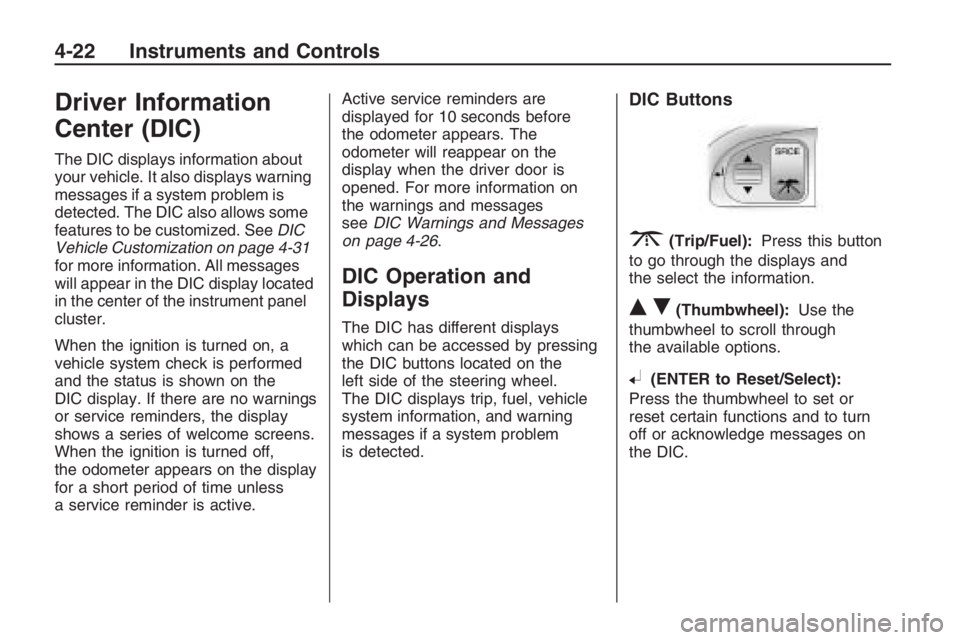
The DIC has different displays
which can be accessed by pressing
the DIC buttons located on the
left side of the steering wheel.
The DIC displays trip, fuel, vehicle
system information, and warning
messages if a system problem
is detected.
DIC Buttons
3(Trip/Fuel):Press this button
to go through the displays and
the select the information.
QR(Thumbwheel):Use the
thumbwheel to scroll through
the available options.
8(ENTER to Reset/Select):
Press the thumbwheel to set or
reset certain functions and to turn
off or acknowledge messages on
the DIC.
4-22 Instruments and Controls
Page 105 of 356
yOverSpeed
This message is displayed when the
vehicle’s speed is greater than
the set OverSpeed value. See
“OverSpeed” underDIC Operation
and Displays on page 4-22.
You can press
8or move the
thumbwheel up
Qor downRto
acknowledge that you received
the message, but OverSpeed will
continue to appear in the bottom of
the DIC display as long as the
vehicle’s speed exceeds the
preset value.
$Park Brake
This message is displayed if the
parking brake is applied when you
are driving. Release the parking
brake. SeeParking Brake on
page 8-11.
Replace Battery in Remote Key
This message is displayed when the
battery in the remote keyless entry
transmitter needs to be replaced.
See your dealer/retailer to replace
the battery.
You can press
3or8to
acknowledge that you received the
message, but
QKey Batt will
continue to appear in the bottom
of the DIC display until the battery
has been replaced.
wRest Reminder
This feature reminds the driver
that they may have been driving
for too long without a break.
When the ignition is turned on, a
timer starts counting. After two hours
of continuous driving, the rest
reminder ashes to alert the driver.The Rest Reminder message is
displayed until
3or8are
pressed. The rest reminder
reappears after 20 minutes
accompanied by a chime, unless
the ignition has been turned off.
For information on how to turn the
rest reminder on and off, seeDIC
Vehicle Customization on page 4-31.
{Safety Mode Active and
Power Reduced
These messages display alternately
when there is a problem with the
engine control system, see your
dealer/retailer.
You can press
3or8to
acknowledge that you received the
message, but
{Safety will
continue to appear in the bottom of
the DIC display until the vehicle
has been serviced.
Instruments and Controls 4-29
Page 108 of 356
The following items are part of the
main customization menu.
Exit
Reset settings
Security
Lighting
Trip Computer
Language
Remote key
See the information following for
detailed descriptions of the
items available under each menu
item. There are also help screens
available to explain the features.
When selecting a menu item,
wait for a few seconds and a help
screen pops up with an explanation
of the selected feature.
Exit
To exit the customization menu
scroll to Exit and press
8.
You can also exit the customization
menu by:
Press3at any time to return
to the trip/fuel menu.
Drive the vehicle at more than
6 mph (10 km/h).
Turn the ignition off.
Reset settings
This item will reset all the
customization options to the
factory defaults.
Security
This item will allow you to customize:
Auto unlock
Auto lock
Flash remote lck (lock)
Beep remote lck (lock)
Flash rem (remote) unlock
2 Stage unlock
Remote Start
Some of these work with your
Remote Keyless Entry (RKE)
transmitter. SeeRemote Keyless
Entry (RKE) System Operation
on page 2-4for more information.
Auto unlock
If you select Auto unlock you will be
able to choose when you want
the doors to unlock automatically.
Off:No automatic unlock of
any doors.
Driver door key out:The driver
door will unlock when the key
is removed.
Driver door in park:The driver
door will unlock when you put
the shift lever into P (Park).
All doors at key out:All doors will
unlock when the key is removed.
4-32 Instruments and Controls
Page 116 of 356
;(Parking Lamps):Turns on
the parking lamps together with the
following:
Taillamps
License Plate Lamps
Instrument Panel Lights
Sidemarker Lamps
2(Headlamps):Turns on the
headlamps together with the
following:
Parking Lamps
Taillamps
License Plate Lamps
Instrument Panel Lights
Sidemarker Lamps
A warning chime sounds if the
driver side door is opened while
the ignition switch is off and
the headlamps are on.
Daytime Running
Lamps (DRL)
Daytime Running Lamps (DRL) can
make it easier for others to see
the front of your vehicle during
the day. Fully functional daytime
running lamps are required on
all vehicles rst sold in Canada.
The DRL system makes the
headlamps come on at a reduced
brightness when the following
conditions are met:
The ignition is on.
The exterior lamps control is
in AUTO.
The light sensor determines
it is daytime.
When the DRL are on, the taillamps,
sidemarker, instrument panel and
other lamps will not be on.
The headlamps automatically switch
from DRL to the regular headlamps
depending on the darkness of the
surroundings. See “Automatic
headlamp system” following.To turn off the DRL lamps, turn the
exterior lamps control to
9and
then release. For vehicles rst sold
in Canada, the DRL lamps cannot
be turned off.
Automatic Headlamp
System
When it is dark enough outside
and the exterior lamps control
is in the automatic position, the
headlamps and parking lamps
will turn on and off automatically.
SeeExterior Lamps Controls
on page 5-1.
If the headlamps or parking
lamps are left on and the ignition
is turned to LOCK/OFF, the
lamps automatically turn off after
10 minutes. The lamps remain
off until the ignition is switched
on or the lamps are turned on again
using the exterior lamps control.
5-2 Lighting
Page 118 of 356
Dome Lamp(s)
+
(On/Off):Press to turn the lamp
on or off.
&(Door):Press this button in and
the lamps automatically turn on
when a door is opened, the vehicle
is unlocked, or the key is removed
from the ignition.
The lamps dim to off after all the
doors are closed. They turn off
immediately if the ignition is turned
on and all the doors are closed.
Perimeter Lighting
Press the unlock button on the
Remote Keyless Entry (RKE)
transmitter to turn the headlamps
and back-up lamps on for
60 seconds if it is dark enough
outside.
The lamps only turn on if the
exterior lamp control is left in the
AUTO position.
Reading Lamps
Front Reading Lamps
()(On/Off):Press to turn
the lamps on or off.
Battery Run-Down
Protection
This vehicle has a feature to help
prevent the battery from being
drained. The trunk lamp and
reading lamps automatically turn off
10 minutes after the key is turned
to LOCK/OFF.
The lamps are reactivated if any of
the following occur:
The ignition is turned on.
The vehicle is unlocked.
The trunk is opened.
The reading lamps are turned on.
5-4 Lighting
Page 120 of 356
Notice:Before adding any sound
equipment to your vehicle, such
as an audio system, CD player,
CB radio, mobile telephone, or
two-way radio, make sure that it
can be added by checking with
your dealer/retailer. Also, check
federal rules covering mobile
radio and telephone units. If
sound equipment can be added, it
is very important to do it properly.
Added sound equipment may
interfere with the operation of your
vehicle’s engine, radio, or other
systems, and even damage them.
Your vehicle’s systems may
interfere with the operation of
sound equipment that has been
added.
The vehicle has Retained Accessory
Power (RAP), and the audio system
can be played after the ignition is
turned off. SeeRetained Accessory
Power (RAP) on page 8-3for more
information.Setting the Clock
Radio with Single CD Player
The time and date can be adjusted
when the radio is either on or
off, press
Gto display the date.
To adjust the time and date:
1. Press and hold
Guntil the
display shows the Set Clock
screen and the hour display
ashes.
2. Turn the volume knob to adjust
the hour.
3. Press the volume knob and the
minute display will ash to
adjust the minutes.
4. Turn the volume knob to adjust
the minutes.
5. Repeat these steps to adjust the
month, date, and year.
6. Press
Gto save the settings.
If no adjustments are made for
eight seconds, the radio will
automatically save the settings.
Radio with Six-Disc CD Player
The time and date can be adjusted
when the radio is either on or
off, press
Gto display the date.
To adjust the time and date:
1. Press and hold
Gfor more than
two seconds to display the
Options menu.
2. Turn the MENU knob to highlight:
Hour, Minute, Date, Month,
and Year.
3. Highlight Hour and Press the
MENU knob.
4. Turn the MENU knob to adjust
the hours.
5. Press the MENU knob to return
to the Options menu.
6. Repeat steps 2 through 5 to
adjust the minutes, date, month,
and year.
7. Press
Gto save the settings.
If no adjustments are made for
eight seconds, the radio will
automatically save the settings.
6-2 Infotainment
Page 128 of 356
Radio Message
Security Lockout Active:This
message displays when the
coded security system has been
activated. Take the vehicle to your
dealer/retailer for service.
Radio Messages for XM Only
SeeXM Radio Messages on
page 6-24later in this section for
further detail.
Using the CD Player
The CD player plays standard sized
CDs. Using CDs of a different size
can damage the drive or disc,
even if an adapter is used.
The CD player has a memory
buffer that holds approximately
seven seconds of music to prevent
interruption while driving over bumpy
surfaces. If the interruption lasts
longer than seven seconds, the
memory buffer can become emptyand playback will be interrupted until
the player has time to refocus, read
the disc, and ll the buffer again.
When the player reaches the end of
a CD, it automatically returns to
the start and plays the CD again.
CDs can be loaded with the
ignition and the radio on or off.
CDs will stay in the player if the
ignition or radio is turned off.
If the CD was the last source
selected, it resumes playing
when the radio is turned on.
Loading CDs
To load a CD with the radio with a
single CD player:
1. Insert a CD label side up
partway into the slot.
2. The CD player will pull the CD
in and begin playing if the radio
is on.To load CDs with the radio with a
six-disc CD player:
#LOAD:Press to load CDs
into the CD player. The display
shows DISC and six numbers that
correspond to the six CD storage
locations. When a storage location
has no disc loaded a dash displays.
To insert one CD:
1. Press
#LOAD and Insert Disc
displays.
2. The load indicator light ashes,
and the radio beeps twice.
3. Insert a CD label side up partway
into the slot.
4. The CD player will pull the CD
in and begin playing if the
radio is on.
6-10 Infotainment
Page 129 of 356
To insert multiple CDs:
1. Press and hold
#LOAD for
more than two seconds, a
beep sounds and Loading All
Discs displays.
2. The display, the beeps, and the
load indicator light prompts
when to insert each CD.
3. Insert a CD label side up
partway into the slot.
4. The CD player will pull the CD
in and begin playing if the
radio is on.
The load function is canceled when:
A CD has not been inserted
for 10 seconds.
ZEJECT is pressed.
The radio is turned off.Ejecting CDs
ZEJECT:Press to stop a CD
while it is playing or to eject a CD
when it is not playing. Eject can be
activated with the ignition and the
radio off. If an ejected CD is not
removed with 10 seconds, it will be
automatically pulled back into the
player.
To eject a single CD with the radio
with a six-disc CD player:
1. Press
ZEJECT.
2. Press the numbered or softkey
that the disc is assigned to
within 3 seconds.To eject all CDs with the radio with
a six-disc CD player:
1. Press and hold
ZEJECT for
more than two seconds, a
beep sounds and Ejecting All
Discs displays.
2. The display, the beeps, and the
load indicator light prompts
when to remove each CD.
The eject function is canceled when:
A CD has not been removed
for 10 seconds.
#LOAD is pressed.
The radio is turned off.
Infotainment 6-11