warning light PONTIAC G8 2009 User Guide
[x] Cancel search | Manufacturer: PONTIAC, Model Year: 2009, Model line: G8, Model: PONTIAC G8 2009Pages: 356, PDF Size: 1.83 MB
Page 102 of 356
Adjusting the Setting During an
OverSpeed Warning
While the OverSpeed warning is
displayed move the thumbwheel up
Qor downRto adjust the
value when in Manual mode or to
select a different preset when
in Preset mode. Press and hold
8
for more than 3 seconds to set
the value to the nearest 5 MPH or
km/h above the current vehicle’s
speed. If Preset mode was selected,
this will change it to Manual mode.
Underspeed Chime
If an OverSpeed warning appeared
and the vehicle’s speed drops
below the set value, you will hear a
chime. The underspeed chime
can be turned on or off through the
vehicle customization. SeeDIC
Vehicle Customization on page 4-31
for more information.
DIC Warnings and
Messages
Messages are displayed on the DIC
to notify the driver that the status
of the vehicle has changed and that
some action may be needed by
the driver to correct the condition.
Multiple messages may appear
one after another.
Some messages may not require
immediate action, but you can press
3or8to acknowledge that
you received the messages and
to clear them from the display.
Some messages cannot be cleared
from the DIC display because
they are more urgent. These
messages require action before they
can be cleared. You should take
any messages that appear on
the display seriously and remember
that clearing the messages will
only make the messages disappear,
not correct the problem.The following are the possible
messages that can be displayed
and some information about them.
!ABS Fault
This message is displayed if there is
a problem with the ABS system.
The ABS light may also turn on
in the instrument panel cluster.
SeeAntilock Brake System (ABS)
Warning Light on page 4-16.
When this message is on, the brake
system will still operate with the
antilock operation disabled.
See your dealer/retailer.
uActive Select On
This message is displayed when
the automatic transmission
active select mode is enabled.
See “Active Select Mode” under
Automatic Transmission Operation
on page 8-6.
4-26 Instruments and Controls
Page 103 of 356
9Airbag Fault
This message is displayed if there is
a problem with the airbag system
or safety belt pretensioner system.
SeeAirbag System on page 1-20
and “Safety Belt Pretensioners”
underLap-Shoulder Belt on
page 1-14. The Airbag Readiness
light may also come on in the
instrument panel cluster. SeeAirbag
Readiness Light on page 4-13.
See your dealer/retailer.
{Alarm Activated
This message is displayed when
the content theft-deterrent system
was activated by an attempted
break-in. The messages may
also include the location on the
vehicle where the break-in
was attempted. SeeContent
Theft-Deterrent on page 2-13
for more information.
"Alternator
This message is displayed if there is
a problem with the battery charging
system. The charging system light
may also come on in the instrument
panel cluster. SeeCharging System
Light on page 4-15. Driving while this
message is on could drain the
battery. Turn off all unnecessary
accessories. Have the electrical
system checked as soon as possible.
See your dealer/retailer.
Battery Saver Mode On
This message is displayed when the
battery voltage level is low.
$Brake
This message is displayed if there is
a problem with the brake system.
The Brake System Warning light may
also come on in the instrument panel
cluster. SeeBrake System Warning
Light on page 4-15. When this
message is on, stop the vehicle onthe side of the road. Do not continue
driving until you know that braking is
possible or that the cause of the
problem has been corrected, see
your dealer/retailer. This message
also indicates low brake uid. Check
the brake uid level. SeeBrakes on
page 9-25.
*Check Engine
If this message and the Malfunction
Indicator Lamp come on and
stay on when driving, the system
may require servicing. Although the
vehicle may still be drivable and
not require towing, take the vehicle
to your dealer/retailer as soon
as possible. If this message comes
on when the Malfunction Indicator
Lamp is ashing, reduce the
vehicle’s speed and load until the
lamp stops ashing, then take
the vehicle to your dealer/retailer as
soon as possible. SeeMalfunction
Indicator Lamp on page 4-18
for more information.
Instruments and Controls 4-27
Page 116 of 356
;(Parking Lamps):Turns on
the parking lamps together with the
following:
Taillamps
License Plate Lamps
Instrument Panel Lights
Sidemarker Lamps
2(Headlamps):Turns on the
headlamps together with the
following:
Parking Lamps
Taillamps
License Plate Lamps
Instrument Panel Lights
Sidemarker Lamps
A warning chime sounds if the
driver side door is opened while
the ignition switch is off and
the headlamps are on.
Daytime Running
Lamps (DRL)
Daytime Running Lamps (DRL) can
make it easier for others to see
the front of your vehicle during
the day. Fully functional daytime
running lamps are required on
all vehicles rst sold in Canada.
The DRL system makes the
headlamps come on at a reduced
brightness when the following
conditions are met:
The ignition is on.
The exterior lamps control is
in AUTO.
The light sensor determines
it is daytime.
When the DRL are on, the taillamps,
sidemarker, instrument panel and
other lamps will not be on.
The headlamps automatically switch
from DRL to the regular headlamps
depending on the darkness of the
surroundings. See “Automatic
headlamp system” following.To turn off the DRL lamps, turn the
exterior lamps control to
9and
then release. For vehicles rst sold
in Canada, the DRL lamps cannot
be turned off.
Automatic Headlamp
System
When it is dark enough outside
and the exterior lamps control
is in the automatic position, the
headlamps and parking lamps
will turn on and off automatically.
SeeExterior Lamps Controls
on page 5-1.
If the headlamps or parking
lamps are left on and the ignition
is turned to LOCK/OFF, the
lamps automatically turn off after
10 minutes. The lamps remain
off until the ignition is switched
on or the lamps are turned on again
using the exterior lamps control.
5-2 Lighting
Page 117 of 356
The vehicle has a light sensor
located on top of the instrument
panel. Do not cover the sensor or
the headlamps will come on
when they are not needed.
The system may also turn on the
headlamps when driving through a
parking garage or tunnel.
Fog Lamps
For vehicles with this feature, it
provides better visibility in foggy or
misty conditions.
The fog lamp switch is located on
the exterior lamps control on
the instrument panel to the left of
the steering column.
-(Fog Lamps):To turn on
the fog lamps, turn the exterior
lamps control to parking lamps
or headlamps and pull the fog
lamps control. Push the control
to turn the fog lamps off.The fog lamp indicator in the
instrument panel comes on when
the fog lamps are in use.
The fog lamps control can be
pulled out while the exterior lamps
control is in the AUTO position.
If left in this position, the fog lamps
come on automatically whenever
the parking lamps or low-beam
headlamps turn on.
When the high-beam headlamps are
turned on, the fog lamps turn off
automatically. When the high-beam
headlamps are turned off, the
fog lamps come on again.
Some localities have laws that
require the headlamps to be
on along with the fog lamps.
Instrument Panel
Brightness
The instrument panel lighting
buttons are located above the
exterior lamps control.
6:Press to brighten the
instrument panel lights.
f:Press to dim the instrument
panel lights.
Press both instrument panel
brightness buttons at the same time
to turn the night panel mode on
or off.
Night panel mode lights up the
speed, information displays
and warning reminders while the
rest of the instrument panel
lights are off.
Lighting 5-3
Page 169 of 356
A (LOCK/OFF):This is the only
position from which you can remove
the key. This locks the steering
wheel, ignition and automatic
transmission.
On vehicles with an automatic
transmission, the shift lever must
be in P (Park) to turn the ignition
switch to the LOCK/OFF position.
The ignition switch can bind in
the LOCK/OFF position with the
wheels turned off center. If this
happens, move the steering wheel
from right to left while turning the key
to ACC/ACCESSORY. If this doesn’t
work, then the vehicle needs service.
B (ACC/ACCESSORY):This
position provides power to some
of the electrical accessories.
It unlocks the steering wheel and
ignition. The transmission is
also unlocked in this position
on automatic transmission
vehicles. To move the key from
ACC/ACCESSORY to LOCK/OFF,
push in the key and then turn it
to LOCK/OFF.C (ON/RUN):The ignition switch
stays in this position when the
engine is running. This position can
be used to operate the electrical
accessories, including the ventilation
fan and 12 volt power outlet, as
well as to display some warning and
indicator lights.
The battery could be drained
if you leave the key in the
ACC/ACCESSORY or ON/RUN
position with the engine off.
You may not be able to start the
vehicle if the battery is allowed
to drain for an extended period
of time.
D (START):This position starts the
engine. When the engine starts,
release the key. The ignition switch
will return to ON/RUN for normal
driving.
A warning tone will sound when the
driver door is opened when the
ignition is still in ACC/ACCESSORY
and the key is in the ignition.Retained Accessory
Power (RAP)
These vehicle accessories may be
used for up to 10 minutes after
the engine is turned off:
Audio System
Power Windows
The power windows will continue to
work for up to 10 minutes or until
any door is opened. The radio
will work when the key is in ON/RUN
or ACC/ACCESSORY. Once the
key is turned from ON/RUN to
LOCK/OFF, the radio will continue
to work for 10 minutes or until
the driver door is opened.
Driving and Operating 8-3
Page 177 of 356
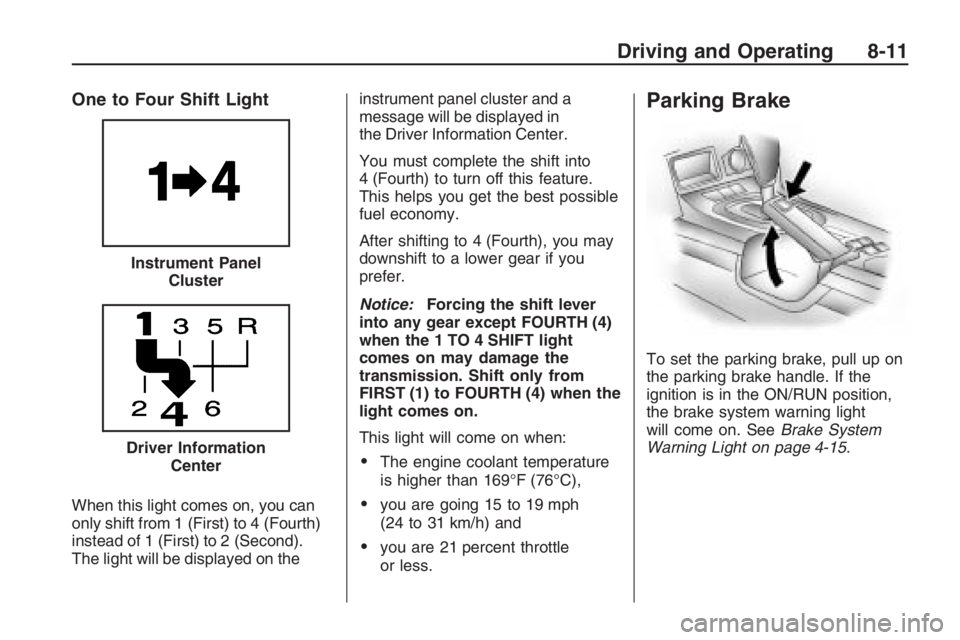
One to Four Shift Light
When this light comes on, you can
only shift from 1 (First) to 4 (Fourth)
instead of 1 (First) to 2 (Second).
The light will be displayed on theinstrument panel cluster and a
message will be displayed in
the Driver Information Center.
You must complete the shift into
4 (Fourth) to turn off this feature.
This helps you get the best possible
fuel economy.
After shifting to 4 (Fourth), you may
downshift to a lower gear if you
prefer.
Notice:Forcing the shift lever
into any gear except FOURTH (4)
when the 1 TO 4 SHIFT light
comes on may damage the
transmission. Shift only from
FIRST (1) to FOURTH (4) when the
light comes on.
This light will come on when:
The engine coolant temperature
is higher than 169°F (76°C),
you are going 15 to 19 mph
(24 to 31 km/h) and
you are 21 percent throttle
or less.
Parking Brake
To set the parking brake, pull up on
the parking brake handle. If the
ignition is in the ON/RUN position,
the brake system warning light
will come on. SeeBrake System
Warning Light on page 4-15. Instrument Panel
Cluster
Driver Information
Center
Driving and Operating 8-11
Page 178 of 356
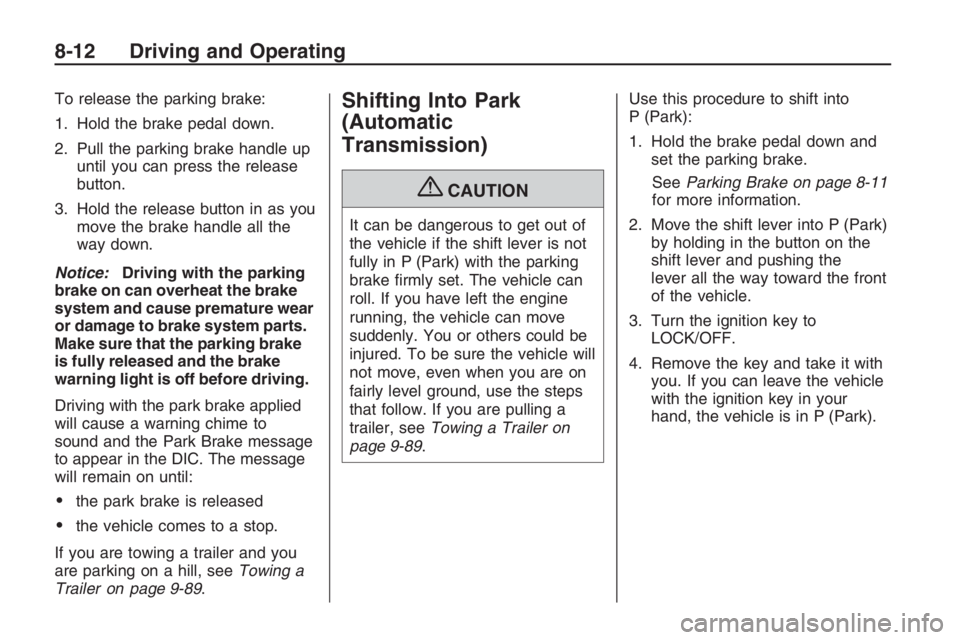
To release the parking brake:
1. Hold the brake pedal down.
2. Pull the parking brake handle up
until you can press the release
button.
3. Hold the release button in as you
move the brake handle all the
way down.
Notice:Driving with the parking
brake on can overheat the brake
system and cause premature wear
or damage to brake system parts.
Make sure that the parking brake
is fully released and the brake
warning light is off before driving.
Driving with the park brake applied
will cause a warning chime to
sound and the Park Brake message
to appear in the DIC. The message
will remain on until:
the park brake is released
the vehicle comes to a stop.
If you are towing a trailer and you
are parking on a hill, seeTowing a
Trailer on page 9-89.
Shifting Into Park
(Automatic
Transmission)
{CAUTION
It can be dangerous to get out of
the vehicle if the shift lever is not
fully in P (Park) with the parking
brake rmly set. The vehicle can
roll. If you have left the engine
running, the vehicle can move
suddenly. You or others could be
injured. To be sure the vehicle will
not move, even when you are on
fairly level ground, use the steps
that follow. If you are pulling a
trailer, seeTowing a Trailer on
page 9-89.Use this procedure to shift into
P (Park):
1. Hold the brake pedal down and
set the parking brake.
SeeParking Brake on page 8-11
for more information.
2. Move the shift lever into P (Park)
by holding in the button on the
shift lever and pushing the
lever all the way toward the front
of the vehicle.
3. Turn the ignition key to
LOCK/OFF.
4. Remove the key and take it with
you. If you can leave the vehicle
with the ignition key in your
hand, the vehicle is in P (Park).
8-12 Driving and Operating
Page 183 of 356
Alcohol affects four things that
anyone needs to drive a vehicle:
judgment, muscular coordination,
vision, and attentiveness.
Police records show that
almost 40 percent of all motor
vehicle-related deaths involve
alcohol. In most cases, these deaths
are the result of someone who
was drinking and driving. In recent
years, more than 17,000 annual
motor vehicle-related deaths have
been associated with the use of
alcohol, with about 250,000 people
injured.
For persons under 21, it is against
the law in every U.S. state to drink
alcohol. There are good medical,
psychological, and developmental
reasons for these laws.
The obvious way to eliminate the
leading highway safety problem
is for people never to drink alcohol
and then drive.Medical research shows that alcohol
in a person’s system can make crash
injuries worse, especially injuries to
the brain, spinal cord, or heart.
This means that when anyone who
has been drinking — driver or
passenger — is in a crash, that
person’s chance of being killed or
permanently disabled is higher than
if the person had not been drinking.
Control of a Vehicle
The following three systems help
to control your vehicle while
driving — brakes, steering, and
accelerator. At times, as when
driving on snow or ice, it is easy to
ask more of those control systems
than the tires and road can provide.
Meaning, you can lose control of
your vehicle.
Adding non-dealer/non-retailer
accessories can affect your vehicle’s
performance. SeeAccessories
and Modifications on page 9-3.
Braking
SeeBrake System Warning Light on
page 4-15.
Braking action involves perception
time and reaction time. First,
you have to decide to push on the
brake pedal. That is perception time.
Then you have to bring up your
foot and do it. That is reaction time.
Average reaction time is about
three-fourths of a second. But that
is only an average. It might be
less with one driver and as long as
two or three seconds or more
with another. Age, physical
condition, alertness, coordination,
and eyesight all play a part. So
do alcohol, drugs, and frustration.
But even in three-fourths of a
second, a vehicle moving at 60 mph
(100 km/h) travels 66 feet (20 m).
That could be a lot of distance in an
emergency, so keeping enough
space between your vehicle
and others is important.
Driving and Operating 8-17
Page 184 of 356
And, of course, actual stopping
distances vary greatly with the
surface of the road, whether it is
pavement or gravel; the condition of
the road, whether it is wet, dry, or icy;
tire tread; the condition of the brakes;
the weight of the vehicle; and the
amount of brake force applied.
Avoid needless heavy
braking. Some people drive in
spurts — heavy acceleration
followed by heavy braking — rather
than keeping pace with traffic.
This is a mistake. The brakes might
not have time to cool between
hard stops. The brakes will wear out
much faster if you do a lot of
heavy braking. If you keep pace
with the traffic and allow realistic
following distances, you will
eliminate a lot of unnecessary
braking. That means better braking
and longer brake life.
If your vehicle’s engine ever stops
while you are driving, brake normally
but do not pump the brakes. If you
do, the pedal could get harder topush down. If the engine stops, you
will still have some power brake
assist. But you will use it when you
brake. Once the power assist is used
up, it can take longer to stop and the
brake pedal will be harder to push.
Adding non-dealer/non-retailer
accessories can affect your vehicle’s
performance. SeeAccessories
and Modifications on page 9-3.
Antilock Brake
System (ABS)
Your vehicle has the Antilock Brake
System (ABS), an advanced
electronic braking system that will
help prevent a braking skid.
When you start the engine and
begin to drive away, ABS will check
itself. You might hear a momentary
motor or clicking noise while this
test is going on, and you might even
notice that the brake pedal moves
a little. This is normal.If there is a problem with ABS, this
warning light will stay on. See
Antilock Brake System (ABS)
Warning Light on page 4-16.
Let us say the road is wet and you
are driving safely. Suddenly, an
animal jumps out in front of you.
You slam on the brakes and continue
braking. Here is what happens
with ABS:
A computer senses that the wheels
are slowing down. If one of the
wheels is about to stop rolling, the
computer will separately work
the brakes at each wheel.
ABS can change the brake pressure
to each wheel, as required, faster
than any driver could. This can help
you steer around the obstacle while
braking hard.
8-18 Driving and Operating
Page 186 of 356
The system may be heard or felt
while it is working. This is normal
and does not mean there is a
problem with the vehicle.
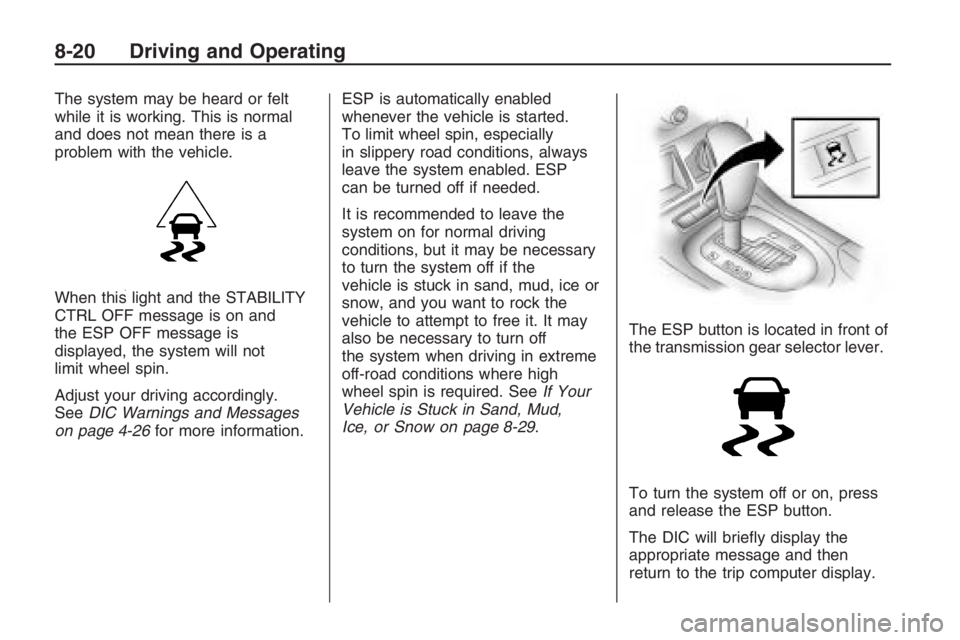
When this light and the STABILITY
CTRL OFF message is on and
the ESP OFF message is
displayed, the system will not
limit wheel spin.
Adjust your driving accordingly.
SeeDIC Warnings and Messages
on page 4-26for more information.ESP is automatically enabled
whenever the vehicle is started.
To limit wheel spin, especially
in slippery road conditions, always
leave the system enabled. ESP
can be turned off if needed.
It is recommended to leave the
system on for normal driving
conditions, but it may be necessary
to turn the system off if the
vehicle is stuck in sand, mud, ice or
snow, and you want to rock the
vehicle to attempt to free it. It may
also be necessary to turn off
the system when driving in extreme
off-road conditions where high
wheel spin is required. SeeIf Your
Vehicle is Stuck in Sand, Mud,
Ice, or Snow on page 8-29.The ESP button is located in front of
the transmission gear selector lever.
To turn the system off or on, press
and release the ESP button.
The DIC will briey display the
appropriate message and then
return to the trip computer display.
8-20 Driving and Operating