belt PONTIAC G8 2009 Service Manual
[x] Cancel search | Manufacturer: PONTIAC, Model Year: 2009, Model line: G8, Model: PONTIAC G8 2009Pages: 356, PDF Size: 1.83 MB
Page 88 of 356
Speedometer
The speedometer can display
your speed in both miles per
hour (MPH) and kilometers per
hour (km/h). You can select
between MPH and km/h using
the UNITS display in the DIC.
SeeDIC Operation and Displays
on page 4-22for more information.
Tachometer
The tachometer displays the engine
speed in revolutions per minute.
Safety Belt Reminders
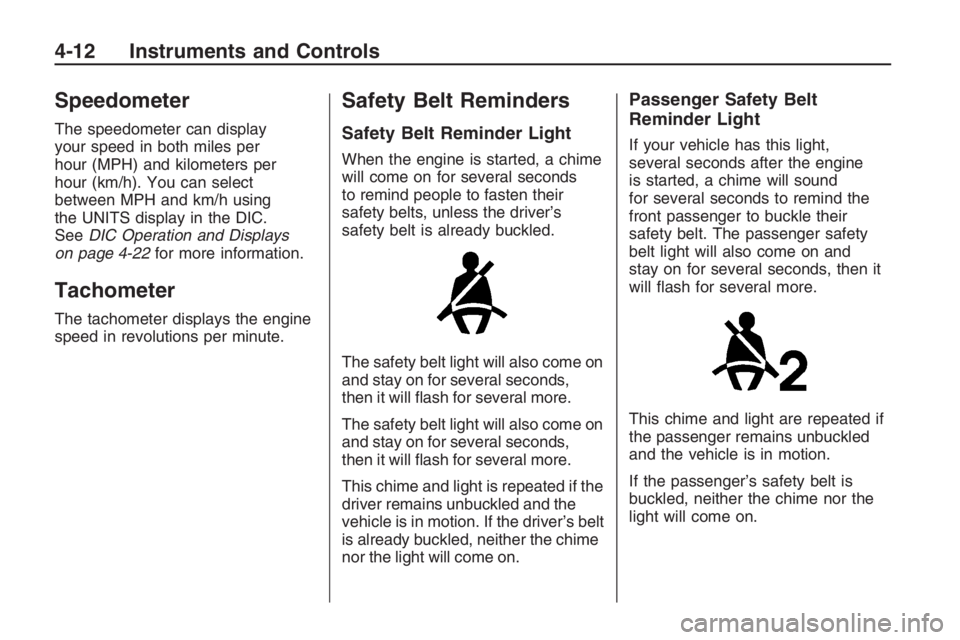
Safety Belt Reminder Light
When the engine is started, a chime
will come on for several seconds
to remind people to fasten their
safety belts, unless the driver’s
safety belt is already buckled.
The safety belt light will also come on
and stay on for several seconds,
then it will ash for several more.
The safety belt light will also come on
and stay on for several seconds,
then it will ash for several more.
This chime and light is repeated if the
driver remains unbuckled and the
vehicle is in motion. If the driver’s belt
is already buckled, neither the chime
nor the light will come on.
Passenger Safety Belt
Reminder Light
If your vehicle has this light,
several seconds after the engine
is started, a chime will sound
for several seconds to remind the
front passenger to buckle their
safety belt. The passenger safety
belt light will also come on and
stay on for several seconds, then it
will ash for several more.
This chime and light are repeated if
the passenger remains unbuckled
and the vehicle is in motion.
If the passenger’s safety belt is
buckled, neither the chime nor the
light will come on.
4-12 Instruments and Controls
Page 103 of 356
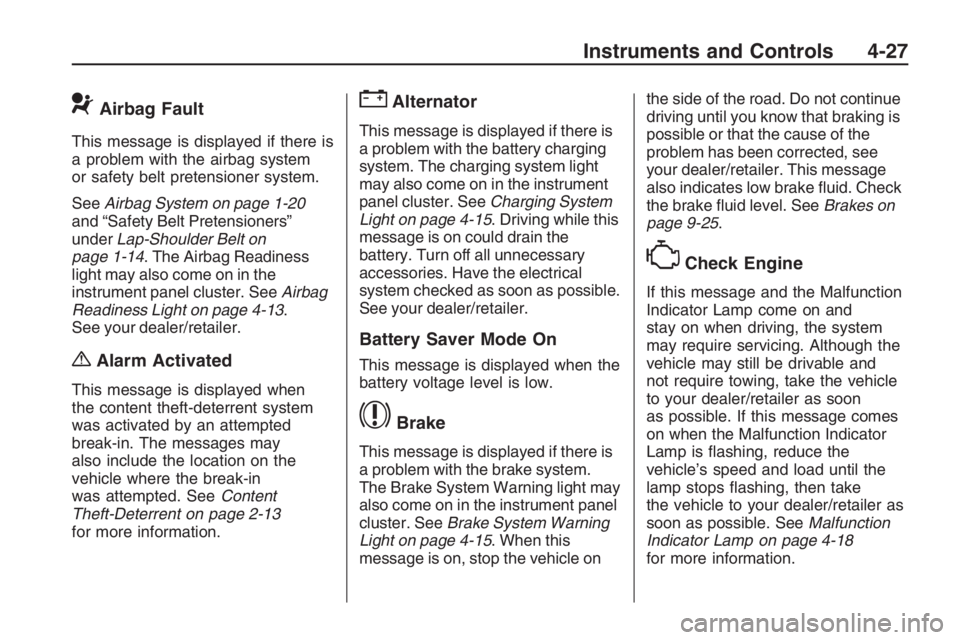
9Airbag Fault
This message is displayed if there is
a problem with the airbag system
or safety belt pretensioner system.
SeeAirbag System on page 1-20
and “Safety Belt Pretensioners”
underLap-Shoulder Belt on
page 1-14. The Airbag Readiness
light may also come on in the
instrument panel cluster. SeeAirbag
Readiness Light on page 4-13.
See your dealer/retailer.
{Alarm Activated
This message is displayed when
the content theft-deterrent system
was activated by an attempted
break-in. The messages may
also include the location on the
vehicle where the break-in
was attempted. SeeContent
Theft-Deterrent on page 2-13
for more information.
"Alternator
This message is displayed if there is
a problem with the battery charging
system. The charging system light
may also come on in the instrument
panel cluster. SeeCharging System
Light on page 4-15. Driving while this
message is on could drain the
battery. Turn off all unnecessary
accessories. Have the electrical
system checked as soon as possible.
See your dealer/retailer.
Battery Saver Mode On
This message is displayed when the
battery voltage level is low.
$Brake
This message is displayed if there is
a problem with the brake system.
The Brake System Warning light may
also come on in the instrument panel
cluster. SeeBrake System Warning
Light on page 4-15. When this
message is on, stop the vehicle onthe side of the road. Do not continue
driving until you know that braking is
possible or that the cause of the
problem has been corrected, see
your dealer/retailer. This message
also indicates low brake uid. Check
the brake uid level. SeeBrakes on
page 9-25.
*Check Engine
If this message and the Malfunction
Indicator Lamp come on and
stay on when driving, the system
may require servicing. Although the
vehicle may still be drivable and
not require towing, take the vehicle
to your dealer/retailer as soon
as possible. If this message comes
on when the Malfunction Indicator
Lamp is ashing, reduce the
vehicle’s speed and load until the
lamp stops ashing, then take
the vehicle to your dealer/retailer as
soon as possible. SeeMalfunction
Indicator Lamp on page 4-18
for more information.
Instruments and Controls 4-27
Page 182 of 356
Driving Your Vehicle
Defensive Driving
Defensive driving means “always
expect the unexpected.” The
rst step in driving defensively is to
wear your safety belt, seeSafety
Belts on page 1-5.
{CAUTION
Assume that other road users
(pedestrians, bicyclists, and other
drivers) are going to be careless
and make mistakes. Anticipate
what they might do and be ready.
In addition:
Allow enough following
distance between you and
the driver in front of you.
Focus on the task of driving.
Driver distraction can cause
collisions resulting in injury or
possible death. These simple
defensive driving techniques could
save your life.
Drunk Driving
{CAUTION
Drinking and then driving is very
dangerous. Your reexes,
perceptions, attentiveness, and
judgment can be affected by even
a small amount of alcohol. You
can have a serious — or even
fatal — collision if you drive after
drinking. Do not drink and drive or
ride with a driver who has been
drinking. Ride home in a cab; or if
you are with a group, designate a
driver who will not drink.
Death and injury associated with
drinking and driving is a global
tragedy.
8-16 Driving and Operating
Page 188 of 356
Steering
Power Steering
If you lose power steering assist
because the engine stops or the
system is not functioning, you can
steer but it will take much more effort.
Steering Tips
It is important to take curves at a
reasonable speed.
Traction in a curve depends on the
condition of the tires and the
road surface, the angle at which the
curve is banked, and your speed.
While in a curve, speed is the
one factor you can control.
If you need to reduce speed, do it
before you enter the curve, while the
front wheels are straight ahead.
Try to adjust the speed so you can
drive through the curve. Maintain
a reasonable, steady speed. Wait to
accelerate until you are out of the
curve, and then accelerate
gently into the straightaway.
Steering in Emergencies
There are times when steering can
be more effective than braking.
For example, you come over a hill
and nd a truck stopped in your
lane, or a car suddenly pulls
out from nowhere, or a child darts
out from between parked cars
and stops right in front of you.
You can avoid these problems by
braking — if you can stop in
time. But sometimes you cannot;
there is not room. That is the
time for evasive action — steering
around the problem.
Your vehicle can perform very well
in emergencies like these. First
apply the brakes. SeeBraking on
page 8-17. It is better to remove as
much speed as you can from a
possible collision. Then steer around
the problem, to the left or right
depending on the space available.An emergency like this requires
close attention and a quick decision.
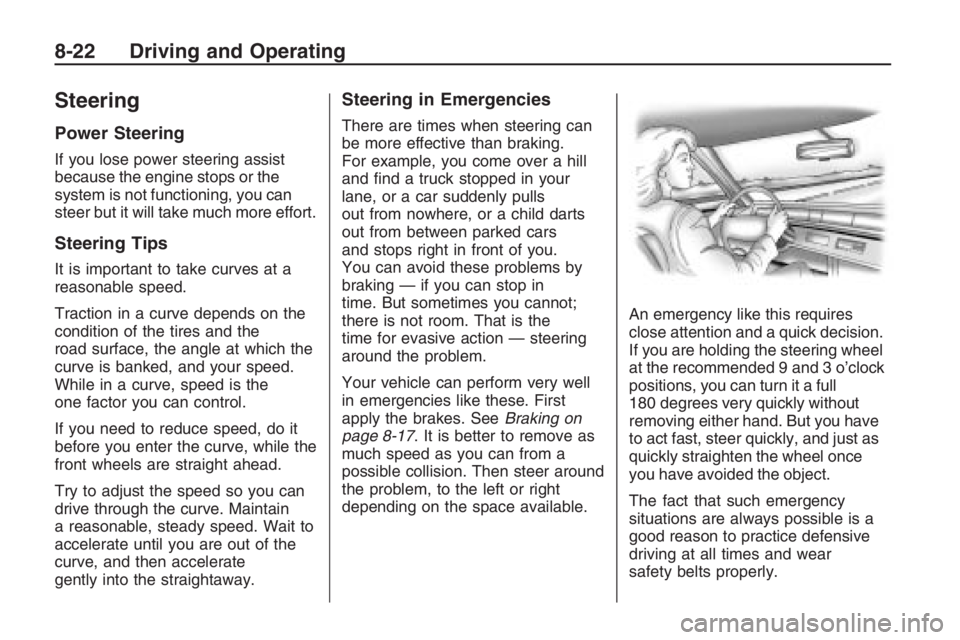
If you are holding the steering wheel
at the recommended 9 and 3 o’clock
positions, you can turn it a full
180 degrees very quickly without
removing either hand. But you have
to act fast, steer quickly, and just as
quickly straighten the wheel once
you have avoided the object.
The fact that such emergency
situations are always possible is a
good reason to practice defensive
driving at all times and wear
safety belts properly.
8-22 Driving and Operating
Page 207 of 356
Accessories and
Modications
When non-dealer/non-retailer
accessories are added to the vehicle,
they can affect vehicle performance
and safety, including such things as
airbags, braking, stability, ride and
handling, emissions systems,
aerodynamics, durability, and
electronic systems like antilock
brakes, traction control, and stability
control. Some of these accessories
could even cause malfunction or
damage not covered by the vehicle
warranty.
GM Accessories are designed to
complement and function with
other systems on the vehicle.
Your GM dealer/retailer can
accessorize the vehicle using
genuine GM Accessories.When you go to your GM dealer/
retailer and ask for GM Accessories,
you will know that GM-trained and
supported service technicians will
perform the work using genuine
GM Accessories.
Also, seeAdding Equipment to
Your Airbag-Equipped Vehicle
on page 1-32.
California Proposition 65
Warning
Most motor vehicles, including this
one, contain and/or emit chemicals
known to the State of California
to cause cancer and birth defects or
other reproductive harm. Engine
exhaust, many parts and systems
(including some inside the vehicle),
many uids, and some component
wear by-products contain and/or
emit these chemicals.
California Perchlorate
Materials Requirements
Certain types of automotive
applications, such as airbag
initiators, seat belt pretensioners,
and lithium batteries contained
in remote keyless transmitters,
may contain perchlorate materials.
Special handling may be
necessary. For additional
information, see www.dtsc.ca.gov/
hazardouswaste/perchlorate.
Vehicle Service and Care 9-3
Page 223 of 356
If no coolant is visible in the surge
tank, add coolant as follows:
1. Check the engine coolant
reservoir level and, if required,
top with coolant. SeeEngine
Coolant on page 9-15Engine
Coolant.
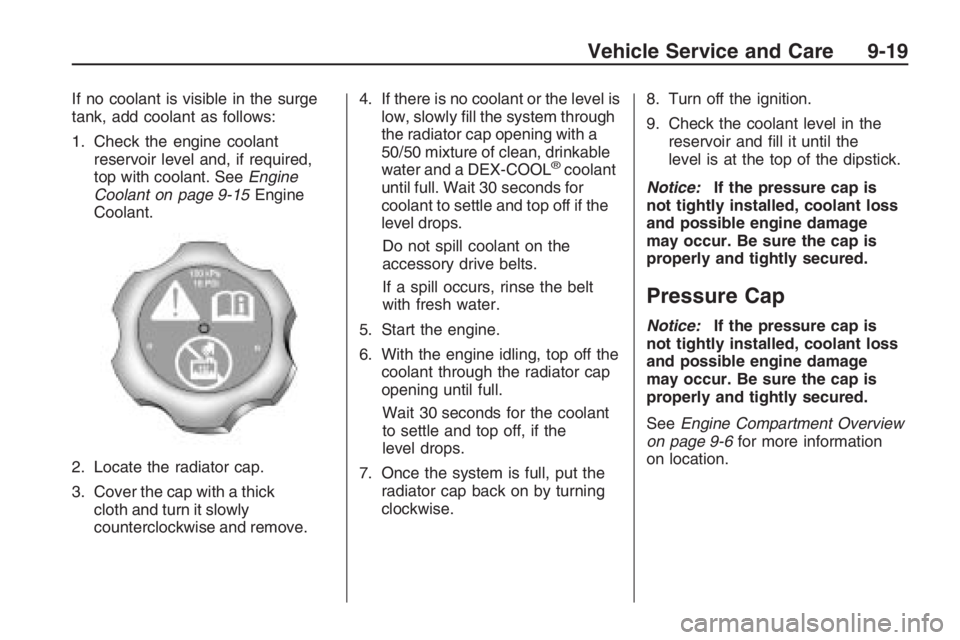
2. Locate the radiator cap.
3. Cover the cap with a thick
cloth and turn it slowly
counterclockwise and remove.4. If there is no coolant or the level is
low, slowly ll the system through
the radiator cap opening with a
50/50 mixture of clean, drinkable
water and a DEX-COOL
®coolant
until full. Wait 30 seconds for
coolant to settle and top off if the
level drops.
Do not spill coolant on the
accessory drive belts.
If a spill occurs, rinse the belt
with fresh water.
5. Start the engine.
6. With the engine idling, top off the
coolant through the radiator cap
opening until full.
Wait 30 seconds for the coolant
to settle and top off, if the
level drops.
7. Once the system is full, put the
radiator cap back on by turning
clockwise.8. Turn off the ignition.
9. Check the coolant level in the
reservoir and ll it until the
level is at the top of the dipstick.
Notice:If the pressure cap is
not tightly installed, coolant loss
and possible engine damage
may occur. Be sure the cap is
properly and tightly secured.
Pressure Cap
Notice:If the pressure cap is
not tightly installed, coolant loss
and possible engine damage
may occur. Be sure the cap is
properly and tightly secured.
SeeEngine Compartment Overview
on page 9-6for more information
on location.
Vehicle Service and Care 9-19
Page 249 of 356
Tire Size
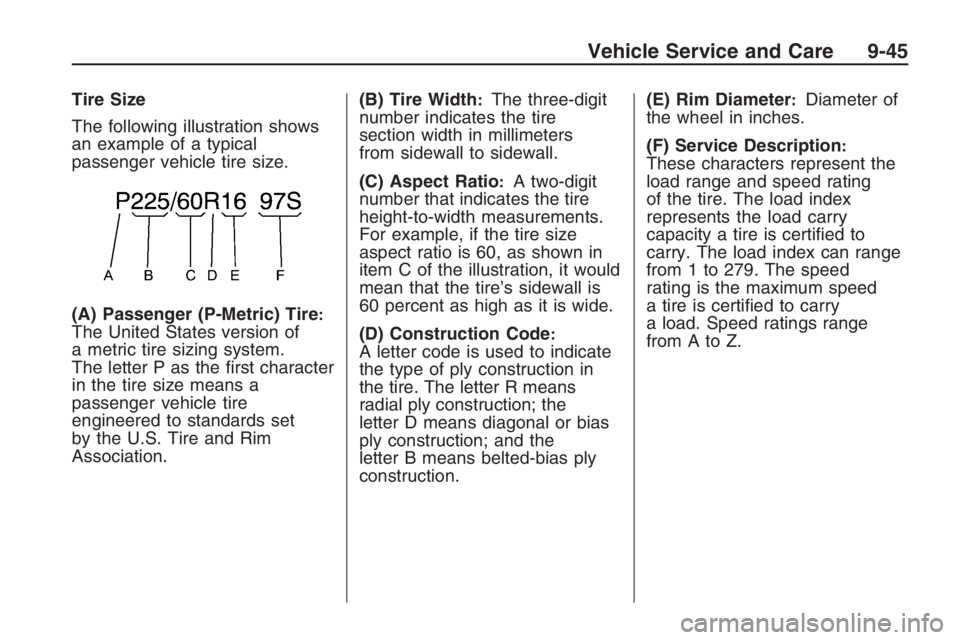
The following illustration shows
an example of a typical
passenger vehicle tire size.
(A) Passenger (P-Metric) Tire
:The United States version of
a metric tire sizing system.
The letter P as the rst character
in the tire size means a
passenger vehicle tire
engineered to standards set
by the U.S. Tire and Rim
Association.(B) Tire Width
:The three-digit
number indicates the tire
section width in millimeters
from sidewall to sidewall.
(C) Aspect Ratio
:A two-digit
number that indicates the tire
height-to-width measurements.
For example, if the tire size
aspect ratio is 60, as shown in
item C of the illustration, it would
mean that the tire’s sidewall is
60 percent as high as it is wide.
(D) Construction Code
:A letter code is used to indicate
the type of ply construction in
the tire. The letter R means
radial ply construction; the
letter D means diagonal or bias
ply construction; and the
letter B means belted-bias ply
construction.(E) Rim Diameter
:Diameter of
the wheel in inches.
(F) Service Description
:These characters represent the
load range and speed rating
of the tire. The load index
represents the load carry
capacity a tire is certied to
carry. The load index can range
from 1 to 279. The speed
rating is the maximum speed
a tire is certied to carry
a load. Speed ratings range
fromAtoZ.
Vehicle Service and Care 9-45
Page 250 of 356
Tire Terminology and
Denitions
Air Pressure:The amount of
air inside the tire pressing
outward on each square inch
of the tire. Air pressure is
expressed in pounds per square
inch (psi) or kilopascal (kPa).
Accessory Weight
:This
means the combined weight
of optional accessories.
Some examples of optional
accessories are, automatic
transmission, power steering,
power brakes, power windows,
power seats, and air
conditioning.
Aspect Ratio
:The relationship
of a tire’s height to its width.Belt
:A rubber coated layer of
cords that is located between the
plies and the tread. Cords may
be made from steel or other
reinforcing materials.
Bead
:The tire bead contains
steel wires wrapped by steel
cords that hold the tire onto
the rim.
Bias Ply Tire
:A pneumatic tire
in which the plies are laid at
alternate angles less than
90 degrees to the centerline of
the tread.
Cold Tire Pressure
:The
amount of air pressure in a tire,
measured in pounds per square
inch (psi) or kilopascals (kPa)
before a tire has built up heat
from driving. SeeInflation - Tire
Pressure on page 9-49.Curb Weight
:The weight of a
motor vehicle with standard
and optional equipment including
the maximum capacity of fuel,
oil, and coolant, but without
passengers and cargo.
DOT Markings
:A code molded
into the sidewall of a tire
signifying that the tire is in
compliance with the U.S.
Department of Transportation
(DOT) motor vehicle safety
standards. The DOT code
includes the Tire Identication
Number (TIN), an alphanumeric
designator which can also
identify the tire manufacturer,
production plant, brand, and date
of production.
GVWR
:Gross Vehicle Weight
Rating. SeeLoading the Vehicle
on page 8-30.
9-46 Vehicle Service and Care
Page 264 of 356
GM’s exclusive TPC Spec system
considers over a dozen critical
specications that impact the overall
performance of your vehicle,
including brake system performance,
ride and handling, traction control,
and tire pressure monitoring
performance. GM’s TPC Spec
number is molded onto the tire’s
sidewall near the tire size. If the tires
have an all-season tread design,
the TPC Spec number will be
followed by an MS for mud and
snow. SeeTire Sidewall Labeling on
page 9-42for additional information.
GM recommends replacing tires
in sets of four. This is because
uniform tread depth on all tires will
help keep your vehicle performing
most like it did when the tires
were new. Replacing less than a full
set of tires can affect the braking
and handling performance of
your vehicle. SeeTire Inspection
and Rotation on page 9-57for
information on proper tire rotation.{CAUTION
Mixing tires could cause you
to lose control while driving. If
you mix tires of different sizes,
brands, or types (radial and
bias-belted tires), the vehicle
may not handle properly, and
you could have a crash. Using
tires of different sizes, brands,
or types may also cause
damage to the vehicle. Be
sure to use the correct size,
brand, and type of tires on all
wheels. It is all right to drive
with the compact spare
temporarily, as it was
developed for use on the
vehicle. SeeCompact Spare
Tire on page 9-83.{CAUTION
If you use bias-ply tires on the
vehicle, the wheel rim anges
could develop cracks after
many miles of driving. A tire
and/or wheel could fail
suddenly, causing a crash.
Use only radial-ply tires with
the wheels on the vehicle.
If you must replace your vehicle’s
tires with those that do not have
a TPC Spec number, make
sure they are the same size, load
range, speed rating, and
construction type (radial and
bias-belted tires) as your vehicle’s
original tires.
9-60 Vehicle Service and Care
Page 299 of 356
When You Are Ready to Leave
After Parking on a Hill
1. Apply your regular brakes and
hold the pedal down while you:
Start your engine.
Shift into a gear.
Release the parking brake.
2. Let up on the brake pedal.
3. Drive slowly until the trailer is
clear of the chocks.
4. Stop and have someone pick up
and store the chocks.
Maintenance When Trailer
Towing
Your vehicle will need service more
often when you’re pulling a trailer.
See the Maintenance Schedule for
more on this. Things that are
especially important in trailer
operation are automatic transmission
uid (don’t overll), engine oil, drivebelt, cooling system and brake
system. Each of these is covered in
this manual, and the Index will help
you nd them quickly. If you’re
trailering, it’s a good idea to review
this information before you start
your trip.
Check periodically to see that all
hitch nuts and bolts are tight.
Engine Cooling When Trailer
Towing
Your cooling system may
temporarily overheat during severe
operating conditions. SeeEngine
Overheating on page 9-20.
Appearance Care
Interior Cleaning
Your vehicle’s interior will continue to
look its best if it is cleaned often.
Although not always visible, dust and
dirt can accumulate on your
upholstery. Dirt can damage carpet,
fabric, leather, and plastic surfaces.
Regular vacuuming is recommended
to remove particles from the
upholstery. It is important to keep
your upholstery from becoming and
remaining heavily soiled. Soils
should be removed as quickly as
possible. Your vehicle’s interior may
experience extremes of heat that
could cause stains to set rapidly.
Lighter colored interiors may require
more frequent cleaning. Use care
because newspapers and garments
that transfer color to your home
furnishings may also transfer color
to your vehicle’s interior.
Vehicle Service and Care 9-95