ECU PONTIAC GRAND PRIX 2003 Owner's Manual
[x] Cancel search | Manufacturer: PONTIAC, Model Year: 2003, Model line: GRAND PRIX, Model: PONTIAC GRAND PRIX 2003Pages: 378, PDF Size: 17.64 MB
Page 105 of 378
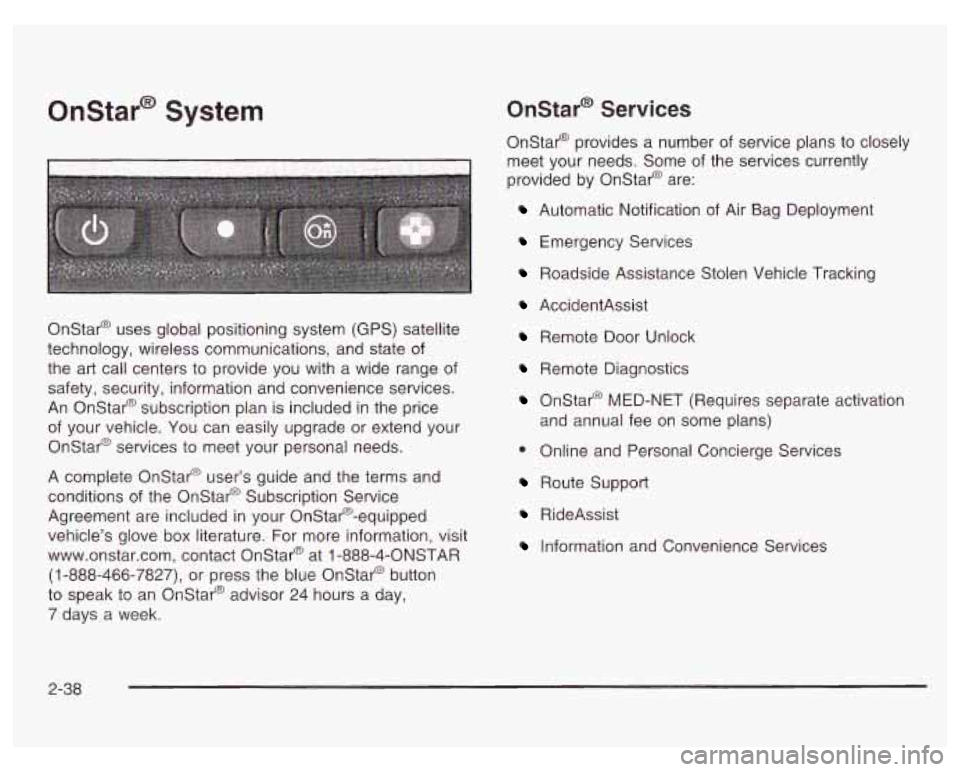
Onstar@ System Onstar@' Services
Onstar@ provides a number of service plans to closely
meet your needs. Some of the services currently
provided by Onstar@ are:
Automatic Notification of Air Bag Deployment
Emergency Services
Roadside Assistance Stolen Vehicle Tracking
Onstar@ uses global positioning system (GPS) satellite
technology, wireless communications, and state of
the art call centers to provide you with a wide range of
safety, security, information and convenience services.
An Onstar@ subscription plan is included in the price
of your vehicle. You can easily upgrade or extend your
Onstar@ services to meet your personal needs.
A complete Onstar@ user's guide and the terms and
conditions of the Onstar@ Subscription Service
Agreement are included in your Onstar@-equipped
vehicle's glove box literature. For more information, visit
www.onstar.com, contact Onstar@ at
1 -888-4-ONSTAR
(1-888-466-7827),
or press the blue Onstar@ button
to speak to an Onstar@ advisor 24 hours a day,
7 days a week.
AccidentAssist
Remote Door Unlock
Remote Diagnostics
Onstar@ MED-NET (Requires separate activation
and annual fee on some plans)
0 Online and Personal Concierge Services
Route Support
RideAssist
Information and Convenience Services
2-38
Page 119 of 378
Arming and Disarming the Content
Theft-Deterrent System
To arm and disarm the content theft-deterrent system,
if equipped, the system must be turned on by using
Mode
2 listed previously in this section under Content
Theft-Deterrent System
on page 2-51.
With the arming and disarming feature, you can do the
following:
Arm the system when you lock the doors using
either power door lock switch while any door is open
and the key is removed from the ignition.
Arm the system when you lock the doors with your
remote keyless entry transmitter and the key is
removed form the ignition.
0 Disarm the system when you unlock the doors with
your key or remote keyless entry transmitter.
Programmable Modes
Mode 1: Power Door Lock Switch Arming Off
The content theft-deterrent system will arm when
you lock the doors with the remote keyless entry
transmitter, The key must be removed from
the ignition when you lock the doors or the content
theft-deterrent system will not arm.
The content theft-deterrent system will disarm when
you unlock the doors with the keys or the remote
keyless entry transmitter.
Mode 2: Remote Keyless Entry Transmitter Arm/Disarm
Only
The content theft-deterrent system will arm when
you lock the doors with the remote keyless entry
transmitter. The key must be removed from
the ignition when you lock the doors or the content
theft-deterrent system will not arm.
The content theft-deterrent system will disarm when
you unlock the doors with the remote keyless entry
transmitter.
While this mode provides increased security,
it can be a
problem
if the remote keyless entry transmitter is
damaged, lost or
if it fails to operate for any reason
while the content theft-deterrent system is armed. The
content theft-deterrent system must be disarmed for
the engine
to run and while in Mode 2, the key can no
longer disarm the system.
If your vehicle is equipped with the Onstar@ system,
Onstar@ will not be able to remotely unlock your vehicle
if it has been programmed to Mode 2.
2-52
Page 122 of 378

Section 3 Instrument Panel
Instrument Panel Overview .......................... -3-2
Hazard Warning Flashers
-3-3
Other Warning Devices ................................... 3.4
Horn
............................................................. 3.4
Tilt Wheel
..................................................... 3.4
Turn Signal/Multifunction Lever
......................... 3.5
Exterior Lamps
............................................. 3.10
Interior Lamps
.............................................. 3.12
Head-Up Display (HUD)
................................. 3-15
Accessory Power Outlets
............................... 3.18
Auxiliary Power Connection (Power Drop)
......... 3.19
Ashtrays and Cigarette Lighter
........................ 3-19
Climate Controls ............................................ 3.20
Dual Climate Control System
.......................... 3.20
Outlet Adjustment
......................................... 3.22
Warning Lights, Gages and Indicators ............. 3.23
Instrument Panel Cluster
................................ 3.24
Speedometer and Odometer
........................... 3.25
Tachometer
................................................. 3.25
Safety Belt Reminder Light
............................. 3.26
Air Bag Readiness Light
................................ 3-26
Charging System Light
.................................. 3.27
Brake System Warning Light
......................... -3-28
Anti-Lock Brake System Warning Light
............. 3.29
Traction Control System (TCS) Warning Light
...... 3.29
Enhanced Traction System Warning Light
........ -3-30
.. ...............................
Low Traction Light ....................................... -3-30
Engine Coolant Temperature Gage
.................. 3-31
Malfunction Indicator Lamp
............................ -3-32
Oil Pressure Light
........................................ -3-35
Security Light
............................................... 3-36
Fuel Gage
................................................... 3-37
Low Fuel Warning Light
................................. 3-37
Driver Information Center (DE) ....................... 3-38
Trip Computer ................................... ..... 3-40
Control Buttons
............................................ 3-42
Functions
.................................................... 3-42
Audio System(s) ............................................. 3-44
Setting the Time
........................................... 3-44
Radio with Cassette
...................................... 3-45
Radio with CD (Base Level)
........................... 3-48
Radio with CD
(Up Level) .............................. 3-51
Theft-Deterrent Feature
.................................. 3-54
Engine
Coolant Temperature 'Warning Light
...... 3.31
Low Oil Level Light ....................................... 3-36
Audio Steering Wheel Controls
....................... 3-56
Understanding Radio Reception
...................... 3-57
Care of Your Cassette Tape Player
................. 3-58
Care
of Your CDs ......................................... 3-59
Care of Your CD Player
................................ 3-59
Backglass Antenna
....................................... 3-59
3-
1
Page 145 of 378
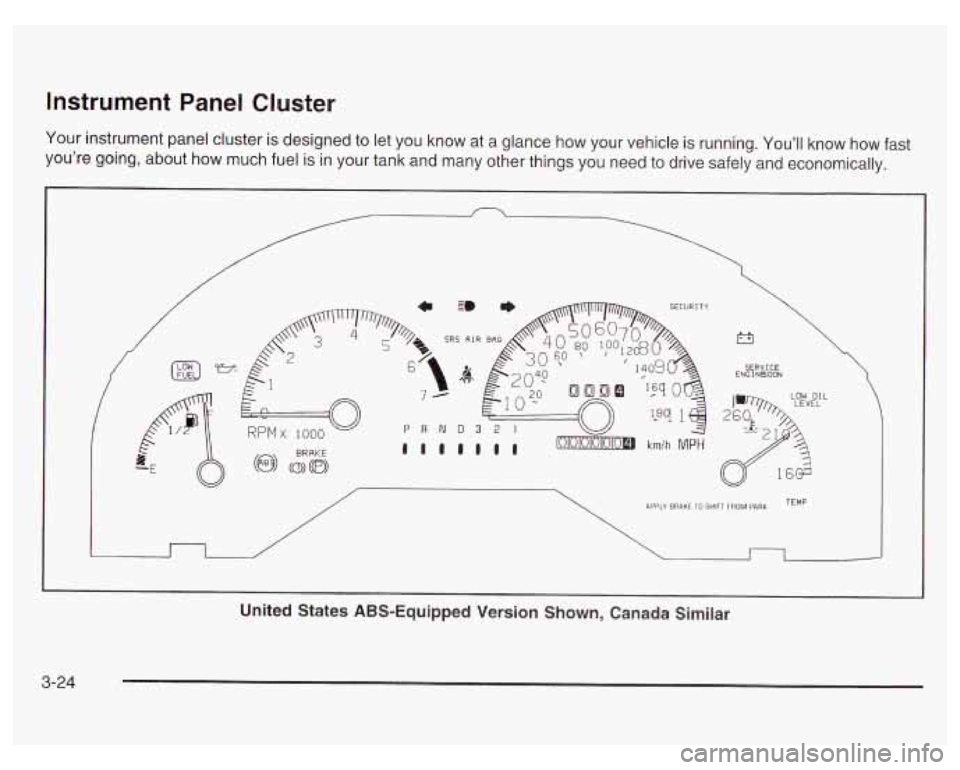
Instrument Panel Cluster
Your instrument panel cluster is designed to let you know at a glance how your vehicle is running. You’ll know how fast
you’re going, about how much fuel
is in your tank and many other things you need to drive safely and economically.
c 3 * SECURI TY
SRS AIR e,
/
r3
SERVICE ENG I NBOON
>>L LOW OIL
n /
APPLY BRAKE 10 SHIFT FROM PARK TEMP
I
United States ABS-Equipped Version Shown, Canada Similar
3-24
Page 157 of 378
Low Oil Level Light
LOW OIL
LEVEL
The engine is equipped
with an oil level monitoring
system. When the
ignition key is turned to
RUN, the LOW
OIL LEVEL
light will briefly flash.
If the light does not flash, have it fixed so it will be
ready to warn you
if there is a problem.
If the light stays on, stop the vehicle on a level surface
and turn the engine
off. Check the oil level using the
engine oil dipstick. See Engine
Oil on page 5-18.
The oil level monitoring system only checks the oil
level during the brief period when the ignition key is
between
RUN and START. It does not monitor engine
oil level while the engine is running. Additionally,
an oil level check is only performed
if the engine has
been turned
off for a considerable period of time,
allowing the oil normally in circulation to drain back
into the oil pan.
Security Light
This message is
displayed to monitor
the PASS-Key@
Ill
system. SECURITY
If the SECURITY message is displayed continuously
while driving, there may be a problem with the
PASS-Key@
Ill system. Your vehicle will not be protected
by PASS-Key@
Ill, and you should see your dealer for
service. For more information see
PASS-Key 111
on page 2- 16.
3-36
Page 176 of 378
2.
3.
4.
5.
6.
7.
8.
9.
Turn the ignition on.
Turn the radio
off.
Press the 1 and 4 pushbuttons at the same time.
Hold them down until
--- shows on the display.
Next you will use the secret code number which you
have written down.
Press MIN and
000 will appear on the display.
Press MIN again
to make the last two digits agree
with your code.
Press
HR to make the first one or two digits agree
with your code.
Press AM/FM after you have confirmed that the
code matches the secret code you have written
down. The display will show REP to let you know
that you need to repeat Steps
5 through 7 to confirm
your secret code.
Press AM/FM and this time the disdav will show
Unlocking the Theft-Deterrent Feature
After
a Power Loss
Enter your secret code as follows; pause no more than
15 seconds betweer! steps:
1. Turn the ignition on. LOC will appear on the
2. Press MIN and 000 will appear on the display.
3. Press MIN again to make the last two digits agree
display.
with your code.
4. Press HR to
make the first one or two digits agree
with your code.
5. Press AM/FM after you have confirmed that the
code matches the secret code you have written
down. The display will show SEC, indicating
the radio is now operable and secure.
If you enter the wrong code eight times, INOP will
SEC to let you know that your radio
is secure. appear on the
display. You wilj have to wait an hour
I,
with the ignition on before you can try again. When
(eight tries per chance) to enter the correct code before
With the
ignition off, the THEFTLOCK LED indicator will you try again, you only have three chances
flash, indicating a secured radio.
INOP appears.
If you lose or forget your code, contact your dealership.
3-55
Page 177 of 378
Disabling the Theft-Deterrent Feature
Enter your secret code as follows; pause no more than
15 seconds between steps:
1. Turn the ignition on.
2. Turn the radio off.
3. Press the 1 and 4 pushbuttons at the same time.
Hold them down until
SEC shows on the display.
4. Press MIN and 000 will appear on the display.
5. Press MIN again to make the last two digits agree
with your code.
6. Press HR to make the first one or two digits agree
with your code.
7. Press AM/FM after you have confirmed that the
code matches the secret code you have written
down. The display will show
---, indicating that the
radio is no longer secured.
If the code entered is incorrect,
SEC will appear on the
display. The radio will remain secured until the correct
code is entered.
When battery power is removed and later applied to
a
secured radio, the radio won’t turn on and LOC will
appear on the display.
To unlock a secured radio, see “Unlocking the
Theft-Deterrent Feature After a Power
Loss” earlier in
this section.
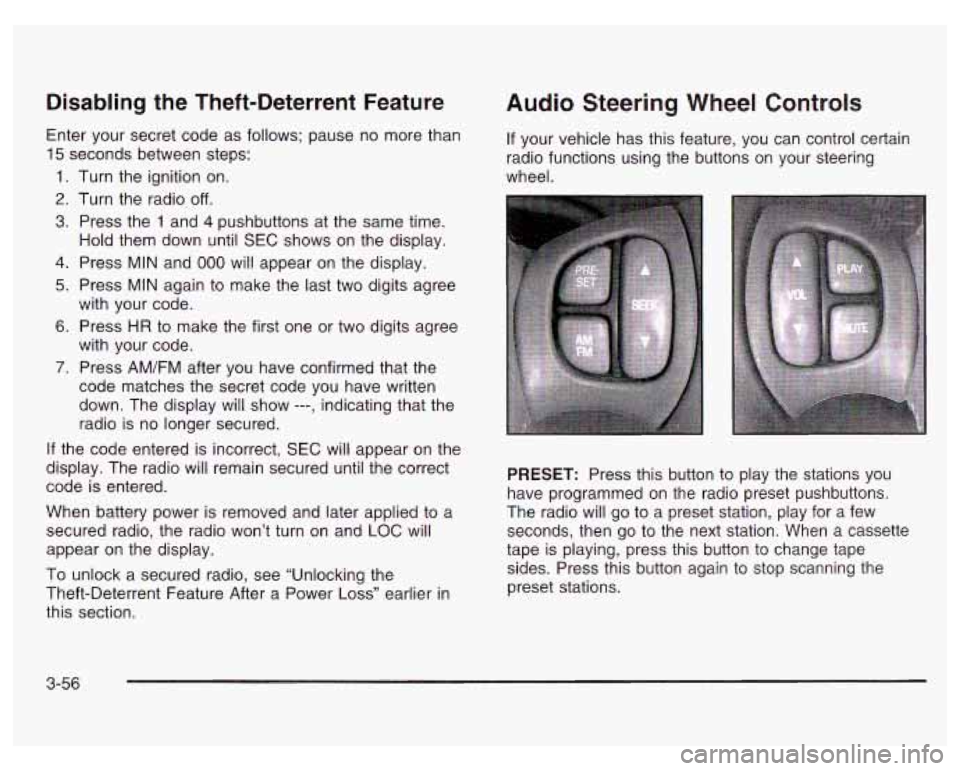
Audio Steering Wheel Controls
If your vehicle has this feature, you can control certain
radio functions using the buttons on your steering
wheel.
PRESET: Press this button to play the stations you
have programmed on the radio preset pushbuttons.
The radio will go to a preset station, play for a few
seconds, then go to the next station. When a cassette
tape is playing, press this button to change tape
sides. Press this button again to stop scanning the
preset stations.
3-56
Page 208 of 378
Winter Driving
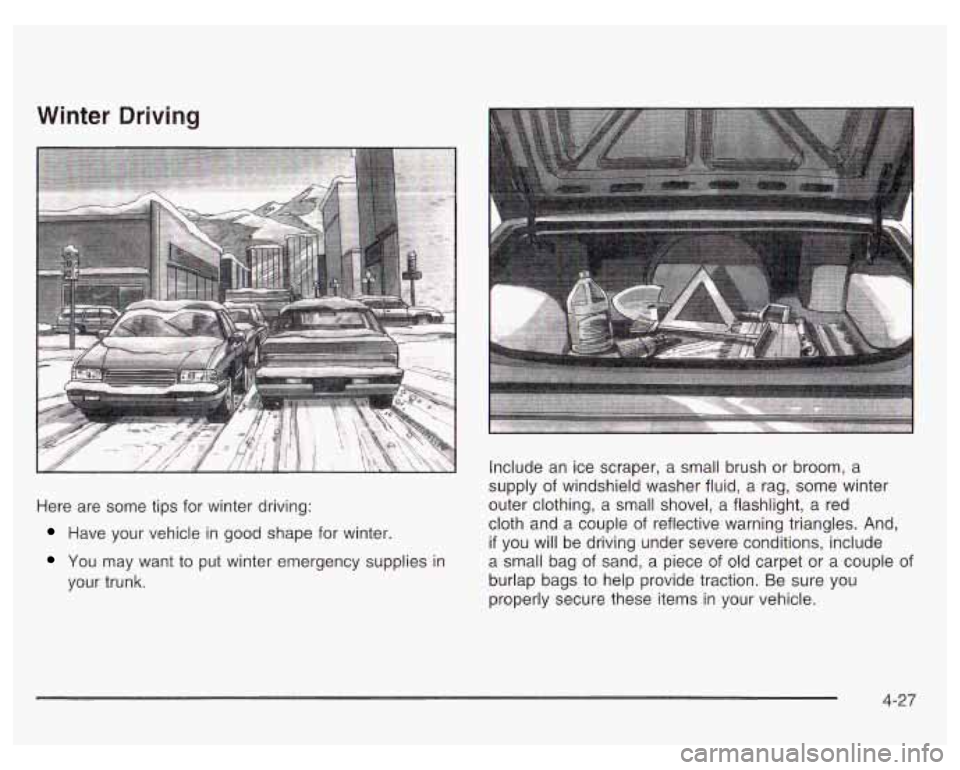
Here are some tips for winter driving:
Have your vehicle in good shape for winter.
You may want to put winter emergency supplies in
your trunk. Include
an ice scraper, a small brush or broom, a
supply of windshield washer fluid, a rag, some winter
outer clothing, a small shovel, a flashlight,
a red
cloth and a couple of reflective warning triangles. And,
if you will be driving under severe conditions, include
a small bag
of sand, a piece of old carpet or a couple of
burlap bags to help provide traction. Be sure you
properly secure these items in your vehicle.
4-27
Page 217 of 378
If you do have a heavy load, spread it out. Don’t carry
more than
167 pounds (75 kg) in your trunk.
~ 3 not load your vehicle any heavier than the
GVWR, or either the maximum front or rear
GAWR. If you do, parts on your vehicle can
break, and
it can change the way your vehicle
handles. These could cause you to lose
control and crash.
Also, overloading can
shorten the life of your vehicle.
Notice: Your warranty does not cover parts or
components that fail because
of overloading.
If you put things inside your vehicle - like suitcases,
tools, packages or anything else - they will go as
fast as the vehicle goes. If you have to stop or
turn quickly,
or if there is a crash, they’ll keep going. Things you
put insi your
ve--.:le can s.. ..
or in a crash.
Put things in the trunk of your vehicle.
In a trunk, put them as far forward as you
can. Try to spread the weight evenly.
Never stack heavier things, like suitcases,
inside the vehicle
so that some of them
are above the tops of the seats.
Don’t leave an unsecured child restraint in
your vehicle.
When you carry something inside the
vehicle, secure
it whenever you can.
Don’t leave a seat folded down unless you
need to.
4-36
Page 222 of 378
Driving with a Trailer
Passing
Towing a trailer requires a certain amount of experience.
Before setting out for the open road, you’ll want to get
to know your rig. Acquaint yourself with the feel
of
handling and braking with the added weight of the trailer.
And always keep in mind that the vehicle you are
driving is now a good deal longer and not nearly as
responsive as your vehicle is by itself.
Before you start, check the trailer hitch and platform
(and attachments), safety chains, electrical connector,
lamps, tires and mirror adjustment.
If the trailer has
electric brakes, start your vehicle and trailer moving and
then apply the trailer brake controller by hand to be
sure the brakes are working. This lets you check your
electrical connection at the same time.
During your trip, check occasionally to be sure that the
load is secure, and that the lamps and any trailer
brakes are still working.
Following Distance
Stay at least twice as far behind the vehicle ahead as
you would when driving your vehicle without a trailer.
This can help you avoid situations that require
heavy braking and sudden turns. You’ll need more
passing distance up ahead when
you’re towing
a trailer. And, because you’re a good deal
longer, you’ll need to go much farther beyond the
passed vehicle before you can return to your lane.
Backing Up
Hold the bottom of the steering wheel with one hand.
Then, to move the trailer to the left, just move that hand
to the left. To move the trailer to the right, move your
hand to the right. Always back up slowly and,
if possible,
have someone guide you.
Making Turns
Notice: Making very sharp turns while trailering
could cause the trailer
to come in contact with the
vehicle. Your vehicle could be damaged. Avoid
making very sharp turns while trailering.
When you’re turning with a trailer, make wider turns
than normal. Do this
so your trailer won’t strike
soft shoulders, curbs, road signs, trees or other objects.
Avoid jerky or sudden maneuvers. Signal well in
advance.
4-4 1