ignition PONTIAC GRAND PRIX 2003 Owner's Guide
[x] Cancel search | Manufacturer: PONTIAC, Model Year: 2003, Model line: GRAND PRIX, Model: PONTIAC GRAND PRIX 2003Pages: 378, PDF Size: 17.64 MB
Page 135 of 378
Delayed Exit Lighting
For exiting the vehicle at night, the vehicle is equipped
with the delayed exit lighting feature. The interior
lamps will illuminate for up to
25 seconds when you
remove the key from the ignition. After
25 seconds have
elapsed, the interior lamps will slowly fade out. The
lamps will fade out before the
25 seconds have elapsed
if you do any of the following:
Insert the key and turn the ignition to RUN or
ACCESSORY.
Lock all doors using the remote keyless entry
Lock the doors using the power door lock switch.
transmitter
(if equipped).
When any door is opened, delayed exit lighting is
canceled. The interior lamps will stay on while any door
is opened and will slowly fade out when all the doors
are closed. The interior lamps may stay on for up
to
25 seconds after all the doors have been closed if
they have not been locked. See Delayed Illumination
and Exit lighting on page
2-44.
Overhead Console Reading Lamps
Your vehicle may have reading lamps on the overhead
console. These lamps will turn on when you open
the doors. When the doors are closed, push the button
next to each lamp
to turn them on and off. The
overhead console also contains an open storage bin.
Front Reading Lamps
If the vehicle has the optional sunroof, you will have
reading lamps in front of the sunroof switch located on
the headliner. These lamps will come on when you
open the doors. The lamps can be turned on and
off
manually by pressing the button behind each reading
lamp when the doors are closed.
Rear Assist Handle Reading Lamps
Your vehicle may have reading lamps on each
rear assist handle. Press the reading lamp
to turn it on.
Press it again to turn it
off.
To turn the delayed exit lighting feature off or on,
see Vehicle Personalization on page
2-43.
3-1 4
Page 136 of 378
Battery Run-Down Protection
Your vehicle has a feature to help prevent you from
draining the battery in case you accidentally leave the
interior, trunk or underhood lamps
on. If you leave any of
these lamps on while the ignition is in LOCK or OFF,
they will automatically turn off after 10 minutes. The
lamps won’t come back
on again until you do one of
the following:
Turn the ignition to RUN or ACCESSORY.
Turn the interior lamps thumbwheel completely to
the right, then back slightly to the left.
Open (or close and reopen) a door that is closed.
If the vehicle has less than 15 miles (25 km) on
the odometer, the battery saver will turn
off the lamps
after only three minutes.
Head-Up Display (HUD)
.. :he HUD imag- .s too bri, It o DO high in
your field
of view, it may take you more time to
see things you need to see when it’s dark
outside. Be sure to keep the HUD image dim
and placed
low in your field of view.
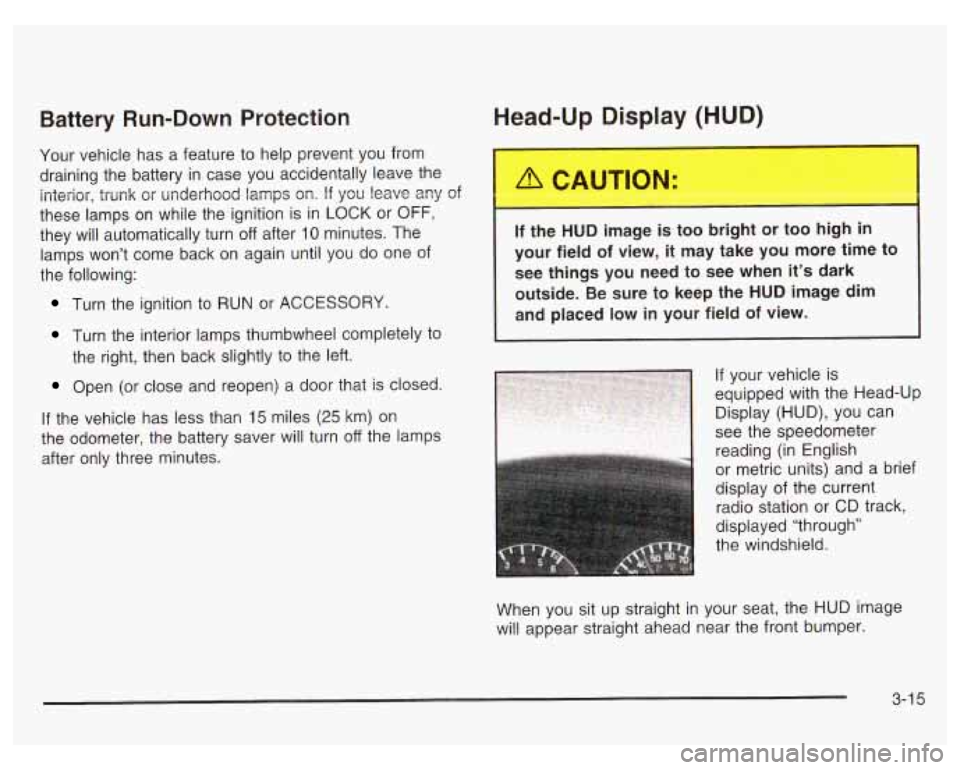
If your vehicle is
equipped with the Head-Up
Display (HUD), you can
1 see the speedometer
reading (in English
or metric units) and a brief
display of the current
radio station or CD track,
displayed “through”
the windshield.
When you sit up straight in your seat, the HUD image
will appear straight ahead near the front bumper.
3-1 5
Page 137 of 378

The HUD also shows the following lights when they are
lit on the instrument panel cluster:
Turn Signal Indicators
High-Beam Indicator Symbol
Low Fuel Symbol
The HUD will display CHECK GAGES when the
following items are lit on the instrument panel cluster:
Oil Warning Symbol
Coolant Temperature Symbol
Charging System Symbol
When the ignition key is turned to RUN, the entire HUD
image will come on. Then the Head-Up Display will
operate normally.
Notice: Although the HUD image appears to be
near the front
of the vehicle, do not use it as
a parking aid. The
HUD was not designed for that
purpose.
If you try to use it as such, you may
misjudge the distance and damage your vehicle.
When the HUD is on, the speedometer reading will be
displayed continually. The current radio station
or
CD track number will only be displayed for three
seconds after the radio or CD track status changes.
This will happen whenever one of the radio controls is
pressed, either on the radio itself or on the optional
steering wheel controls. To
adjust the HUD
so you can see it properly do the
following:
1. Adjust your seat, if necessary, to a comfortable
position.
2. Start the engine and adjust the HUD controls
located on the instrument panel, to the right
of
the steering wheel. Move the DIM thumbwheel up
or down to adjust brightness.
3-1 6
Page 139 of 378
If You Can’t See the HUD Image When
the Ignition
Is On
Is anything covering the HUD unit?
Is the HUD dimmer setting bright enough?
Is the HUD image adjusted to the proper height?
Still no HUD image? Check the fuse in the
instrument panel fuse block. See Fuses and
Circuit
Breakers on page 5-97.
If the HUD Image Is Not Clear
Is the HUD image too bright?
Are the windshield and HUD lens clean?
The windshield is part of the HUD system.
If you ever
need a new windshield, be sure to get one designed for
HUD.
If you don’t, the HUD image may look blurred
and out of focus.
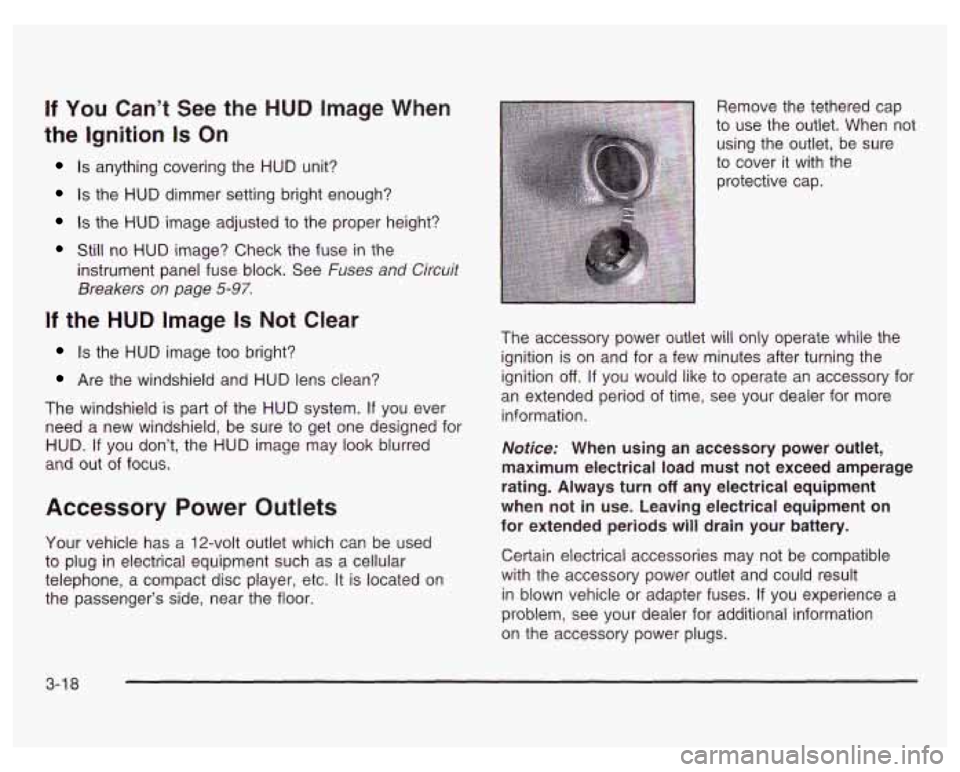
Accessory Power Outlets
Your vehicle has a 12-volt outlet which can be used
to plug in electrical equipment such as a cellular
telephone, a compact disc player, etc. It is located on
the passenger’s side, near the floor. Remove the tethered cap
to use the outlet. When not
using the outlet, be sure
to cover it with the
protective cap.
The accessory power outlet will only operate while the
ignition is on and for a few minutes after turning the
ignition
off. If you would like to operate an accessory for
an extended period of time, see your dealer for more
information.
Notice: When using an accessory power outlet,
maximum electrical load must not exceed amperage
rating. Always turn
off any electrical equipment
when not in use. Leaving electrical equipment on
for extended periods will drain your battery.
Certain electrical accessories may not be compatible
with the accessory power outlet and could result
in blown vehicle or adapter fuses.
If you experience a
problem, see your dealer for additional information
on the accessory power plugs.
3-1 8
Page 143 of 378
Rear Window Defogger
The rear window defogger uses a warming grid to
remove fog or frost from the rear window.
The rear window defogger will only work when the
ignition is in
RUN.
REAR: Press this button to turn the rear window
defogger on or
off. When this button is pressed an
indicator light above the button will come on to show that
the rear window defogger is active. The instrument
brightness control may have to be adjusted to the
highest setting during the daytime in order to see the
indicator light.
Be sure to clear as much snow from the rear window
as possible.
The rear window defogger will turn
off approximately
15 minutes after the button is pressed. If turned on
again, the defogger will only run for approximately seven
and one-half minutes before turning
off. The defogger
can also be turned
off by pressing the button again or by
turning
off the engine.
Notice: Don’t use a razor blade or something else
sharp on the inside of the rear window.
If you
do, you could cut or damage the defogger and the
repairs would not be covered by your warranty.
Do not attach a temporary vehicle license, tape, a
decal or anything similar to the defogger grid.
3-22
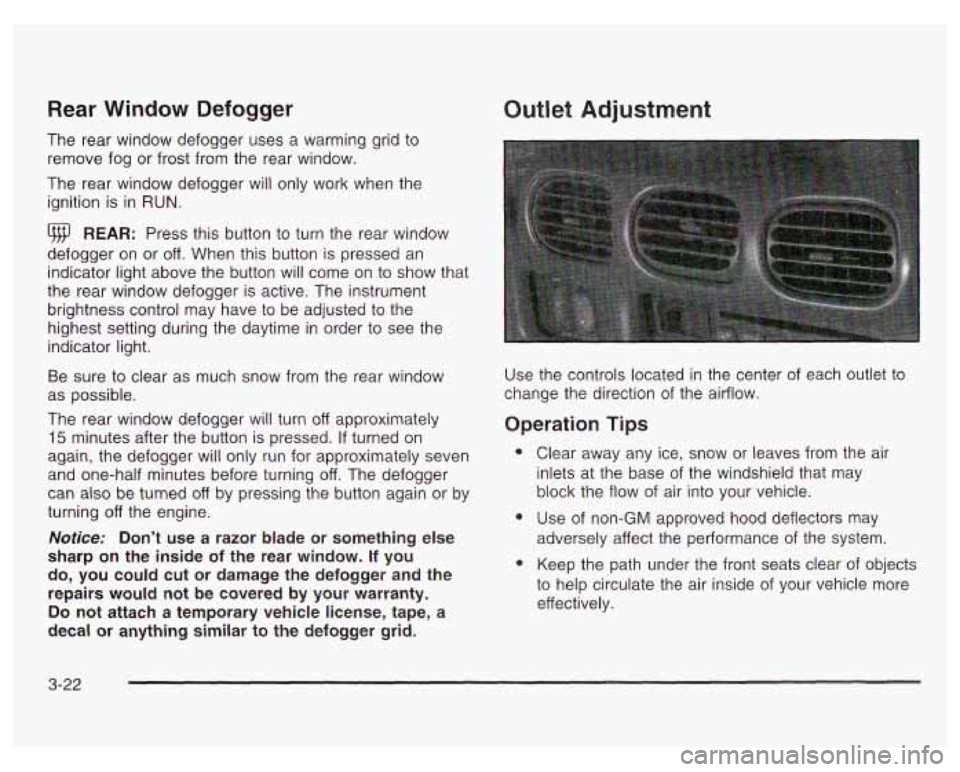
Outlet Adjustment
Use the controls located in the center of each outlet to
change the direction
of the airflow.
Operation Tips
e
e
Clear away any ice, snow or leaves from the air
inlets at the base of the windshield that may
block the flow of air into your vehicle.
Use of non-GM approved hood deflectors
may
adversely affect the performance of the system.
Keep the path under the front seats clear of objects
to help circulate the air inside
of your vehicle more
effectively.
Page 148 of 378
If the air bag readiness light stays on after you start the
vehicle or comes on when you are driving, your air
bag system may not work properly. Have your vehicle
serviced right away.
If the air bag reai.---less light
s 1s on after you
start your vehicle,
it means the air bag system
may not be working properly. The air bags
in
your vehicle may not inflate in a crash, or they
could even inflate without a crash. To help
avoid injury to yourself or others, have your
vehicle serviced right away if the air bag readiness light stays on after you start
your vehicle.
The air bag readiness light should flash for a few
seconds when you turn the ignition key to
RUN. If the
light doesn’t come on then, have
it fixed so it will
be ready to warn you
if there is a problem.
Charging System Light
The
charging system
light will come on briefly
when you turn on the
ignition as a check to
show you it’s working.
Then it will go out.
If it stays on, or comes on while you are driving, you
may have a problem with the electrical charging system.
It could indicate that you have a loose drive belt or
another electrical problem. Have
it checked right away.
Driving while this light is on could drain your battery.
If you must drive a short distance with the light on,
be certain to turn
off all your accessories, such as the
radio and air conditioner.
3-27
Page 149 of 378
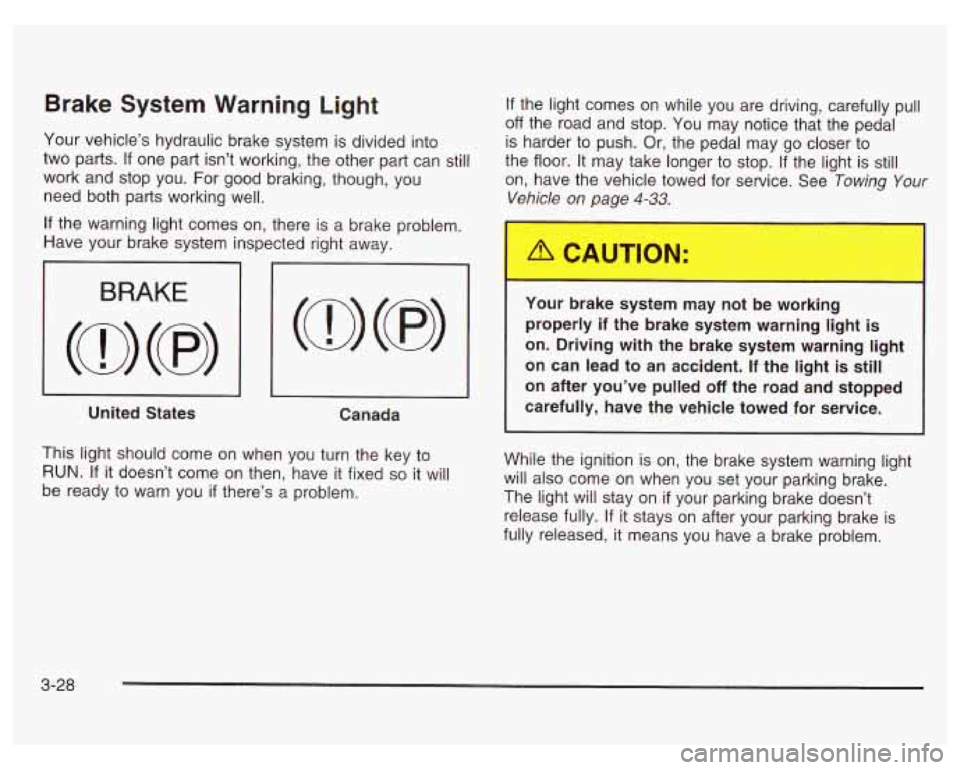
Brake System Warning Light
Your vehicle’s hydraulic brake system is divided into
two parts.
If one part isn’t working, the other part can still
work and stop you. For good braking, though, you
need both parts working well.
If the light comes on while you are driving, carefully pull
off the road and stop. You may notice that the pedal
is harder to push. Or, the pedal may go closer to
the floor. It may take longer to stop.
If the light is still
on, have the vehicle towed for service. See Towing
Your
Vehicle on page 4-33.
If the warning light comes on, there is a brake problem.
Have your brake system inspected right away.
I 3 I I
United States
Canada
This light should come on when you turn the key to
RUN. If it doesn’t come on then, have it fixed so it will
be ready to warn you
if there’s a problem.
Your oraKe system may not be working
properly
if the brake system warning light is
on. Driving with the brake system warning light
on can lead to an accident. If the light is still
on after you’ve pulled off the road and stopped
carefully, have the vehicle towed for service.
While the ignition is on, the brake system warning light
will also come on when you set your parking brake.
The light will stay on
if your parking brake doesn’t
release fully. If it stays on after your parking brake is
fully released, it means you have a brake problem.
3-28
Page 150 of 378
Anti-Lock Brake System Warning Light
if your vehicle has the
optional anti-lock brake
system, this light will come
on when your engine is
started and may stay on
for several seconds.
That’s normal.
If the anti-lock brake system warning light stays on
longer than normal after you’ve started your engine, turn
the ignition
off. If the light comes on and stays on
while you’re driving, stop as soon as possible and turn
the ignition
off. Then start the engine again to reset
the system.
If the light still stays on, or comes on again
while you’re driving, your vehicle needs service.
If
the light is on and the regular brake system warning
light isn’t on, you still have brakes, but you don’t have
anti-lock brakes.
The anti-lock brake system warning light should come
on briefly when you turn the ignition key to
RUN. This is
normal.
If the light doesn’t come on then, have it
fixed
so it will be ready to warn you if there is a problem.
Traction Control System (TCS)
Warning Light
TCS
OFF
If your vehicle is
equipped with the 3800
supercharged V6 engine,
the traction control
system warning light
may come on for the
following reasons:
If you turn the system off by pressing the TCS
button located on the far right side of the trip
computer, the warning light will come on and stay
on. To turn the system back on, press the button
again. The warning light should go
off. See Traction
Control System (TCS) on page
4-10 for more
information.
@ If there’s a brake system problem that is specifically
related to traction control, the traction control
system will turn
off and the warning light will come
on. If your brakes begin to overheat, the traction
control system will turn
off and the warning light will
come on until your brakes cool down.
If the traction control system warning light comes on
and stays on for an extended period of time when the
system
is turned on, your vehicle needs service.
3-29
Page 151 of 378
Enhanced Traction System Warning
Light
TRAC
OFF
If your vehicle is equipped
with a
31 00 V6 or 3800 V6
engine and the optional
ABS brake system, the
Enhanced Traction System
warning light may come on
for the following reasons:
e
e
e
If you turn the system off by pressing the TRAC
button on the far right side of the Driver Information
Center or trip computer (if equipped), the warning
light will come on and stay on. To turn the system
back on, press the button again. The warning light
should go
off. See Enhanced Traction System (ETS)
on page 4-1 1 for more information.
If the Enhanced Traction System warning light
comes on and stays on for an extended period of
time while the system is turned on, your vehicle
needs service. Adjust your driving accordingly.
If the traction control system is affected by an
engine-related problem, the system will turn off and
the warning light will come on.
When this warning light is on, the system will not limit
wheel spin. Adjust your driving accordingly.
Low Traction Light
LOW
TRAC
If your vehicle has the
Enhanced Traction
System or the Traction
Control System, this light
will also come on while
the system is limiting
wheel spin.
You may feel or hear the system working, but this is
normal. Slippery road conditions may exist
if the
low traction light comes on,
so adjust your driving
accordingly. The light will stay on for a few seconds after
the Enhanced Traction System or the Traction Control
System stops limiting wheel spin. See Enhanced
Traction System
(ETS) on page 4-1 1 or Traction Control
System (TCS) on page
4- 10.
The low traction light also comes on briefly when you
turn the ignition key to RUN. If the light doesn’t come on
then, have it fixed so it will be there to tell you when
the Traction Control System or Enhanced Traction
System is active.
3-30
Page 153 of 378
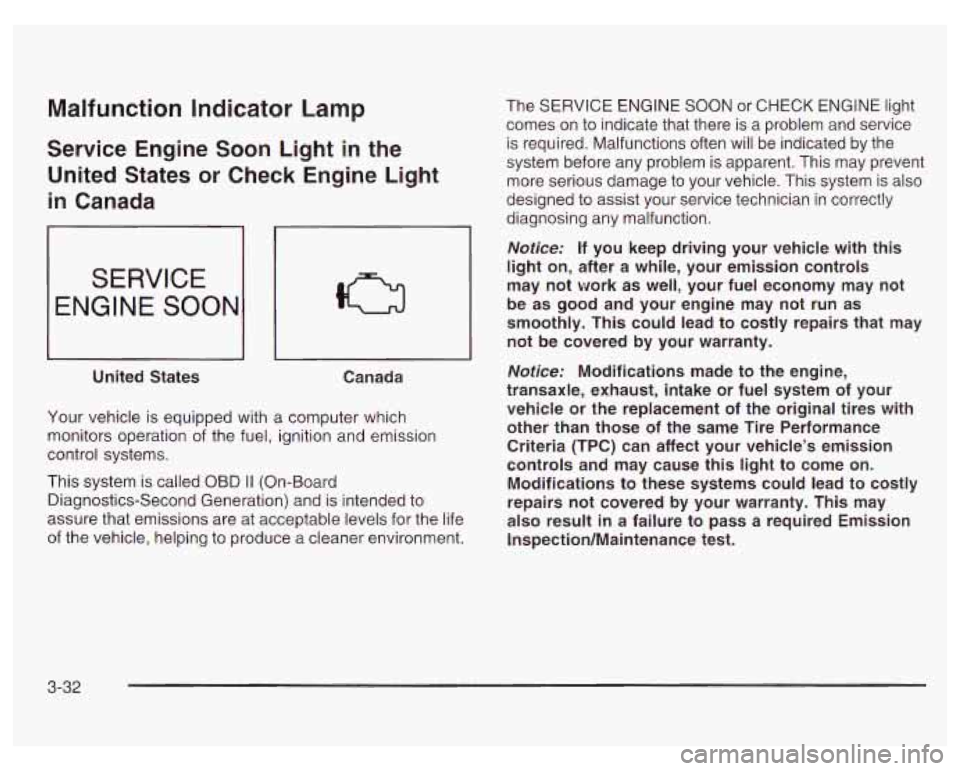
Malfunction indicator Lamp
Service Engine Soon Light in the
United States or Check Engine Light
in Canada
SERVICE
ENGINE SOON
United States
~~
Canada
Your vehicle is equipped with a computer which
monitors operation of the fuel, ignition and emission
control systems.
This system is called
OBD II (On-Board
Diagnostics-Second Generation) and is intended to
assure that emissions are at acceptable levels for the life
of the vehicle, helping to produce a cleaner environment. The SERVICE ENGINE SOON
or CHECK ENGINE
light
comes on to indicate that there is a problem and service
is required. Malfunctions often will be indicated by the
system before any problem is apparent. This may prevent
more serious damage
to your vehicle. This system is also
designed to assist your service technician in correctly
diagnosing any malfunction.
Notice: If you keep driving your vehicle with this
light
on, after a while, your emission controls
may not work as well, your fuel economy may not
be as good and your engine may not run as
smoothly. This could lead to costly repairs that may
not be covered by your warranty.
Notice: Modifications made to the engine,
transaxle, exhaust, intake or fuel system of your
vehicle or the replacement
of the original tires with
other than those
of the same Tire Performance
Criteria (TPC) can affect your vehicle’s emission
controls and may cause this light to come on.
Modifications to these systems could lead to costly
repairs not covered by your warranty. This may
also result
in a failure to pass a required Emission
Inspection/Maintenance test.
3-32