ignition PONTIAC GRAND PRIX 2003 Workshop Manual
[x] Cancel search | Manufacturer: PONTIAC, Model Year: 2003, Model line: GRAND PRIX, Model: PONTIAC GRAND PRIX 2003Pages: 378, PDF Size: 17.64 MB
Page 169 of 378
CLN (Clean): If this message appears on the display,
the cassette tape player needs to be cleaned. It will
still play tapes, but you should clean it as soon as
possible to prevent damage to the tapes and player.
See Care
of Your Cassette Tape Player on page 3-58.
If any error occurs repeatedly or if an error can’t be
corrected, contact your dealer. If your radio displays an
error number, write it down and provide it to your
dealer when reporting the problem.
CD Adapter Kits
It is possible to use a portable CD player adapter kit
with your cassette tape player after activating the bypass
feature on your tape player.
To activate the bypass feature, use the following steps:
1. Turn the ignition on.
2. Turn the radio off.
3. Press and hold TAPE/PLAY for three seconds.
The tape symbol on the display will flash for two
seconds, indicating the feature is active.
power up the radio and begin playing.
4. Insert the adapter into the cassette slot. It will
The override feature will remain active until EJECT is pressed.
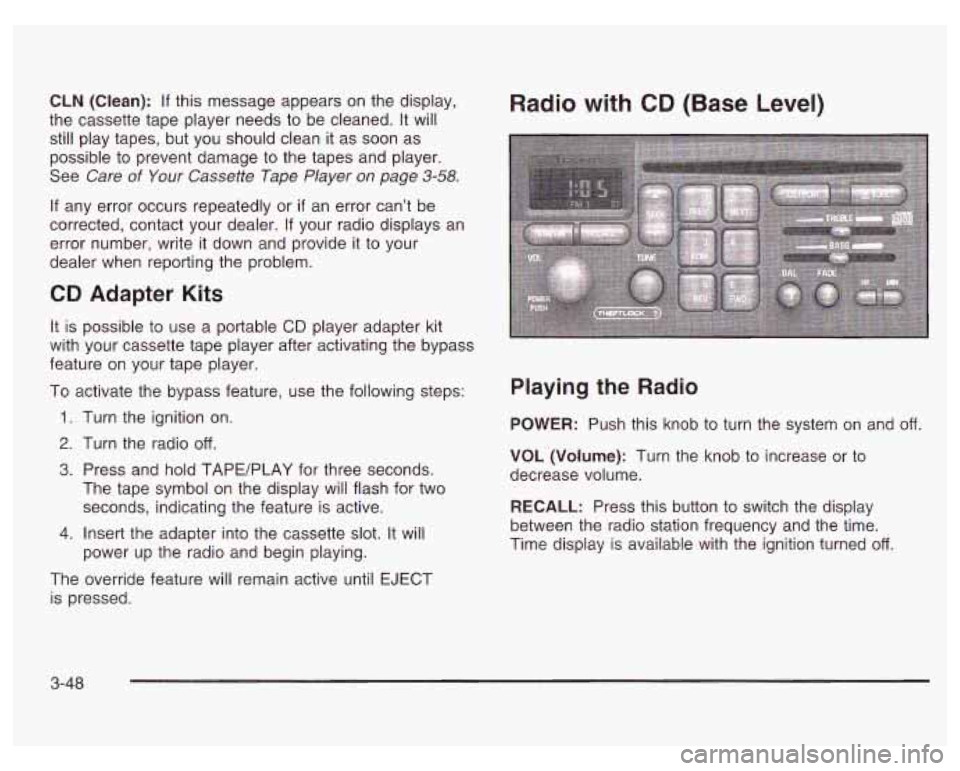
Radio with CD (Base Level)
Playing the Radio
POWER: Push this knob to turn the system on and off.
VOL (Volume): Turn the knob to increase or to
decrease volume.
RECALL: Press this button to switch the display
between the radio station frequency and the time.
Time display is available with the ignition turned
off.
3-48
Page 171 of 378
Playing a Compact Disc
Insert a disc partway into the slot, label side up.
The player will pull it in. The compact disc symbol will
appear on the display. If the ignition and the radio
are on, the disc will begin playing. CD will appear on
the display next to the compact disc symbol.
If you want
to insert a disc when the ignition is
off, first press the
EJECT button.
The integral CD player can play the smaller
8 cm single
discs with an adapter ring. Full-size compact discs
and the smaller discs are loaded in the same manner.
If an error appears on the display, see “Compact
Disc Messages” later in this section.
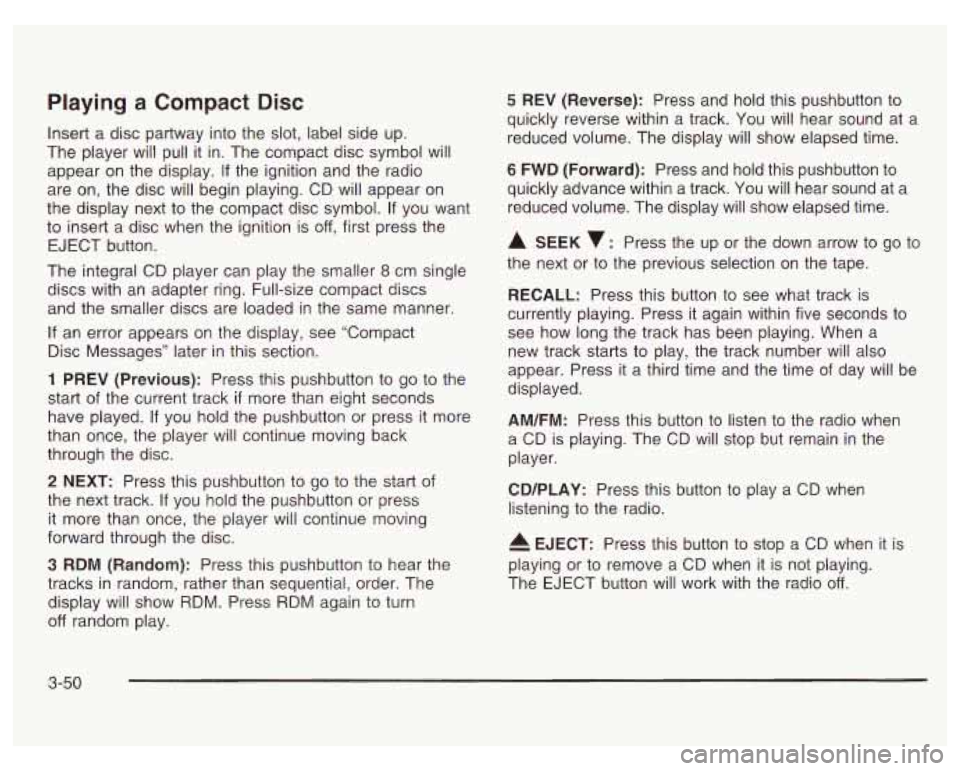
1 PREV (Previous): Press this pushbutton to go to the
start
of the current track if more than eight seconds
have played.
If you hold the pushbutton or press it more
than once, the player will continue moving back
through the disc.
2 NEXT: Press this pushbutton to go to the start of
the next track.
If you hold the pushbutton or press
it more than once, the player will continue moving
forward through the disc.
3 RDM (Random): Press this pushbutton to hear the
tracks in random, rather than sequential, order. The
display will show RDM. Press RDM again to turn
off random play.
5 REV (Reverse): Press and hold this pushbutton to
quickly reverse within a track. You will hear sound at a
reduced volume. The display will show elapsed time.
6 FWD (Forward): Press and hold this pushbutton to
quickly advance within a track. You wiil hear sound at a
reduced volume. The display will show elapsed time.
A SEEK v: Press the up or the down arrow to go to
the next or to the previous selection on the tape.
RECALL: Press this button to see what track is
currently playing. Press it again within five seconds
to
see how long the track has been playing. When a
new track starts
to play, the track number will also
appear. Press it
a third time and the time of day will be
displayed.
AM/FM: Press this button to listen to the radio when
a CD is playing. The CD will stop but remain in the
player.
CD/PLAY: Press this button to play a CD when
listening
to the radio.
4 EJECT: Press this button to stop a CD when it is
playing or
to remove a CD when it is not playing.
The EJECT button will work with the radio
off.
3-50
Page 172 of 378
Compact Disc Messages
E (Error): If this message and a number appears on
the radio display or
if the disc comes out, it could be for
one of the following reasons:
You’re driving on a very rough road. When the road
0 It’s very hot. When the temperature returns to
becomes smoother, the disc should play.
normal, the disc should play.
The disc is dirty, scratched, wet or upside down.
The air is very humid. If so, wait about an hour and
try again.
If the CD is not playing correctly, for any other reason,
try a known good CD.
If any error occurs repeatedly or if an error can’t be
corrected, contact your dealer.
If your radio displays an
error number, write it down and provide it to your
dealer when reporting the problem.
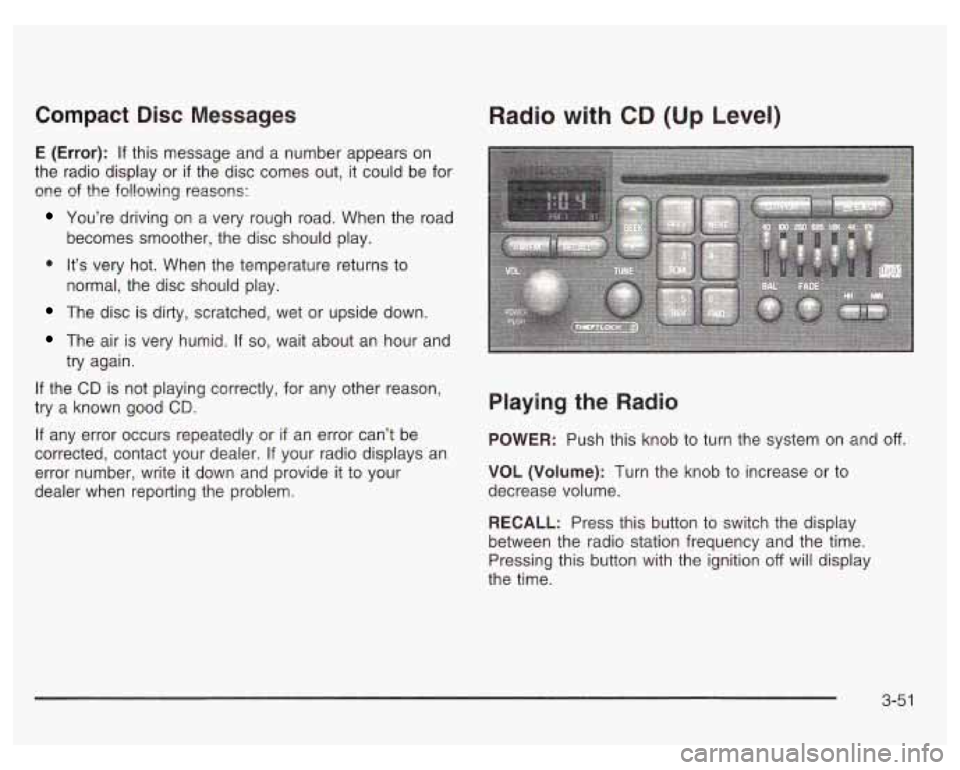
Radio with CD (Up Level)
Playing the Radio
POWER: Push this knob to turn the system on and off.
VOL (Volume): Turn the knob to increase or to
decrease volume.
RECALL: Press this button to switch the display
between the radio station frequency and the time.
Pressing this button with the ignition
off will display
the time.
3-5 1
Page 174 of 378
Playing a Compact Disc
Insert a disc partway into the slot, label side up. The
player will pull it in. The compact disc symbol will appear
on the display. If the ignition and the radio are on, the disc
will begin playing. CD will appear on the display next to
the compact disc symbol. If you want to insert a disc
when the ignition is
off, first press the EJECT button.
The integral CD player can play the smaller
8 cm single
discs. Full-size compact discs and the smaller discs
are loaded in the same manner.
If an error appears on the display, see “Compact Disc
Messages” later in this section.
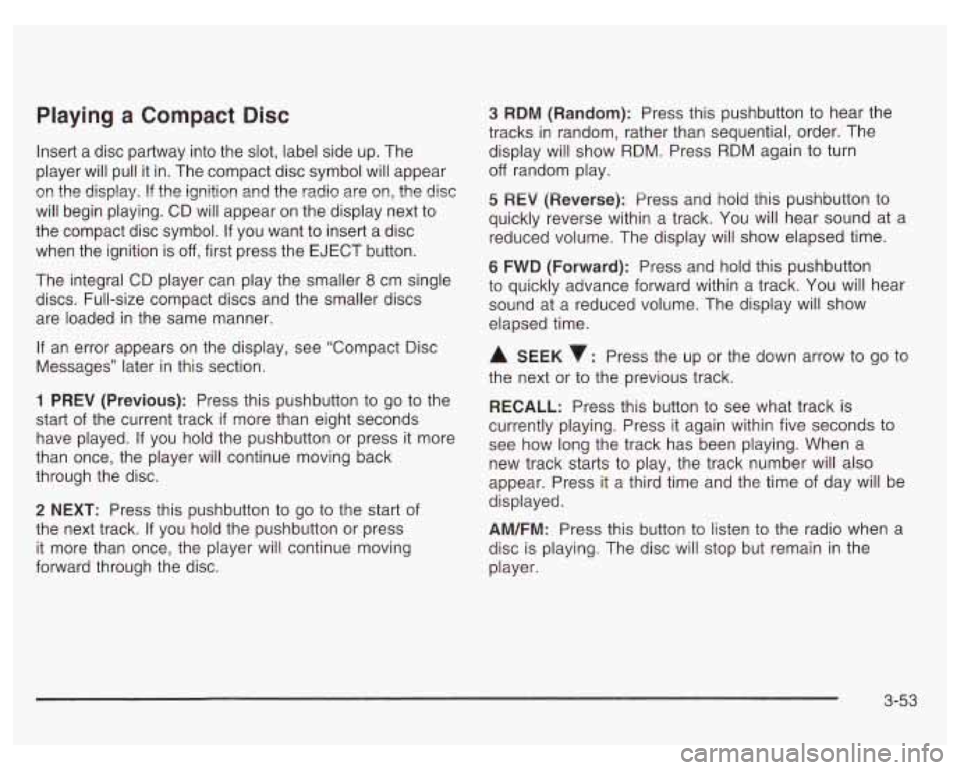
1 PREV (Previous): Press this pushbutton to go to the
start of the current track
if more than eight seconds
have played. If you hold the pushbutton or press it more
than once, the player will continue moving back
through the disc.
2 NEXT: Press this pushbutton to go to the start of
the next track.
If you hold the pushbutton or press
it more than once, the player will continue moving
forward through the disc.
3 RDM (Random): Press this pushbutton to hear the
tracks in random, rather than sequential, order. The
display will show RDM. Press RDM again to turn
off random play.
5 REV (Reversej: Press and hoid this pushbutton to
quickly reverse within a track. You will hear sound at a
reduced volume. The display will show elapsed time.
6 FWD (Forward): Press and hold this pushbutton
to quickly advance forward within a track. You will hear
sound at a reduced volume. The display will show
elapsed time.
A SEEK : Press the up or the down arrow to go to
the next or to the previous track.
RECALL: Press this button to see what track is
currently playing. Press it again within five seconds to
see how long the track has been playing. When
a
new track starts to play, the track number will also
appear. Press it a third time and the time of day will be
displayed.
AM/FM: Press this button to listen to the radio when a
disc is playing. The disc will stop but remain in the
player.
3-53
Page 176 of 378
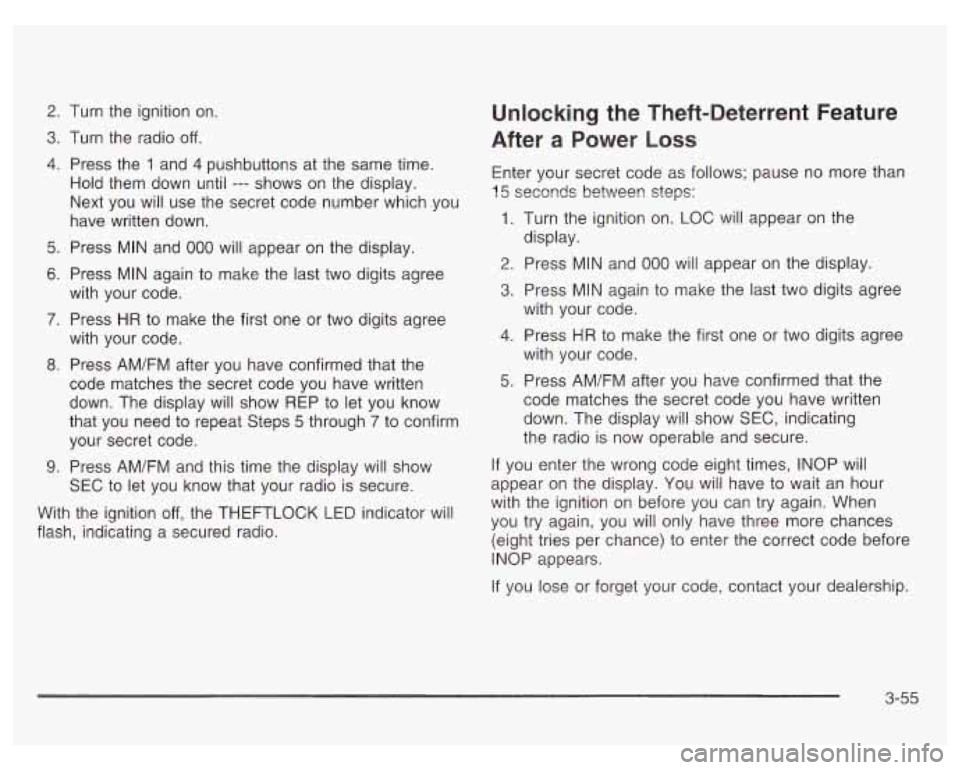
2.
3.
4.
5.
6.
7.
8.
9.
Turn the ignition on.
Turn the radio
off.
Press the 1 and 4 pushbuttons at the same time.
Hold them down until
--- shows on the display.
Next you will use the secret code number which you
have written down.
Press MIN and
000 will appear on the display.
Press MIN again
to make the last two digits agree
with your code.
Press
HR to make the first one or two digits agree
with your code.
Press AM/FM after you have confirmed that the
code matches the secret code you have written
down. The display will show REP to let you know
that you need to repeat Steps
5 through 7 to confirm
your secret code.
Press AM/FM and this time the disdav will show
Unlocking the Theft-Deterrent Feature
After
a Power Loss
Enter your secret code as follows; pause no more than
15 seconds betweer! steps:
1. Turn the ignition on. LOC will appear on the
2. Press MIN and 000 will appear on the display.
3. Press MIN again to make the last two digits agree
display.
with your code.
4. Press HR to
make the first one or two digits agree
with your code.
5. Press AM/FM after you have confirmed that the
code matches the secret code you have written
down. The display will show SEC, indicating
the radio is now operable and secure.
If you enter the wrong code eight times, INOP will
SEC to let you know that your radio
is secure. appear on the
display. You wilj have to wait an hour
I,
with the ignition on before you can try again. When
(eight tries per chance) to enter the correct code before
With the
ignition off, the THEFTLOCK LED indicator will you try again, you only have three chances
flash, indicating a secured radio.
INOP appears.
If you lose or forget your code, contact your dealership.
3-55
Page 177 of 378
Disabling the Theft-Deterrent Feature
Enter your secret code as follows; pause no more than
15 seconds between steps:
1. Turn the ignition on.
2. Turn the radio off.
3. Press the 1 and 4 pushbuttons at the same time.
Hold them down until
SEC shows on the display.
4. Press MIN and 000 will appear on the display.
5. Press MIN again to make the last two digits agree
with your code.
6. Press HR to make the first one or two digits agree
with your code.
7. Press AM/FM after you have confirmed that the
code matches the secret code you have written
down. The display will show
---, indicating that the
radio is no longer secured.
If the code entered is incorrect,
SEC will appear on the
display. The radio will remain secured until the correct
code is entered.
When battery power is removed and later applied to
a
secured radio, the radio won’t turn on and LOC will
appear on the display.
To unlock a secured radio, see “Unlocking the
Theft-Deterrent Feature After a Power
Loss” earlier in
this section.
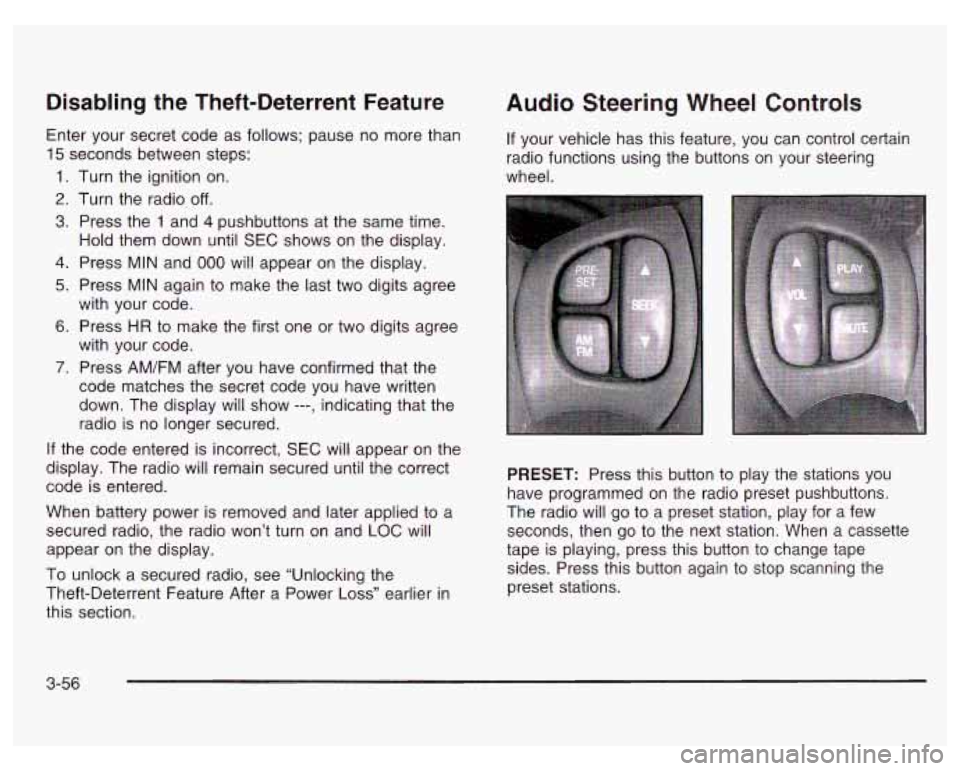
Audio Steering Wheel Controls
If your vehicle has this feature, you can control certain
radio functions using the buttons on your steering
wheel.
PRESET: Press this button to play the stations you
have programmed on the radio preset pushbuttons.
The radio will go to a preset station, play for a few
seconds, then go to the next station. When a cassette
tape is playing, press this button to change tape
sides. Press this button again to stop scanning the
preset stations.
3-56
Page 179 of 378
Care of Your Cassette Tape Player
A tape player that is not cleaned regularly can cause
reduced sound quality, ruined cassettes or a damaged
mechanism. Cassette tapes should be stored in their
cases away from contaminants, direct sunlight and
extreme heat.
If they aren’t, they may not operate
properly or may cause failure of the tape player.
Your tape player should be cleaned regularly after every
50 hours of use. Your radio may display CLN to
indicate that you have used your tape player for
50 hours without resetting the tape clean timer. If this
message appears on the display, your cassette
tape player needs to be cleaned. It will still play tapes,
but you should clean it as soon as possible to
prevent damage to your tapes and player. If you notice
a reduction in sound quality, try a known good
cassette to see
if the tape or the tape player is at fault.
If this other cassette has no improvement in sound
quality, clean the tape player.
For best results, use a scrubbing action, non-abrasive
cleaning cassette with pads which scrub the tape
head as the hubs of the cleaner cassette turn. The
recommended cleaning cassette is available through
your dealership. The
cut tape detection feature of your cassette tape
player may identify the cleaning cassette tape as
a damaged tape,
in error. To prevent the cleaning
cassette from being ejected, use the following steps:
1.
2.
3.
4.
5.
Turn the ignition on.
Turn the radio
off.
Press and hold the TAPE/PLAY button for five
seconds. The tape symbol on the display will
flash for two seconds.
Insert the scrubbing action cleaning cassette.
Eject the cleaning cassette after the manufacturer’s
recommended cleaning time.
After the cleaning cassette is ejected, the cut tape
detection feature will be active again.
You may also choose a non-scrubbing action, wet-type
cleaner which uses a cassette with a fabric belt to
clean the tape head. This type of cleaning cassette will
not eject on its own. A non-scrubbing action cleaner
may not clean as thoroughly as the scrubbing type
cleaner. The use of a non-scrubbing action, dry-type
cleaning cassette is not recommended.
After you clean the player, press and hold EJECT for
five seconds to reset the CLN indicator. The radio
will display
--- to show the indicator was reset.
3-58
Page 207 of 378
If you drive regularly in steep country, or if you’re
planning to visit there, here are some tips that can make
your trips safer and more enjoyable.
Keep your vehicle in good shape. Check all fluid
levels and also the brakes, tires, cooling system
and transaxle. These parts can work hard on
mountain roads. Coasting downhill in NEUTRAL (N) or with the
ignition
off is dangerous. Your brakes will have
to
do all the work of slowing down. They could
Know how to go down hills. The most important
thing to know is this: let your engine do some of
the slowing down. Shift to a lower gear when you go
down a steep or long hill.
your engine running and your vehicle in gear
get
so hot
that they wouldn’t work well. You
would then have poor braking or even none
going down a
hill. You could crash. Always have
when you go downhill.
.. you don’t shi-- Aown, your -_ -._es co - ,et
so hot that they wouldn’t work well. You would
then have poor braking or even none going
down a
hill. You could crash. Shift down to let
your engine assist your brakes on
a steep
downhill slope.
Know how to go uphill. You may want to shift down to
a lower gear. The lower gears help cool your engine
and transaxle, and you can climb the hill better.
Stay in your own lane when driving on two-lane
roads in hills or mountains. Don’t swing wide or cut
across the center of the road. Drive at speeds that let
you stay in your own lane.
As you go over the top of a hill, be alert. There could
be something in your lane, like a stalled car or an
accident.
You may see highway signs on mountains that warn of special problems. Examples are long grades,
passing or no-passing zones, a falling rocks area or
winding roads. Be alert to these and take appropriate
action.
4-26
Page 248 of 378
When to Change Engine Oil (GM Oil
Life SystemTM)
Your vehicle has a computer system that lets you know
when to change the engine
oil and filter. This is
based on engine revolutions and engine temperature,
and not on mileage. Based on driving conditions,
the mileage at which an oil change will be indicated
can vary considerably. For the oil life system to
work properly, you must reset the system every time
the oil is changed.
When the system has calculated that oil life has been
diminished, it will indicate that an oil change is
necessary.
A CHANGE OIL SOON light will come on.
Change your
oil as soon as possible within the next two
times you stop for fuel.
It is possible that, if you are
driving under the best conditions, the oil life system may
not indicate that an oil change is necessary for over a
year. However, your engine oil and filter must be
changed at least once a year and at this time the system
must be reset. It is also important to check your oil
regularly and keep it at the proper level.
If the system is ever reset accidentally, you must
change your oil at
3,000 miles (5 000 km) since your
last oil change. Remember
to reset the oil life system
whenever the oil is changed.
How to Reset the GM Oil Life System
The GM Oil Life SystemTM calculates when to change
your engine oil and filter based on vehicle use. Anytime
your oil is changed, reset the system
so it can calculate
when the next oil change is required.
If a situation occurs
where you change your oil prior to a CHANGE
OIL SOON
light being turned on, reset the system.
To reset the GM Oil Life SystemTM after the oil has
been changed, use one of the following two procedures:
Using the Driver Information Center (DIC)
1.
2.
3.
With the ignition key in RUN but the engine off, fully
push and release the accelerator pedal slowly three
times within five seconds.
If the CHANGE OIL SOON light flashes, the system
is resetting.
Turn the key to OFF after the light stops flashing,
then start the vehicle.
If the CHANGE OIL SOON light comes back on, the
engine oil life monitor has not reset. Repeat the
procedure.
Using the Trip Computer (If Equipped)
1. Press the MODE button until the light appears lit
2. Press and hold the RESET button for three seconds.
next to
OIL LIFE.
The
oil life percentage should change to 100%.
5-23
Page 277 of 378
Replacing Brake System Parts
The braking system on a vehicle is complex. Its many
parts have to be of top quality and work well together
if
the vehicle is to have really good braking. Your
vehicle was designed and tested with top-quality
GM
brake parts. When you replace parts of your braking
system
- for example, when your brake linings
wear down and you need new ones put in
- be sure
you get new approved
GM replacement parts. If
you don’t, your brakes may no longer work properly.
For example,
if someone puts in brake linings that are
wrong for your vehicle, the balance between your
front and rear brakes can change
- for the worse.
The braking performance you’ve come to expect can
change in many other ways
if someone puts in the
wrong replacement brake parts.
Battery
Your new vehicle comes with a maintenance free
ACDelco@ battery. When it’s time for a new battery, get
one that has the replacement number shown on the
original battery’s label. We recommend an ACDelco@
battery. See Engine Compartment Overview on
page
5- 12 for battery location.
Warning: Battery posts, terminals and related
accessories contain lead and lead compounds,
chemicals known to the State of California to cause
cancer and reproductive harm. Wash hands after
handling.
If your battery has a very low charge or is dead, you
may not be able to remove the ignition key from
the ignition switch or shift out of Park (P). Refer to
Shifting Out of Park
(P) on page 2-30.
5-52