ignition PONTIAC GRAND PRIX 2003 Service Manual
[x] Cancel search | Manufacturer: PONTIAC, Model Year: 2003, Model line: GRAND PRIX, Model: PONTIAC GRAND PRIX 2003Pages: 378, PDF Size: 17.64 MB
Page 154 of 378
This light should come on, as a check to show you it is
working, when the ignition is on and the engine is
not running. If the light doesn’t come on, have it
repaired. This light will also come on during a
malfunction in one of two ways:
Light Flashing - A misfire condition has been
detected. A misfire increases vehicle emissions
and may damage the emission control system on
your vehicle. Dealer or qualified service center
diagnosis and service may be required.
0 Light On Steady - An emission control system
malfunction has been detected on your vehicle.
Dealer or qualified service center diagnosis
and service may be required.
If the Light Is Flashing
The following may prevent more serious damage to
your vehicle:
0 Reducing vehicle speed.
0 Avoiding hard accelerations.
Avoiding steep uphill grades.
0 If you are towing a trailer, reduce the amount of
cargo being hauled as soon as it is possible. If
the light stops flashing and remains on steady,
see “If the Light
Is On Steady” following.
If the light continues to flash, when
it is safe to do so,
stop the vehicle. Find a safe place to park your vehicle.
Turn the key
off, wait at least 10 seconds and restart the
engine. If the light remains on steady, see
“If the Light Is
On Steady” following. If the light is still flashing, follow the
previous steps, and drive the vehicle
to your dealer or
qualified service center for service.
If the Light Is On Steady
You may be able to correct the emission system
malfunction by considering the following:
Did you recently put fuel into your vehicle?
If so, reinstall the fuel cap, making sure to fully install
the cap. See Filling
Your Tank on page 5-7. The
diagnostic system can determine
if the fuel cap has
been left
off or improperly installed. A loose or missing
fuel cap will allow fuel
to evaporate into the atmosphere.
A few driving trips with the cap properly installed
should turn the light
off.
Did you just drive through a deep puddle of water?
If
so, your electrical system may be wet. The condition
will usually be corrected when the electrical system
dries out. A few driving trips should turn the light
off.
3-33
Page 156 of 378
Oil Pressure Light
United States
kPa
I I
Canada
the ignition to RUN. If it doesn’t come on with the
ignition on, you may have a problem with the fuse or
bulb. Have it fixed right away.
0 If you make a hard stop, the light may come on for
a moment. This is normal.
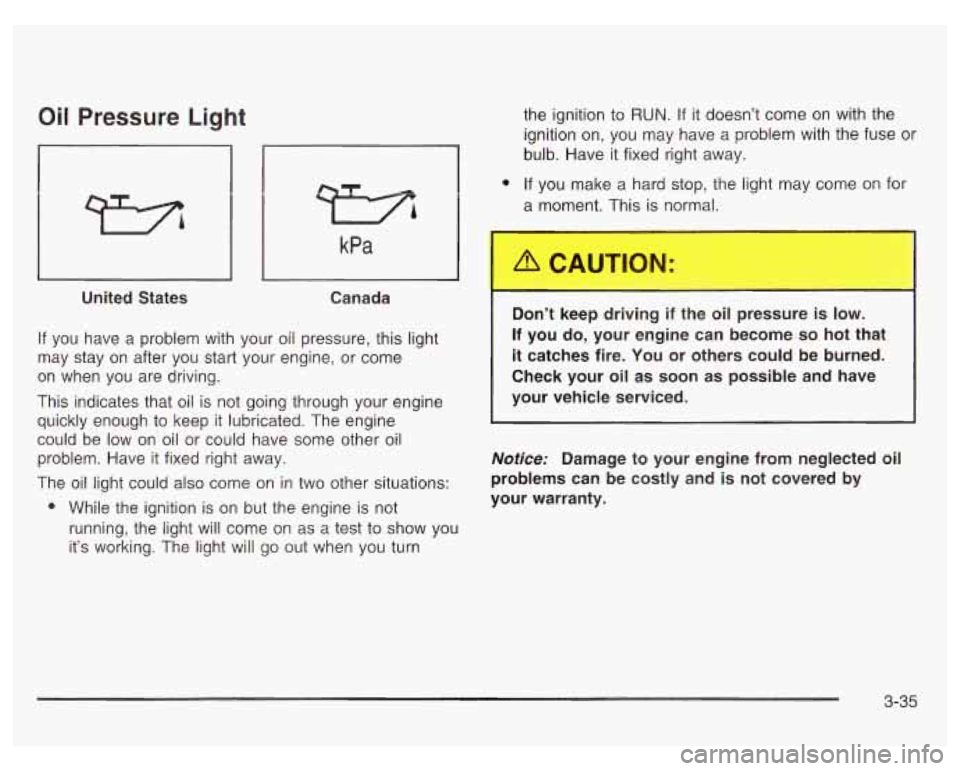
If you have a problem with your oil pressure, this light
may stay on after you start your engine, or come
on when you are driving.
This indicates that oil is not going through your engine
quickly enough to keep it lubricated. The engine
could be low on oil or could have some other oil
problem. Have it fixed right away.
The oil light could also come on in two other situations:
0 While the ignition is on but the engine is not
running, the light
will come on as a test to show you
it’s working. The light will go out when you turn
.
Do keep driving if the oi , ressure is low.
If you do, your engine can become so hot that
it catches fire. You or others could be burned.
Check your oil as soon
as possible and have
your vehicle serviced.
Notice: Damage to your engine from neglected oil
problems can be costly and is not covered by
your warranty.
3-35
Page 157 of 378
Low Oil Level Light
LOW OIL
LEVEL
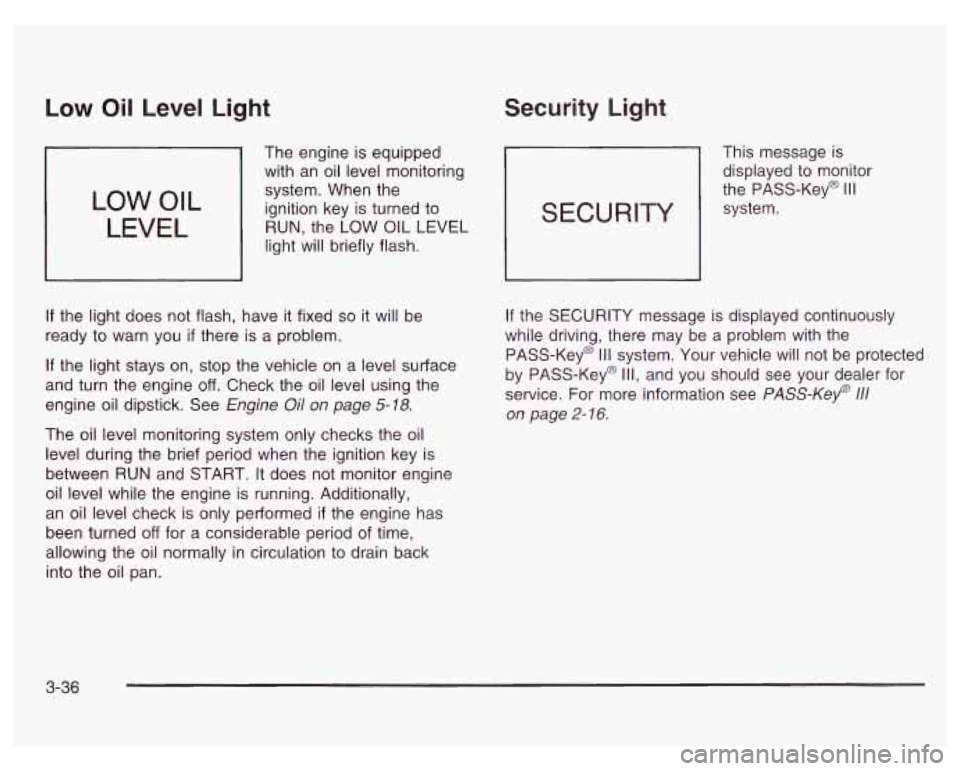
The engine is equipped
with an oil level monitoring
system. When the
ignition key is turned to
RUN, the LOW
OIL LEVEL
light will briefly flash.
If the light does not flash, have it fixed so it will be
ready to warn you
if there is a problem.
If the light stays on, stop the vehicle on a level surface
and turn the engine
off. Check the oil level using the
engine oil dipstick. See Engine
Oil on page 5-18.
The oil level monitoring system only checks the oil
level during the brief period when the ignition key is
between
RUN and START. It does not monitor engine
oil level while the engine is running. Additionally,
an oil level check is only performed
if the engine has
been turned
off for a considerable period of time,
allowing the oil normally in circulation to drain back
into the oil pan.
Security Light
This message is
displayed to monitor
the PASS-Key@
Ill
system. SECURITY
If the SECURITY message is displayed continuously
while driving, there may be a problem with the
PASS-Key@
Ill system. Your vehicle will not be protected
by PASS-Key@
Ill, and you should see your dealer for
service. For more information see
PASS-Key 111
on page 2- 16.
3-36
Page 158 of 378
Fuel Gage
United States Canada
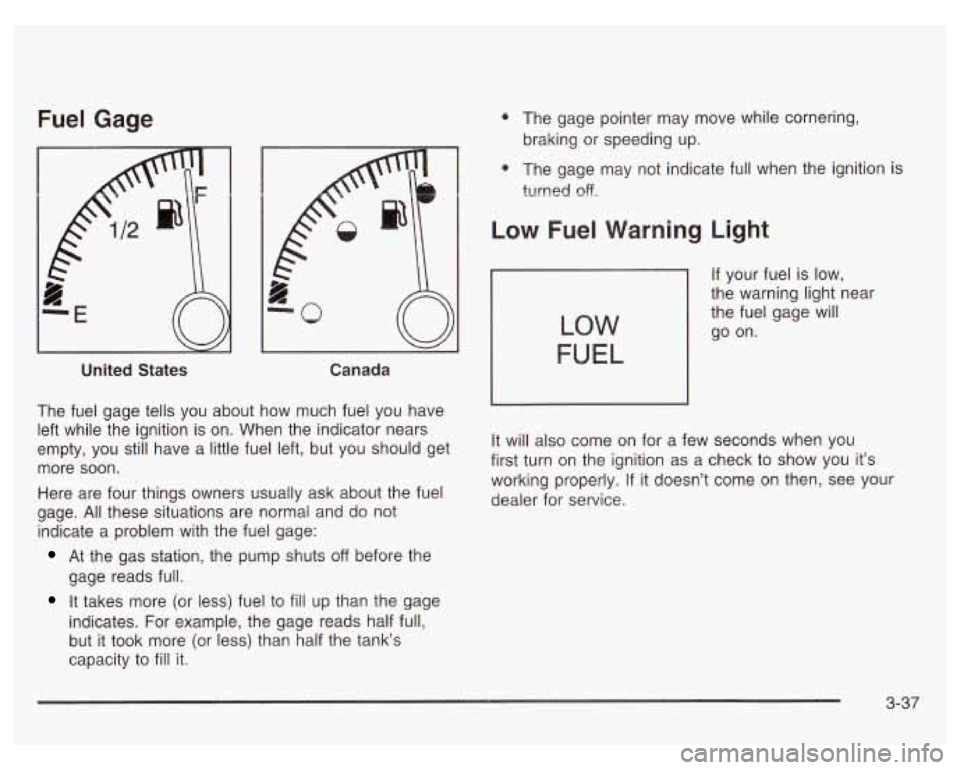
The fuel gage tells you about how much fuel you have
left while the ignition is on. When the indicator nears
empty, you still have a little fuel left, but you should get
more soon.
Here are four things owners usually ask about the fuel
gage.
All these situations are normal and do not
indicate a problem with the fuel gage:
At the gas station, the pump shuts off before the
gage reads full.
It takes more (or less) fuel to fill up than the gage
indicates. For example, the gage reads half full,
but it took more (or less) than half the tank‘s
capacity to
fill it.
0 The gage pointer may move while cornering,
braking or speeding up.
0 The gage may not indicate full when the ignition i?
turned off.
Low Fuel Warning Light
If your fuel is low,
the warning light near
the fuel gage will
go on.
LOW
FUEL
It will also come on for a few seconds when you
first turn on the ignition as a check to show you it’s
working properly.
If it doesn’t come on then, see your
dealer for service.
3-37
Page 160 of 378

The Driver Information Center (DIC) gives you important
safety and maintenance facts. When you turn the
ignition on, all of the DIC lights illuminate for a few
seconds. After this, the DIC will begin working.
Functions
__ (Door Ajar): If one of the doors is ajar, this light
will appear next to that door on the vehicle outline.
CHANGE OIL SOON: This light will appear when the
system indicates that it’s time for an oil change. The
system predicts remaining oil life using data from length
of drives, coolant temperature, engine rpm and
vehicle speed. It alerts you to change the oil on a
schedule consistent with the vehicle’s driving conditions.
After changing the oil, the system must be reset. See
How to Reset the GM
Oil Life SystemTM under
Engine
Oil on page 5- 18.
e LOW: This light will come on when the ignition is
on and the fluid in the washer fluid container is low.
AJAR: This light alerts you that the trunk is not
fully closed.
LOW TRAC (Low Traction): If your vehicle is equipped
with anti-lock brakes, this light will come on when the
enhanced traction system is limiting wheel spin. See Enhanced Traction System (ETS) on page 4-
I I or
Low Traction Light on page 3-30.
TRAC OFF (Traction Off): If your vehicle is equipped
with anti-lock brakes, this light lets you know that
the enhanced traction system has been disabled and
will not limit wheel spin. See Enhanced Traction System
Warning Light
on page 3-30 or Low Traction Light on
page 3-30.
TRAC (Traction): If the vehicle has anti-lock brakes
and the enhanced traction system, you will have a
disable button on the far right side of the DIC.
The enhanced traction system is automatically activated
when you turn the ignition on. This button will
activate/deactivate the system. If you need to disable
the system, such
as when you are stuck and are rocking
the vehicle back and forth, push this button. See If
You Are Stuck: in Sand, Mud, Ice or Snow on
page 4-32.
3-39
Page 163 of 378

Control Buttons
The trip computer has three buttons that control its
functions.
ENG/MET (English/Metric): Press this button to
change the display from English
to metric units or metric
to English.
RESET: Press this button for two seconds to reset the
mode displayed.
MODE: Press this button to change the function mode,
(Fuel Used, AVG ECON, OIL LIFE, RANGE) being
displayed.
OIL LIFE: This shows a percentage of the engine’s oil
remaining useful life. The system predicts remaining
oil life using data from length of drives, coolant
temperature, engine rpm and vehicle speed. Each time
you get an oil change, be sure to reset this function
so that it will give you an accurate percentage. See
“How to Reset the GM Oil Life System” under Engine
Oil on page
5-18.
RANGE: This mode shows how much farther you can
travel with the fuel you have remaining in the gas
tank before refueling. When the range displays
L, for
40 to
50 miles (64.36 to 80.45 km), the display will flash
LOW continuously. The range is calculated from the
AVG ECON value multiplied by the fuel remaining in
the tank.
Functions
LOW: This light will come on the vehicle outline when
FUEL USED: This mode shows the total amount of fuel the ignition is on and the fluid in the washer fluid
used since you last reset it. The amount can be container is low.
displayed in gallons or liters.
AVG ECON (Average Economy): This mode shows
the average fuel economy since you last reset
it.
3-42
Page 164 of 378
DOOR AJAR: If one of the doors is left ajar, a light will
appear next to that door on the vehicle outline.
BOOST GAGE: If you have the 3800 V6 supercharged
engine, this gage will show the amount
of boost the
engine is receiving.
TRUNK AJAR: If the trunk is not fully closed, the trunk
area will light up on the vehicle outline.
LOW TRAC (Low Traction): This light will come on
when the enhanced traction system (3100 or 3800
V6 engine) or the traction control system (3800
supercharged V6 engine) is limiting wheel spin.
See Traction Control System (TCS)
on page 4- IO,
Enhanced Traction System (ETS) on page 4- 1 I
and Low Traction Light on page 3-30.
TRAC OFF (Traction Off) or TCS OFF (Traction
Control System
Off): This light lets you know that the
enhanced traction system (31
00 or 3800 V6 engine) or the
traction control system (3800 supercharged
V6 engine) has been disabled and will not limit wheel
spin. See Traction Control System (TCS) Warning Light
on page 3-29, Enhanced Traction System Warning Light
on page 3=30 and Low Trxti=n Light a1 page 3-38.
TRAC (Traction) or TCS (Traction Control
System):
If the vehicle has the enhanced traction
system (3100 or 3800 V6 engine) or the traction control
system (3800 supercharged V6 engine), you will
have a disable button on the far right side of the trip
computer. The enhanced traction system and traction
control system are automatically activated when you turn
the ignition on. This button will activate/deactivate the
system.
If you need to disable the system, such as when
you are stuck and are rocking the vehicle back and
forth, push this button. See If
You Are Stuck: In Sand,
Mud, Ice or Snow on page 4-32.
3-43
Page 165 of 378
Audio System(s) Your vehicle may have a feature called Retained
Accessory Power (RAP). With RAP, you can play your
audio system even after the ignition is turned
off.
See “Retained Accessory Power (RAP)” under Ignition
Positions on
page 2- 19.
Notice: Before you add any sound equipment to
your vehicle
- like a tape player, CB radio, mobile
telephone or two-way radio
- be sure you can
add what you want. If you can, it’s very important to
do
it properly. Added sound equipment may Setting the Time
interfere with the operation of your vehicle’s engine,
Delphi Electronics radio or other systems, and
Press RECALL, then press and hold HR or MIN for two
even damage them. Your vehicle’s systems may seconds. Then press and hold HR until the correct
interfere with the operation of sound equipment that hour appears on the display. AM or PM will also appear.
has been added improperly. Press and hold MIN until the correct minute appears ~~
So, before adding sound equipment, check with
your dealer and be sure to check federal rules
covering mobile radio and telephone units.
Your audio system has been designed to operate easily
and to give years
of listening pleasure. You will get the
most enjoyment out of it
if you acquaint yourself with it
first. Find out what your audio system can do and how to
operate all
of its controls to be sure you’re getting the
most out
of the advanced engineering that went into it. on
the display. The time can only be set with the
ignition
off.
3-44
Page 166 of 378
Radio with Cassette
Playing the Radio
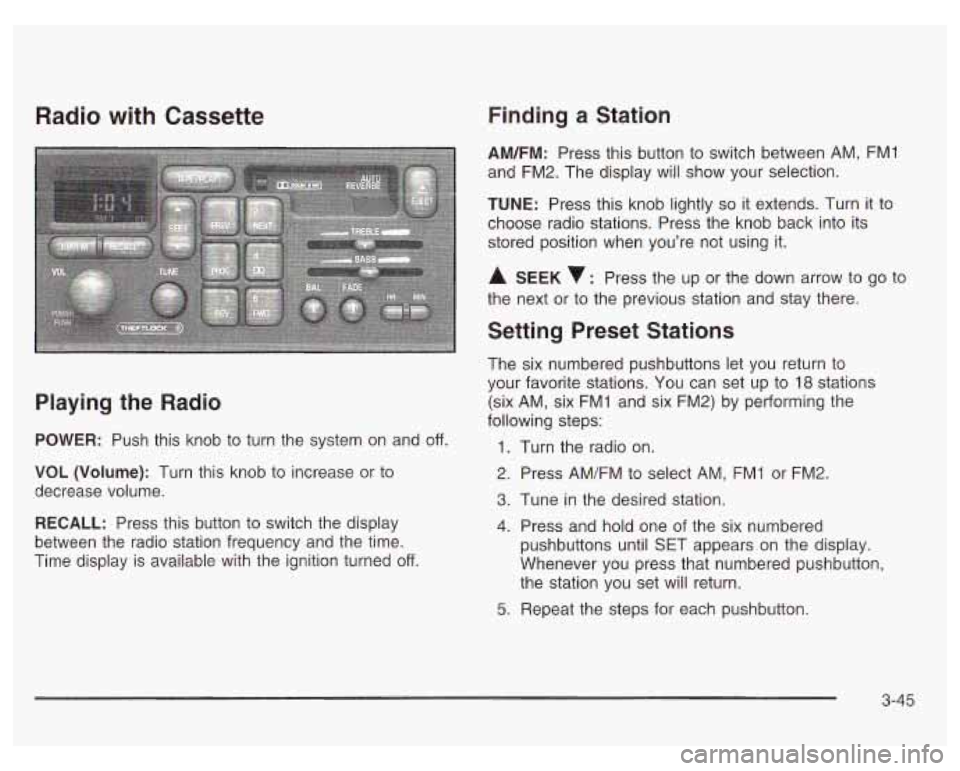
POWER: Push this knob to turn the system on and off.
VOL (Volume): Turn this knob to increase or to
decrease volume.
RECALL: Press this button to switch the display
between the radio station frequency and the time.
Time display is available with the ignition turned
off.
Finding a Station
AM/FM: Press this button to switch between AM, FMI
and FM2. The display will show your selection.
TUNE: Press this knob lightly so it extends. Turn it to
choose radio stations. Press the knob back into its
stored position when you’re not using it.
A SEEK : Press the up or the down arrow to go to
the next or to the previous station and stay there.
Setting Preset Stations
The six numbered pushbuttons let you return to
your favorite stations. You can set up to
18 stations
(six AM, six FMI and six FM2) by performing the
following steps:
1.
2.
3.
4.
5.
Turn the radio on.
Press AM/FM to select AM, FMI or FM2.
Tune
in the desired station.
Press and hold one of the six numbered
pushbuttons until SET appears on the display.
Whenever you press that numbered pushbutton,
the station you set will return.
Repeat the steps for each pushbutton.
3-45
Page 168 of 378
4 00 (Dolby): Press this pushbutton to reduce
background noise. The double-D symbol will appear
on the display.
Dolby Noise Reduction is manufactured under a
license from Dolby Laboratories Licensing Corporation.
Dolby and the double-D symbol are trademarks
of
Dolby Laboratories Licensing Corporation.
5 REV (Reverse): Press this pushbutton to reverse the
tape rapidly. Press it again to return to playing speed.
The radio will play while the tape reverses. You
may select stations during reverse operation using
SEEK or TUNE.
6 FWD (Forward): Press this pushbutton to advance
quickly. Press the pushbutton again to return to playing
speed. The radio will play while the tape advances.
You may select stations during forward operation using
SEEK or TUNE.
A SEEK : Press the up or the down arrow to seek
to the next or to the previous selection on the tape.
AM/FM: Press this button to listen to the radio when a
tape
is playing.
TAPE/PLAY: Press this button to change to playing a
tape when listening to the radio. The tape symbol
with an arrow will appear on the display while the tape
is active.
A EJECT: Press this button to stop a tape when it is
playing and to remove a tape when it is not playing.
The eject button may be activated with either the ignition
or radio
off. Cassettes may be loaded with the radio
and ignition
off if this button is pressed first.
Cassette Tape Messages
E (Error): If this message and a number appears while
trying to play a cassette tape, it could be one of the
following:
0 ElO: The tape is tight and the player can’t turn the
tape hubs. Remove the tape. Hold the tape with
the open end down and try to turn the right
hub counterclockwise with a pencil. Turn the tape
over and repeat. If the hubs do not turn easily, your
tape may be damaged and should not be used in
the player. Try a new tape to make sure your player
is working properly.
El 1 : The tape is broken. Try a new tape.
0 E14: Wrapped tape. Try a new tape.
3-47