Date PONTIAC GRAND PRIX 2004 Owners Manual
[x] Cancel search | Manufacturer: PONTIAC, Model Year: 2004, Model line: GRAND PRIX, Model: PONTIAC GRAND PRIX 2004Pages: 432, PDF Size: 2.99 MB
Page 150 of 432

Press the trip odometer button again to access TRIP A.
Press the trip odometer button again to access TRIP B.
To reset the trip odometer(s) back to zero miles or
kilometers, access the trip you want to reset and press
the set/reset button.
The trip odometer has a feature called the retro-active
reset. This can be used to set the trip odometer to the
number of miles or kilometers driven since the ignition
was last turned on. This can be used if you forget to reset
your trip odometer at the beginning of the trip.
To use the retro-active reset feature, press and hold the
set/reset button for at least three seconds. The trip
odometer will display the number of miles or kilometers
driven since the ignition was last turned on and you
began driving. Once you begin driving, the trip odometer
will accumulate mileage. For example, if you have
driven 5.0 miles (8.0 km) since you started the vehicle,
and then activate the reto-active reset feature, the
display will show 5.0 miles (8.0 km) since you started
your vehicle. As you drive, the display will then increase
to 5.1 miles (8.2 km), 5.2 miles (8.4 km), etc.
If the retro-active reset feature is activated after the
vehicle is started, but before it begins moving, the
display will show the number of miles or kilometers
that were driven during the last ignition cycle.
Press the trip odometer button again to access the
odometer.Set/Reset
r(Set/Reset):Press this button to set or reset a
menu item when using the trip odometer or options
buttons.
Options
4(Options):Press this button to access the
Date, Language, Display Units, Daytime Display
Enhancements, Engine Oil Monitor System, Tire In¯ation
Monitor System and Personal Programming modes.
Date:This menu lets you select the date. The time
is set through the radio. See
Setting the Time on
page 3-88for more information. To set the date use
the following procedure:
1. Press the options button until the date is displayed
on the DIC.
2. Press the set/reset button to scroll to the second
position in the year, releasing the button when the
correct digit appears.
3. Press the set/reset button to advance to the ®rst
position in the year, releasing the button when the
correct digit appears.
3-46
Page 152 of 432

ENGINE OIL MONITOR SYSTEM:This menu lets you
reset the engine oil monitor system for the vehicle.
See ªWhen to Change Engine Oil (GM Oil LIfe System)º
under
Engine Oil on page 5-16.
To reset the engine oil monitor system use the following
procedure:
1. Press the set/reset button after an oil change to
reset the engine oil monitor system. The
con®rmation, ENGINE OIL MONITOR HAS BEEN
RESET, will appear on the next screen.
2. Press the options button again to advance to the
next screen.
Tire In¯ation Monitor System:If the vehicle has ABS,
this menu lets you set the tire in¯ation monitor system.
See ªTire In¯ation Monitor Systemº under
In¯ation ± Tire
Pressure on page 5-69for more information.
To set or reset the tire in¯ation monitor system, use the
following procedure:
1. Press the set/reset button to reset the tire in¯ation
monitor system.TIRE INFLATION HAS BEEN SET
will appear on the next screen to con®rm this
system has been set.
2. Press the options button again to advance to the
next screen.
Select the set/reset button to return to the main (date)
screen.PERSONAL PROGRAMMING MODE:This menu
lets you customize the time the exterior and interior
lamps are left on, and, when the automatic door locks
are activated after the vehicle is turned off and the doors
are closed. These adjustments can only be made
while the vehicle is in PARK (P). Press the set/reset
button to display the ®rst screen.
Personal Programming Mode Screens
Press the options button to access these modes:
EXTERIOR LIGHTING DELAY:This screen lets you
turn this feature off, or lets you select the number
of seconds the headlamps, sidelamps and taillamps, fog
lamps and back-up lamps are turned on after the key
is removed from the ignition or the vehicle is unlocked
using the remote keyless entry transmitter.
If OFF is selected, the exterior lamps will not turn on.
If a time delay is selected, the lamps will turn on
(for the time selected), when the key is removed from
the ignition, or when the vehicle is unlocked using
the remote keyless entry transmitter.
To program this mode use the following procedure:
1. Press and release the set/reset button to scroll to
the selection you want to program. Choose from
OFF or 15, 30, 60 or 90 seconds.
2. Press the options button again to advance to the
next screen.
3-48
Page 158 of 432

OIL LIFE REMAINING:Press the gage button until OIL
LIFE REMAINING is displayed. This screen indicates
the percentage of oil life in the vehicle's engine that has
not degraded. If the screen indicates 99% OIL LIFE
REMAINING, this means that 99 percent of the current
oil life remains. When the oil life drops below ®ve
percent, the CHANGE OIL SOON message will appear
on the display. The engine oil should be changed
within 200 miles. Be sure to keep a record of the
mileage and date of the oil change so you will have it
for future reference.
Never drive the vehicle more than 10,000 miles
(16 000 km) or 12 months (whichever comes ®rst)
without an oil change.
After the oil has been changed in the vehicle, reset the
ENGINE OIL MONITOR screen in the options menu.
Press the gages button again to advance to the
next screen.TRANSMISSION FLUID TEMP:This screen displays
this message along with the temperature (FÉ or CÉ)
of the transmission ¯uid.
Press the gages button again to advance to the next
screen.
BATTERY:This screen displays the amount of volts
the battery is generating.
Press the gages button again to advance to the next
screen.
ENGINE HOURS:This screen shows the number of
cumulative hours the engine has operated while the key
was in the RUN position. This screen cannot be reset.
Press the gages button to scroll to the next screen.
ENGINE BOOST:If the vehicle has the supercharged
engine, this screen will appear. It shows a graphic
that indicates the amount of boost the engine is
receiving.
Press the gages button again to scroll to the next
screen.
3-54
Page 160 of 432
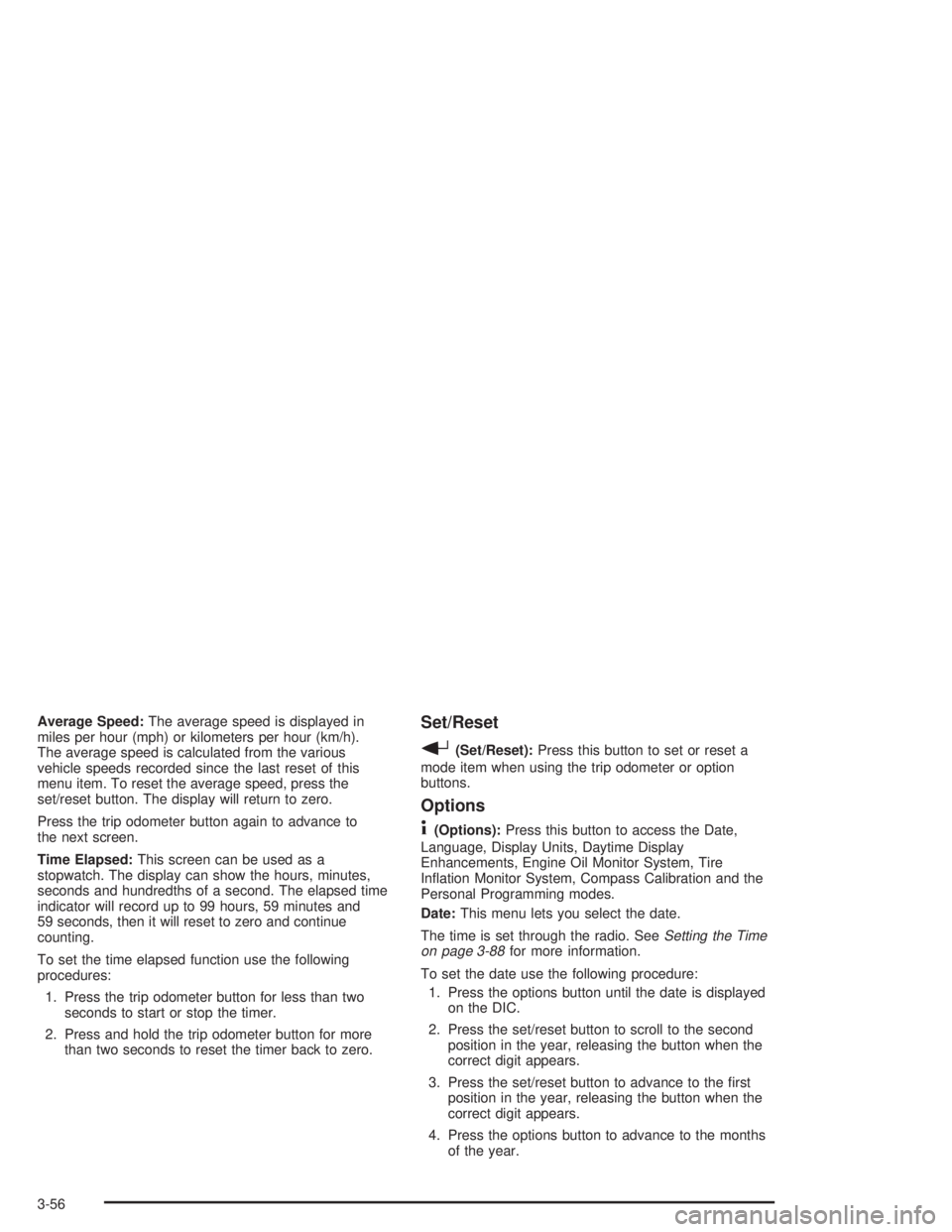
Average Speed:The average speed is displayed in
miles per hour (mph) or kilometers per hour (km/h).
The average speed is calculated from the various
vehicle speeds recorded since the last reset of this
menu item. To reset the average speed, press the
set/reset button. The display will return to zero.
Press the trip odometer button again to advance to
the next screen.
Time Elapsed:This screen can be used as a
stopwatch. The display can show the hours, minutes,
seconds and hundredths of a second. The elapsed time
indicator will record up to 99 hours, 59 minutes and
59 seconds, then it will reset to zero and continue
counting.
To set the time elapsed function use the following
procedures:
1. Press the trip odometer button for less than two
seconds to start or stop the timer.
2. Press and hold the trip odometer button for more
than two seconds to reset the timer back to zero.Set/Reset
r(Set/Reset):Press this button to set or reset a
mode item when using the trip odometer or option
buttons.
Options
4(Options):Press this button to access the Date,
Language, Display Units, Daytime Display
Enhancements, Engine Oil Monitor System, Tire
In¯ation Monitor System, Compass Calibration and the
Personal Programming modes.
Date:This menu lets you select the date.
The time is set through the radio. See
Setting the Time
on page 3-88for more information.
To set the date use the following procedure:
1. Press the options button until the date is displayed
on the DIC.
2. Press the set/reset button to scroll to the second
position in the year, releasing the button when the
correct digit appears.
3. Press the set/reset button to advance to the ®rst
position in the year, releasing the button when the
correct digit appears.
4. Press the options button to advance to the months
of the year.
3-56
Page 162 of 432

ENGINE OIL MONITOR SYSTEM:This menu lets you
reset the engine oil monitor system for the vehicle.
See ªWhen to Change Engine Oil (GM Oil LIfe System)º
under
Engine Oil on page 5-16.
To reset the engine oil monitor system use the following
procedure:
1. Press the set/reset button to reset the engine oil
monitor system. The con®rmation, ENGINE OIL
MONITOR HAS BEEN RESET, will appear on the
next screen.
2. Press the options button again to advance to the
next screen.
Tire In¯ation Monitor System:If the vehicle has ABS,
this menu lets you set the tire in¯ation monitor system.
See ªTire In¯ation Monitor Systemº under
In¯ation ± Tire
Pressure on page 5-69for more information.
To set or reset the tire in¯ation monitor system use the
following procedures:
1. Press the set/reset button to reset the tire in¯ation
monitor system. TIRE INFLATION HAS BEEN SET
will appear on the next screen to con®rm this
system has been set.
2. Press the options button again to advance to the
next screen.
Select the set/reset button to return to the main
(date) screen.COMPASS CALIBRATION MODE:
Setting the Compass
The compass is self-calibrating, which eliminates the
need to manually set the compass.
However, under certain circumstances, such as during a
long distance cross-country trip, it will be necessary
to compensate for compass variance and reset the zone
through the DIC.
Compass variance is the difference between earth's
magnetic north and true geographic north. If not
adjusted to account for compass variance, the compass
in your vehicle could give you false readings.
In order to do this, you will have to set or calibrate the
compass to the variance zone in which you are located.
3-58
Page 192 of 432

Audio System(s)
Notice:Before you add any sound equipment to
your vehicle ± like a tape player, CB radio, mobile
telephone or two-way radio ± be sure you can
add what you want. If you can, it's very important
to do it properly. Added sound equipment may
interfere with the operation of your vehicle's engine,
radio or other systems, and even damage them.
Your vehicle's systems may interfere with the
operation of sound equipment that has been added
improperly.
So, before adding sound equipment, check with
your dealer and be sure to check federal rules
covering mobile radio and telephone units.
Your audio system has been designed to operate easily
and to give years of listening pleasure. You will get
the most enjoyment out of it if you acquaint yourself with
it ®rst. Figure out which radio you have in your vehicle,
®nd out what your audio system can do and how to
operate all of its controls to be sure you're getting the
most out of the advanced engineering that went into it.Your vehicle has a feature called Retained Accessory
Power (RAP). With RAP, you can play your audio
system even after the ignition is turned off. See
ªRetained Accessory Power (RAP)º underIgnition
Positions on page 2-18.
Setting the Time
Your radio may have a button marked with an H or HR to
represent hours and an M or MIN to represent minutes.
Press and hold the hour button until the correct hour
appears on the display. AM will also appear for morning
hours. Press and hold the minute button until the
correct minute appears on the display. The time may be
set with the ignition on or off.
To synchronize the time with an FM station broadcasting
Radio Data System (RDS) information, press and hold
the hour and minute buttons at the same time until
UPDATED appears on the display. If the time is not
available from the station, NO UPDATE will appear on
the display.
3-88
Page 200 of 432
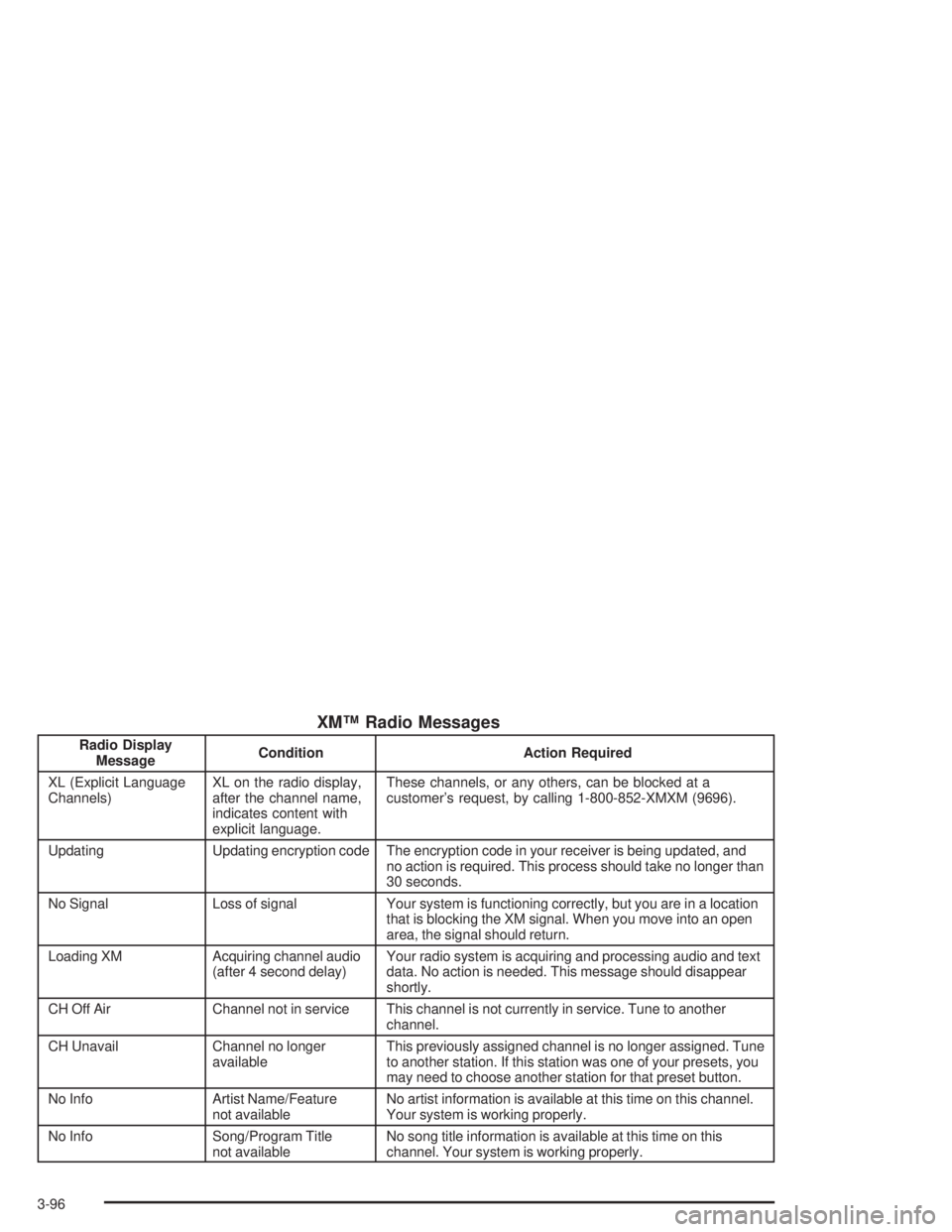
XMŸ Radio Messages
Radio Display
MessageCondition Action Required
XL (Explicit Language
Channels)XL on the radio display,
after the channel name,
indicates content with
explicit language.These channels, or any others, can be blocked at a
customer's request, by calling 1-800-852-XMXM (9696).
Updating Updating encryption code The encryption code in your receiver is being updated, and
no action is required. This process should take no longer than
30 seconds.
No Signal Loss of signal Your system is functioning correctly, but you are in a location
that is blocking the XM signal. When you move into an open
area, the signal should return.
Loading XM Acquiring channel audio
(after 4 second delay)Your radio system is acquiring and processing audio and text
data. No action is needed. This message should disappear
shortly.
CH Off Air Channel not in service This channel is not currently in service. Tune to another
channel.
CH Unavail Channel no longer
availableThis previously assigned channel is no longer assigned. Tune
to another station. If this station was one of your presets, you
may need to choose another station for that preset button.
No Info Artist Name/Feature
not availableNo artist information is available at this time on this channel.
Your system is working properly.
No Info Song/Program Title
not availableNo song title information is available at this time on this
channel. Your system is working properly.
3-96
Page 211 of 432
XMŸ Radio Messages
Radio Display
MessageCondition Action Required
XL (Explicit Language
Channels)XL on the radio display,
after the channel name,
indicates content with
explicit language.These channels, or any others, can be blocked at a
customer's request, by calling 1-800-852-XMXM (9696).
Updating Updating encryption code The encryption code in your receiver is being updated, and
no action is required. This process should take no longer
than 30 seconds.
No Signal Loss of signal Your system is functioning correctly, but you are in a location
that is blocking the XM signal. When you move into an open
area, the signal should return.
Loading XM Acquiring channel audio
(after 4 second delay)Your radio system is acquiring and processing audio and
text data. No action is needed. This message should
disappear shortly.
CH Off Air Channel not in service This channel is not currently in service. Tune to another
channel.
CH Unavail Channel no longer
availableThis previously assigned channel is no longer assigned.
Tune to another station. If this station was one of your
presets, you may need to choose another station for that
preset button.
No Info Artist Name/Feature
not availableNo artist information is available at this time on this channel.
Your system is working properly.
No Info Song/Program Title
not availableNo song title information is available at this time on this
channel. Your system is working properly.
3-107
Page 225 of 432
XMŸ Radio Messages
Radio Display
MessageCondition Action Required
XL (Explicit Language
Channels)XL on the radio display,
after the channel name,
indicates content with
explicit language.These channels, or any others, can be blocked at a
customer's request, by calling 1-800-852-XMXM (9696).
Updating Updating encryption code The encryption code in your receiver is being updated, and
no action is required. This process should take no longer
than 30 seconds.
No Signal Loss of signal Your system is functioning correctly, but you are in a location
that is blocking the XM signal. When you move into an open
area, the signal should return.
Loading XM Acquiring channel audio
(after 4 second delay)Your radio system is acquiring and processing audio and
text data. No action is needed. This message should
disappear shortly.
CH Off Air Channel not in service This channel is not currently in service. Tune to another
channel.
CH Unavail Channel no longer
availableThis previously assigned channel is no longer assigned.
Tune to another station. If this station was one of your
presets, you may need to choose another station for that
preset button.
No Info Artist Name/Feature
not availableNo artist information is available at this time on this channel.
Your system is working properly.
No Info Song/Program Title
not availableNo song title information is available at this time on this
channel. Your system is working properly.
3-121
Page 244 of 432
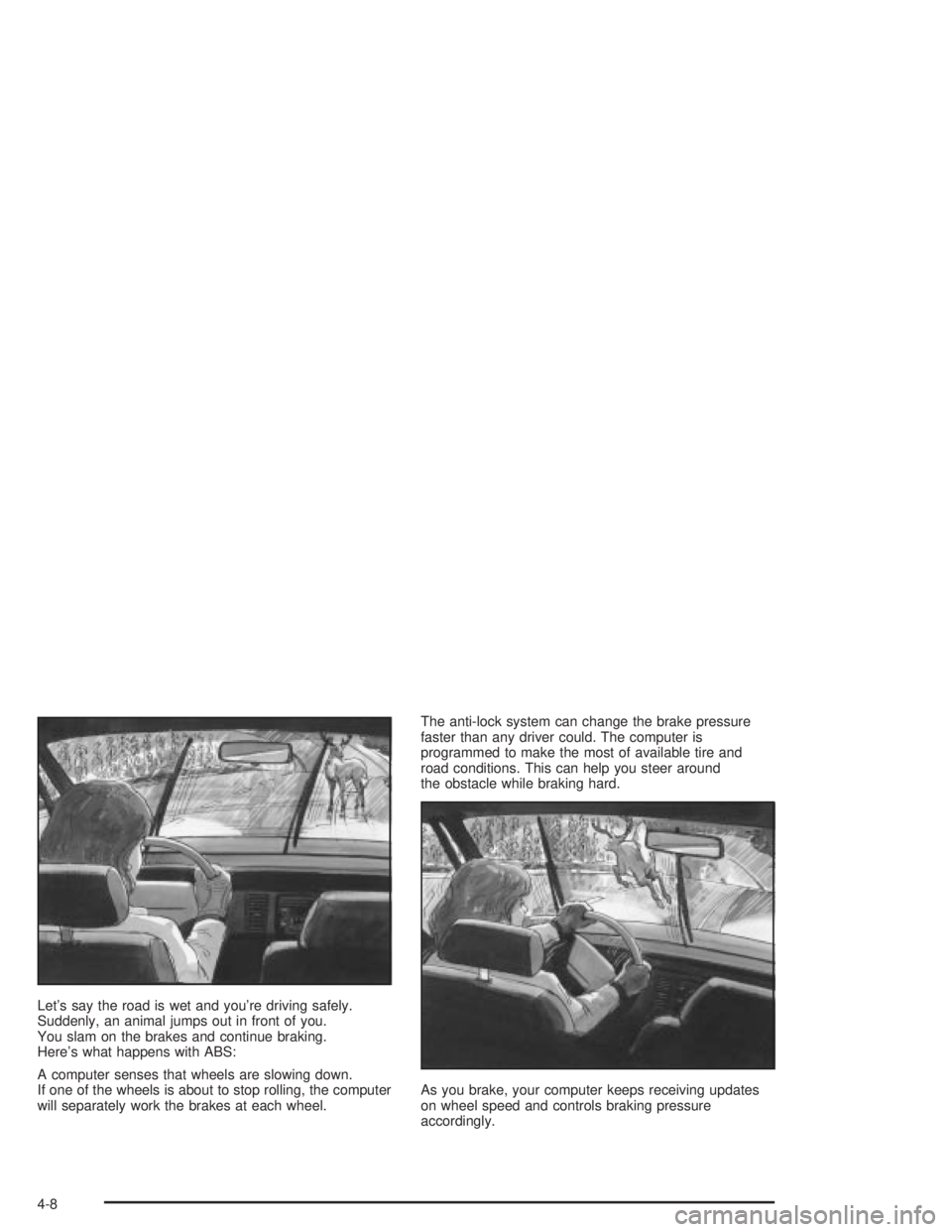
Let's say the road is wet and you're driving safely.
Suddenly, an animal jumps out in front of you.
You slam on the brakes and continue braking.
Here's what happens with ABS:
A computer senses that wheels are slowing down.
If one of the wheels is about to stop rolling, the computer
will separately work the brakes at each wheel.The anti-lock system can change the brake pressure
faster than any driver could. The computer is
programmed to make the most of available tire and
road conditions. This can help you steer around
the obstacle while braking hard.
As you brake, your computer keeps receiving updates
on wheel speed and controls braking pressure
accordingly.
4-8