automatic transmission PONTIAC GTO 2005 User Guide
[x] Cancel search | Manufacturer: PONTIAC, Model Year: 2005, Model line: GTO, Model: PONTIAC GTO 2005Pages: 318, PDF Size: 2.06 MB
Page 95 of 318

Instrument Panel Overview...............................3-4
Hazard Warning Flashers................................3-6
Other Warning Devices...................................3-6
Horn.............................................................3-6
Tilt Wheel.....................................................3-6
Turn Signal/Multifunction Lever.........................3-7
Turn and Lane-Change Signals........................3-8
Headlamp High/Low-Beam Changer..................3-8
Flash-to-Pass.................................................3-9
Windshield Wipers..........................................3-9
Windshield Washer.......................................3-10
Cruise Control..............................................3-10
Exterior Lamps.............................................3-13
Headlamps..................................................3-13
Daytime Running Lamps (DRL).......................3-14
Automatic Headlamp System..........................3-14
Fog Lamps..................................................3-15
Instrument Panel Brightness...........................3-15
Courtesy Lamps...........................................3-15
Dome Lamp.................................................3-16
Entry Lighting...............................................3-16
Front Reading Lamps....................................3-16
Trunk Lamp.................................................3-16
Battery Run-Down Protection..........................3-16
Accessory Power Outlets...............................3-17
Ashtrays and Cigarette Lighter........................3-18Climate Controls............................................3-19
Climate Control System.................................3-19
Outlet Adjustment.........................................3-21
Warning Lights, Gages, and Indicators............3-22
Instrument Panel Cluster................................3-23
Speedometer...............................................3-24
Tachometer.................................................3-24
Safety Belt Reminder Light.............................3-24
Airbag Readiness Light..................................3-25
Charging System Light..................................3-26
One-to-Four Shift Light
(Manual Transmission)...............................3-26
Brake System Warning Light..........................3-27
Anti-Lock Brake System Warning Light.............3-27
Engine Coolant Temperature Gage..................3-28
Malfunction Indicator Lamp.............................3-28
Security Light...............................................3-31
Fog Lamp Light............................................3-31
Highbeam On Light.......................................3-31
Daytime Running Lamps (DRL)
Indicator Light...........................................3-32
Fuel Gage...................................................3-32
Trip Computer................................................3-33
Section 3 Instrument Panel
3-1
Page 99 of 318
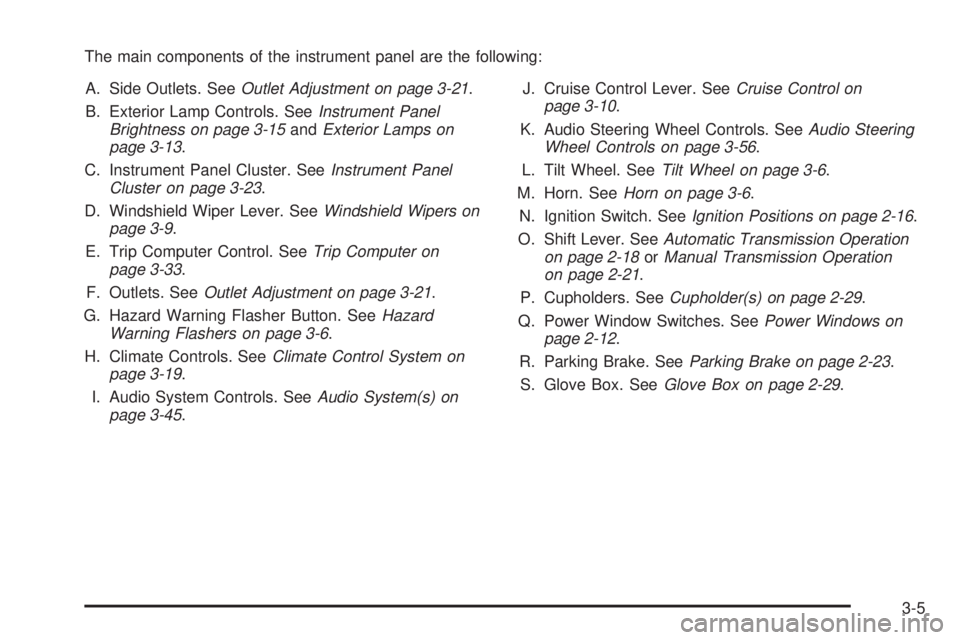
The main components of the instrument panel are the following:
A. Side Outlets. SeeOutlet Adjustment on page 3-21.
B. Exterior Lamp Controls. SeeInstrument Panel
Brightness on page 3-15andExterior Lamps on
page 3-13.
C. Instrument Panel Cluster. SeeInstrument Panel
Cluster on page 3-23.
D. Windshield Wiper Lever. SeeWindshield Wipers on
page 3-9.
E. Trip Computer Control. SeeTrip Computer on
page 3-33.
F. Outlets. SeeOutlet Adjustment on page 3-21.
G. Hazard Warning Flasher Button. SeeHazard
Warning Flashers on page 3-6.
H. Climate Controls. SeeClimate Control System on
page 3-19.
I. Audio System Controls. SeeAudio System(s) on
page 3-45.J. Cruise Control Lever. SeeCruise Control on
page 3-10.
K. Audio Steering Wheel Controls. SeeAudio Steering
Wheel Controls on page 3-56.
L. Tilt Wheel. SeeTilt Wheel on page 3-6.
M. Horn. SeeHorn on page 3-6.
N. Ignition Switch. SeeIgnition Positions on page 2-16.
O. Shift Lever. SeeAutomatic Transmission Operation
on page 2-18orManual Transmission Operation
on page 2-21.
P. Cupholders. SeeCupholder(s) on page 2-29.
Q. Power Window Switches. SeePower Windows on
page 2-12.
R. Parking Brake. SeeParking Brake on page 2-23.
S. Glove Box. SeeGlove Box on page 2-29.
3-5
Page 106 of 318

Pausing Cruise Control
To pause cruise control, press the brake pedal on either
an automatic or manual transmission, or the clutch
pedal on a manual transmission, or press the
ON-OFF/CANCEL switch once.
This deactivates the cruise control but retains the speed
in its memory. The CRUISE ACTIVE message and
cruise control symbol on the trip computer will turn off.
To regain the memory speed, momentarily turn the
lever up to the RES-ACCEL position, provided you are
travelling over 25 mph (40 km/h). Holding the lever
in the RES-ACCEL position for longer than one second
causes the vehicle to accelerate.
Passing Another Vehicle While Using
Cruise Control
Use the accelerator pedal to increase your speed.
When you take your foot off the pedal, your vehicle will
slow down to the cruise control speed you set earlier.
Using Cruise Control on Hills
How well your cruise control will work on hills depends
upon your speed, load, and the steepness of the
hills. When going up steep hills, you may have to step
on the accelerator pedal to maintain your speed.When going downhill, you may have to brake or shift to
a lower gear to keep your speed down. Of course,
applying the brake takes you out of cruise control. Many
drivers find this to be too much trouble and do not
use cruise control on steep hills.
Ending Cruise Control
Pressing the ON-OFF/CANCEL switch once pauses the
cruise control but keeps the system ready and the
speed in memory.
Press the ON-OFF/CANCEL switch twice to turn off
cruise control completely. The cruise control symbol and
message will turn off.
A third press turns the system back on to ready, without
any speed memory.
Turning off the ignition completely turns off cruise
control and wipes the speed memory clear.
Cruise control will be canceled if the Traction Control
System (TCS) becomes active. SeeTraction Control
System (TCS) on page 4-8.
Erasing Speed Memory
Pressing the ON-OFF/CANCEL switch twice to turn off
the cruise control or turning off the ignition will erase
the cruise control set speed memory.
3-12
Page 108 of 318
Daytime Running Lamps (DRL)
Daytime Running Lamps (DRL) can make it easier for
others to see the front of your vehicle during the
day. DRL can be helpful in many different driving
conditions, but they can be especially helpful in the short
periods after dawn and before sunset.
The DRL system will make your low-beam headlamps
come on at a reduced brightness when the following
conditions are met:
•The ignition is on.
•The exterior lamp control is turned to AUTO and
the light sensor detects daytime light.
•The exterior lamp control is turned to the off
position.
•The parking brake is released.
•For vehicles with automatic transmissions, the shift
lever is not in PARK (P).
When the DRL system is on, the taillamps, sidemarker
lamps, parking lamps, and instrument panel lights will not
be illuminated unless you have turned the exterior lamps
control to the parking lamp or headlamp position.
The DRL system will remain off any time your vehicle is
in PARK (P) or the parking brake is engaged the first
time the ignition is turned on.
As with any vehicle, you should turn on the regular
headlamp system when you need it.
Automatic Headlamp System
When it is dark enough outside, your Automatic
Headlamp System will turn on your headlamps at the
normal brightness along with other lamps such as
the taillamps, sidemarker, parking lamps, and the
instrument panel lights. The radio lights will also be dim.
Your vehicle is equipped with a light sensor on the
top of the instrument panel under the defroster
grill. Make sure it is not covered, which will cause the
system to be on whenever the ignition is on.
The system may also be on when driving through a
parking garage, heavy overcast weather, or a tunnel.
This is normal.
If you start your vehicle in a dark garage, the automatic
headlamp system will come on immediately.
As with any vehicle, you should turn on the regular
headlamps when you need them.
The headlamps can be set to come on at different
levels. The sensitivity can be adjusted to Early, Normal,
or Late. SeeVehicle Personalization on page 2-30.
Leaving the headlamps and parking lamps on when the
engine is not running will eventually drain the battery.
3-14
Page 118 of 318

Speedometer
The speedometer shows vehicle speed in both miles
per hour (mph) and kilometers per hour (km/h).
Tachometer
The tachometer shows
engine speed in
revolutions per
minute (rpm).
For automatic transmission vehicle’s, under wide open
throttle acceleration, when the accelerator pedal is
pushed flat to the floor, it is possible that the tachometer
needle may briefly enter the lower end of the
tachometer’s red zone just prior to automatically
upshifting into a higher gear. This is normal during wide
open throttle acceleration and will not harm the engine.Notice:If you operate the engine with the
tachometer in the shaded warning area, your vehicle
could be damaged, and the damages would not
be covered by your warranty. Do not operate
the engine with the tachometer in the shaded
warning area.Safety Belt Reminder Light
When the key is turned to
ON, the safety belt light will
come on and stay on for
several seconds and a
chime will be sounded for
eight seconds, then it will
flash continuously until the
driver’s belt is buckled.
If the driver’s belt is already buckled, the light will not
come on.
3-24
Page 161 of 318
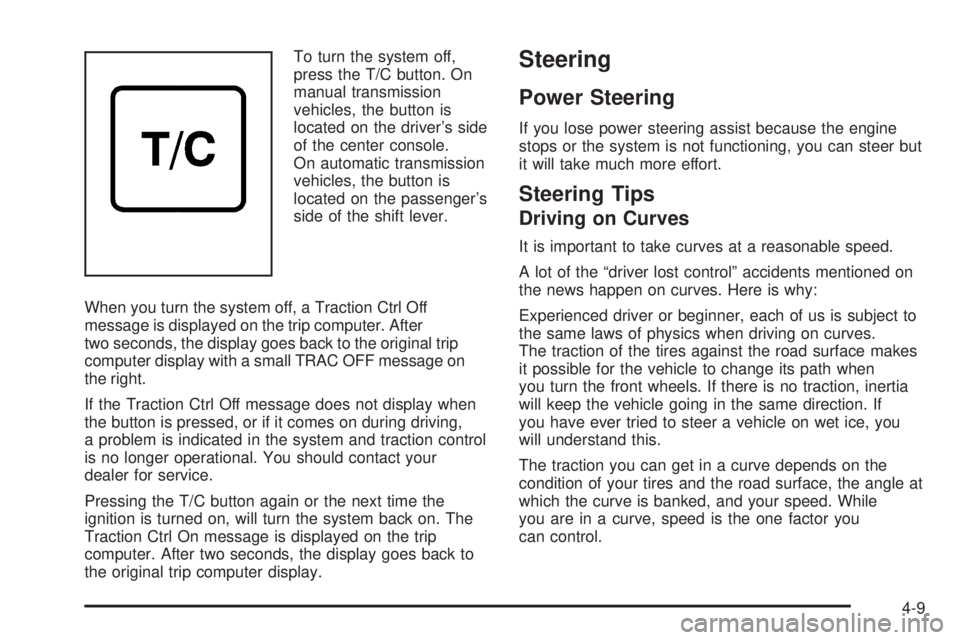
To turn the system off,
press the T/C button. On
manual transmission
vehicles, the button is
located on the driver’s side
of the center console.
On automatic transmission
vehicles, the button is
located on the passenger’s
side of the shift lever.
When you turn the system off, a Traction Ctrl Off
message is displayed on the trip computer. After
two seconds, the display goes back to the original trip
computer display with a small TRAC OFF message on
the right.
If the Traction Ctrl Off message does not display when
the button is pressed, or if it comes on during driving,
a problem is indicated in the system and traction control
is no longer operational. You should contact your
dealer for service.
Pressing the T/C button again or the next time the
ignition is turned on, will turn the system back on. The
Traction Ctrl On message is displayed on the trip
computer. After two seconds, the display goes back to
the original trip computer display.Steering
Power Steering
If you lose power steering assist because the engine
stops or the system is not functioning, you can steer but
it will take much more effort.
Steering Tips
Driving on Curves
It is important to take curves at a reasonable speed.
A lot of the “driver lost control” accidents mentioned on
the news happen on curves. Here is why:
Experienced driver or beginner, each of us is subject to
the same laws of physics when driving on curves.
The traction of the tires against the road surface makes
it possible for the vehicle to change its path when
you turn the front wheels. If there is no traction, inertia
will keep the vehicle going in the same direction. If
you have ever tried to steer a vehicle on wet ice, you
will understand this.
The traction you can get in a curve depends on the
condition of your tires and the road surface, the angle at
which the curve is banked, and your speed. While
you are in a curve, speed is the one factor you
can control.
4-9
Page 187 of 318
Service............................................................5-3
Doing Your Own Service Work.........................5-4
Adding Equipment to the Outside of
Your Vehicle..............................................5-5
Fuel................................................................5-5
Gasoline Octane............................................5-5
Gasoline Specifications....................................5-5
California Fuel...............................................5-6
Additives.......................................................5-6
Fuels in Foreign Countries...............................5-7
Filling the Tank..............................................5-8
Filling a Portable Fuel Container.....................5-10
Checking Things Under the Hood....................5-10
Hood Release..............................................5-11
Engine Compartment Overview.......................5-12
Engine Oil...................................................5-13
Engine Oil Life System..................................5-16
Engine Air Cleaner/Filter................................5-18
Automatic Transmission Fluid.........................5-19
Manual Transmission Fluid.............................5-21
Hydraulic Clutch...........................................5-22
Engine Coolant.............................................5-23
Radiator Pressure Cap..................................5-26
Engine Overheating.......................................5-26
Cooling System............................................5-29Power Steering Fluid.....................................5-34
Windshield Washer Fluid................................5-35
Brakes........................................................5-36
Battery........................................................5-39
Jump Starting...............................................5-40
Headlamp Aiming...........................................5-45
Bulb Replacement..........................................5-47
Halogen Bulbs..............................................5-47
Headlamps..................................................5-47
Front Turn Signal and Parking Lamps..............5-49
Taillamps, Turn Signal, Stoplamps and
Back-up Lamps.........................................5-50
Replacement Bulbs.......................................5-51
Windshield Wiper Blade Replacement..............5-52
Tires..............................................................5-52
Tire Sidewall Labelling...................................5-54
Tire Terminology and Definitions.....................5-56
Inflation - Tire Pressure.................................5-59
Tire Inspection and Rotation...........................5-62
When It Is Time for New Tires.......................5-63
Buying New Tires.........................................5-64
Uniform Tire Quality Grading..........................5-64
Wheel Alignment and Tire Balance..................5-66
Wheel Replacement......................................5-66
Section 5 Service and Appearance Care
5-1
Page 199 of 318
A. Engine Compartment Fuse Block. SeeEngine
Compartment Fuse Block on page 5-88.
B. Windshield Washer Fluid Reservoir. See “Adding
Washer Fluid” underWindshield Washer Fluid
on page 5-35.
C. Battery. SeeBattery on page 5-39.
D. Radiator Pressure Cap. SeeRadiator Pressure Cap
on page 5-26.
E. Engine Oil Dipstick. See “Checking Engine Oil”
underEngine Oil on page 5-13.
F. Engine Oil Fill Cap. See “When to Add Engine Oil”
underEngine Oil on page 5-13.
G. Automatic Transmission Dipstick (If Equipped). See
“Checking the Fluid Level” underAutomatic
Transmission Fluid on page 5-19.
H. Power Steering Fluid Reservoir. SeePower Steering
Fluid on page 5-34.
I. Brake Fluid Reservoir. See “Brake Fluid” under
Brakes on page 5-36.
J. Hydraulic Clutch Fluid Reservoir (If Equipped). See
Hydraulic Clutch on page 5-22.
K. Engine Air Cleaner/Filter. SeeEngine Air
Cleaner/Filter on page 5-18.
L. Engine Coolant Overflow Reservoir. SeeEngine
Coolant on page 5-23.Engine Oil
If the Check Oil message appears on the trip computer
display, it means you need to check your engine oil
level right away. For more information, seeTrip
Computer on page 3-33. You should check your engine
oil level regularly; this is an added reminder.
Checking Engine Oil
It is a good idea to check your engine oil every time you
get fuel. In order to get an accurate reading, the oil
must be warm and the vehicle must be on level ground.
The engine oil dipstick handle is a yellow loop. See
Engine Compartment Overview on page 5-12for
the location of the engine oil dipstick.
1. Turn off the engine and give the oil several minutes
to drain back into the oil pan. If you do not do this,
the oil dipstick might not show the actual level.
2. Pull out the dipstick and clean it with a paper towel
or cloth, then push it back in all the way. Remove it
again, keeping the tip down, and check the level.
5-13
Page 205 of 318
{CAUTION:
Operating the engine with the air cleaner/lter
off can cause you or others to be burned. The
air cleaner not only cleans the air; it helps to
stop ame if the engine backres. If it is not
there and the engine backres, you could
be burned. Do not drive with it off, and be
careful working on the engine with the air
cleaner/lter off.
Notice:If the air cleaner/lter is off, a backre can
cause a damaging engine re. And, dirt can
easily get into your engine, which will damage it.
Always have the air cleaner/lter in place when you
are driving.
Automatic Transmission Fluid
When to Check and Change
A good time to check your automatic transmission fluid
level is when the engine oil is changed.
Change the fluid and filter at the intervals listed in
Additional Required Services on page 6-6, and be sure
to use the transmission fluid listed inRecommended
Fluids and Lubricants on page 6-12.
How to Check
Because this operation can be a little difficult, you may
choose to have this done at the dealership service
department.
If you do it yourself, be sure to follow all the instructions
here, or you could get a false reading on the dipstick.
Notice:Too much or too little uid can damage
your transmission. Too much can mean that some
of the uid could come out and fall on hot engine
part or exhaust system parts, starting a re.
Too little uid could cause the transmission to
overheat. Be sure to get an accurate reading if you
check your transmission uid.
Wait at least 30 minutes before checking the
transmission fluid level if you have been driving in the
following conditions:
•When outside temperatures are above 90°F (32°C).
•At high speed for quite a while.
•In heavy traffic — especially in hot weather.
To get the right reading, the fluid should be at
normal operating temperature, which is 180°F to
200°F (82°C to 93°C).
5-19
Page 206 of 318
Get the vehicle warmed up by driving about 15 miles
(24 km) when outside temperatures are above 50°F
(10°C). If it is colder than 50°F (10°C), drive the vehicle
in DRIVE (D) until the engine temperature gage
moves and then remains steady for 10 minutes.
A cold fluid check can be made after the vehicle has
been sitting for eight hours or more with the engine off,
but this is used only as a reference. Let the engine
run at idle for five minutes if outside temperatures are
50°F (10°C) or more. If it is colder than 50°F (10°C), you
may have to idle the engine longer. Should the fluid
level be low during this cold check, you must check the
fluid hot before adding fluid. Checking the fluid hot
will give you a more accurate reading of the fluid level.
Checking the Fluid Level
Prepare your vehicle as follows:
•Park your vehicle on a level place. Keep the
engine running.
•With the parking brake applied, place the shift lever
in PARK (P).
•With your foot on the brake pedal, move the shift
lever through each gear range, pausing for about
three seconds in each range. Then, position the shift
lever in PARK (P).
•Let the engine run at idle for three minutes or more.Then, without shutting off the engine, follow
these steps:
The automatic transmission dipstick is located at the
rear of the engine compartment, on the passenger’s side
of the vehicle. SeeEngine Compartment Overview on
page 5-12for more information on location.
1. Unclip the handle and remove the dipstick; wipe it
clean with a clean rag or paper towel and re-insert
it fully. Remove it again and read the fluid level.
2. Check both sides of the dipstick, and read the lower
level. The fluid level must be in the COLD area for
a cold check or in the cross-hatched HOT area
for a hot check.
3. If the fluid level is in the acceptable range, push the
dipstick back in all the way.
Remember to always replace the dipstick and lock
the handle down.
How to Add Fluid
Refer to the Maintenance Schedule to determine what
kind of transmission fluid to use. SeeRecommended
Fluids and Lubricants on page 6-12.
Add fluid only after checking the transmission fluid while
it is hot. A cold check is used only as a reference. If
the fluid level is low, add only enough of the proper fluid
to bring the level up to the HOT area for a hot check.
5-20