lock PONTIAC PONTIAC 1995 Owner's Guide
[x] Cancel search | Manufacturer: PONTIAC, Model Year: 1995, Model line: PONTIAC, Model: PONTIAC PONTIAC 1995Pages: 354, PDF Size: 17.27 MB
Page 85 of 354
Torque Lock
If you are parking on a hill and you don’t shift your
transaxle into PARK (P) properly, the weight of the
vehicle may put to@ much force on the parking pawl in
the transaxle. You may find it difficult to pull the shift
lever out of PARK (P). This is called “torque lock.” To
prevent torque lock, set the parking brake and then
shift
into PARK (P) properly before you leave the driver’s
seat.
To find out how, see “Shifting Into PARK (P)” in
the Index.
When you are ready to drive, move the shift lever out of
PARK
(P) before you release the parking brake.
If “torque lock” does occur, you may need to have
another vehicle push yours a little uphill to take some of
the pressure from the transaxle,
so you can pull the shift
lever out
of PARK (P).
Shifting Out of PARK (P)
Your Pontiac has a brake-transaxle shift interlock. You
must fully apply your regular brakes before you can shift from
PARK (P) when the ignition is in RUN. See
“Automatic Transaxle” in the Index.
lr you cannot shift out of PARK (P), ease pressure on
the shift lever by pushing it all the way into PARK (P)
while keeping the brake pedal pushed down. Release the
shift lever button
if you have a console shift. Then move
the
shift lever out of PARK (P), being sure to press the
shift lever button if you have a console shift.
If you ever hold the brake pedal down but still can’t
shift out
of PARK (P), try this:
1. Turn the key to OFF.
2. Apply and hold the brake until the end of Step 4.
3. Shift to NEUTRAL (N).
4. Start the vehicle and shift to the drive gear you want.
5. Have the vehicle fixed as soon as you can.
2-24
ProCarManuals.com
Page 88 of 354
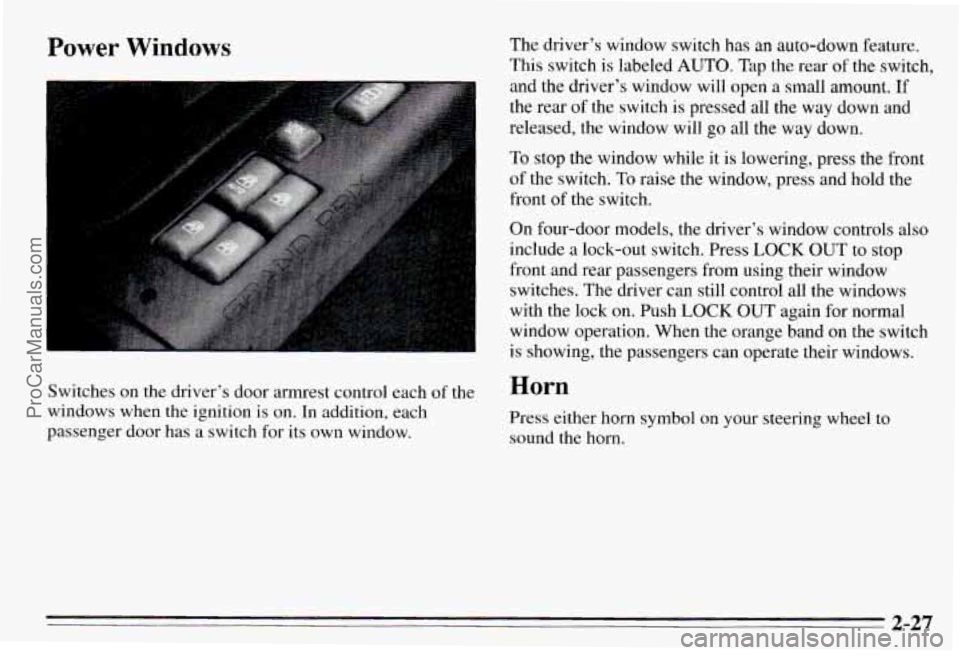
Power Windows The driver’s window switch has an auto-down feature.
This switch is labeled
AUTO. Tap the rear of the switch,
and the driver’s window will open a small amount. If
the rear of the switch
is pressed all the way down and
released, the window will
go all the way down.
To stop the window while it is lowering, press the front
of the switch.
To raise the window, press and hold the
front of the switch.
On four-door models, the driver’s window controls
also
include a lock-out switch. Press LOCK OUT to stop
front and rear passengers from using their window
switches. The driver can still control all the windows
with the lock on. Push
LOCK OUT again for normal
window operation. When the orange band on the switch
is showing, the passengers can operate their windows.
Switches on the driver’s door armrest control each
of the Horn
windows when the ignition is on. In addition, each
Press either horn symbol on your steering wheel to
passenger door has a switch for its own window.
sound the horn.
2-27
ProCarManuals.com
Page 89 of 354
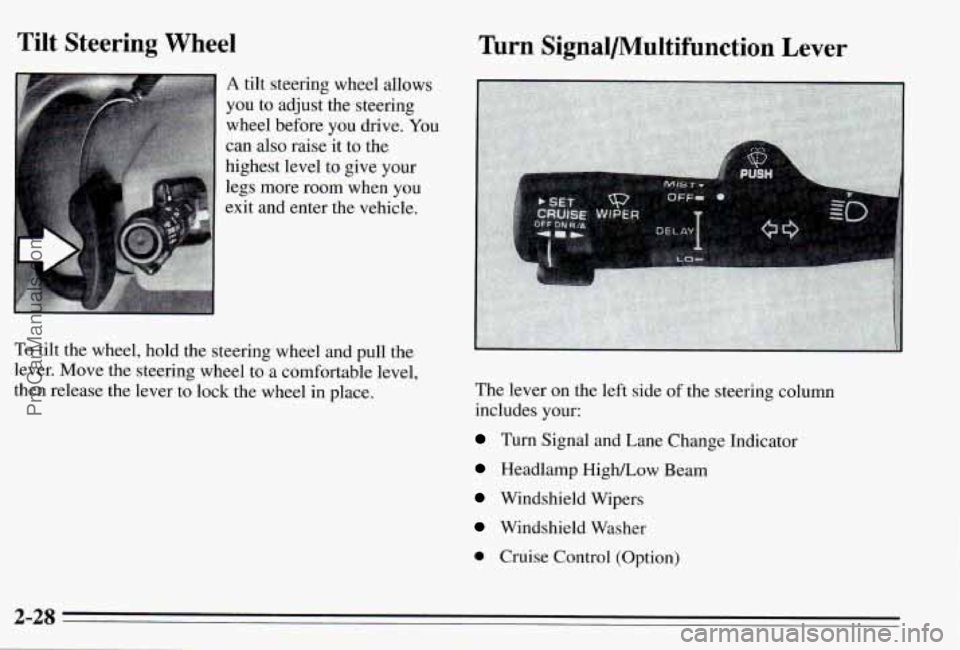
Tilt Steering Wheel
A tilt steering wheel allows
you to adjust the steering
wheel before you drive.
You
can also raise it to the
highest level
to give your
legs more room when you
exit and enter the vehicle.
To tilt the wheel, hold the steering wheel and pull the
lever. Move the steering wheel to a comfortable level,
then release the lever to lock the wheel in place.
Turn Signal/Multifunction Lever
The lever on the left side of the steering column
includes your:
Turn Signal and Lane Change Indicator
Headlamp HigWLow Beam
Windshield Wipers
Windshield Washer
0 Cruise Control (Option)
2-28
ProCarManuals.com
Page 96 of 354
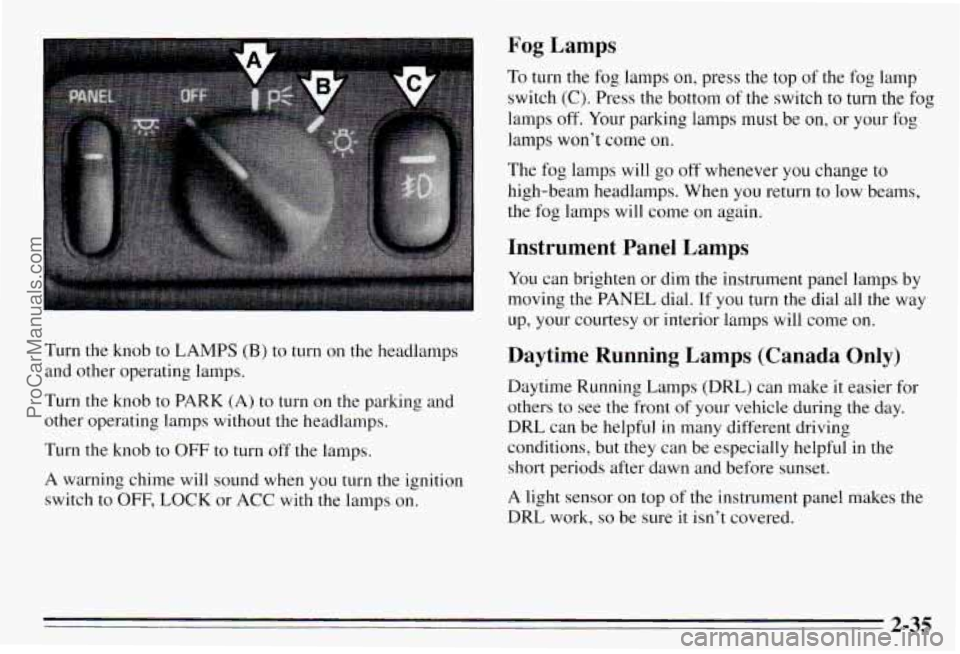
1 Fog Lamps
To turn the fog lamps on, press the top of the fog lamp
switch
(C). Press the bottom of the switch to turn the fog
lamps
off. Your parking lamps must be on, or your fog
lamps won't come
on.
The fog lamps will go off whenever you change to
high-beam headlamps. When you return
to low beams,
~ the fog lamps will come on again.
I Instrument Panel Lamps
You can brighten or dim the instrument panel lamps by
moving the PANEL dial. If you turn the dial all the way
up, your courtesy or interior lamps will come on.
Turn the knob to LAMPS
(B) to turn on the headlamps
and other operating lamps.
Turn the knob to PARK
(A) to turn on the parking and
other operating lamps without
the headlamps.
Turn the knob to
OFF to turn off the lamps.
A warning chime will sound when you turn the ignition switch to
OFF, LOCK or ACC with the lamps on.
Daytime Running Lamps (Canada Only)
Daytime Running Lamps (DRL) can make it easier for
others to see the front of
your vehicle during the day.
DRL can be helpful in many different driving conditions, but they can be especially helpful in the
short periods after dawn and before sunset.
A light sensor on top
of the instrument panel makes the
DRL work,
so be sure it isn't covered.
2-35
ProCarManuals.com
Page 97 of 354
The DlU system will make your low-beam headlamps
come on at a reduced brightness when:
0 The ignition is on,
The headlamp switch is off, and
The parking brake is released.
When the
DRL are on, only your low-beam headlamps
will be on. The taillamps, sidemarker and other lamps
won’t be on. Your instrument
I .-- won’t be lit up
either.
When it’s dark enough outside, your low-beam
headlamps will change to full brightness. The other
lamps that come on with your headlamps will also come
on.
When it’s bright enough outside, the regular lamps will go out, and your low-beam headlamps change to the
reduced brightness of DRL.
To idle your vehicle with the
DlU off, set the parking
brake while the ignition is in
OFF or LOCK. Then start
your vehicle. The
DRL will stay off until you release the
parking brake.
As with any vehicle, you should turn on the regular
headlamp system any time you need it.
Interior Lamps
When any door is opened, several lamps come on. These
lamps are courtesy lamps. They make it easy for you
to
enter and leave your vehicle. You can also turn these
larnps on by moving the PANEL dial all the way up.
Some of the lamps have switches
so you can turn them
on, even when the doors are closed. These lamps are
reading lamps. To avoid draining your battery, be sure to
turn
off all reading lamps when leaving your vehxle.
Battery Saver
Your vehicle has a feature to help prevent you from
draining the battery,
in case you accidentally leave the
courtesy lamps
on. If you leave the PANEL dial turned
all the way up, or
if you leave a door open, the lamps
will automatically turn
off after 10 minutes if the
ignition is
off.
This feature will not turn off the reading lamps, only the
lamps controlled by the
PANEL dial. Be sure to turn off
any reading lamps using the switch before you leave the
vehicle.
2-36
ProCarManuals.com
Page 98 of 354
Sustained Interior Illumination
Your courtesy lamps will come on and stay on for a set
time whenever you:
Open a door.
Press UNLOCK on the Remote Lock Control
(if equipped).
Press DOOR on the Remote Lock Control
(if equipped).
If
you open a door, the lamps will stay on while it’s open
and then turn
off automatically about 18 seconds after
you close
it. If you don’t open a door, the lamps will
turn off after about 18 seconds, unless you pressed
UNLOCK on the Remote Lock Control. If you pressed
UNLOCK and don’t open a door, the lamps will turn off
after about
55 seconds.
Sustained interior illumination includes a feature called
theater dimming. With theater dimming, the lamps don’t
just turn off at the end of the delay time. Instead, they
slowly dim during the delay time until they
go out. The
delay time
is cancelled if you turn the ignition key to
RUN or START, so the lamps will go out right away.
When the ignition is on, Sustained Interior Illumination is
inactive, which means the courtesy lamps won’t come
on.
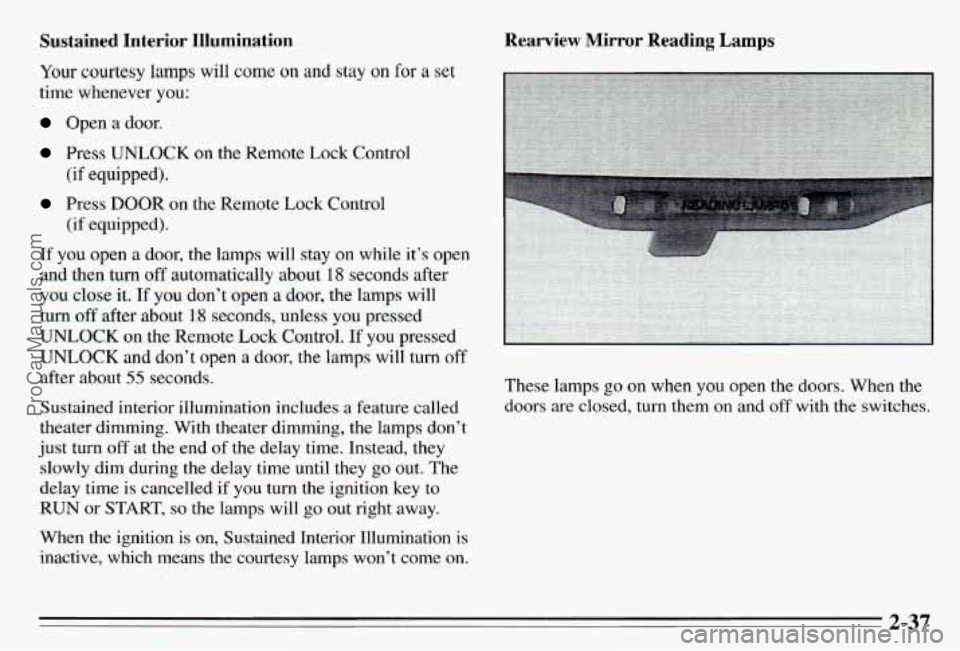
Rearview Mirror Reading Lamps
These lamps go on when you open the doors. When the
doors are closed, turn them on and off with the switches.
2-37
ProCarManuals.com
Page 104 of 354
Sun Visors
To block out glare, you can swing down the visors. You
can also move them from side to side.
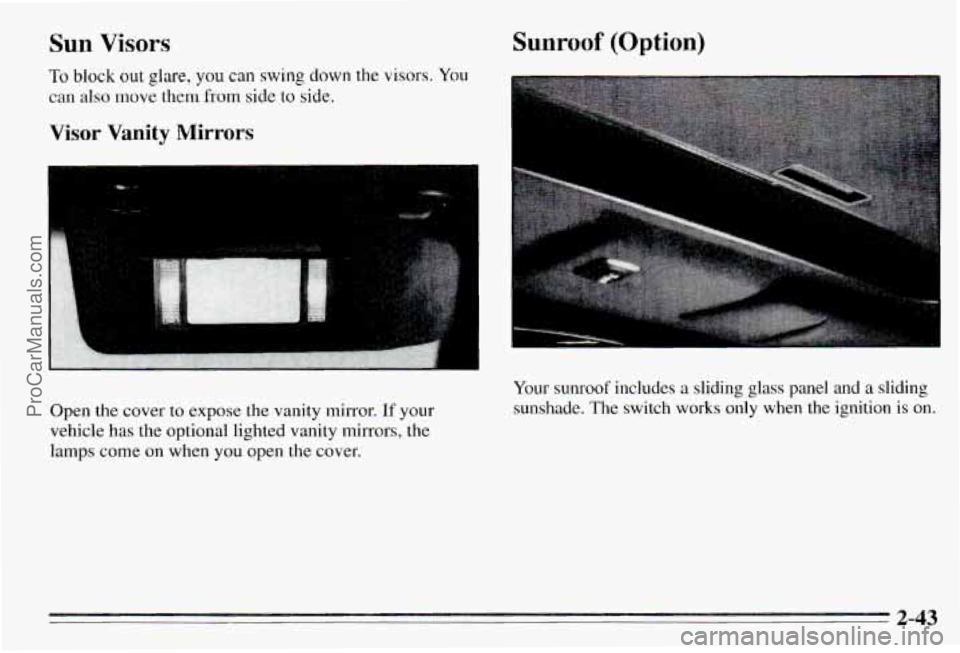
Visor Vanity Mirrors
Open the cover to expose the vanity mirror. If your
vehicle has the optional lighted vanity mirrors, the lamps come on when you open the cover,
Sunroof (Option)
Your sunroof includes a sliding glass panel and a sliding
sunshade. The switch works only when the ignition is on.
2-43
ProCarManuals.com
Page 105 of 354
To open the glass panel and sunshade, press the rear of Ashtrays and Lighter
the switch. Let go of the switch to stop the panel in any
position. Press the front
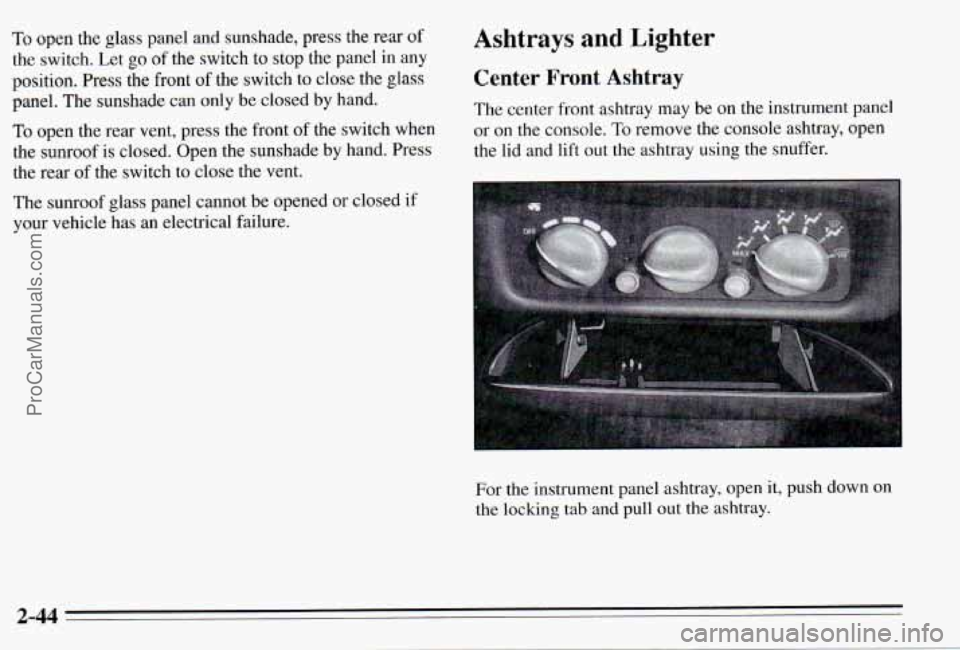
of the switch to close the glass Center Front Ashtray
panel. The sunshade can only be closed by hand.
TO open the rear vent, press the front of the switch when or on the console. To remove the console ashtray, open
the sunroof is closed. Open the sunshade by hand. Press the l\
id and lift out the ashtray using the snuffer.
the rear of the switch to close the vent. The
center front ashtray may be on the instrument panel
The sunroof glass panel cannot be opened or closed
if
your vehicle has an electrical failure.
For the instrument panel ashtray, open
it, push down on
the locking tab and pull out the ashtray.
2-44
ProCarManuals.com
Page 113 of 354
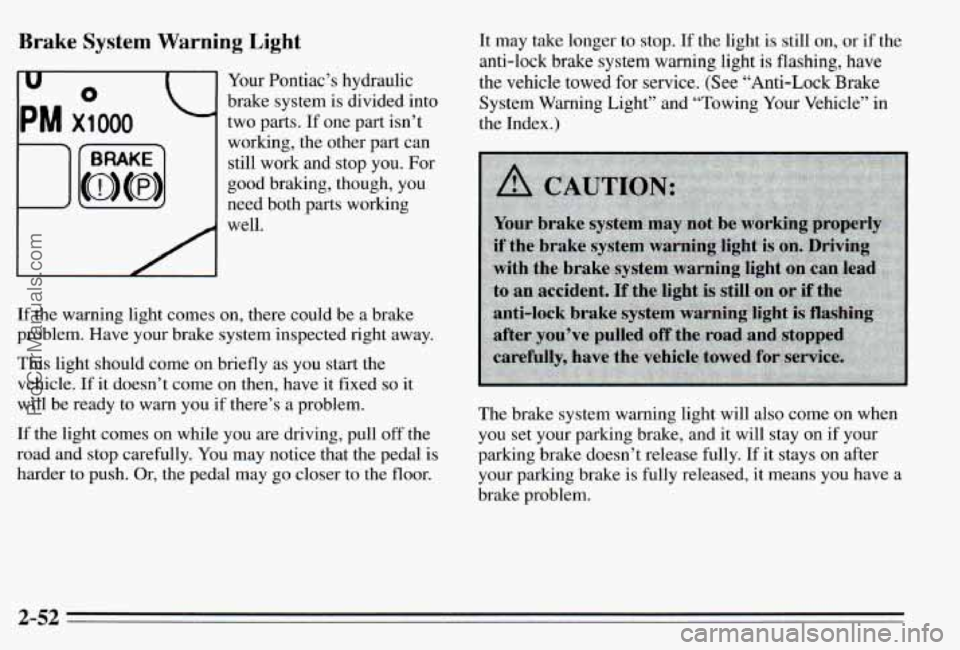
Brake System Warning Light
I
Your Pontiac’s hydraulic
brake system is divided into
two parts. If one part isn’t
working, the other part can still work and stop you. For
good braking, though, you
need both parts working
well.
If the warning light comes on, there could be a brake
problem. Have your brake system inspected right away.
This light should come on briefly as you start the
vehicle. If it doesn’t come on then, have
it fixed so it
will be ready to warn you if there’s a problem.
If the light comes on while you are driving, pull off the
road and stop carefully. You may notice that the pedal is
harder
to push. Or, the pedal may go closer to the floor. It may take longer to stop.
If the light
is still on, or if the
anti-lock brake system warning light
is flashing, have
the vehicle towed for service. (See “Anti-Lock Brake System Warning Light” and “Towing Your Vehicle” in
the Index
.)
The brake system warning light will also come on when
you set your parking brake, and it will stay on if your
parking brake doesn’t release fully.
If it stays on after
your parking brake is fully released, it means you have a
brake problem.
2-52
ProCarManuals.com
Page 114 of 354
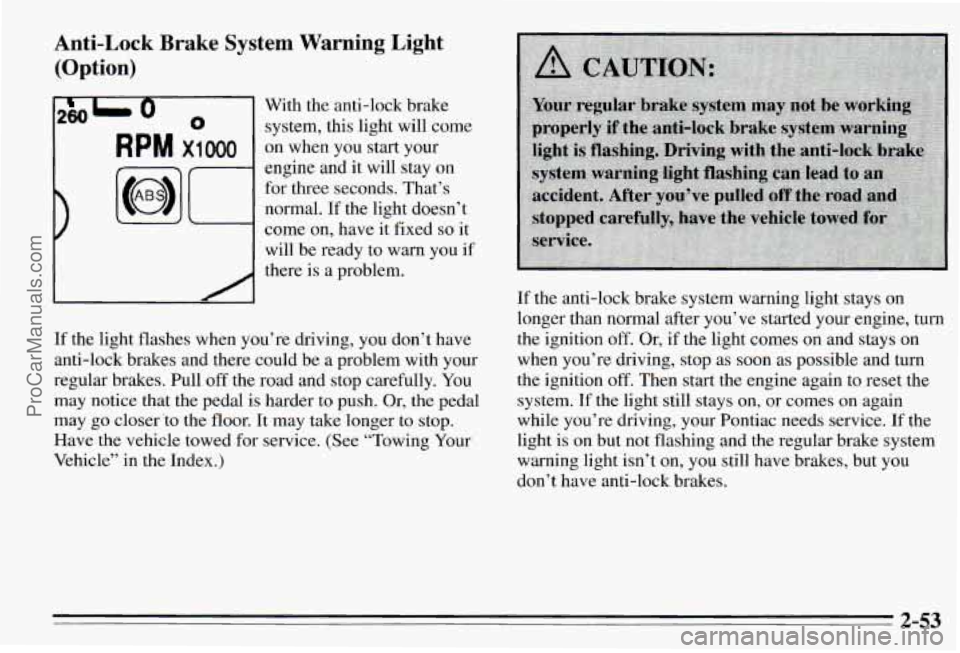
Anti-Lock Brake System Warning Light
(Option)
2801 0 With the anti-lock brake
0 system, this light will come
RPM x1 000 on when you start your
engine and it
will stay on
for three seconds. That’s
normal. If the light doesn’t
come on, have it fixed
so it
will be ready to warn you if
there is a problem.
If the light flashes when you’re driving, you don’t have
anti-lock brakes and there could be a problem with your
regular brakes. Pull
off the road and stop carefully. You
may notice that the pedal is harder to push. Or, the pedal
may go closer
‘to the floor. It may take longer to stop.
Have the vehicle towed for service. (See “Towing Your
Vehicle” in the Index.) If
the anti-lock brake system warning light stays
on
longer than normal after you’ve started your engine, turn
the ignition off. Or, if the light comes on and stays on
when you’re driving, stop as soon as possible and turn
the ignition
off. Then start the engine again to reset the
system.
If the light still stays on, or comes on again
while you’re driving, your Pontiac needs service.
If the
light is
on but not flashing and the regular brake system
warning light isn’t on, you still have brakes, but you
don’t have anti-lock brakes.
2-53
ProCarManuals.com