brake PONTIAC SOLSTICE 2007 Owner's Guide
[x] Cancel search | Manufacturer: PONTIAC, Model Year: 2007, Model line: SOLSTICE, Model: PONTIAC SOLSTICE 2007Pages: 396, PDF Size: 2.27 MB
Page 196 of 396
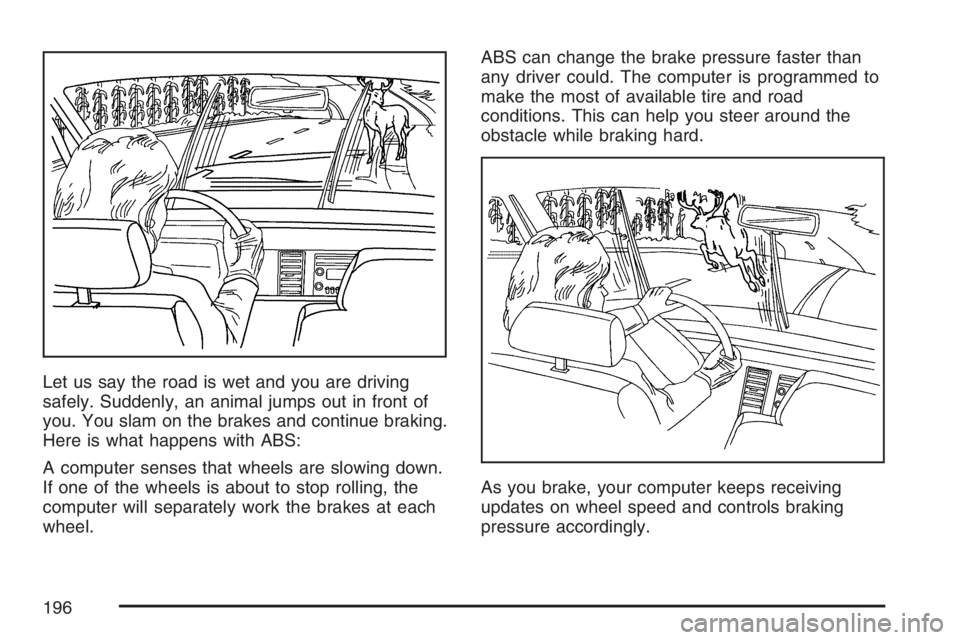
Let us say the road is wet and you are driving
safely. Suddenly, an animal jumps out in front of
you. You slam on the brakes and continue braking.
Here is what happens with ABS:
A computer senses that wheels are slowing down.
If one of the wheels is about to stop rolling, the
computer will separately work the brakes at each
wheel.ABS can change the brake pressure faster than
any driver could. The computer is programmed to
make the most of available tire and road
conditions. This can help you steer around the
obstacle while braking hard.
As you brake, your computer keeps receiving
updates on wheel speed and controls braking
pressure accordingly.
196
Page 197 of 396

Remember: ABS does not change the time you
need to get your foot up to the brake pedal
or always decrease stopping distance. If you get
too close to the vehicle in front of you, you will not
have time to apply your brakes if that vehicle
suddenly slows or stops. Always leave enough
room up ahead to stop, even though you
have ABS.
Using ABS
Do not pump the brakes. Just hold the brake
pedal down rmly and let anti-lock work for you.
You may feel a slight brake pedal pulsation
or notice some noise, but this is normal.
Braking in Emergencies
At some time, nearly every driver gets into a
situation that requires hard braking.
If you have ABS, you can steer and brake at the
same time. However, if you do not have ABS, your
rst reaction — to hit the brake pedal hard and
hold it down — may be the wrong thing to do.
Your wheels can stop rolling. Once they do, the
vehicle cannot respond to your steering.Momentum will carry it in whatever direction it was
headed when the wheels stopped rolling. That
could be off the road, into the very thing you were
trying to avoid, or into traffic.
If you do not have ABS, use a “squeeze” braking
technique. This will give you maximum braking
while maintaining steering control. You can do this
by pushing on the brake pedal with steadily
increasing pressure.
In an emergency, you will probably want to
squeeze the brakes hard without locking the
wheels. If you hear or feel the wheels sliding, ease
off the brake pedal. This will help you retain
steering control. If you do have ABS, it is different.
SeeAnti-Lock Brake System (ABS) on page 195.
In many emergencies, steering can help you
more than even the very best braking.
197
Page 198 of 396

Traction Control System (TCS)
Your vehicle may have a Traction Control System
(TCS) that limits wheel spin. This is especially
useful in slippery road conditions. The system
operates only if it senses that the rear wheels are
spinning too much or are beginning to lose
traction. When this happens, the system works the
rear brakes and reduces engine power by
closing the throttle and managing engine spark to
limit wheel spin.
This light will ash
when your traction
control system is limiting
wheel spin.
You may feel or hear the system working, but this
is normal.
SeeElectronic Stability Control (ESC)/Traction
Control System (TCS) Indicator/Warning Light
(2.0L Engine Only) on page 136for more
information.If your vehicle is in cruise control when TCS
begins to limit wheel spin, the cruise control will
automatically disengage. When road conditions
allow you to safely use it again, you may
re-engage the cruise control. SeeTurn
Signal/Multifunction Lever on page 111.
When this light is on
solid and either the
SERVICE TRACTION
or TRACTION OFF
message is displayed,
the system will not
limit wheel spin.
Adjust your driving accordingly. SeeDIC Warnings
and Messages on page 148for more information.
The Traction Control System is automatically
enabled whenever you start your vehicle. To limit
wheel spin, especially in slippery road conditions,
you should always leave the system enabled.
You can turn TCS off if you ever need to.
198
Page 199 of 396

It is recommended to leave the system on for
normal driving conditions, but it may be necessary
to turn the system off if your vehicle is stuck in
sand, mud, ice or snow, and you want to
“rock” your vehicle to attempt to free it. It may also
be necessary to turn off the system when driving
in extreme off-road conditions where high
wheel spin is required. SeeIf Your Vehicle is
Stuck in Sand, Mud, Ice, or Snow on page 224.
To turn the system off
or on, press and release
this button located on
the instrument panel.
The DIC will display the appropriate message as
described previously when you press the button.Traction Control Operation
Traction control limits wheel spin by reducing
engine power to the wheels (engine speed
management) and by applying brakes to each
individual wheel (brake-traction control) as
necessary.
The traction control system is enabled
automatically when you start your vehicle, and it
will activate and ash the ESC/TCS light and
display the LOW TRACTION message if it senses
that any of the wheels are spinning or beginning
to lose traction while driving. For more information
on the LOW TRACTION message, seeDriver
Information Center (DIC) on page 145.
Notice:If you allow the wheel(s) of one axle to
spin excessively while the ESC/TCS, ABS and
Brake warning lights and the SERVICE ESC
and/or SERVICE TRACTION messages are
displayed, you could damage the differential.
The repairs would not be covered by your
warranty. Reduce engine power and do not spin
the wheel(s) excessively while these lights and
this message are displayed.
199
Page 200 of 396

Notice:When traction control is turned off,
or Competitive Driving Mode is active, it is
possible to lose traction. If you attempt to shift
with the rear wheels spinning with a loss of
traction, it is possible to cause damage to the
transmission. Do not attempt to shift when the
rear wheels do not have traction. Damage
caused by misuse of the vehicle is not covered.
See your warranty book for additional
information.
The traction control system may activate on dry or
rough roads or under conditions such as heavy
acceleration while turning or abrupt upshifts/
downshifts of the transmission. When this
happens, you may notice a reduction in
acceleration, or may hear a noise or vibration.
This is normal.
If your vehicle is in cruise control when the system
activates, the ESC/TCS light will ash and the
cruise control will automatically disengage. When
road conditions allow you to use cruise control
again, you may re-engage the cruise control. See
Cruise Control on page 115.
Adding non-GM accessories can affect your
vehicle’s performance. SeeAccessories and
Modications on page 235for more information.Limited-Slip Rear Axle
Your vehicle may have a limited-slip rear
differential which provides maximum power and
performance. It is designed to give you additional
traction on snow, mud, ice, sand or gravel. It
works like a standard axle most of the time, but
when one of the rear wheels has no traction
and the other does, this feature will allow
the wheel with traction to move the vehicle.
During a sudden shift, such as shifting from
FIRST (1) to SECOND (2) gear at low engine
speeds or suddenly applying the clutch, you may
feel or hear a clunking or rattling noise. This is
normal.
Electronic Stability Control
Your vehicle may be equipped with an Electronic
Stability Control (ESC) system which combines
antilock brake, traction and stability control
systems and helps the driver maintain directional
control of the vehicle in most driving conditions.
When you rst start your vehicle and begin to drive
away, the system performs several diagnostic
checks to ensure there are no problems. You may
hear or feel the system working.
200
Page 202 of 396
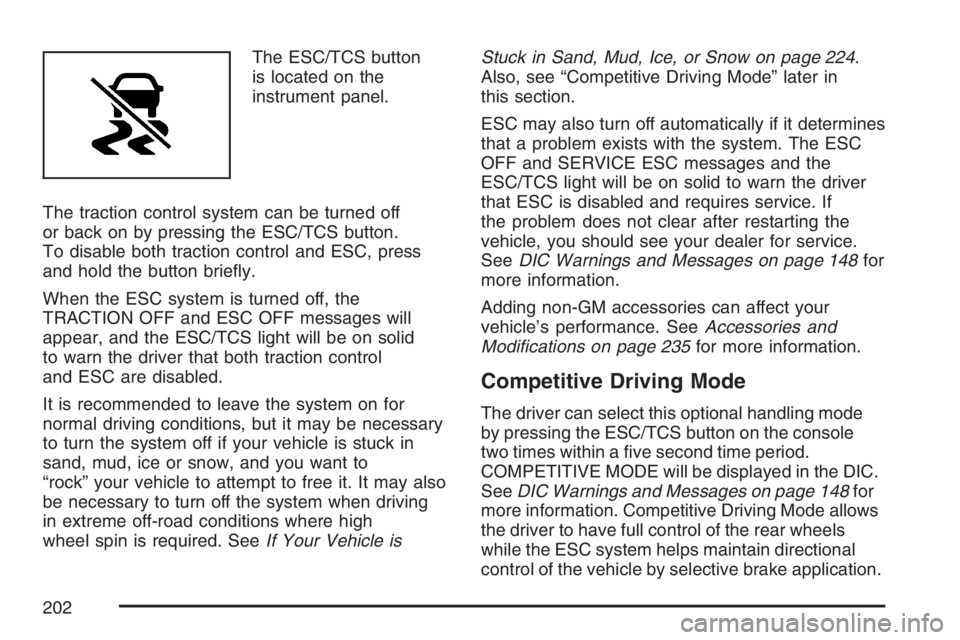
The ESC/TCS button
is located on the
instrument panel.
The traction control system can be turned off
or back on by pressing the ESC/TCS button.
To disable both traction control and ESC, press
and hold the button briey.
When the ESC system is turned off, the
TRACTION OFF and ESC OFF messages will
appear, and the ESC/TCS light will be on solid
to warn the driver that both traction control
and ESC are disabled.
It is recommended to leave the system on for
normal driving conditions, but it may be necessary
to turn the system off if your vehicle is stuck in
sand, mud, ice or snow, and you want to
“rock” your vehicle to attempt to free it. It may also
be necessary to turn off the system when driving
in extreme off-road conditions where high
wheel spin is required. SeeIf Your Vehicle isStuck in Sand, Mud, Ice, or Snow on page 224.
Also, see “Competitive Driving Mode” later in
this section.
ESC may also turn off automatically if it determines
that a problem exists with the system. The ESC
OFF and SERVICE ESC messages and the
ESC/TCS light will be on solid to warn the driver
that ESC is disabled and requires service. If
the problem does not clear after restarting the
vehicle, you should see your dealer for service.
SeeDIC Warnings and Messages on page 148for
more information.
Adding non-GM accessories can affect your
vehicle’s performance. SeeAccessories and
Modications on page 235for more information.
Competitive Driving Mode
The driver can select this optional handling mode
by pressing the ESC/TCS button on the console
two times within a ve second time period.
COMPETITIVE MODE will be displayed in the DIC.
SeeDIC Warnings and Messages on page 148for
more information. Competitive Driving Mode allows
the driver to have full control of the rear wheels
while the ESC system helps maintain directional
control of the vehicle by selective brake application.
202
Page 204 of 396
The traction you can get in a curve depends on
the condition of your tires and the road surface,
the angle at which the curve is banked, and
your speed. While you are in a curve, speed is the
one factor you can control.
Suppose you are steering through a sharp curve.
Then you suddenly apply the brakes. Both
control systems — steering and braking — have
to do their work where the tires meet the road.
Unless you have four-wheel anti-lock brakes,
adding the hard braking can demand too much of
those places. You can lose control.
The same thing can happen if you are steering
through a sharp curve and you suddenly
accelerate. Those two control systems — steering
and acceleration — can overwhelm those
places where the tires meet the road and make
you lose control. SeeTraction Control System
(TCS) on page 198andElectronic Stability Control
on page 200.What should you do if this ever happens? Ease up
on the brake or accelerator pedal, steer the
vehicle the way you want it to go, and slow down.
Speed limit signs near curves warn that you
should adjust your speed. Of course, the posted
speeds are based on good weather and road
conditions. Under less favorable conditions you will
want to go slower.
If you need to reduce your speed as you approach
a curve, do it before you enter the curve, while
your front wheels are straight ahead.
Try to adjust your speed so you can “drive”
through the curve. Maintain a reasonable, steady
speed. Wait to accelerate until you are out of
the curve, and then accelerate gently into
the straightaway.
Adding non-GM accessories can affect your
vehicle’s performance. SeeAccessories and
Modications on page 235.
204
Page 205 of 396

Steering in Emergencies
There are times when steering can be more
effective than braking. For example, you come over
a hill and nd a truck stopped in your lane, or a car
suddenly pulls out from nowhere, or a child darts
out from between parked cars and stops right in
front of you. You can avoid these problems by
braking — if you can stop in time. But sometimes
you cannot; there is not room. That is the time for
evasive action — steering around the problem.
Your vehicle can perform very well in emergencies
like these. First apply your brakes — but, unless
you have anti-lock brakes, not enough to lock your
wheels.
SeeBraking on page 194. It is better to remove as
much speed as you can from a possible collision.
Then steer around the problem, to the left or
right depending on the space available.An emergency like this requires close attention
and a quick decision. If you are holding the
steering wheel at the recommended 9 and
3 o’clock positions, you can turn it a full
180 degrees very quickly without removing either
hand. But you have to act fast, steer quickly,
and just as quickly straighten the wheel once you
have avoided the object.
The fact that such emergency situations are always
possible is a good reason to practice defensive
driving at all times and wear safety belts properly.
205
Page 208 of 396
Try not to pass more than one vehicle at a
time on two-lane roads. Reconsider before
passing the next vehicle.
Do not overtake a slowly moving vehicle too
rapidly. Even though the brake lamps are
not ashing, it may be slowing down or starting
to turn.
If you are being passed, make it easy for the
following driver to get ahead of you. Perhaps
you can ease a little to the right.
Loss of Control
Let us review what driving experts say about what
happens when the three control systems — brakes,
steering, and acceleration — do not have enough
friction where the tires meet the road to do what the
driver has asked.
In any emergency, do not give up. Keep trying to
steer and constantly seek an escape route or
area of less danger.
Skidding
In a skid, a driver can lose control of the vehicle.
Defensive drivers avoid most skids by taking
reasonable care suited to existing conditions, and
by not overdriving those conditions. But skids
are always possible.
The three types of skids correspond to your
vehicle’s three control systems. In the braking skid,
your wheels are not rolling. In the steering or
cornering skid, too much speed or steering in a
curve causes tires to slip and lose cornering force.
And in the acceleration skid, too much throttle
causes the driving wheels to spin.
A cornering skid and an acceleration skid
are best handled by easing your foot off the
accelerator pedal.
If your vehicle starts to slide, ease your foot off
the accelerator pedal and quickly steer the
way you want the vehicle to go. If you start
steering quickly enough, your vehicle may
straighten out. Always be ready for a second skid
if it occurs.
208
Page 209 of 396

Of course, traction is reduced when water,
snow, ice, gravel, or other material is on the
road. For safety, you will want to slow down and
adjust your driving to these conditions. It is
important to slow down on slippery surfaces
because stopping distance will be longer and
vehicle control more limited.
While driving on a surface with reduced traction,
try your best to avoid sudden steering, acceleration,
or braking, including reducing vehicle speed by
shifting to a lower gear. Any sudden changes could
cause the tires to slide. You may not realize the
surface is slippery until your vehicle is skidding.
Learn to recognize warning clues — such as
enough water, ice, or packed snow on the road to
make a mirrored surface — and slow down when
you have any doubt.
If you have the Anti-Lock Brake System (ABS),
remember: It helps avoid only the braking skid.
If you do not have ABS, then in a braking skid,
where the wheels are no longer rolling, release
enough pressure on the brakes to get the wheels
rolling again. This restores steering control. Push
the brake pedal down steadily when you have to
stop suddenly. As long as the wheels are rolling,
you will have steering control.Driving at Night
Night driving is more dangerous than day driving.
One reason is that some drivers are likely to
be impaired — by alcohol or drugs, with night
vision problems, or by fatigue.
Here are some tips on night driving.
Drive defensively.
Do not drink and drive.
Adjust the inside rearview mirror to reduce the
glare from headlamps behind you.
Since you cannot see as well, you may need
to slow down and keep more space between
you and other vehicles.
Slow down, especially on higher speed roads.
Your vehicle’s headlamps can light up only so
much road ahead.
In remote areas, watch for animals.
If you are tired, pull off the road in a safe
place and rest.
209