light PORSCHE 911 CARRERA 2006 5.G Workshop Manual
[x] Cancel search | Manufacturer: PORSCHE, Model Year: 2006, Model line: 911 CARRERA, Model: PORSCHE 911 CARRERA 2006 5.GPages: 308, PDF Size: 3.69 MB
Page 97 of 308
Controls, Instruments
97
The warning light in the instrument panel comes
on when the ignition is first turned on and remains
on briefly as a bulb check. If the light does not
come on, have the bulb replaced promptly.
If the warning lights in the instrument panel and on-
board computer come on and remain on while
driving, it suggests:
– a potential engine control problem and the
need for system service or
– an improperly fastened tank cap or
– refuelling with engine running.
Although the vehicle is usually driveable and will
not require towing, see your dealer for service as
soon as possible.
Caution!
If the Check engine light in the instrument
panel is flashing, severe catalytic converter
damage and power loss will soon occur.
Prolonged driving with the Check engine light
on could cause damage to the emission con-
trol system. It also could affect fuel economy
and driveability.
fHave the fault remedied at the nearest author-ized Porsche dealer immediately. The central warning light on the instrument panel
lights up if there are warning messages in the
INFO menu.
The messages can be called in the on-board
computer INFO menu:
fPlease observe the chapter “INFO WARNING
MESSAGES” on Page 102.
The warning light on the instrument panel lights
up:
– if the handbrake is on,
– if the brake fluid level is low,
– if the brake pads have reached the wear limit,
– if the brake circuit division is defective.
Additionally, a warning is displayed by the on-
board computer.
fPlease observe the chapter “WARNINGS ON
THE INSTRUMENT PANEL AND THE ON-
BOARD COMPUTER” on Page 122.
Check Engine
Warning Light
Central warning light
Brake warning light USA
Brake warning light Canada
Page 101 of 308
Controls, Instruments
101
Option 2:
Presetting speed
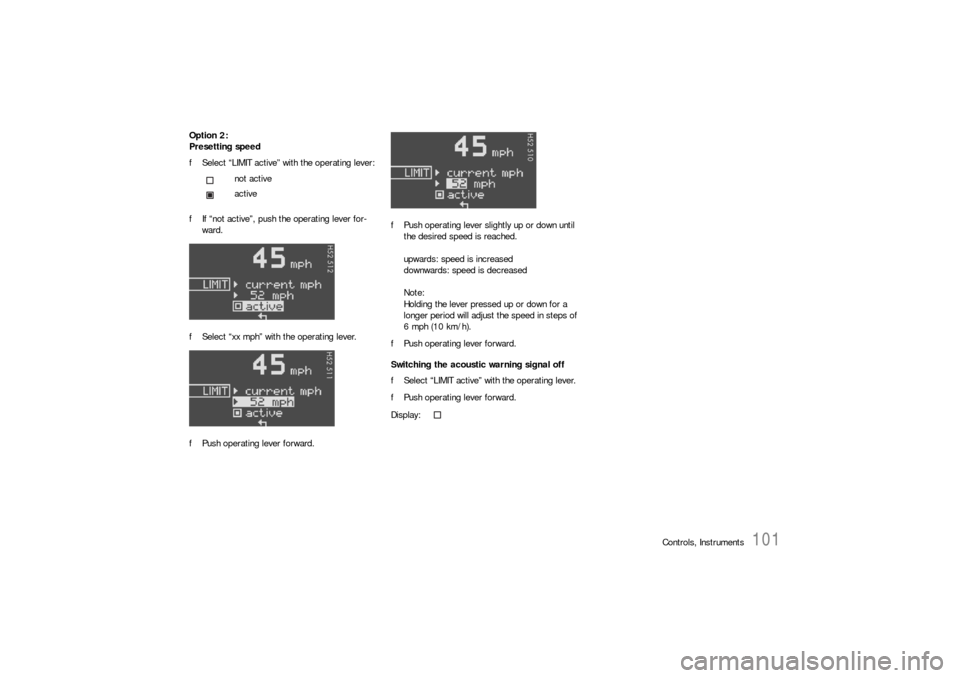
fSelect “LIMIT active” with the operating lever:
fIf “not active”, push the operating lever for-
ward.
fSelect “xx mph” with the operating lever.
fPush operating lever forward.fPush operating lever slightly up or down until
the desired speed is reached.
upwards: speed is increased
downwards: speed is decreased
Note:
Holding the lever pressed up or down for a
longer period will adjust the speed in steps of
6 mph (10 km/h).
fPush operating lever forward.
Switching the acoustic warning signal off
fSelect “LIMIT active” with the operating lever.
fPush operating lever forward. not active
active
Display:
Page 114 of 308
114
Controls, Instruments Tire pressure warnings
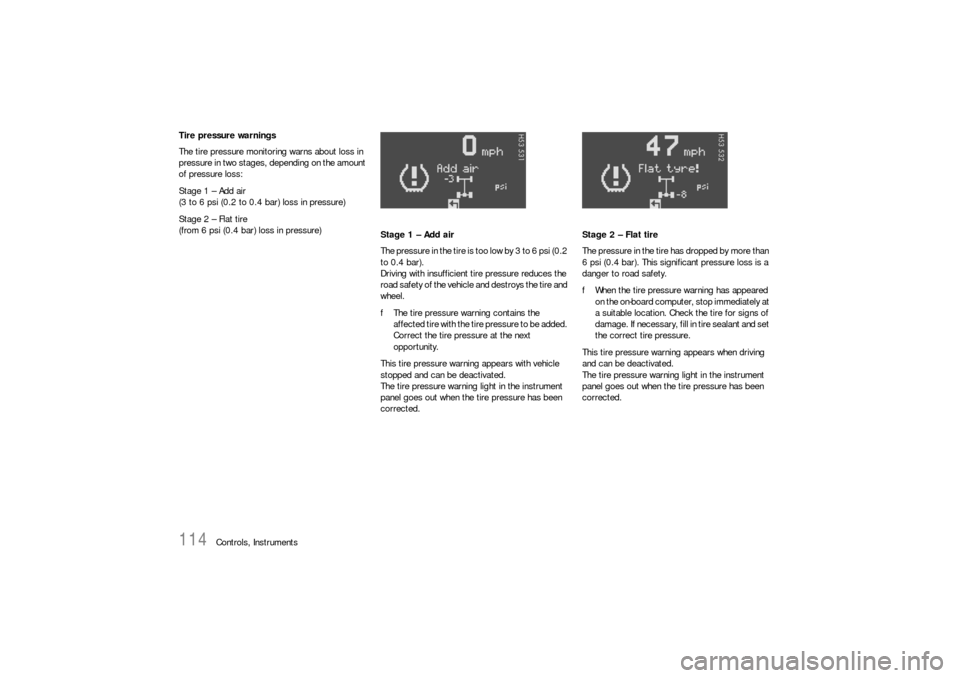
The tire pressure monitoring warns about loss in
pressure in two stages, depending on the amount
of pressure loss:
Stage 1 – Add air
(3 to 6 psi (0.2 to 0.4 bar) loss in pressure)
Stage 2 – Flat tire
(from 6 psi (0.4 bar) loss in pressure)
Stage 1 – Add air
The pressure in the tire is too low by 3 to 6 psi (0.2
to 0.4 bar).
Driving with insufficient tire pressure reduces the
road safety of the vehicle and destroys the tire and
wheel.
fThe tire pressure warning contains the
affected tire with the tire pressure to be added.
Correct the tire pressure at the next
opportunity.
This tire pressure warning appears with vehicle
stopped and can be deactivated.
The tire pressure warning light in the instrument
panel goes out when the tire pressure has been
corrected.Stage 2 – Flat tire
The pressure in the tire has dropped by more than
6 psi (0.4 bar). This significant pressure loss is a
danger to road safety.
fWhen the tire pressure warning has appeared
on the on-board computer, stop immediately at
a suitable location. Check the tire for signs of
damage. If necessary, fill in tire sealant and set
the correct tire pressure.
This tire pressure warning appears when driving
and can be deactivated.
The tire pressure warning light in the instrument
panel goes out when the tire pressure has been
corrected.
Page 115 of 308
Controls, Instruments
115
System learningThe tire pressure monitoring begins to “learn” the
wheels after a wheel change, wheel transmitter
replacement or update of the tire settings. During
this process, the tire pressure monitoring recog-
nises the tires and their locations. The on-board
computer displayes the message “TPC inactive –
system learning”.
The tire pressure monitoring requires a certain
amount of time to learn the wheels. During this
time, the current tire pressures are not available
on the on-board-computer:
– The display of the Tire pressure function of the
on-board computer shows lines.
– The required pressures for cold tires at 68°F
(20°C) are indicated in the Info pressure
display in the Tire pressure menu.
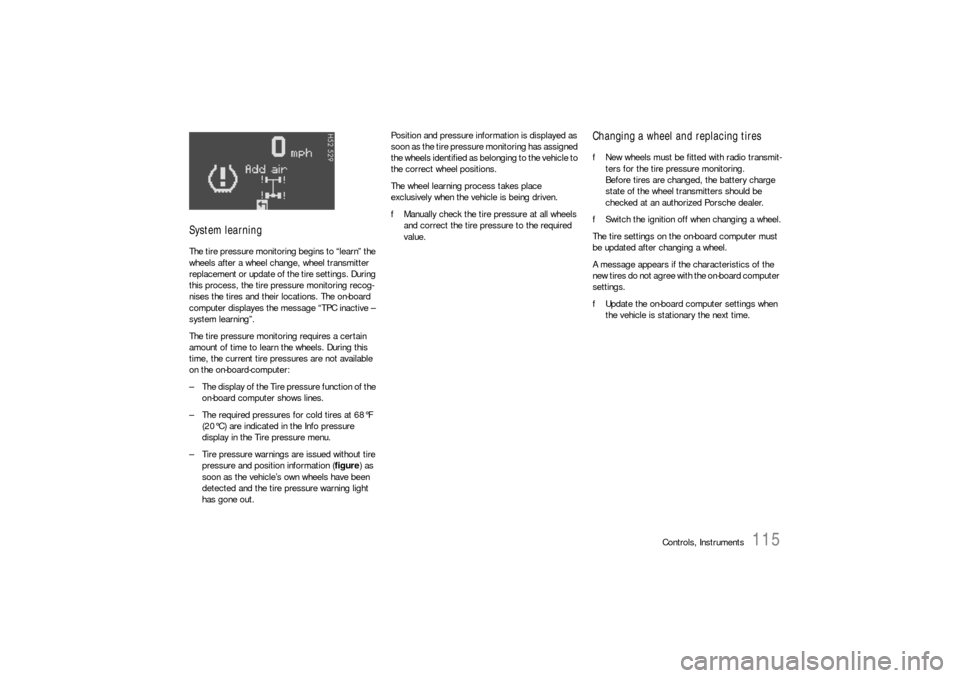
– Tire pressure warnings are issued without tire
pressure and position information (figure) as
soon as the vehicle’s own wheels have been
detected and the tire pressure warning light
has gone out.Position and pressure information is displayed as
soon as the tire pressure monitoring has assigned
the wheels identified as belonging to the vehicle to
the correct wheel positions.
The wheel learning process takes place
exclusively when the vehicle is being driven.
fManually check the tire pressure at all wheels
and correct the tire pressure to the required
value.
Changing a wheel and replacing tiresfNew wheels must be fitted with radio transmit-
ters for the tire pressure monitoring.
Before tires are changed, the battery charge
state of the wheel transmitters should be
checked at an authorized Porsche dealer.
fSwitch the ignition off when changing a wheel.
The tire settings on the on-board computer must
be updated after changing a wheel.
A message appears if the characteristics of the
new tires do not agree with the on-board computer
settings.
fUpdate the on-board computer settings when
the vehicle is stationary the next time.
Page 116 of 308
116
Controls, Instruments The warning light in the speedometer lights up:
– When a loss in pressure has been detected
– If the tire pressure monitoring is faulty
– When learning newly mounted wheels/wheel
sensors, as long as the vehicle’s own wheels
have not yet been recognized.
The tire pressure warning light in the instrument
panel goes out only when the cause of the fault
has been rectified.
No monitoringIn the event of faults the tire pressure monitoring
cannot monitor the tire pressure.
The warning light on the instrument panel lights up
and a corresponding message appears on the
on-board computer.
Monitoring is not active when:
– the tire pressure monitoring is faulty,
– wheel transmitters for the tire pressure
monitoring are missing,
– temporarily after changing a wheel (learning
phase),
– more than four wheel transmitters are
detected,
– there is external interference by other radio
sources, e.g. wireless headphones,
– tire temperatures are too high.
fPlease observe the chapter “WARNINGS ON
THE INSTRUMENT PANEL AND THE ON-
BOARD COMPUTER” on Page 122.
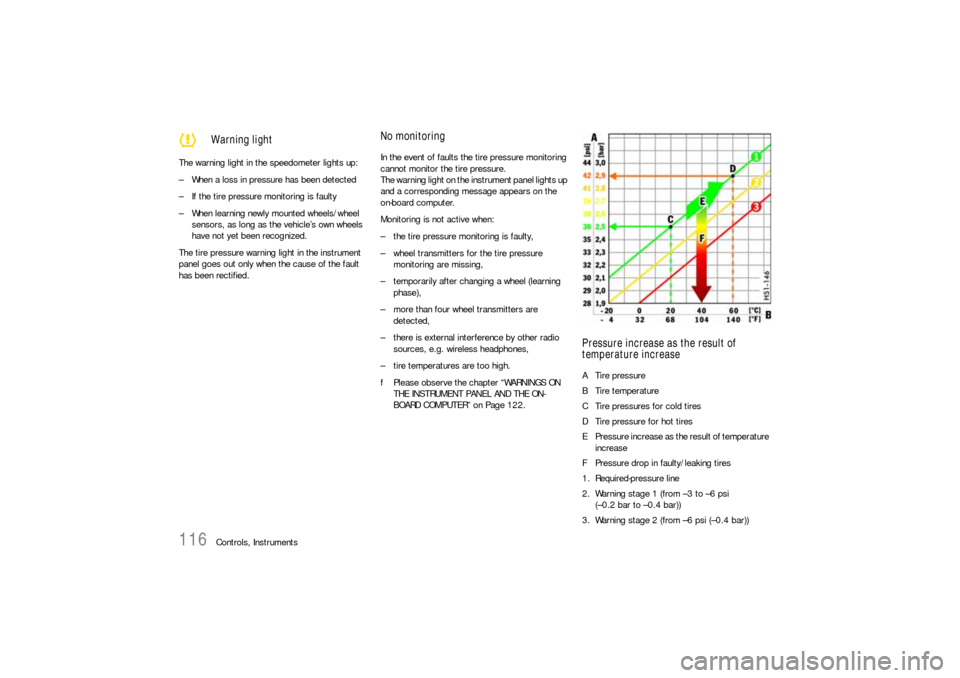
Pressure increase as the result of
temperature increaseA Tire pressure
B Tire temperature
C Tire pressures for cold tires
D Tire pressure for hot tires
E Pressure increase as the result of temperature
increase
F Pressure drop in faulty/leaking tires
1. Required-pressure line
2. Warning stage 1 (from –3 to –6 psi
(–0.2 bar to –0.4 bar))
3. Warning stage 2 (from –6 psi (–0.4 bar))
Warning light
Page 122 of 308

122
Controls, Instruments
Warnings on the instrument panel and the on-board computerIf a warning message appears, always refer to the corresponding chapters in the Owner’s Manual.
Warning messages are issued only if all measurement preconditions are met. Therefore, check all fluid levels regularly –
in particular, always check the engine oil level after refuelling.
Instrument
panelOn-board
computerText display on on-board
computerMeaning/measure
Seat belt Driver and passengers must fasten their seat
belts.
Handbrake Handbrake is still on.
Ignition key
not removed
Replace battery
in ignition keyReplace the remote-control battery.
Ignition lock faulty,
please go to workshopHave the fault remedied at an authorized
Porsche dealer.
Ignition lock faulty,
visit workshop nowHave the fault remedied at an authorized
Porsche dealer.
Relieve steering Relieve the steering l o c k b y m o v i n g t h e s t e e r i n g
wheel to the left or right.
Steering locked The steering wheel lock remains engaged.
Have the fault remedied at an authorized
Porsche dealer.
Lights on
Parking light on
Page 123 of 308

Controls, Instruments
123
Check left/right dipped beam (low
beam)
also applies to:
front side lights, direction indicator,
high beam, fog lights, side indicator
light, brake light, tail light, rear fog
light, reversing light, raised brake
light, side markerThe reported light is faulty. Check bulb.
Have the fault remedied at an authorized
Porsche dealer.
Daytime
driving lights offDaytime driving lights switch off when the engi-
ne is shut off. Switch on lights if necessary.
Headlight beam
adjustment faultyHave the fault remedied at an authorized
Porsche dealer.
Front lid not closed Close luggage compartment lid properly.
Rear lid not closed Close engine compartment lid properly.
Lid opener front
faultyLuggage compartment lid release is faulty.
Have the fault remedied at an authorized
Porsche dealer.
Rain sensor faulty Have the fault remedied at an authorized
Porsche dealer.
Refill washer fluid
LIMIT
Cannot be accepted
with vehicle stoppedThe current speed can only be accepted for the
acoustic warning signal when the vehicle is in
motion.
LIMIT
30Selected speed limit (e.g. 30 mph) for the
acoustic warning signal has been exceeded.
Adjust your speed if necessary.
Instrument
panelOn-board
computerText display on on-board
computerMeaning/measure
Page 124 of 308

124
Controls, Instruments
Fuel gauge war-
ning lightConsider remaining range Refuel at next opportunity.
Check engine oil level Start engine oil level measurement in the
on-board computer.
The vehicle must be horizontal and the ignition
must be switched on.
Engine oil pressure too low Stop immediately at a suitable place, measure
oil level with the on-board computer and, if ne-
cessary, add engine oil.
Warning light
Temperature gau-
geEngine temperature too high Switch engine off and let it cool.
Check coolant level and, if necessary,
add coolant.
Temperature gau-
ge warning light
flashesCheck coolant level Switch engine off and let it cool.
Check coolant level and, if necessary, add
coolant.
Engine diagnostics – workshop Consult your authorized Porsche dealer.
Reduced engine power Consult your authorized Porsche dealer.
Temperature gau-
ge warning light
flashesFailure of
engine compartment blowerConsult your authorized Porsche dealer.
Warning Battery/generator Stop at a safe place and switch the engine off.
Do not continue driving.
Have the fault remedied at an authorized
Porsche dealer.
Oil pressure gauge faulty Have the fault remedied at an authorized
Porsche dealer.
Oil level display faulty Have the fault remedied at an authorized
Porsche dealer.Instrument
panelOn-board
computerText display on on-board
computerMeaning/measure
Page 130 of 308
130
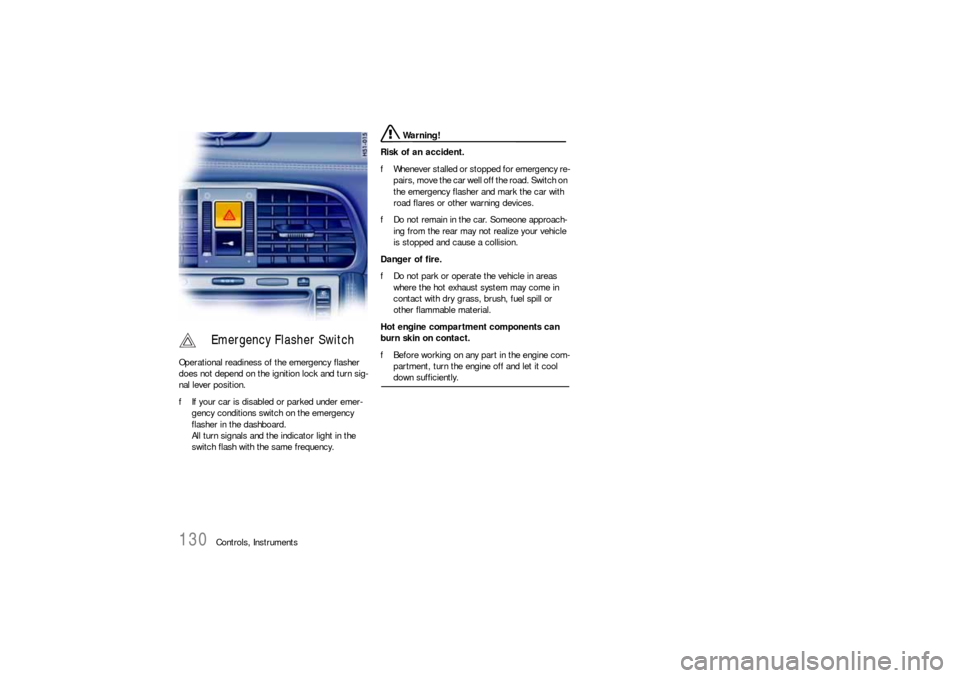
Controls, Instruments Operational readiness of the emergency flasher
does not depend on the ignition lock and turn sig-
nal lever position.
fIf your car is disabled or parked under emer-
gency conditions switch on the emergency
flasher in the dashboard.
All turn signals and the indicator light in the
switch flash with the same frequency.
Warning!
Risk of an accident.
fWhenever stalled or stopped for emergency re-
pairs, move the car well off the road. Switch on
the emergency flasher and mark the car with
road flares or other warning devices.
fDo not remain in the car. Someone approach-
ing from the rear may not realize your vehicle
is stopped and cause a collision.
Danger of fire.
fDo not park or operate the vehicle in areas
where the hot exhaust system may come in
contact with dry grass, brush, fuel spill or
other flammable material.
Hot engine compartment components can
burn skin on contact.
fBefore working on any part in the engine com-
partment, turn the engine off and let it cool down sufficiently.
Emergency Flasher Switch
Page 131 of 308
Controls, Instruments
131
If the ignition key is withdrawn and the door is
opened while the lights (not the parking light or
Welcome Home lighting) are on, a chime warns of
possible battery discharge.
In some countries, differences are possible
due to provisions of law.
Note on operation
Further individual light functions (e.g. daytime driv-
ing lights) are available in vehicles with the Sport
Chrono package.
Please observe the chapter “Individual Memory” in
the separate PCM operating instructions.
Welcome Home LightingSwitching onfMove light switch to the HOME position.
For improved visibility and security when you get
in and out of the car, the fog lights and the tail
lights remain on for a certain period of time:
–When you get out of the car, the lights are
turned on for approx. 30 seconds after the
door is opened. The off-delay time resumes
when the vehicle is locked.
On vehicles with the Sport Chrono package,
the PCM can be used to set the off-delay time.
This setting also changes the lighting period
for unlocking the vehicle.
Please observe the chapter “Individual
Memory” in the separate PCM operating
instructions.
– The lights are turned on for approx.
30 seconds when the vehicle is unlocked.
The lights go out if the ignition is switched on
or when leaving the Welcome Home lighting.
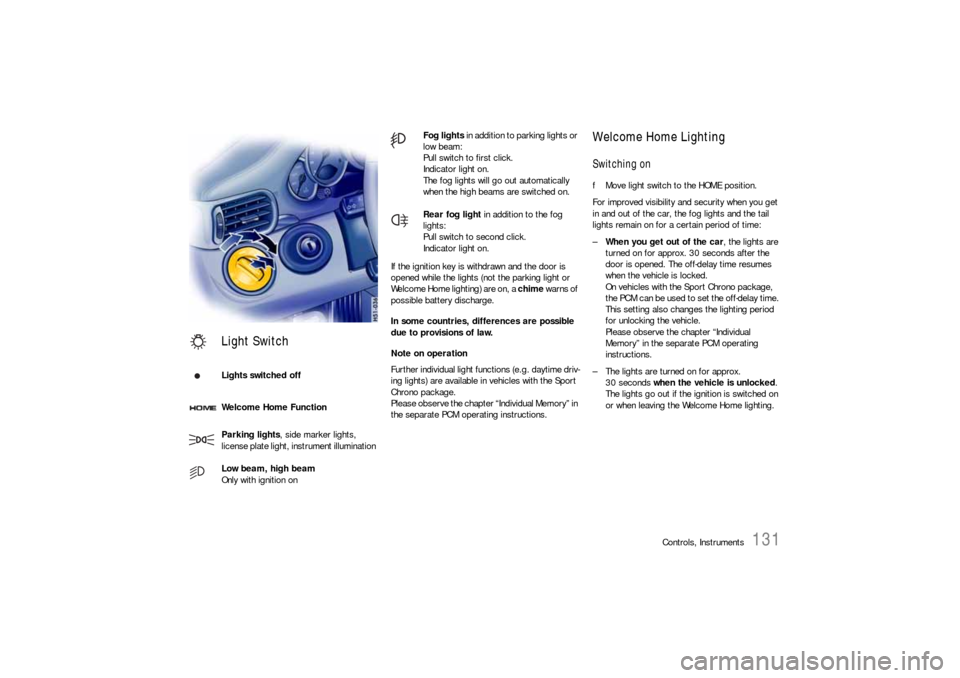
Light SwitchLights switched off
Welcome Home Function
Parking lights, side marker lights,
license plate light, instrument illumination
Low beam, high beam
Only with ignition on
Fog lights in addition to parking lights or
low beam:
Pull switch to first click.
Indicator light on.
The fog lights will go out automatically
when the high beams are switched on.
Rear fog light in addition to the fog
lights:
Pull switch to second click.
Indicator light on.