display PORSCHE 911 GT3 2010 5.G Owner's Guide
[x] Cancel search | Manufacturer: PORSCHE, Model Year: 2010, Model line: 911 GT3, Model: PORSCHE 911 GT3 2010 5.GPages: 251, PDF Size: 14.33 MB
Page 132 of 251
Instruments, On-Board Computer
131
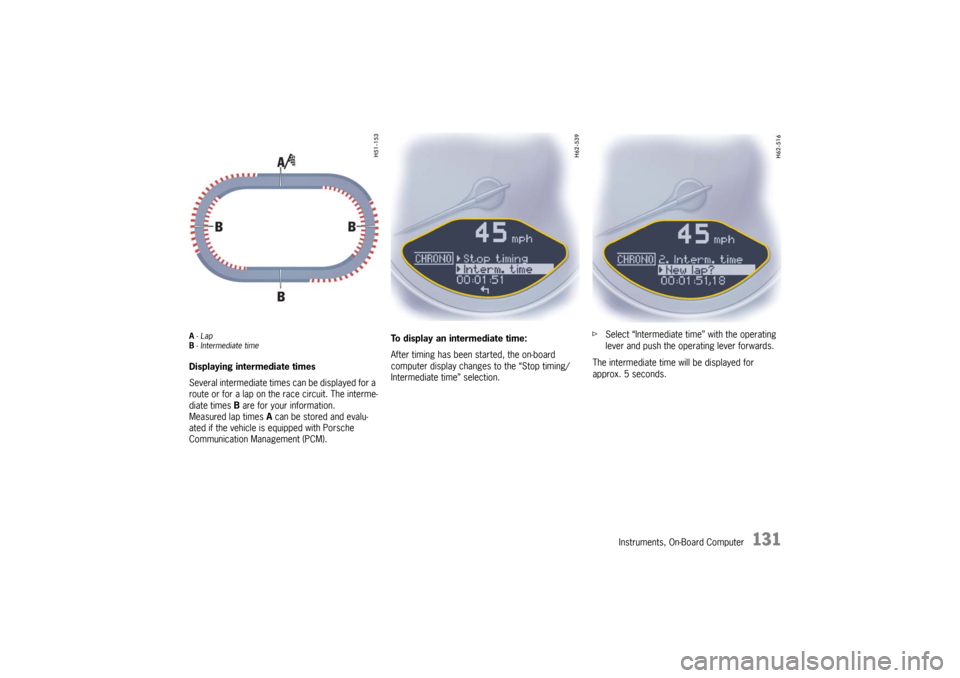
A-Lap
B- Intermediate timeDisplaying intermediate times
Several intermediate times can be displayed for a
route or for a lap on the race circuit. The interme-
diate times B are for your information.
Measured lap times A can be stored and evalu-
ated if the vehicle is equipped with Porsche
Communication Management (PCM).To display an intermediate time:
After timing has been started, the on-board
computer display changes to the “Stop timing/
Intermediate time” selection.fSelect “Intermediate time” with the operating
lever and push the operating lever forwards.
The intermediate time will be displayed for
approx. 5 seconds.
10_GT3_21.book Seite 131 Donnerstag, 4. Juni 2009 12:48 12
Page 133 of 251
132
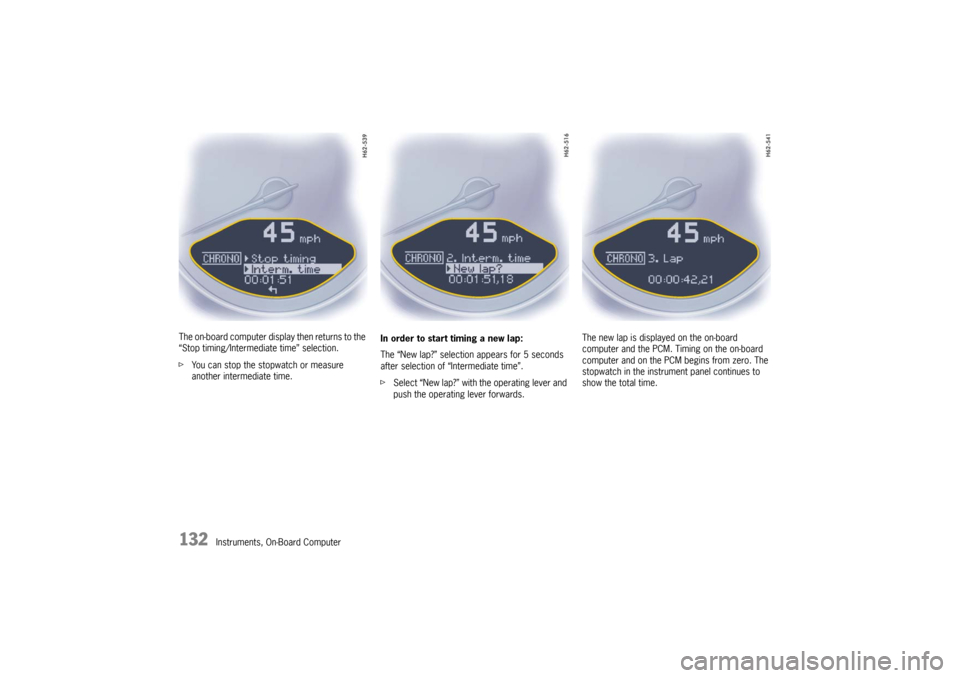
Instruments, On-Board Computer The on-board computer display then returns to the
“Stop timing/Intermediate time” selection.
fYou can stop the stopwatch or measure
another intermediate time.In order to start timing a new lap:
The “New lap?” selection appears for 5 seconds
after selection of “Intermediate time”.
fSelect “New lap?” with the operating lever and
push the operating lever forwards.The new lap is displayed on the on-board
computer and the PCM. Timing on the on-board
computer and on the PCM begins from zero. The
stopwatch in the instrument panel continues to
show the total time.
10_GT3_21.book Seite 132 Donnerstag, 4. Juni 2009 12:48 12
Page 134 of 251
Instruments, On-Board Computer
133
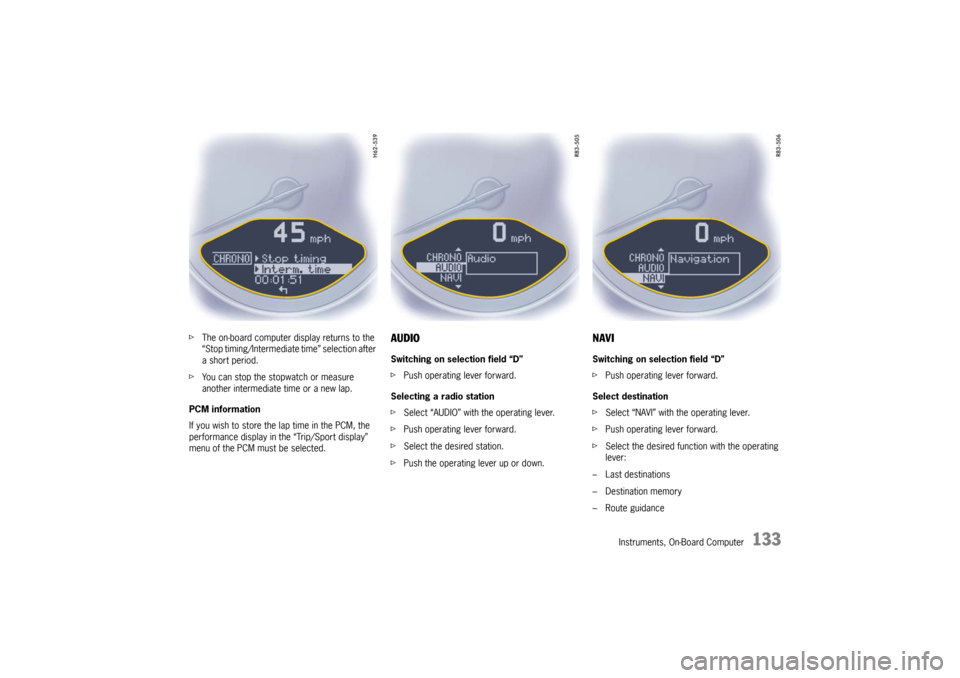
fThe on-board computer display returns to the
“Stop timing/Intermediate time” selection after
a short period.
fYou can stop the stopwatch or measure
another intermediate time or a new lap.
PCM information
If you wish to store the lap time in the PCM, the
performance display in the “Trip/Sport display”
menu of the PCM must be selected.
AUDIOSwitching on selection field “D”
fPush operating lever forward.
Selecting a radio station
fSelect “AUDIO” with the operating lever.
fPush operating lever forward.
fSelect the desired station.
fPush the operating lever up or down.
NAVISwitching on selection field “D”
fPush operating lever forward.
Select destination
fSelect “NAVI” with the operating lever.
fPush operating lever forward.
fSelect the desired function with the operating
lever:
– Last destinations
– Destination memory
– Route guidance
10_GT3_21.book Seite 133 Donnerstag, 4. Juni 2009 12:48 12
Page 135 of 251
134
Instruments, On-Board Computer
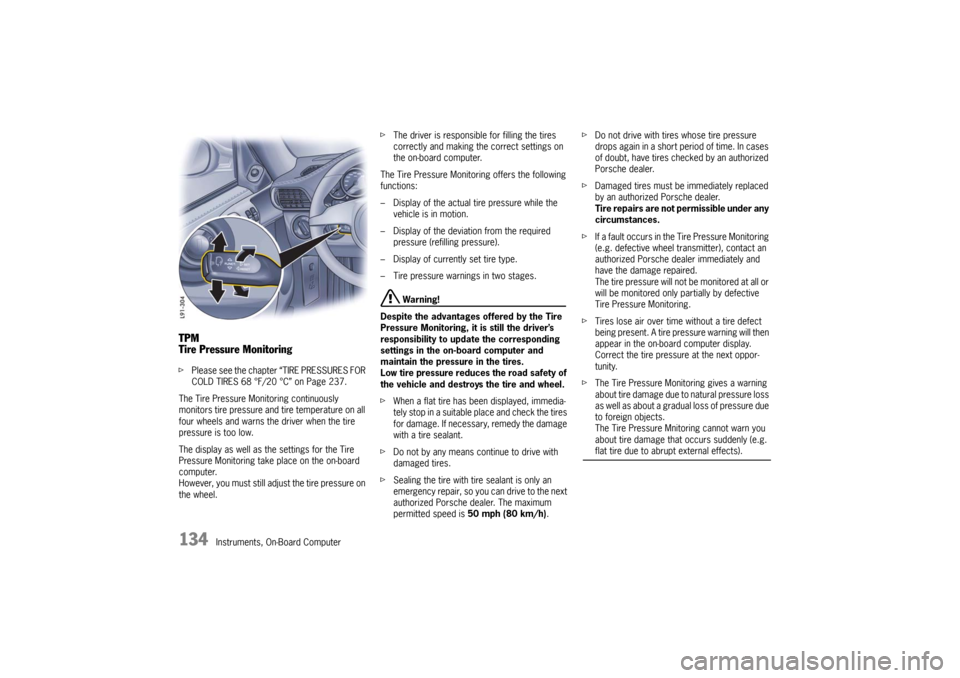
TPM
Tire Pressure MonitoringfPlease see the chapter “TIRE PRESSURES FOR
COLD TIRES 68 °F/20 °C” on Page 237.
The Tire Pressure Monitoring continuously
monitors tire pressure and tire temperature on all
four wheels and warns the driver when the tire
pressure is too low.
The display as well as the settings for the Tire
Pressure Monitoring take place on the on-board
computer.
However, you must still adjust the tire pressure on
the wheel.fThe driver is responsible for filling the tires
correctly and making the correct settings on
the on-board computer.
The Tire Pressure Monitoring offers the following
functions:
– Display of the actual tire pressure while the
vehicle is in motion.
– Display of the deviation from the required
pressure (refilling pressure).
– Display of currently set tire type.
– Tire pressure warnings in two stages.
Warning!
Despite the advantages offered by the Tire
Pressure Monitoring, it is still the driver’s
responsibility to update the corresponding
settings in the on-board computer and
maintain the pressure in the tires.
Low tire pressure reduces the road safety of
the vehicle and destroys the tire and wheel.
fWhen a flat tire has been displayed, immedia-
tely stop in a suitable place and check the tires
for damage. If necessary, remedy the damage
with a tire sealant.
fDo not by any means continue to drive with
damaged tires.
fSealing the tire with tire sealant is only an
emergency repair, so you can drive to the next
authorized Porsche dealer. The maximum
permitted speed is 50 mph (80 km/h).fDo not drive with tires whose tire pressure
drops again in a short period of time. In cases
of doubt, have tires checked by an authorized
Porsche dealer.
fDamaged tires must be immediately replaced
by an authorized Porsche dealer.
Tire repairs are not permissible under any
circumstances.
fIf a fault occurs in the Tire Pressure Monitoring
(e.g. defective wheel transmitter), contact an
authorized Porsche dealer immediately and
have the damage repaired.
The tire pressure will not be monitored at all or
will be monitored only partially by defective
Tire Pressure Monitoring.
fTires lose air over time without a tire defect
being present. A tire pressure warning will then
appear in the on-board computer display.
Correct the tire pressure at the next oppor-
tunity.
fThe Tire Pressure Monitoring gives a warning
about tire damage due to natural pressure loss
as well as about a gradual loss of pressure due
to foreign objects.
The Tire Pressure Mnitoring cannot warn you
about tire damage that occurs suddenly (e.g.
flat tire due to abrupt external effects).
10_GT3_21.book Seite 134 Donnerstag, 4. Juni 2009 12:48 12
Page 136 of 251
Instruments, On-Board Computer
135
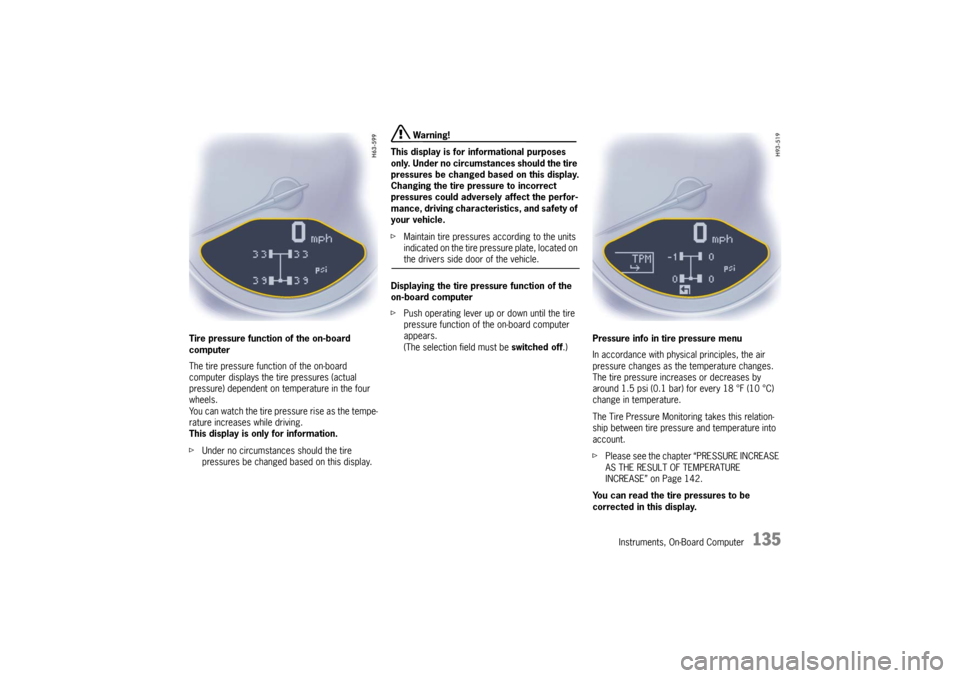
Tire pressure function of the on-board
computer
The tire pressure function of the on-board
computer displays the tire pressures (actual
pressure) dependent on temperature in the four
wheels.
You can watch the tire pressure rise as the tempe-
rature increases while driving.
This display is only for information.
fUnder no circumstances should the tire
pressures be changed based on this display.
Warning!
This display is for informational purposes
only. Under no circumstances should the tire
pressures be changed based on this display.
Changing the tire pressure to incorrect
pressures could adversely affect the perfor-
mance, driving characteristics, and safety of
your vehicle.
fMaintain tire pressures according to the units
indicated on the tire pressure plate, located on the drivers side door of the vehicle.
Displaying the tire pressure function of the
on-board computer
fPush operating lever up or down until the tire
pressure function of the on-board computer
appears.
(The selection field must be switched off.)Pressure info in tire pressure menu
In accordance with physical principles, the air
pressure changes as the temperature changes.
The tire pressure increases or decreases by
around 1.5 psi (0.1 bar) for every 18 °F (10 °C)
change in temperature.
The Tire Pressure Monitoring takes this relation-
ship between tire pressure and temperature into
account.
fPlease see the chapter “PRESSURE INCREASE
AS THE RESULT OF TEMPERATURE
INCREASE” on Page 142.
You can read the tire pressures to be
corrected in this display.
10_GT3_21.book Seite 135 Donnerstag, 4. Juni 2009 12:48 12
Page 137 of 251
136
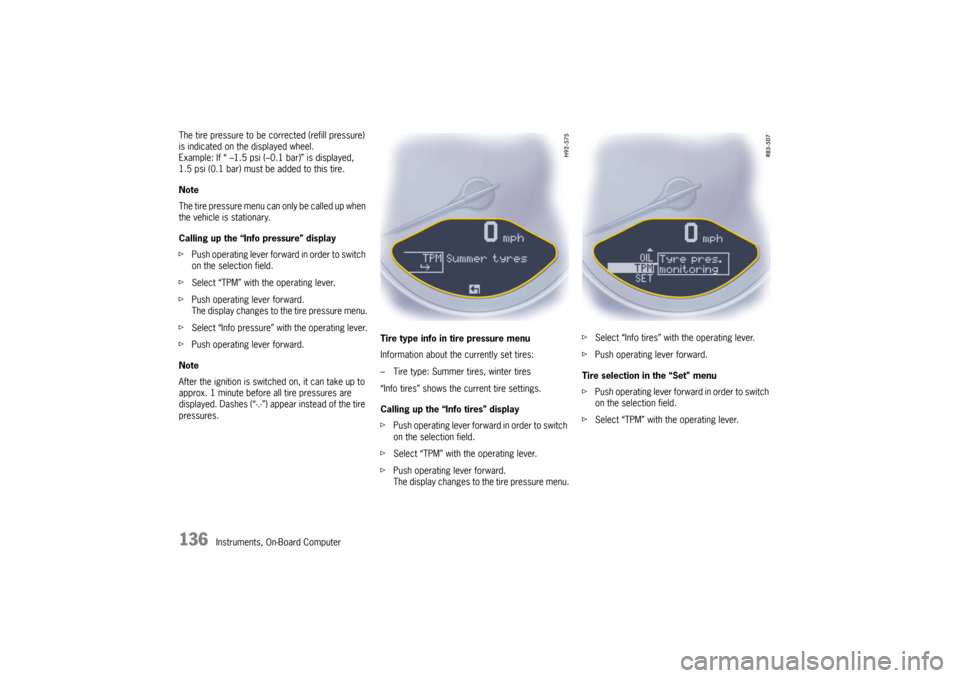
Instruments, On-Board Computer The tire pressure to be corrected (refill pressure)
is indicated on the displayed wheel.
Example: If “ –1.5 psi (–0.1 bar)” is displayed,
1.5 psi (0.1 bar) must be added to this tire.
Note
The tire pressure menu can only be called up when
the vehicle is stationary.
Calling up the “Info pressure” display
fPush operating lever forward in order to switch
on the selection field.
fSelect “TPM” with the operating lever.
fPush operating lever forward.
The display changes to the tire pressure menu.
fSelect “Info pressure” with the operating lever.
fPush operating lever forward.
Note
After the ignition is switched on, it can take up to
approx. 1 minute before all tire pressures are
displayed. Dashes (“-.-”) appear instead of the tire
pressures. Tire type info in tire pressure menu
Information about the currently set tires:
– Tire type: Summer tires, winter tires
“Info tires” shows the current tire settings.
Calling up the “Info tires” display
fPush operating lever forward in order to switch
on the selection field.
fSelect “TPM” with the operating lever.
fPush operating lever forward.
The display changes to the tire pressure menu.fSelect “Info tires” with the operating lever.
fPush operating lever forward.
Tire selection in the “Set” menu
fPush operating lever forward in order to switch
on the selection field.
fSelect “TPM” with the operating lever.
10_GT3_21.book Seite 136 Donnerstag, 4. Juni 2009 12:48 12
Page 138 of 251
Instruments, On-Board Computer
137
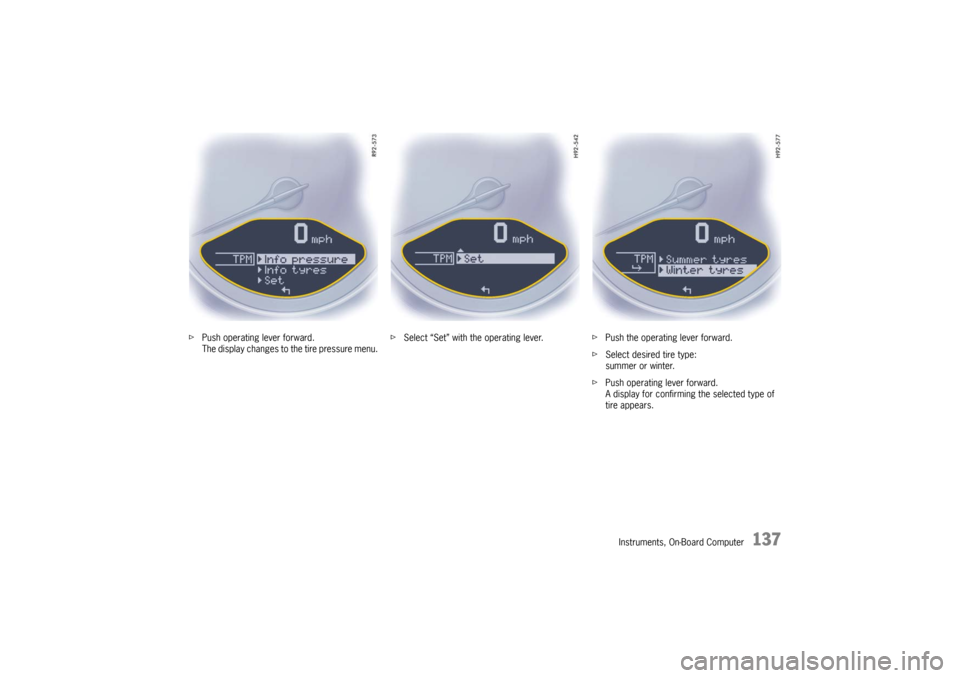
fPush operating lever forward.
The display changes to the tire pressure menu.fSelect “Set” with the operating lever.fPush the operating lever forward.
fSelect desired tire type:
summer or winter.
fPush operating lever forward.
A display for confirming the selected type of
tire appears.
10_GT3_21.book Seite 137 Donnerstag, 4. Juni 2009 12:48 12
Page 139 of 251
138
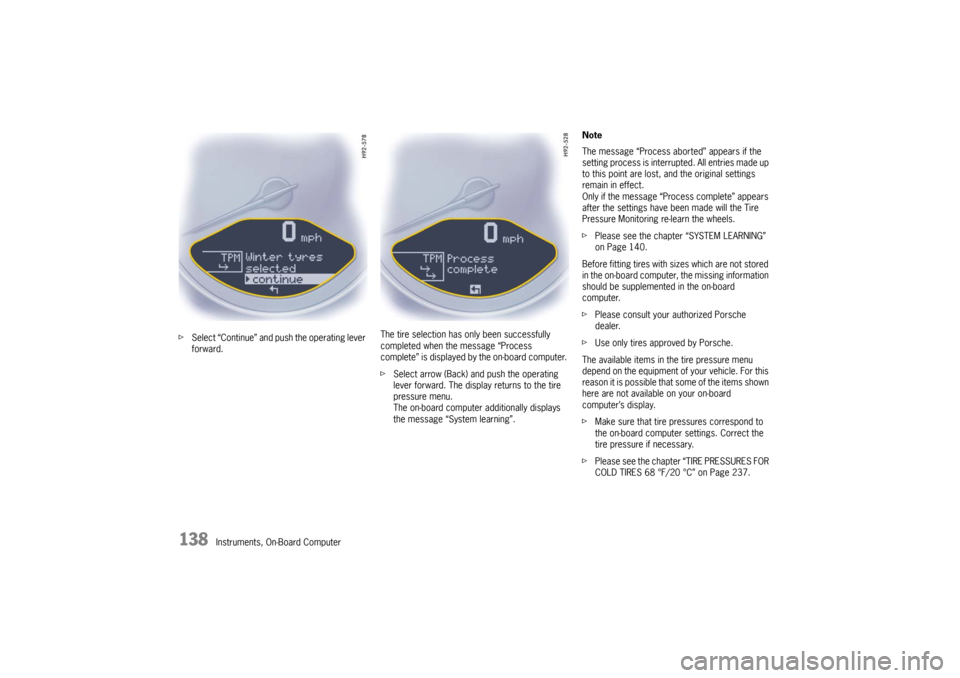
Instruments, On-Board Computer fSelect “Continue” and push the operating lever
forward.The tire selection has only been successfully
completed when the message “Process
complete” is displayed by the on-board computer.
fSelect arrow (Back) and push the operating
lever forward. The display returns to the tire
pressure menu.
The on-board computer additionally displays
the message “System learning”.Note
The message “Process aborted” appears if the
setting process is interrupted. All entries made up
to this point are lost, and the original settings
remain in effect.
Only if the message “Process complete” appears
after the settings have been made will the Tire
Pressure Monitoring re-learn the wheels.
fPlease see the chapter “SYSTEM LEARNING”
on Page 140.
Before fitting tires with sizes which are not stored
in the on-board computer, the missing information
should be supplemented in the on-board
computer.
fPlease consult your authorized Porsche
dealer.
fUse only tires approved by Porsche.
The available items in the tire pressure menu
depend on the equipment of your vehicle. For this
reason it is possible that some of the items shown
here are not available on your on-board
computer’s display.
fMake sure that tire pressures correspond to
the on-board computer settings. Correct the
tire pressure if necessary.
fPlease see the chapter “TIRE PRESSURES FOR
COLD TIRES 68 °F/20 °C” on Page 237.
10_GT3_21.book Seite 138 Donnerstag, 4. Juni 2009 12:48 12
Page 141 of 251

140
Instruments, On-Board Computer This tire pressure warning also appears when
driving and can be acknowledged.
The tire pressure warning light on the instrument
panel goes out only when the tire pressure has
been corrected.
System learningThe Tire Pressure Monitoring begins to “learn” the
wheels after a wheel change, wheel transmitter
replacement or update of the tire settings. During
this process, the Tire Pressure Monitoring recog-
nizes the tires and their locations.
The on-board computer displayes the message
“TPM is learning, monitoring not act.”.
The Tire Pressure Monitoring requires a certain
amount of time to learn the wheels. During this
time, the current tire pressures are not available
on the on-board-computer:
– The tire pressure warning light remains lit until
all wheels have been learned.
– The display of the tire pressure function of the
on-board computer shows lines.
– The required pressures for cold tires at 68 °F
(20 °C) are indicated in the Info pressure
display in the tire pressure menu.
Position and pressure information is displayed as
soon as the Tire Pressure Monitoring has
assigned the wheels identified as belonging to the
vehicle to the correct wheel positions.The wheel learning process takes place
exclusively when the vehicle is being driven
(vehicle speed above 16 mph (25 km/h)).
fCheck the tire pressure for all wheels on the
“Info pressure” display.
fCorrect the tire pressure to the required
pressure if necessary.
Changing a wheel and replacing tiresfNew wheels must be fitted with radio transmit-
ters for the Tire Pressure Monitoring.
Before tires are changed, the battery charge
state of the wheel transmitters should be
checked at an authorized Porsche dealer.
fSwitch the ignition off when changing a wheel.
The tire settings on the on-board computer must
be updated after changing a wheel.
If the tire settings are not updated, the message
“Wheel change? Input new TPM settings!” is
displayed on the on-board computer.
fUpdate the on-board computer settings when
the vehicle is stationary the next time.
10_GT3_21.book Seite 140 Donnerstag, 4. Juni 2009 12:48 12
Page 142 of 251

Instruments, On-Board Computer
141
Warning!
Your vehicle has also been equipped with a Tire
Pressure Monitoring (TPM) malfunction indicator
when the system is not operating properly.
The TPM malfunction indicator is combined with a
low tire pressure telltale.
When the system detects a malfunction, the
telltale will flash for approx. one minute and then
remain continuously illuminated. This sequence
will continue upon subsequent vehicle start-ups as
long as the malfunction exists.
When the malfunction indicator is illuminated, the
system may not be able to detect or signal low tire
pressure as intended.
TPM malfuntions may occur for a variety of
reasons, including the installation of replacement
or alternate tires or wheels on the vehicle that
prevent the TPM from functioning properly.
Always check the TPM malfunction telltale after
replacing one or more tires or wheels on your
vehicle to ensure that the replacement or alter-
nate tires and wheels allow the TPM to continue to
function properly.The warning light in the speedometer lights up:
– When a loss in pressure has been detected.
– When learning newly mounted wheels/wheel
sensors, as long as the vehicle’s own wheels
have not yet been recognized.
In the event of a defect in Tire Pressure Monitoring
or a temporary fault, the warning light in the
speedometer flashes for approx. one minute and
then remains continuously illuminated.
The tire pressure warning light in the instrument
panel goes out only when the cause of the fault
has been rectified.
Partial monitoringMonitoring of the other wheels is continued if there
is a fault in one or two wheel transmitters.
– The tire pressure warning light lights up.
– The message “TPM partial monitoring” is
displayed on the on-board computer.
– No tire pressures are displayed on the on-
board computer for wheels with faulty wheel
transmitters.
No monitoringIn the event of faults the Tire Pressure Monitoring
cannot monitor the tire pressure.
The warning light on the instrument panel flashes
for approx. one minute and then remains conti-
nuously illuminated and a corresponding message
appears on the on-board computer.
Monitoring is not active when:
– the Tire Pressure Monitoring is faulty,
– wheel transmitters for the Tire Pressure
Monitoring are missing,
– during the learning phase after the tire settings
have been updated,
– after a wheel change without updating the tire
settings,
– more than four wheel transmitters are
detected,
– there is external interference by other radio
sources, e.g. wireless headphones,
– tire temperatures are too high.
fPlease see the chapter “WARNINGS ON THE
INSTRUMENT PANEL AND THE ON-BOARD
COMPUTER” on Page 148.
Warning light
10_GT3_21.book Seite 141 Donnerstag, 4. Juni 2009 12:48 12