lock PORSCHE CAYNNE 2010 1.G Workshop Manual
[x] Cancel search | Manufacturer: PORSCHE, Model Year: 2010, Model line: CAYENNE, Model: PORSCHE CAYENNE 2010 1.GPages: 379, PDF Size: 13.91 MB
Page 117 of 379
Multi-Purpose Display and Instruments
117
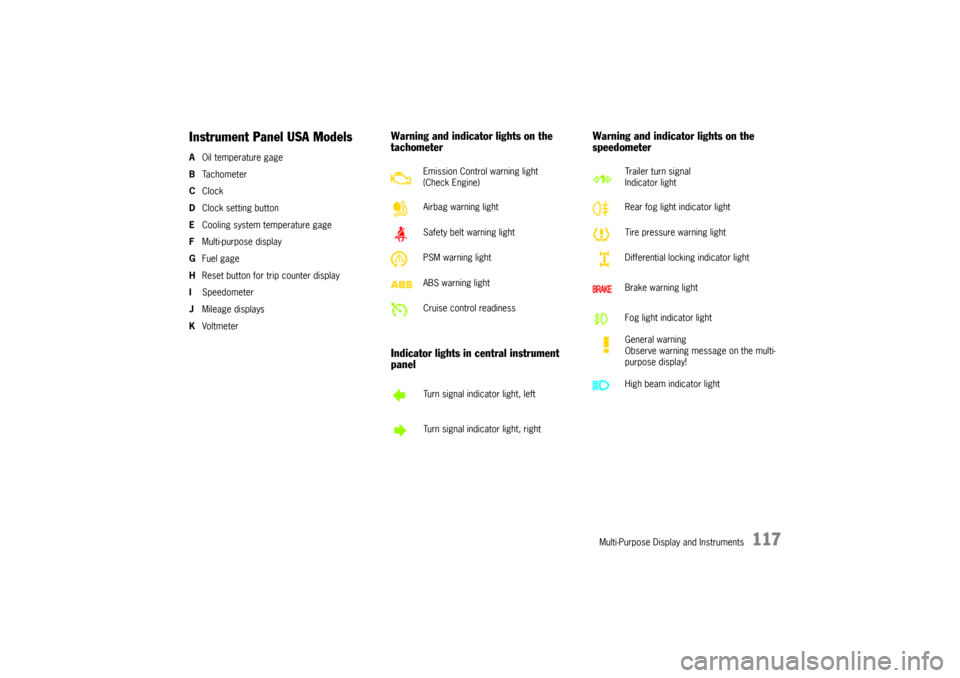
Instrument Panel USA ModelsAOil temperature gage
BTa c h o m e t e r
CClock
DClock setting button
ECooling system temperature gage
FMulti-purpose display
GFuel gage
HReset button for trip counter display
ISpeedometer
JMileage displays
KVoltmeter
Warning and indicator lights on the
tachometer
Indicator lights in central instrument
panelWarning and indicator lights on the
speedometer
Emission Control warning light
(Check Engine)
Airbag warning light
Safety belt warning light
PSM warning light
ABS warning light
Cruise control readiness
Turn signal indicator light, left
Turn signal indicator light, right
Trailer turn signal
Indicator light
Rear fog light indicator light
Tire pressure warning light
Differential locking indicator light
Brake warning light
Fog light indicator light
General warning
Observe warning message on the multi-
purpose display!
High beam indicator light
10_Cayenne_21_KW17.book Seite 117 Donnerstag, 9. April 2009 3:33 15
Page 119 of 379
Multi-Purpose Display and Instruments
119
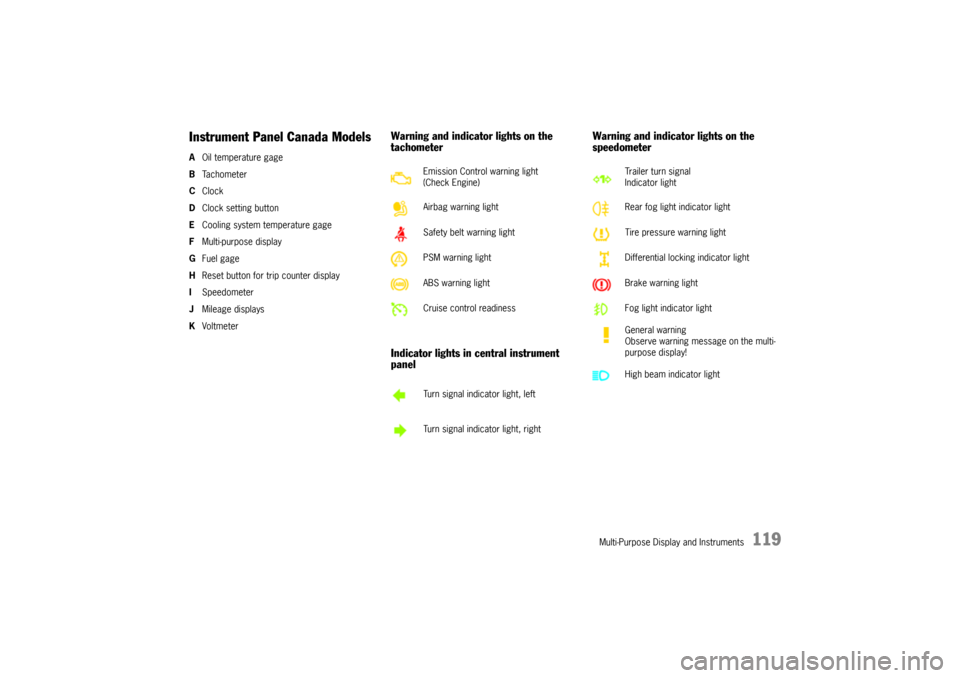
Instrument Panel Canada ModelsAOil temperature gage
BTa c h o m e t e r
CClock
DClock setting button
ECooling system temperature gage
FMulti-purpose display
GFuel gage
HReset button for trip counter display
ISpeedometer
JMileage displays
KVoltmeter
Warning and indicator lights on the
tachometer
Indicator lights in central instrument
panelWarning and indicator lights on the
speedometer
Emission Control warning light
(Check Engine)
Airbag warning light
Safety belt warning light
PSM warning light
ABS warning light
Cruise control readiness
Turn signal indicator light, left
Turn signal indicator light, right
Trailer turn signal
Indicator light
Rear fog light indicator light
Tire pressure warning light
Differential locking indicator light
Brake warning light
Fog light indicator light
General warning
Observe warning message on the multi-
purpose display!
High beam indicator light
10_Cayenne_21_KW17.book Seite 119 Donnerstag, 9. April 2009 3:33 15
Page 120 of 379
120
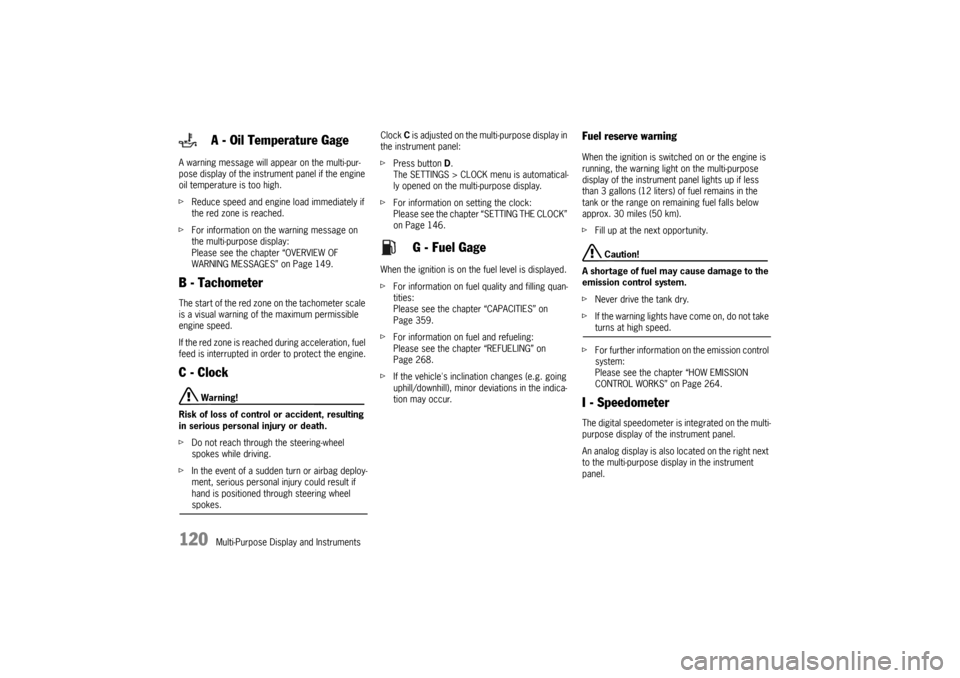
Multi-Purpose Display and Instruments A warning message will appear on the multi-pur-
pose display of the instrument panel if the engine
oil temperature is too high.
fReduce speed and engine load immediately if
the red zone is reached.
fFor information on the warning message on
the multi-purpose display:
Please see the chapter “OVERVIEW OF
WARNING MESSAGES” on Page 149.
B - TachometerThe start of the red zone on the tachometer scale
is a visual warning of the maximum permissible
engine speed.
If the red zone is reached during acceleration, fuel
feed is interrupted in order to protect the engine.C - Clock
Warning!
Risk of loss of control or accident, resulting
in serious personal injury or death.
fDo not reach through the steering-wheel
spokes while driving.
fIn the event of a sudden turn or airbag deploy-
ment, serious personal injury could result if
hand is positioned through steering wheel spokes.Clock C is adjusted on the multi-purpose display in
the instrument panel:
fPress button D.
The SETTINGS > CLOCK menu is automatical-
ly opened on the multi-purpose display.
fFor information on setting the clock:
Please see the chapter “SETTING THE CLOCK”
on Page 146.
When the ignition is on the fuel level is displayed.
fFor information on fuel quality and filling quan-
tities:
Please see the chapter “CAPACITIES” on
Page 359.
fFor information on fuel and refueling:
Please see the chapter “REFUELING” on
Page 268.
fIf the vehicle's inclination changes (e.g. going
uphill/downhill), minor deviations in the indica-
tion may occur.
Fuel reserve warningWhen the ignition is switched on or the engine is
running, the warning light on the multi-purpose
display of the instrument panel lights up if less
than 3 gallons (12 liters) of fuel remains in the
tank or the range on remaining fuel falls below
approx. 30 miles (50 km).
fFill up at the next opportunity.
Caution!
A shortage of fuel may cause damage to the
emission control system.
fNever drive the tank dry.
fIf the warning lights have come on, do not take turns at high speed.
fFor further information on the emission control
system:
Please see the chapter “HOW EMISSION
CONTROL WORKS” on Page 264.
I - SpeedometerThe digital speedometer is integrated on the multi-
purpose display of the instrument panel.
An analog display is also located on the right next
to the multi-purpose display in the instrument
panel.
A - Oil Temperature Gage
G - Fuel Gage
10_Cayenne_21_KW17.book Seite 120 Donnerstag, 9. April 2009 3:33 15
Page 131 of 379
Multi-Purpose Display and Instruments
131
Note on operation
fFor information on the operating principle of
the multi-purpose display:
Please see the chapter “OPERATING
PRINCIPLE” on Page 124.
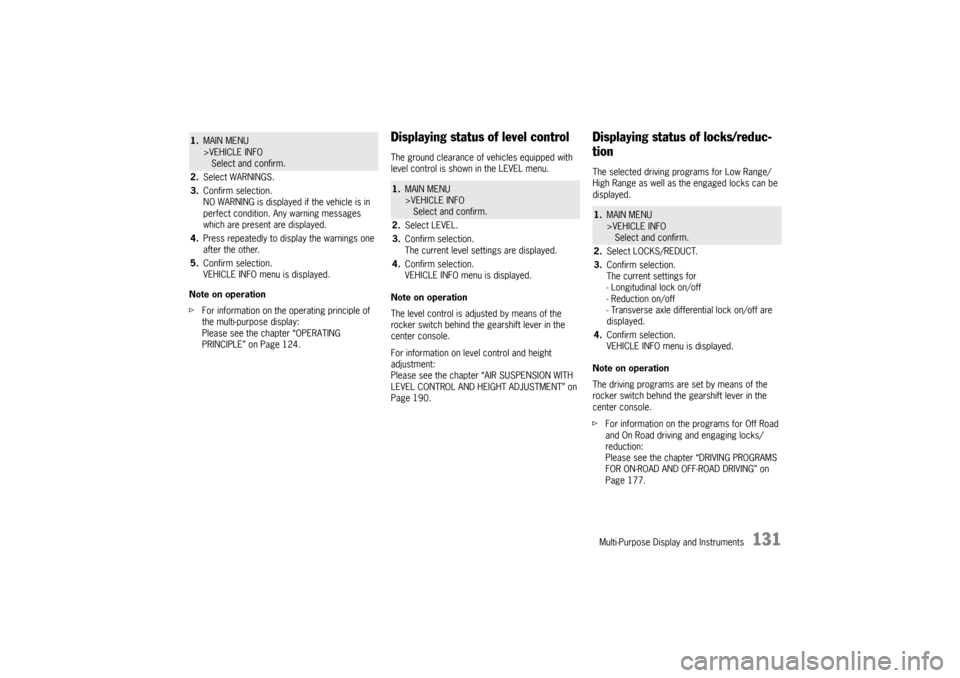
Displaying status of level controlThe ground clearance of vehicles equipped with
level control is shown in the LEVEL menu.
Note on operation
The level control is adjusted by means of the
rocker switch behind the gearshift lever in the
center console.
For information on level control and height
adjustment:
Please see the chapter “AIR SUSPENSION WITH
LEVEL CONTROL AND HEIGHT ADJUSTMENT” on
Page 190.
Displaying status of locks/reduc-
tionThe selected driving programs for Low Range/
High Range as well as the engaged locks can be
displayed.
Note on operation
The driving programs are set by means of the
rocker switch behind the gearshift lever in the
center console.
fFor information on the programs for Off Road
and On Road driving and engaging locks/
reduction:
Please see the chapter “DRIVING PROGRAMS
FOR ON-ROAD AND OFF-ROAD DRIVING” on
Page 177.
1.MAIN MENU
>VEHICLE INFO
Select and confirm.
2.Select WARNINGS.
3.Confirm selection.
NO WARNING is displayed if the vehicle is in
perfect condition. Any warning messages
which are present are displayed.
4.Press repeatedly to display the warnings one
after the other.
5.Confirm selection.
VEHICLE INFO menu is displayed.
1.MAIN MENU
>VEHICLE INFO
Select and confirm.
2.Select LEVEL.
3.Confirm selection.
The current level settings are displayed.
4.Confirm selection.
VEHICLE INFO menu is displayed.
1.MAIN MENU
>VEHICLE INFO
Select and confirm.
2.Select LOCKS/REDUCT.
3.Confirm selection.
The current settings for
- Longitudinal lock on/off
- Reduction on/off
- Transverse axle differential lock on/off are
displayed.
4.Confirm selection.
VEHICLE INFO menu is displayed.
10_Cayenne_21_KW17.book Seite 131 Donnerstag, 9. April 2009 3:33 15
Page 142 of 379

142
Multi-Purpose Display and Instruments – in the sub-menu TYRE PRESSURE (filling infor-
mation):
as a required pressure for each axle if Tire
Pressure Monitoring has not yet been taught
the corresponding values,
– in the front left door aperture for each wheel,
– in the Technical Data chapter in this Owner’s
Manual: Please see the chapter “TIRE
PRESSURES, COLD (68 °F/20 °C)” on
Page 354.
If Tire Pressure Monitoring has been taught the
corresponding values, the deviations from the
required pressure are shown in the sub-menu
TYRE PRESSURE (filling information) indepen-
dently of the tire temperature. The correct tire
pressure adjustment can be made for a wheel on
the basis of this display information even if the
tires are warm.
Insufficient tire filling pressure can cause tires to
overheat when driving and thus be damaged –
even invisibly.
Hidden tire damage is not eliminated by subse-
quently correcting the tire pressure.
fFor this reason, always make sure that the tire
pressure is correct.
fFor further information on maintenance and
care of tires and wheels:
Please see the chapter “TIRES/WHEELS” on
Page 281.
Switching off passenger compart-
ment monitoring on the multi-
purpose displayThe passenger compartment monitoring system
can be temporarily deactivated in the ALARM sub-
menu.
When the doors are locked again, the ultrasound
passenger compartment monitoring system is
activated once more.
Further important information concerning this
topic can be found in a separate chapter:
fPlease see the chapter “TEMPORARILY
DEACTIVATING PASSENGER COMPARTMENT
MONITORING SYSTEM” on Page 246.
Notes on operation
fComfort settings can be made only when the
vehicle is stationary.
fFor information on the operating principle of
the multi-purpose display:
Please see the chapter “OPERATING
PRINCIPLE” on Page 124.
Switching passenger compartment
monitoring on/offThe alarm is triggered if motion is detected in the
interior with the doors closed (e.g. if a window is
broken in a theft).1.MAIN MENU
>SETTINGS
> COMFORT
> ALARM
Select and confirm.
2.Select INTERIOR.
3.Confirm selection.
Monitoring is activated.
Monitoring is deactivated.
10_Cayenne_21_KW17.book Seite 142 Donnerstag, 9. April 2009 3:33 15
Page 143 of 379
Multi-Purpose Display and Instruments
143
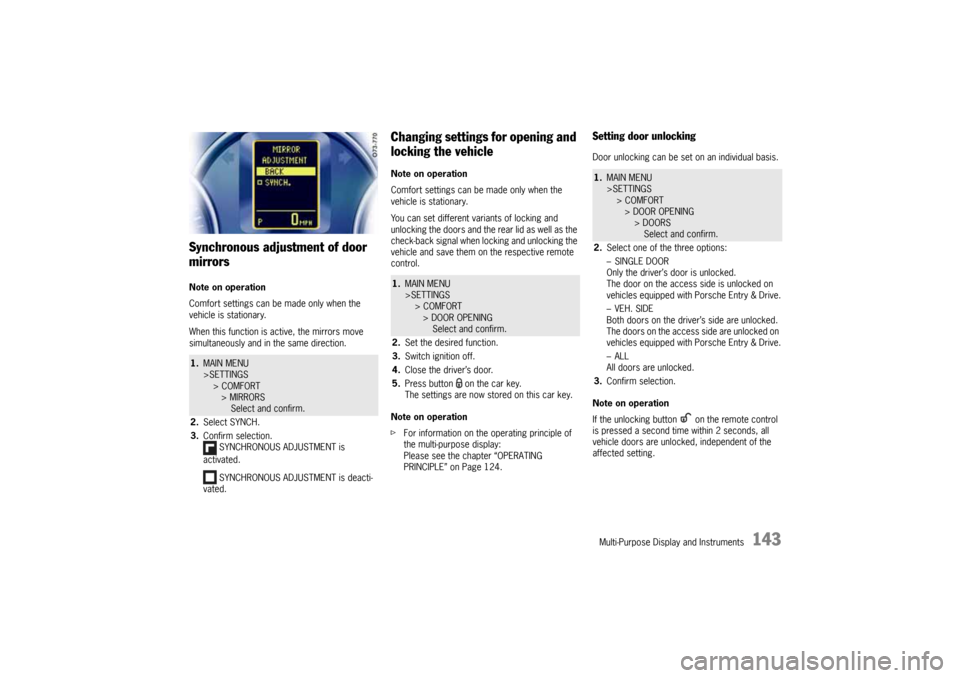
Synchronous adjustment of door
mirrorsNote on operation
Comfort settings can be made only when the
vehicle is stationary.
When this function is active, the mirrors move
simultaneously and in the same direction.
Changing settings for opening and
locking the vehicleNote on operation
Comfort settings can be made only when the
vehicle is stationary.
You can set different variants of locking and
unlocking the doors and the rear lid as well as the
check-back signal when locking and unlocking the
vehicle and save them on the respective remote
control.
Note on operation
fFor information on the operating principle of
the multi-purpose display:
Please see the chapter “OPERATING
PRINCIPLE” on Page 124.
Setting door unlockingDoor unlocking can be set on an individual basis.
Note on operation
If the unlocking button on the remote control
is pressed a second time within 2 seconds, all
vehicle doors are unlocked, independent of the
affected setting.
1.MAIN MENU
>SETTINGS
> COMFORT
> MIRRORS
Select and confirm.
2.Select SYNCH.
3.Confirm selection.
SYNCHRONOUS ADJUSTMENT is
activated.
SYNCHRONOUS ADJUSTMENT is deacti-
vated.
1.MAIN MENU
>SETTINGS
> COMFORT
> DOOR OPENING
Select and confirm.
2.Set the desired function.
3.Switch ignition off.
4.Close the driver’s door.
5.Press button on the car key.
The settings are now stored on this car key.
1.MAIN MENU
>SETTINGS
> COMFORT
> DOOR OPENING
> DOORS
Select and confirm.
2.Select one of the three options:
–SINGLE DOOR
Only the driver’s door is unlocked.
The door on the access side is unlocked on
vehicles equipped with Porsche Entry & Drive.
–VEH. SIDE
Both doors on the driver’s side are unlocked.
The doors on the access side are unlocked on
vehicles equipped with Porsche Entry & Drive.
–ALL
All doors are unlocked.
3.Confirm selection.
10_Cayenne_21_KW17.book Seite 143 Donnerstag, 9. April 2009 3:33 15
Page 144 of 379
144
Multi-Purpose Display and Instruments
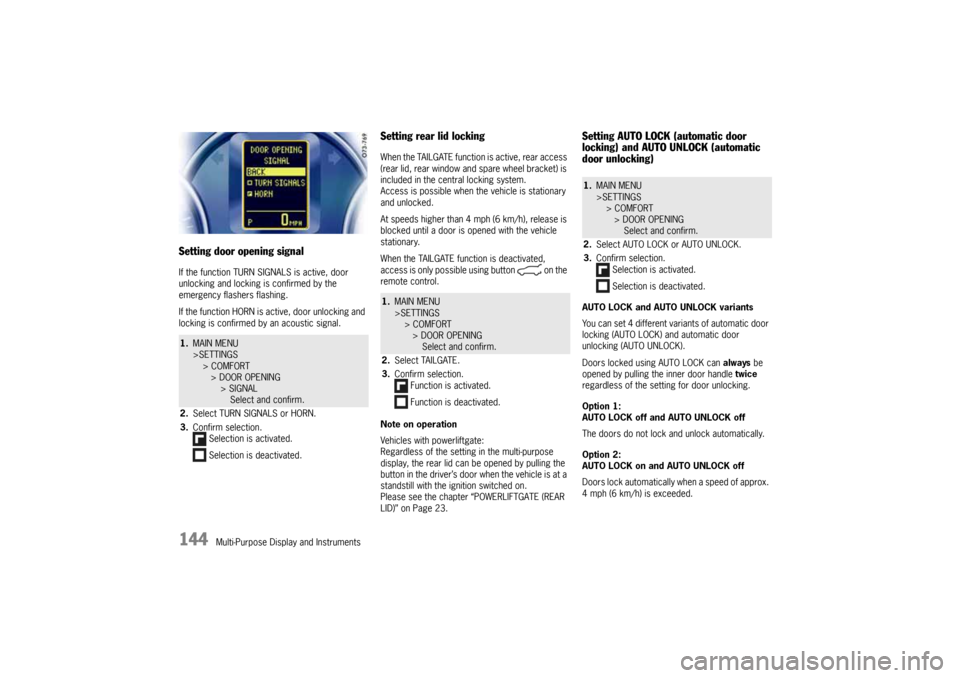
Setting door opening signalIf the function TURN SIGNALS is active, door
unlocking and locking is confirmed by the
emergency flashers flashing.
If the function HORN is active, door unlocking and
locking is confirmed by an acoustic signal.
Setting rear lid lockingWhen the TAILGATE function is active, rear access
(rear lid, rear window and spare wheel bracket) is
included in the central locking system.
Access is possible when the vehicle is stationary
and unlocked.
At speeds higher than 4 mph (6 km/h), release is
blocked until a door is opened with the vehicle
stationary.
When the TAILGATE function is deactivated,
access is only possible using button on the
remote control.
Note on operation
Vehicles with powerliftgate:
Regardless of the setting in the multi-purpose
display, the rear lid can be opened by pulling the
button in the driver’s door when the vehicle is at a
standstill with the ignition switched on.
Please see the chapter “POWERLIFTGATE (REAR
LID)” on Page 23.
Setting AUTO LOCK (automatic door
locking) and AUTO UNLOCK (automatic
door unlocking)AUTO LOCK and AUTO UNLOCK variants
You can set 4 different variants of automatic door
locking (AUTO LOCK) and automatic door
unlocking (AUTO UNLOCK).
Doors locked using AUTO LOCK can always be
opened by pulling the inner door handle twice
regardless of the setting for door unlocking.
Option 1:
AUTO LOCK off and AUTO UNLOCK off
The doors do not lock and unlock automatically.
Option 2:
AUTO LOCK on and AUTO UNLOCK off
Doors lock automatically when a speed of approx.
4 mph (6 km/h) is exceeded.
1.MAIN MENU
>SETTINGS
> COMFORT
> DOOR OPENING
> SIGNAL
Select and confirm.
2.Select TURN SIGNALS or HORN.
3.Confirm selection.
Selection is activated.
Selection is deactivated.
1.MAIN MENU
>SETTINGS
> COMFORT
> DOOR OPENING
Select and confirm.
2.Select TAILGATE.
3.Confirm selection.
Function is activated.
Function is deactivated.
1.MAIN MENU
>SETTINGS
> COMFORT
> DOOR OPENING
Select and confirm.
2.Select AUTO LOCK or AUTO UNLOCK.
3.Confirm selection.
Selection is activated.
Selection is deactivated.
10_Cayenne_21_KW17.book Seite 144 Donnerstag, 9. April 2009 3:33 15
Page 145 of 379
Multi-Purpose Display and Instruments
145
Option 3:
AUTO LOCK on and AUTO UNLOCK on
Doors lock automatically when a speed of approx.
4 mph (6 km/h) is exceeded.
On vehicles without Porsche Entry & Drive, the
doors are unlocked automatically when the
ignition key is withdrawn.
On vehicles equipped with Porsche Entry & Drive,
the doors are unlocked when the ignition is
switched off twice.
Option 4:
AUTO LOCK off and AUTO UNLOCK on
The doors do not lock automatically.
If the doors are locked with the central locking
system button:
On vehicles without Porsche Entry & Drive, the
doors are unlocked automatically when the
ignition key is withdrawn.
On vehicles equipped with Porsche Entry & Drive,
the doors are unlocked when the ignition is
switched off twice.
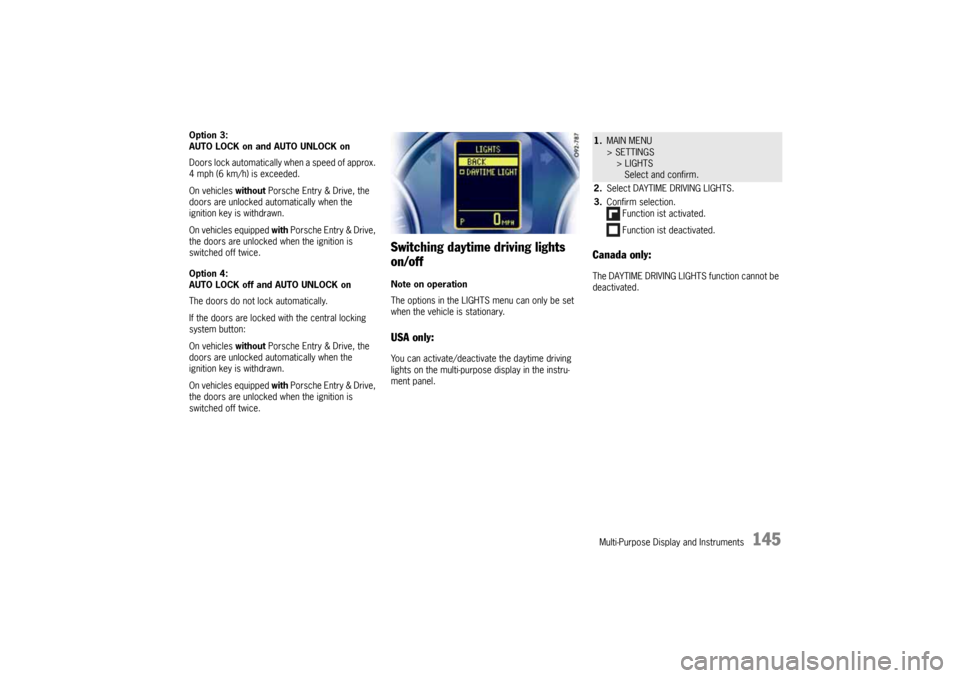
Switching daytime driving lights
on/offNote on operation
The options in the LIGHTS menu can only be set
when the vehicle is stationary.USA only:You can activate/deactivate the daytime driving
lights on the multi-purpose display in the instru-
ment panel.
Canada only:The DAYTIME DRIVING LIGHTS function cannot be
deactivated.1.MAIN MENU
> SETTINGS
> LIGHTS
Select and confirm.
2.Select DAYTIME DRIVING LIGHTS.
3.Confirm selection.
Function ist activated.
Function ist deactivated.
10_Cayenne_21_KW17.book Seite 145 Donnerstag, 9. April 2009 3:33 15
Page 146 of 379
146
Multi-Purpose Display and Instruments
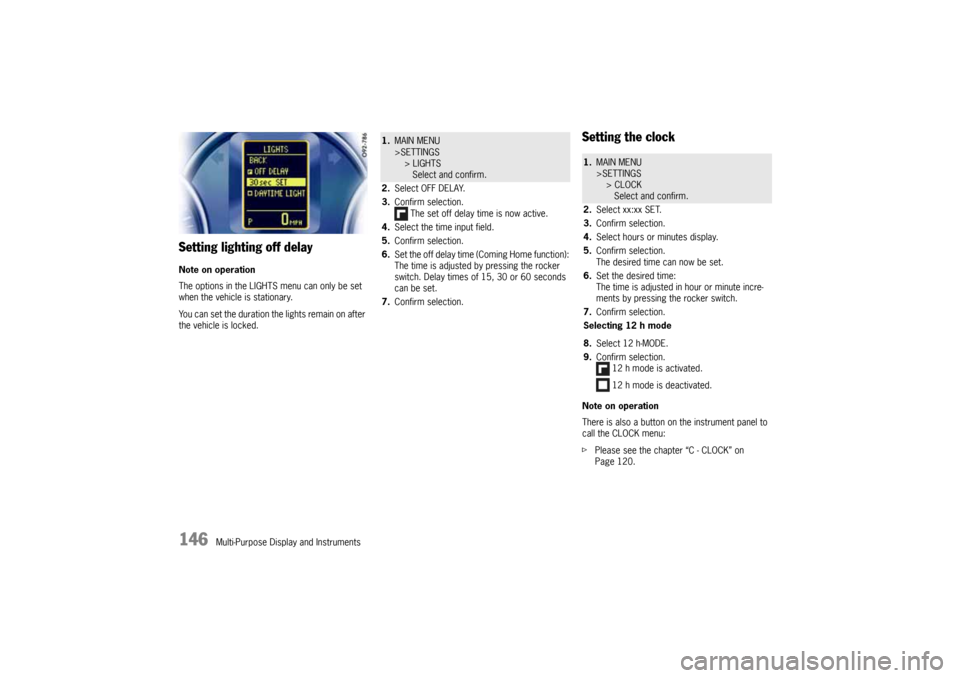
Setting lighting off delayNote on operation
The options in the LIGHTS menu can only be set
when the vehicle is stationary.
You can set the duration the lig hts re ma in on afte r
the vehicle is locked.
Setting the clockNote on operation
There is also a button on the instrument panel to
call the CLOCK menu:
fPlease see the chapter “C - CLOCK” on
Page 120.
1.MAIN MENU
>SETTINGS
> LIGHTS
Select and confirm.
2.Select OFF DELAY.
3.Confirm selection.
The set off delay time is now active.
4.Select the time input field.
5.Confirm selection.
6.Set the off delay time (Coming Home function):
The time is adjusted by pressing the rocker
switch. Delay times of 15, 30 or 60 seconds
can be set.
7.Confirm selection.
1.MAIN MENU
>SETTINGS
> CLOCK
Select and confirm.
2.Select xx:xx SET.
3.Confirm selection.
4.Select hours or minutes display.
5.Confirm selection.
The desired time can now be set.
6.Set the desired time:
The time is adjusted in hour or minute incre-
ments by pressing the rocker switch.
7.Confirm selection.
Selecting 12 h mode
8.Select 12 h-MODE.
9.Confirm selection.
12 h mode is activated.
12 h mode is deactivated.
10_Cayenne_21_KW17.book Seite 146 Donnerstag, 9. April 2009 3:33 15
Page 148 of 379
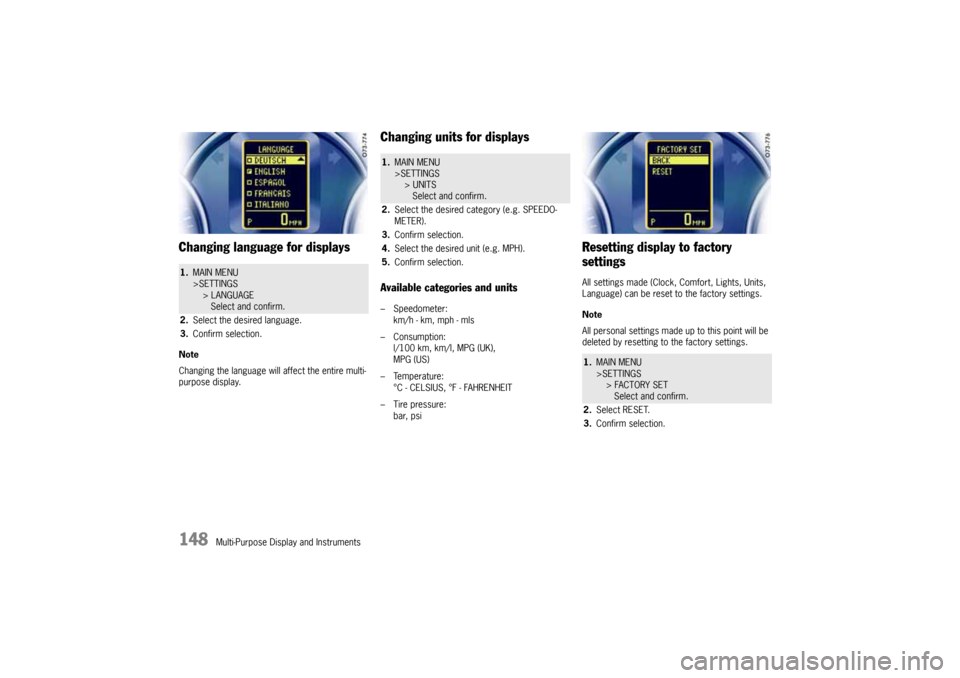
148
Multi-Purpose Display and Instruments
Changing language for displaysNote
Changing the language will affect the entire multi-
purpose display.
Changing units for displaysAvailable categories and units– Speedometer:
km/h - km, mph - mls
– Consumption:
l/100 km, km/l, MPG (UK),
MPG (US)
– Temperature:
°C - CELSIUS, °F - FAHRENHEIT
– Tire pressure:
bar, psi
Resetting display to factory
settingsAll settings made (Clock, Comfort, Lights, Units,
Language) can be reset to the factory settings.
Note
All personal settings made up to this point will be
deleted by resetting to the factory settings.
1.MAIN MENU
>SETTINGS
> LANGUAGE
Select and confirm.
2.Select the desired language.
3.Confirm selection.
1.MAIN MENU
>SETTINGS
> UNITS
Select and confirm.
2.Select the desired category (e.g. SPEEDO-
METER).
3.Confirm selection.
4.Select the desired unit (e.g. MPH).
5.Confirm selection.
1.MAIN MENU
>SETTINGS
> FACTORY SET
Select and confirm.
2.Select RESET.
3.Confirm selection.
10_Cayenne_21_KW17.book Seite 148 Donnerstag, 9. April 2009 3:33 15