light PORSCHE CAYNNE S 2005 1.G Owner's Manual
[x] Cancel search | Manufacturer: PORSCHE, Model Year: 2005, Model line: CAYENNE S, Model: PORSCHE CAYENNE S 2005 1.GPages: 380, PDF Size: 3.17 MB
Page 66 of 380
66
Controls, Safety, Instruments
Brake system functionYour Porsche is equipped with a power assisted
hydraulic dual circuit brake system with disc
brakes at the front and rear.
Both circuits function independently. One brake
circuit operates the front left and rear right wheel
and the other operates the front right and rear left
wheel.
If one brake circuit has failed, the other will still op-
erate. However, you will notice an increased pedal
travel when you apply the brakes.Failure of one
brake circuit will cause the stopping distance to in-
crease.
Warning!
Risk of an accident. In the unlikely event of
hydraulic failure of one brake circuit:
fPush the brake pedal down firmly and hold it in
that position. A mechanical linkage activates
the second circuit, and you will be able to bring
the vehicle to a stop.
fAfter bringing your vehicle to a complete stop,
avoid driving the vehicle and instead have it
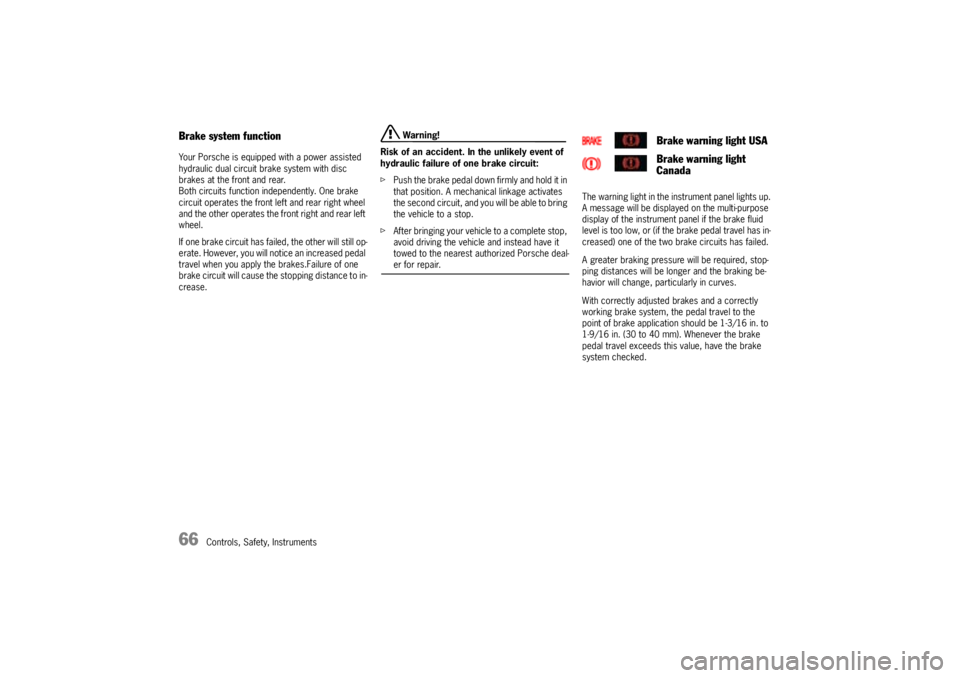
towed to the nearest authorized Porsche deal-er for repair.The warning light in the instrument panel lights up.
A message will be displayed on the multi-purpose
display of the instrument panel if the brake fluid
level is too low, or (if the brake pedal travel has in-
creased) one of the two brake circuits has failed.
A greater braking pressure will be required, stop-
ping distances will be longer and the braking be-
havior will change, particularly in curves.
With correctly adjusted brakes and a correctly
working brake system, the pedal travel to the
point of brake application should be 1-3/16 in. to
1-9/16 in. (30 to 40 mm). Whenever the brake
pedal travel exceeds this value, have the brake
system checked.
Brake warning light USA
Brake warning light
Canada
Page 68 of 380

68
Controls, Safety, Instruments
Brake wearYour car has excellent brakes, but they are still
subject to wear. The rate at which they wear de-
pends on how the brakes are used.
fHave the brake system inspected at the inter-
vals recommended in your Maintenance Book-
let.
The warning light in the instrument panel lights up.
A message will be displayed on the multi-purpose
display of the instrument panel if the brake pads
are worn, excessively.
fDo not continue to operate the vehicle.
Have your authorized Porsche dealer inspect
or replace the brake pads.
fPlease observe the chapter “WARNING LIGHTS
AND WARNING MESSAGES” on Page 108.
Brake pads and brake discsWear on the brake pads and brake discs depends
to a great extent on the driving style and the con-
ditions of use and therefore cannot be expressed
in actual miles on the road.
The high-performance brake system is designed
for optimal braking effect at all speeds and tem-
peratures.
Certain speeds, braking forces and ambient con-
ditions (such as temperature and humidity) there-
fore might cause the brakes to squeal.New brake pads or linings
New brake pads have to be “broken in“, and there-
fore only attain optimal friction when the car has
covered several hundred miles or km.
The slightly reduced braking ability must be com-
pensated for by pressing the brake pedal harder.
This also applies whenever the brake pads and
brake discs are replaced.
Brake wear warning light
USA
Brake wear warning light
Canada
Page 70 of 380
70
Controls, Safety, Instruments
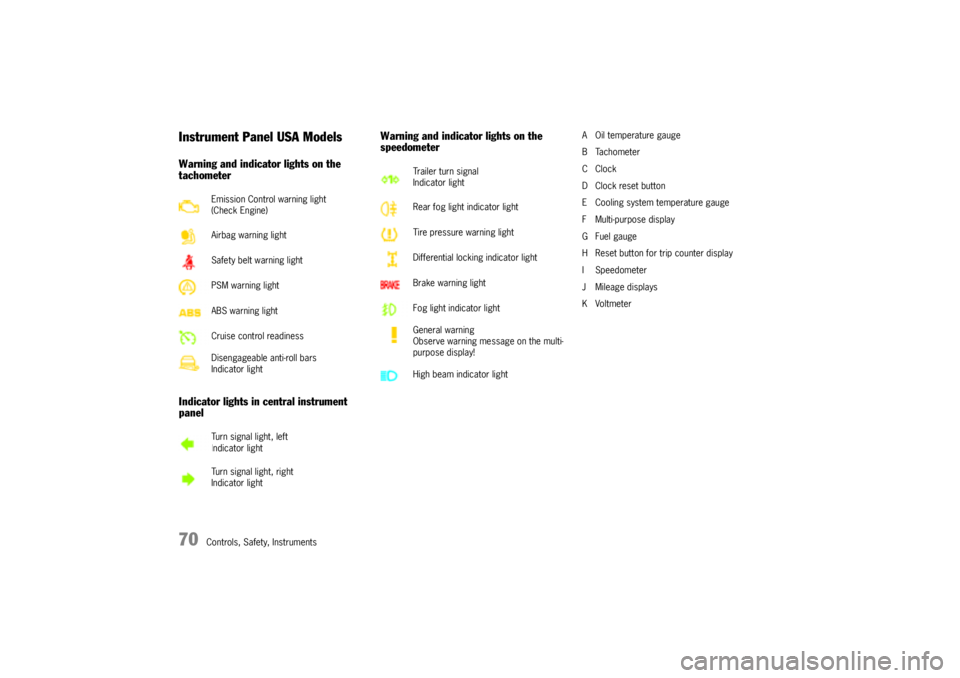
Instrument Panel USA ModelsWarning and indicator lights on the
tachometer
Indicator lights in central instrument
panelWarning and indicator lights on the
speedometer
A Oil temperature gauge
BTachometer
CClock
D Clock reset button
E Cooling system temperature gauge
F Multi-purpose display
G Fuel gauge
H Reset button for trip counter display
I Speedometer
J Mileage displays
KVoltmeter Emission Control warning light
(Check Engine)
Airbag warning light
Safety belt warning light
PSM warning light
ABS warning light
Cruise control readiness
Disengageable anti-roll bars
Indicator light
Turn signal light, left
Indicator light
Turn signal light, right
Indicator light
Trailer turn signal
Indicator light
Rear fog light indicator light
Tire pressure warning light
Differential locking indicator light
Brake warning light
Fog light indicator light
General warning
Observe warning message on the multi-
purpose display!
High beam indicator light
Page 72 of 380
72
Controls, Safety, Instruments
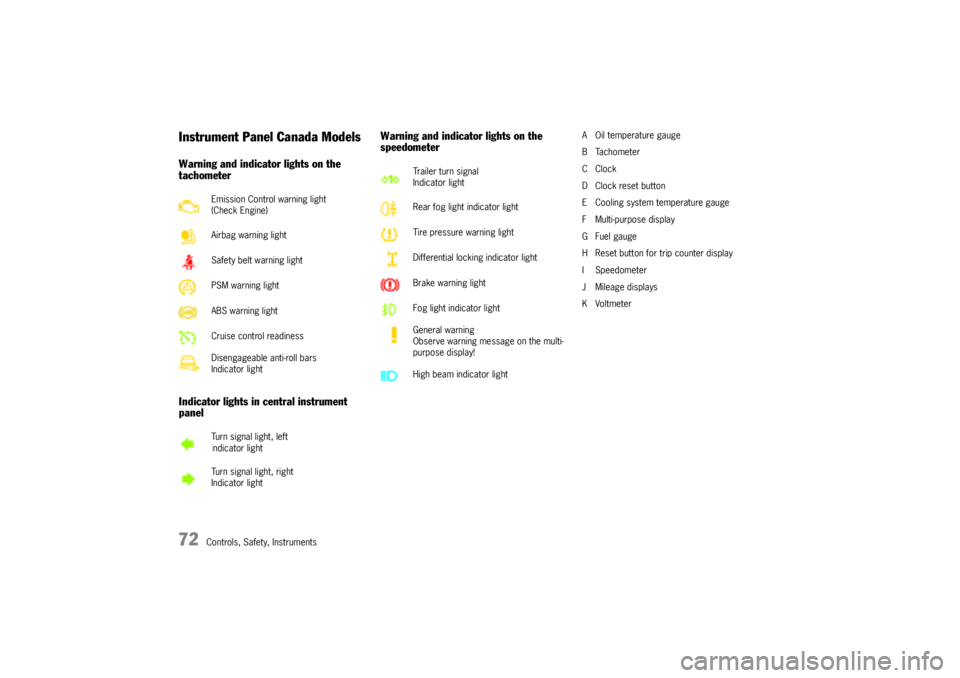
Instrument Panel Canada ModelsWarning and indicator lights on the
tachometer
Indicator lights in central instrument
panelWarning and indicator lights on the
speedometer
A Oil temperature gauge
BTachometer
CClock
D Clock reset button
E Cooling system temperature gauge
F Multi-purpose display
G Fuel gauge
H Reset button for trip counter display
I Speedometer
J Mileage displays
KVoltmeter Emission Control warning light
(Check Engine)
Airbag warning light
Safety belt warning light
PSM warning light
ABS warning light
Cruise control readiness
Disengageable anti-roll bars
Indicator light
Turn signal light, left
Indicator light
Turn signal light, right
Indicator light
Trailer turn signal
Indicator light
Rear fog light indicator light
Tire pressure warning light
Differential locking indicator light
Brake warning light
Fog light indicator light
General warning
Observe warning message on the multi-
purpose display!
High beam indicator light
Page 76 of 380
76
Controls, Safety, Instruments
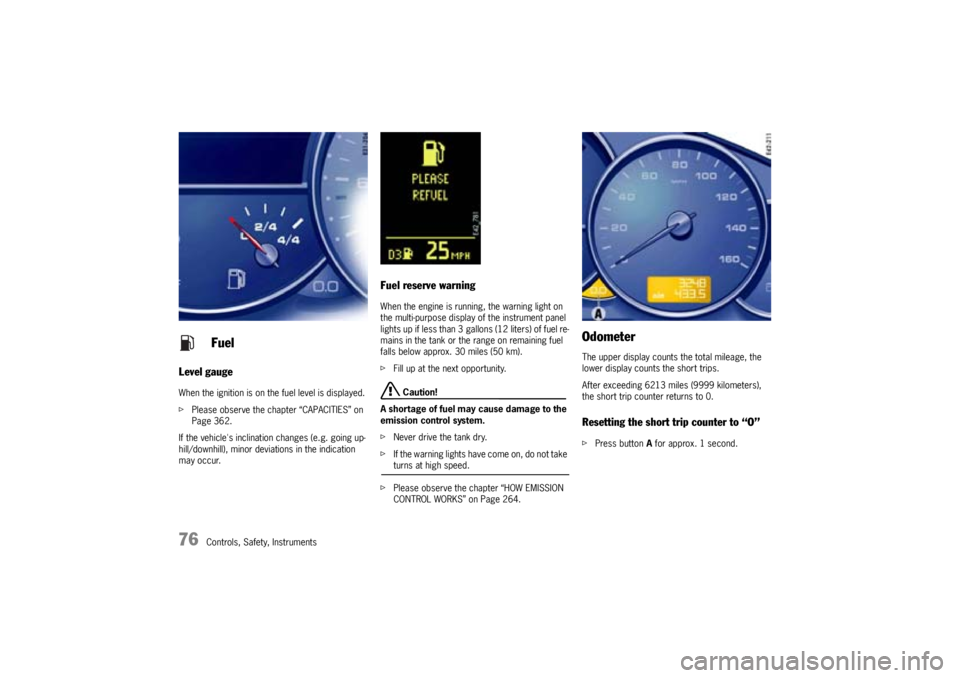
Level gaugeWhen the ignition is on the fuel level is displayed.
fPlease observe the chapter “CAPACITIES” on
Page 362.
If the vehicle's inclination changes (e.g. going up-
hill/downhill), minor deviations in the indication
may occur.
Fuel reserve warningWhen the engine is running, the warning light on
the multi-purpose display of the instrument panel
lights up if less than 3 gallons (12 liters) of fuel re-
mains in the tank or the range on remaining fuel
falls below approx. 30 miles (50 km).
fFill up at the next opportunity.
Caution!
A shortage of fuel may cause damage to the
emission control system.
fNever drive the tank dry.
fIf the warning lights have come on, do not take turns at high speed.
fPlease observe the chapter “HOW EMISSION
CONTROL WORKS” on Page 264.
OdometerThe upper display counts the total mileage, the
lower display counts the short trips.
After exceeding 6213 miles (9999 kilometers),
the short trip counter returns to 0.Resetting the short trip counter to “O”fPress button A for approx. 1 second.
Fuel
Page 79 of 380

Controls, Safety, Instruments
79
Emission ControlThe emission control system detects malfunctions
early that could, for example, cause increased pol-
lutant emissions or consequential damage.
Faults are indicated by the warning light in the in-
strument panel by being continuously lit or flash-
ing.
The faults are recorded in the control unit's fault
memory.
The warning light in the instrument panel lights up
when the ignition is switched on as a lamp check
and goes out approx. 4 seconds after the engine
starts.The warning light in the instrument panel flashes to
indicate operating states (e.g. engine misfiring)
which might cause damage to certain parts of the
emission control system.
fIn this case, immediately reduce the engine
load by easing off the accelerator.
The warning light in the instrument panel is lit
continuously after the critical range is left.
fIn order to avoid consequential damage to the
engine or emission control system (e.g. cata-
lytic converter) go immediately to the nearest
authorized Porsche dealer to have the fault
diagnosed and rectified.
Caution!
Risk of damage. If the warning light in the in-
strument panel continues flashing even when
you have eased off the accelerator pedal,
the emission control system may overheat.
fStop as soon as possible in a safe place.
Make sure that combustible materials, such as
dry grass or leaves, cannot come into contact
with the hot exhaust system.
fSwitch off the engine.
fContact your nearest authorized Porsche deal-er to have the fault rectified.
Check engine warning light
Page 85 of 380
Controls, Safety, Instruments
85
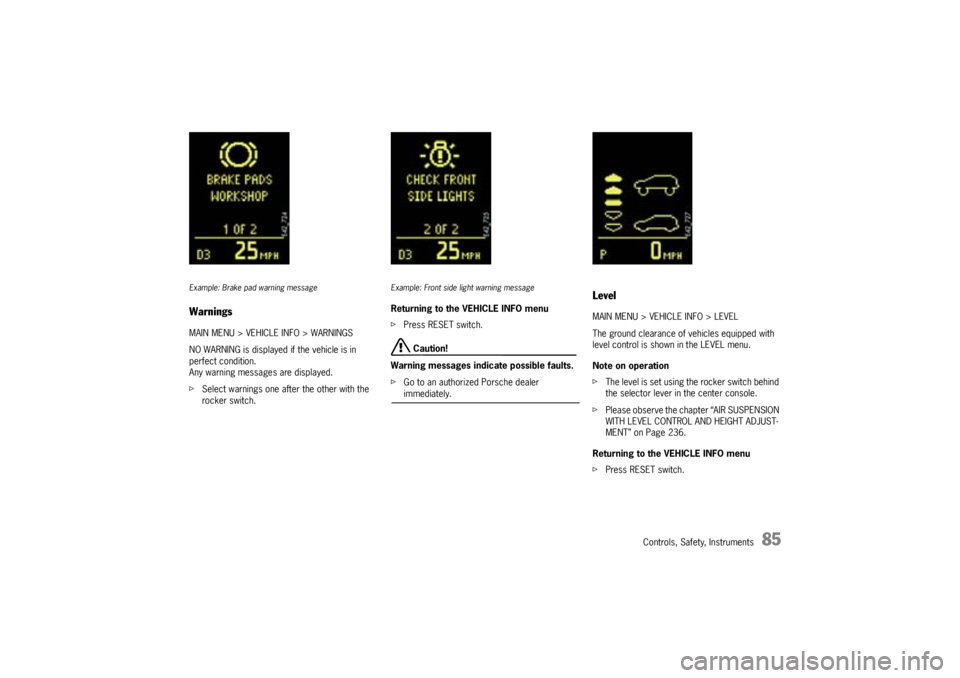
Example: Brake pad warning messageWarningsMAIN MENU > VEHICLE INFO > WARNINGS
NO WARNING is displayed if the vehicle is in
perfect condition.
Any warning messages are displayed.
fSelect warnings one after the other with the
rocker switch.
Example: Front side light warning messageReturning to the VEHICLE INFO menu
fPress RESET switch.
Caution!
Warning messages indicate possible faults.
fGo to an authorized Porsche dealer immediately.
LevelMAIN MENU > VEHICLE INFO > LEVEL
The ground clearance of vehicles equipped with
level control is shown in the LEVEL menu.
Note on operation
fThe level is set using the rocker switch behind
the selector lever in the center console.
fPlease observe the chapter “AIR SUSPENSION
WITH LEVEL CONTROL AND HEIGHT ADJUST-
MENT” on Page 236.
Returning to the VEHICLE INFO menu
fPress RESET switch.
Page 99 of 380

Controls, Safety, Instruments
99
Ye s :
– In case of sealing-set operation, the menu
changes directly to the basic screen. All
settings are retained.
– If the vehicle is operated with a collapsible
spare wheel or spare wheel, the warning mes-
sage “SYSTEM NOT ACTIVE, WORKSHOP” is
initially displayed for 10 seconds. The system
then returns to the basic screen.
No:
The display automatically returns to the menu
TYRE PRESSURE > SETTINGS.
fSet the mounted tire set with tire type and tire
size. The system will re-learn the tires.
No monitoringIn the event of faults the tire pressure monitoring
cannot monitor the tire pressure.
The warning light on the instrument panel and a
message on the multi-purpose display light up.
Monitoring is not active when:
– the tire pressure monitoring system is faulty,
– wheel transmitters for the tire pressure
monitoring system are not present,
– temporarily after changing a wheel,
– has detected too many wheel transmitters,
– there is external interference by other radio
sources, e.g., wireless headphones,
– tire temperatures are too high.
fPlease observe the chapter “WARNING LIGHTS
AND WARNING MESSAGES” on Page 108.fAll warnings and messages in the tire pressure
monitoring system are also indicated by the
warning light in the instrument panel.
The warning light goes out as soon as all faults
are remedied.
Tire pressure monitoring system
warning light
Page 101 of 380
Controls, Safety, Instruments
101
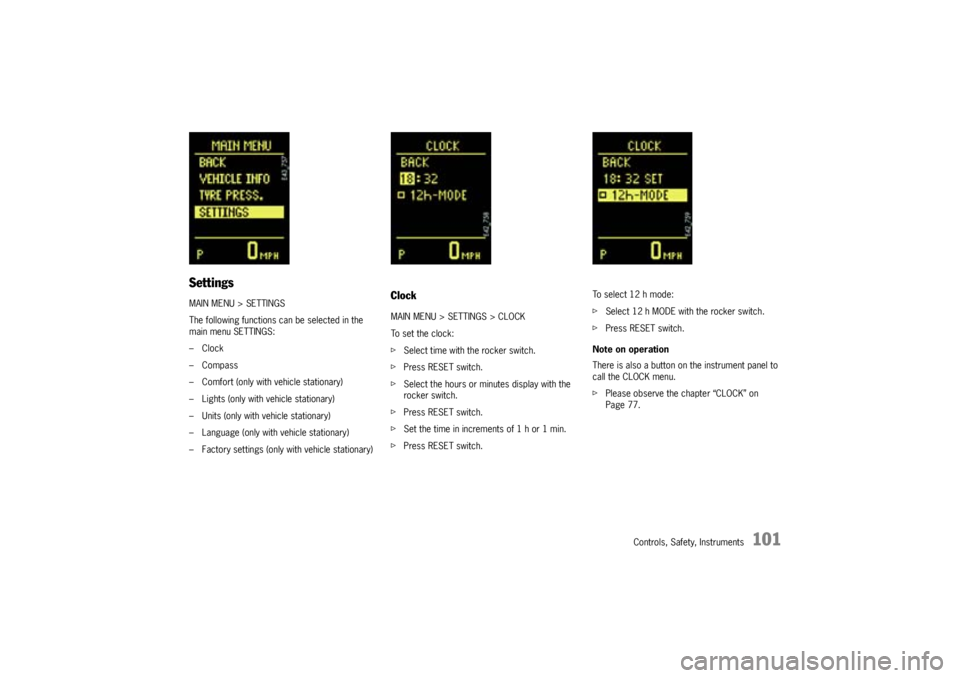
SettingsMAIN MENU > SETTINGS
The following functions can be selected in the
main menu SETTINGS:
–Clock
–Compass
– Comfort (only with vehicle stationary)
– Lights (only with vehicle stationary)
– Units (only with vehicle stationary)
– Language (only with vehicle stationary)
– Factory settings (only with vehicle stationary)
ClockMAIN MENU > SETTINGS > CLOCK
To set the clock:
fSelect time with the rocker switch.
fPress RESET switch.
fSelect the hours or minutes display with the
rocker switch.
fPress RESET switch.
fSet the time in increments of 1 h or 1 min.
fPress RESET switch.To select 12 h mode:
fSelect 12 h MODE with the rocker switch.
fPress RESET switch.
Note on operation
There is also a button on the instrument panel to
call the CLOCK menu.
fPlease observe the chapter “CLOCK” on
Page 77.
Page 106 of 380
106
Controls, Safety, Instruments
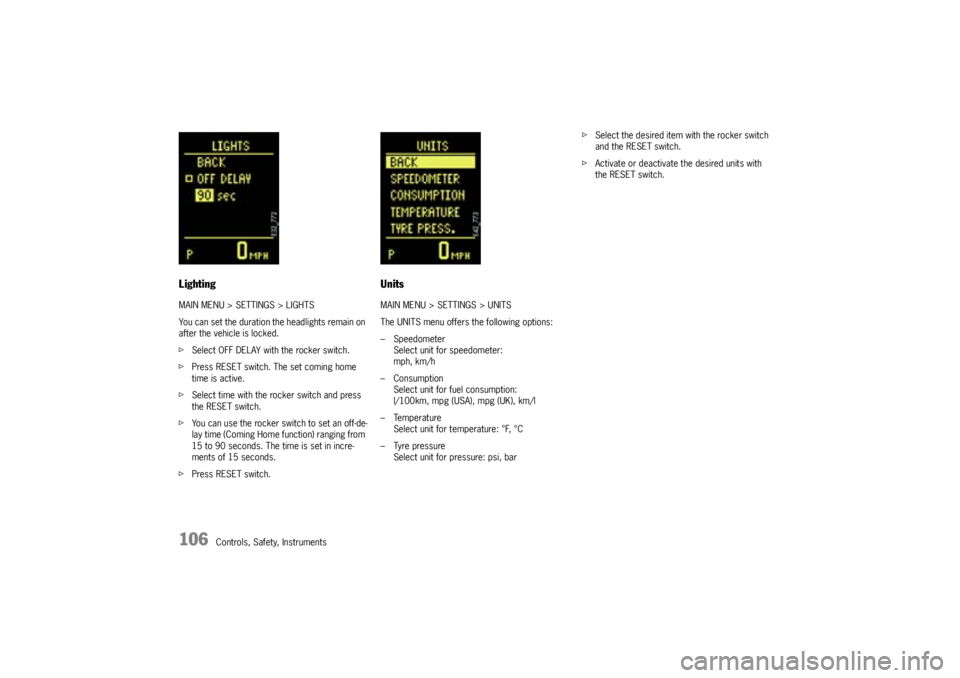
LightingMAIN MENU > SETTINGS > LIGHTS
You can set the duration the headlights remain on
after the vehicle is locked.
fSelect OFF DELAY with the rocker switch.
fPress RESET switch. The set coming home
time is active.
fSelect time with the rocker switch and press
the RESET switch.
fYou can use the rocker switch to set an off-de-
lay time (Coming Home function) ranging from
15 to 90 seconds. The time is set in incre-
ments of 15 seconds.
fPress RESET switch.
UnitsMAIN MENU > SETTINGS > UNITS
The UNITS menu offers the following options:
– Speedometer
Select unit for speedometer:
mph, km/h
– Consumption
Select unit for fuel consumption:
l/100km, mpg (USA), mpg (UK), km/l
– Temperature
Select unit for temperature: °F, °C
– Tyre pressure
Select unit for pressure: psi, barfSelect the desired item with the rocker switch
and the RESET switch.
fActivate or deactivate the desired units with
the RESET switch.