reset PORSCHE CAYNNE S 2006 1.G User Guide
[x] Cancel search | Manufacturer: PORSCHE, Model Year: 2006, Model line: CAYENNE S, Model: PORSCHE CAYENNE S 2006 1.GPages: 420, PDF Size: 3.81 MB
Page 99 of 420
Controls, Safety, Instruments
99
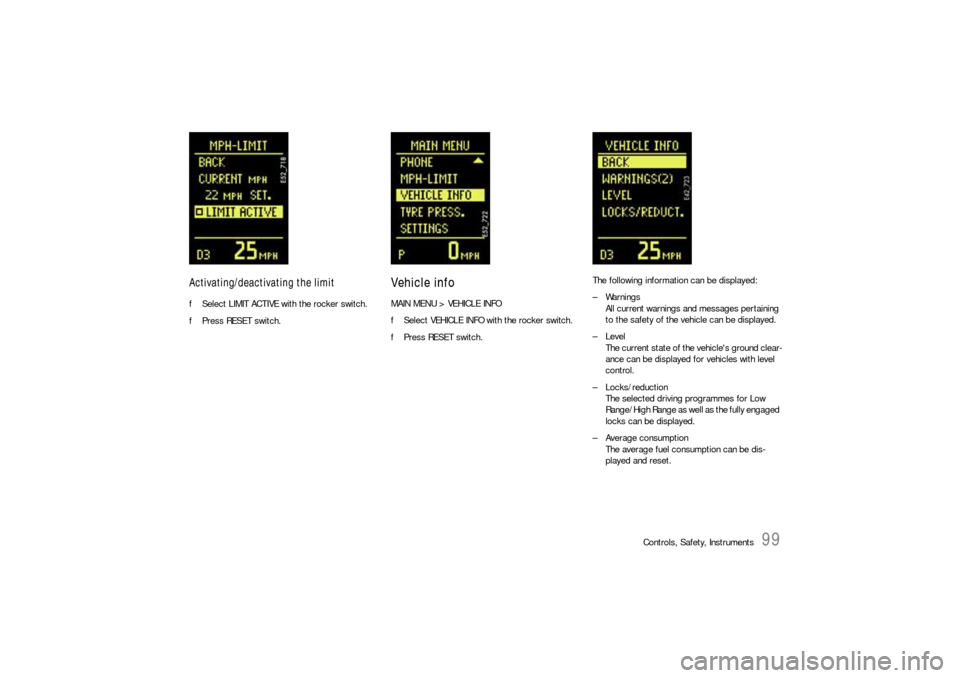
Activating/deactivating the limitfSelect LIMIT ACTIVE with the rocker switch.
fPress RESET switch.
Vehicle infoMAIN MENU > VEHICLE INFO
fSelect VEHICLE INFO with the rocker switch.
fPress RESET switch.The following information can be displayed:
– Warnings
All current warnings and messages pertaining
to the safety of the vehicle can be displayed.
–Level
The current state of the vehicle's ground clear-
ance can be displayed for vehicles with level
control.
– Locks/reduction
The selected driving programmes for Low
Range/High Range as well as the fully engaged
locks can be displayed.
– Average consumption
The average fuel consumption can be dis-
played and reset.
Page 100 of 420
100
Controls, Safety, Instruments
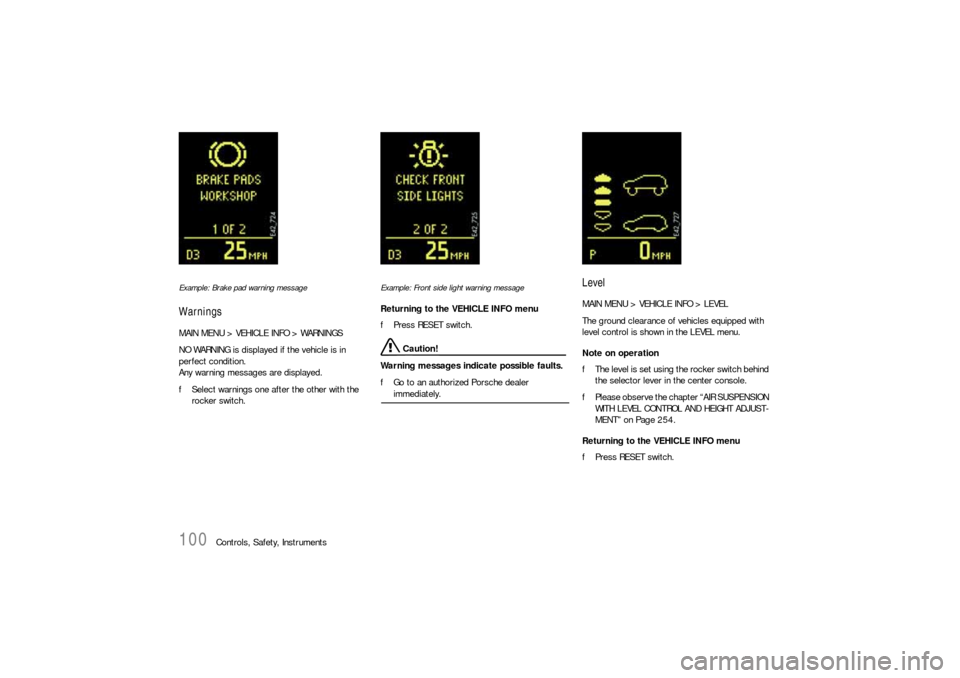
Example: Brake pad warning messageWarningsMAIN MENU > VEHICLE INFO > WARNINGS
NO WARNING is displayed if the vehicle is in
perfect condition.
Any warning messages are displayed.
fSelect warnings one after the other with the
rocker switch.
Example: Front side light warning messageReturning to the VEHICLE INFO menu
fPress RESET switch.
Caution!
Warning messages indicate possible faults.
fGo to an authorized Porsche dealer immediately.
LevelMAIN MENU > VEHICLE INFO > LEVEL
The ground clearance of vehicles equipped with
level control is shown in the LEVEL menu.
Note on operation
fThe level is set using the rocker switch behind
the selector lever in the center console.
fPlease observe the chapter “AIR SUSPENSION
WITH LEVEL CONTROL AND HEIGHT ADJUST-
MENT” on Page 254.
Returning to the VEHICLE INFO menu
fPress RESET switch.
Page 101 of 420
Controls, Safety, Instruments
101
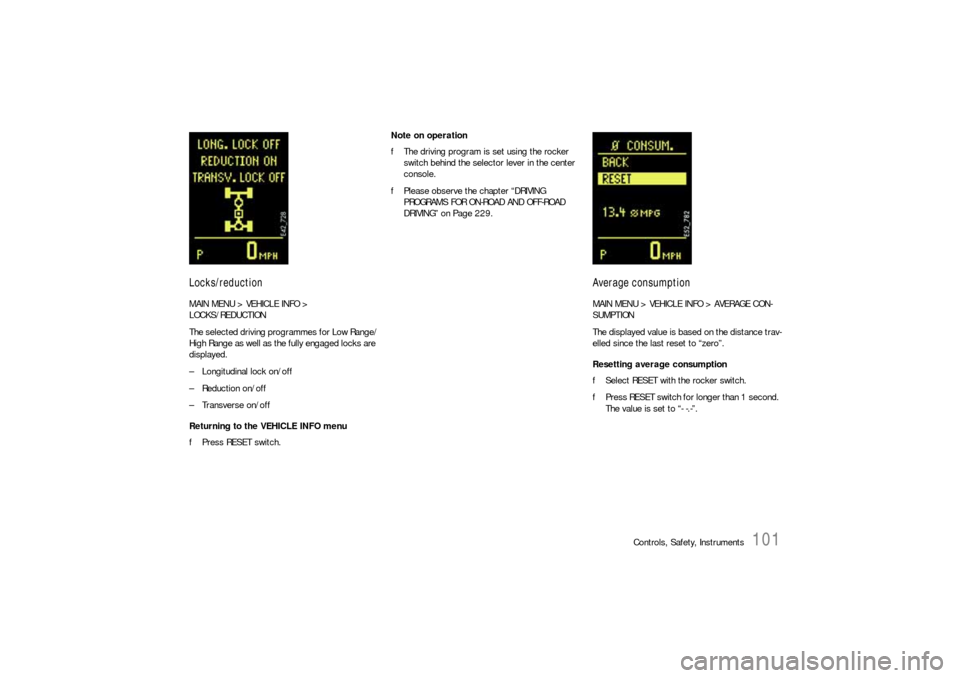
Locks/reductionMAIN MENU > VEHICLE INFO >
LOCKS/REDUCTION
The selected driving programmes for Low Range/
High Range as well as the fully engaged locks are
displayed.
– Longitudinal lock on/off
– Reduction on/off
– Transverse on/off
Returning to the VEHICLE INFO menu
fPress RESET switch.Note on operation
fThe driving program is set using the rocker
switch behind the selector lever in the center
console.
fPlease observe the chapter “DRIVING
PROGRAMS FOR ON-ROAD AND OFF-ROAD
DRIVING” on Page 229.
Average consumptionMAIN MENU > VEHICLE INFO > AVERAGE CON-
SUMPTION
The displayed value is based on the distance trav-
elled since the last reset to “zero”.
Resetting average consumption
fSelect RESET with the rocker switch.
fPress RESET switch for longer than 1 second.
The value is set to “- -.-”.
Page 106 of 420
106
Controls, Safety, Instruments
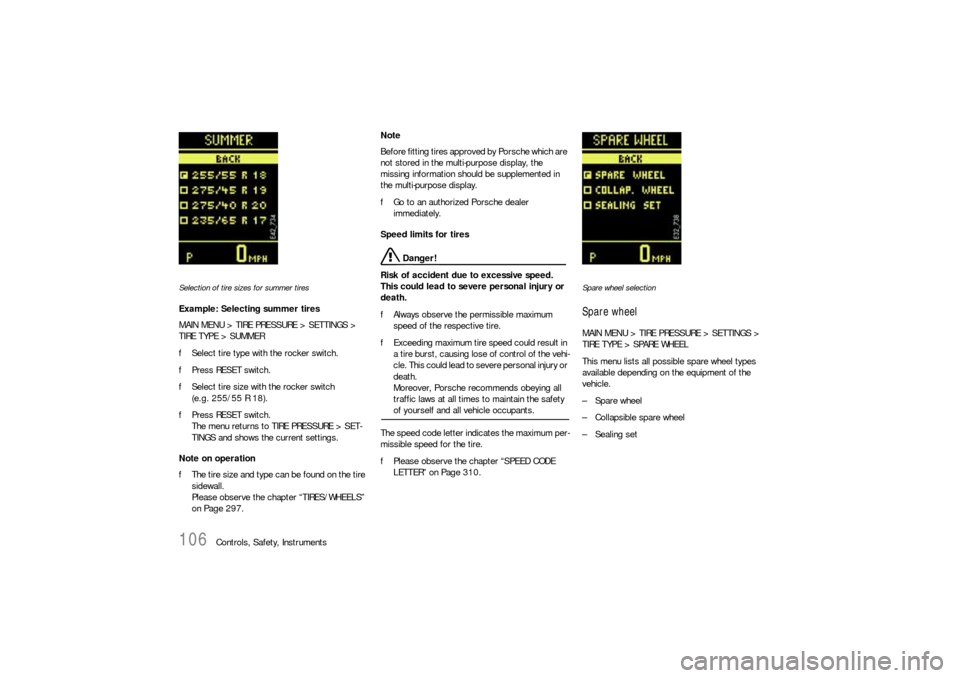
Selection of tire sizes for summer tiresExample: Selecting summer tires
MAIN MENU > TIRE PRESSURE > SETTINGS >
TIRE TYPE > SUMMER
fSelect tire type with the rocker switch.
fPress RESET switch.
fSelect tire size with the rocker switch
(e.g. 255/55 R 18).
fPress RESET switch.
The menu returns to TIRE PRESSURE > SET-
TINGS and shows the current settings.
Note on operation
fThe tire size and type can be found on the tire
sidewall.
Please observe the chapter “TIRES/WHEELS”
on Page 297.Note
Before fitting tires approved by Porsche which are
not stored in the multi-purpose display, the
missing information should be supplemented in
the multi-purpose display.
fGo to an authorized Porsche dealer
immediately.
Speed limits for tires
Danger!
Risk of accident due to excessive speed.
This could lead to severe personal injury or
death.
fAlways observe the permissible maximum
speed of the respective tire.
fExceeding maximum tire speed could result in
a tire burst, causing lose of control of the vehi-
cle. This could lead to severe personal injury or
death.
Moreover, Porsche recommends obeying all
traffic laws at all times to maintain the safety of yourself and all vehicle occupants.
The speed code letter indicates the maximum per-
missible speed for the tire.
fPlease observe the chapter “SPEED CODE
LETTER” on Page 310.
Spare wheel selectionSpare wheelMAIN MENU > TIRE PRESSURE > SETTINGS >
TIRE TYPE > SPARE WHEEL
This menu lists all possible spare wheel types
available depending on the equipment of the
vehicle.
–Spare wheel
– Collapsible spare wheel
–Sealing set
Page 107 of 420

Controls, Safety, Instruments
107
Spare wheel
Warning!
Risk of accident.
The spare wheel does not contain a wheel
transmitter and is not monitored by the tire
pressure monitoring.
fThe spare wheel must be used only over short distances.
fPlease observe the chapter “SPARE WHEEL”
on Page 331.
fSelect SPARE WHEEL with the rocker switch.
fPress RESET switch.
The message SYSTEM NOT ACTIVE, WORK-
SHOP appears after the RESET switch is
pressed.
The display automatically returns to the TIRE
PRESSURE menu (filling information).
The required pressure specifications can be
read.
fSelect BACK. The menu returns to the basic
screen.
The reminder SPARE WHEEL OR SEALING SET OP-
ERATION appears each time the ignition is
switched on.
fPlease observe the chapter “MESSAGE “SPA-
RE WHEEL OR SEALING SET OPERATION”” on
Page 113.Collapsible spare wheel
Warning!
Risk of accident.
The spare wheel does not contain a wheel
transmitter and is not monitored by the tire
pressure monitoring.
fThe collapsible spare wheel must be used only over short distances.
fPlease observe the chapter “COLLAPSIBLE
SPARE WHEEL” on Page 325.
fSelect COLLAPSIBLE WHEEL with the rocker
switch.
fPress RESET switch.
The required pressure and speed limit for the
collapsible spare wheel are displayed at first.
This is followed by the message SYSTEM NOT
ACTIVE, WORKSHOP.
A warning appears on the multi-purpose display if
the speed limit of 50 mph (80 km/h) is exceeded.
The reminder SPARE WHEEL OR SEALING SET OP-
ERATION appears each time the ignition is
switched on.
fPlease observe the chapter “MESSAGE “SPA-
RE WHEEL OR SEALING SET OPERATION”” on
Page 113.Tire sealant/sealing set
Warning!
Risk of accident.
fHave the tire replaced by a specialist repair
shop as soon as possible.
fAvoid hard acceleration and high cornering
speeds.
fDo not exceed maximum speed of 50 mph
(80 km/h).
fPlease observe the safety and operating in-structions on compressor.
fPlease observe the chapter “TIRE SEALANT”
on Page 317.
fSelect SEALING SET with the rocker switch.
fPress RESET switch.
The display automatically returns to the
TIRE PRESSURE menu (filling information).
fInflate tires according to the displayed
pressure differences.
A warning appears on the multi-purpose display if
the speed limit of 50 mph (80 km/h) is exceeded.
SPARE WHEEL OR SEALING SET OPERATION ap-
pears each time the ignition is switched on.
fPlease observe the chapter “MESSAGE “SPA-
RE WHEEL OR SEALING SET OPERATION”” on
Page 113.
Page 108 of 420
108
Controls, Safety, Instruments
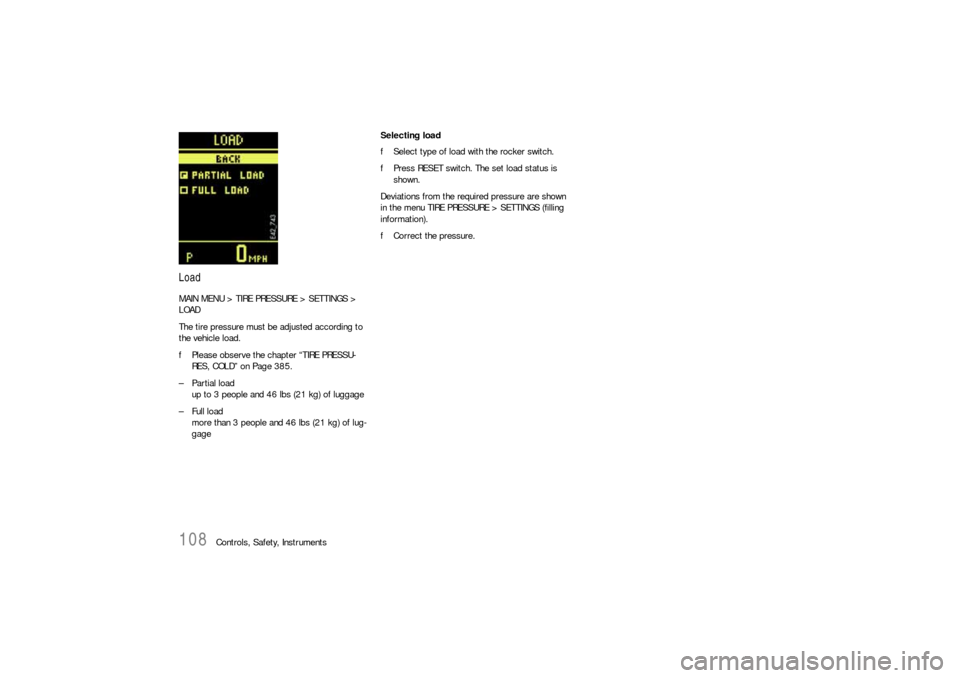
LoadMAIN MENU > TIRE PRESSURE > SETTINGS >
LOAD
The tire pressure must be adjusted according to
the vehicle load.
fPlease observe the chapter “TIRE PRESSU-
RES, COLD” on Page 385.
– Partial load
up to 3 people and 46 lbs (21 kg) of luggage
– Full load
more than 3 people and 46 lbs (21 kg) of lug-
gageSelecting load
fSelect type of load with the rocker switch.
fPress RESET switch. The set load status is
shown.
Deviations from the required pressure are shown
in the menu TIRE PRESSURE > SETTINGS (filling
information).
fCorrect the pressure.
Page 109 of 420
Controls, Safety, Instruments
109
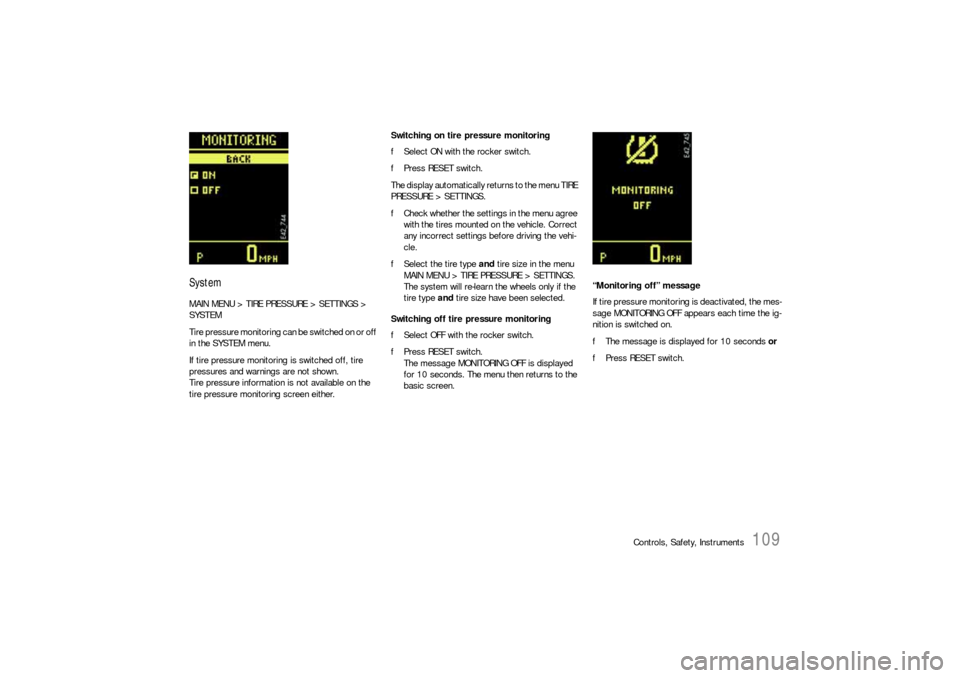
SystemMAIN MENU > TIRE PRESSURE > SETTINGS >
SYSTEM
Tire pressure monitoring can be switched on or off
in the SYSTEM menu.
If tire pressure monitoring is switched off, tire
pressures and warnings are not shown.
Tire pressure information is not available on the
tire pressure monitoring screen either.Switching on tire pressure monitoring
fSelect ON with the rocker switch.
fPress RESET switch.
The display automatically returns to the menu TIRE
PRESSURE > SETTINGS.
fCheck whether the settings in the menu agree
with the tires mounted on the vehicle. Correct
any incorrect settings before driving the vehi-
cle.
fSelect the tire type and tire size in the menu
MAIN MENU > TIRE PRESSURE > SETTINGS.
The system will re-learn the wheels only if the
tire type and tire size have been selected.
Switching off tire pressure monitoring
fSelect OFF with the rocker switch.
fPress RESET switch.
The message MONITORING OFF is displayed
for 10 seconds. The menu then returns to the
basic screen.“Monitoring off” message
If tire pressure monitoring is deactivated, the mes-
sage MONITORING OFF appears each time the ig-
nition is switched on.
fThe message is displayed for 10 seconds or
fPress RESET switch.
Page 110 of 420
110
Controls, Safety, Instruments
Tire pressure warnings and
messagesThe tire pressure monitoring warns about loss in
pressure in two stages, depending on the amount
of pressure loss:
Stage 1 – Tire pressure too low message
(3 to 6 psi (0.2 to 0.4 bar) loss in pressure)
Stage 2 – Flat tire warning
(loss in pressure as of 6 psi (0.4 bar))
Warning!
Risk of accident. Tire damage may impair
road safety.
fStop the vehicle in a suitable place. Check the
tires for signs of damage and change them if necessary.
Example: If the tire pressure display shows
„– 3 psi“, you must increase the tire pressure by
3psi.
Tires lose air over time without a tire defect being
present. The tire pressure monitoring will then
issue a corresponding message or warning.
fCorrect the tire pressure.
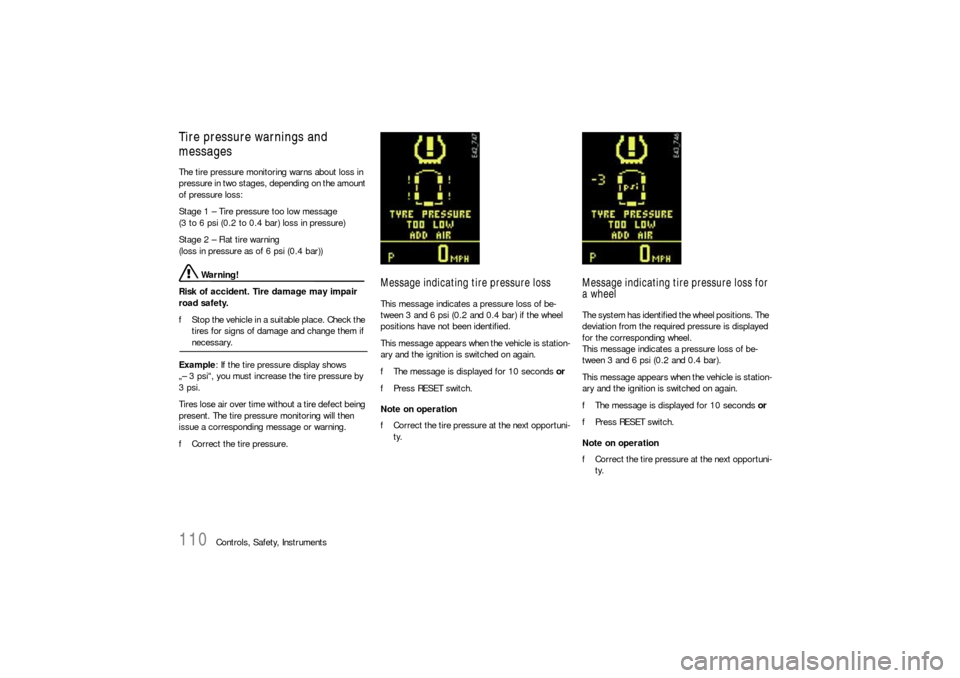
Message indicating tire pressure lossThis message indicates a pressure loss of be-
tween 3 and 6 psi (0.2 and 0.4 bar) if the wheel
positions have not been identified.
This message appears when the vehicle is station-
ary and the ignition is switched on again.
fThe message is displayed for 10 seconds or
fPress RESET switch.
Note on operation
fCorrect the tire pressure at the next opportuni-
ty.
Message indicating tire pressure loss for
a wheelThe system has identified the wheel positions. The
deviation from the required pressure is displayed
for the corresponding wheel.
This message indicates a pressure loss of be-
tween 3 and 6 psi (0.2 and 0.4 bar).
This message appears when the vehicle is station-
ary and the ignition is switched on again.
fThe message is displayed for 10 seconds or
fPress RESET switch.
Note on operation
fCorrect the tire pressure at the next opportuni-
ty.
Page 113 of 420
Controls, Safety, Instruments
113
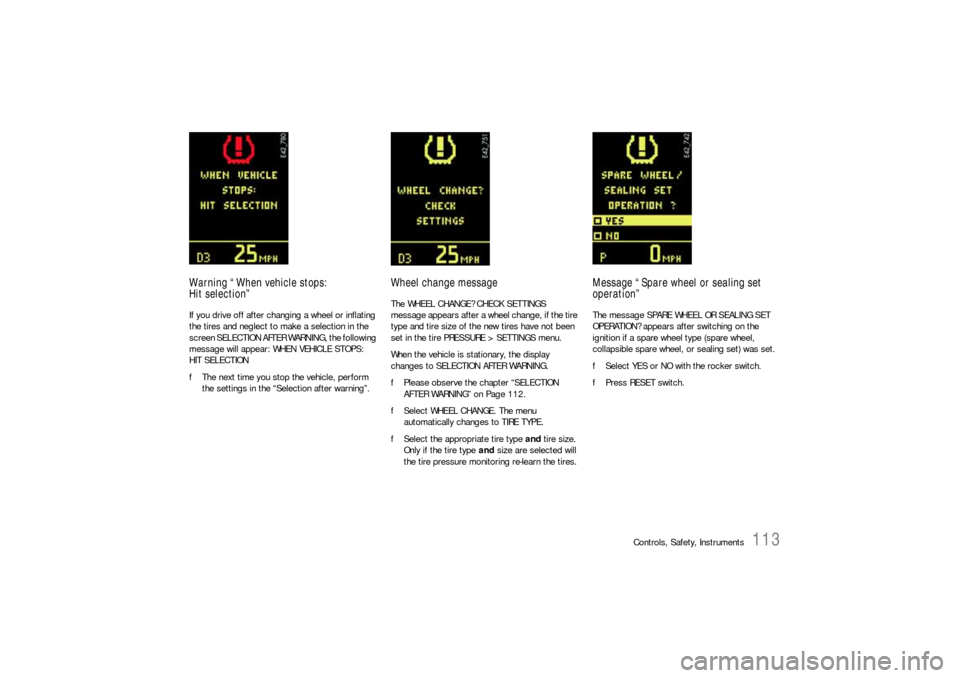
Warning “When vehicle stops:
Hit selection”If you drive off after changing a wheel or inflating
the tires and neglect to make a selection in the
screen SELECTION AFTER WARNING, the following
message will appear: WHEN VEHICLE STOPS:
HIT SELECTION
fThe next time you stop the vehicle, perform
the settings in the “Selection after warning”.
Wheel change messageThe WHEEL CHANGE? CHECK SETTINGS
message appears after a wheel change, if the tire
type and tire size of the new tires have not been
set in the tire PRESSURE > SETTINGS menu.
When the vehicle is stationary, the display
changes to SELECTION AFTER WARNING.
fPlease observe the chapter “SELECTION
AFTER WARNING” on Page 112.
fSelect WHEEL CHANGE. The menu
automatically changes to TIRE TYPE.
fSelect the appropriate tire type and tire size.
Only if the tire type and size are selected will
the tire pressure monitoring re-learn the tires.
Message “Spare wheel or sealing set
operation”The message SPARE WHEEL OR SEALING SET
OPERATION? appears after switching on the
ignition if a spare wheel type (spare wheel,
collapsible spare wheel, or sealing set) was set.
fSelect YES or NO with the rocker switch.
fPress RESET switch.
Page 116 of 420
116
Controls, Safety, Instruments
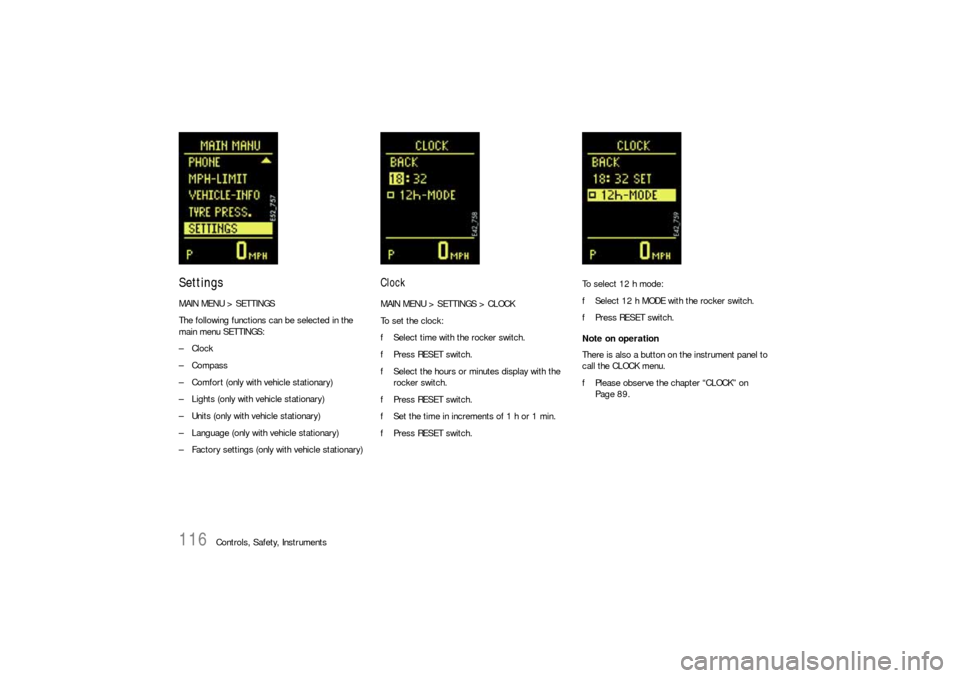
SettingsMAIN MENU > SETTINGS
The following functions can be selected in the
main menu SETTINGS:
–Clock
–Compass
– Comfort (only with vehicle stationary)
– Lights (only with vehicle stationary)
– Units (only with vehicle stationary)
– Language (only with vehicle stationary)
– Factory settings (only with vehicle stationary)
ClockMAIN MENU > SETTINGS > CLOCK
To set the clock:
fSelect time with the rocker switch.
fPress RESET switch.
fSelect the hours or minutes display with the
rocker switch.
fPress RESET switch.
fSet the time in increments of 1 h or 1 min.
fPress RESET switch.To select 12 h mode:
fSelect 12 h MODE with the rocker switch.
fPress RESET switch.
Note on operation
There is also a button on the instrument panel to
call the CLOCK menu.
fPlease observe the chapter “CLOCK” on
Page 89.