reset PORSCHE CAYNNE S 2006 1.G Owners Manual
[x] Cancel search | Manufacturer: PORSCHE, Model Year: 2006, Model line: CAYENNE S, Model: PORSCHE CAYENNE S 2006 1.GPages: 420, PDF Size: 3.81 MB
Page 82 of 420

82
Controls, Safety, Instruments
Instrument Panel USA ModelsWarning and indicator lights on the
tachometer
Indicator lights in central instrument
panelWarning and indicator lights on the
speedometer
A Oil temperature gauge
BTachometer
CClock
D Clock reset button
E Cooling system temperature gauge
F Multi-purpose display
G Fuel gauge
H Reset button for trip counter display
I Speedometer
J Mileage displays
KVoltmeter Emission Control warning light
(Check Engine)
Airbag warning light
Safety belt warning light
PSM warning light
ABS warning light
Cruise control readiness
Hydraulically disengageable anti-roll bars
Turn signal indicator light, left
Turn signal indicator light, right
Trailer turn signal
Indicator light
Rear fog light indicator light
Tire pressure warning light
Differential locking indicator light
Brake warning light
Fog light indicator light
General warning
Observe warning message on the multi-
purpose display!
High beam indicator light
Page 84 of 420
84
Controls, Safety, Instruments
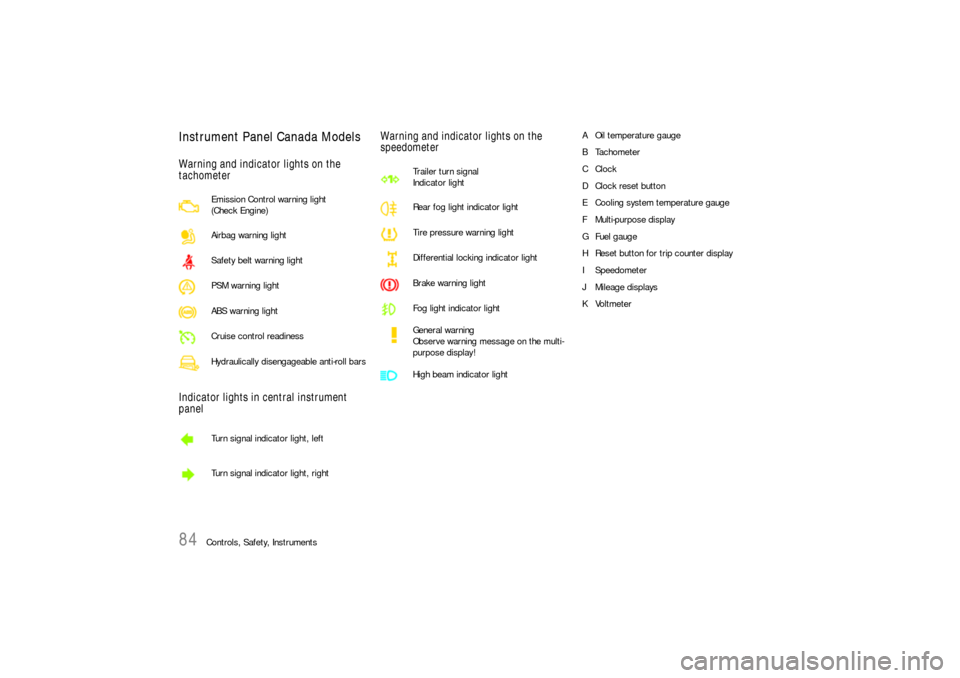
Instrument Panel Canada ModelsWarning and indicator lights on the
tachometer
Indicator lights in central instrument
panelWarning and indicator lights on the
speedometer
A Oil temperature gauge
BTachometer
CClock
D Clock reset button
E Cooling system temperature gauge
F Multi-purpose display
G Fuel gauge
H Reset button for trip counter display
I Speedometer
J Mileage displays
KVoltmeter Emission Control warning light
(Check Engine)
Airbag warning light
Safety belt warning light
PSM warning light
ABS warning light
Cruise control readiness
Hydraulically disengageable anti-roll bars
Turn signal indicator light, left
Turn signal indicator light, right
Trailer turn signal
Indicator light
Rear fog light indicator light
Tire pressure warning light
Differential locking indicator light
Brake warning light
Fog light indicator light
General warning
Observe warning message on the multi-
purpose display!
High beam indicator light
Page 88 of 420
88
Controls, Safety, Instruments
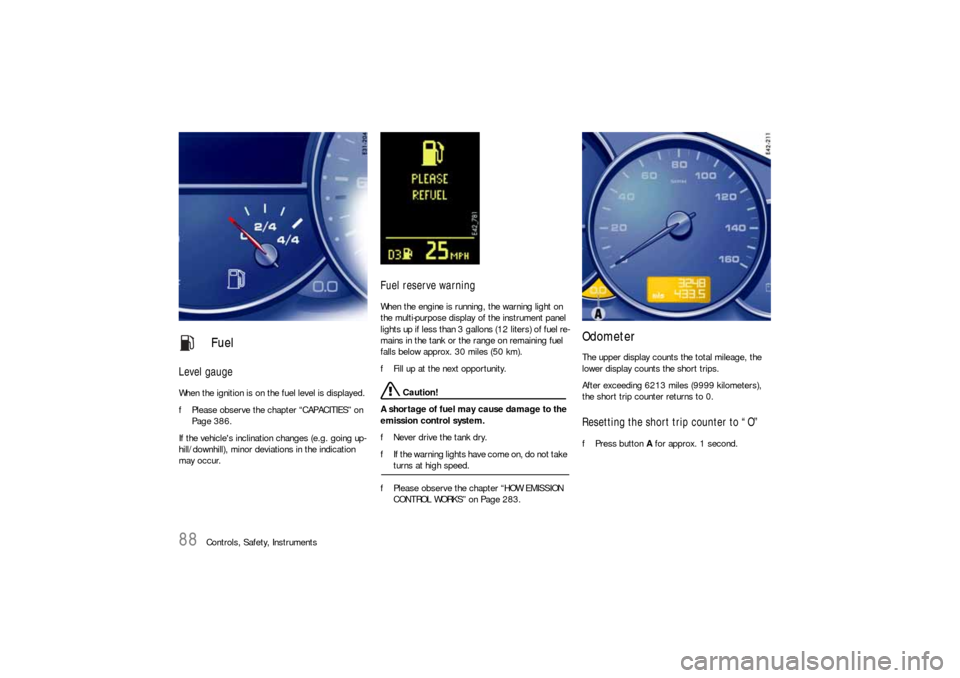
Level gaugeWhen the ignition is on the fuel level is displayed.
fPlease observe the chapter “CAPACITIES” on
Page 386.
If the vehicle's inclination changes (e.g. going up-
hill/downhill), minor deviations in the indication
may occur.
Fuel reserve warningWhen the engine is running, the warning light on
the multi-purpose display of the instrument panel
lights up if less than 3 gallons (12 liters) of fuel re-
mains in the tank or the range on remaining fuel
falls below approx. 30 miles (50 km).
fFill up at the next opportunity.
Caution!
A shortage of fuel may cause damage to the
emission control system.
fNever drive the tank dry.
fIf the warning lights have come on, do not take turns at high speed.
fPlease observe the chapter “HOW EMISSION
CONTROL WORKS” on Page 283.
OdometerThe upper display counts the total mileage, the
lower display counts the short trips.
After exceeding 6213 miles (9999 kilometers),
the short trip counter returns to 0.Resetting the short trip counter to “O”fPress button A for approx. 1 second.
Fuel
Page 92 of 420
92
Controls, Safety, Instruments
Multi-Purpose Display
Warning!
There is a danger of accident if you set or
operate the on-board computer, radio, navi-
gation system, telephone or other equipment
when driving.
This could distract you from the traffic and
cause you to lose control of the vehicle.
fOperate the components while driving only if
the traffic situation allows you to do so safely.
fCarry out any complicated operating or setting procedures only with the vehicle stationary.
It is not possible to describe all details of the
functions in this Owner's Manual.
The examples clearly demonstrate the functional
principle and clarify the menu structure.
As a rule, you can use the menu items:
MAIN MENU > SETTINGS > FACTORY SETTINGS
to return to the basic factory settings.
fPlease observe the chapter “FACTORY SET-
TINGS” on Page 123.
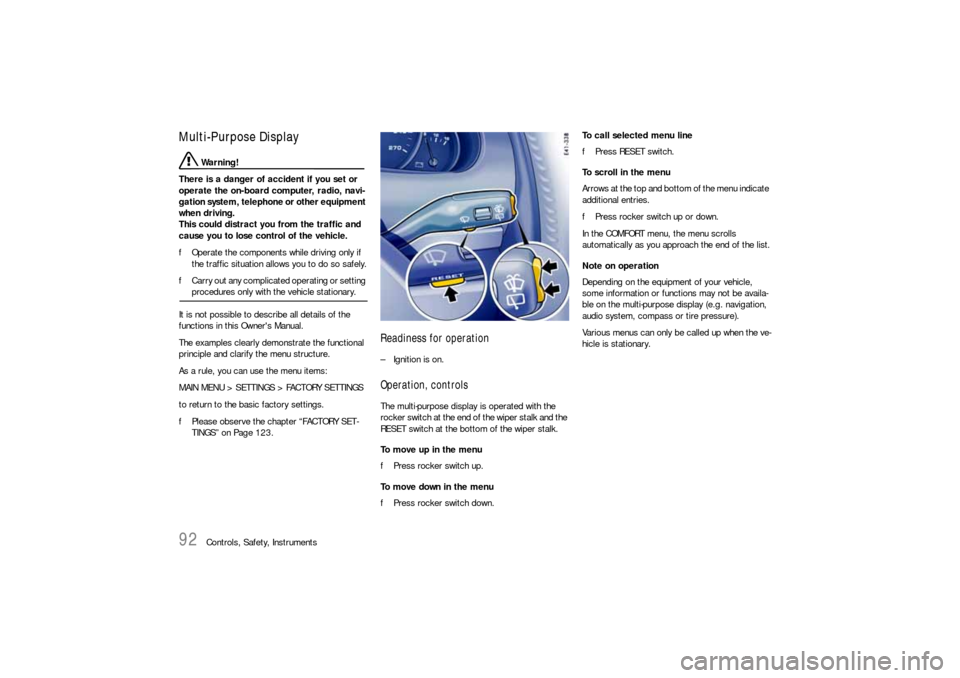
Readiness for operation– Ignition is on.Operation, controlsThe multi-purpose display is operated with the
rocker switch at the end of the wiper stalk and the
RESET switch at the bottom of the wiper stalk.
To move up in the menu
fPress rocker switch up.
To move down in the menu
fPress rocker switch down.To call selected menu line
fPress RESET switch.
To scroll in the menu
Arrows at the top and bottom of the menu indicate
additional entries.
fPress rocker switch up or down.
In the COMFORT menu, the menu scrolls
automatically as you approach the end of the list.
Note on operation
Depending on the equipment of your vehicle,
some information or functions may not be availa-
ble on the multi-purpose display (e.g. navigation,
audio system, compass or tire pressure).
Various menus can only be called up when the ve-
hicle is stationary.
Page 93 of 420
Controls, Safety, Instruments
93
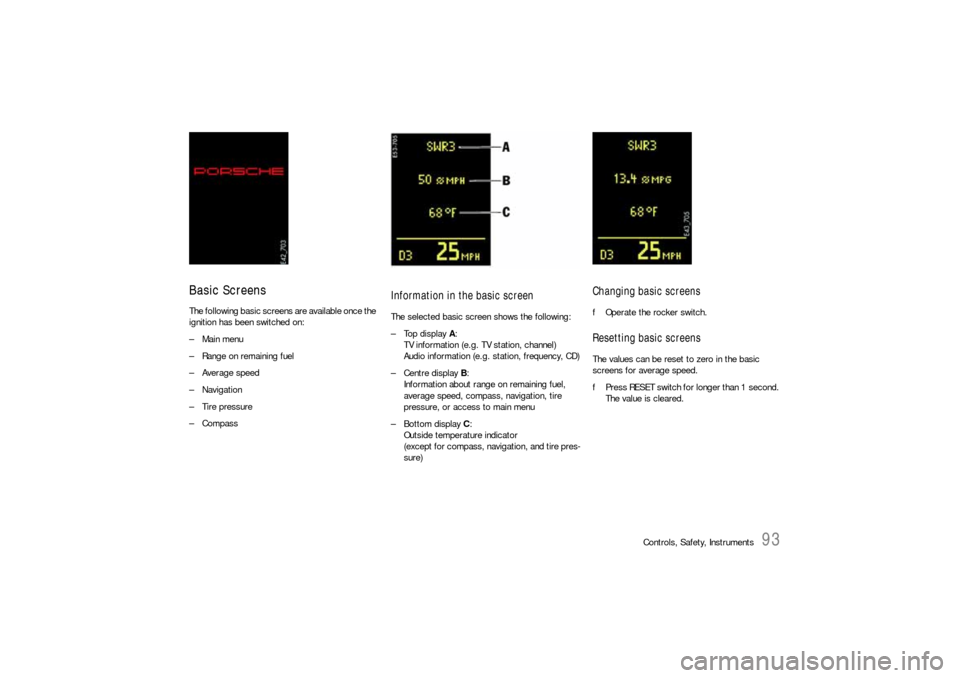
Basic ScreensThe following basic screens are available once the
ignition has been switched on:
– Main menu
– Range on remaining fuel
–Average speed
– Navigation
– Tire pressure
–Compass
Information in the basic screenThe selected basic screen shows the following:
–Top display A:
TV information (e.g. TV station, channel)
Audio information (e.g. station, frequency, CD)
–Centre display B:
Information about range on remaining fuel,
average speed, compass, navigation, tire
pressure, or access to main menu
–Bottom display C:
Outside temperature indicator
(except for compass, navigation, and tire pres-
sure)
Changing basic screensfOperate the rocker switch.Resetting basic screensThe values can be reset to zero in the basic
screens for average speed.
fPress RESET switch for longer than 1 second.
The value is cleared.
Page 94 of 420
94
Controls, Safety, Instruments
General informationRange on remaining fuel
The range on remaining fuel is continuously
recomputed while driving based on fuel level,
current consumption and average consumption.
Average speed
The displayed values are based on the distance
travelled since the last reset to “zero”.
Note on operation
Switching the ignition off does not reset the
measurements. Values can thus be collected over
long periods. Disconnecting the vehicle battery
clears the memories.
Further on-board computer functions can be dis-
played in the PCM.
Please follow the separate operating instructions
for PCM.
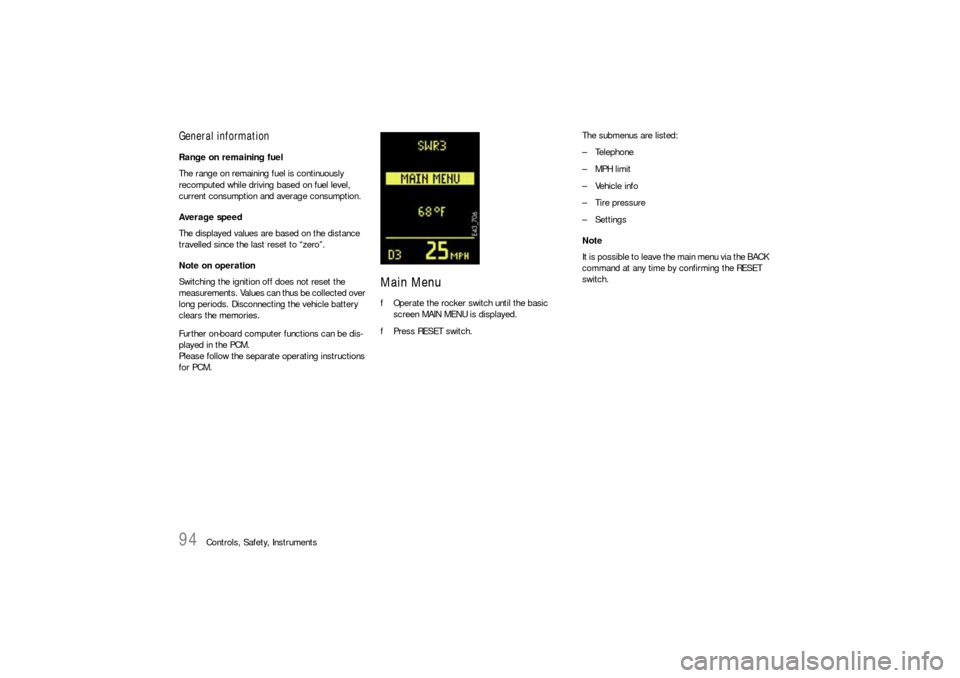
Main MenufOperate the rocker switch until the basic
screen MAIN MENU is displayed.
fPress RESET switch.The submenus are listed:
– Telephone
– MPH limit
– Vehicle info
– Tire pressure
– Settings
Note
It is possible to leave the main menu via the BACK
command at any time by confirming the RESET
switch.
Page 95 of 420
Controls, Safety, Instruments
95
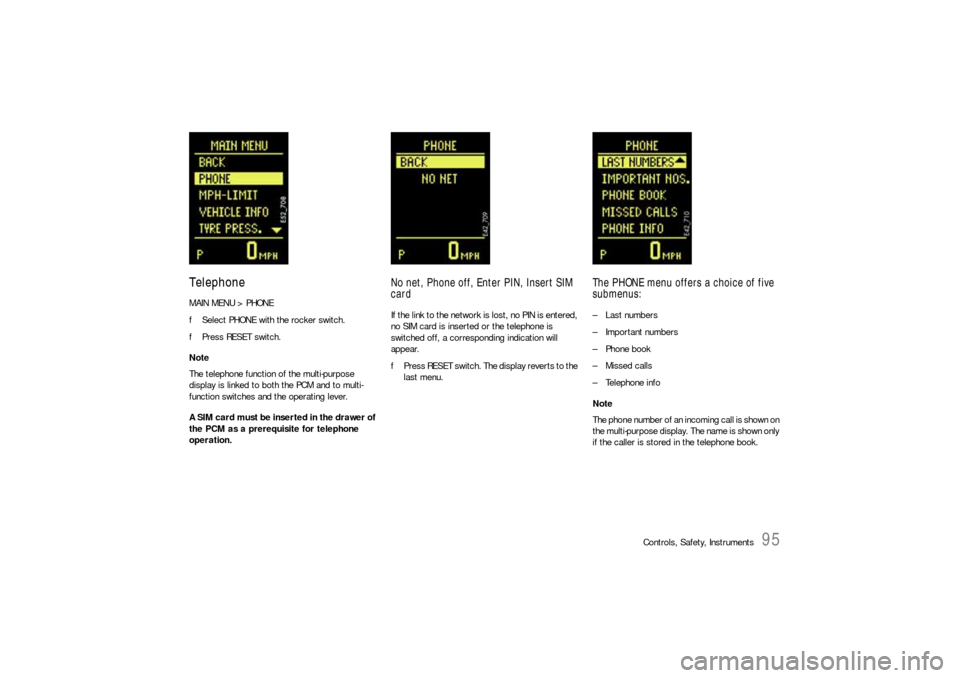
TelephoneMAIN MENU > PHONE
fSelect PHONE with the rocker switch.
fPress RESET switch.
Note
The telephone function of the multi-purpose
display is linked to both the PCM and to multi-
function switches and the operating lever.
A SIM card must be inserted in the drawer of
the PCM as a prerequisite for telephone
operation.
No net, Phone off, Enter PIN, Insert SIM
cardIf the link to the network is lost, no PIN is entered,
no SIM card is inserted or the telephone is
switched off, a corresponding indication will
appear.
fPress RESET switch. The display reverts to the
last menu.
The PHONE menu offers a choice of five
submenus:– Last numbers
– Important numbers
– Phone book
– Missed calls
– Telephone info
Note
The phone number of an incoming call is shown on
the multi-purpose display. The name is shown only
if the caller is stored in the telephone book.
Page 96 of 420
96
Controls, Safety, Instruments
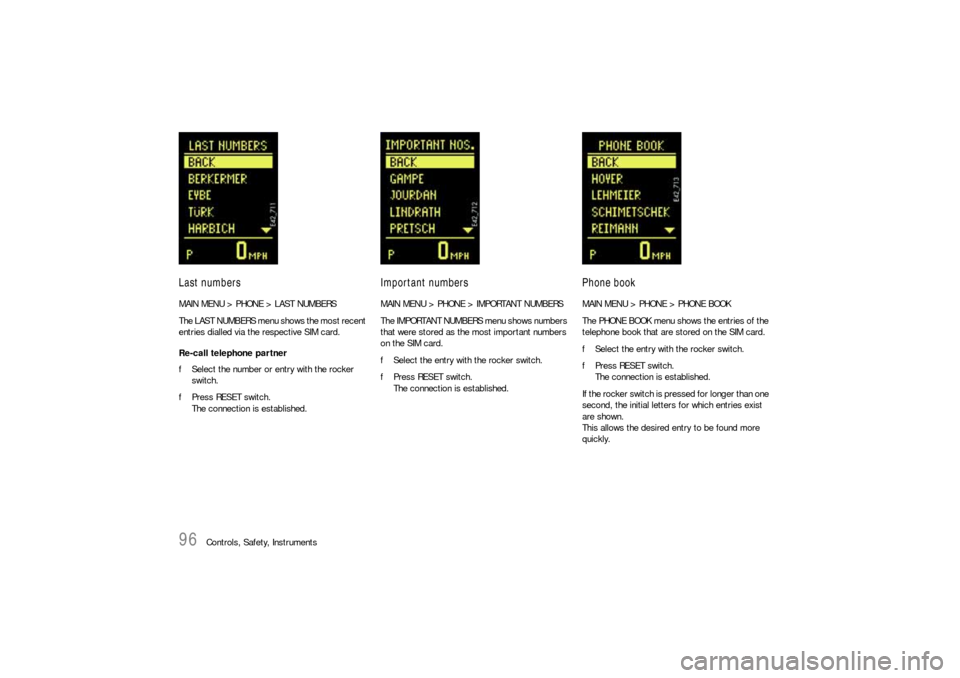
Last numbersMAIN MENU > PHONE > LAST NUMBERS
The LAST NUMBERS menu shows the most recent
entries dialled via the respective SIM card.
Re-call telephone partner
fSelect the number or entry with the rocker
switch.
fPress RESET switch.
The connection is established.
Important numbersMAIN MENU > PHONE > IMPORTANT NUMBERS
The IMPORTANT NUMBERS menu shows numbers
that were stored as the most important numbers
on the SIM card.
fSelect the entry with the rocker switch.
fPress RESET switch.
The connection is established.
Phone bookMAIN MENU > PHONE > PHONE BOOK
The PHONE BOOK menu shows the entries of the
telephone book that are stored on the SIM card.
fSelect the entry with the rocker switch.
fPress RESET switch.
The connection is established.
If the rocker switch is pressed for longer than one
second, the initial letters for which entries exist
are shown.
This allows the desired entry to be found more
quickly.
Page 97 of 420
Controls, Safety, Instruments
97
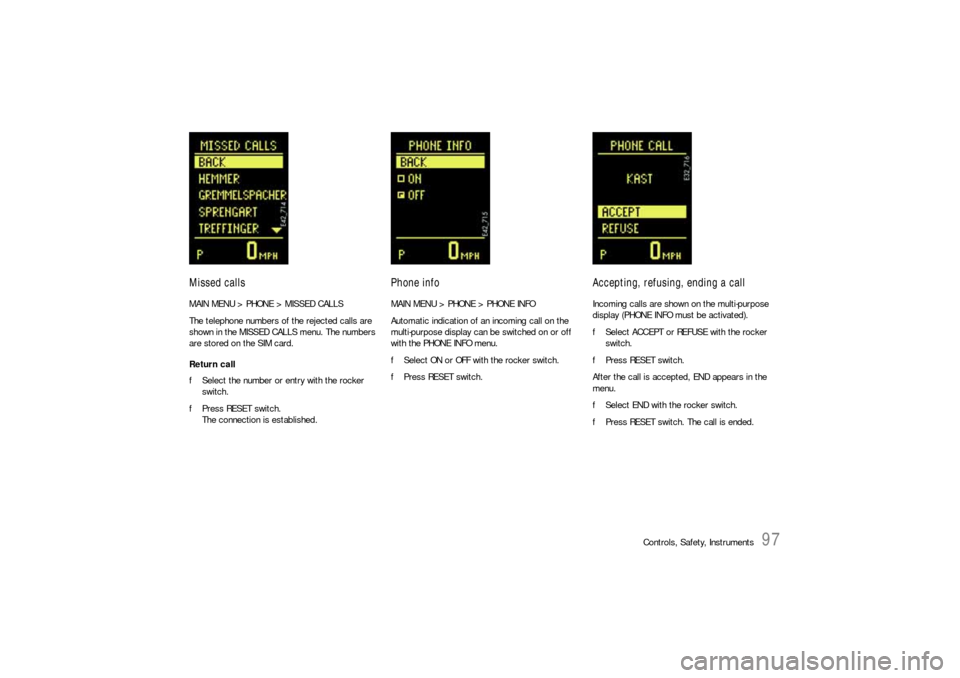
Missed callsMAIN MENU > PHONE > MISSED CALLS
The telephone numbers of the rejected calls are
shown in the MISSED CALLS menu. The numbers
are stored on the SIM card.
Return call
fSelect the number or entry with the rocker
switch.
fPress RESET switch.
The connection is established.
Phone infoMAIN MENU > PHONE > PHONE INFO
Automatic indication of an incoming call on the
multi-purpose display can be switched on or off
with the PHONE INFO menu.
fSelect ON or OFF with the rocker switch.
fPress RESET switch.
Accepting, refusing, ending a callIncoming calls are shown on the multi-purpose
display (PHONE INFO must be activated).
fSelect ACCEPT or REFUSE with the rocker
switch.
fPress RESET switch.
After the call is accepted, END appears in the
menu.
fSelect END with the rocker switch.
fPress RESET switch. The call is ended.
Page 98 of 420
98
Controls, Safety, Instruments
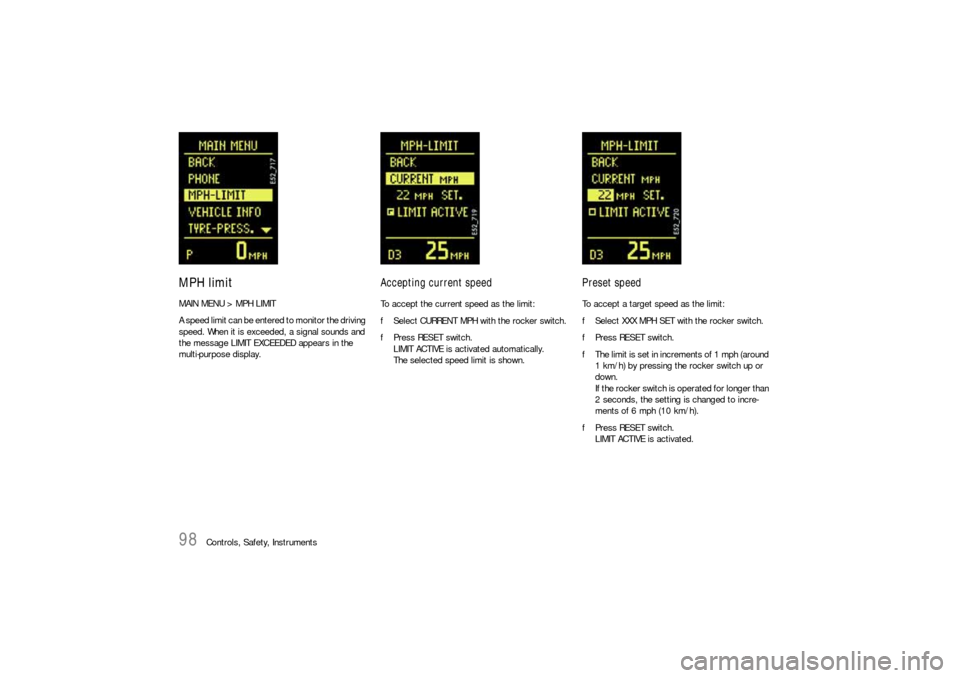
MPH limitMAIN MENU > MPH LIMIT
A speed limit can be entered to monitor the driving
speed. When it is exceeded, a signal sounds and
the message LIMIT EXCEEDED appears in the
multi-purpose display.
Accepting current speedTo accept the current speed as the limit:
fSelect CURRENT MPH with the rocker switch.
fPress RESET switch.
LIMIT ACTIVE is activated automatically.
The selected speed limit is shown.
Preset speedTo accept a target speed as the limit:
fSelect XXX MPH SET with the rocker switch.
fPress RESET switch.
fThe limit is set in increments of 1 mph (around
1 km/h) by pressing the rocker switch up or
down.
If the rocker switch is operated for longer than
2 seconds, the setting is changed to incre-
ments of 6 mph (10 km/h).
fPress RESET switch.
LIMIT ACTIVE is activated.