lock PORSCHE PANAMERA 2009 1.G Information Manual
[x] Cancel search | Manufacturer: PORSCHE, Model Year: 2009, Model line: PANAMERA, Model: PORSCHE PANAMERA 2009 1.GPages: 343, PDF Size: 7.96 MB
Page 84 of 343
82
Air Conditioning
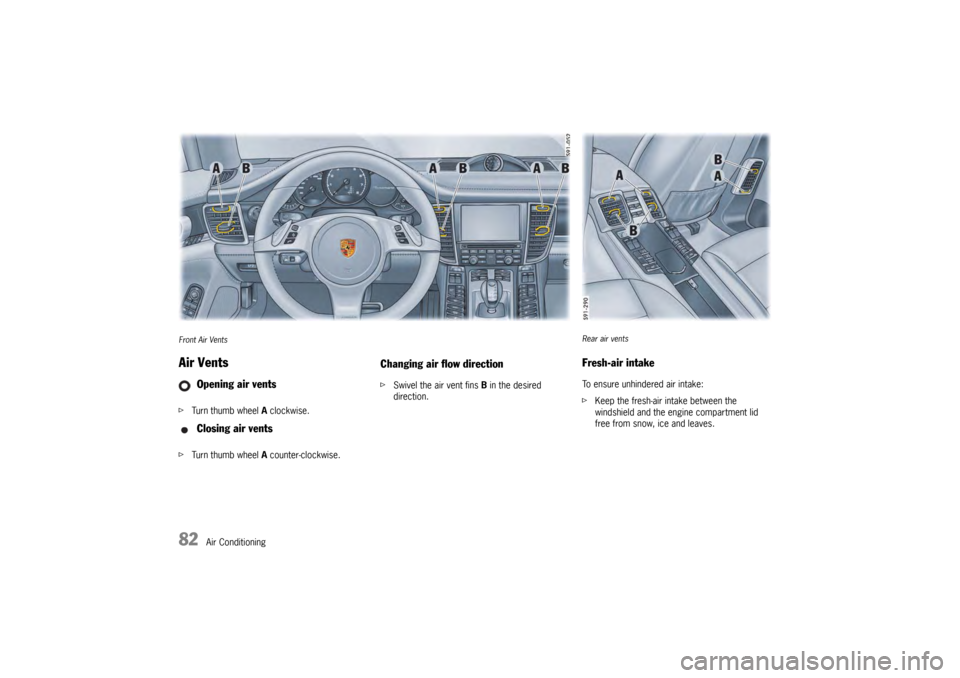
Front Air VentsAir VentsfTurn thumb wheel A clockwise.
f Turn thumb wheel A counter-clockwise.
Changing air flow directionf Swivel the air vent fins B in the desired
direction.
Opening air vents
Closing air vents
Rear air ventsFresh-air intakeTo ensure unhindered air intake:
fKeep the fresh-air intake between the
windshield and the engine compartment lid
free from snow, ice and leaves.
Page 89 of 343
Windows and Slide/Tilt Roof
87
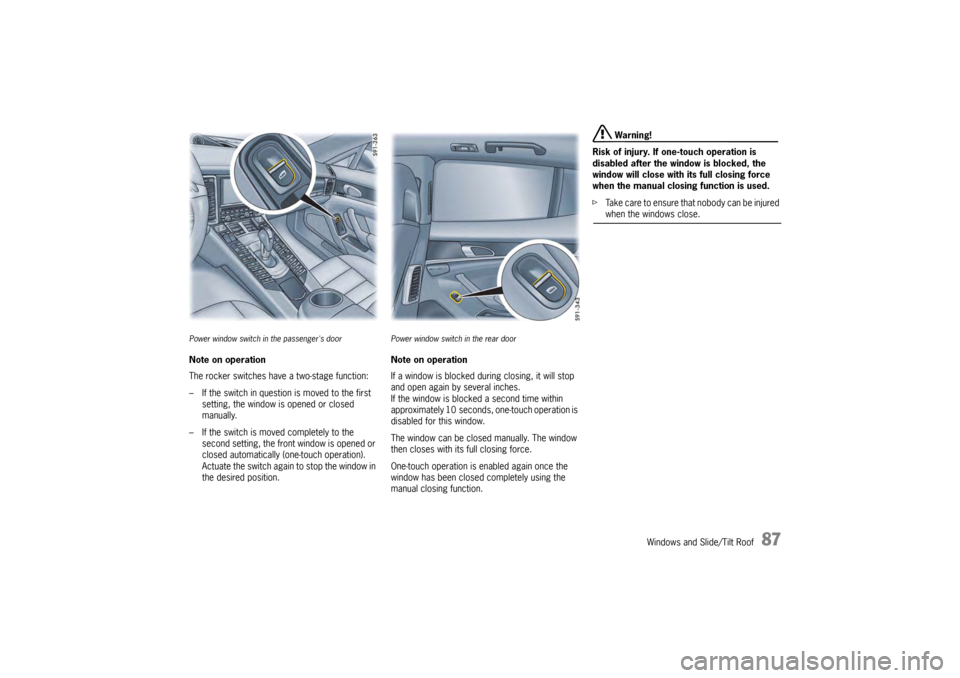
Power window switch in the passenger's doorNote on operation
The rocker switches have a two-stage function:
– If the switch in question is moved to the first
setting, the window is opened or closed
manually.
– If the switch is moved completely to the second setting, the front window is opened or
closed automatically (one-touch operation).
Actuate the switch again to stop the window in
the desired position.
Power window switch in the rear doorNote on operation
If a window is blocked during closing, it will stop
and open again by several inches.
If the window is blocked a second time within
approximately 10 seconds, one-touch operation is
disabled for this window.
The window can be closed manually. The window
then closes with its full closing force.
One-touch operation is enabled again once the
window has been closed completely using the
manual closing function.
Warning!
Risk of injury. If one-touch operation is
disabled after the wind ow is blocked, the
window will close with its full closing force
when the manual closing function is used.
f Take care to ensure that nobody can be injured when the windows close.
Page 97 of 343
Lights, Turn Signals and Windshield Wipers
95
Automatic Coming Home lights
(Welcome Home function/Entry function)Switching on Automatic Coming Home lights
fSet light switch to .
The following lights remain switched on for
a certain period to allow you to get in and out of
your vehicle safely and with improved visibility in
darkness:
– Daytime driving lights,
– Courtesy lights in the exterior mirrors (on vehicles with comfort memory),
– Front and rear side marker lights,
– Licence plate lights.
Welcome Home function (off delay)
When the vehicle is locked, the lights remain
switched on for the duration of the off delay preset
on the multi-function display.
For information on adjusting the off delay of the
external lights on the multi-function display:
f Please see the chapter “ADJUSTING EXTERIOR
LIGHTS” on page 142. Entry function
When the vehicle is unlocked, the area around the
vehicle is illuminated for the duration of the off
delay preset on the multi-function display.
The lights are switched off when the ignition is
switched on or the light sw
itch is set to a position
other than .
For information on adjusting the off delay of the
external lights on the multi-function display:
f Please see the chapter “ADJUSTING EXTERIOR
LIGHTS” on page 142.
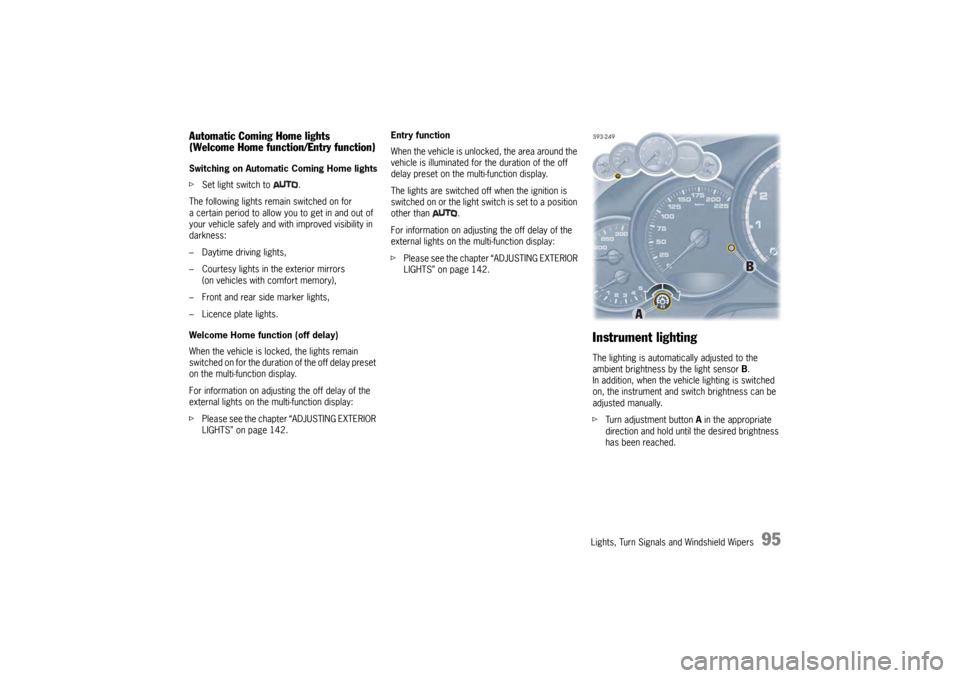
Instrument lightingThe lighting is automatically adjusted to the
ambient brightness by the light sensor B.
In addition, when the vehicle lighting is switched
on, the instrument and switch brightness can be
adjusted manually.
f Turn adjustment button A in the appropriate
direction and hold until the desired brightness
has been reached.
Page 99 of 343
Lights, Turn Signals and Windshield Wipers
97
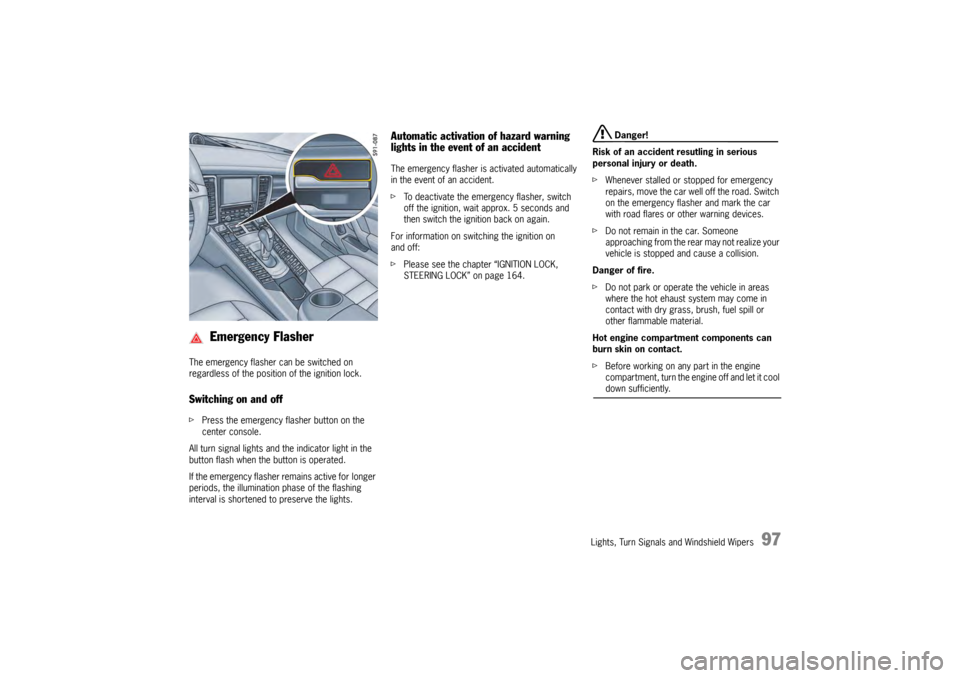
The emergency flasher can be switched on
regardless of the position of the ignition lock.Switching on and offfPress the emergency fl asher button on the
center console.
All turn signal lights and the indicator light in the
button flash when the button is operated.
If the emergency flasher remains active for longer
periods, the illumination phase of the flashing
interval is shortened to preserve the lights.
Automatic activation of hazard warning
lights in the event of an accidentThe emergency flasher is activated automatically
in the event of an accident.
f To deactivate the emergency flasher, switch
off the ignition, wait approx. 5 seconds and
then switch the ignition back on again.
For information on switching the ignition on
and off:
f Please see the chapter “IGNITION LOCK,
STEERING LOCK” on page 164.
Danger!
Risk of an accident resutling in serious
personal injury or death.
f Whenever stalled or stopped for emergency
repairs, move the car well off the road. Switch
on the emergency flasher and mark the car
with road flares or other warning devices.
f Do not remain in the car. Someone
approaching from the rear may not realize your
vehicle is stopped and cause a collision.
Danger of fire.
f Do not park or operate the vehicle in areas
where the hot ehaust system may come in
contact with dry grass, brush, fuel spill or
other flammable material.
Hot engine compartment components can
burn skin on contact.
f Before working on any part in the engine
compartment, turn the engine off and let it cool down sufficiently.
Emergency Flasher
Page 101 of 343
Lights, Turn Signals and Windshield Wipers
99
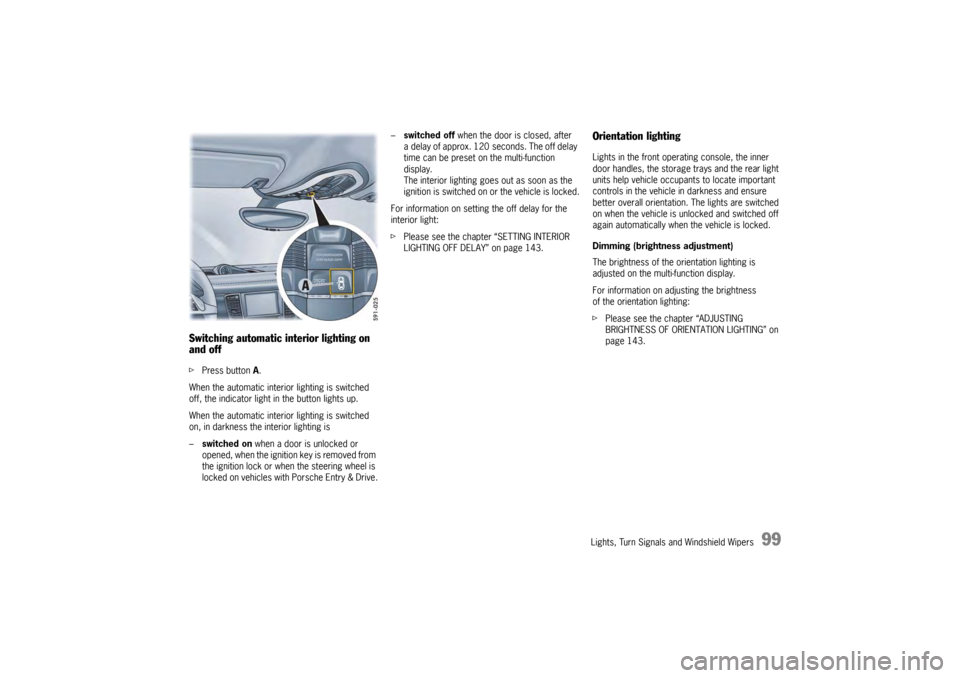
Switching automatic interior lighting on
and off fPress button A.
When the automatic interior lighting is switched
off, the indicator light in the button lights up.
When the automatic interior lighting is switched
on, in darkness the interior lighting is
– switched on when a door is unlocked or
opened, when the ignition key is removed from
the ignition lock or when the steering wheel is
locked on vehicles with Porsche Entry & Drive. –
switched off when the door is closed, after
a delay of approx. 120 seconds. The off delay
time can be preset on the multi-function
display.
The interior lighting goes out as soon as the
ignition is switched on or the vehicle is locked.
For information on setting the off delay for the
interior light:
f Please see the chapter “SETTING INTERIOR
LIGHTING OFF DELAY” on page 143.
Orientation lightingLights in the front operating console, the inner
door handles, the storage trays and the rear light
units help vehicle occupa nts to locate important
controls in the vehicle in darkness and ensure
better overall orientation. The lights are switched
on when the vehicle is unlocked and switched off
again automatically when the vehicle is locked.
Dimming (brightness adjustment)
The brightness of the orientation lighting is
adjusted on the multi-function display.
For information on adjusting the brightness
of the orientation lighting:
f Please see the chapter “ADJUSTING
BRIGHTNESS OF ORIENTATION LIGHTING” on
page 143.
Page 102 of 343
100
Lights, Turn Signals and Windshield Wipers
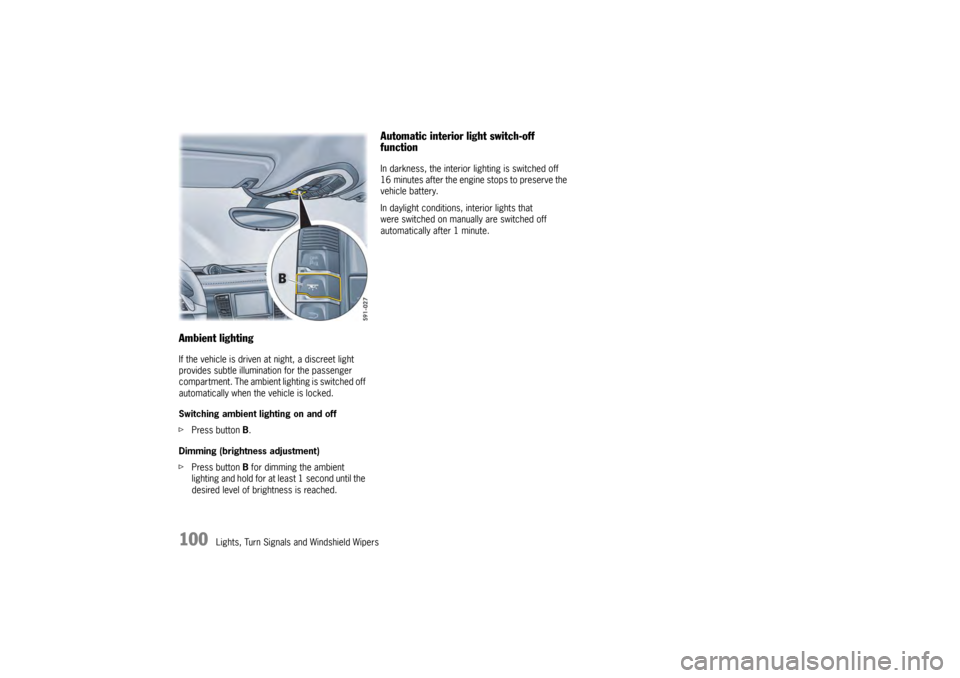
Ambient lightingIf the vehicle is driven at night, a discreet light
provides subtle illumination for the passenger
compartment. The ambient lighting is switched off
automatically when the vehicle is locked.
Switching ambient lighting on and off
fPress button B.
Dimming (brightness adjustment)
f Press button B for dimming the ambient
lighting and hold for at least 1 second until the
desired level of brightness is reached.
Automatic interior light switch-off
functionIn darkness, the interior lighting is switched off
16 minutes after the engine stops to preserve the
vehicle battery.
In daylight conditions, interior lights that
were switched on manually are switched off
automatically after 1 minute.
Page 120 of 343
118
Instrument Panel and Multi-Function DisplayVehicle
Audio
Navigation
Map
Phone
Trip
Tire pressure
Sport Chrono
ACC
Info
Oil level
Settings
Limits
Station/track
Destination input
Start/Stop route guidance
Manual zoom
Show destination/position
Auto zoom
3D map
North up
Answer/Reject/End
Phonebook
Previous calls
Received calls
since
consecutive
to destination
Fill info
Tire info
Charge
Comfort press.
Adjust
Start
Stop
Round
IntMessages
Service intervals
Level
Ø Consumption
Display
Light/visibility
Locking
Air conditioning
Date/Time
Units
Language
Volume
Steering wheel op.
Fact. settings
Limit 1/Limit 2
Last destination
Stored destinations
POIs
Res.
Reset
Menu scope
Audio
Vehicle menu
Upper line
PCM display
Lower line
Shift request
Brightness
Exterior lights
Interior lights
Wiper
Revers. opt.
Door unlock
Door lock
Comfort Entry
Climate style
Vent. panel
Center cooler
Automatic air circ.
Time
Date
Summer time
Time Chrono
Speedometer
Temperature
Tire pressure
Boost pressure
Consumption
German/French …
ParkAssist
Warn. tones
Multif. key
Current speed
Setting the speed
Page 140 of 343
138
Instrument Panel and Multi-Function Display
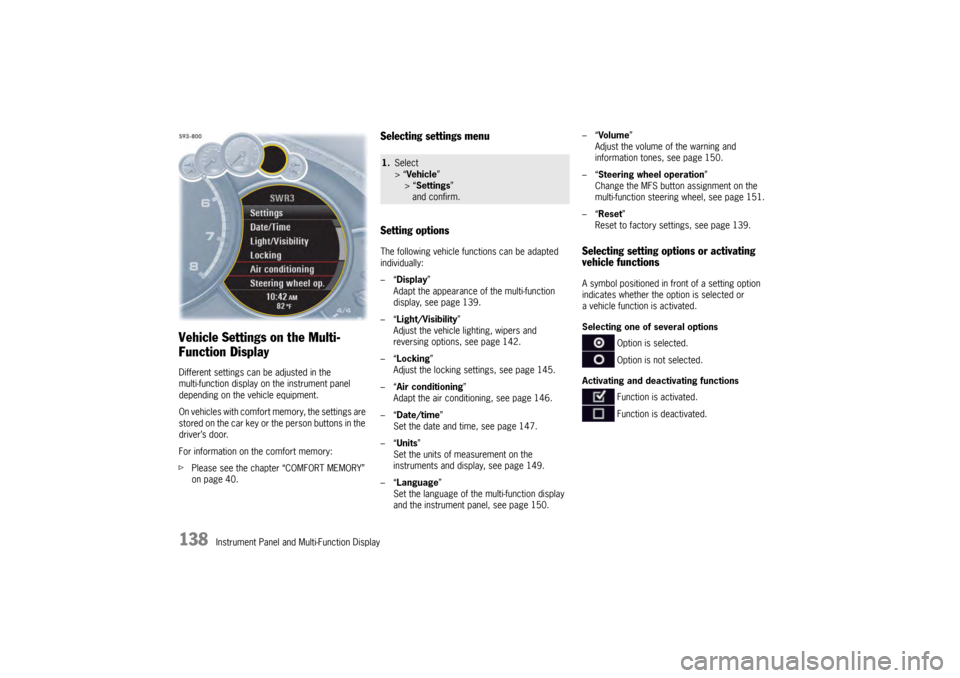
Vehicle Settings on the Multi-
Function DisplayDifferent settings can be adjusted in the
multi-function display on the instrument panel
depending on the vehicle equipment.
On vehicles with comfort memory, the settings are
stored on the car key or the person buttons in the
driver’s door.
For information on the comfort memory:
fPlease see the chapter “COMFORT MEMORY”
on page 40.
Selecting settings menu
Setting optionsThe following vehicle functions can be adapted
individually:
–“ Display ”
Adapt the appearance of the multi-function
display, see page 139.
–“ Light/Visibility ”
Adjust the vehicle lighting, wipers and
reversing options, see page 142.
–“ Locking ”
Adjust the locking settings, see page 145.
–“ Air conditioning ”
Adapt the air conditioning, see page 146.
–“ Date/time ”
Set the date and time, see page 147.
–“ Units ”
Set the units of measurement on the
instruments and display, see page 149.
–“ Language”
Set the language of the multi-function display
and the instrument panel, see page 150. –“
Volume ”
Adjust the volume of the warning and
information tones, see page 150.
–“ Steering wheel operation”
Change the MFS button assignment on the
multi-function steering wheel, see page 151.
–“ Reset ”
Reset to factory settings, see page 139.
Selecting setting options or activating
vehicle functionsA symbol positioned in front of a setting option
indicates whether the option is selected or
a vehicle function is activated.
Selecting one of several options
Option is selected.
Option is not selected.
Activating and deactivating functions Function is activated.
Function is deactivated.
1.Select
> “Vehicle ”
> “ Settings ”
and confirm.
Page 147 of 343
Instrument Panel and Multi-Function Display
145
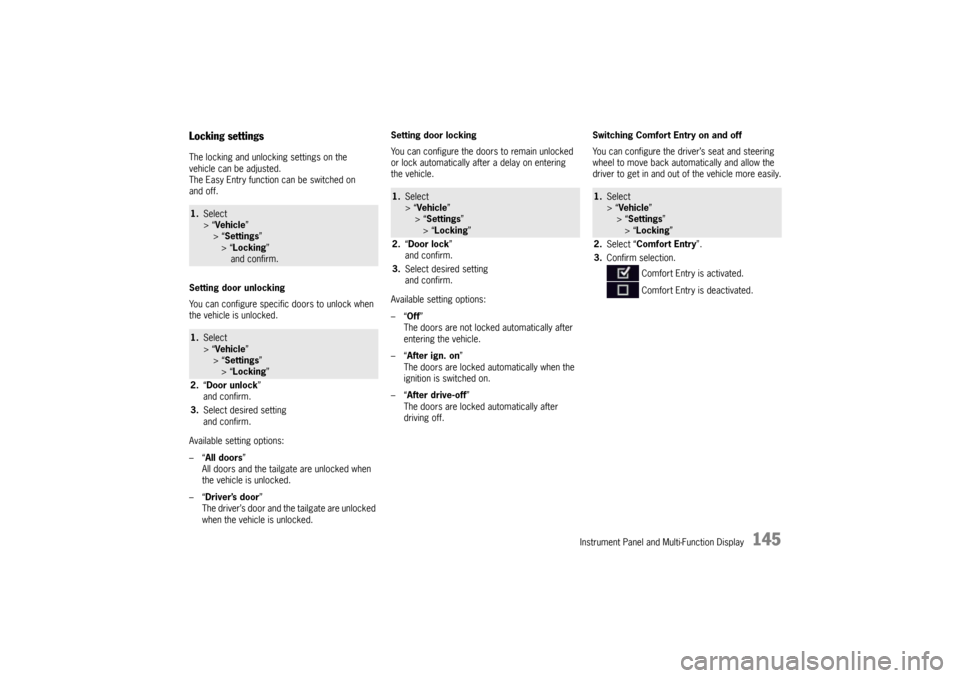
Locking settingsThe locking and unlocking settings on the
vehicle can be adjusted.
The Easy Entry function can be switched on
and off.
Setting door unlocking
You can configure specific doors to unlock when
the vehicle is unlocked.
Available setting options:
–“All doors”
All doors and the tailgate are unlocked when
the vehicle is unlocked.
–“ Driver’s door ”
The driver’s door and the tailgate are unlocked
when the vehicle is unlocked. Setting door locking
You can configure the doors to remain unlocked
or lock automatically after a delay on entering
the vehicle.
Available setting options:
–“
Off”
The doors are not locked automatically after
entering the vehicle.
–“ After ign. on ”
The doors are locked automatically when the
ignition is switched on.
–“ After drive-off ”
The doors are locked automatically after
driving off. Switching Comfort Entry on and off
You can configure the driver’s seat and steering
wheel to move back auto
matically and allow the
driver to get in and out of the vehicle more easily.1. Select
> “Vehicle ”
> “ Settings ”
> “Locking ”
and confirm.1. Select
> “Vehicle ”
> “ Settings ”
> “Locking ”
2. “Door unlock ”
and confirm.
3. Select desired setting
and confirm.
1.Select
> “Vehicle ”
> “Settings ”
> “ Locking ”
2. “Door lock ”
and confirm.
3. Select desired setting
and confirm.
1.Select
> “Vehicle ”
> “ Settings ”
> “Locking ”
2. Select “Comfort Entry ”.
3. Confirm selection.
Comfort Entry is activated.
Comfort Entry is deactivated.
Page 150 of 343
148
Instrument Panel and Multi-Function Display
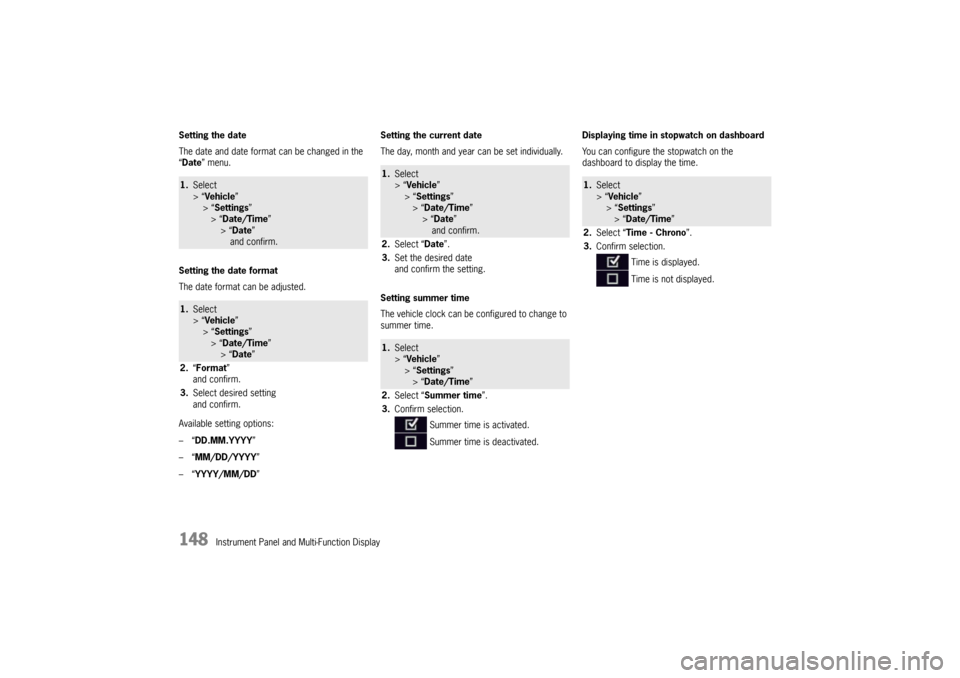
Setting the date
The date and date format
can be changed in the
“ Date ” menu.
Setting the date format
The date format can be adjusted.
Available setting options:
–“ DD.MM.YYYY”
–“ MM/DD/YYYY”
–“ YYYY/MM/DD ” Setting the current date
The day, month and year can be set individually.
Setting summer time
The vehicle clock can be configured to change to
summer time.
Displaying time in
stopwatch on dashboard
You can configure the stopwatch on the
dashboard to display the time.
1. Select
> “Vehicle ”
> “ Settings ”
> “Date/Time ”
> “Date ”
and confirm.1. Select
> “Vehicle ”
> “ Settings ”
> “Date/Time ”
> “Date ”
2. “Format”
and confirm.
3. Select desired setting
and confirm.
1.Select
> “Vehicle ”
> “ Settings ”
> “Date/Time ”
> “ Date ”
and confirm.
2. Select “ Date”.
3. Set the desired date
and confirm the setting.1.Select
> “Vehicle ”
> “ Settings ”
> “Date/Time ”
2. Select “ Summer time ”.
3. Confirm selection.
Summer time is activated.
Summer time is deactivated.
1.Select
> “Vehicle ”
> “Settings ”
> “Date/Time ”
2. Select “Time - Chrono”.
3. Confirm selection.
Time is displayed.
Time is not displayed.