floor Ram 1500 2013 User Guide
[x] Cancel search | Manufacturer: RAM, Model Year: 2013, Model line: 1500, Model: Ram 1500 2013Pages: 734, PDF Size: 5.47 MB
Page 230 of 734
2. Grasp the knob on the load floor and lift the knob untilthe load floor unfolds into position.
3. Reverse the procedure to store the load floor. Positioning the Load Floor for Storage Access Under
the Seat
1. Lift the 60/40 seat cushion(s) to the upward position.
2. Unsnap the securing snap located at either side of the
load floor.
3. Lift the load floor up to access storage under the load floor.
WARNING!
Do not drive with the load floor in the up position.
When stopping fast or in an accident, the load floor
could move to the down position causing serious
injury.
Load Floor In Open Position
228 UNDERSTANDING THE FEATURES OF YOUR VEHICLE
Page 231 of 734
4. Reverse the procedure to put the load floor back in thesecured down position before you operate the vehicle.
PICKUP BOX
The pickup box has many features designed for utility
and convenience.
Load Floor Securing Straps
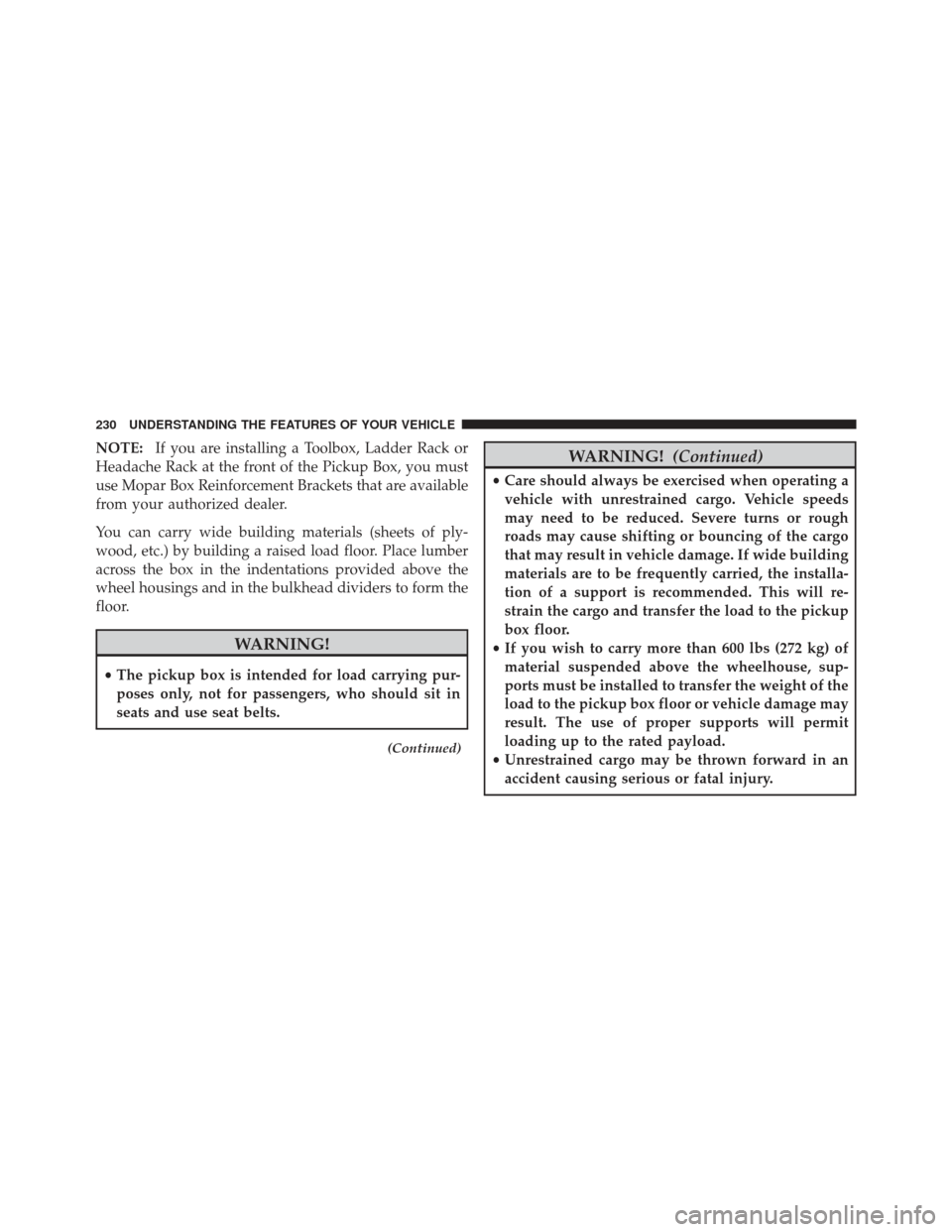
Pick Up Box Features
1 — Upper Load Floor Indents
2 — Bulk Head Dividers
3 — Cleats
3
UNDERSTANDING THE FEATURES OF YOUR VEHICLE 229
Page 232 of 734
NOTE:If you are installing a Toolbox, Ladder Rack or
Headache Rack at the front of the Pickup Box, you must
use Mopar Box Reinforcement Brackets that are available
from your authorized dealer.
You can carry wide building materials (sheets of ply-
wood, etc.) by building a raised load floor. Place lumber
across the box in the indentations provided above the
wheel housings and in the bulkhead dividers to form the
floor.
WARNING!
• The pickup box is intended for load carrying pur-
poses only, not for passengers, who should sit in
seats and use seat belts.
(Continued)
WARNING! (Continued)
•Care should always be exercised when operating a
vehicle with unrestrained cargo. Vehicle speeds
may need to be reduced. Severe turns or rough
roads may cause shifting or bouncing of the cargo
that may result in vehicle damage. If wide building
materials are to be frequently carried, the installa-
tion of a support is recommended. This will re-
strain the cargo and transfer the load to the pickup
box floor.
• If you wish to carry more than 600 lbs (272 kg) of
material suspended above the wheelhouse, sup-
ports must be installed to transfer the weight of the
load to the pickup box floor or vehicle damage may
result. The use of proper supports will permit
loading up to the rated payload.
• Unrestrained cargo may be thrown forward in an
accident causing serious or fatal injury.
230 UNDERSTANDING THE FEATURES OF YOUR VEHICLE
Page 319 of 734
Mode Control (Air Direction)
Mode control allows you to choose
from several patterns of air distribu-
tion. You can select either a primary
mode, as identified by the symbols, or
a blend of two of these modes. The
closer the control is to a particular
mode, the more air distribution you
receive from that mode.
Panel Mode
Air is directed through the outlets in the instru-
ment panel. These outlets can be adjusted to direct
airflow.
Bi-Level Mode
Air is directed through the panel and floor outlets.
NOTE: There is a difference in temperature (in
any conditions other than full cold or full hot), between
the upper and lower outlets for added comfort. The
warmer air goes to the floor outlets. This feature gives
improved comfort during sunny but cool conditions.
Floor Mode
Air is directed through the floor outlets with a
small amount through the defrost and side win-
dow demist outlets.
Mix Mode
Air is directed through the floor, defrost and side
window demist outlets. This setting works best in
4
UNDERSTANDING YOUR INSTRUMENT PANEL 317
Page 321 of 734
•In cold or damp weather, the use of the Recirculation
mode will cause windows to fog on the inside because
of moisture buildup inside the vehicle. For maximum
defogging, select the outside air position.
• The A/C can be deselected manually without disturb-
ing the mode control selection by pressing the A/C
button.
Air Outlets
The airflow from each of the instrument panel outlets can
be adjusted for direction, and turned on or off to control
airflow.
NOTE: For maximum airflow to the rear, the center
instrument panel outlets can be directed toward the rear
seat passengers.
Economy Mode
If ECONOMY mode is desired, press the A/C button to
turn off the LED indicator and the A/C compressor. Rotate the temperature control knob to the desired tem-
perature. Also, make sure to select only Panel, Bi-Level or
Floor modes.
Stop/Start System – If Equipped
While in an Autostop, the Climate Controls system may
automatically adjust airflow to maintain cabin comfort.
Customer settings will be maintained upon return to an
engine running condition.
Air Conditioning Operation
Push the A/C button to engage the Air
Conditioning (A/C). A LED will illu-
minate when the A/C system is
engaged.
4
UNDERSTANDING YOUR INSTRUMENT PANEL 319
Page 324 of 734
increase when Defrost mode is selected. If the front
defrost mode is turned off the climate system will return
the previous setting.
4. Defrost Button
Press and release this button to turn on the rear window
defroster (if equipped) and the heated outside mirrors (if
equipped). An indicator will illuminate when the rear
window defroster is on. The rear window defroster
automatically turns off after 10 minutes.
CAUTION!
Failure to follow these cautions can cause damage to
the heating elements:
(Continued)
CAUTION!(Continued)
•Use care when washing the inside of the rear
window. Do not use abrasive window cleaners on
the interior surface of the window. Use a soft cloth
and a mild washing solution, wiping parallel to the
heating elements. Labels can be peeled off after
soaking with warm water.
• Do not use scrapers, sharp instruments, or abrasive
window cleaners on the interior surface of the
window.
• Keep all objects a safe distance from the window.
5. Modes
The airflow distribution mode can be adjusted so air
comes from the instrument panel outlets, floor outlets,
demister outlets and defrost outlets. The Mode settings
are as follows:
322 UNDERSTANDING YOUR INSTRUMENT PANEL
Page 325 of 734
•Panel Mode
Air comes from the outlets in the instrument
panel. Each of these outlets can be individually
adjusted to direct the flow of air. The air vanes of
the center outlets and outboard outlets can be moved up
and down or side to side to regulate airflow direction.
There is a shut off wheel located below the air vanes to
shut off or adjust the amount of airflow from these
outlets.
• Bi-Level Mode
Air comes from the instrument panel outlets and
floor outlets. A slight amount of air is directed
through the defrost and side window demister
outlets.
NOTE: BI-LEVEL mode is designed under comfort con-
ditions to provide cooler air out of the panel outlets and
warmer air from the floor outlets. •
Floor Mode
Air comes from the floor outlets. A slight amount
of air is directed through the defrost and side
window demister outlets.
• Mix Mode
Air comes from the floor, defrost and side window
demister outlets. This mode works best in cold or
snowy conditions.
6. Blower Control
Blower control is used to regulate the amount of air forced
through the climate system. There are seven blower speeds
available. Adjusting the blower will cause automatic mode
to switch to manual operation. The speeds can be selected
using either hard-keys or soft-keys as follows:
Hard-key
The blower speed increases as you turn the control
clockwise from the lowest blower setting. The blower
speed decreases as you turn the knob counter-clockwise.
4
UNDERSTANDING YOUR INSTRUMENT PANEL 323
Page 329 of 734
CAUTION!(Continued)
•Use care when washing the inside of the rear
window. Do not use abrasive window cleaners on
the interior surface of the window. Use a soft cloth
and a mild washing solution, wiping parallel to the
heating elements. Labels can be peeled off after
soaking with warm water.
• Do not use scrapers, sharp instruments, or abrasive
window cleaners on the interior surface of the
window.
• Keep all objects a safe distance from the window.
5. Modes
The airflow distribution mode can be adjusted so air
comes from the instrument panel outlets, floor outlets,
demister outlets and defrost outlets. The Mode settings
are as follows: •
Panel Mode
Air comes from the outlets in the instrument
panel. Each of these outlets can be individually
adjusted to direct the flow of air. The air vanes of
the center outlets and outboard outlets can be moved up
and down or side to side to regulate airflow direction.
There is a shut off wheel located below the air vanes to
shut off or adjust the amount of airflow from these
outlets.
• Bi-Level Mode
Air comes from the instrument panel outlets and
floor outlets. A slight amount of air is directed
through the defrost and side window demister
outlets.
NOTE: BI-LEVEL mode is designed under comfort con-
ditions to provide cooler air out of the panel outlets and
warmer air from the floor outlets.
4
UNDERSTANDING YOUR INSTRUMENT PANEL 327
Page 330 of 734
•Floor Mode
Air comes from the floor outlets. A slight amount
of air is directed through the defrost and side
window demister outlets.
• Mix Mode
Air comes from the floor, defrost and side window
demister outlets. This mode works best in cold or
snowy conditions.
6. Blower Control
Blower control is used to regulate the amount of air forced
through the climate system. There are seven blower speeds
available. Adjusting the blower will cause automatic mode
to switch to manual operation. The speeds can be selected
using either hard-keys or soft-keys as follows:
Hard-key
The blower speed increases as you turn the control
clockwise from the lowest blower setting. The blower
speed decreases as you turn the knob counter-clockwise. Soft-key
Use the small blower icon to reduce the blower setting
and the large blower icon to increase the blower setting.
Blower can also be selected by pressing the blower bar
area between the icons.
7. Climate Control OFF Button
Press and release this button to turn the Climate Control
ON/OFF.
8. Driver Temperature Controls
Push the Up button for warmer temperature settings.
Push the Down button for cooler temperature settings.
On the touch-screen, slide the temperature bar towards
the red arrow soft-key for warmer temperature settings
or slide the temperature bar towards the blue arrow
soft-key for cooler temperature settings.
328 UNDERSTANDING YOUR INSTRUMENT PANEL
Page 347 of 734
3. Press the ENGINE START/STOP button a second timeto change the ignition switch to the RUN position
(EVIC displays “RUN”),
4. Press the ENGINE START/STOP button a third time to return the ignition switch to the OFF position (EVIC
displays “OFF”).
Extreme Cold Weather (Below –20°F Or 29°C)
To ensure reliable starting at these temperatures, use of
an externally powered electric engine block heater (avail-
able from your authorized dealer) is recommended.
If Engine Fails To Start
If the engine fails to start after you have followed the
“Normal Starting” procedure, it may be flooded. Push
the accelerator pedal all the way to the floor and hold it
there while cranking the engine. This should clear any
excess fuel in case the engine is flooded.
CAUTION!
To prevent damage to the starter, do not crank the
engine for more than 15 seconds at a time. Wait 10 to
15 seconds before trying again.
WARNING!
•Never pour fuel or other flammable liquids into
the throttle body air inlet opening in an attempt to
start the vehicle. This could result in a flash fire
causing serious personal injury.
• Do not attempt to push or tow your vehicle to get it
started. Vehicles equipped with an automatic trans-
mission cannot be started this way. Unburned fuel
could enter the catalytic converter and once the
engine has started, ignite and damage the converter
and vehicle.
(Continued)
5
STARTING AND OPERATING 345