wheel Ram 1500 2018 User Guide
[x] Cancel search | Manufacturer: RAM, Model Year: 2018, Model line: 1500, Model: Ram 1500 2018Pages: 700, PDF Size: 8.86 MB
Page 85 of 700
you hear a click. This feature is termed the “Parade” mode
and is useful when headlights are required during the day.
NOTE:If your vehicle is equipped with a touchscreen, the
dimming of the touchscreen is programmable through the
Uconnect system. Refer to “Uconnect Settings” in “Multi-
media” for further details.
Illuminated Approach
The courtesy lights will turn on when you use the key fob
to unlock the doors or open any door.
This feature also turns on the approach lighting in the
outside mirrors (if equipped). Refer to “Mirrors” in “Get-
ting To Know Your Vehicle” for further information.
The lights will fade to off after approximately 30 seconds,
or they will immediately fade to off once the ignition
switch is turned to ON/RUN from the OFF position.
The front courtesy overhead console and door courtesy
lights will not turn off if the dimmer control is in the
“Dome ON” position (rotate vertical thumb wheel all the
way to the top detent).
The illuminated entry system will not operate if the
dimmer control is in the “Dome OFF” position (rotate
vertical thumb wheel all the way to the bottom detent). NOTE:
If your vehicle is equipped with illuminated ap-
proach lights under the outside mirrors, they can be turned
off by moving the instrument panel dimmer into the
“Dome Defeat” detent position.
WINDSHIELD WIPERS AND WASHERS
Windshield Wipers
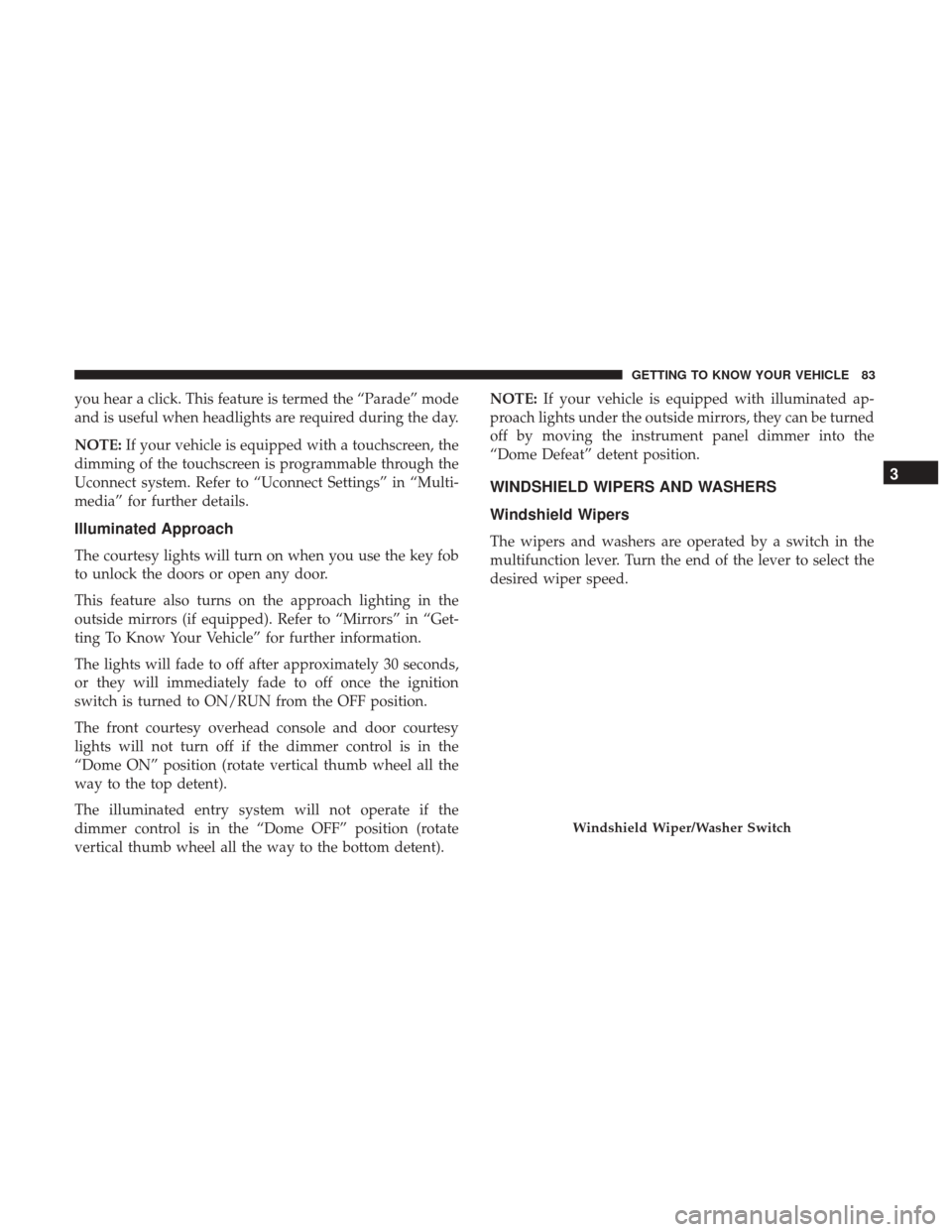
The wipers and washers are operated by a switch in the
multifunction lever. Turn the end of the lever to select the
desired wiper speed.
Windshield Wiper/Washer Switch
3
GETTING TO KNOW YOUR VEHICLE 83
Page 91 of 700
IconDescription
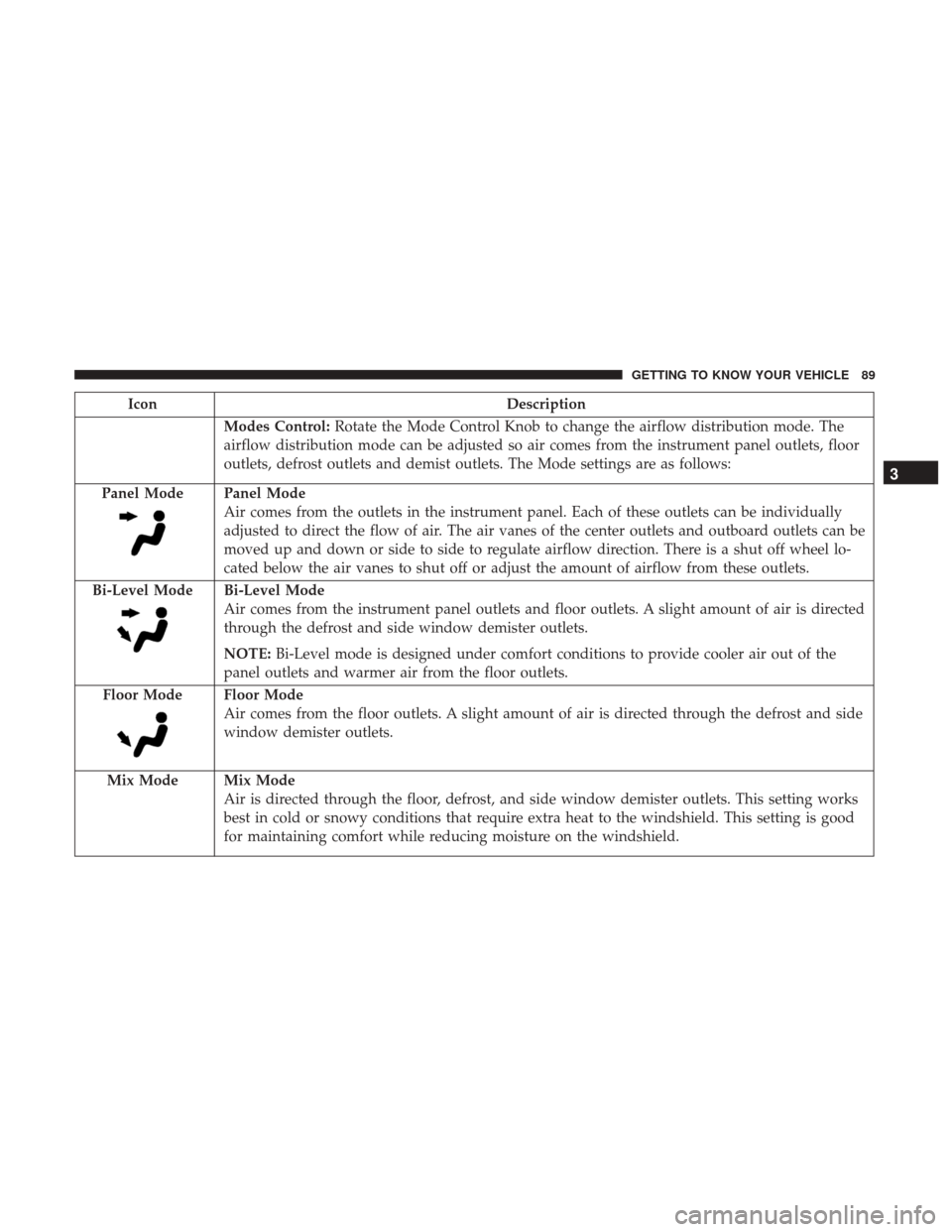
Modes Control:Rotate the Mode Control Knob to change the airflow distribution mode. The
airflow distribution mode can be adjusted so air comes from the instrument panel outlets, floor
outlets, defrost outlets and demist outlets. The Mode settings are as follows:
Panel Mode
Panel Mode
Air comes from the outlets in the instrument panel. Each of these outlets can be individually
adjusted to direct the flow of air. The air vanes of the center outlets and outboard outlets can be
moved up and down or side to side to regulate airflow direction. There is a shut off wheel lo-
cated below the air vanes to shut off or adjust the amount of airflow from these outlets.
Bi-Level Mode
Bi-Level Mode
Air comes from the instrument panel outlets and floor outlets. A slight amount of air is directed
through the defrost and side window demister outlets.
NOTE: Bi-Level mode is designed under comfort conditions to provide cooler air out of the
panel outlets and warmer air from the floor outlets.
Floor Mode
Floor Mode
Air comes from the floor outlets. A slight amount of air is directed through the defrost and side
window demister outlets.
Mix Mode
Mix Mode
Air is directed through the floor, defrost, and side window demister outlets. This setting works
best in cold or snowy conditions that require extra heat to the windshield. This setting is good
for maintaining comfort while reducing moisture on the windshield.
3
GETTING TO KNOW YOUR VEHICLE 89
Page 96 of 700

IconDescription
Panel Mode
Panel Mode
Air comes from the outlets in the instrument panel. Each of these outlets can be individually
adjusted to direct the flow of air. The air vanes of the center outlets and outboard outlets can be
moved up and down or side to side to regulate airflow direction. There is a shut off wheel lo-
cated below the air vanes to shut off or adjust the amount of airflow from these outlets.
Bi-Level Mode
Bi-Level Mode
Air comes from the instrument panel outlets and floor outlets. A slight amount of air is directed
through the defrost and side window demister outlets.
NOTE: Bi-Level mode is designed under comfort conditions to provide cooler air out of the
panel outlets and warmer air from the floor outlets.
Floor Mode
Floor Mode
Air comes from the floor outlets. A slight amount of air is directed through the defrost and side
window demister outlets.
Mix Mode
Mix Mode
Air is directed through the floor, defrost, and side window demister outlets. This setting works
best in cold or snowy conditions that require extra heat to the windshield. This setting is good
for maintaining comfort while reducing moisture on the windshield.
94 GETTING TO KNOW YOUR VEHICLE
Page 103 of 700
IconDescription
Faceplate Knob
Touchscreen Buttons
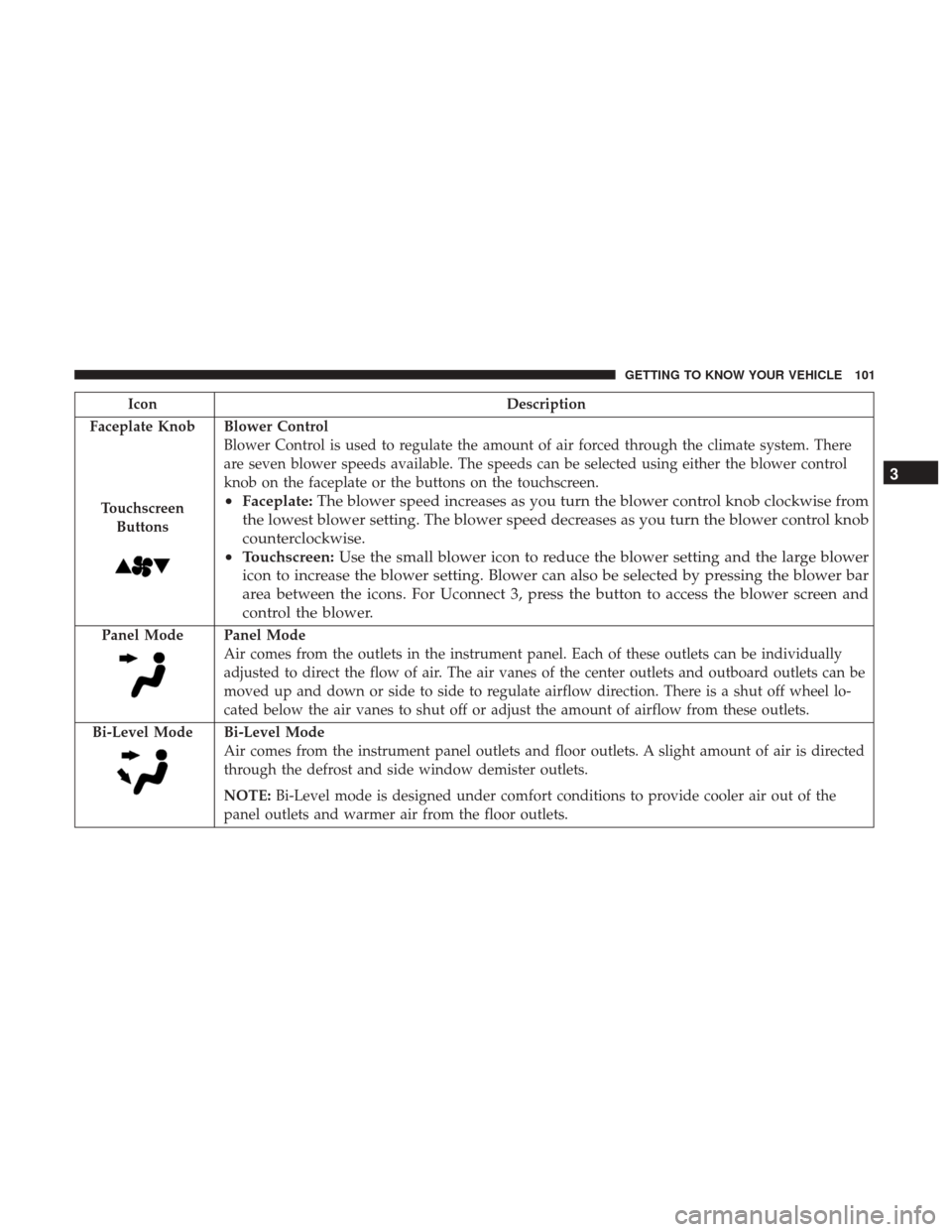
Blower Control
Blower Control is used to regulate the amount of air forced through the climate system. There
are seven blower speeds available. The speeds can be selected using either the blower control
knob on the faceplate or the buttons on the touchscreen.
• Faceplate: The blower speed increases as you turn the blower control knob clockwise from
the lowest blower setting. The blower speed decreases as you turn the blower control knob
counterclockwise.
• Touchscreen: Use the small blower icon to reduce the blower setting and the large blower
icon to increase the blower setting. Blower can also be selected by pressing the blower bar
area between the icons. For Uconnect 3, press the button to access the blower screen and
control the blower.
Panel ModePanel Mode
Air comes from the outlets in the instrument panel. Each of these outlets can be individually
adjusted to direct the flow of air. The air vanes of the center outlets and outboard outlets can be
moved up and down or side to side to regulate airflow direction. There is a shut off wheel lo-
cated below the air vanes to shut off or adjust the amount of airflow from these outlets.
Bi-Level Mode
Bi-Level Mode
Air comes from the instrument panel outlets and floor outlets. A slight amount of air is directed
through the defrost and side window demister outlets.
NOTE: Bi-Level mode is designed under comfort conditions to provide cooler air out of the
panel outlets and warmer air from the floor outlets.
3
GETTING TO KNOW YOUR VEHICLE 101
Page 114 of 700
Venting Sunroof — Express
Push and release the Vent button within one half second
and the sunroof will open to the vent position. This is
called “Express Vent” and it will occur regardless of
sunroof position. During Express Vent operation, any
movement of the switch will stop the sunroof.
Sunroof Maintenance
Use only a non-abrasive cleaner and a soft cloth to clean the
glass panel.
Ignition Off Operation
The power sunroof switch will remain active for up to
approximately 10 minutes after the ignition switch is
turned to the OFF/LOCK position. Opening either front
door will cancel this feature.
NOTE:Ignition Off time is programmable through the
Uconnect System. Refer to “Uconnect Settings” in “Multi-
media” for further information.
HOOD
To Open The Hood
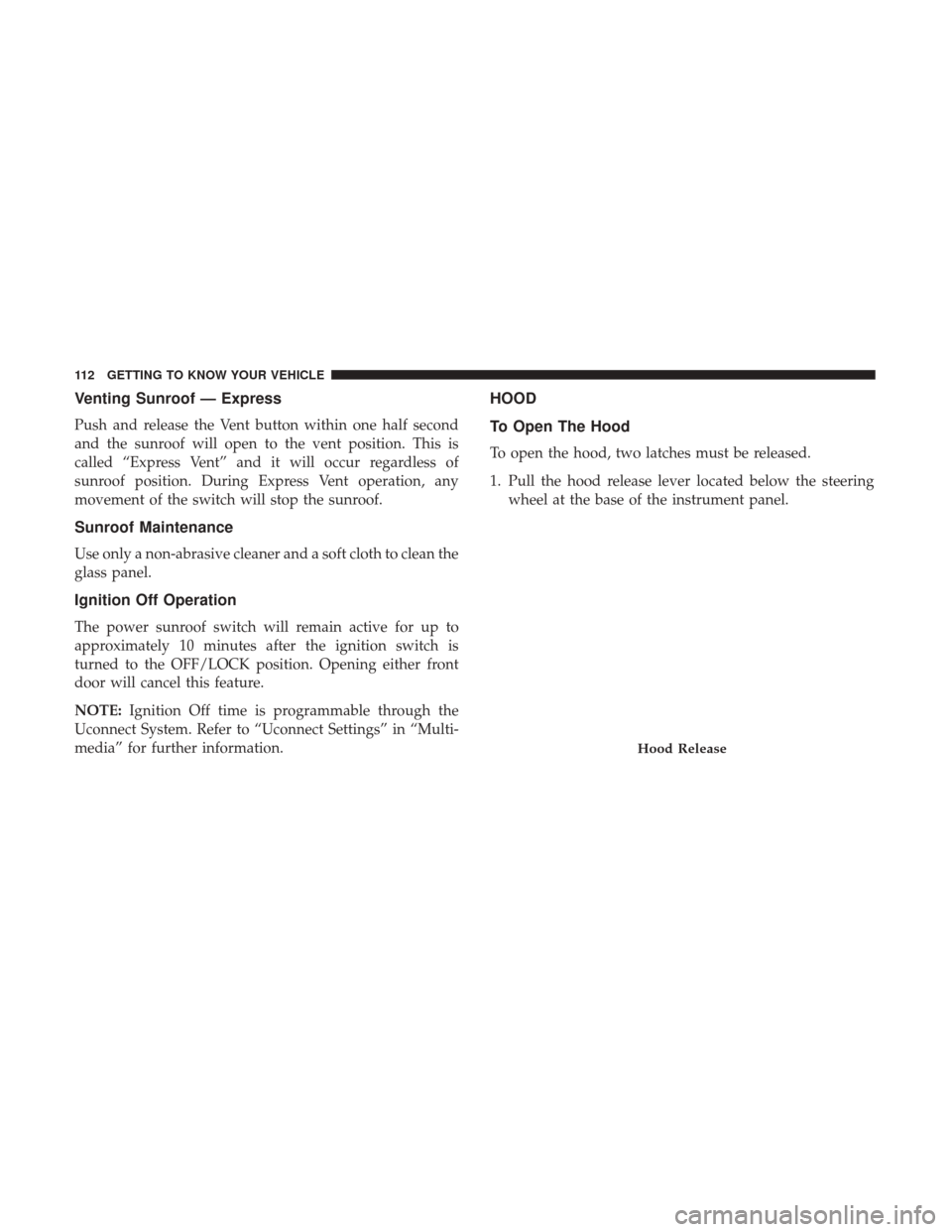
To open the hood, two latches must be released.
1. Pull the hood release lever located below the steering wheel at the base of the instrument panel.
Hood Release
112 GETTING TO KNOW YOUR VEHICLE
Page 142 of 700
box in the indentations provided above the wheel housings
and in the bulkhead dividers to form the floor.
WARNING!
•The pickup box is intended for load carrying pur-
poses only, not for passengers, who should sit in
seats and use seat belts.
• Care should always be exercised when operating a
vehicle with unrestrained cargo. Vehicle speeds may
need to be reduced. Severe turns or rough roads may
cause shifting or bouncing of the cargo that may
result in vehicle damage. If wide building materials
are to be frequently carried, the installation of a
support is recommended. This will restrain the cargo
and transfer the load to the pickup box floor.
• If you wish to carry more than 600 lbs (272 kg) of
material suspended above the wheelhouse, supports
must be installed to transfer the weight of the load to
the pickup box floor or vehicle damage may result.
The use of proper supports will permit loading up to
the rated payload.
• Unrestrained cargo may be thrown forward in an
accident causing serious or fatal injury. There are stampings in the sheet metal on the inner side
bulkheads of the box in front of and behind both wheel
housings. Place wooden boards across the box from side to
side to create separate load compartments in the pickup
box.
There are four tie-down cleats bolted to the lower sides of
the pickup box that can sustain loads up to 1000 lbs
(450 kg) total.
Cargo Camera — If Equipped
Your vehicle may be equipped with the Cargo Camera that
allows you to see an image of the inside of the pickup box.
The image will be displayed in the Uconnect screen.
The Cargo Camera is located in the bottom center area of
the center high-mounted stoplamp (CHMSL).
A touchscreen button
to indicate the current active
camera image being displayed is made available when-
ever the Cargo Camera image is displayed.
Also, a touchscreen buttonto switch the display to
rear view camera image is made available whenever the
Cargo Camera image is displayed.
140 GETTING TO KNOW YOUR VEHICLE
Page 174 of 700
allowed to exceed the upper limits of the normal
operating range.
WARNING!
A hot engine cooling system is dangerous. You or
others could be badly burned by steam or boiling
coolant. You may want to call an authorized dealer for
service if your vehicle overheats. If you decide to look
under the hood yourself, see “Servicing And Mainte-
nance.” Follow the warnings under the Cooling System
Pressure Cap paragraph.
CAUTION!
Driving with a hot engine cooling system could dam-
age your vehicle. If the temperature gauge reads “H,”
pull over and stop the vehicle. Idle the vehicle with the
air conditioner turned off until the pointer drops back
into the normal range. If the pointer remains on the
“H,” turn the engine off immediately and call an
authorized dealer for service.
INSTRUMENT CLUSTER DISPLAY
Your vehicle may be equipped with an instrument cluster
display, which offers useful information to the driver. With
the ignition in the STOP/OFF mode, opening/closing of a
door will activate the display for viewing, and display the
total miles, or kilometers, in the odometer. Your instrument
cluster display is designed to display important informa-
tion about your vehicle’s systems and features. Using a
driver interactive display located on the instrument panel,
your instrument cluster display can show you how sys-
tems are working and give you warnings when they are
not. The steering wheel mounted controls allow you to
scroll through the main menus and submenus. You can
access the specific information you want and make selec-
tions and adjustments.
172 GETTING TO KNOW YOUR INSTRUMENT PANEL
Page 176 of 700
•Stored Messages
• Screen Setup
• Vehicle Settings (Not Equipped with a Uconnect touch-
screen radio)
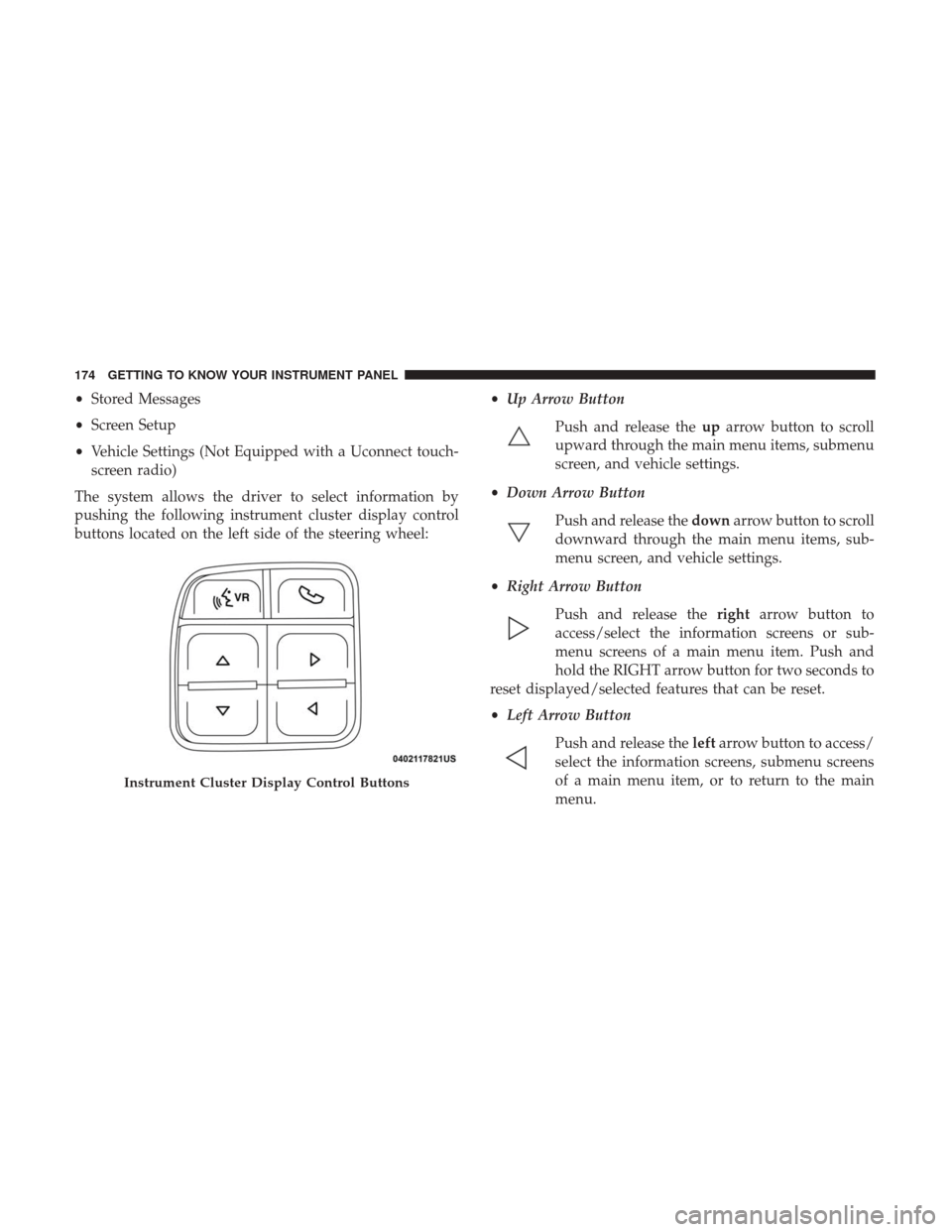
The system allows the driver to select information by
pushing the following instrument cluster display control
buttons located on the left side of the steering wheel: •
Up Arrow Button
Push and release the uparrow button to scroll
upward through the main menu items, submenu
screen, and vehicle settings.
• Down Arrow Button
Push and release the downarrow button to scroll
downward through the main menu items, sub-
menu screen, and vehicle settings.
• Right Arrow Button
Push and release the rightarrow button to
access/select the information screens or sub-
menu screens of a main menu item. Push and
hold the RIGHT arrow button for two seconds to
reset displayed/selected features that can be reset.
• Left Arrow Button
Push and release the leftarrow button to access/
select the information screens, submenu screens
of a main menu item, or to return to the main
menu.
Instrument Cluster Display Control Buttons
174 GETTING TO KNOW YOUR INSTRUMENT PANEL
Page 179 of 700
of this message type are “Turn Signal On” (if a turn signal
is left on) and “Lights On” (if driver leaves the vehicle).
•Unstored Messages Until RUN
These messages deal primarily with the Remote Start
feature. This message type is displayed until the ignition is
in the RUN state. Examples of this message type are
“Remote Start Aborted - Door Ajar” and “Press Brake
Pedal and Push Button to Start.”
• Five Second Unstored Messages
When the appropriate conditions occur, this type of mes-
sage takes control of the main display area for five seconds
and then returns to the previous screen. An example of this
message type is “Automatic High Beams On.”
Oil Life Reset
Your vehicle is equipped with an engine oil change indi-
cator system. The “Oil Change Required” message will
display in the instrument cluster display after a single
chime has sounded, to indicate the next scheduled oil
change interval. The engine oil change indicator system is
duty cycle based, which means the engine oil change
interval may fluctuate, dependent upon your personal
driving style. NOTE:
Use the steering wheel instrument cluster display
controls for the following procedure(s).
Vehicles Equipped With Passive Entry
1. Without pushing the brake pedal, push the ENGINE START/STOP button and place the ignition to the
ON/RUN position (do not start the engine).
2. Push and release the downarrow button to scroll
downward through the main menu to “Vehicle Info.”
3. Push and release the rightarrow button to access the
”Vehicle Info” screen, then scroll up or down to select
“Oil Life.”
4. Push and hold the rightarrow button to select “Reset”.
5. Push and release the downarrow button to select “Yes,”
then push and release the rightarrow button to select
reset of the Oil Life to 100%.
6. Push and release the uparrow button to exit the
instrument cluster display screen.
Vehicles Not Equipped With Passive Entry
1. Without pushing the brake pedal, cycle the ignition to the ON/RUN position (do not start the engine).
4
GETTING TO KNOW YOUR INSTRUMENT PANEL 177
Page 187 of 700
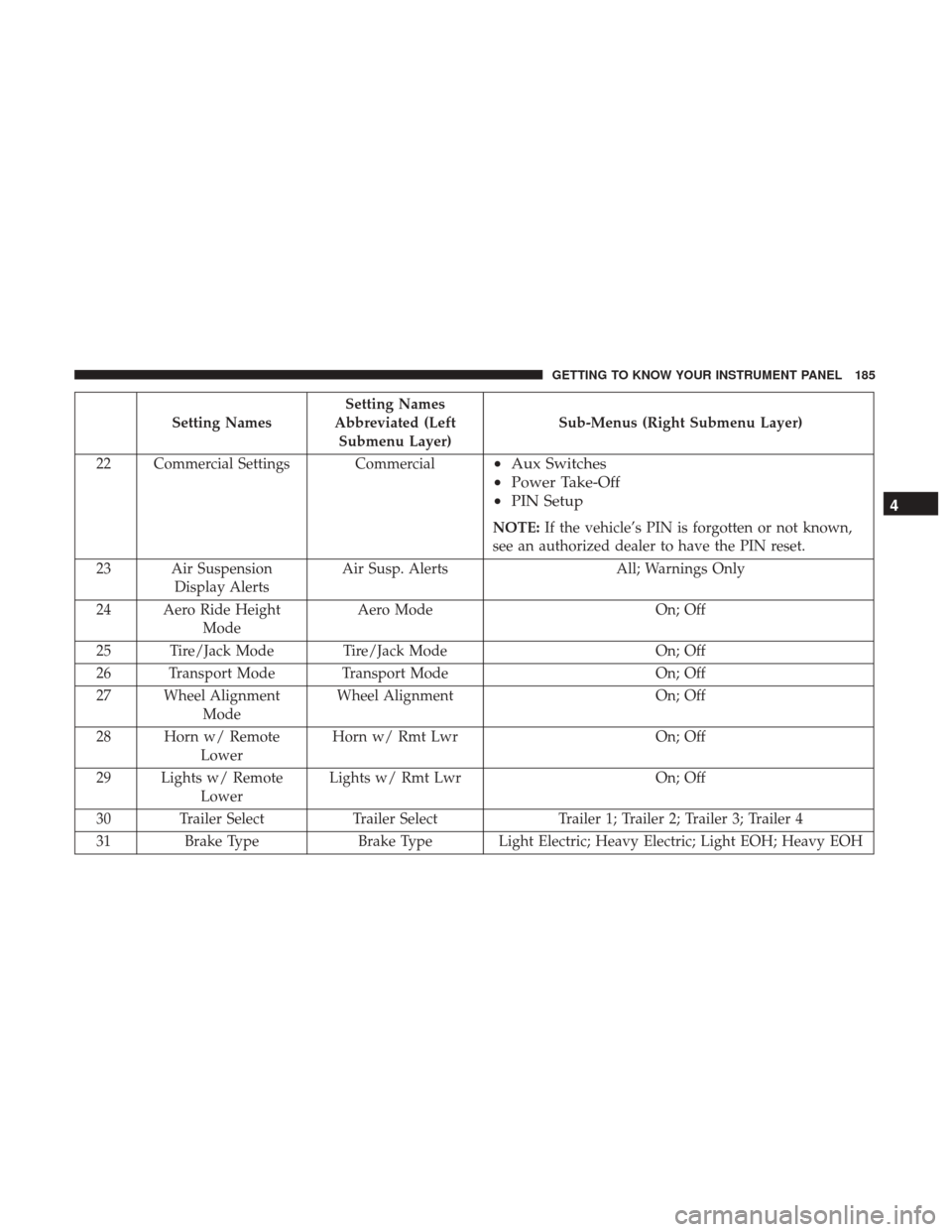
Setting NamesSetting Names
Abbreviated (Left Submenu Layer) Sub-Menus (Right Submenu Layer)
22 Commercial Settings Commercial
• Aux Switches
• Power Take-Off
• PIN Setup
NOTE: If the vehicle’s PIN is forgotten or not known,
see an authorized dealer to have the PIN reset.
23 Air Suspension Display Alerts Air Susp. Alerts
All; Warnings Only
24 Aero Ride Height Mode Aero Mode
On; Off
25 Tire/Jack Mode Tire/Jack Mode On; Off
26 Transport Mode Transport Mode On; Off
27 Wheel Alignment Mode Wheel Alignment
On; Off
28 Horn w/ Remote Lower Horn w/ Rmt Lwr
On; Off
29 Lights w/ Remote Lower Lights w/ Rmt Lwr
On; Off
30 Trailer Select Trailer SelectTrailer 1; Trailer 2; Trailer 3; Trailer 4
31 Brake Type Brake Type Light Electric; Heavy Electric; Light EOH; Heavy EOH
4
GETTING TO KNOW YOUR INSTRUMENT PANEL 185