ECU Ram 1500 2020 User Guide
[x] Cancel search | Manufacturer: RAM, Model Year: 2020, Model line: 1500, Model: Ram 1500 2020Pages: 674, PDF Size: 32.69 MB
Page 37 of 674
GETTING TO KNOW YOUR VEHICLE 35
(Continued)
DOORS
Manual Door Locks
Front and rear doors may be locked by moving the lock knob
down. The lock knobs will unlock when the interior handle
is used to open the doors.Door Lock Knob
Front doors may be opened with the inside door handle
without lifting the lock knob. Doors locked before closing will remain locked when closed.
The emergency key will unlock the driver door lock on your
vehicle.
WARNING!
• Do not leave children or animals inside parked vehicles in hot weather. Interior heat build-up may cause
serious injury or death.
• For personal security and safety in the event of a colli -
sion, lock the vehicle doors as you drive as well as
when you park and leave the vehicle.
• Before exiting a vehicle, always shift the automatic transmission into PARK, apply the parking brake, turn
the vehicle OFF, remove the key fobs from vehicle, and
lock the vehicle.
• Never leave children alone in a vehicle, or with access to an unlocked vehicle. Leaving children in a vehicle
unattended is dangerous for a number of reasons. A
child or others could be seriously or fatally injured.
Children should be warned not to touch the parking
brake, brake pedal or the gear selector.2
2020_DT_1500_OM_US.book Page 35
Page 39 of 674

GETTING TO KNOW YOUR VEHICLE 37
Power Side Steps — If Equipped
The Power Side Steps will extend a step for easier entry and
exit of the vehicle.
When configured for “Auto” mode, the Power Side Steps
will deploy when any of the doors are opened, or when the
deploy setting is activated through the touchscreen. When
configured for “Store” mode, the steps will stay in their posi-
tion but can also be deployed manually through the radio.
If the vehicle speed exceeds 5 mph (8 km/h), or if the retract
setting is selected in the touchscreen, the steps will retract.
Refer to “Uconnect Settings” in “Multimedia” for additional
information.
Keyless Enter-N-Go — Passive Entry
The Passive Entry system is an enhancement to the vehicle’s
Remote Keyless Entry system and a feature of Keyless
Enter-N-Go. This feature allows you to lock and unlock the
vehicle’s door(s) without having to push the key fob lock or
unlock buttons. NOTE:
• Passive Entry may be programmed on/off. Refer to
“Uconnect Settings” in “Multimedia” for further informa -
tion.
• If wearing gloves on your hands, or if it has been raining/ snowing on the Passive Entry door handle, the unlock
sensitivity can be affected, resulting in a slower response
time.
• If the vehicle is unlocked by Passive Entry and no door is opened within 60 seconds, the vehicle will re-lock and if
equipped will arm the security alarm.
• The vehicles security alarm can be armed/disarmed by pushing the passive entry key fob lock/unlock buttons (if
equipped).
• The key fob may not be able to be detected by the vehicle passive entry system if it is located next to a mobile phone,
laptop or other electronic device; these devices may block
the key fob's wireless signal and prevent the passive entry
handle from locking/unlocking the vehicle.
2
2020_DT_1500_OM_US.book Page 37
Page 100 of 674
98 GETTING TO KNOW YOUR VEHICLE
POWER SUNROOF — IF EQUIPPED
Single Pane Power Sunroof — If Equipped
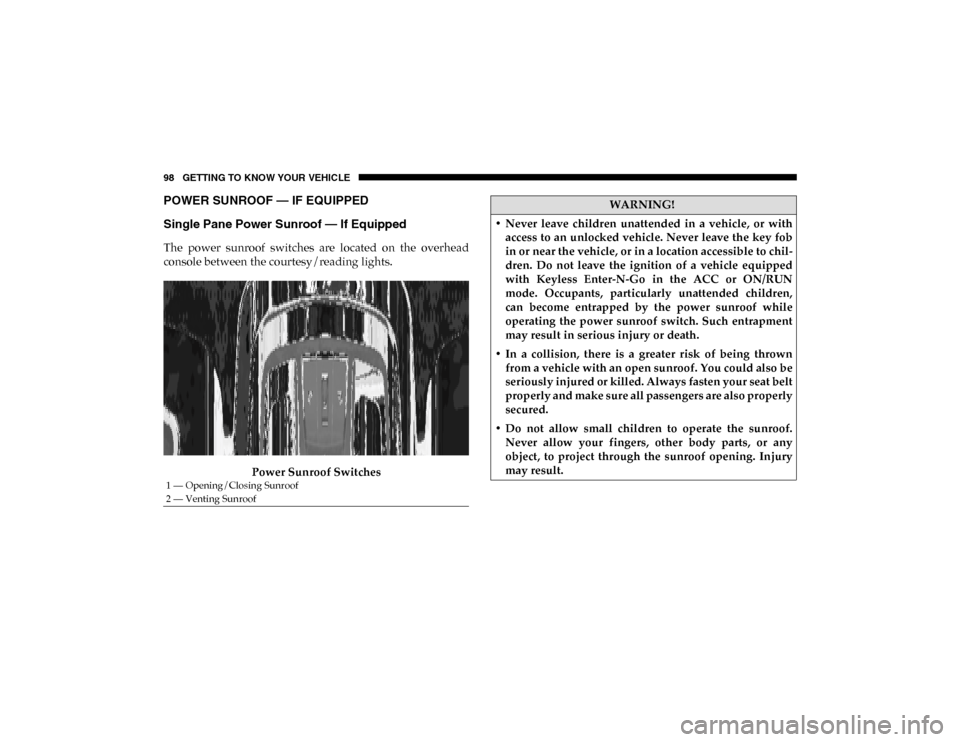
The power sunroof switches are located on the overhead
console between the courtesy/reading lights.Power Sunroof Switches
1 — Opening/Closing Sunroof
2 — Venting Sunroof
WARNING!
• Never leave children unattended in a vehicle, or with access to an unlocked vehicle. Never leave the key fob
in or near the vehicle, or in a location accessible to chil -
dren. Do not leave the ignition of a vehicle equipped
with Keyless Enter-N-Go in the ACC or ON/RUN
mode. Occupants, particularly unattended children,
can become entrapped by the power sunroof while
operating the power sunroof switch. Such entrapment
may result in serious injury or death.
• In a collision, there is a greater risk of being thrown from a vehicle with an open sunroof. You could also be
seriously injured or killed. Always fasten your seat belt
properly and make sure all passengers are also properly
secured.
• Do not allow small children to operate the sunroof. Never allow your fingers, other body parts, or any
object, to project through the sunroof opening. Injury
may result.
2020_DT_1500_OM_US.book Page 98
Page 102 of 674

100 GETTING TO KNOW YOUR VEHICLE
Pinch Protect Feature
This feature will detect an obstruction in the closing of the
sunroof during the Express Close operation. If an obstruction
in the path of the sunroof is detected, the sunroof will auto-
matically retract. Remove the obstruction if this occurs.
NOTE:
If three consecutive sunroof close attempts result in Pinch
Protect reversals, Pinch Protect will disable and the sunroof
must be closed in Manual Mode.
Venting Sunroof — Express
Push and release the Vent button within one half second and
the sunroof will open to the vent position. This is called
“Express Vent”, and it will occur regardless of sunroof posi -
tion. During Express Vent operation, any other actuation of
the switch will stop the sunroof.
Sunroof Maintenance
Use only a non-abrasive cleaner and a soft cloth to clean the
glass panel. Ignition Off Operation
The power sunroof switch will remain active for up to
approximately 10 minutes after the ignition switch is placed
in the OFF position. Opening either front door will cancel
this feature.
NOTE:
Ignition Off time is programmable through the Uconnect
System. Refer to “Uconnect Settings” in “Multimedia” for
further information.
Relearn Procedure
For vehicles equipped with a sunroof, there is a relearn
procedure that allows you to calibrate the sunroof when the
“Express Operation” feature stops working. To reset the
sunroof, follow these steps:
1. Place the ignition in the ACC or the ON/RUN position.
2. Ensure that the sunroof is in the fully closed position.
3. Push and hold the close switch. The sunroof will hit the
hard stop and move to the vent position after ten seconds.
4. Release the close switch.
2020_DT_1500_OM_US.book Page 100
Page 104 of 674

102 GETTING TO KNOW YOUR VEHICLE
Opening Sunroof
The sunroof has two programmed open positions, comfort
stop position and full open position. The comfort stop posi-
tion has been optimized to minimize wind buffeting when driving with side windows closed and sunroof open. If the
sunshade is in the closed position when initiating a sunroof
open command the sunshade will automatically open to the
half open position prior to the sunroof opening.
Express
Push the switch rearward and release it within one-half
second, the sunroof will open to the comfort stop position
and automatically stop. Push the switch rearward and
release it again, the sunroof will open to the full open posi
-
tion and automatically stop. This is called “Express Open”.
During Express Open operation, any movement of the
sunroof switch will stop the sunroof.
Manual
Push and hold the switch rearward, the sunroof will open to
the comfort stop position and automatically stop. Push the
switch rearward and hold it again, the sunroof will open to
the full open position and automatically stop. Any release of
the switch will stop the sunroof movement. The sunroof will
remain in a partially opened condition until the switch is
pushed and held again.
WARNING!
• Never leave children unattended in a vehicle, or with access to an unlocked vehicle. Never leave the key fob
in or near the vehicle, or in a location accessible to chil -
dren. Do not leave the ignition of a vehicle equipped
with Keyless Enter-N-Go in the ACC or ON/RUN
mode. Occupants, particularly unattended children,
can become entrapped by the power sunroof while
operating the power sunroof switch. Such entrapment
may result in serious injury or death.
• In a collision, there is a greater risk of being thrown from a vehicle with an open sunroof. You could also be
seriously injured or killed. Always fasten your seat belt
properly and make sure all passengers are also properly
secured.
• Do not allow small children to operate the sunroof. Never allow your fingers, other body parts, or any
object, to project through the sunroof opening. Injury
may result.
2020_DT_1500_OM_US.book Page 102
Page 106 of 674

104 GETTING TO KNOW YOUR VEHICLE
Closing Power Sunshade
If the sunroof is open or vented the sunshade cannot be
closed beyond the half open position. Pushing the sunshade
close switch when the sunroof is open/vented and the
sunshade is at half open position will first automatically
close sunroof prior to the sunshade closing.
Express
Push the sunshade switch forward and release it within
one-half second. If the sunroof is in closed position the
sunshade will full close automatically from any position. If
the sunroof is open or vented the sunshade will close to the
half open position and stop; push and release the sunshade
switch forward again to automatically close both the sunroof
and sunshade completely. This is called “Express Close”.
During Express Close operation, any movement of the
switch will stop the sunshade.
Manual
Push and hold the sunshade switch forward. If the sunroof is
in closed position the sunshade will full close from any posi-
tion. If the sunroof is open or vented the sunshade will close
to the half open position and stop; pushing and holding the
sunshade switch forward again will close both the sunroof
and sunshade completely. Any release of the switch will stop the movement and the sunshade will remain in a partially
closed condition until the switch is pushed again.
Pinch Protect Feature
This feature will detect an obstruction in the closing of the
sunroof during the Express Close operation. If an obstruction
in the path of the sunroof is detected, the sunroof will auto
-
matically retract. Remove the obstruction if this occurs.
NOTE:
If three consecutive sunroof close attempts result in Pinch
Protect reversals, Pinch Protect will disable and the sunroof
must be closed in Manual Mode.
Wind Buffeting
Wind buffeting can be described as the perception of pres -
sure on the ears or a helicopter-type sound in the ears. Your
vehicle may exhibit wind buffeting with the windows down,
or the sunroof (if equipped) in certain open or partially open
positions. This is a normal occurrence and can be minimized.
If the buffeting occurs with the rear windows open, then
open the front and rear windows together to minimize the
buffeting. If the buffeting occurs with the sunroof open,
adjust the sunroof opening to minimize the buffeting or open
any window.
2020_DT_1500_OM_US.book Page 104
Page 109 of 674

GETTING TO KNOW YOUR VEHICLE 107
Electronic Tailgate Release — If Equipped The key fob may be equipped with an electronic
release feature for the tailgate, allowing hands-free
tailgate opening. To activate, push and release the
Tailgate Release button on the key fob twice within five
seconds. The tailgate door will unlatch, and slowly lower
into the open position.
If equipped, a button on the center overhead console inside
the vehicle can be used to release the tailgate. An indicator
light may also signal when the tailgate is open (if equipped).
For the tailgate to lower, the vehicle must be:
• In PARK or NEUTRAL
• Stationary (0 mph / 0 km/h)
NOTE:
The Tri-Fold Tonneau Cover (if equipped) may prevent Elec -
tronic Tailgate Release if installed. The Tonneau Cover must
be removed or folded up before releasing the tailgate. Refer
to “Tri-Fold Tonneau Cover — If Equipped” in this chapter
for further information.Closing
To close the tailgate, push it upward until both sides are
latched.
NOTE:
Pull back on the tailgate firmly after closing to ensure it is
securely latched.
Multifunction Tailgate — If Equipped
The multifunction tailgate (if equipped) is a 60/40 split tail -
gate with two swing doors to allow for closer access to the
pickup box with the doors open.
Opening
The tailgate must be latched closed to open the swing doors.
Push the paddle down, then pull the release handle beneath
the tailgate lowering handle. This opens the larger of the two
doors.
2
2020_DT_1500_OM_US.book Page 107
Page 111 of 674
GETTING TO KNOW YOUR VEHICLE 109
NOTE:
• When the swing doors are open, the maximum load placedon a door cannot exceed 180 lbs (82 kg).
• Pull back on the swing doors firmly after closing to ensure they are securely latched.GARAGE DOOR OPENER — IF EQUIPPED
HomeLink® replaces up to three hand-held transmitters that
operate devices such as garage door openers, motorized
gates, lighting or home security systems. The HomeLink®
unit is powered by your vehicles 12 Volt battery.
The HomeLink® buttons that are located on the sun visor
designate the three different HomeLink® channels.
HomeLink® Buttons
WARNING!
To prevent serious injury or death:
• Always keep hands away from the hinge sides of the swing doors and where the doors meet when opening
and closing the doors. Your hand or someone else’s
hand could be pinched.
• Never operate the vehicle with the swing doors open.
• Never hang from or sit on the swing doors.
CAUTION!
• Always check both swing doors are latched before starting vehicle.
• Vehicle damage may occur if doors are not securely latched.
2
2020_DT_1500_OM_US.book Page 109
Page 112 of 674

110 GETTING TO KNOW YOUR VEHICLE
NOTE:
HomeLink® is disabled when the Vehicle Security Alarm is
active.
NOTE:
Only use this transceiver with a garage door opener that has
a “stop and reverse” feature as required by federal safety
standards. This includes most garage door opener models
manufactured after 1982. Do not use a garage door openerwithout these safety features. Call toll-free 1-800-355-3515 or,
on the Internet at HomeLink.com for safety information or
assistance.
Before You Begin Programming HomeLink®
Be sure that your vehicle is parked outside of the garage
before you begin programming.
For more efficient programming and accurate transmission
of the radio-frequency signal it is recommended that a new
battery be placed in the hand-held transmitter of the device
that is being programmed to the HomeLink® system.
To erase the channels, place the ignition in the ON/RUN
position, and push and hold the two outside HomeLink®
buttons (I and III) for up to 20 seconds or until the orange
indicator flashes.
NOTE:
• Erasing all channels should only be performed when programming HomeLink® for the first time. Do not erase
channels when programming additional buttons.
• If you have any problems, or require assistance, please call toll-free 1-800-355-3515 or, on the Internet at Home-
Link.com for information or assistance.
WARNING!
• Your motorized door or gate will open and close while you are programming the universal transceiver. Do not
program the transceiver if people, pets or other objects
are in the path of the door or gate. Only use this trans -
ceiver with a garage door opener that has a “stop and
reverse” feature as required by Federal safety stan -
dards. This includes most garage door opener models
manufactured after 1982. Do not use a garage door
opener without these safety features.
• Vehicle exhaust contains carbon monoxide, a dangerous gas. Do not run your vehicle in the garage
while programming the transceiver. Exhaust gas can
cause serious injury or death.
2020_DT_1500_OM_US.book Page 110
Page 116 of 674

114 GETTING TO KNOW YOUR VEHICLE
4. Watch for the HomeLink® indicator to change flashrates. When it changes, it is programmed. It may take up
to 30 seconds or longer in rare cases. The garage door
may open and close while you are programming.
5. Press and hold the programmed HomeLink® button and observe the indicator light.
NOTE:
• If the indicator light stays on constantly, programming is complete and the garage door/device should activate
when the HomeLink® button is pressed.
• To program the two remaining HomeLink® buttons, repeat each step for each remaining button. DO NOT erase
the channels.
If you unplugged the garage door opener/device for
programming, plug it back in at this time.
Reprogramming A Single HomeLink® Button (Canadian/
Gate Operator)
To reprogram a channel that has been previously trained,
follow these steps:
1. Place the ignition in the ON/RUN position. 2. Press and hold the desired HomeLink® button until the
indicator light begins to flash after 20 seconds. Do not
release the button.
3. Without releasing the button, proceed with “Canadian/ Gate Operator Programming” step 2 and follow all
remaining steps.
Using HomeLink®
To operate, push and release the programmed HomeLink®
button. Activation will now occur for the programmed
device (i.e. garage door opener, gate operator, security
system, entry door lock, home/office lighting, etc.) The
hand-held transmitter of the device may also be used at any
time.
Security
It is advised to erase all channels before you sell or turn in
your vehicle.
To do this, push and hold the two outside buttons for 20 seconds
until the orange indicator flashes. Note that all channels will be
erased. Individual channels cannot be erased.
The HomeLink® Universal Transceiver is disabled when the
Vehicle Security Alarm is active.
2020_DT_1500_OM_US.book Page 114