mirror Ram 1500 2020 User Guide
[x] Cancel search | Manufacturer: RAM, Model Year: 2020, Model line: 1500, Model: Ram 1500 2020Pages: 674, PDF Size: 32.69 MB
Page 68 of 674
66 GETTING TO KNOW YOUR VEHICLE
Illuminated Vanity Mirror
“Slide-On-Rod” Features Of Sun Visor — If Equipped
The sun visor “Slide-On-Rod” feature allows for additional
flexibility in positioning the visor to block out the sun.
To use the “Slide-On-Rod” feature, rotate the sun visor
downward and unclip it. Pull the sun visor along the
“Slide-On-Rod” until the sun visor is in the desired position. “Slide-On-Rod” Extender
EXTERIOR LIGHTS
Headlight Switch
The headlight switch is located on the left side of the instru-
ment panel. This switch controls the operation of the head
-
lights, parking lights, automatic headlights (if equipped),
instrument panel lights, cargo light (if equipped) and fog
lights (if equipped).
2020_DT_1500_OM_US.book Page 66
Page 70 of 674
68 GETTING TO KNOW YOUR VEHICLE
Multifunction Lever
The multifunction lever is located on the left side of the
steering column.Multifunction Lever
High/Low Beam Switch
Push the multifunction lever toward the instrument panel to
switch the headlights to high beam. Pulling the multifunc -
tion lever back toward the steering wheel will turn the low
beams back on, or shut the high beams off. High/Low Beam Switch
Automatic High Beam Headlamp Control — If
Equipped
The Automatic High Beam Headlamp Control system
provides increased forward lighting at night by automating
high beam control through the use of a digital camera
mounted on the inside rearview mirror or a windshield
mounted camera. These cameras detect vehicle specific light
and automatically switch from high beams to low beams
until the approaching vehicle is out of view.
2020_DT_1500_OM_US.book Page 68
Page 71 of 674
GETTING TO KNOW YOUR VEHICLE 69
NOTE:
• The Automatic High Beam Headlamp Control can beturned on or off by selecting “ON” under “Auto Dim High
Beams” within your Uconnect settings, as well as turning
the headlight switch to the AUTO position. Refer to
“Uconnect Settings” in “Multimedia” for further informa -
tion.
• Broken, muddy, or obstructed headlights and taillights of vehicles in the field of view will cause headlights to remain
on longer (closer to the vehicle). Also, dirt, film, and other
obstructions on the windshield or camera lens will cause
the system to function improperly.
If the windshield or Automatic High Beam Headlamp
Control mirror is replaced, the mirror must be re-aimed to
ensure proper performance. See a local authorized dealer.
To Activate
1. The Automatic High Beams are enabled through the Uconnect system. Refer to “Uconnect Settings” in “Multi -
media” for further information.
2. Turn the headlight switch to the AUTO headlight posi -
tion. 3. Push the multifunction lever away from you (toward
front of vehicle) to engage the high beam mode.
NOTE:
The Automatic High Beams will not activate until the vehicle
is at or above 12 mph (20 km/h).
To Deactivate
1. Pull the multifunction lever toward you (or rearward in vehicle) to manually deactivate the system (normal oper -
ation of low beams).
2. Push back on the multifunction lever to reactivate the system.
The Automatic High Beams can also be deactivated through
the Uconnect system. Refer to “Uconnect Settings” in “Multi -
media” for further information.
Flash-To-Pass
You can signal another vehicle with your headlights by
lightly pulling the multifunction lever toward you. This will
cause the high beam headlights to turn on, and remain on,
until the lever is released.
2
2020_DT_1500_OM_US.book Page 69
Page 77 of 674
GETTING TO KNOW YOUR VEHICLE 75
With the parking lights or headlights on, rotating the right
dimmer control upward will increase the brightness of the
instrument panel lights. Rotating the left dimmer control will
adjust the interior and ambient light levels.
NOTE:
The dimming of the touchscreen is programmable through
the Uconnect system. Refer to “Uconnect Settings” in “Multi-
media” for further details.
Illuminated Entry
The courtesy lights will turn on when you use the key fob to
unlock the doors or open any door.
This feature also turns on the puddle lamps located beneath
the outside mirrors (if equipped).
The lights will fade to off after approximately 30 seconds, or
they will immediately fade to off once the ignition switch is
placed in the ON/RUN position from the OFF position.
The front courtesy overhead console and door courtesy
lights will not turn off if the Dome ON button on the over -
head console is pushed.
The illuminated entry system will not operate if the Dome
Defeat button on the overhead console is pushed. NOTE:
If your vehicle is equipped with Illuminated Approach lights
under the outside mirrors, they can also be turned off by
pushing the Dome Defeat button.
WINDSHIELD WIPERS AND WASHERS
Windshield Wipers
The wipers and washers are operated by a switch in the
multifunction lever. Turn the end of the lever to select the
desired wiper speed.
Windshield Wiper/Washer Lever
2
2020_DT_1500_OM_US.book Page 75
Page 83 of 674
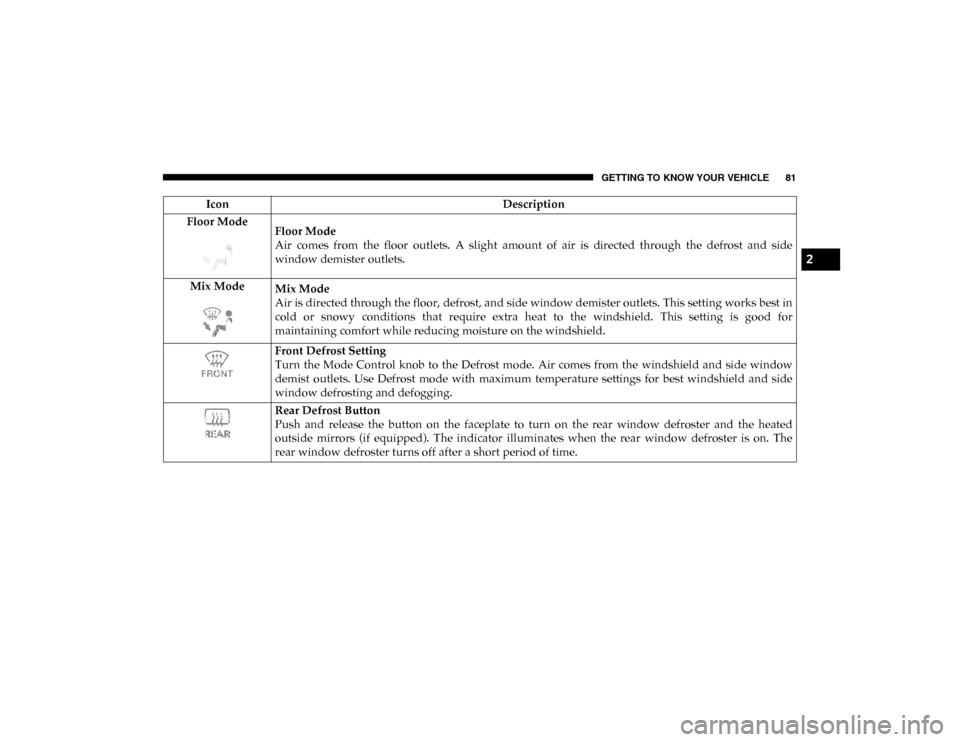
GETTING TO KNOW YOUR VEHICLE 81
Floor ModeFloor Mode
Air comes from the floor outlets. A slight amount of air is directed through the defrost and side
window demister outlets.
Mix Mode Mix Mode
Air is directed through the floor, defrost, and side window demister outlets. This setting works best in
cold or snowy conditions that require extra heat to the windshield. This setting is good for
maintaining comfort while reducing moisture on the windshield.
Front Defrost Setting
Turn the Mode Control knob to the Defrost mode. Air comes from the windshield and side window
demist outlets. Use Defrost mode with maximum temperature settings for best windshield and side
window defrosting and defogging.
Rear Defrost Button
Push and release the button on the faceplate to turn on the rear window defroster and the heated
outside mirrors (if equipped). The indicator illuminates when the rear window defroster is on. The
rear window defroster turns off after a short period of time.
Icon
Description
2
2020_DT_1500_OM_US.book Page 81
Page 88 of 674
86 GETTING TO KNOW YOUR VEHICLE
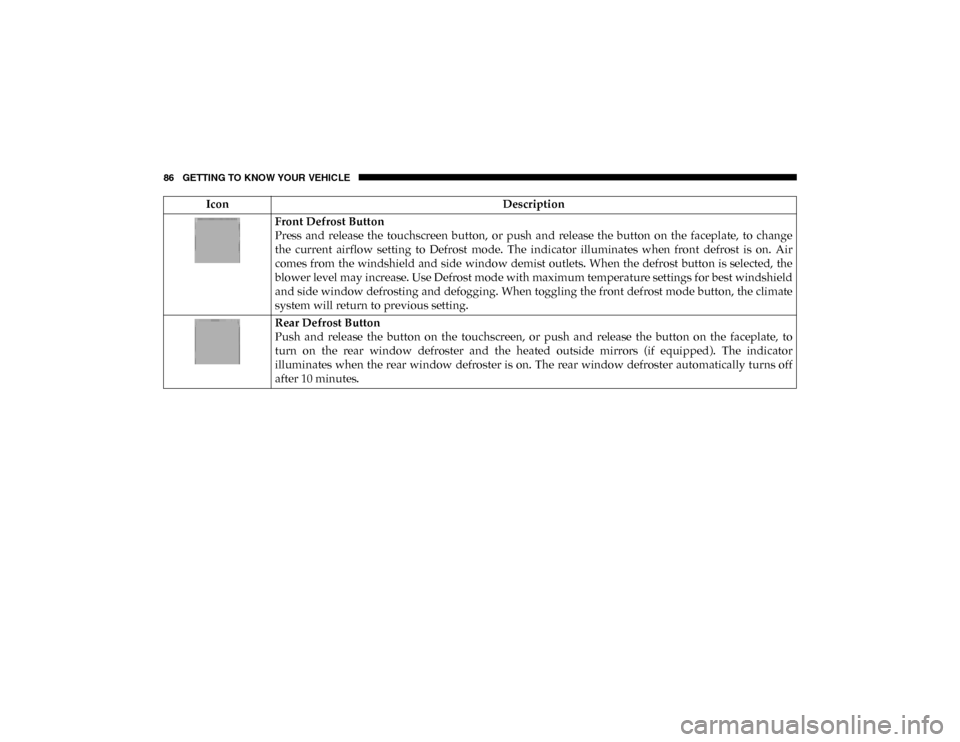
Front Defrost Button
Press and release the touchscreen button, or push and release the button on the faceplate, to change
the current airflow setting to Defrost mode. The indicator illuminates when front defrost is on. Air
comes from the windshield and side window demist outlets. When the defrost button is selected, the
blower level may increase. Use Defrost mode with maximum temperature settings for best windshield
and side window defrosting and defogging. When toggling the front defrost mode button, the climate
system will return to previous setting.
Rear Defrost Button
Push and release the button on the touchscreen, or push and release the button on the faceplate, to
turn on the rear window defroster and the heated outside mirrors (if equipped). The indicator
illuminates when the rear window defroster is on. The rear window defroster automatically turns off
after 10 minutes.
Icon
Description
2020_DT_1500_OM_US.book Page 86
Page 179 of 674
GETTING TO KNOW YOUR INSTRUMENT PANEL 177
NOTE:
• The charging system is independent from load reduction.The charging system performs a diagnostic on the
charging system continuously.
• If the Battery Charge Warning Light is on it may indicate a problem with the charging system. Refer to “Battery
Charge Warning Light” in “Getting To Know Your Instru -
ment Panel” for further information.
The electrical loads that may be switched off (if equipped),
and vehicle functions which can be affected by load reduc -
tion:
• Heated Seats / Vented Seats / Heated Wheel
• Rear Defroster And Heated Mirrors
• HVAC System
• 115 Volts AC Power Inverter System
• Audio and Telematics System
Loss of the battery charge may indicate one or more of the
following conditions:
• The charging system cannot deliver enough electrical power to the vehicle system because the electrical loads are
larger than the capability of charging system. The charging
system is still functioning properly. • Turning on all possible vehicle electrical loads (e.g. HVAC
to max settings, exterior and interior lights, overloaded
power outlets +12 Volts, 115V AC, USB ports) during
certain driving conditions (city driving, towing, frequent
stopping).
• Installing options like additional lights, upfitter electrical accessories, audio systems, alarms and similar devices.
• Unusual driving cycles (short trips separated by long parking periods).
• The vehicle was parked for an extended period of time (weeks, months).
• The battery was recently replaced and was not charged completely.
• The battery was discharged by an electrical load left on when the vehicle was parked.
• The battery w as used for an extended period with t he engine not running to supply radio, lights, chargers,
+12 Volt portable appliances like vacuum cleaners,
gam e consoles and similar devices.
3
2020_DT_1500_OM_US.book Page 177
Page 213 of 674
SAFETY 211
AUXILIARY DRIVING SYSTEMS
Blind Spot Monitoring (BSM) — If Equipped
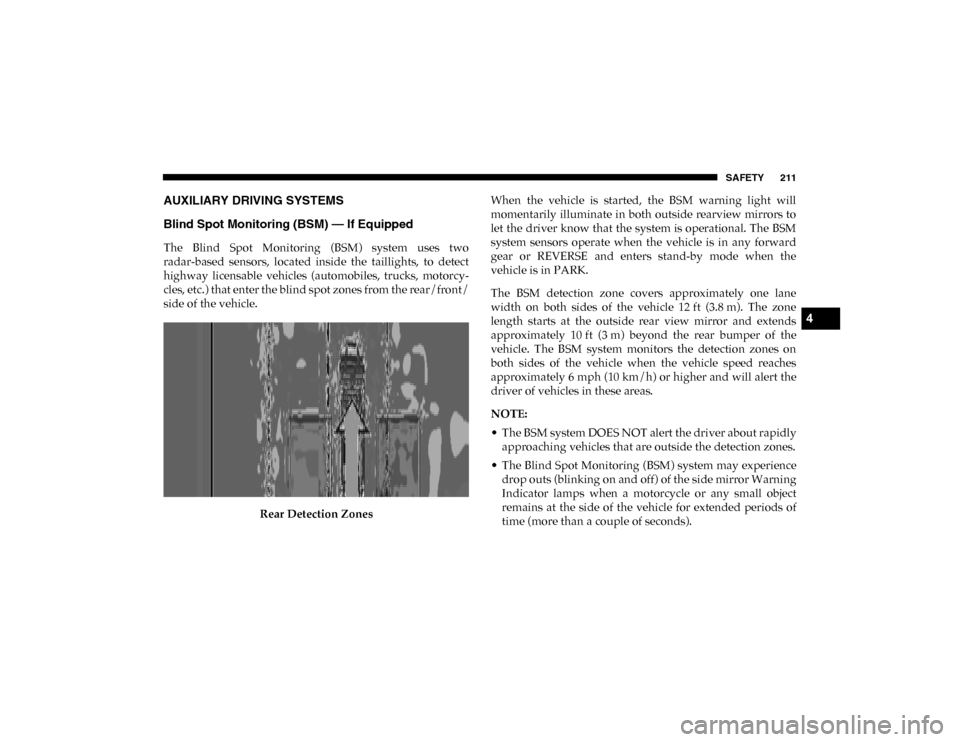
The Blind Spot Monitoring (BSM) system uses two
radar-based sensors, located inside the taillights, to detect
highway licensable vehicles (automobiles, trucks, motorcy-
cles, etc.) that enter the blind spot zones from the rear/front/
side of the vehicle.
Rear Detection Zones When the vehicle is started, the BSM warning light will
momentarily illuminate in both outside rearview mirrors to
let the driver know that the system is operational. The BSM
system sensors operate when the vehicle is in any forward
gear or REVERSE and enters stand-by mode when the
vehicle is in PARK.
The BSM detection zone covers approximately one lane
width on both sides of the vehicle 12 ft (3.8 m). The zone
length starts at the outside rear view mirror and extends
approximately 10 ft (3 m) beyond the rear bumper of the
vehicle. The BSM system monitors the detection zones on
both sides of the vehicle when the vehicle speed reaches
approximately 6 mph (10 km/h) or higher and will alert the
driver of vehicles in these areas.
NOTE:
• The BSM system DOES NOT alert the driver about rapidly
approaching vehicles that are outside the detection zones.
• The Blind Spot Monitoring (BSM) system may experience drop outs (blinking on and off) of the side mirror Warning
Indicator lamps when a motorcycle or any small object
remains at the side of the vehicle for extended periods of
time (more than a couple of seconds).
4
2020_DT_1500_OM_US.book Page 211
Page 214 of 674

212 SAFETY
The vehicle’s taillights, where the radar sensors are located,
must remain free of snow, ice, and dirt/road contamination
so that the BSM system can function properly. Do not block
the taillights with foreign objects (bumper stickers, bicycle
racks, etc.).Radar Sensor Locations
If the system detects degraded performance due to contami -
nation or foreign objects, a message will warn you of a
blocked sensor and the warning indicators in side view
mirrors will be on. The warning indicators will remain illu-
minated until blockage clearing conditions are met. First clear the taillights around the sensors of the blockage. After
removing the blockage, the following procedure can be used
to reset the system:
• Cycle the ignition from ON to OFF and then back ON.
If the blockage message is still present after cycling the igni
-
tion and driving in traffic, check again for a blockage.
The BSM system notifies the driver of objects in the detection
zones by illuminating the BSM warning light located in the
outside mirrors, in addition to sounding an audible (chime)
alert and reducing the radio volume. Refer to “Modes Of
Operation” in this section for further information.
Warning Light Location
2020_DT_1500_OM_US.book Page 212
Page 218 of 674
216 SAFETY
For information on how Blind Spot Monitoring functions
when pulling a trailer, refer to “Trailer Merge Assist” in this
section.
Rear Cross Path (RCP)
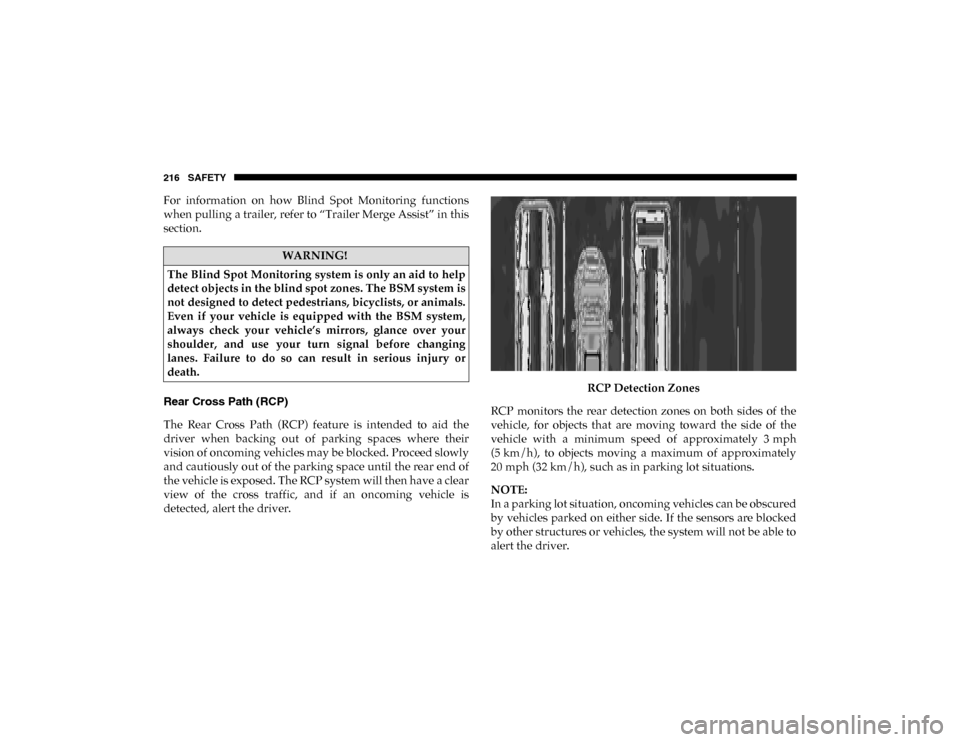
The Rear Cross Path (RCP) feature is intended to aid the
driver when backing out of parking spaces where their
vision of oncoming vehicles may be blocked. Proceed slowly
and cautiously out of the parking space until the rear end of
the vehicle is exposed. The RCP system will then have a clear
view of the cross traffic, and if an oncoming vehicle is
detected, alert the driver.RCP Detection Zones
RCP monitors the rear detection zones on both sides of the
vehicle, for objects that are moving toward the side of the
vehicle with a minimum speed of approximately 3 mph
(5 km/h), to objects moving a maximum of approximately
20 mph (32 km/h), such as in parking lot situations.
NOTE:
In a parking lot situation, oncoming vehicles can be obscured
by vehicles parked on either side. If the sensors are blocked
by other structures or vehicles, the system will not be able to
alert the driver.
WARNING!
The Blind Spot Monitoring system is only an aid to help
detect objects in the blind spot zones. The BSM system is
not designed to detect pedestrians, bicyclists, or animals.
Even if your vehicle is equipped with the BSM system,
always check your vehicle’s mirrors, glance over your
shoulder, and use your turn signal before changing
lanes. Failure to do so can result in serious injury or
death.
2020_DT_1500_OM_US.book Page 216