trailer Ram 1500 2020 User Guide
[x] Cancel search | Manufacturer: RAM, Model Year: 2020, Model line: 1500, Model: Ram 1500 2020Pages: 674, PDF Size: 32.69 MB
Page 177 of 674

GETTING TO KNOW YOUR INSTRUMENT PANEL 175
• Average Econ
• Current Econ
• Trip A Distance
• Trip B Distance
• Trailer Trip
• Trailer Brake
• Oil Pressure
• Coolant Temperature
• Oil Temperature
• Battery Voltage (default setting)
• Transmission Temperature
• Oil Life
Lower Right – If Equipped
• None
• Compass
• Outside Temp
• Time
• Range To Empty
• Average Econ• Current Econ
• Trip A Distance
• Trip B Distance
• Trailer Trip
• Trailer Brake
• Oil Pressure (default setting)
• Coolant Temperature
• Oil Temperature
• Battery Voltage
• Transmission Temperature
• Oil Life
Favorite Menus
• Speedometer
• Vehicle Info
• Driver Assist (show/hide) – If Equipped
• Fuel Economy (show/hide)
• Trip Info (show/hide)
• Stop/Start
3
2020_DT_1500_OM_US.book Page 175
Page 178 of 674

176 GETTING TO KNOW YOUR INSTRUMENT PANEL
• Trailer Tow (show/hide)
• Audio (show/hide)
• (Stored) Messages
• Screen Setup
Current Gear
• Off (Default)
• On
Odometer
• No Decimal Point (Default)
• Decimal Point
Defaults
• Cancel
• RestoreBattery Saver On/Battery Saver Mode Message —
Electrical Load Reduction Actions — If Equipped
This vehicle is equipped with an Intelligent Battery Sensor
(IBS) to perform additional monitoring of the electrical
system and status of the vehicle battery.
In cases when the IBS detects charging system failure, or the
vehicle battery conditions are deteriorating, electrical load
reduction actions will take place to extend the driving time
and distance of the vehicle. This is done by reducing power
to or turning off non-essential electrical loads.
Load reduction is only active when the engine is running. It
will display a message if there is a risk of battery depletion to
the point where the vehicle may stall due to lack of electrical
supply, or will not restart after the current drive cycle.
When load reduction is activated, the message “Battery
Saver On Some Systems May Have Reduced Power” will
appear in the instrument cluster.
These messages indicate the vehicle battery has a low state of
charge and continues to lose electrical charge at a rate that
the charging system cannot sustain.
2020_DT_1500_OM_US.book Page 176
Page 184 of 674
182 GETTING TO KNOW YOUR INSTRUMENT PANEL
NOTE:
This light may turn on if the accelerator and brake pedals are
pressed at the same time.
If the light continues to flash when the vehicle is running,
immediate service is required and you may experience
reduced performance, an elevated/rough idle, or engine
stall and your vehicle may require towing. The light will
come on when the ignition is placed in the ON/RUN or
ACC/ON/RUN position and remain on briefly as a bulb
check. If the light does not come on during starting, have the
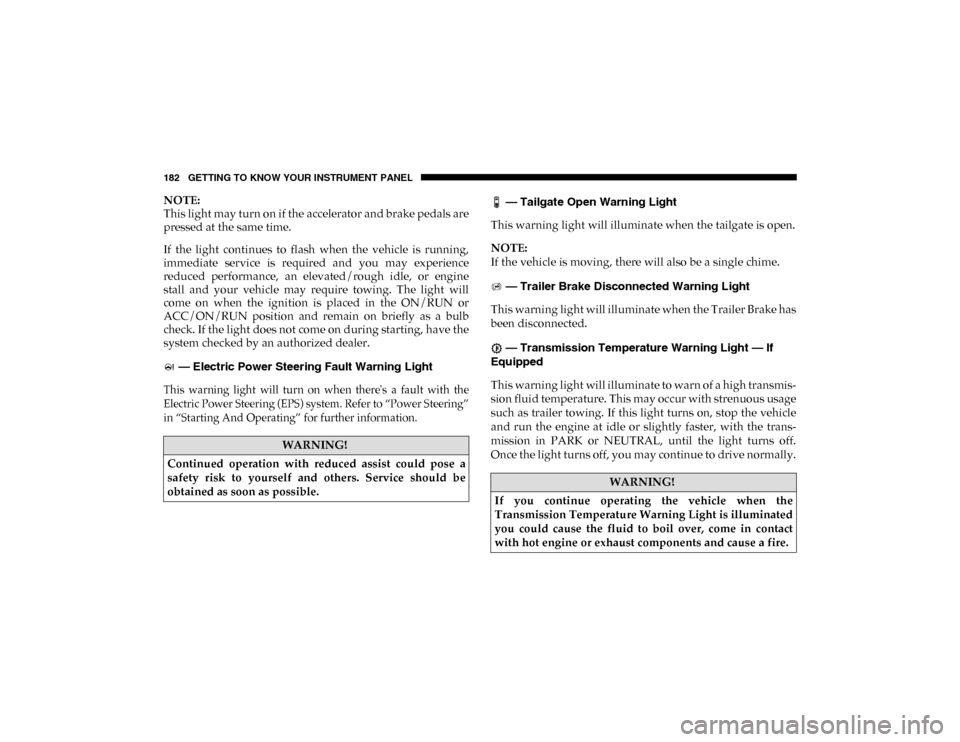
system checked by an authorized dealer. — Electric Power Steering Fault Warning Light
This warning light will turn on when there's a fault with the
Electric Power Steering (EPS) system. Refer to “Power Steering”
in “Starting And Operating” for further information.
— Tailgate Open Warning Light
This warning light will illuminate when the tailgate is open.
NOTE:
If the vehicle is moving, there will also be a single chime.
— Trailer Brake Disconnected Warning Light
This warning light will illuminate when the Trailer Brake has
been disconnected.
— Transmission Temperature Warning Light — If
Equipped
This warning light will illuminate to warn of a high transmis -
sion fluid temperature. This may occur with strenuous usage
such as trailer towing. If this light turns on, stop the vehicle
and run the engine at idle or slightly faster, with the trans -
mission in PARK or NEUTRAL, until the light turns off.
Once the light turns off, you may continue to drive normally.
WARNING!
Continued operation with reduced assist could pose a
safety risk to yourself and others. Service should be
obtained as soon as possible.
WARNING!
If you continue operating the vehicle when the
Transmission Temperature Warning Light is illuminated
you could cause the fluid to boil over, come in contact
with hot engine or exhaust components and cause a fire.
2020_DT_1500_OM_US.book Page 182
Page 190 of 674
188 GETTING TO KNOW YOUR INSTRUMENT PANEL
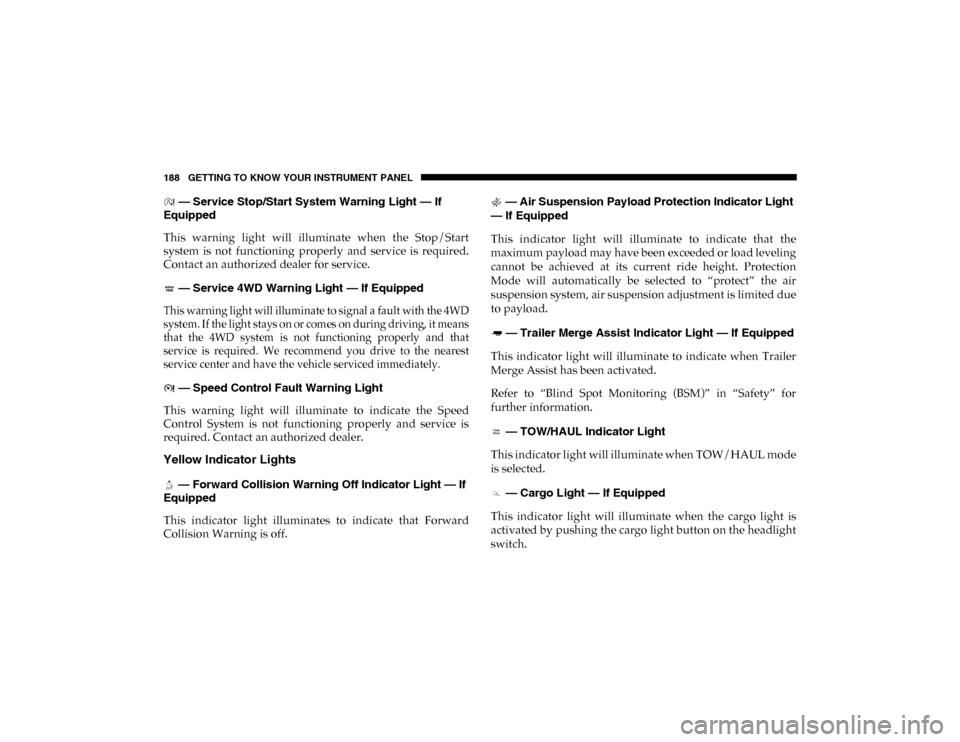
— Service Stop/Start System Warning Light — If
Equipped
This warning light will illuminate when the Stop/Start
system is not functioning properly and service is required.
Contact an authorized dealer for service.
— Service 4WD Warning Light — If Equipped
This warning light will illuminate to signal a fault with the 4WD
system. If the light stays on or comes on during driving, it means
that the 4WD system is not functioning properly and that
service is required. We recommend you drive to the nearest
service center and have the vehicle serviced immediately.
— Speed Control Fault Warning Light
This warning light will illuminate to indicate the Speed
Control System is not functioning properly and service is
required. Contact an authorized dealer.
Yellow Indicator Lights
— Forward Collision Warning Off Indicator Light — If
Equipped
This indicator light illuminates to indicate that Forward
Collision Warning is off. — Air Suspension Payload Protection Indicator Light
— If Equipped
This indicator light will illuminate to indicate that the
maximum payload may have been exceeded or load leveling
cannot be achieved at its current ride height. Protection
Mode will automatically be selected to “protect” the air
suspension system, air suspension adjustment is limited due
to payload.
— Trailer Merge Assist Indicator Light — If Equipped
This indicator light will illuminate to indicate when Trailer
Merge Assist has been activated.
Refer to “Blind Spot Monitoring (BSM)” in “Safety” for
further information.
— TOW/HAUL Indicator Light
This indicator light will illuminate when TOW/HAUL mode
is selected.
— Cargo Light — If Equipped
This indicator light will illuminate when the cargo light is
activated by pushing the cargo light button on the headlight
switch.
2020_DT_1500_OM_US.book Page 188
Page 201 of 674
SAFETY 199
ABS is designed to function with the Original Equipment
Manufacturer (OEM) tires. Modification may result in
degraded ABS performance.
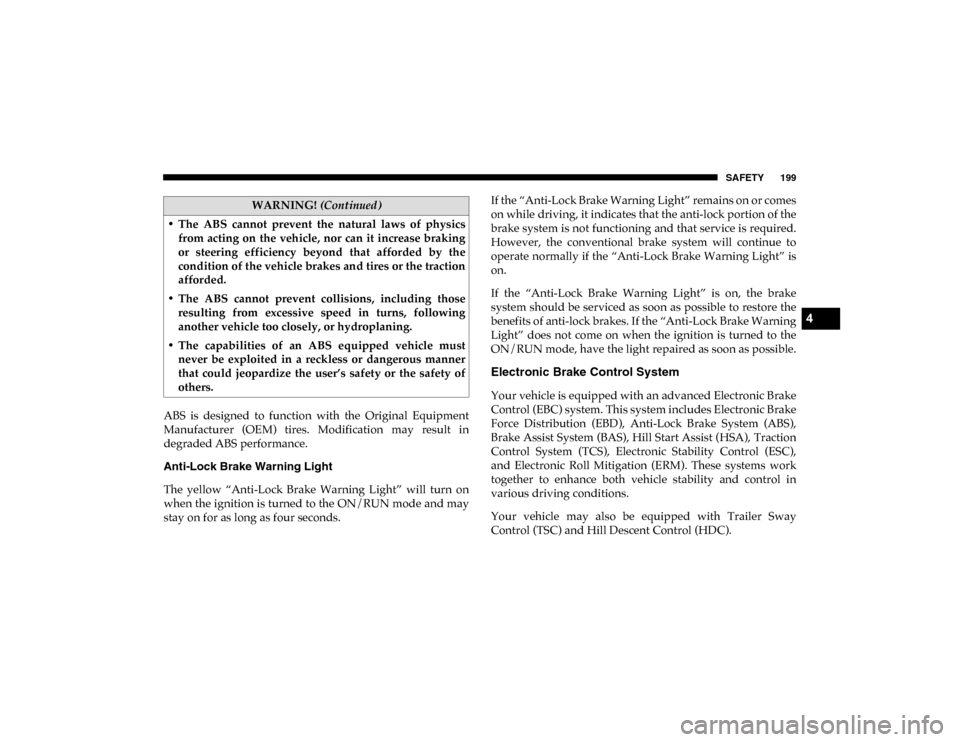
Anti-Lock Brake Warning Light
The yellow “Anti-Lock Brake Warning Light” will turn on
when the ignition is turned to the ON/RUN mode and may
stay on for as long as four seconds.If the “Anti-Lock Brake Warning Light” remains on or comes
on while driving, it indicates that the anti-lock portion of the
brake system is not functioning and that service is required.
However, the conventional brake system will continue to
operate normally if the “Anti-Lock Brake Warning Light” is
on.
If the “Anti-Lock Brake Warning Light” is on, the brake
system should be serviced as soon as possible to restore the
benefits of anti-lock brakes. If the “Anti-Lock Brake Warning
Light” does not come on when the ignition is turned to the
ON/RUN mode, have the light repaired as soon as possible.
Electronic Brake Control System
Your vehicle is equipped with an advanced Electronic Brake
Control (EBC) system. This system includes Electronic Brake
Force Distribution (EBD), Anti-Lock Brake System (ABS),
Brake Assist System (BAS), Hill Start Assist (HSA), Traction
Control System (TCS), Electronic Stability Control (ESC),
and Electronic Roll Mitigation (ERM). These systems work
together to enhance both vehicle stability and control in
various driving conditions.
Your vehicle may also be equipped with Trailer Sway
Control (TSC) and Hill Descent Control (HDC).
• The ABS cannot prevent the natural laws of physics
from acting on the vehicle, nor can it increase braking
or steering efficiency beyond that afforded by the
condition of the vehicle brakes and tires or the traction
afforded.
• The ABS cannot prevent collisions, including those resulting from excessive speed in turns, following
another vehicle too closely, or hydroplaning.
• The capabilities of an ABS equipped vehicle must never be exploited in a reckless or dangerous manner
that could jeopardize the user’s safety or the safety of
others.
WARNING! (Continued)
4
2020_DT_1500_OM_US.book Page 199
Page 205 of 674

SAFETY 203
ESC Operating Modes
NOTE:
Depending upon model and mode of operation, the ESC
system may have multiple operating modes.
ESC On
This is the normal operating mode for the ESC. Whenever
the vehicle is started, the ESC system will be in this mode.
This mode should be used for most driving conditions. Alter-
nate ESC modes should only be used for specific reasons as
noted in the following paragraphs.
Partial Off
The “Partial Off” mode is intended for times when a more
spirited driving experience is desired. This mode may
modify TCS and ESC thresholds for activation, which allows
for more wheel spin than normally allowed. This mode may
be useful if the vehicle becomes stuck.
To enter the “Partial Off” mode, momentarily push the “ESC
Off” switch and the “ESC Off Indicator Light” will illumi -
nate. To turn the ESC on again, momentarily push the “ESC
Off” switch and the “ESC Off Indicator Light” will turn off. NOTE:
For vehicles with multiple partial ESC modes a momentary
button push will toggle the ESC mode. Multiple momentary
button pushed may be required to return to ESC On.
Full Off — If Equipped
This mode is intended for off-highway or off-road use only
and should not be used on any public roadways. In this
mode, TCS and ESC features are turned OFF. To enter the
“Full Off” mode, push and hold the “ESC Off” switch for five
seconds while the vehicle is stopped with the engine
running. After five seconds, a chime will sound, the “ESC Off
WARNING!
• When in “Partial Off” mode, the TCS functionality of ESC, (except for the limited slip feature described in
the TCS section), has been disabled and the “ESC Off
Indicator Light” will be illuminated. When in “Partial
Off” mode, the engine power reduction feature of TCS
is disabled, and the enhanced vehicle stability offered
by the ESC system is reduced.
• Trailer Sway control (TSC) is disabled when the ESC system is in the “Partial Off” mode.
4
2020_DT_1500_OM_US.book Page 203
Page 210 of 674
208 SAFETY
The following conditions must be met in order for HSA to
activate:
• The feature must be enabled.
• The vehicle must be stopped.
• The park brake must be off.
• The driver door must be closed.
• The vehicle must be on a sufficient grade.
• The gear selection must match vehicle uphill direction (i.e.,vehicle facing uphill is in forward gear; vehicle backing
uphill is in REVERSE (R) gear).
• HSA will work in REVERSE (R) gear and all forward gears. The system will not activate if the transmission is in PARK
(P) or NEUTRAL (N). For vehicles equipped with a
manual transmission, if the clutch is pressed, HSA will
remain active.WARNING!
There may be situations where the Hill Start Assist
(HSA) will not activate and slight rolling may occur,
such as on minor hills or with a loaded vehicle, or while
pulling a trailer. HSA is not a substitute for active
driving involvement. It is always the driver’s
responsibility to be attentive to distance to other
vehicles, people, and objects, and most importantly
brake operation to ensure safe operation of the vehicle
under all road conditions. Your complete attention is
always required while driving to maintain safe control of
your vehicle. Failure to follow these warnings can result
in a collision or serious personal injury.
2020_DT_1500_OM_US.book Page 208
Page 211 of 674

SAFETY 209
Towing With HSA
Hill Start Assist (HSA) will also provide assistance to miti-
gate roll back while towing a trailer. Disabling And Enabling HSA
This feature can be turned on or turned off. To change the
current setting, proceed as follows:
• If disabling HSA using your instrument cluster display,
refer to “Instrument Cluster Display” in “Getting To Know
Your Instrument Panel” for further information.
• If disabling HSA using Uconnect Settings, refer to “Ucon -
nect Settings” in “Multimedia” for further information.
For vehicles not equipped with an instrument cluster
display, perform the following steps:
1. Center the steering wheel (front wheels pointing straight forward).
2. Shift the transmission into PARK (P).
3. Apply the park brake.
4. Start the engine.
5. Rotate the steering wheel slightly more than one-half turn to the left.
WARNING!
• If you use a trailer brake controller with your trailer, the trailer brakes may be activated and deactivated with
the brake switch. If so, there may not be enough brake
pressure to hold both the vehicle and the trailer on a
hill when the brake pedal is released. In order to avoid
rolling down an incline while resuming acceleration,
manually activate the trailer brake or apply more
vehicle brake pressure prior to releasing the brake
pedal.
• HSA is not a parking brake. Always apply the parking brake fully when exiting your vehicle. Also, be certain
to place the transmission in PARK.
• Failure to follow these warnings can result in a colli -
sion or serious personal injury.
4
2020_DT_1500_OM_US.book Page 209
Page 212 of 674
210 SAFETY
6. Push the “ESC Off” button located in the lower switch bankbelow the climate control four times within 20 seconds. The
“ESC Off Indicator Light” should turn on and turn off two
times.
7. Rotate the steering wheel back to center and then an addi -
tional slightly more than one-half turn to the right.
8. Turn the ignition to the OFF mode and then back to ON. If the sequence was completed properly, the “ESC Off
Indicator Light” will blink several times to confirm HSA
is disabled.
9. Repeat these steps if you want to return this feature to its previous setting.
Traction Control System (TCS)
The Traction Control System (TCS) monitors the amount of
wheel spin of each of the driven wheels. If wheel spin is
detected, the TCS may apply brake pressure to the spinning
wheel(s) and/or reduce engine power to provide enhanced
acceleration and stability. A feature of the TCS, Brake
Limited Differential (BLD), functions similar to a limited slip
differential and controls the wheel spin across a driven axle.
If one wheel on a driven axle is spinning faster than the other,
the system will apply the brake of the spinning wheel. This will allow more engine torque to be applied to the wheel that
is not spinning. BLD may remain enabled even if TCS and
ESC are in a reduced mode.
Trailer Sway Control (TSC)
Trailer Sway Control (TSC) uses sensors in the vehicle to
recognize an excessively swaying trailer and will take the
appropriate actions to attempt to stop the sway. TSC will
become active automatically once an excessively swaying
trailer is recognized.
NOTE:
TSC cannot stop all trailers from swaying. Always use
caution when towing a trailer and follow the trailer tongue
weight recommendations. Refer to “Trailer Towing” in
“Starting And Operating” for further information.
When TSC is functioning, the “ESC Activation/Malfunction
Indicator Light” will flash, the engine power may be reduced
and you may feel the brakes being applied to individual
wheels to attempt to stop the trailer from swaying. TSC is
disabled when the ESC system is in the “Partial Off” or “Full
Off” modes.
WARNING!
If TSC activates while driving, slow the vehicle down,
stop at the nearest safe location, and adjust the trailer
load to eliminate trailer sway.
2020_DT_1500_OM_US.book Page 210
Page 218 of 674
216 SAFETY
For information on how Blind Spot Monitoring functions
when pulling a trailer, refer to “Trailer Merge Assist” in this
section.
Rear Cross Path (RCP)
The Rear Cross Path (RCP) feature is intended to aid the
driver when backing out of parking spaces where their
vision of oncoming vehicles may be blocked. Proceed slowly
and cautiously out of the parking space until the rear end of
the vehicle is exposed. The RCP system will then have a clear
view of the cross traffic, and if an oncoming vehicle is
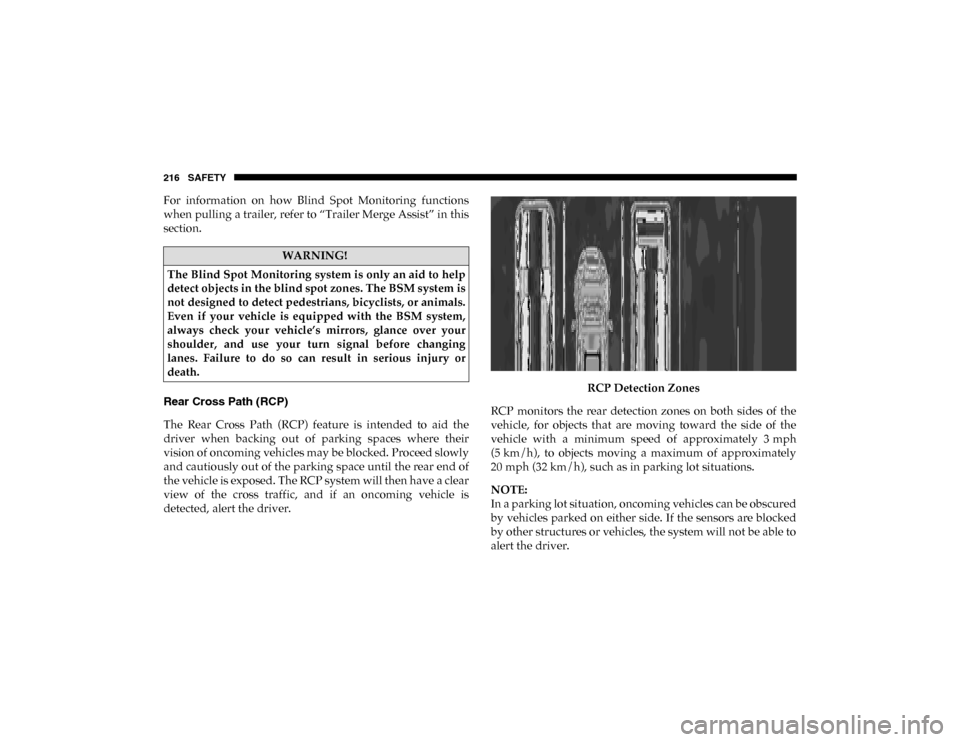
detected, alert the driver.RCP Detection Zones
RCP monitors the rear detection zones on both sides of the
vehicle, for objects that are moving toward the side of the
vehicle with a minimum speed of approximately 3 mph
(5 km/h), to objects moving a maximum of approximately
20 mph (32 km/h), such as in parking lot situations.
NOTE:
In a parking lot situation, oncoming vehicles can be obscured
by vehicles parked on either side. If the sensors are blocked
by other structures or vehicles, the system will not be able to
alert the driver.
WARNING!
The Blind Spot Monitoring system is only an aid to help
detect objects in the blind spot zones. The BSM system is
not designed to detect pedestrians, bicyclists, or animals.
Even if your vehicle is equipped with the BSM system,
always check your vehicle’s mirrors, glance over your
shoulder, and use your turn signal before changing
lanes. Failure to do so can result in serious injury or
death.
2020_DT_1500_OM_US.book Page 216