wheel torque Ram 1500 2020 Owner's Manual
[x] Cancel search | Manufacturer: RAM, Model Year: 2020, Model line: 1500, Model: Ram 1500 2020Pages: 674, PDF Size: 32.69 MB
Page 12 of 674

10
Brake System ............................................................... 512
Automatic Transmission ........................................... 513
Rear Axle And 4x4 Front Driving Axle Fluid
Level ............................................................................. 515
Transfer Case ............................................................... 515
HOISTING ......................................................................... 516
TIRES................................................................................... 516
Tire Safety Information............................................... 516
Tires — General Information .................................... 525
Tire Types ..................................................................... 531
Spare Tires — If Equipped ......................................... 532
Wheel And Wheel Trim Care .................................... 535
Tire Chains (Traction Devices) .................................. 536
Tire Rotation Recommendations .............................. 537
DEPARTMENT OF TRANSPORTATION UNIFORM
TIRE QUALITY GRADES ............................................... 538
Treadwear..................................................................... 538
Traction Grades ........................................................... 538
Temperature Grades ................................................... 538
STORING THE VEHICLE................................................ 539
BODYWORK...................................................................... 539
Protection From Atmospheric Agents ...................... 539
Body And Underbody Maintenance......................... 540
Preserving The Bodywork.......................................... 540
INTERIORS .......................................................................543
Seats And Fabric Parts ................................................543
Plastic And Coated Parts ............................................544
Leather Parts.................................................................545
Glass Surfaces ..............................................................545
TECHNICAL SPECIFICATIONS
IDENTIFICATION DATA ...............................................546
Vehicle Identification Number ................................. 546
BRAKE SYSTEM ...............................................................546
WHEEL AND TIRE TORQUE SPECIFICATIONS ....... 546
Torque Specifications ..................................................547
FUEL REQUIREMENTS ..................................................548
3.6L Engine ..................................................................548
5.7L Engine ...................................................................549
Reformulated Gasoline ...............................................549
Materials Added To Fuel ............................................550
Gasoline/Oxygenate Blends ......................................550
Do Not Use E-85 In Non-Flex Fuel Vehicles ............551
CNG And LP Fuel System Modifications ................ 551
MMT In Gasoline .........................................................551
Fuel System Cautions ..................................................551
Carbon Monoxide Warnings......................................552
2020_DT_1500_OM_US.book Page 10
Page 192 of 674
190 GETTING TO KNOW YOUR INSTRUMENT PANEL
— Rear Axle Lock Indicator Light
This light indicates when the rear axle lock has been acti -
vated.
— 4WD Indicator Light — If Equipped
This light alerts the driver that the vehicle is in the
four-wheel drive mode, and the front and rear driveshafts
are mechanically locked together forcing the front and rear
wheels to rotate at the same speed.
— 4WD Low Indicator Light — If Equipped
This light alerts the driver that the vehicle is in the
four-wheel drive LOW mode. The front and rear driveshafts
are mechanically locked together forcing the front and rear
wheels to rotate at the same speed. Low range provides a
greater gear reduction ratio to provide increased torque at
the wheels.
Refer to “Four-Wheel Drive Operation — If Equipped” in
“Starting And Operating” for further information on
four-wheel drive operation and proper use. — 4WD High Indicator Light — If Equipped
This light alerts the driver that the vehicle is in the
four-wheel drive HIGH mode. The front and rear driveshafts
are mechanically locked together forcing the front and rear
wheels to rotate at the same speed.
— NEUTRAL Indicator Light — If Equipped
This light alerts the driver that the 4WD power transfer case
is in the NEUTRAL mode and the front and rear driveshafts
are disengaged from the powertrain.
— Diesel Particulate Filter (DPF) Cleaning In Progress
Indicator Light — Diesel Versions With DPF Only
The symbol switches on constantly to indicate that the DPF
system needs to eliminate the trapped pollutants (particu-
late) through the regeneration process. The symbol does not
switch on during every DPF regeneration, but only when
driving conditions require that the driver is notified. To turn
off the symbol, keep the vehicle in motion until the regener -
ation process is over. On average, the process lasts
15 minutes.
2020_DT_1500_OM_US.book Page 190
Page 202 of 674
200 SAFETY
Brake Assist System (BAS)
The Brake Assist System (BAS) is designed to optimize the
vehicle’s braking capability during emergency braking
maneuvers. The system detects an emergency braking situa-
tion by sensing the rate and amount of brake application, and
then applies optimum pressure to the brakes. This can help
reduce braking distances. The BAS complements the
Anti-lock Brake System (ABS). Applying the brakes very
quickly results in the best BAS assistance. To receive the
benefit of the system, you must apply continuous braking
pressure during the stopping sequence, (do not “pump” the
brakes). Do not reduce brake pedal pressure unless braking
is no longer desired. Once the brake pedal is released, the
BAS is deactivated. Brake System Warning Light
The red “Brake System Warning Light” will turn on when
the ignition is turned to the ON/RUN mode and may stay on
for as long as four seconds.
If the “Brake System Warning Light” remains on or comes on
while driving, it indicates that the brake system is not func
-
tioning properly and that immediate service is required. If
the “Brake System Warning Light” does not come on when
the ignition is turned to the ON/RUN mode, have the light
repaired as soon as possible.
Electronic Brake Force Distribution (EBD)
This function manages the distribution of the braking torque
between the front and rear axles by limiting braking pressure
to the rear axle. This is done to prevent overslip of the rear
wheels to avoid vehicle instability, and to prevent the rear
axle from entering ABS before the front axle.
Electronic Roll Mitigation (ERM)
The Electronic Roll Mitigation (ERM) system anticipates the
potential for wheel lift by monitoring the driver’s steering
wheel input and the speed of the vehicle. When ERM deter -
mines that the rate of change of the steering wheel angle and
vehicle’s speed are sufficient to potentially cause wheel lift,
WARNING!
The Brake Assist System (BAS) cannot prevent the
natural laws of physics from acting on the vehicle, nor
can it increase the traction afforded by prevailing road
conditions. BAS cannot prevent collisions, including
those resulting from excessive speed in turns, driving on
very slippery surfaces, or hydroplaning. The capabilities
of a BAS-equipped vehicle must never be exploited in a
reckless or dangerous manner, which could jeopardize
the user's safety or the safety of others.
2020_DT_1500_OM_US.book Page 200
Page 212 of 674
210 SAFETY
6. Push the “ESC Off” button located in the lower switch bankbelow the climate control four times within 20 seconds. The
“ESC Off Indicator Light” should turn on and turn off two
times.
7. Rotate the steering wheel back to center and then an addi -
tional slightly more than one-half turn to the right.
8. Turn the ignition to the OFF mode and then back to ON. If the sequence was completed properly, the “ESC Off
Indicator Light” will blink several times to confirm HSA
is disabled.
9. Repeat these steps if you want to return this feature to its previous setting.
Traction Control System (TCS)
The Traction Control System (TCS) monitors the amount of
wheel spin of each of the driven wheels. If wheel spin is
detected, the TCS may apply brake pressure to the spinning
wheel(s) and/or reduce engine power to provide enhanced
acceleration and stability. A feature of the TCS, Brake
Limited Differential (BLD), functions similar to a limited slip
differential and controls the wheel spin across a driven axle.
If one wheel on a driven axle is spinning faster than the other,
the system will apply the brake of the spinning wheel. This will allow more engine torque to be applied to the wheel that
is not spinning. BLD may remain enabled even if TCS and
ESC are in a reduced mode.
Trailer Sway Control (TSC)
Trailer Sway Control (TSC) uses sensors in the vehicle to
recognize an excessively swaying trailer and will take the
appropriate actions to attempt to stop the sway. TSC will
become active automatically once an excessively swaying
trailer is recognized.
NOTE:
TSC cannot stop all trailers from swaying. Always use
caution when towing a trailer and follow the trailer tongue
weight recommendations. Refer to “Trailer Towing” in
“Starting And Operating” for further information.
When TSC is functioning, the “ESC Activation/Malfunction
Indicator Light” will flash, the engine power may be reduced
and you may feel the brakes being applied to individual
wheels to attempt to stop the trailer from swaying. TSC is
disabled when the ESC system is in the “Partial Off” or “Full
Off” modes.
WARNING!
If TSC activates while driving, slow the vehicle down,
stop at the nearest safe location, and adjust the trailer
load to eliminate trailer sway.
2020_DT_1500_OM_US.book Page 210
Page 313 of 674
STARTING AND OPERATING 311
Four-Position Electronically Shifted Transfer Case
(Eight Speed Transmission Only) — If Equipped
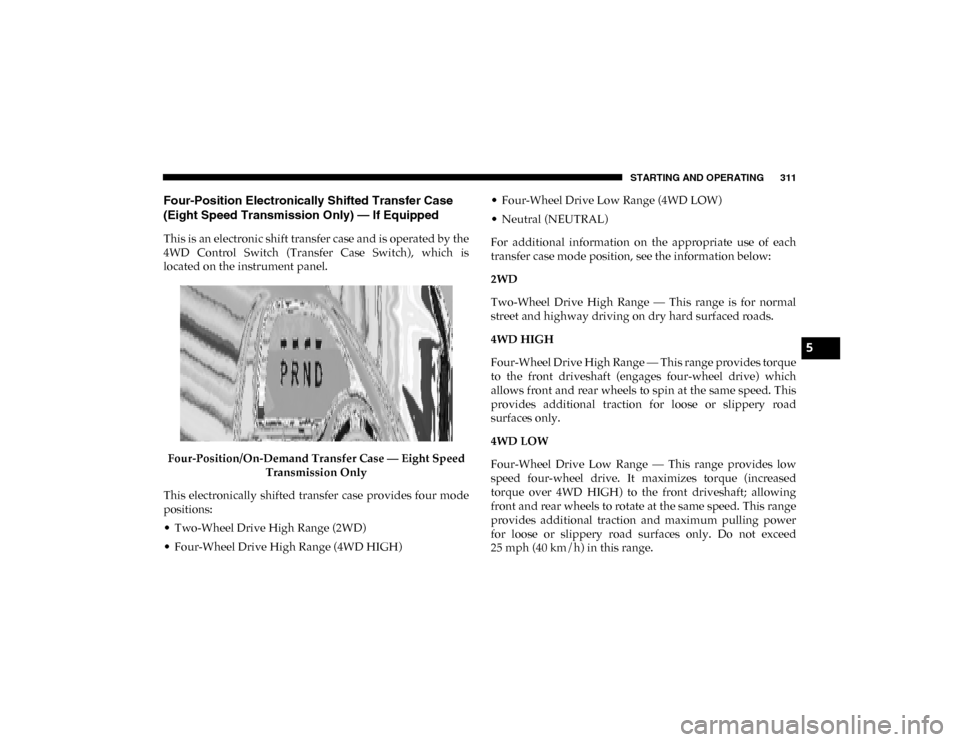
This is an electronic shift transfer case and is operated by the
4WD Control Switch (Transfer Case Switch), which is
located on the instrument panel.Four-Position/On-Demand Transfer Case — Eight Speed Transmission Only
This electronically shifted transfer case provides four mode
positions:
• Two-Wheel Drive High Range (2WD)
• Four-Wheel Drive High Range (4WD HIGH) • Four-Wheel Drive Low Range (4WD LOW)
• Neutral (NEUTRAL)
For additional information on the appropriate use of each
transfer case mode position, see the information below:
2WD
Two-Wheel Drive High Range — This range is for normal
street and highway driving on dry hard surfaced roads.
4WD HIGH
Four-Wheel Drive High Range — This range provides torque
to the front driveshaft (engages four-wheel drive) which
allows front and rear wheels to spin at the same speed. This
provides additional traction for loose or slippery road
surfaces only.
4WD LOW
Four-Wheel Drive Low Range — This range provides low
speed four-wheel drive. It maximizes torque (increased
torque over 4WD HIGH) to the front driveshaft; allowing
front and rear wheels to rotate at the same speed. This range
provides additional traction and maximum pulling power
for loose or slippery road surfaces only. Do not exceed
25 mph (40 km/h) in this range.
5
2020_DT_1500_OM_US.book Page 311
Page 314 of 674
312 STARTING AND OPERATING
NEUTRAL (N)
Neutral — This range disengages both the front and rear
driveshafts from the powertrain. To be used for flat towing
behind another vehicle. Refer to “Recreational Towing” in
this section for further information.This electronically shifted transfer case is designed to be
driven in the two–wheel drive position (2WD) for normal
street and highway conditions on dry hard surfaced roads).
Driving the vehicle in 2WD will have greater fuel economy
benefits as the front axle is not engaged in 2WD.
When additional traction is required, the transfer case 4WD
HIGH and 4WD LOW positions can be used to maximize
torque to the front driveshaft, forcing the front and rear
wheels to rotate at the same speed. This is accomplished by
pushing the desired position on the 4WD control switch.
Refer to “Shifting Procedure” in this section for specific
shifting instructions.
The 4WD HIGH and 4WD LOW positions are designed for
loose, slippery road surfaces only. Driving in the 4WD HIGH
and 4WD LOW positions on dry, hard surfaced roads may
cause increased tire wear and damage to the driveline
components.
NOTE:
The transfer case NEUTRAL button is located in the center of
the 4WD Control Switch and is pushed by using a ballpoint
pen or similar object. The transfer case NEUTRAL position is
to be used for recreational towing only. Refer to “Recre
-
ational Towing” in “Starting And Operating” for further
information.
WARNING!
• You or others could be injured or killed if you leave the vehicle unattended with the transfer case in the
NEUTRAL (N) position without first fully engaging
the parking brake. The transfer case NEUTRAL (N)
position disengages both the front and rear drive shaft
from the powertrain, and will allow the vehicle to roll,
even if the transmission is in PARK. The parking brake
should always be applied when the driver is not in the
vehicle.
• The transmission may not engage PARK if the vehicle is moving. Always bring the vehicle to a complete stop
before shifting to PARK, and verify that the transmis -
sion gear position indicator solidly indicates PARK (P)
without blinking. Ensure that the vehicle is completely
stopped, and the PARK position is properly indicated,
before exiting the vehicle.
2020_DT_1500_OM_US.book Page 312
Page 317 of 674

STARTING AND OPERATING 315
This electronically shifted transfer case provides five mode
positions:
• Two-Wheel Drive High Range (2WD)
• Four-Wheel Drive Automatic High Range (4WD AUTO)
• Four-Wheel Drive High Range (4WD HIGH)
• Four-Wheel Drive Low Range (4WD LOW)
• Neutral (NEUTRAL)
For additional information on the appropriate use of each
transfer case mode position, see the information below:
2WD
Two-Wheel Drive High Range — This range is for normal
street and highway driving on dry hard surfaced roads.
4WD AUTO
Four-Wheel Drive Auto High Range — This range sends
power to the front wheels automatically when the vehicle
senses a loss of traction. This range may be used during
varying road conditions.4WD HIGH
Four-Wheel Drive High Range — This range provides torque
to the front driveshaft (engages four-wheel drive) which
allows front and rear wheels to spin at the same speed. This
provides additional traction for loose or slippery road
surfaces only.
4WD LOW
Four-Wheel Drive Low Range — This range provides low
speed four-wheel drive. It maximizes torque (increased
torque over 4WD HIGH) to the front driveshaft; allowing
front and rear wheels to rotate at the same speed. This range
provides additional traction and maximum pulling power
for loose or slippery road surfaces only. Do not exceed
25 mph (40 km/h) in this range.
NEUTRAL (N)
Neutral — This range disengages both the front and rear
driveshafts from the powertrain. To be used for flat towing
behind another vehicle. Refer to “Recreational Towing” in
this section for further information.
5
2020_DT_1500_OM_US.book Page 315
Page 318 of 674

316 STARTING AND OPERATING
This electronically shifted transfer case is designed to be
driven in the two–wheel drive position (2WD) or four-wheel
drive auto position (4WD AUTO) for normal street and
highway conditions on dry, hard surfaced roads. Driving the
vehicle in 2WD will have greater fuel economy benefits as
the front axle is not engaged in 2WD.For variable driving conditions, the 4WD AUTO mode can
be used. In this mode, the front axle is engaged, but the
vehicle's power is sent to the rear wheels. Four-wheel drive
will be automatically engaged when the vehicle senses a loss
of traction. Because the front axle is engaged, this mode will
result in lower fuel economy than the 2WD mode.
When additional traction is required, the transfer case 4WD
HIGH and 4WD LOW positions can be used to maximize
torque to the front driveshaft, forcing the front and rear
wheels to rotate at the same speed. This is accomplished
pushing the desired position on the 4WD Control Switch.
Refer to “Shifting Procedure” in this section for specific
shifting instructions.
The 4WD HIGH and 4WD LOW positions are designed for
loose, slippery road surfaces only. Driving in the 4WD HIGH
and 4WD LOW positions on dry hard surfaced roads may cause
increased tire wear and damage to the driveline components.
NOTE:
The transfer case NEUTRAL button is located in the center of the
4WD Control Switch and is pushed by using a ballpoint pen or
similar object. The transfer case NEUTRAL position is to be used
for recreational towing only. Refer to “Recreational Towing” in
“Starting And Operating” for further information.
WARNING!
• You or others could be injured or killed if you leave the vehicle unattended with the transfer case in the
NEUTRAL (N) position without first fully engaging
the parking brake. The transfer case NEUTRAL (N)
position disengages both the front and rear drive shaft
from the powertrain, and will allow the vehicle to roll,
even if the transmission is in PARK. The parking brake
should always be applied when the driver is not in the
vehicle.
• The transmission may not engage PARK if the vehicle is moving. Always bring the vehicle to a complete stop
before shifting to PARK, and verify that the transmis -
sion gear position indicator solidly indicates PARK (P)
without blinking. Ensure that the vehicle is completely
stopped, and the PARK position is properly indicated,
before exiting the vehicle.
2020_DT_1500_OM_US.book Page 316
Page 334 of 674
332 STARTING AND OPERATING
Operating the locker in 2WD, 4WD AUTO, and 4WD
LOCK/HIGH the locker can be engaged up to 20 mph
(32 km/h). While driving with the locker engaged, if speed
exceeds 25 mph (40 km/h), the locker will automatically
disengage, but will automatically reengage at 20 mph
(32 km/h).
NOTE:
Left to right wheel speed difference may be necessary to
allow the rear axle to fully lock. If the indicator light is
flashing after selecting the rear axle lock mode, drive the
vehicle in a turn or on loose gravel to expedite the locking
action.
The axle locker could become torque locked due to side to
side loads on the rear axle. Driving slowly while turning the
steering wheel from a left hand turn to a right hand turn or
driving in REVERSE for a short distance may be required to
release the torque lock and unlock the axles.
To unlock the rear axle; push the AXLE LOCK button. The
AXLE LOCK indicator light will go out when the rear axle is
unlocked.
LIMITED-SLIP DIFFERENTIAL — IF EQUIPPED
The limited-slip differential provides additional traction on
snow, ice, mud, sand and gravel, particularly when there is a difference between the traction characteristics of the
surface under the right and left rear wheels. During normal
driving and cornering, the limited-slip unit performs simi
-
larly to a conventional differential. On slippery surfaces,
however, the differential delivers more of the driving effort
to the rear wheel having the better traction.
The limited-slip differential is especially helpful during slip -
pery driving conditions. With both rear wheels on a slippery
surface, a slight application of the accelerator will supply
maximum traction. When starting with only one rear wheel
on an excessively slippery surface, slight momentary appli -
cation of the parking brake may be necessary to gain
maximum traction.
Care should be taken to avoid sudden accelerations when
both rear wheels are on a slippery surface. This could cause
both rear wheels to spin, and allow the vehicle to slide side -
ways on the crowned surface of a road or in a turn.
WARNING!
When servicing vehicles equipped with a limited-slip or
locking differential never run the engine with one rear
wheel off the ground since the vehicle may drive
through the rear wheel remaining on the ground and
result in unintended movement.
2020_DT_1500_OM_US.book Page 332
Page 393 of 674

STARTING AND OPERATING 391
LANESENSE — IF EQUIPPED
LaneSense Operation
The LaneSense system is operational at speeds above 37 mph
(60 km/h) and below 112 mph (180 km/h). It uses a forward
looking camera to detect lane markings and measure vehicle
position within the lane boundaries.
When both lane markings are detected and the driver unin -
tentionally drifts out of the lane while no turn signal has been
applied OR the driver departs the lane on the opposite side
of the applied turn signal (if the left turn signal is applied and
the vehicle departs to the right), the LaneSense system
provides a haptic warning in the form of torque applied to
the steering wheel to prompt the driver to remain within the
lane boundaries. The LaneSense system will also provide a
visual warning through the instrument cluster display to
prompt the driver to remain within the lane boundaries.
The driver may manually override the haptic warning by
applying torque into the steering wheel at any time. When only a single lane marking is detected and the driver
unintentionally drifts across that lane marking (no turn
signal applied), the LaneSense system provides a visual
warning through the instrument cluster display to prompt
the driver to remain within the lane. When only a single lane
marking is detected, a haptic (torque) warning will not be
provided.
NOTE:
When operating conditions have been met, the LaneSense
system will monitor if the driver’s hands are on the steering
wheel and provides an audible and visual warning to the
driver when the driver’s hands are not detected on the
steering wheel. The system will cancel if the driver does not
return their hands to the wheel.
Turning LaneSense On Or Off
The LaneSense button is located on the switch panel
below the Uconnect display.
NOTE:
If your vehicle is equipped with a 12–inch Uconnect Display
screen, the LaneSense button is located above the display.
5
2020_DT_1500_OM_US.book Page 391